
Arooj Ishtiaq
March 18, 2026 • Updated July 24, 2026
18 mins Read
You have an idea for a video. Maybe it's a product shot that needs to feel like a real ad campaign, a character who has to look the same in every scene, or a scene with dialogue that actually syncs to the lips saying it. Most AI tools force you to choose between good visuals and real control, and this Seedance 2.0 guide exists because that trade-off isn't necessary anymore. Seedance 2.0 is built to hand you both: cinematic 4K output and the kind of frame-by-frame control that used to require an actual production team. This guide walks through what the model does, how to access it, what it costs, and exactly how to prompt it so your first generation looks like your fifth.
What is Seedance 2.0?
Here's the gap most AI video tools leave open: they'll generate a clip from a prompt, sure, but the moment you want a specific character to reappear, a specific voice to sync to a specific mouth, or a product photo animated without losing its logo, most of them start guessing instead of listening. Seedance 2.0 closes that gap.
Developed by ByteDance's Seed research team, it's the current generation of a model line that's rebuilt motion stability, audio sync, multi-shot storytelling, and resolution from the ground up, now generating natively at 4K instead of upscaling to get there. If you're curious what comes after 2.0, Seedance 2.5 has already launched with longer native clips and a bigger reference-asset limit, worth bookmarking once this guide gets you comfortable with the fundamentals.
What actually sets it apart, and the reason this Seedance 2.0 guide spends as much time on inputs as it does on output, is that it never splits video and audio into separate problems the way most tools do. Text, images, video, and audio all go in together, and what comes out matches what you actually pictured, not a visually-close approximation missing the sound design entirely.
Run it through ImagineArt's AI video generator for social content, brand campaigns, film previsualization, or a personal project, single shot or full sequence, and get cinematic quality without needing a crew to get there. Outgrow a single sequence? The AI Film Studio picks up exactly where a single Seedance 2.0 generation ends, stitching multiple scenes into one coherent production.
Key Features
- Multimodal input support: Combine text, images, video, and audio in a single project using the @ reference system. Each asset defines a specific role, such as a character's appearance, a camera movement, or syncing visuals to audio, with the model maintaining consistency across all assets throughout the generation.
- Motion and audio synchronization: Motion and audio are automatically aligned, ensuring sound effects, dialogue, and ambient audio match on-screen action frame by frame. This eliminates lip-sync issues and mismatched sound that usually require manual post-production fixes.
- Native multi-shot storytelling: Generate full sequences with smooth transitions and consistent characters without manually stitching individual clips. Seedance 2.0 preserves character identity, lighting logic, and visual style across every shot.
- Frame-level precision and control: Control objects, characters, transitions, and camera angles at a granular level. With timestamp-based prompting, you can define exactly when a camera moves, a character enters, or the visual tone shifts, giving editing-level control before generating a single frame.
- Native 4K resolution output: Seedance 2.0 generates video at true 4K resolution, not upscaled. Fine detail, sharp edges, and clean textures are maintained across motion, creating production-ready videos.
How Does Seedance 2.0 Work?
Most AI video tools generate visuals first and add audio later. This approach often results in awkward lip sync and audio that does not match the scene. Seedance 2.0 solves this by generating video and audio simultaneously in a single process.
The model uses a dual-branch diffusion transformer. It processes all inputs, including text, images, video clips, and audio, together. This produces results that are cohesive, natural, and professional without manual post-production adjustments.
1. Enhanced Base Quality
Seedance 2.0 delivers improved fundamental video generation with:
- 4K native output: Renders at full 4K resolution from generation, maintaining crisp detail across every frame and camera movement.
- Fluid motion: Smooth and natural movement with proper momentum
- Precise instruction following: Handles complex creative directions
- Style consistency: Maintains visual coherence across the video
2. Multimodal Reference System
Reference any element from uploaded assets for fully guided generation:
- Motion patterns from videos
- Visual effects and transitions from templates
- Character appearances from images
- Camera techniques from cinematography examples
- Audio rhythm and mood from music tracks
3. Character and Object Consistency
Maintains identity and detail across frames:
- Face consistency: Characters retain their appearance throughout
- Product and detail preservation: Logos, text, and fine details remain intact
- Scene coherence: Environments stay consistent
- Style lock: Visual style does not drift during generation
4. Motion and Camera Replication
Apply complex choreography and camera techniques from reference clips:
- Choreography: Fighting sequences, dance moves, action scenes
- Camera techniques: Dolly shots, tracking, crane movements, handheld effects
- Editing rhythm: Cut timing, transitions, and pacing
- Special movements: Zooms, whip pans, orbit shots
5. Creative Template Replication
Replicate full creative concepts for ads, film, and music videos:
- Advertising formats: Product reveals, brand stories, lifestyle montages
- Visual effects: Particles, morphing, stylized transitions
- Film techniques: Opening sequences, title cards, dramatic reveals
- Editing styles: Music video cuts, commercial pacing, documentary flow
6. Video Extension
Extend existing clips while preserving narrative coherence and continuity:
- Add new scenes, characters, or sequences
- Maintain consistent motion, lighting, and visual style
- Continue storylines seamlessly without regenerating the full video
7. Video Editing
Modify videos efficiently without starting from scratch:
- Character replacement: Swap individuals while keeping motion intact
- Element addition or removal: Add objects or remove distractions
- Style transfer: Apply new visual treatments
- Narrative adjustments: Change story direction or sequencing
8. Audio-Synchronized Generation
Native audio integration ensures visuals and sound are fully aligned:
- Lip-sync: Dialogue in multiple languages
- Sound effects: Matched to on-screen actions
- Background music: Follows visual rhythm and pacing
- Voice acting: Supports emotional expression and dynamic performance
How to Access Seedance 2.0?
You can access Seedance 2.0 in two main ways, depending on your workflow:
Method 1: Dreamina by ByteDance
Dreamina is ByteDance’s platform that integrates closely with CapCut. It gives direct access to Seedance 2.0 and supports multimodal input. Each project can include up to 12 clips—9 images, 3 videos, and 3 audio files—with clips up to 15 seconds long.
Method 2: ImagineArt (Recommended)
ImagineArt hosts Seedance 2.0 alongside a full suite of AI creative tools. The interface is simple, free credits are available to start, and no setup or API keys are required. Open the AI video generator and select Seedance 2.0, and start creating immediately.
Using Seedance 2.0 on ImagineArt
Creating videos on ImagineArt is simple and flexible for both beginners and professionals:
-
Open the AI Video Generator and Select Seedance 2.0
Upload any reference images, video clips, or audio files you want to include. If you only have a text description, you can type it directly. You can also add the first and last frames.
-
Set Your Preferences
After uploading your inputs and reference images, the platform automatically sets the generation mode. Choose the aspect ratio and resolution — including 4K for the highest output quality — and use Generate Preview to decide the best first shot before creating the full video.
-
Generate and Export
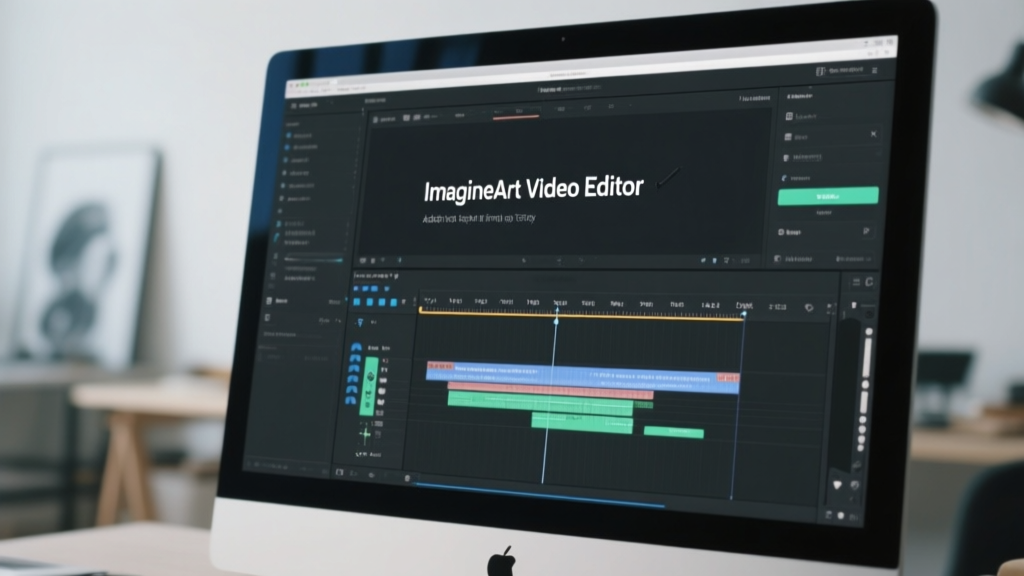
Click Generate to create your video. Review the output and refine your prompt or settings as needed. You can also edit and enhance your clips directly in the ImagineArt AI video editor before exporting them in your preferred format.
Recommended read: How to Use Seedance 2.0?
Seedance 2.0 vs Other AI Video Generators
The AI video space has grown rapidly, and each model has its strengths. Understanding how Seedance 2.0 compares to leading alternatives helps you choose the right tool for your projects. Here is an in-depth comparison with Sora 2, Veo 3.1, Veo 3, and Kling 3.0.
Seedance 2.0 vs Sora 2
| Feature | Seedance 2.0 | Sora 2 |
|---|---|---|
| Multimodal Input | Up to 12 assets combined | Text prompts only |
| Audio Handling | Generated alongside video | Not supported |
| Multi-Shot Support | Native | Limited |
| Character Consistency | Across full sequence | Scene-to-scene drift |
| Best For | Complex narratives and professional workflows | Scenic and cinematic single shots |
Sora 2 by OpenAI is known for producing visually impressive and physically realistic footage. It excels at capturing natural motion and detailed environments, making it ideal for scenic or cinematic content. However, Sora 2 does not allow you to use multiple types of inputs together.
You cannot provide a character image, an audio reference, and a video clip simultaneously. Multi-shot storytelling is also limited, so maintaining character consistency across scenes can be challenging.
Why Seedance 2.0 stands out:
Seedance 2.0 accepts multimodal inputs, supports native multi-shot generation, and allows frame-level control across the entire sequence. It is the better choice when you want a full narrative or professional-quality video with multiple characters and consistent scenes. Generates at native 4K resolution for production-ready output without post-processing
Key Features of Seedance 2.0 vs Sora 2
- Supports text, images, audio, and video together
- Maintains character consistency across multiple shots
- Generates audio and video simultaneously for better lip-sync
- Handles transitions and scene pacing automatically
Seedance 2.0 vs Veo 3
| Feature | Seedance 2.0 | Veo 3 |
|---|---|---|
| Reference Inputs | Up to 12 multimodal assets | Text prompts only |
| Multi-Shot Generation | Native | Manual stitching required |
| Character Consistency | Maintained across all shots | Limited |
| Scene Control | End-to-end composition and pacing | General purpose |
| Best For | Complex workflows requiring precision | Outdoor and ambient audio content |
Veo 3 by Google generates high-quality video with strong visual fidelity. It is particularly effective for outdoor scenes or projects requiring natural ambient audio. Veo 3 is well-suited for general-purpose video generation. However, it offers limited input control. Users can mainly provide text prompts and cannot combine multiple reference assets in a single project, the way Seedance 2.0 does.
Why Seedance 2.0 stands out:
Seedance 2.0 allows creators to maintain a specific visual style, replicate characters across multiple scenes, and combine up to 12 assets in one project. This makes it far more suitable for complex creative workflows where precision and control matter.
Key Features of Seedance 2.0 vs Veo 3
- Supports multimodal reference inputs for precise guidance
- Provides native multi-shot generation
- Keeps character and object consistency across shots
- Allows end-to-end control over scene composition and pacing
Seedance 2.0 vs Veo 3.1
| Feature | Seedance 2.0 | Veo 3.1 |
|---|---|---|
| Reference Assets | Up to 12 via @ system | Limited to basic multi-reference |
| Multi-Shot Generation | Native | Manual stitching required |
| Character and Object Consistency | Across all shots | Not supported |
| Production Scale | Complex, multi-asset workflows | General purpose |
| Input Flexibility | Full multimodal control | Surface-level asset combining |
Veo 3.1 by Google excels at generating high-quality video with strong visual fidelity, particularly for outdoor scenes or projects needing natural ambient audio. It includes a multi-reference “ingredients to video” feature, allowing users to combine separate assets such as a product image, background, and lighting reference into a single output. However, its input control is limited, and it cannot handle multiple reference assets with the depth and flexibility required for professional production workflows.
Why Seedance 2.0 stands out
Seedance 2.0 provides creators with full end-to-end control over production. It ensures consistent visual style, allows characters and objects to remain identical across multiple scenes, and supports combining up to 12 assets in a single workflow. For complex projects where precision, consistency, and scale matter, Seedance 2.0 offers far greater creative control.
Key Features of Seedance 2.0 vs Veo 3.1
- Supports multimodal reference inputs for precise creative guidance
- Combines up to 12 assets in a single project via the @ reference system
- Provides native multi-shot generation without manual stitching
- Maintains character and object consistency across all shots
- Delivers end-to-end control over scene composition and pacing
Seedance 2.0 vs Kling 3.0
| Feature | Seedance 2.0 | Kling 3.0 |
|---|---|---|
| Reference Assets | Up to 12 via @ system | Limited to basic multi-reference |
| Multi-Shot Generation | Native | Supported, but more manual setup |
| Character and Object Consistency | Across all shots | Strong within shots, weaker across |
| Production Scale | Complex, multi-asset workflows | Cinematic, ad-ready output |
| Input Flexibility | Full multimodal control | Text + image + some reference only |
| Native 4K Output | No | Yes |
| Native Audio in Video | Yes (synchronized native audio architecture) | Yes (audio in same pipeline) |
Kling 3.0 by Kuaishou is highly regarded for smooth, realistic human movement and visual consistency within a single clip. It works exceptionally well for short-form content and individual shots.
Seedance 2.0, however, is designed for complex projects with multiple characters, evolving scenes, and synchronized audio. It can handle up to 12 multimodal assets, multi-camera narrative flow, and frame-level precision editing, making it ideal for long-form or multi-scene projects.
Why Seedance 2.0 stands out:
While Kling 3.0 excels at short, high-quality shots, Seedance 2.0 is better for complete stories that require precise control over multiple elements.
Key Features of Seedance 2.0 vs Kling 3.0
- Supports multi-shot storytelling with consistent characters
- Accepts up to 12 multimodal assets per project
- Controls camera movements, transitions, and pacing precisely
- Generates audio and video together for seamless synchronization
Seedance 2.0 Pricing on ImagineArt
ImagineArt offers flexible pricing for Seedance 2.0 to support casual creators and professional teams.
- Free Plan – New users get free credits upon signup; no credit card required, start generating videos immediately.
- Credits:
- 100 free credits when you create an account
- Credits refresh every 24 hours
- Credits:
- Basic Plan – Affordable monthly tier for creators who want regular access without a large commitment.
- Price (all terms):
- $9 USD per month equivalent in all billing options
- Monthly: billed $9 each month
- Quarterly: billed $27 every 3 months
- Yearly: billed $108 every 12 months
- Credits:
- 2,000 credits per month
- Credits refresh monthly; unused credits expire at month‑end
- Price (all terms):
- Ultimate Plan – Peak performance for pros
- Price: billed monthly (exact price to be confirmed)
- Credits: 16,000 credits per month
- Additional Features:
- Up to ~3,200 image generations per month
- Up to ~530 video generations per month
- Creator Plan (Limited Offer) – A full production engine for power users
- Credits: 100,000 credits per month
- Additional Features:
- Up to ~20,000 image generations per month
- Up to ~3,300 video generations per month
Seedance 2.0 Free Usage Methods
Seedance 2.0 is fully accessible even if you are not ready to pay, which makes it easy for beginners or casual creators to test the platform before committing.
1. Free Credits on ImagineArt
Every new ImagineArt account comes with free generation credits that work across all tools, including Seedance 2.0. You get 100 free credits that refresh every 24 hours. No credit card is needed, and you can start creating immediately after signing up.
2. Contests and Community Challenges
ImagineArt runs frequent contests and challenges where participants can win extra credits or even temporary access to premium plans. Engaging in these activities is a smart way to expand your free usage while building experience.
3. ImagineArt Creators Program
Active creators on ImagineArt can join the Creators Program, which provides ongoing credits, platform benefits, and additional perks for regular usage. This program is ideal for anyone who wants long-term, consistent access without a recurring subscription cost.
Writing Effective Prompts for Seedance 2.0
The key to getting the best output from Seedance 2.0 is crafting prompts like a director planning a shot rather than searching for the right keywords. The model interprets your description holistically, considering composition, camera movement, lighting, and mood.
Seedance 2.0 Standard Prompt Structure
The most reliable prompt framework follows this order: Subject, Action, Camera, Style, and Constraints.
- The subject defines who or what is in the scene. Be specific about age, clothing, expression, and posture.
- Action describes what happens, written in the present tense, with one primary movement per shot.
- Camera covers framing (wide, medium, close-up) and movement (dolly-in, pan, orbit, handheld).
- Style sets the visual tone through lighting, color grading, or atmosphere.
When using reference files, Seedance 2.0 labels each upload as @Image1, @Video1, or @Audio1, which you can call directly in your prompt.
For example: "Character from @Image1 walks through the landscape in @Image2, camera tracking shot, beat-synced to @Audio1." This keeps visuals consistent and prevents drift.
Using Timestamps for Precise Timing
For multi-beat scenes, break your prompt into timed segments instead of one continuous block. This tells the model exactly when each action, camera move, or visual change should occur.
Example:
[00:00] A woman stands alone in a foggy street at night. Wide shot. Soft blue lighting. [00:04] She begins walking toward the camera. Slow dolly in. [00:07] Close-up as she stops and looks directly into the lens. Subtle wind in her hair.
This works especially well for multi-shot sequences, narrative build-ups, action scenes, and style transitions. Keep each segment focused on one main action. The clearer your timing, the cleaner the motion and the smoother the transitions.
Tips for Strong Prompts:
- Start with the scene composition, then describe the characters or objects, followed by camera angles or motion, and finally the mood and lighting.
- Be specific but concise. Include details about perspective, atmosphere, or style if they are important for your project.
- Think in sequences if you want multi-shot outputs. Break down each scene and maintain character consistency across shots.
Prompt Examples For Seedance 2.0
Cinematic Scene
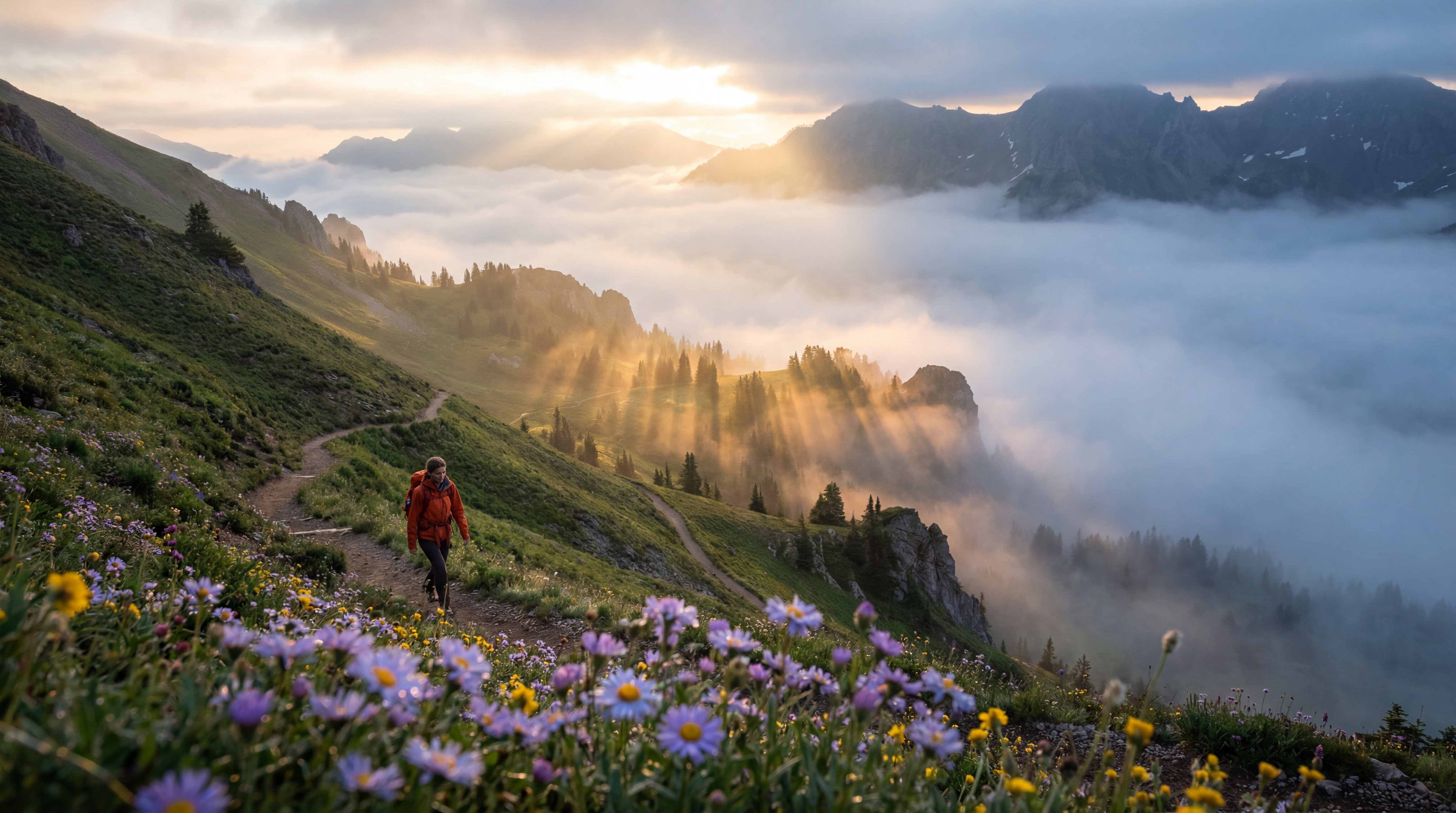 Cinematic Scene by Seedance 2.0
"Breathtaking wide establishing shot of a mist-laden mountain valley at golden hour. A solitary hiker in a vivid burnt-orange jacket traverses a narrow switchback trail carved into the hillside. Execute a slow, deliberate dolly-push toward the subject, maintaining sharp foreground bokeh on wildflowers while the valley depth stays in frame. Light rays pierce through low-hanging fog, casting volumetric god rays across the terrain. Color grade: warm amber highlights, cool teal shadows. Mood: vast solitude with quiet triumph. Aspect ratio 2.39:1 cinematic widescreen."
Character-Focused Scene
 Character-Focused Scene by Seedance 2.0
"Intimate close-up portrait of a young woman, early 20s, loose spiral curls framing her face, absorbed in a worn paperback at a corner café table. Lens: 85mm equivalent, f/1.8 shallow depth of field — background café life dissolves into warm amber bokeh. Natural micro-movements: occasional eye scan across the page, a subtle lip press, fingers idly turning a page. Practical window light from camera-left creates soft directional shadows. Film grain overlay, slightly desaturated with lifted blacks. Mood: quiet introspection, unhurried afternoon."
Product Video
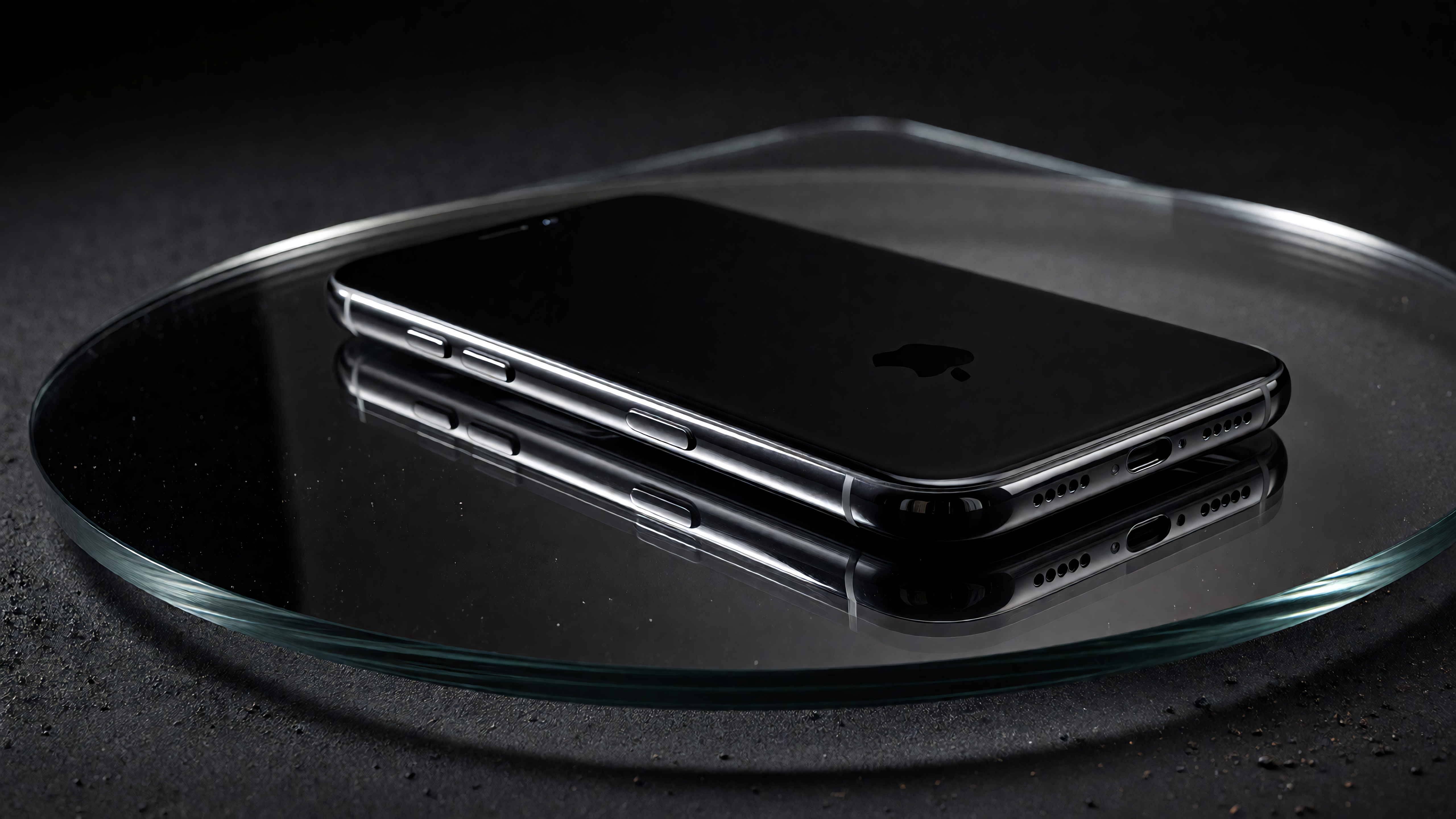 Product Video by Seedance 2.0
"Product cinematography. A matte obsidian smartphone sits perfectly centered on a dark smoked tempered glass surface, polished enough to cast a sharp mirror reflection of the device beneath it. Camera: smooth 270-degree orbital arc at 25-degree downward elevation, 8 seconds, perfectly stabilized — zero shake, zero drift. Device stays centered throughout. Lighting: key light at 45 degrees camera-left traces crisp specular highlights along the phone's edges as the camera orbits. Soft fill from camera-right preserves matte texture detail. Narrow backlight rim separates the device from the background and catches microscopic suspended dust particles — subtle, not overdone. Background: deep charcoal-to-black seamless backdrop with soft vignette falloff. Grade: cool, desaturated, crushed blacks, controlled highlights — never blown. Aesthetic reference: Apple or Samsung global campaign quality. Every paused frame should work as a standalone print ad.”
Action Scene
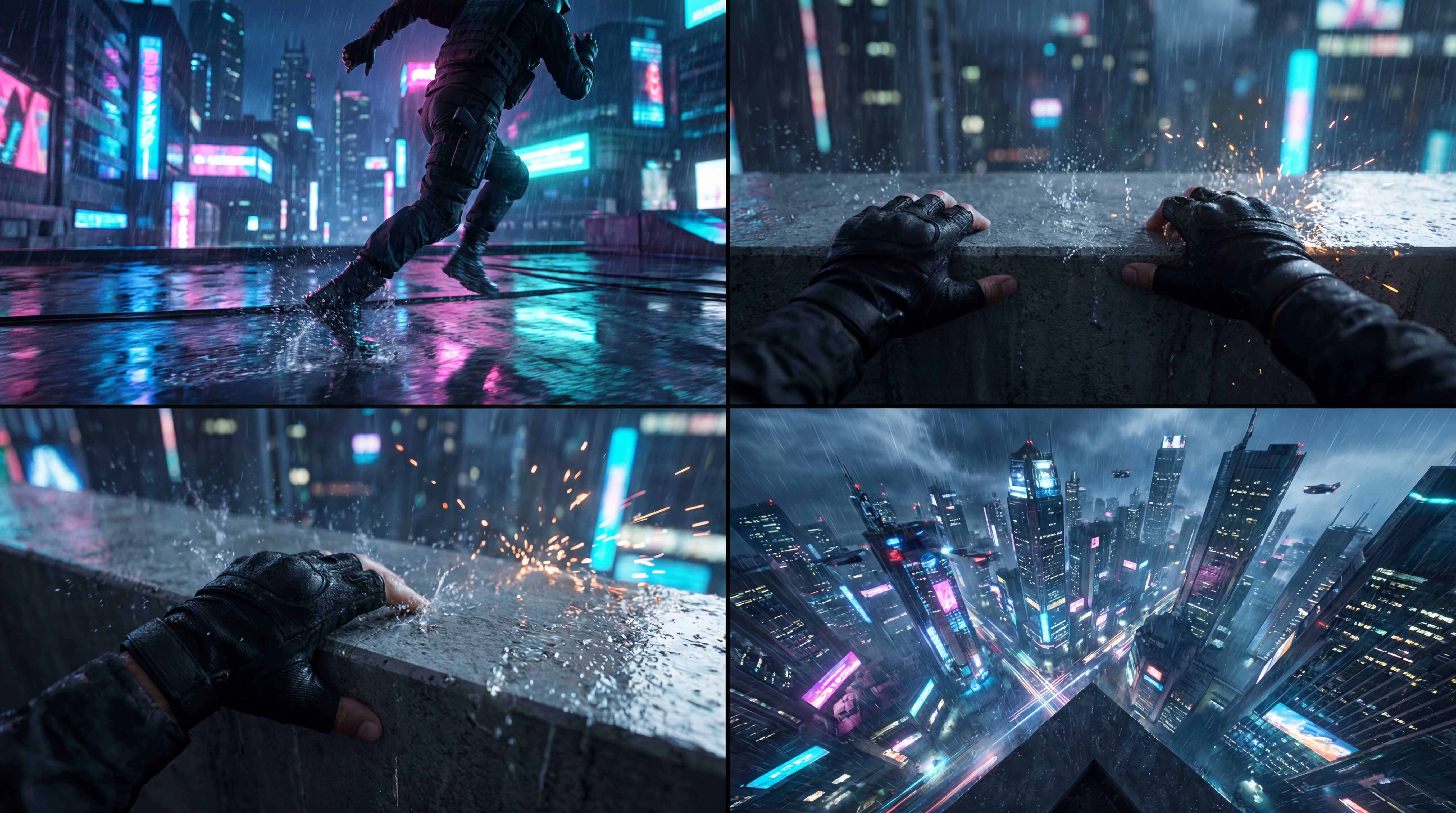 Action Scene by Seedance 2.0
"Kinetic parkour sequence: an athlete in tactical gear explodes across rain-slicked rooftops in a cyberpunk megacity, 2 AM. Camera language: aggressive tracking shot locked to the runner's center of mass during sprints, snapping to handheld close-up on hands gripping a ledge, then cutting wide to reveal the neon canyon below. Environment: holographic billboard advertisements in Mandarin and English, steam venting from roof ducts, distant police drones sweeping searchlights. Color: crushed blacks, aggressive magenta, and cyan neons. Motion blur on fast cuts. Mood: desperate urgency, parkour-as-survival."
Multi-Shot Story
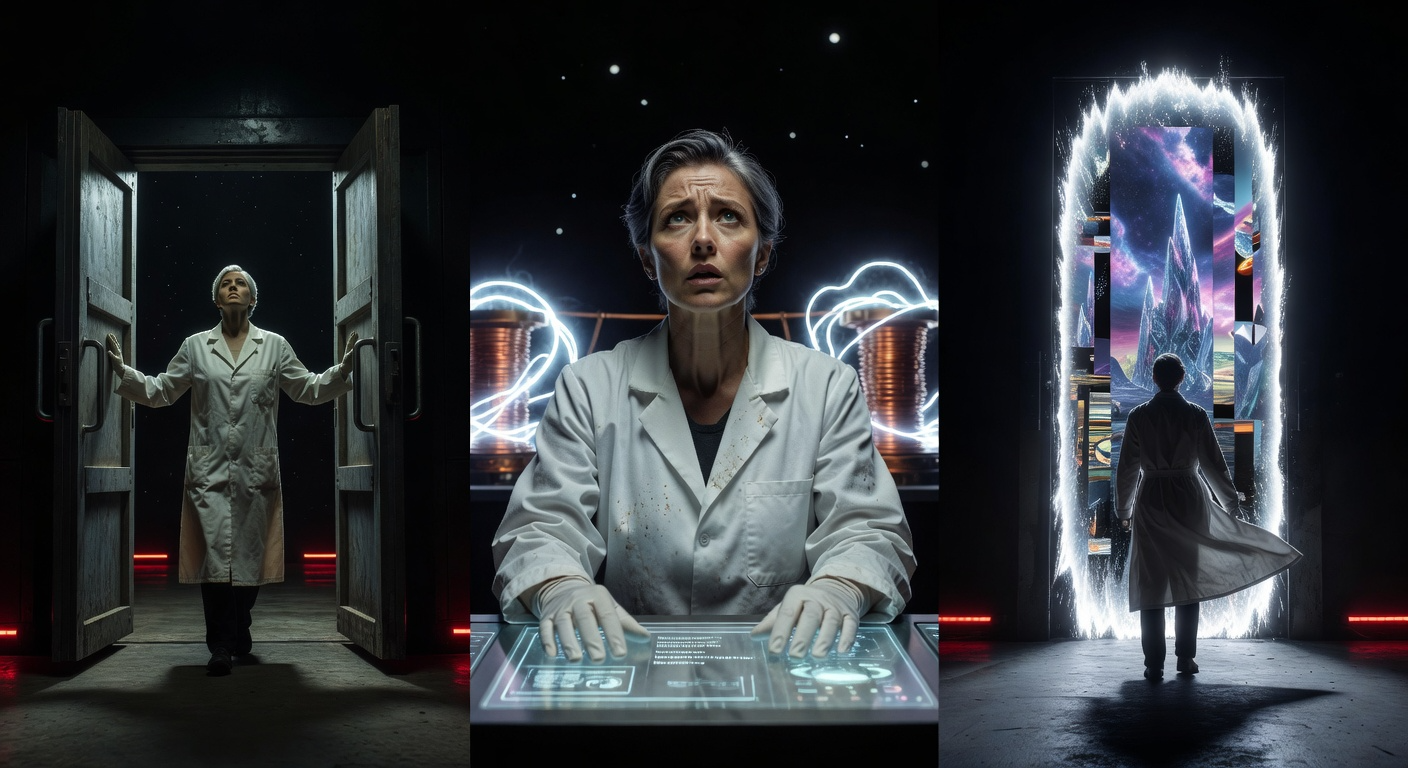 Multi-Shot Story by Seedance 2.0
"Three-shot cinematic sci-fi sequence with strictly consistent character appearance throughout — same actress, same lab coat, same short silver-streaked hair: Shot 1 — Low wide angle: A scientist pushes open heavy blast doors into a cavernous, dark laboratory. Emergency red lighting along floor strips. Her silhouette is small against the massive, dark room. Handheld, slightly uneasy. Shot 2 — Medium close-up: Her hands move deliberately across a holographic control interface. The machine behind her awakens — coils of energy pulse from dormant to brilliant blue-white. Her face reflects the growing light, expression shifting from focus to awe. Shot 3 — Dramatic wide pull-back: A vertical portal tears open the center of the room — shimmering, unstable, showing fragmented glimpses of another place. She stands before it, coat billowing from the energy displacement. The camera cranes upward and back. Practical light from the portal illuminates the entire set. Consistent color grade across all three shots: deep teal shadows, cool white practicals, desaturated base with high contrast. Score mood: tense, revelatory, Interstellar-adjacent."
Recommended read: Seedance 2.0 Prompt Guide
Using structured prompts like these ensures the first generation is closer to your vision, reducing the need for repeated attempts.
Start Creating with Seedance 2.0 Today
Seedance 2.0 makes AI video creation fast and easy. You can combine text, images, audio, and video in one project and produce professional-quality results without complex tools. Start with free credits on ImagineArt and see how quickly you can bring your ideas to life. Sign up today and generate your first video in minutes.
Arooj Ishtiaq
Arooj is a SaaS content writer specializing in AI models and applied technology. At ImagineArt, she creates sharp, product-focused content that helps creators and businesses understand, adopt, and get real value from AI tools.