Free AI Talking Avatar Generator
Turn any photo into a talking avatar video in under a minute. Upload your photo, type your script, and ImagineArt generates a lip-synced AI talking avatar with natural expressions, voice, emotions, and gestures, powered by HeyGen Avatar IV. Use it to create AI spokesperson videos and UGC ads in multiple languages. Free to start. No HeyGen subscription needed.
How to Create a Talking Avatar From Photo in 3 Steps
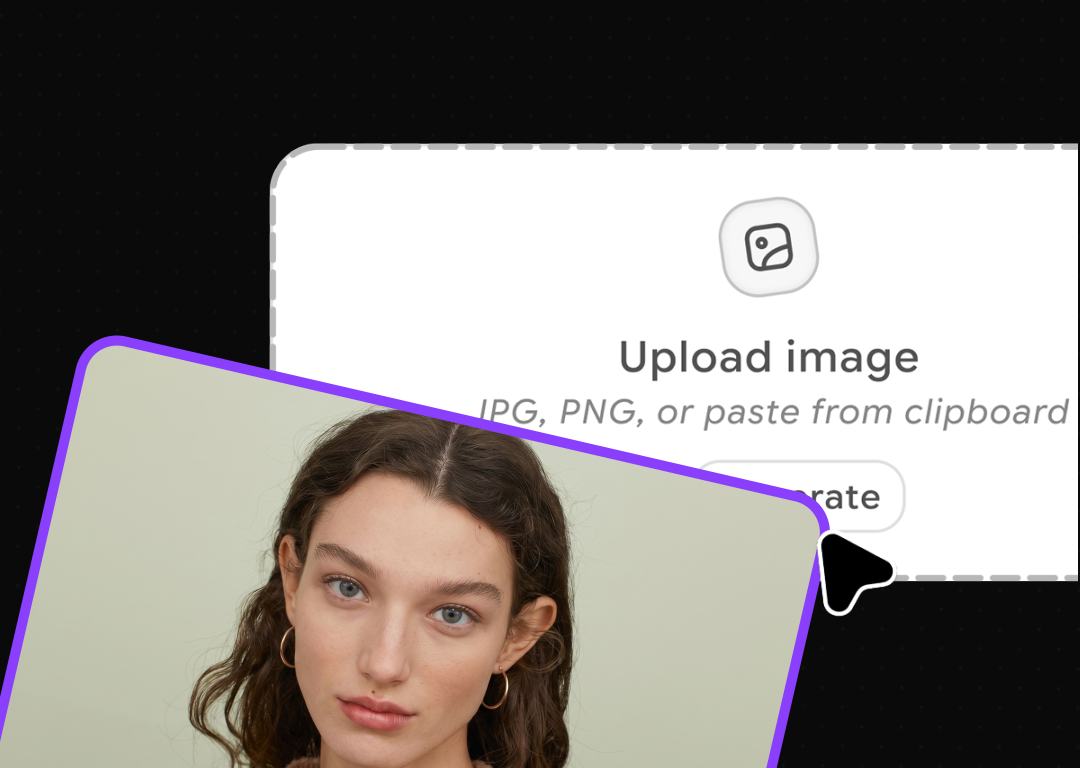
Upload Your Avatar Photo
Click upload or select image to add your avatar photo. A clear portrait or any well-lit image of your custom avatar works perfectly.
Write Script for Custom Avatar
Type what your video avatar should say, then choose your narrator, talking style, resolution, and aspect ratio. ImagineArt AI avatar generator can create multilingual AI talking avatars.
Generate and Download
Hit generate, preview your lip-synced avatar video, and download. You can use the AI generated avatars for social media, UGC ads, professional training or explainer videos.
Voice-Synced Emotion and Facial Expression
Generate With Hand Gestures
Animate Any Character Style
Upload Any Photo Angle








Trusted by Professionals and Creators from top Brands and Companies
FAQs
An AI talking avatar is a video of a digital character, generated from a still photo, that speaks with lip-synced animation, matching facial expressions, and natural hand gestures. You provide the photo and the script. The AI generates the video. No recording, camera, or video editing required.
A clear, well-lit photo with the subject's face fully visible gives the best results. Portrait, half-body, and full-body images are all supported. The face should ideally resemble human proportions, even for animal or cartoon characters, a readable face structure with identifiable eyes, nose, and mouth area ensures accurate lip sync and natural movement.
Absolutely. HeyGen Avatar IV is specifically well-suited to non-human faces. Cartoons, animal avatars, 3D models, anime-style characters, and illustrated mascots all animate naturally through the engine, as long as the character has a readable face structure with identifiable facial features.
HeyGen Avatar IV uses a diffusion-inspired audio-to-expression engine that analyzes vocal tone, rhythm, and pacing frame by frame. The avatar's entire face responds to the audio, including eye movement, head tilt, and subtle emotion, making it significantly more convincing than traditional talking-photo tools.
HeyGen Avatar IV supports multilingual video generation across dozens of languages. You can type your script in any supported language and pair it with a matching voice, making it straightforward to produce localized content for different markets without re-recording or re-filming anything.
Yes. Unlike earlier avatar models that required a direct front-facing photo, Avatar IV handles profile shots, tilted poses, and angled images. The model renders accurate, natural animation from varied source photos, giving you more flexibility in how you create and source your avatar images.
The HeyGen Avatar IV engine on ImagineArt generates videos up to 3 minutes in length per generation. For longer projects, you can create multiple clips and combine them in post. Credits are consumed based on the actual seconds of avatar generation, so you only pay for the animated portions of your video.
AI talking avatars are used for AI spokesperson videos for brands and products, UGC-style ad creatives for paid social, online course and tutorial content, multilingual video localization, personal branding videos, and social media talking photo content.
ImagineArt uses HeyGen Avatar IV technology but runs as a separate platform. You do not need a HeyGen account or a HeyGen subscription. You access Avatar IV through ImagineArt using ImagineArt credits.
Upload your photo to ImagineArt's talking avatar generator, type the words you want it to say, select a voice, and click generate. The tool animates the photo's face with lip-sync, expressions, and gestures. Download the video when it is ready.