Nano Banana 2
Nano Banana 2 combines Gemini Flash speed with powerful image generation and editing. Create or refine images from 512px to 4K, render clear text, maintain consistency across 5 characters and 14 objects, and use real-time web data for accurate subject details.
How To Create And Edit Images With Nano Banana 2?
Describe Your Image
Write what you want to create, including subjects, layout, and any text. Detailed instructions are supported.
Set Your Requirements
Choose your resolution and select an aspect ratio. You can also define character and object consistency needs in the prompt.

Generate and Refine
Create your image with clear text, consistent characters, and production-ready quality. Make quick refinements as needed.

Real-Time Information and Web Search Integration
Nano Banana 2 uses Gemini’s real-world knowledge along with real-time web search to render subjects more accurately. This makes it easier to create infographics, turn notes into diagrams, and build data visualizations with relevant and accurate details.
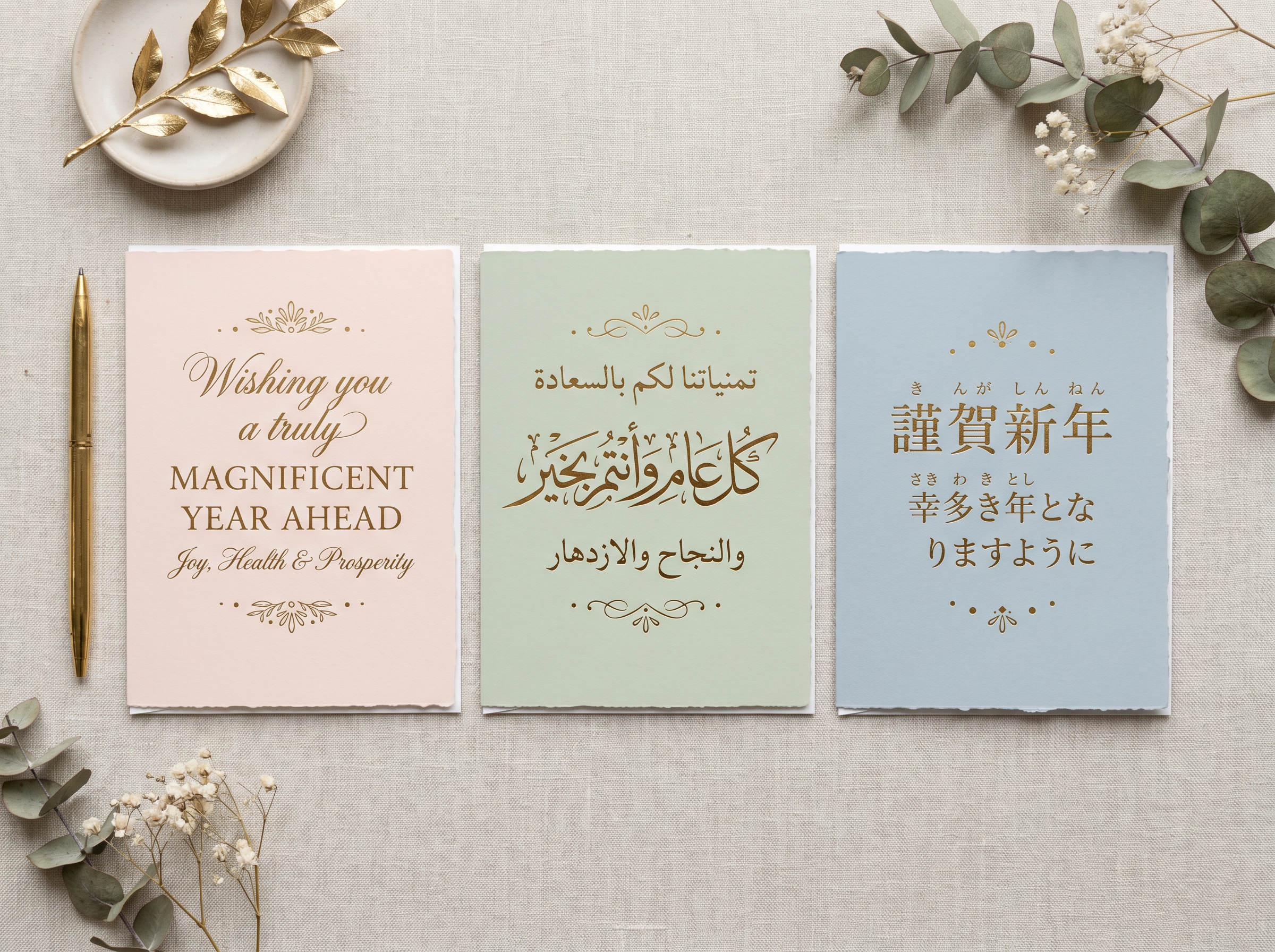
Accurate, Legible Text in Multiple Languages
Create clear and readable text for marketing mockups, greeting cards, posters, and signage. Nano Banana 2 generates proper typography without distorted characters. You can also translate and localize text within an image to share your ideas across different languages.
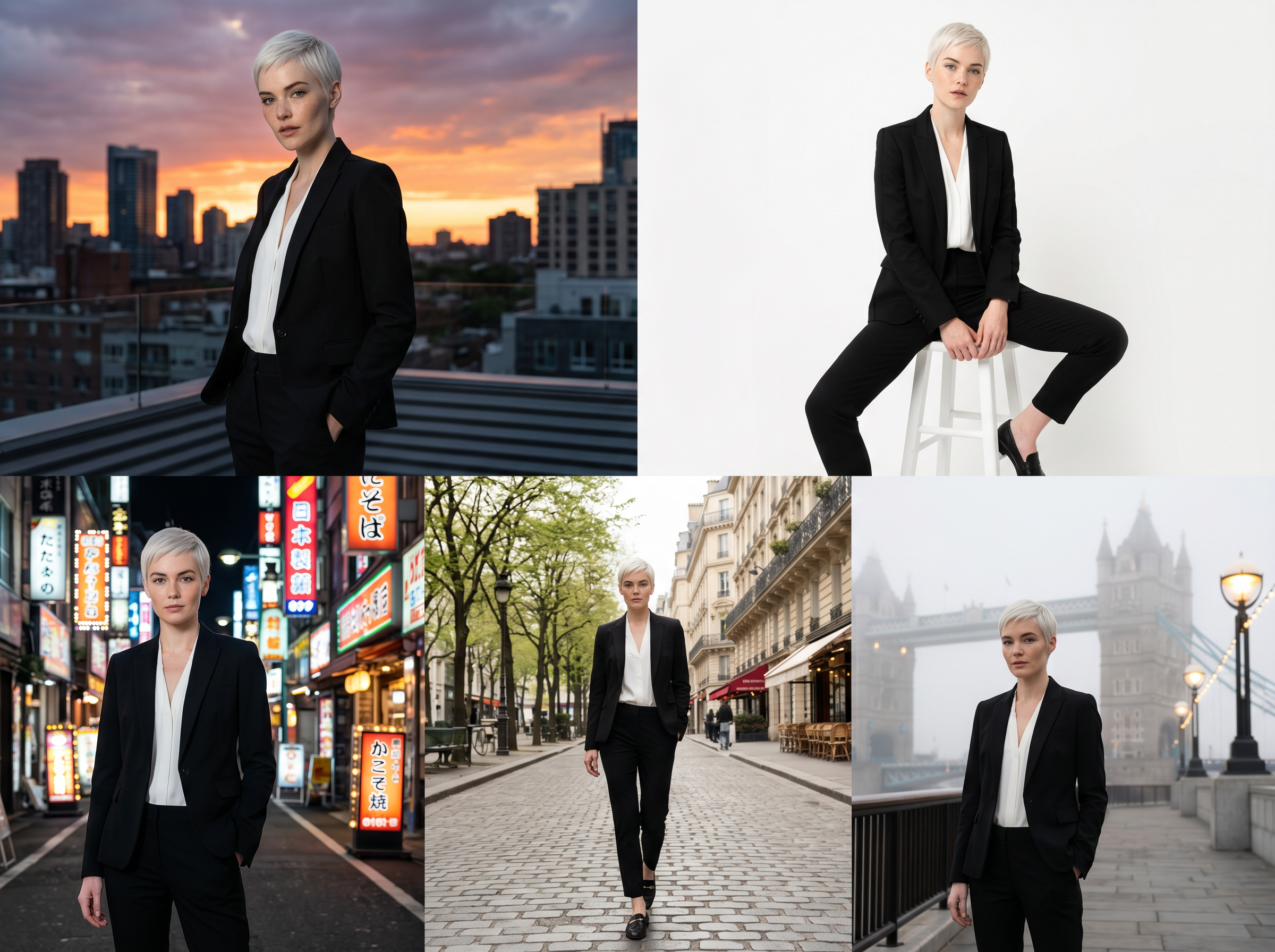
Maintain 5 Characters and 14 Objects with Precise Control
Keep up to five characters and 14 objects consistent in a single workflow. This allows you to storyboard and build narratives without changing the appearance of your inputs. The system follows detailed instructions closely, so the final image reflects what you described.

512px to 4K Resolution with Rich Detail
Create attention-grabbing visuals with full control over aspect ratios and resolutions from 512px to 4K. Your images stay sharp whether they are for social posts or large backdrops. Nano Banana 2 delivers strong lighting, detailed textures, and crisp output while maintaining Flash speed.








Choose a plan that fits your needs
Upgrade to get access to pro features and generate more and better
Kling
ByteDance
Minimax
Nano Banana
Gemini
Claude
Qwen
GPT Image
Runway
Grok
Trusted by Professionals and Creators from top Brands and Companies
Hear From Users Who Tried Nano Banana 2
We used Nano Banana 2 for a quick campaign mockup, and honestly, it saved us hours. The text looked clean, and we did not have to fix random spelling or layout issues afterward.

Anya Petrova

I needed product images fast, and the results were surprisingly polished. The lighting stayed consistent across different angles, which usually takes a lot of manual tweaking.

Ben Harris

What I liked most is that it actually listens to detailed prompts. When I asked for a specific mood and framing, it did not ignore half of my instructions.

Isabelle Kim

I mostly use it for edits, and background changes feel smooth. It does not mess up the main subject when I ask for lighting or environment changes.

Michael Chenn

FAQs About Nano Banana 2
Nano Banana 2 combines the speed of Gemini Flash with image generation and editing. It includes advanced knowledge, accurate text rendering, subject consistency, and production-ready output.
Nano Banana Pro is designed for tasks that require maximum factual accuracy and great detail. Nano Banana 2 focuses on faster generation, strong instruction handling, and integrated image search.
You can keep up to five characters and 14 objects consistent within one workflow.
Yes. It creates clear and readable text for mockups, posters, greeting cards, and more. You can also translate text within images.
Nano banana 2 supports multiple aspect ratios and resolutions from 512px to 4K.
Nano banana 2 uses real-time web information along with Gemini’s knowledge to render subjects more accurately.
Yes. You can create infographics, turn notes into diagrams, and generate data visualizations with accurate details.
Nano Banana 2 follows instructions more closely, delivers improved lighting and texture detail, and supports production-ready output at Flash speed.
It is rolling out across Google products, including the Gemini app, Search (AI Mode and Lens), and other platforms. It is also available on ImagineArt.
You can check the licensing terms on ImagineArt. It is designed for professional and commercial use, including marketing and content creation.