AI Video Color Correction
Change video color, enhance vibrancy, fix saturation, exposure, and contrast, and colorize black and white footage in seconds. Describe the look you want, and ImagineArt AI video color correction tool applies professional color grading, no reshoots, no manual grading, no editing software required.
How to Use AI Video Color Correction
Upload the Video for AI Color Grading
Start color correction with AI by uploading the desired video to the ImagineArt AI video colorizer. Make sure the video is of high quality to edit video color accurately and ensure consistent AI color grading. Supports MP4, MOV, AVI, and MKV files.
Describe the Color Look
Once the video is uploaded, write a detailed prompt describing the lighting effect, saturation level, AI color contrasts, and mood for the AI color grading tool to auto-colorize and change video color.
Generate AI Color-Corrected Video
On ImagineArt AI video color correction tool, select the right aspect ratio before generation. Give your input a look over and generate AI color-corrected videos with professional color grades and lighting effects.
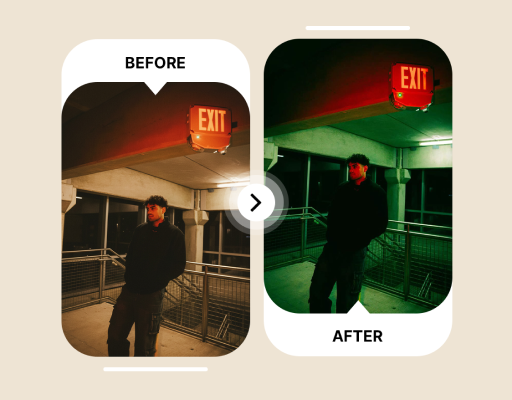
Perfect for Post-Production Editing
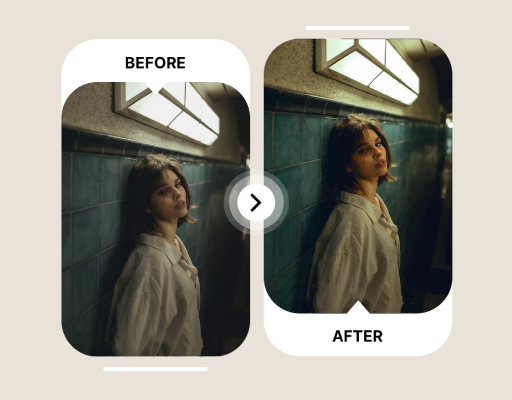
Maintain Brand Consistency with AI Color Matching
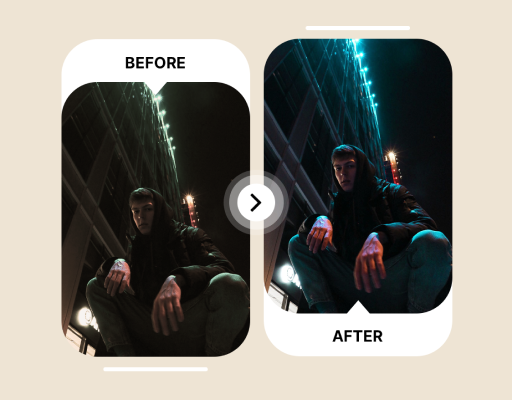
Capture the Right Movie Aesthetic with AI Color Grading
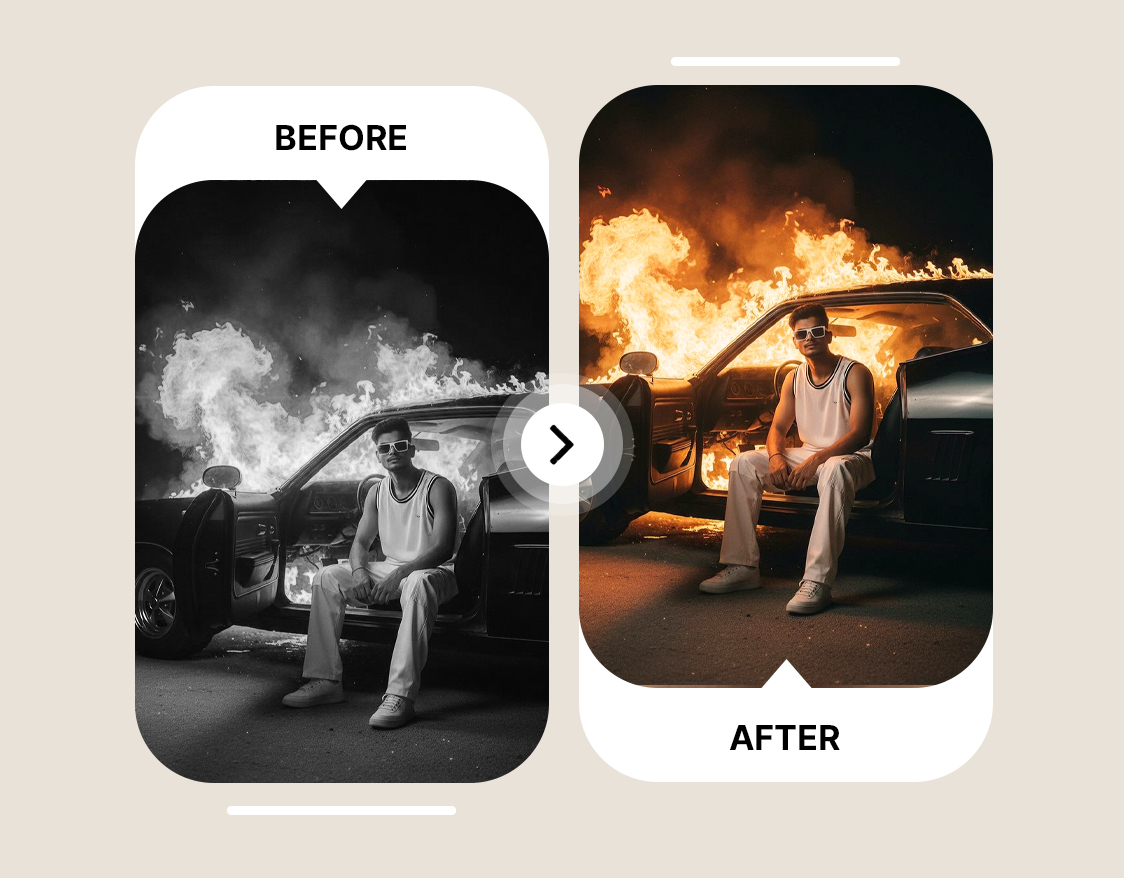
Colorize Black and White Video








Choose a plan that fits your needs
Upgrade to get access to pro features and generate more and better
Kling
ByteDance
Minimax
Nano Banana
Gemini
Claude
Qwen
GPT Image
Runway
Grok
Trusted by Professionals and Creators from top Brands and Companies
What Customer Says About AI Video Recolor App
I work as a content creator and am always on the lookout for tools that can help me speed up my work. ImagineArt AI video color correction tool can fix the relighting issues, improve colors, and make them pop without much effort. A must-have for professionals!

Anya Petrova

I create multiple videos for different social media platforms in a day, and this tool is my lifesaver! I don’t have to tweak and color match manually since ImagineArt AI video color correction tool does it for me in just a few seconds!

Ben Harris

This AI color grading tool is exceptional for post-production editing! It fixes all my issues, from adding subtle color variations to enhancing effects. Now, my job as a video editor is to prompt correctly and wait for ImagineArt AI to do its magic!

Isabelle Kim

I wanted to improve the colors of an old, faded footage. Using ImagineArt AI video color correction tool, I restored the colors, relit the scenes, and improved the quality without losing the visual integrity of the original clip.

Michael Chenn

Frequently Asked Questions About AI Video Color Correction
AI video color correction is an AI tool used for adjusting colors and lighting effects of a video. These AI color grading tools enable you to achieve a desired color scheme without manually editing individual frames or shots.
Yes, AI video color correction is necessary to add a cleaner and more polished touch to your videos. It enhances the overall quality of the viewing experience and balances the visuals with improved color consistency throughout the video.
Using ImagineArt, you can improve video color quality by adjusting the saturation, brightness, hues, tint, and tones by prompting. Fix the exposure and lighting issues and prompt AI for a color match with your brand or visual style. This AI video colorizer even lets you add color to black and white video while maintaining texture and composition.
Yes, ImagineArt AI video color correction lets you experiment with the tool for free by allotting 100 free daily credits upon sign up. It enables you to try out different color palettes, color grading settings, and colorize black and videos for high-quality outputs. For unlimited access and AI color correction, try ImagineArt paid plans.
ImagineArt AI video color correction generally generates color-corrected videos in a few seconds. The color grading tool doesn’t require any software downloads or a complicated installation process.
ImagineArt AI video color correction is one of the best color grading online tools. It creates professional-grade outputs by automating color grading, matching, balancing lighting, and adding creative styles. It maintains color consistency across all frames and reduces the manual editing time.
Yes. This video colorizer is built to add natural color to black and white or otherwise monochrome footage, well suited to restoring archival material or giving historical footage a modern, colorized look while preserving its original texture and composition.
Yes. Describe your brand's colors, tone, and style in your prompt, and the AI applies consistent color matching across your footage, useful for marketers running multi-video campaigns that need to look like one cohesive brand rather than several separately edited clips.