
Arooj Ishtiaq
January 28, 2026 • Updated August 4, 2026
17 mins Read
Do you remember the time when creating a poster meant either spending hours in Photoshop or hiring a designer? Those days are fading fast. AI tools for poster design now create professional from simple text descriptions, and the results actually look good enough to use.
Here's the catch, though. Not all AI poster generators work the same way. Pick the wrong one, and you'll waste an hour getting results that completely miss what you wanted. Pick the right one, and you'll have a finished poster in two minutes.
Best AI Tools for Poster Design
ImagineArt doesn't just give you one AI tool for poster design and call it a day. The platform hosts five specialized models, each built for different poster needs:
- ImagineArt 1.5 Pro creates native 4K images with accurate text rendering
- Nano Banana Pro uses reasoning to handle complex layouts and character consistency
- Flux 2 delivers photorealistic results with exact hex code color matching
- Seedream 4.5 produces cinematic quality with designer-level composition
- GPT Image 1.5 excels at precise editing while keeping everything else consistent
Think of it like having five different specialists instead of one generalist. You wouldn't ask a portrait photographer to shoot your product catalog, right? The same logic applies here.
This guide walks through what each AI tools for poster design does best and when to use it. By the end, you'll know exactly which tool to reach for based on your specific poster project.
1. ImagineArt 1.5 Pro
If you're creating posters that need to look sharp both online and in print, ImagineArt 1.5 Pro should be your first choice. This AI image generator was built specifically for professional design work where quality can't slip.
Native 4K Resolution (Not Upscaled)
Here's what makes this different. ImagineArt 1.5 Pro generates images at 3840×2160 pixels right from the start. Other models create smaller images and then stretch them to look bigger. That's like taking a phone photo and blowing it up to poster size. It works, but quality suffers.
Native 4K means:
- Sharp text at any size
- Clean edges on graphics and logos
- Fine details that hold up when printed large
- No blurry or pixelated areas
Text That Actually Works
You know that frustration when AI puts gibberish text on your poster? ImagineArt 1.5 Pro fixes that problem. The text comes out readable, properly spelled, and positioned where you asked for it.
What this means for your posters:
- Event dates and times appear correctly
- Headlines stay crisp and legible
- Small print remains readable
- No embarrassing spelling mistakes
Smart Color Placement
Tell the model you want a blue shirt and red background, and that's exactly what you'll get. Blue goes on the shirt. Red goes on the background. This sounds obvious, but plenty of AI models get confused and swap colors or apply them to the wrong objects.
This accuracy matters when you're working with:
- Brand color guidelines
- Product photography
- Specific color schemes
- Corporate identity standards
Real Layout Understanding
ImagineArt 1.5 Pro actually understands poster structure. When you describe a movie poster with the title at the bottom and credits above the main image, the model positions everything correctly. You don't need to specify exact pixel coordinates or play around with manual positioning.
The model handles:
- Movie posters with proper title placement
- Event promotions with a clear information hierarchy
- Product banners with organized layouts
- Advertising materials with balanced composition
When to Use ImagineArt 1.5 Pro
Choose this model when you need:
- Posters for printing (especially large format)
- Brand materials with strict quality requirements
- Text-heavy designs like event posters or infographics
- Professional results suitable for client work
- Clean, error-free text rendering
Recommended read: ImagineArt 1.5 pro overview
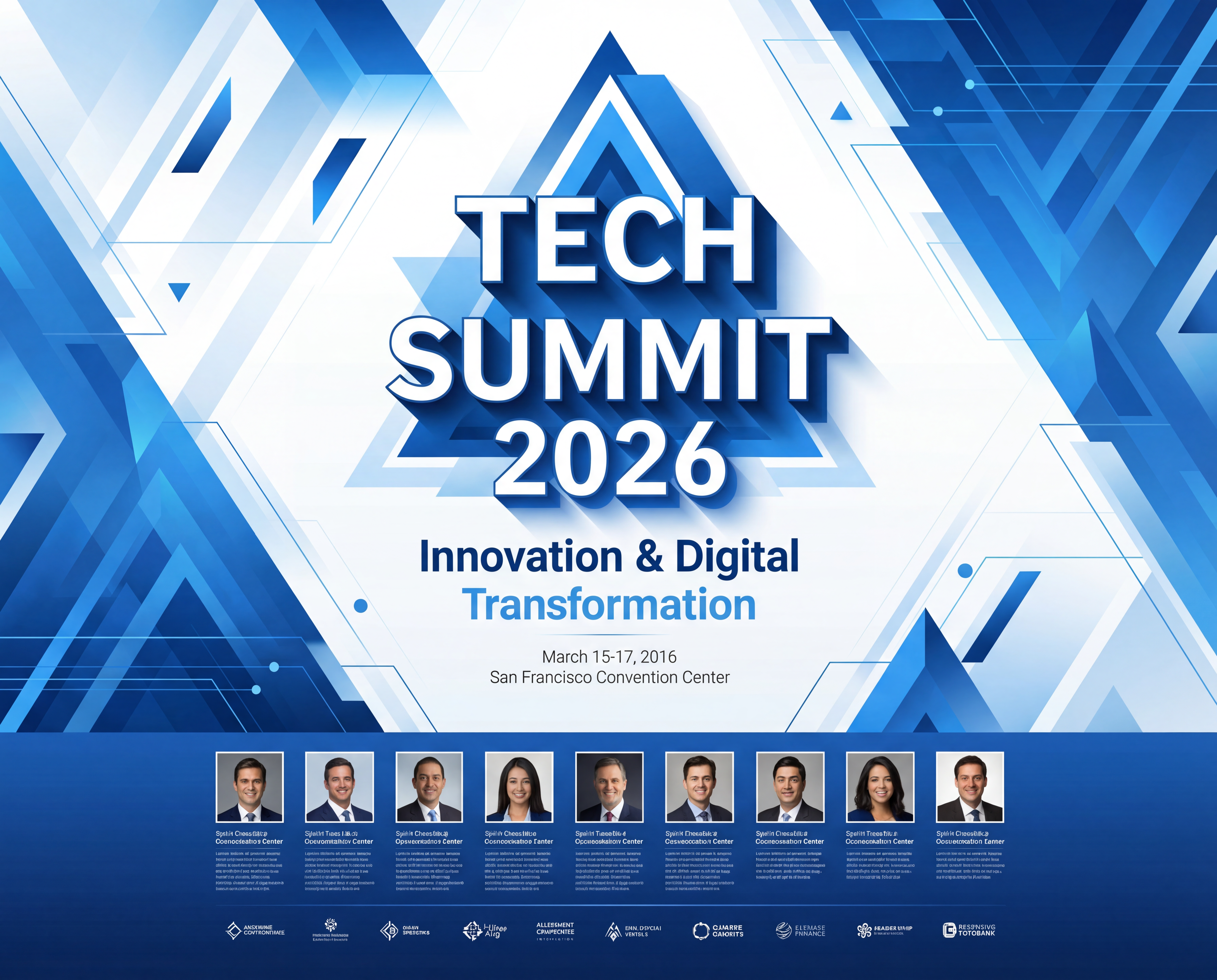
Prompt:
Vertical business conference poster, clean professional design. Title at top: "TECH SUMMIT 2026" in bold sans-serif font. Subtitle below: "Innovation & Digital Transformation". Date "March 15-17, 2026" and venue "San Francisco Convention Center." in smaller text. Modern corporate blue and white color scheme. Abstract geometric patterns in the background. Speaker photos and company logos at the bottom. High-resolution 4K output for printing.
 ImagineArt 1.5 Pro Poster Maker
2. Nano Banana Pro
Nano Banana Pro runs on Google's Gemini 3 Pro, which gives it something other AI models lack: reasoning ability. Instead of just matching patterns, this model actually thinks through what you're asking for and makes logical decisions about how elements should work together.
Why Reasoning Matters for Posters
Regular AI tools for poster design see your instructions and match them to patterns they learned during training. Nano Banana Pro actually processes the context and relationships between elements. This makes a huge difference when your poster has complex requirements.
Example scenario:
You want an infographic poster showing a product timeline with dates, statistics, and visual hierarchy. A regular model might scatter these elements randomly. Nano Banana Pro understands that timelines flow chronologically, statistics need clear labels, and important information should visually stand out from supporting details.
Character Consistency Across Multiple Posters
Marketing campaigns often need the same person or mascot appearing in different posters. Maybe your campaign has five different posters, each showing your character in a different setting or pose.
Nano Banana Pro keeps:
- Facial features consistent
- Clothing style recognizable
- Overall character identity intact
- Lighting and mood aligned
This saves you from the nightmare of regenerating images because your character looks like a different person in each poster.
Materials That Look Real
Products need to look authentic. Nano Banana Pro understands how different materials behave under light:
- Fabric shows appropriate texture and draping
- Metal reflects light realistically
- Glass has proper transparency
- Wood grain appears natural
Your product posters won't have that fake, plasticky look that screams "AI-generated."
Complex Layouts Actually Work
When you describe intricate poster requirements with multiple text blocks, images, icons, and specific positioning, Nano Banana Pro processes the whole picture logically. It understands how information should flow and arranges elements in ways that make sense visually.
Perfect for:
- Infographic posters with data visualization
- Educational posters with step-by-step information
- Marketing posters with multiple product features
- Event posters with schedules and speaker lineups
When to Choose Nano Banana Pro
Use this model for:
- Multi-poster campaigns need character consistency
- Complex infographics with logical information flow
- Product posters where material accuracy matters
- Posters with intricate layouts and multiple elements
- Virtual try-on features or outfit swapping needs
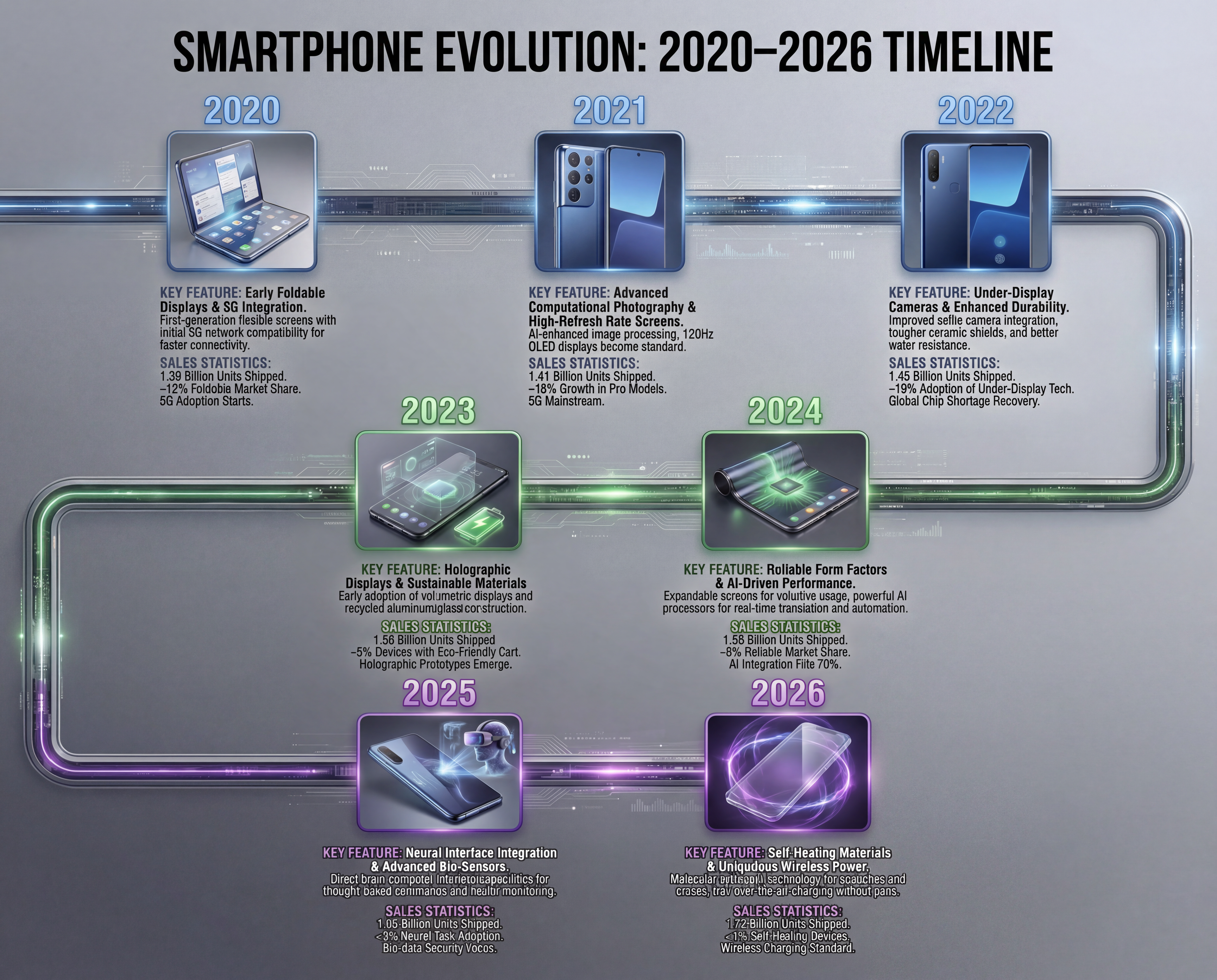
Prompt:
Infographic poster showing smartphone evolution timeline from 2020 to 2026. Horizontal timeline running left to right with 7 milestone points. Each point shows a phone model image, year label, key feature text, and sales statistics. Use consistent product photography style showing realistic metal and glass materials. Color-coded sections: blue for 2020-2022, green for 2023-2024, purple for 2025-2026. Clear hierarchy with main timeline bold, specifications in smaller readable text. Professional tech aesthetic.
 Nano Banana Poster Generator
3. Flux 2
Flux 2 nails two things that matter most to professional designers: photorealistic images and precise color control. If your posters need to look like real photography and match exact brand colors, this model delivers.
Prompt Adherence That Actually Listens
Ever describe exactly what you want, only to get something completely different? Flux 2 follows instructions without wandering off in random directions. When you specify multiple elements in complex arrangements, the model generates what you asked for, not what it thinks you might have meant.
This precision helps when:
- Layout requirements are specific and non-negotiable
- Multiple elements need precise positioning
- Client briefs have detailed specifications
- Brand guidelines leave no room for interpretation
Hex Code Color Matching
Brand guidelines typically specify colors as hex codes like #FFB400 or #34C3FF. Tell Flux 2 to use these exact colors, and it applies them accurately to the right elements. No more getting "close enough" colors that don't match brand standards.
Why this matters:
- Brand consistency across all marketing materials
- Client approvals happen faster
- No manual color correction needed
- Professional standards are maintained automatically
Character Consistency for Campaigns
Are you running a campaign with multiple posters? Flux 2 keeps your characters looking the same across all of them:
- Same facial structure and features
- Consistent clothing and style
- Matching lighting and mood
- Unified overall identity
Create storyboards, comic sequences, or multi-panel campaigns without worrying about your character morphing into a different person halfway through.
Edit Specific Parts Without Starting Over
Made a poster that's 95% perfect, but needs one element changed? Flux 2 lets you modify just that part. The model changes only what you specify while leaving everything else untouched.
This saves massive amounts of time because you're not:
- Regenerating entire posters for small changes
- Losing good elements when making corrections
- Spending hours on iteration cycles
- Starting from scratch repeatedly
Text Rendering Without the Headaches
Headlines, callouts, dates, promotional copy—Flux 2 handles text cleanly. Letters don't distort. Spacing stays consistent. Alignment works correctly. Even when text overlays imagery, it remains readable instead of becoming an illegible mess.
Speed That Supports Real Workflows
Flux 2 generates images fast. When you need to test multiple poster concepts quickly, this speed matters. Marketing teams can produce various options, evaluate them, and select winners without waiting around for slow processing.
The speed doesn't sacrifice quality. You get both rapid generation and professional output.
When Flux 2 Makes Sense
Choose this model when you need:
- Photorealistic product posters
- Exact brand color matching with hex codes
- Multiple campaign posters with the same character
- Ability to edit specific elements without full regeneration
- Fast turnaround for testing multiple concepts
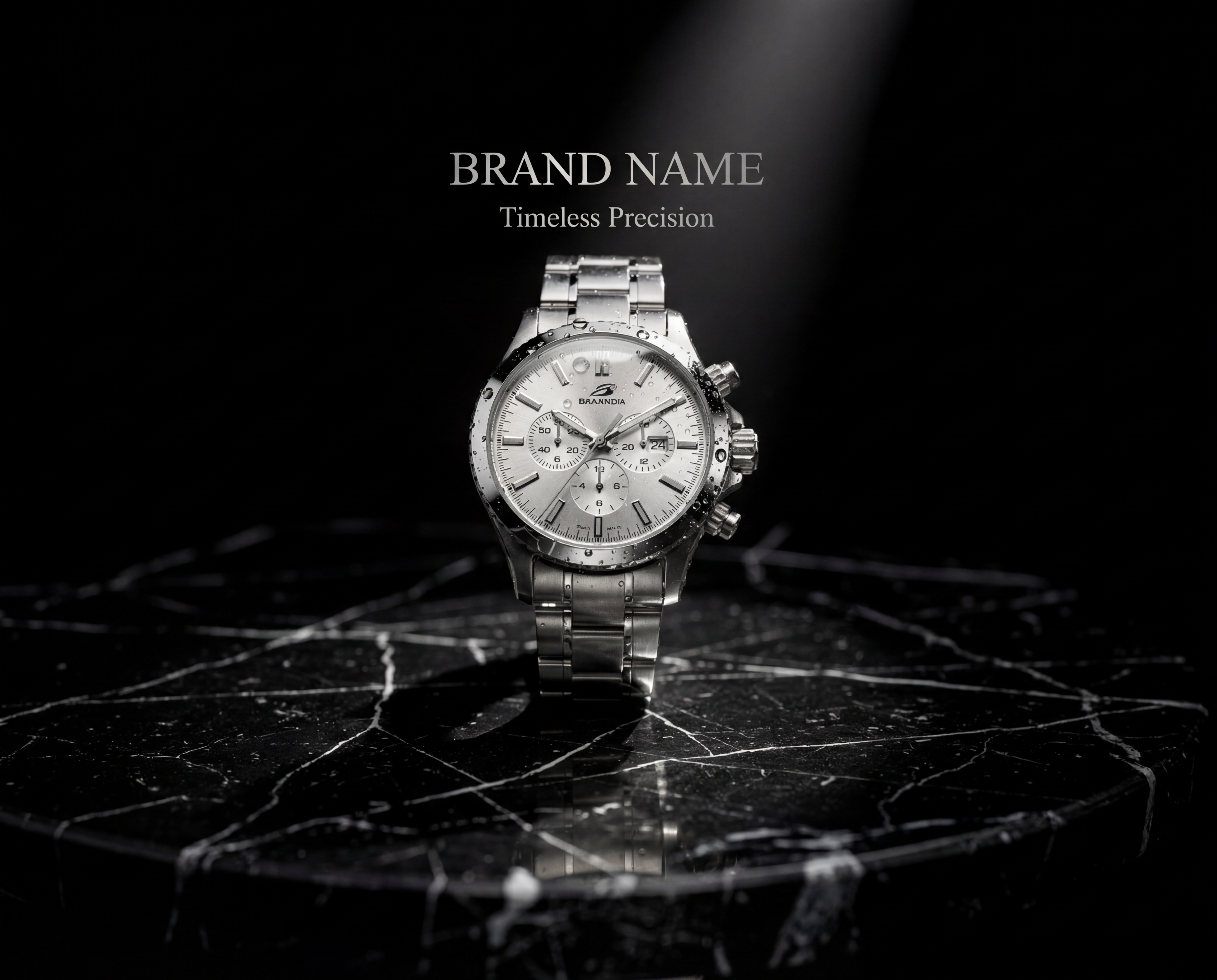
Prompt:
Photorealistic luxury watch product poster. Premium silver chronograph watch on black marble surface with dramatic studio lighting. Watch face shows exact time 10:10. Soft spotlight from top-right creating natural reflections on metal. Background color exactly #1A1A1A (deep black). Brand name in elegant serif font, color #C0C0C0 (platinum silver). Tagline "Timeless Precision" below in smaller text. Water droplets on watch glass for premium feel. Shot from 45-degree angle. Ultra-sharp focus on watch details, slightly blurred background.
 Flux 2 Poster design generator
4. Seedream 4
Seedream 4 is among the top AI tools for poster design, and if you want posters that look professionally composed with that cinematic polish, this is your model. It doesn't just slap elements on a canvas randomly. It actually understands design principles like spacing, balance, and hierarchy.
Designer-Level Composition Without the Designer
The model makes intelligent decisions about how elements should be arranged. Think of it like having an experienced graphic designer make layout choices for you:
- Text gets placed where it naturally draws the eye
- Visual elements balance each other out
- Spacing between elements looks intentional
- Hierarchy makes important information stand out
Typography That Handles Everything
Posters often need big headlines and small, detailed text working together. Seedream 4.5 processes both without making either one look bad:
What it handles well:
- Large bold headlines that grab attention
- Dense small text that stays readable
- Multiple text layers at different sizes
- Complex typographic arrangements
Movie posters with credits, event announcements with schedules, branded materials with product specs—all of these need multiple text sizes working together cleanly.
Blend Multiple Reference Images
Here's something useful. You can give Seedream 4 the reference images, and it synthesizes all of them into one cohesive design:
- Product photos from different angles
- Branding guidelines with logo variations
- Style references showing the mood you want
- Color palette examples from your brand
The model analyzes everything and generates posters that incorporate elements from all your references while keeping everything harmonious.
Materials Look Like Real Materials
Product posters need to show items accurately. Seedream 4 understands how different materials behave:
- Fabrics: Show appropriate texture and how the cloth drapes
- Metals: Reflect light realistically
- Glass: Display proper transparency and shine
- Wood: Exhibit natural grain patterns
Your product shots won't have that weird artificial look that screams "AI made this."
Spatial Relationships Make Sense
Objects sit in space correctly. Depth looks natural. Perspective works properly. This matters for:
- Architectural posters
- Interior design mockups
- 3D product arrangements
- Dimensional illustrations
No more floating objects that violate basic physics or look awkwardly placed.
Campaign Consistency
Are you running multiple posters for one campaign? Seedream 4 keeps characters and key elements consistent across all variations. Same face, same style, same lighting approach. Your marketing campaign maintains visual unity without manual corrections between posters.
When Seedream 4 Makes Sense
Choose this model when you need:
- Cinematic quality that looks professionally designed
- Complex typography with multiple text sizes
- Multi-reference image synthesis
- Realistic material rendering for products
- High-end polished results for premium projects
Prompt:
Cinematic thriller movie poster titled "SHADOW PROTOCOL". Dark moody atmosphere with city skyline at night, rain-soaked streets reflecting neon lights. Silhouette of lone figure in long coat walking away from camera in foreground. Deep blue and orange color grading creating tension. Title "SHADOW PROTOCOL" in large bold letters at bottom third, slightly distressed metallic texture. Above title: "TRUST NO ONE" in smaller caps. Top billing cast names in elegant small font. Production credits at very bottom in tiny readable text. Dramatic lighting with rim light on figure. Foggy atmosphere. Professional movie poster composition with clear visual hierarchy.
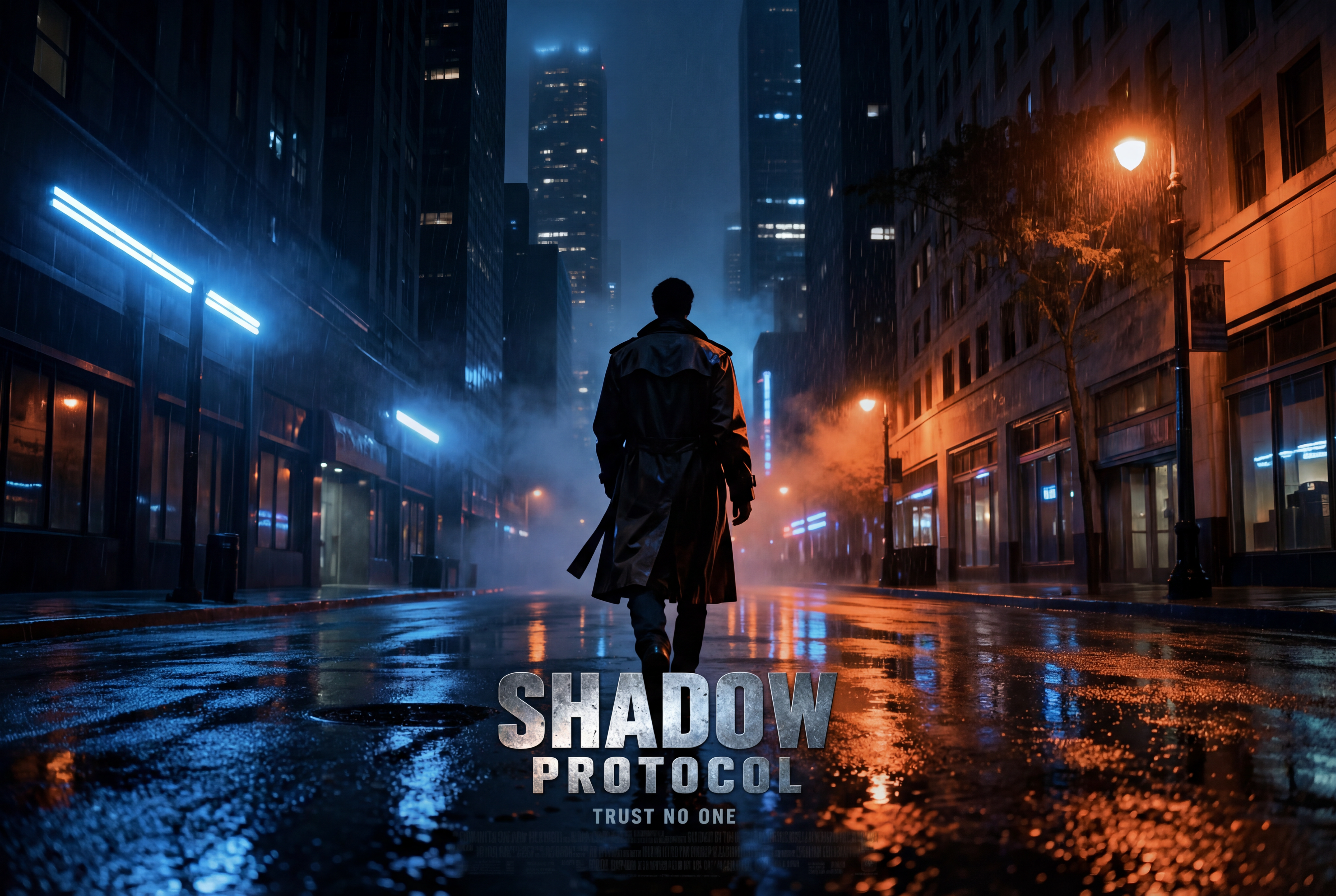 Seedream 04 Poster Generation
5. GPT Image 1.5
GPT Image 1.5 from OpenAI solves a problem that drives people crazy. You create a poster that's almost perfect, but one element needs fixing. With most AI models, you regenerate the whole thing and lose all the good stuff. GPT Image 1.5 changes only what you ask for and leaves everything else alone.
Selective Editing That Actually Works
Traditional AI models regenerate entire images when you request changes. This breaks continuity. You might lose successful elements when the new version looks different. GPT Image 1.5 takes a smarter approach:
- Changes only the specific elements you mention
- Keeps text placement exactly where it was
- Preserves color schemes that were working
- Maintains composition and layout structure
- Leaves successful elements untouched
Real-World Example
You created an event poster. The layout works. The colors are perfect. The text placement is exactly right. But the product photo needs to show the item in a different color.
With GPT Image 1.5:
- Change the product color
- Everything else stays identical
- No regenerating from scratch
- No losing what was working
Text Rendering for Complex Layouts
The model handles intricate text arrangements:
- Product labels with detailed information
- Ingredient lists or specifications
- Event schedules with times and locations
- Multiple text blocks at various sizes
- Dense copy that needs to stay readable
Text integrates naturally with the visuals instead of floating awkwardly on top.
Face Preservation Across Edits
Marketing materials often feature the same person in multiple variations. GPT Image 1.5 keeps faces recognizable when you make changes:
- Facial characteristics stay consistent
- Identity doesn't drift between versions
- Multiple poster variations maintain the same person
- No accidental character changes during edits
Speed for Rapid Iteration
GPT Image 1.5 generates about four times faster than the previous version. When clients want to see options quickly, or you are testing multiple approaches, this speed matters. You can:
- Test variations rapidly
- Gather feedback quickly
- Refine based on responses
- Move projects forward without waiting
Handles Complex Instructions
The model processes detailed prompts effectively. You can describe intricate requirements with specific positioning, color relationships, text hierarchy, and visual effects all in one description. No need to generate components separately and combine them manually.
When GPT Image 1.5 Makes Sense
Choose this model when:
- Client feedback requires specific changes without a full redesign
- Maintaining approved elements is critical
- You need to iterate quickly through multiple versions
- Facial preservation matters across poster variations
- Selective editing saves more time than full regeneration
The Trade-Off
GPT Image 1.5 costs more credits than other models. The higher price makes sense when you need its specific editing capabilities. For straightforward poster generation without complex editing requirements, lower-cost models work fine. Use GPT Image 1.5 when its editing strengths justify the expense.
Prompt:
Fitness class promotional poster. Energetic female instructor in athletic wear leading yoga pose in bright modern studio. Large text "SUNRISE YOGA" at top. "Every Monday & Wednesday, 6 AM" below. Studio address at bottom. Vibrant Blue and teal color scheme. Natural morning light through windows. Inspirational and welcoming mood. Clean minimalist design.
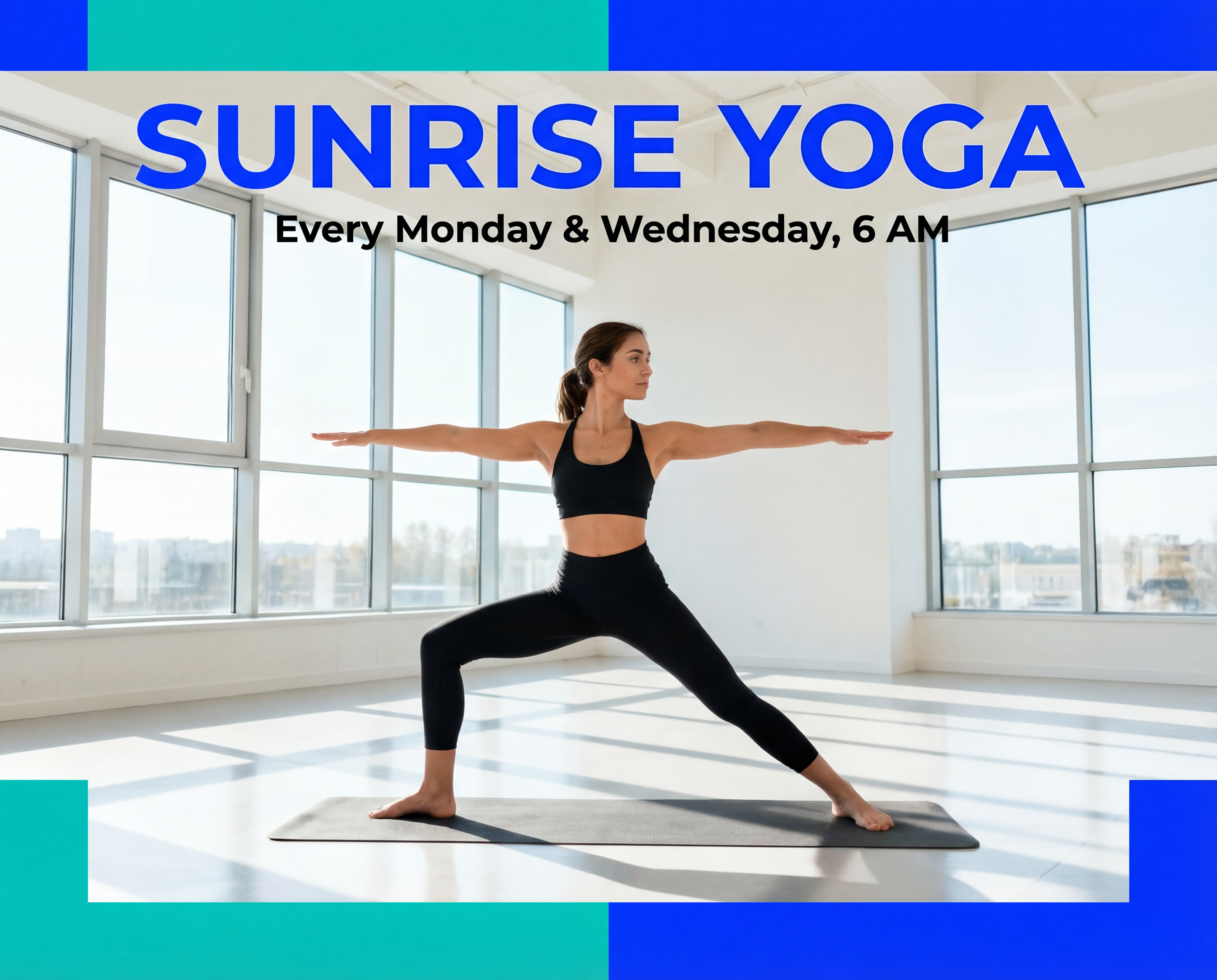 GPT Image 1.5 Poster Generation
ImagineArt Poster Apps
Beyond the main AI tools for poster design, ImagineArt apps are built for specific poster types. These apps streamline the process by giving you presets and configurations optimized for particular use cases. Think of them as shortcuts that remove the learning curve.
AI Movie Poster Generator
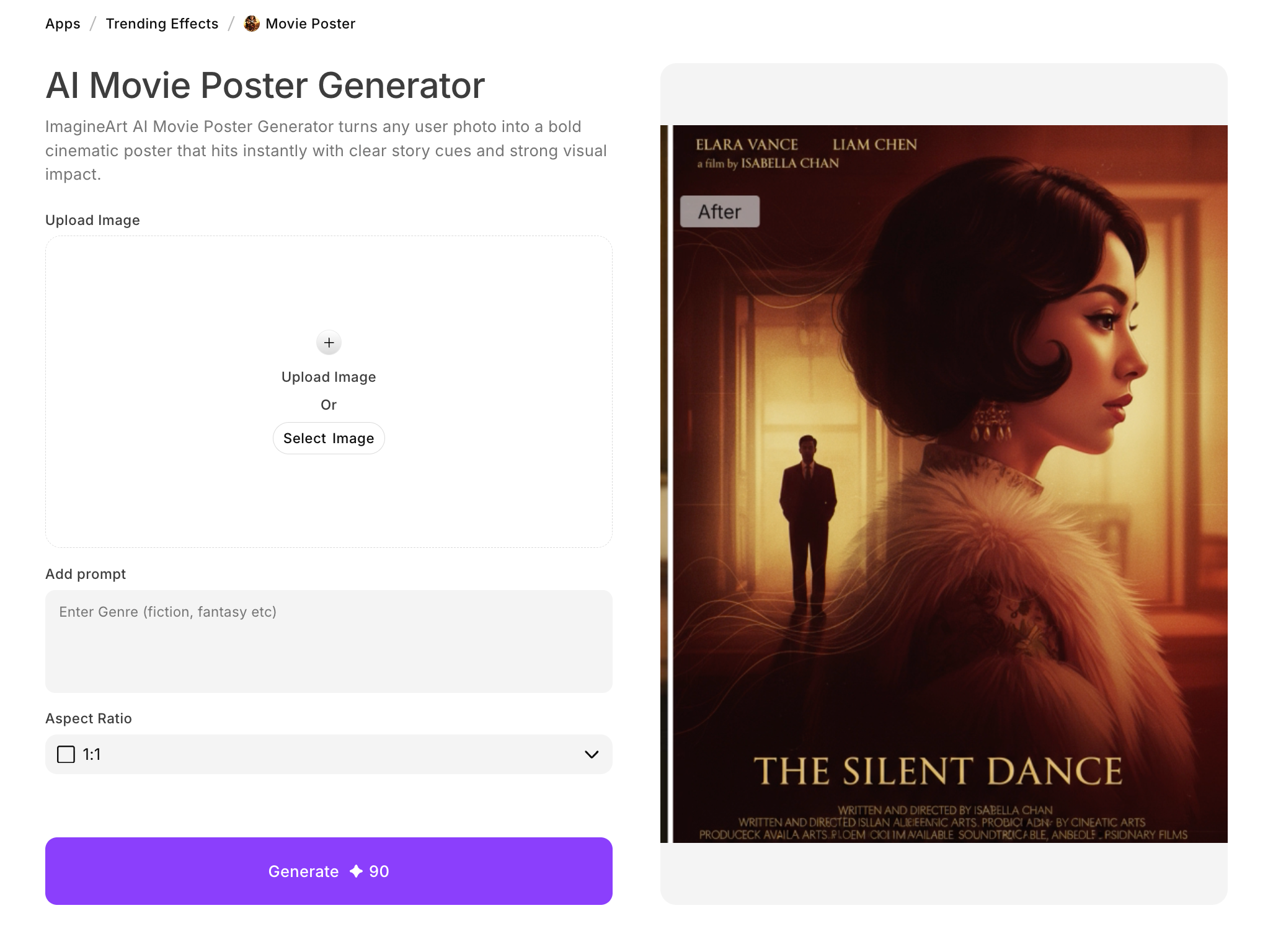 AI Movie Poster generator
ImagineArt’s AI movie poster generator turns regular photos into cinematic poster visuals without touching Photoshop.
How it works:
- Upload any photo
- Select a genre (action, horror, comedy, drama)
- The app applies appropriate lighting, color grading, and effects
- Add titles, logos, or custom text
- Download in high resolution
Perfect for:
- YouTube thumbnails that grab attention
- Personal creative projects
- Event promotions with cinematic flair
- Film concept visualization
- Social media content
The generation takes seconds instead of requiring hour-long editing sessions.
AI Poster Maker
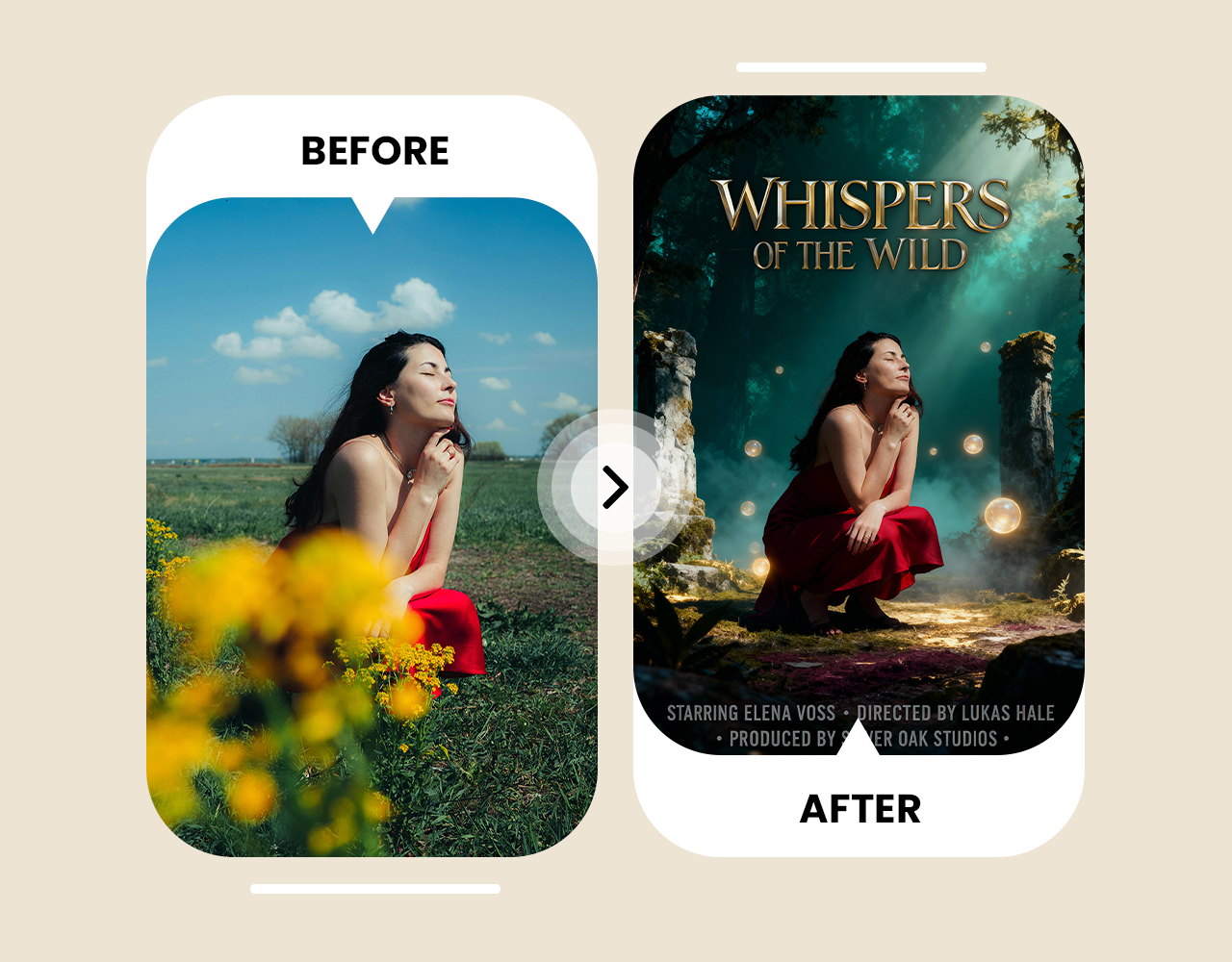 AI poster maker
AI poster maker of ImagineArt handles general poster creation with text-to-image capabilities specifically tuned for posters.
Features:
- Describe your concept in plain language
- Choose aesthetic themes and textures
- Real-time preview as your design develops
- Version saving so you don't lose previous iterations
- Watermark-free exports
Best for:
- Brand campaign materials
- Event posters
- Personal art projects
- Any poster needing visual identity consistency
The interface simplifies prompt adjustment and draft organization. You can iterate quickly without starting from scratch every time.
AI Environment Day Poster Maker
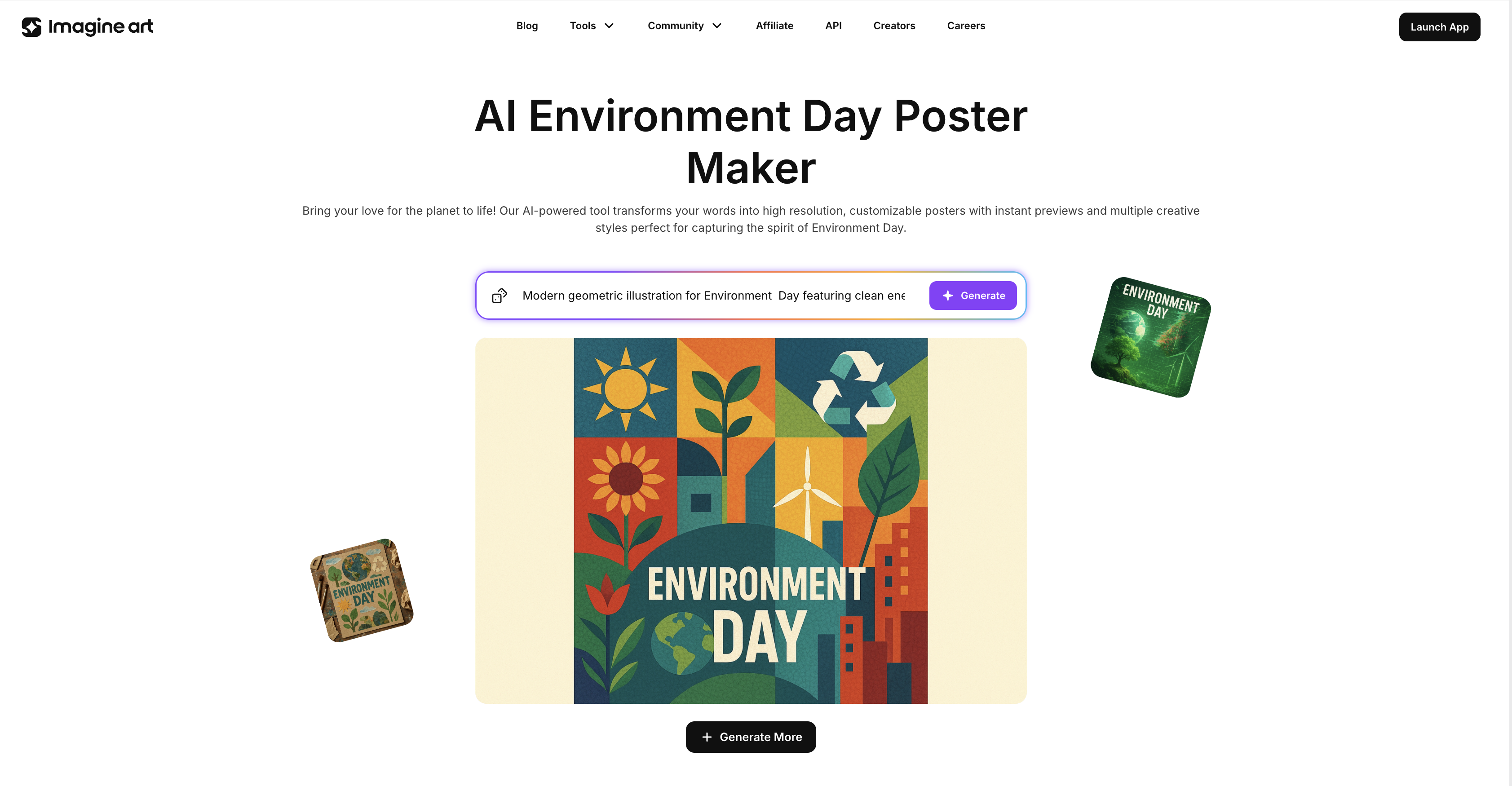 AI Environment Day Poster Maker.
AI Environment Day poster maker demonstrates how specialized apps address niche needs. Environmental posters require specific visual language around nature, sustainability, and ecology.
What it provides:
- Preset templates for environmental themes
- Prompt suggestions that work for eco content
- Visual approaches appropriate for sustainability messaging
- Quick creation for Earth Day, World Environment Day, or conservation campaigns
Why Use Specialized Apps
These apps cost the same credits as direct model access. The advantage is reduced trial and error:
- Preset configurations work for specific poster types
- Prompt guidance points you in the right direction
- Structured workflows help beginners get results faster
- Less time spent learning what prompts work
- Faster path to usable posters
Practical Tips That Actually Improve Your Posters
Getting good results from AI poster tools isn't just about picking the right model. How you use these tools matters just as much. Here's what actually works.
Write Better Prompts
Vague descriptions produce generic results, and detailed prompts generate outputs closer to what you want.
Structure your prompts like this:
- Main subject first (what's the poster about)
- Layout details (where things should go)
- Colors (specific hex codes when possible)
- Typography style (font characteristics, text hierarchy)
- Mood and lighting (the atmosphere you want)
- Any specific compositional elements
Example:
Instead of "make a music festival poster."
Try "vertical poster for summer music festival, bold headline 'SUNSET FEST 2026' at top, date and venue below, vibrant orange and purple gradient background, silhouettes of crowd at bottom, modern sans-serif typography, energetic mood."
Use Reference Images
Upload examples showing the style you want. The AI poster design model interprets these references more accurately than text descriptions alone. This works especially well for:
- Specific color palettes from your brand
- Compositional approaches you want to match
- Visual styles that are hard to describe in words
- Existing designs you want to build upon
Iteration Gets Better Results
Don't expect perfection on the first try. Generate multiple variations:
- Create the first version based on the initial prompt
- Identify what works and what doesn't
- Refine the prompt based on what you learned
- Generate again with improved instructions
- Repeat until you get what you need
This iterative approach produces better final results than hoping the first attempt nails it.
Pick the Right Aspect Ratio
Choose your aspect ratio before generating. Trying to crop or reformat afterward damages compositions designed for different dimensions.
Common poster ratios:
- Vertical (2:3 or 9:16): Print posters, mobile displays, story formats
- Horizontal (16:9 or 3:2): Banners, landscape displays, website headers
- Square (1:1): Social media posts, Instagram, profile graphics
Specify Text Exactly
Include punctuation, capitalization, and spacing exactly as they should appear:
- "GRAND OPENING" (if you want all caps)
- "Saturday, March 15th" (if you want that format)
- "Buy 1 Get 1 Free" (with specific capitalization)
AI models interpret text literally. Provide precise wording to avoid regenerating because of small text differences.
Use Hex Codes for Colors
Words like "blue" or "red" mean different things to different people. Hex codes eliminate ambiguity:
- #FFB400 (specific orange, not just "orange")
- #34C3FF (specific cyan, not just "light blue")
- #1A1A1A (specific dark gray, not just "gray")
This matters most when brand guidelines require exact colors.
Match Resolution to Usage
Different poster uses need different resolutions:
- Social media: Lower resolutions work fine (under 2K)
- Digital displays: 2K sufficient for most screens
- Print materials: 4K or higher for quality at large sizes
- Billboard/large format: Highest resolution available
Understanding final usage determines which model resolution suits your needs.
Check Commercial Usage Rights
ImagineArt generally provides commercial usage rights for generated content. Still worth verifying terms before using AI poster generator for:
- Client projects
- Commercial campaigns
- Products you're selling
- Any work you're being paid for
Moving Forward
ImagineArt's multiple specialized AI tools for poster design give you the flexibility to match tools to requirements. You're not forced to use the same tool for everything.
Keep current with new model releases. Text accuracy, color precision, and compositional quality improve constantly. Features that seemed impossible last year become standard capabilities this year.
AI tools for poster design remove technical barriers that previously required design software knowledge. You describe what you want, the AI generates it, and you iterate until it works. This workflow is accessible to anyone willing to learn effective prompting techniques.
Creating effective posters with AI requires understanding model capabilities, writing detailed prompts, and recognizing which tool fits which project. These skills improve with practice, making your poster creation increasingly efficient over time.
Arooj Ishtiaq
Arooj is a SaaS content writer specializing in AI models and applied technology. At ImagineArt, she creates sharp, product-focused content that helps creators and businesses understand, adopt, and get real value from AI tools.