Tooba Siddiqui
September 10, 2025 • Updated July 13, 2026
13 mins Read
Influencer marketing helps you increase the life and value of your brand and product. It can get you more views, more clicks, and more audience. Given the variety of platforms, influencer marketing diversifies your content while maintaining consistency.
According to Sprout Social's 2025 Impact of Social Media Marketing Report, even as publishing volume declined between 2023 and 2024, engagement rose by nearly 20%. For influencers, that means posting more isn't the answer — producing higher-quality, better-edited content is. AI video editors are what make that output sustainable without a production crew. With roughly a million regular video posts on Reels, Shorts, and TikTok, creating attention-grabbing content is more important than ever. However, the process of capturing and editing videos can make regular content posts difficult. This is where AI video editors come in:
- ImagineArt AI Video Editor
- CapCut
- Canva
- Lumen5
- InShot
- Descript
A Quick Glance At the Best AI Video Editing Tools for Influencer Marketing
| AI Video Editing Tool | Key Features | Limitations | Pricing |
|---|---|---|---|
| CapCut | Free cross-platform video editor, automatic cuts and video effects, AI-powered templates, music library, auto-captioning, auto-resizing for social media platforms. | Free plan restricts advanced features; content used by CapCut for marketing purposes. | Free plan available; Standard Plan $5.9–$9.99/month, Pro Plan $7.99–$19.99/month |
| Canva | AI video editing with Magic Animate tool, built-in animation for design elements, auto-captioning, Magic Switch for resizing for different platforms. | Limited AI features on free plan; may not be as powerful as other professional video editors for advanced users. | Free plan with limited access, Pro Plan $15/month for full access, premium templates, and assets. |
| ImagineArt | AI video generator and editor, with customizable styles, camera motion, aspect ratio, music integration, and upscaling. Dedicated video editing apps. Voice and music generators for audio customization. | Cloud-based and requires stable internet; each model has different credit consumption. | Free plan with 100 credits, Basic Plan $10/month with 18k credits/year, Professional Plan $41/month with 180k credits/year. |
| Lumen5 | Text-to-video platform, large library of stock images, videos, and music, AI suggests transitions and clips based on the script, auto-captioning. | Automated visuals might need refinement; not ideal for high-end editing. | Free plan with watermarks; Basic Plan $19–$29/month, Professional Plan $59–$79/month with premium assets and higher-quality exports. |
| InShot | Mobile-only app, background removal, auto-captioning, speed adjustment, picture-in-picture, over 1000 stickers and filters, music and sound overlays. | Only available on mobile; lacks desktop or web versions, no collaboration features. | Free plan with watermarks; Pro Plan $3.99–$4 with no watermarks, access to advanced tools. |
| Descript | AI-powered video editor, multi-layer editing, voice cloning, screen recording, automated transcription with the ability to edit video via text. | Struggles with larger projects; automated transcripts need manual refinement. | Free plan with 1 hour transcription/month, Hobbyist Plan $12/month for 10 hours/month transcription, Creator Plan $24/month for 30 hours/month transcription. 4K export quality. |
6 Most Used AI Video Editors for Influencer Marketing
Here are six of the most popular AI editing tools used for influencer marketing:
1. ImagineArt
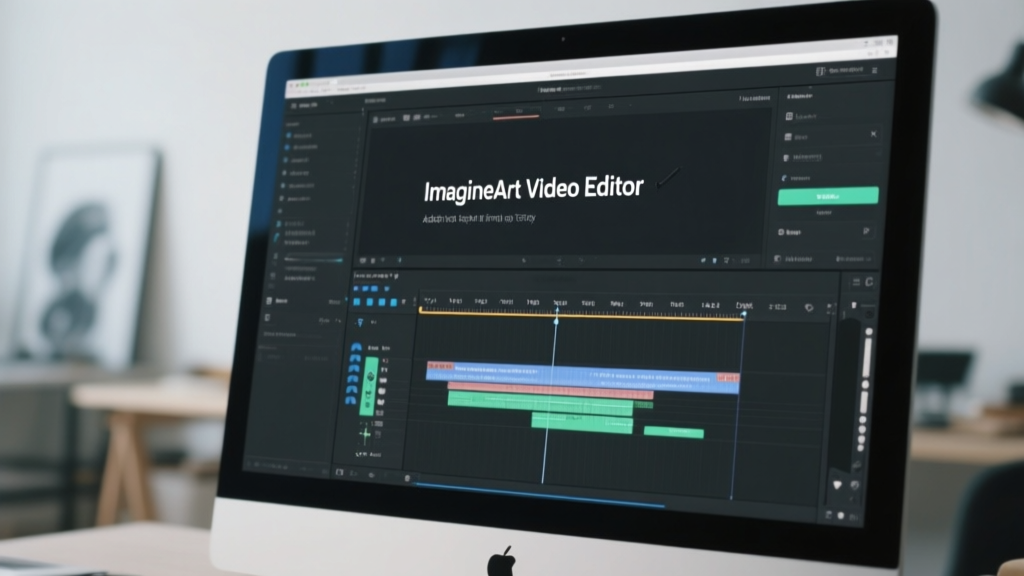
ImagineArt is an AI-driven video generation and editing platform perfect for cinematic and marketing video generation. This AI video generator includes a wide range of AI video generation models, including PixVerse V5, Hailuo, Wan 2.2, Kling AI, Google Veo 3, and more. ImagineArt AI video editor includes features to refine your video content with an easy-to-use interface and simple drag-and-drop option. The AI video editor allows you to import your images, videos, audio, and voiceovers for a smooth video output.
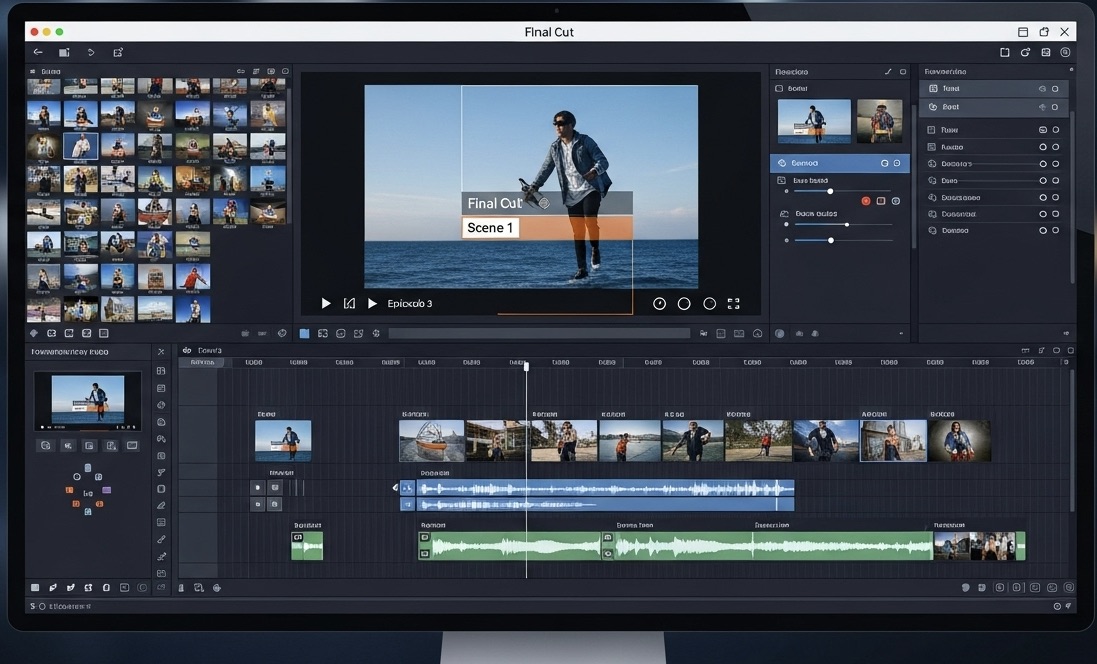
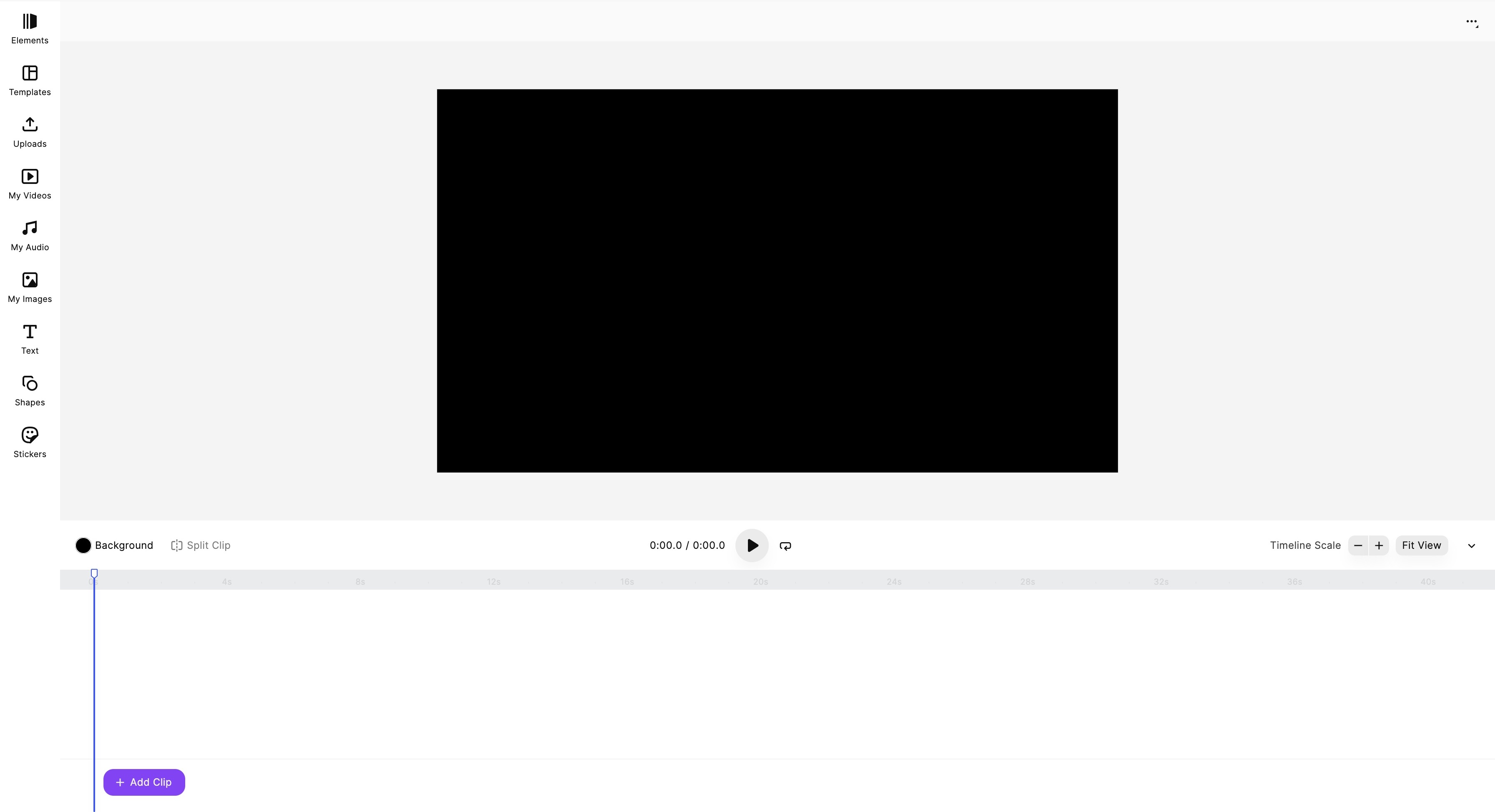 ImagineArt Video Editor dashboard
Key Features:
- ImagineArt AI video generator supports both text-based and image-based input, along with multiple video styles to choose from.
- The AI video generator allows you to change camera motion, fix lighting, adjust effects, and select your preferred aspect ratio. While AI video editor features tools to add music, add/remove background, audio and music integration, add visual effects, split and trim unwanted parts of the video, and more.
- ImagineArt AI video editor also features built-in customizable templates and predefined effects for visual enhancement.
- ImagineArt also offers AI voice and music generators to create your own music and voiceovers for quicker import and integration, making the video editing process more seamless.
ImagineArt comes with a powerful suite of AI video editing apps. What usually takes hours can be done in just a few clicks using ImagineArt Apps. Each AI video editing app is designed to be intuitive, requiring no expertise or editing experience.
- Kling Motion Control: ImagineArt Kling Motion Control app helps you add realistic movement to static visuals by transferring motion from a reference video. It also improve motion dynamics while preserving body proportions, gestures, expressions, and timing. You can define body movement and direct camera motion and style using a simple text prompt, without any manual keyframing or rigs.
- AI Video Color Correction: ImagineArt AI Video Color Correction app helps you automatically enhance color vibrancy, saturation, contrast, exposure, and balance. It lets you adjust lighting and tone to unify the mood of your scenes while improving the overall visual appeal without manual grading or technical skills.
- Video Object Replace: ImagineArt AI Video Object Replace app helps you detect and replace objects or characters in your video using detailed text-based prompts. It lets you change products, props, logos, or characters within a video without reshooting. It maintains original video quality and visual fidelity while integrating new visual elements.
- Video Object Removal: ImagineArt AI Video Object Remover helps you remove unwanted objects, people, or elements quickly and cleanly. It reconstructs background seamlessly while removing objects so that you don’t have to mask anything manually.
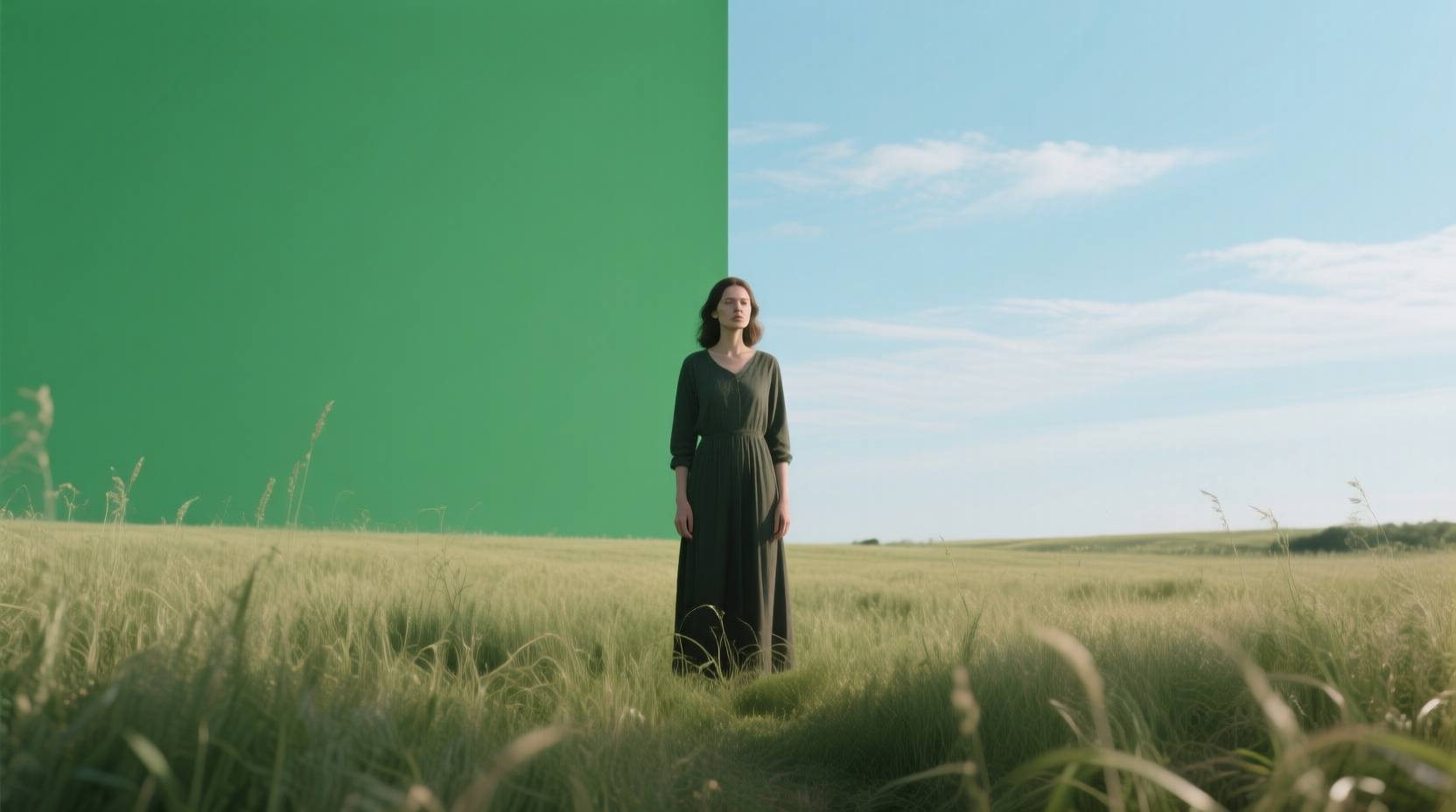
- Video Background Changer: ImagineArt Video Background Changer app help you replace backgrounds without any green screen. It lets you insert any backdrop you want while preserving the subject and foreground.
Limitations:
ImagineArt AI creative suite is completely cloud-based and requires a stable internet connection to access and work with. Each AI video generation model has a different credit consumption.
Pricing:
The free plan comes with 100 credits and access to basic tools only. The basic plan starts at $10/month with up to 18k credit/year. The professional plan starts at $41/month with up to 180k credits/year. ImagineArt AI video editor is a free tool and doesn’t require any credits for video editing.
You can check out more features and capabilities of ImagineArt Video Editor on our blog.
2. CapCut AI Video Editor
Launched and developed by the creators of TikTok, ByteDance, CapCut offers an intuitive user interface with all-in-one cross-platform accessibility. The AI video editing tool features a variety of templates for quick edits, thorough social media platform integration, and a range of AI tools to improve your marketing and branding videos. CapCut is popular among famous TikTokers, YouTube creators, and Instagrammers for regular content updates and posts.
Key Features:
- CapCut video editor lets you smooth out the video flow with automatic cuts and video effects. You can even add AI-based templates to your video for a more consistent and polished look.
- The AI video editor comes with a built-in music library, featuring trending songs, soundtracks, and sound effects with ease of video integration and synchronization.
- It also has an auto-captioning tool, making it simpler for you to add well-synchronized subtitles and captions in different languages.
- The auto-resizing tool lets you change the orientation and size of your video as per the preferred video sharing platform. It also maintains the visual integrity and composition of your video.
- CapCut AI video editor features video upscaling, color grading, and denoising tool for a more refined viewing experience.
Limitations:
The free plan has restricted access to many AI tools and effects available only for paid users. The content created through CapCut can be used by the platform for its own marketing purposes.
Pricing:
The free plan comes with restricted access and watermarks. The standard plan is available at $5.9-$9.99/month with HD video quality. The pro plan is available at $7.99-$19.99/month with 1080p video quality, no watermarks, and access to extended stock assets.
Also read: CapCut Alternatives
3. Canva AI Video Editor
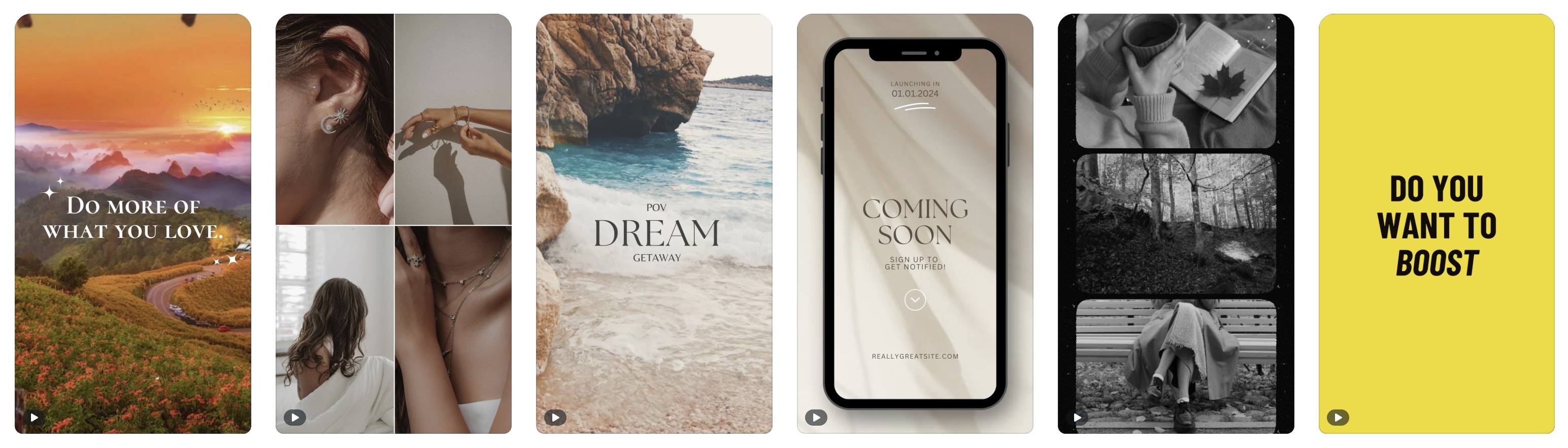
Canva AI video editor is a completely web-based and user-friendly platform with more than 20 integrated AI tools for video editing. It allows you to generate, edit, refine, and share videos through simple drag-and-drop tools. Featuring a vast stock library of images, videos, templates, audios, and different graphics, the Canva AI video editor is ideal for influencers, product marketers, social media content creators, and casual users.
Key Features:
- The ‘Magic Media’ tool allows you to generate AI videos through simple prompts, with capabilities to animate static images.
- The ‘Magic Animate’ tool lets you add different types of animations to presentations, social media posts, and design elements, saving you the time for manual animation.
- The auto-caption tool lets you add text and subtitles to your video with options to change font styles, font size, and font color.
- Canva AI video editor comes with a built-in library for different effects and transitions such as wipe, dissolve, fade, and chop.
- The ‘Magic Switch’ tool lets you change the dimensions of the current design to fit the size requirement of another platform, such as converting presentations to blog post or video format.
Limitations:
You need more credits to access advanced AI features and tools. Some professionals might find the visual effects and features less robust than other dedicated video editing studios.
Pricing:
The free plan comes with standard video editing tools and features and restricted access to premium assets. The pro plan is available $15/month with HD video quality, credits for AI tools and features, and premium templates and assets.
Also read: Canva Alternatives
4. Lumen5 AI Video Editor
Lumen5 AI features an easy-to-use drag-and-drop interface, generating videos through text. It features an extensive library of stock images, footage, and music, along with customizable templates and brand kits. It is an ideal fit for social media creators, marketers, and branding professionals looking for a quick and professional video editing tool.
Key Features:
- Lumen AI video editor allows you to convert blog posts, articles, and any text-based content into a professional video with appropriate and well-synced music and audio integration.
- It recommends transitions, images, and clips to add to your video content based on the script. This saves you the time to search for the right assets, making the video editing process faster and resulting in more cohesive output.
- This AI video editor includes customizable templates, letting you create more consistent branding materials.
- Lumen5 AI video editor also has auto-captioning features, which ensure the added captions are in sync and correctly placed.
Limitations:
The automated visuals, in some cases, might require further refinement, making this tool not suitable for high-end video creation or editing process.
Pricing:
The free plan comes with watermarks and export quality of 720p. The basic plan is available at $19-$29/month with no watermarks and a longer duration. The starter plan is available at $59-$79/month with 1080p export quality and access to premium assets. The professional plan is available at $149-$199/month with customized watermarks and features for collaboration.
5. InShot AI Video Editor
InShot AI video editor is a mobile-only application popular among TikTokers and influencers, creating and editing videos only on mobile phones. This mobile-first AI video editing tool lets you adjust video speed, trim or cut, add effects and filters, remove backgrounds, add music and sound, customize video aspect ratio, and so on. It is ideal for marketing videos, product branding, and vlogging.
Key Features:
- InShot AI video editor comes with a comprehensive suite of AI tools, including background removal, auto-captioning, and AI effects.
- The smart tracking features let you focus on a singular subject to create an enhanced blurring effect.
- This AI video editor features basic editing tools such as cut, split, reverse, slow-mo, and trim.
- The Picture-in-Picture feature allows you to layer different photos and videos on your main clip, improving multi-layer video editing.
- It features more than 1000 stickers, filters, effects, sound overlays, and transitions to create engaging content with dynamic storytelling.
Limitations:
InShot AI video editor is available only for mobile use with no official desktop or web versions. It doesn’t feature collaboration tools for multiple users or cloud integration.
Pricing:
The free plan comes with watermarks and basic editing tools. The pro plan is available at $3.99-$4 with no watermarks and access to advanced tools.
6. Descript AI Video Editor
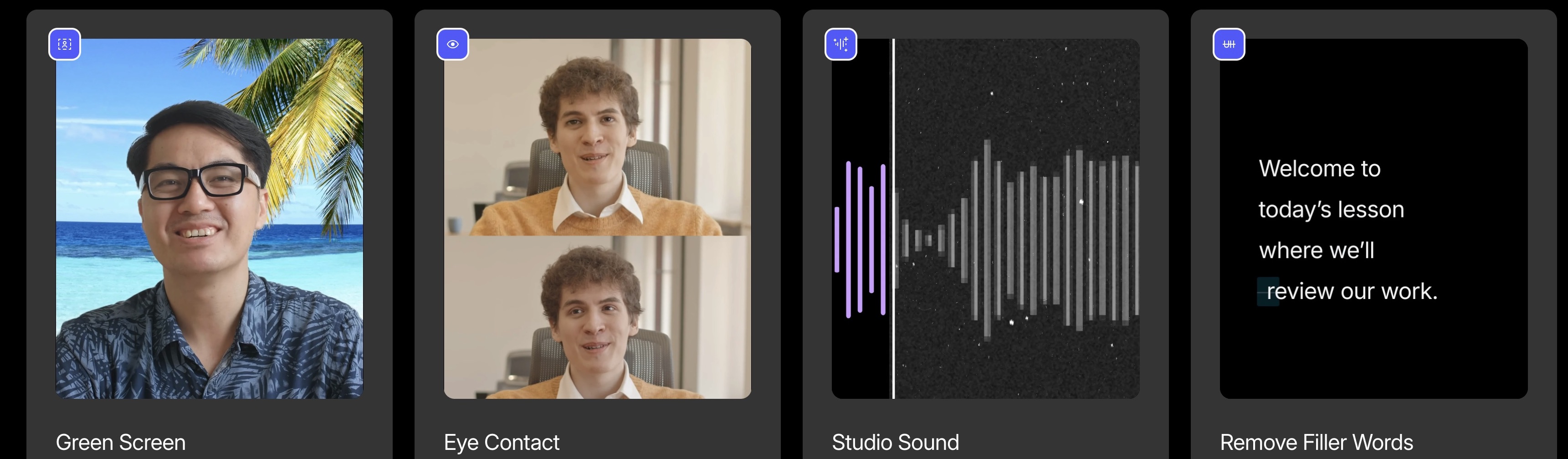
Descript AI video editor features audio and video editing tools, letting you edit video content through editing transcripts. It has a sound studio for professional audio improvement, along with a well-equipped AI-assistant Underlord. The Descript AI video editor includes features for eye contact correction, filler word removal, translation, video re-purposing, and voice cloning. It is ideal for podcasters, educators, product marketers, and professionals.
Key Features:
- Descript AI video editor includes a multi-layer editing tool, letting you edit multiple video and audio clips simultaneously.
- It features AI tools to create voiceovers and custom voice models for video narration.
- The ‘Overdub’ feature lets you alter the audio with no manual editing or re-recording.
- It includes a screen-recording feature, allowing you to record your screen for tutorials, presentations, or podcasts.
Limitations:
Descript AI video editor can struggle with larger projects, slowing down the workflow. The automated video transcripts often require manual editing for a more refined result.
Pricing:
The free plan is available with 1 hour transcription/hour, watermark, and export quality of 720p. The hobbyist plan is available at $12/month with 10 hours transcription/month, no watermarks, and 1080 export quality. The creator plan is available at $24/month with 30 hours transcription/month, advanced AI tools, and 4K export quality.
Which AI Video Editor Works Best Per Platform?
Best AI video editor for TikTok
CapCut is purpose-built for TikTok — created by ByteDance, the same company that owns TikTok, its templates and trending sounds are updated in near real-time with what's performing on the platform. ImagineArt's Kling Motion Control is the stronger choice when you need AI-animated character content or motion-controlled clips that stand out from standard UGC.
Best AI video editor for Instagram Reels
ImagineArt for AI-generated Reels with custom backgrounds, motion effects, and UGC-style content. Canva for branded Reels that need consistent design language across posts. InShot for quick mobile edits with filters and effects before posting directly.
Best AI video editor for YouTube Shorts
Descript for repurposing long-form YouTube content into Shorts — its transcript-based editing makes it faster to pull the best 60-second clip from a 20-minute video. Lumen5 for converting blog content or scripts into short explainer videos.
Best AI video editor for batch content creation
ImagineArt for generating multiple video variants from a single video prompt — useful for testing hooks or creating platform-specific cuts of the same campaign. Canva's Magic Switch for resizing one video across 9:16, 4:5, and 16:9 without re-editing.
What Influencers Actually Use AI Video Editors For
Hook creation
The first 2–3 seconds determine whether viewers scroll past. ImagineArt's AI video generator lets influencers test multiple hook variations — different opening visuals, motion styles, and background environments — without reshooting. Generate five versions of an opening and keep the one that performs.
UGC-style ad content
Brands commission UGC-style content that looks organic but performs like an ad. ImagineArt's AI UGC Creator produces this content without filming — AI presenters, natural movement, and product-integrated scenes at a fraction of production cost.
Repurposing long-form to short-form
A 20-minute YouTube video can produce 8–12 Shorts or Reels clips. Descript's transcript editor makes it fast to identify and extract the highest-value moments. Lumen5 converts written scripts and articles into video directly.
Multilingual content
Influencers targeting multiple markets need the same content in multiple languages. CapCut's auto-captioning covers 30+ languages. ImagineArt's Lipsync Studio can sync translated audio to existing video without re-recording or dubbing in a studio.
Branded partnership content
For paid partnerships, visual consistency matters — brands expect content that aligns with their guidelines. ImagineArt's reference image support and AI Video Color Correction maintain consistent color grading across a partnership campaign's full video set.
How to Choose the Right AI Video Editor for Influencer Marketing
By content type
- Short-form social (TikTok, Reels, Shorts) → CapCut or ImagineArt
- Branded and designed content → Canva
- Talking-head, podcast clips → Descript
- Script or blog to video → Lumen5
- On-the-go mobile editing → InShot
By budget
- Free → CapCut (free tier, no watermark on basic exports), ImagineArt (100 free credits)
- Under $15/month → InShot Pro ($3.99), ImagineArt Basic ($9), CapCut Standard ($5.90), Descript Hobbyist ($12)
- Content repurposing at scale → Lumen5 ($19–$199 depending on volume)
Quick picks
- Best AI video editor for TikTok influencers → CapCut
- Best for AI-generated video content → ImagineArt
- Best free AI video editor for influencers → CapCut or ImagineArt free tier
- Best for repurposing existing content → Descript or Lumen5
- Best for branded partnership campaigns → ImagineArt or Canva
Conclusion
As the impact of influencer marketing continues to grow, the need for professional-quality and engaging video content has become pivotal. With AI video editing tools like ImagineArt AI Video Editor, you can simplify the editing process with more creative control and faster generation.
Want to know about video editing tips and tricks? Read Editing Tips for Beginners and Professionals | How to Edit MP4 Videos.
Tooba Siddiqui
Tooba Siddiqui is a content marketer with a strong focus on AI trends and product innovation. She explores generative AI with a keen eye. At ImagineArt, she develops marketing content that translates cutting-edge innovation into engaging, search-driven narratives for the right audience.