10 Best AI Video Editing Tools for Digital Marketers (2026) — Tested & Ranked
Discover the best AI video editing tools for digital marketers in 2026. Explore top platforms like Runway, InVideo, ImagineArt, Synthesia, and more, and find the ideal solution for efficient and creative video content creation.

Tooba Siddiqui
September 9, 2025 • Updated July 17, 2026
17 mins Read
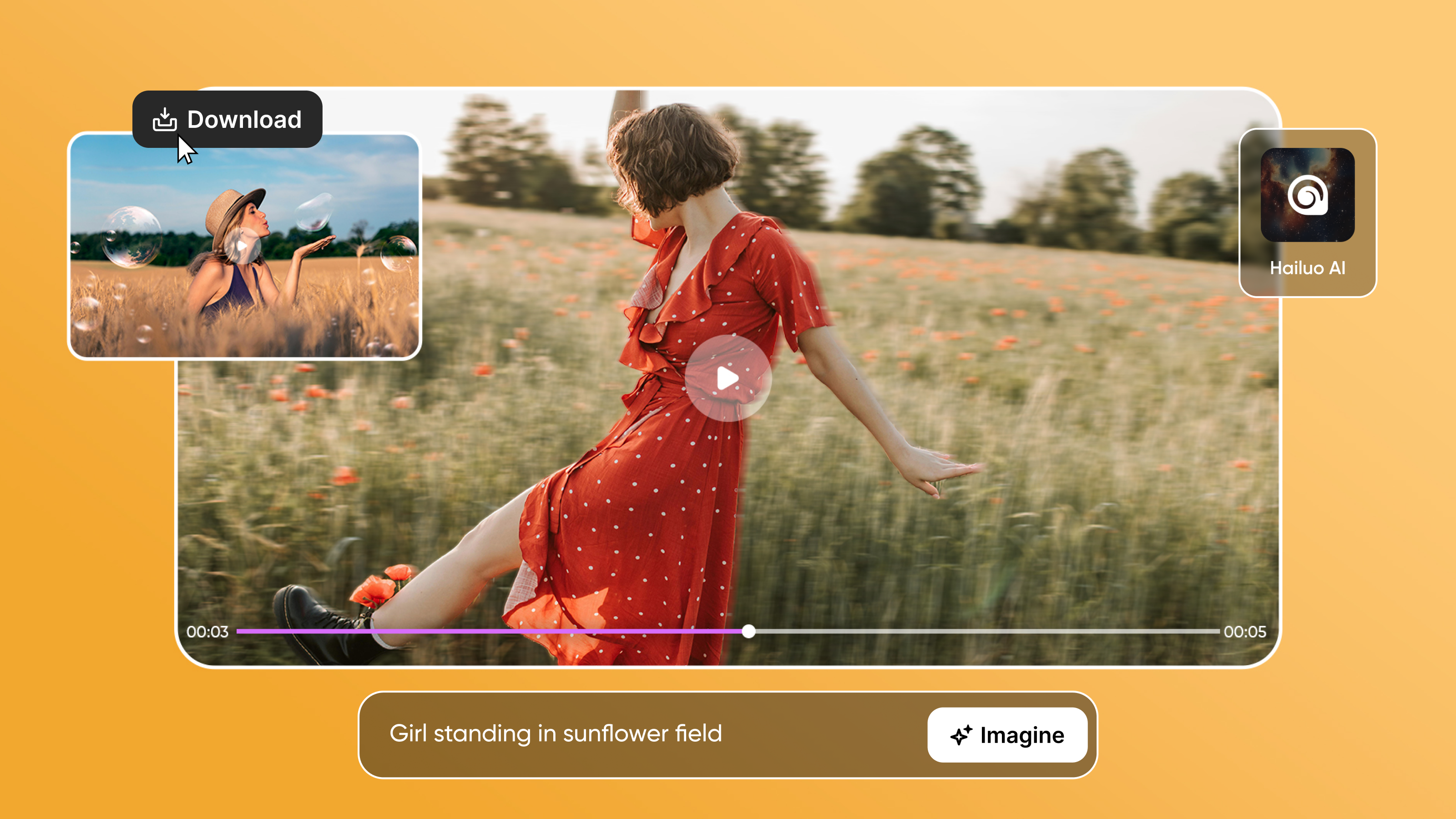
Most AI video generators come with a standard video editing toolkit: they have image-to-video and image-to-video generation features, they have background removal, they can add captions and text, they can enhance visuals, and so on. A few of them also act as audio and music generators, saving you the hassle of using a third-party editor.
The key is to know which tool(s) work best for the type of video you are making. Opt for an AI video editing tool with extensive features if your video requires refining and improvement. Here are seven of the most popular AI video generators with video editing features:
- ImagineArt AI Video Editor
- Runway
- InVideo
- Synthesia
- Veed
- DaVinci Resolve
- HeyGen
What Digital Marketers Actually Need in an AI Video Tool
Not all AI video tools are built for marketing workflows. Before picking one, clarify which of these use cases fits your team:
-
Content repurposing: If you produce webinars, podcasts, or long YouTube content, the most valuable capability is automatic clip extraction — identifying the best 60-90 second moments and formatting them for social. OpusClip and Descript are built for this. ImagineArt and Runway are not.
-
Brand asset creation: If you need product videos, ad creatives, or social graphics with custom backgrounds and AI-generated visuals, ImagineArt's video generation and object replacement tools are purpose-built for this. Runway's Gen-4 cinematography also applies.
-
Multilingual and localized video: For teams distributing content across markets, Synthesia and HeyGen both offer translation with preserved lip-sync — a significant production shortcut for global campaigns.
-
Fast turnaround from script or brief: InVideo and Pictory allow a marketer to paste a script or article URL and receive a complete video with voiceover in minutes — no editing skills required.
-
Subtitling for silent viewing: Over 85% of social video is watched without sound. Veed's auto-subtitle in 50+ languages and Magic Cut tool address this directly.
-
Team collaboration and approval workflows: InVideo, Veed, and Synthesia all have real-time collaboration features. DaVinci Resolve supports team workflows on the paid tier.
How We Evaluated These Tools
Each tool in this list was evaluated against four criteria digital marketing teams care about: (1) generation quality — how consistent and on-brand are the outputs without extensive prompting; (2) workflow fit — how well the tool maps to real marketing tasks (ad creation, social repurposing, multilingual distribution); (3) collaboration — whether a team can review, approve, and iterate without exporting to another tool; (4) cost per output — what a realistic monthly usage actually costs across the free and paid tiers listed here.
AI Video Editing Tools for Digital Marketers — At a Glance
| Tool | Best For | Standout Marketing Feature | Free Tier | Starting Price |
|---|---|---|---|---|
| ImagineArt | AI-generated product & social videos | Video object replace, background swap, Kling motion control | ✅ 100 credits/day | $9/month |
| Runway | Cinematic generative effects | Act II gesture/expression control; Google Drive integration | ✅ 125 credits | $12/month |
| InVideo | Script-to-social video | AI scriptwriting + voiceover in one workflow | ✅ 10 min/week | $28/month |
| Synthesia | Multilingual talking-head video | 29-language translation with preserved lip-sync | ✅ 3 min/month | $29/month |
| Veed | Auto-subtitling + multi-platform export | Auto-subtitles in 50+ languages; Eye Gaze Corrector | ✅ Basic | $19/month |
| DaVinci Resolve | Professional editing and color | Magic Mask; Fairlight audio; zero subscription | ✅ Full feature | $295 one-time |
| HeyGen | AI avatar + brand localization | 300+ voices, 175 languages, digital twin creation | ✅ 3 videos/month | $29/month |
| OpusClip | Repurposing long-form into clips | Auto-identifies viral moments; adds captions, B-roll | ✅ Limited | $19/month |
| Descript | Script-based editing | Edit transcript → video edits itself; remove filler words | ✅ Limited | $24/month |
| Pictory | Blog-to-video automation | Paste article URL → video with voiceover in minutes | ✅ Limited | $19/month |
10 Best AI Video Editing Tools for Digital Marketers 2026
1. ImagineArt
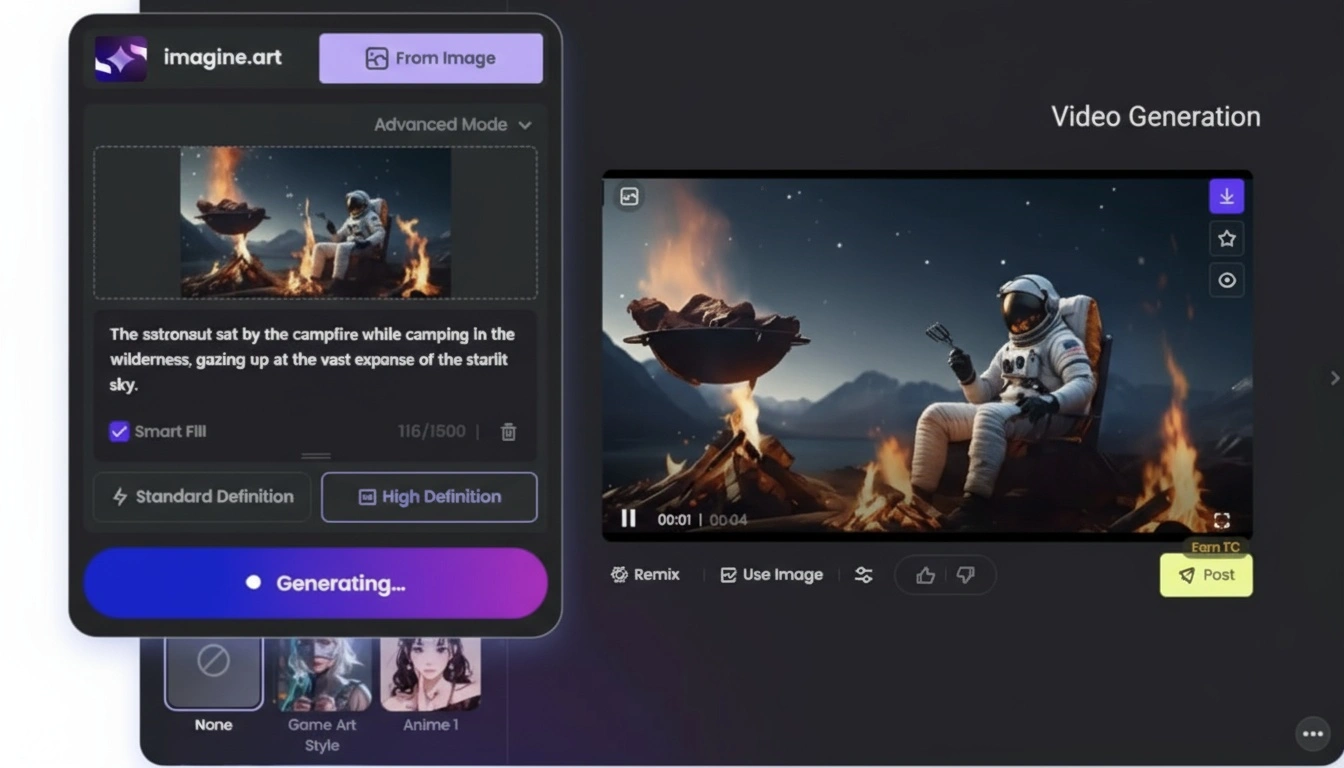
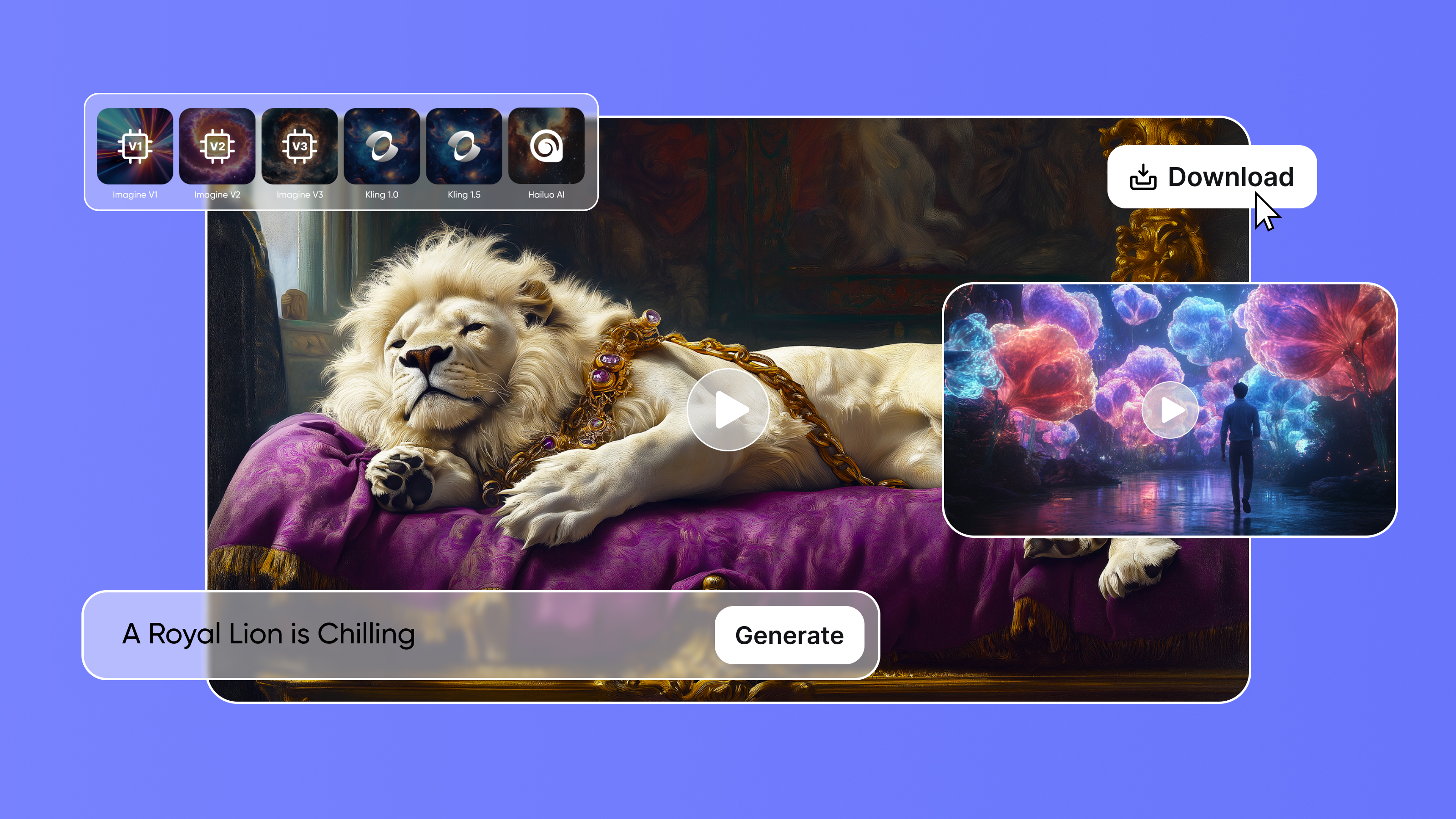
ImagineArt is an AI-driven video generation and editing platform perfect for cinematic and marketing video generation. This AI video generator includes a wide range of AI video generation models, including PixVerse V5, Hailuo, Wan 2.2, Kling AI, Google Veo 3, and more. ImagineArt AI video editor includes features to refine your video content with an easy-to-use interface and simple drag-and-drop option. The AI video editor allows you to import your images, videos, audio, and voiceovers for a smooth video output.
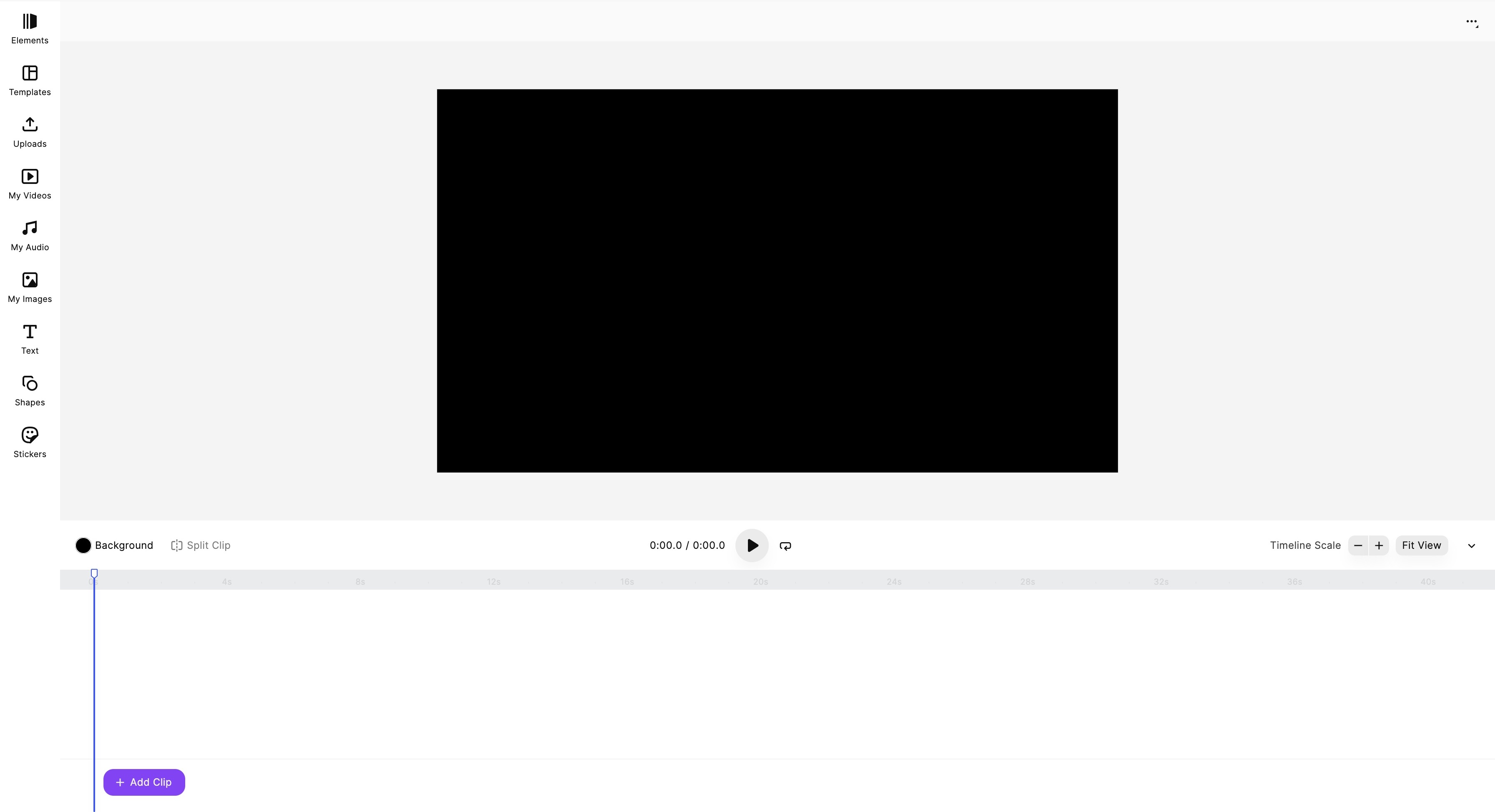 ImagineArt Video Editor dashboard
Key Features:
- ImagineArt AI video generator supports both text-based and image-based input, along with multiple video styles to choose from.
- The AI video generator allows you to change camera motion, fix lighting, adjust effects, and select your preferred aspect ratio. While AI video editor features tools to add music, add/remove background, audio and music integration, add visual effects, split and trim unwanted parts of the video, and more.
- ImagineArt AI video editor also features built-in customizable templates and predefined effects for visual enhancement.
- ImagineArt also offers AI voice and music generators to create your own music and voiceovers for quicker import and integration, making the video editing process more seamless.
ImagineArt comes with a powerful suite of AI video editing apps. What usually takes hours can be done in just a few clicks using ImagineArt Apps. Each AI video editing app is designed to be intuitive, requiring no expertise or editing experience.
- Kling Motion Control: ImagineArt Kling Motion Control app helps you add realistic movement to static visuals by transferring motion from a reference video. It also improve motion dynamics while preserving body proportions, gestures, expressions, and timing. You can define body movement and direct camera motion and style using a simple text prompt, without any manual keyframing or rigs.
- AI Video Color Correction: ImagineArt AI Video Color Correction app helps you automatically enhance color vibrancy, saturation, contrast, exposure, and balance. It lets you adjust lighting and tone to unify the mood of your scenes while improving the overall visual appeal without manual grading or technical skills.
- Video Object Replace: ImagineArt AI Video Object Replace app helps you detect and replace objects or characters in your video using detailed text-based prompts. It lets you change products, props, logos, or characters within a video without reshooting. It maintains original video quality and visual fidelity while integrating new visual elements.
- Video Object Removal: ImagineArt AI Video Object Remover helps you remove unwanted objects, people, or elements quickly and cleanly. It reconstructs background seamlessly while removing objects so that you don’t have to mask anything manually.
- Video Background Changer: ImagineArt Video Background Changer app help you replace backgrounds without any green screen. It lets you insert any backdrop you want while preserving the subject and foreground.
For digital marketers, the practical value is in the video object tools. Video Object Replace lets you swap a product in an existing ad without reshooting — useful for seasonal variations, colorway changes, or regional market adaptations. Video Background Changer removes the need for a green screen setup for product demos. Kling Motion Control adds camera motion to static product images to create social-ready video without sourcing footage. Combined, these reduce the production cost of ad creative iteration significantly.
Limitations:
ImagineArt AI creative suite is completely cloud-based and requires a stable internet connection to access and work with. Each AI video generation model has a different credit consumption.
Pricing:
The free plan comes with 100 credits and access to basic tools only. The basic plan starts at $13/month with up to 18k credit/year. The professional plan starts at $41/month with up to 180k credits/year. ImagineArt AI video editor is a free tool and doesn’t require any credits for video editing.
You can check out more features and capabilities of ImagineArt Video Editor on our blog.
2. Runway
Runway AI features Gen-3 Alpha and Gen-4 video generation models, designed to streamline the video creation and editing processes. The platform enables you to create AI videos through text-based, image-based, and video-based input prompts. From design exploration and virtual staging to moodboards and video transformation, Runway AI presents a full creative suite for quick and extensive video editing needs.
Key Features:
- Runway Gen-3 Alpha focuses on 3D-camera movement, while Gen-4 offers character consistency, cinematography, and natural motion and movement control for multi-shot storytelling.
- Runway Act II is another video generation model with features to control gestures, facial movements, and expressions. The environment-aware features enable Runway Act II to blend animated characters and scenes into videos.
- Runway Aleph is a state-of-the-art in-context video editing tool, with features for object manipulation, real-time footage editing, and camera angle adjustments. The chat-like interface allows you to incorporate edits through simple prompts.
- Runway comes with a built-in lip-sync tool, allowing you to synchronize the uploaded audio or typed script with the video. It enables you to build seamless character interactions.
- Runway offers integration with other tools such as Google Drive, along with team sharing, real-time editing, and project collaboration features.
Limitations:
Although Runway AI offers a relatively easier interface, using the different video generation and editing tools requires a bit of practice and learning. Also, you will need more credits to generate a high-quality video on Runway AI.
Pricing:
The free plan comes with 125 free credits with a watermark and restricted video quality. The standard plan is available at $12-15 per user/month with 625 monthly credits. The pro plan is available at $28-$35 per user/month with 2250 monthly credits.
Learn more about Runway Act II and Runway Aleph on ImagineArt blog.
3. InVideo
InVideo is a cloud-based AI video generator and editor with a built-in media library to choose your assets and visuals from. It has a video timeline allowing you to rearrange assets and visuals through dragging and dropping to desired positions. The AI video editor allows you to add effects, change colors and layouts, and add animations to static images. This AI video editor and generator is ideal for marketers, content creators, and video ads.
Key Features:
- InVideo AI video generator features AI scriptwriting, allowing you to create scripts from prompts.
- The tool also includes AI voiceovers and voice cloning features, letting you add human-like voices to your video content.
- InVideo also allows you to create AI avatars, along with multitudes of customizable templates for social media content, ads, and branding materials.
- InVideo supports real-time editing and collaboration, making it easier for teams to work and share feedback and updates on the projects.
- It comes with seamless integration of social media platforms such as Facebook, YouTube, and TikTok, letting you share your videos directly to the desired platform.
Limitations:
InVideo is perfect for quick edits and fixes, but it doesn’t allow more granular or manual control over the editing process. Also, the generative credits do not roll over, with multiple restrictions on video generation and editing through free access.
Pricing:
The free plan offers 10 minutes AI video per week with watermarks. The plus plan is available at $28 with 60 minutes AI video per week and 60-second generative credits. The max plan is available at $48 with more video minutes and 320 premium visuals. The generative plan is available at $96 with 15 minutes generative credits and complete access to all features.
4. Synthesia
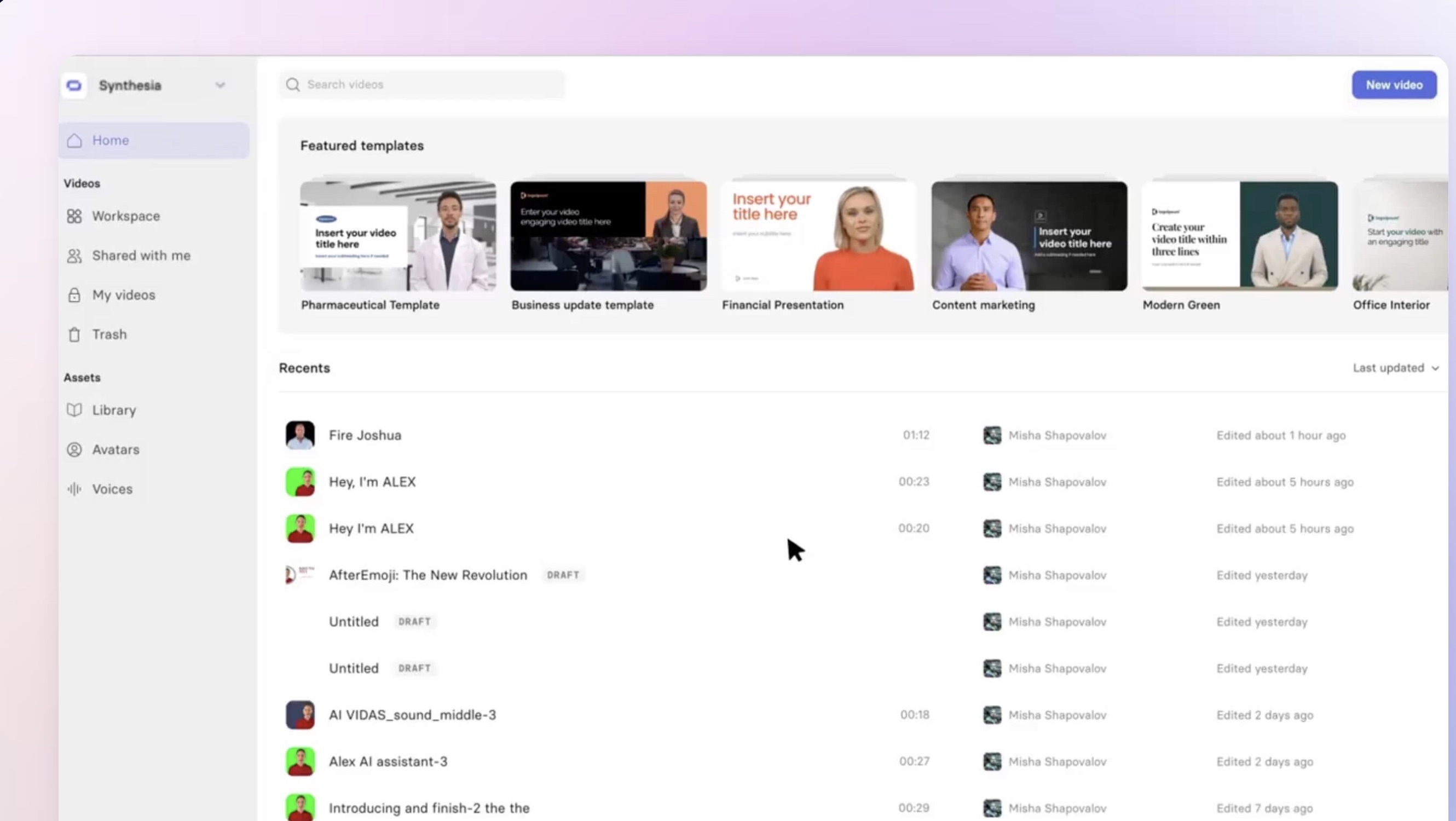
Synthesia offers a vast built-in library of human-like AI avatars of all age groups, genders, and ethnicities. These customizable avatars deliver the script in the most natural and human-like way. It allows you to create scripts and videos in more than 120 languages and different types of voices. Synthesia includes templates for scene customization along with screen-recording features, making it an ideal tool for businesses and marketers alike.
Key Features:
- Synthesia features text-to-video generation, letting you convert articles and even whole websites into a professional-grade video.
- It includes a library of stock images, videos, audios, icons, and soundtracks to add to your video.
- Through AI video editor, you can add images, custom assets, logos, shapes, transitions, and graphic elements for a smoother visual experience.
- Synthesia offers real-time collaboration and shared workspace, letting you embed the edited videos via links directly on your website.
- The AI video editor comes with a translator with capability to translate your video in 29 different languages while ensuring the original voice and lip movement remain the same and well-aligned.
Limitations:
Synthesia has limited video editing capabilities, with a complete focus on talking avatar head videos. Script optimization and some features might require learning and practice to generate better-quality results.
Pricing:
The free plan comes with 3 video minutes per month and access to limited avatars. The starter plan is available at $29/month with 10 video minutes/month and access to 125+ avatars. The creator plan is available at $89/month with 30 video minutes/month and access to dubbing and other editing features.
5. Veed
Veed is a completely web-based video generation and editing platform. It features multiple third-party AI video generation models, including Google Veo 3, MiniMax, Seedance, LTX, and Kling. It supports text-to-video generation model, allowing you to create high-quality videos through a single prompt. Veed also has AI avatars, allowing you to create talking head videos through custom or pre-made avatars. The platform also includes voice cloning and voice generator to create voiceovers in different tones, languages, accents, and genders.
Key Features:
- The platform features automated subtitling and captioning of your video, creating well-synced and accurate captions for your video in one click. It can create captions in more than 50 languages.
- The ‘Clean Audio’ tool lets you remove noise and disruption, ensuring the audio quality is top-notch and clear.
- The ‘Magic Cut’ tool helps you remove unwanted parts from the video, such as awkward pauses, background filler noises, silent periods, and other distortions, making the editing process faster and smoother.
- The ‘Eye Gaze Corrector’ tool lets you fix the eye direction in the recorded footage, ensuring the character maintains direct contact with the camera.
- Veed also has a collection of pre-made customizable templates with access to stock media library, including images, audio, and videos.
Limitations:
Although Veed offers a variety of editing and video generation features, it lacks pro-level editing tools and easy-to-use timeline editor. Auto-dubbing and auto-subtitling can be inaccurate sometimes.
Pricing:
The free plan comes with basic editing, a video watermark, and video quality of 720p. The lite plan is available $19/month with no watermarks and video export quality of 1080p. The pro plan is available at $49/month with unlimited access to AI avatars, dubbing, voice cloning, and other features, and an export quality of 4K.
6. DaVinci Resolve
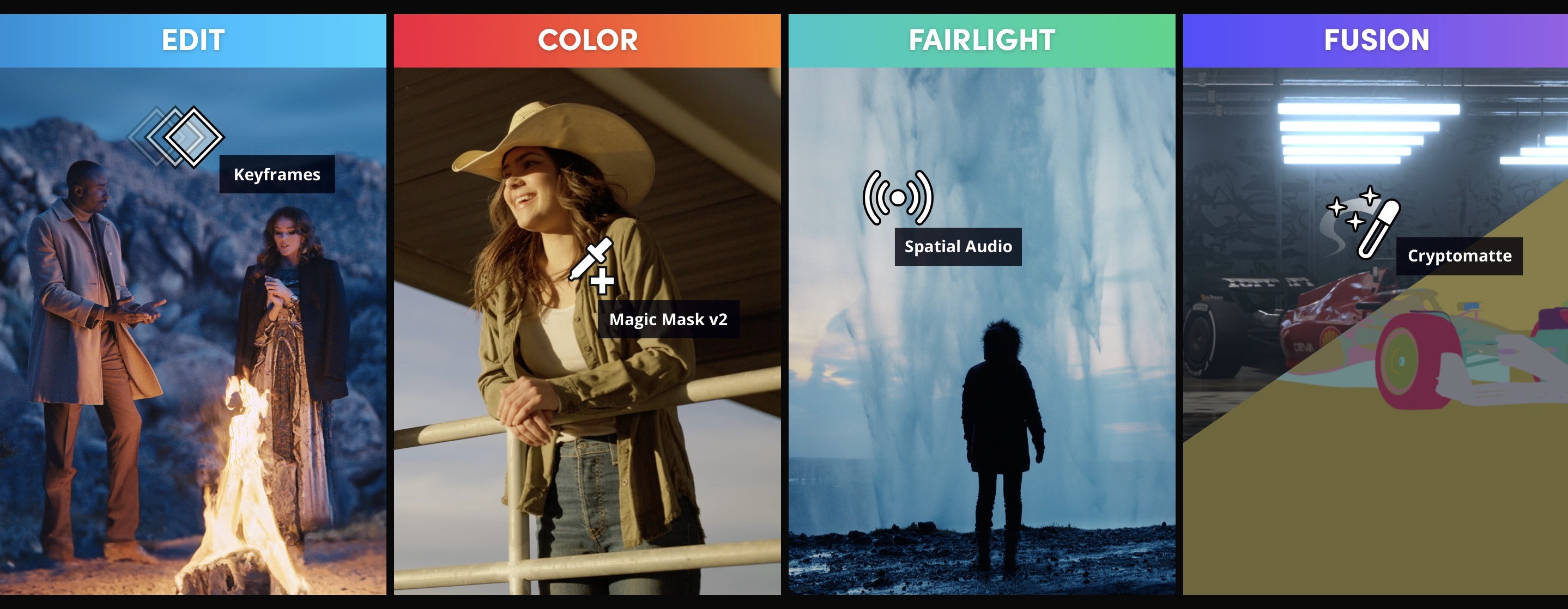
Developed by BlackMagic Design, DaVinci Resolve is popular among content creators, TV, and film production houses and professionals. The AI-powered platform includes color corrector, motion graphics, visual effects, scene detection, and subtitling. The tool has been used in the post-production of many blockbusters, including Avatar: The Way of Water and Top Gun: Maverick. DaVinci works well with higher resolution videos and frame rates, while offering asset management and collaboration tools. The Studio version provides more effects and professional formats.
Key Features:
- The ‘Magic Mask’ tool detects objects and characters in the video and lets you apply effects and filters only to the detected objects and faces.
- The ‘Fairlight’ is a built-in audio sound and audio mixing and integration post-production.
- DaVinci Resolve includes a range of color correction and color grading features including Color Warper, Chroma Warp, Magic Mask, Depth Map, bloom, and vignetting.
- The ‘Fusion’ page allows you to create and generate different backgrounds and visual effects for your video content.
- The platform also includes a text generator, allowing you to generate and add text in different font styles, colors, animations, and visual effects.
Limitations:
DaVinci Resolve presents a steep learning curve with a complex interface and advanced AI features. It requires hardware with a higher GPU and advanced rendering for optimal results.
Pricing:
The free plan includes major editing features but restricted access to collaboration and AI tools. The paid plan starts at $295 for the purchase of complete editing suite.
7. HeyGen
HeyGen offers a complete AI video generation and editing suite, including AI avatars, text-to-speech, language translations, and customization options. It offers a diverse library of more than 100 AI avatars that you can use for your video, while letting you create your ‘digital twin’ for a more personalized video content. The stock library also includes more than 300 human voices in almost 175 languages. It supports a text-to-video generation model, allowing you to create videos through a single prompt.
Key Features:
- In text-to-speech, you can use the “Voice Director’ feature to adjust and control the emotional tone of the video.
- The automated translation feature can accurately translate into more than 175 languages with dialect and lip movement accuracy.
- It features automated subtitling, letting you add captions in your preferred languages for an expanded global reach. AI Avatars: Create personalized avatars that can read scripts in any language, perfect for product demos or personalized marketing messages.
- The customization options include background changes, clothing, gestures, and fixing avatar appearance to align with your brand theme.
Limitations:
Scripting and avatar customization need some practice and experimentation. Since it is completely cloud-based, a stable internet connection is a must-have.
Pricing:
The free plan comes with 3 videos/month and a video export quality of 720p and watermarks. The creator plan is available at $29/month with unlimited videos, 700+ avatars, and video export quality of 1080p. The team plan is available at $89/seat with unlimited videos, custom avatars, and collaboration tools.
8. OpusClip
OpusClip is purpose-built for a workflow that most digital marketing teams need but rarely have bandwidth for: turning a 60-minute webinar, podcast episode, or YouTube video into 10-15 ready-to-post short clips. The AI identifies the highest-engagement moments based on spoken content, adds animated captions automatically, resizes the frame for vertical or square format, and appends B-roll where appropriate. The output is social-ready without manual trimming.
For marketing teams publishing across TikTok, LinkedIn, Instagram Reels, and YouTube Shorts from the same long-form recording, this significantly reduces per-clip production time.
Key Features:
- AI virality scoring — identifies which moments have the strongest hook potential
- Automated captions with speaker labeling -One-click format conversion (16:9 to 9:16 to 1:1)
- B-roll generation and keyword-matched visuals
- Team workspace with review and comment workflow
Limitations:
Clip quality depends on audio clarity and speaking pace — works better for recorded interviews and webinars than raw event footage.
Pricing:
- Free: limited exports per month, watermarked
- Starter: $19/month, unlimited clips from videos up to 3 hours
- Pro: $49/month, team workspace, custom branding
9. Descript
Descript transcribes your video, then lets you edit the footage by editing text. Delete a sentence in the transcript — that clip is removed from the video. Change a word — Descript uses AI voice cloning to fill in the new audio seamlessly. This approach removes one of the biggest time costs in marketing video production: scrubbing a timeline to find specific moments.
For content marketers producing interviews, customer testimonials, product walkthroughs, and event recaps, this workflow is significantly faster than traditional timeline editing.
Key Features:
- Transcript-based timeline editing
- AI voice cloning for seamless overdubs
- Filler word removal (um, uh, false starts) with one click
- Screen recording with AI cleanup
- Multitrack audio mixing
- Export directly to social media formats
Limitations:
Less suited for heavily visual, graphics-forward content — the workflow is strongest when speech is the primary editorial element.
Pricing:
- Free: limited transcription hours and exports
- Hobbyist: $24/month, 10 transcription hours, 1080p export
- Creator: $40/month, 30 hours, 4K, custom watermark removal
10. Pictory
Pictory is the fastest path from written content to video. Paste a blog post URL or script, select a video style and voiceover, and Pictory generates a complete video with matched stock footage, captions, and background music in minutes. For content marketing teams that already produce high-volume written content, this converts existing assets into video without additional production effort.
Key Features:
- URL-to-video from any article or blog post
- AI script summarization for long-form content
- Auto-highlight reels from long videos
- Branded templates and custom intro/outro
- Stock media library (Getty licensed)
- Team collaboration on video projects
Limitations:
The stock footage matching is not always precise — manual review of visual selections is recommended for client-facing outputs.
Pricing:
- Free: limited videos per month, watermarked
- Starter: $19/month, 30 videos/month, 10 hours of video uploads
- Professional: $39/month, 60 videos, team sharing
Conclusion
With the right AI video editing tool, you can create professionally done and polished video content at a lower cost and with less effort. By utilizing the features and capabilities of these platforms, digital marketers can create engaging videos for marketing campaigns and product branding.
Want to know about video editing tips and tricks? Read Editing Tips for Beginners and Professionals | How to Edit MP4 Videos.
Frequently Asked Questions
What is the best AI video editing tool for digital marketers in 2026?
It depends on your primary workflow. OpusClip leads for content repurposing (long-form to short social clips). ImagineArt leads for AI-generated product video and creative ad assets. Synthesia and HeyGen lead for multilingual avatar-based video. Descript leads for interview and testimonial editing. Veed leads for auto-subtitling across platforms. Most marketing teams end up using two: one for generation and one for editing or repurposing.
Which AI video tools work best for social media marketing?
For TikTok, Reels, and Shorts: OpusClip (auto-clips long-form), Veed (captions and silent-viewing optimization), and ImagineArt (vertical video generation with Kling motion). For LinkedIn and YouTube: InVideo and Descript for longer-form structured content.
Are any of these AI video tools free?
Yes — all ten tools listed here offer a free tier. ImagineArt provides 100 free credits daily (approximately 5 Seedream v4 generations). Runway gives 125 credits. Veed has a free editing plan. DaVinci Resolve is free with almost all professional features. Free tiers typically include watermarks and export limits.
Can AI video tools replace a video editor for marketing content?
For social media, short-form, and repurposed content: largely yes. Tools like OpusClip, InVideo, and Descript handle 80% of what a production editor does for these formats. For high-production branded content, client campaigns, and broadcast-quality work, human editors using AI-assisted tools (DaVinci Resolve, Adobe Premiere Pro) still deliver better results.
What's the difference between an AI video generator and an AI video editor?
AI video generators create video from scratch using text prompts or images (ImagineArt, Runway, InVideo's generative tier). AI video editors improve, restructure, or repurpose existing footage (DaVinci Resolve, OpusClip, Descript, Veed). Most platforms are now moving toward both — Veed, for example, supports both text-to-video generation via multiple models and smart editing features for uploaded footage.
Which AI video tool is best for a small marketing team with a limited budget?
DaVinci Resolve (free, professional-grade) for editing. Veed or ImagineArt (free tiers) for quick social content. Descript's free plan for the occasional interview or podcast clip. This combination covers most marketing video needs with zero monthly spend and can be upgraded selectively as volume increases.
Tooba Siddiqui
Tooba Siddiqui is a content marketer with a strong focus on AI trends and product innovation. She explores generative AI with a keen eye. At ImagineArt, she develops marketing content that translates cutting-edge innovation into engaging, search-driven narratives for the right audience.