AI Miniature Generator
Create custom miniatures with AI. Turn your ideas, characters, or photos into detailed 3D figures, D&D miniatures, action figures, and collectible designs.
You Might Also be Interested in
Community Creations
From character concept to mini design
Describe a character, race, class, weapon, pose, and get back an image styled like a painted tabletop miniature rather than a flat illustration. You can also create anime-inspired miniatures with expressive features, stylized proportions, and detailed character designs. Built on the same model stack behind ImagineArt's 3D figurine tools, including Nano Banana 2, so the output reads as a small sculpted object with a visible base and stance, not just fantasy art. Useful as a design reference before painting or printing a physical mini.
For painters, printers, and dungeon masters
A miniature painter can generate a design reference before picking up a brush, testing a color scheme digitally first. Someone with access to a 3D printer can use the render as a starting point for a custom sculpt. A dungeon master who doesn't own a mini for a specific monster or NPC gets a visual to hold up at the table instead of describing it from memory.
Custom minis without a sculpting budget
Commissioning a custom miniature sculpt costs real money and takes weeks. Generating a design concept takes a prompt and a few seconds. That doesn't replace a physical mini on the table, but it covers the gap for a homebrew monster, a reskinned stock mini, or a character concept a player wants to see before deciding whether it's worth ordering or printing for real. Generate all types of characters with ImagineArt
Same tool, more than one output
The miniature generator sits next to ImagineArt's 3D figurine and action figure tools, all built on the same underlying models. Generate a painted-mini-style concept for a tabletop character, then switch prompts to render the same character as a full 3D figurine or a boxed action figure, without leaving the account or paying for a separate app. Additionally try our best image to image generation, text to image generation and video generation with AI Image generator and AI Video Generator
How the ai miniature generator works
Step 1
Describe the miniature
Write out the character or monster: race, pose, weapon, base size if it matters, and a painting style, matte, metallic, or weathered. A reference photo of an existing mini or sculpt can guide the style too. The more specific the prompt, the closer the render matches a real painted miniature rather than generic fantasy art.
Step 2
Generate the design
Pick an aspect ratio and how many versions to generate, then hit generate. Free accounts get a limited number of starting credits; paid plans run from Basic at 3K credits a month up to Creator at 100K, useful for generating a full set of miniature concepts for one campaign.
Step 3
Download and use it
Download the finished concept as a PNG to use as a painting reference, a print reference, or simply to show at the table. Regenerate with a tweaked prompt, a different pose or paint scheme, if the first version is close but not exactly right.
Miniature styles built for tabletop games
- Painterly fantasy art:Renders styled like a hand-painted tabletop miniature, base and all, not flat fantasy art.
- Matte and metallic finishes:Describe a paint style, matte, metallic, or weathered, directly in the prompt.
- Fantasy and sci-fi minis:Covers classic D&D-style fantasy races alongside sci-fi and homebrew factions.
- Monster and boss designs:Generate a concept for a home brew monster that doesn't exist as a real mini yet.
- Reference for painters:A digital color-scheme test before committing paint to a physical model.
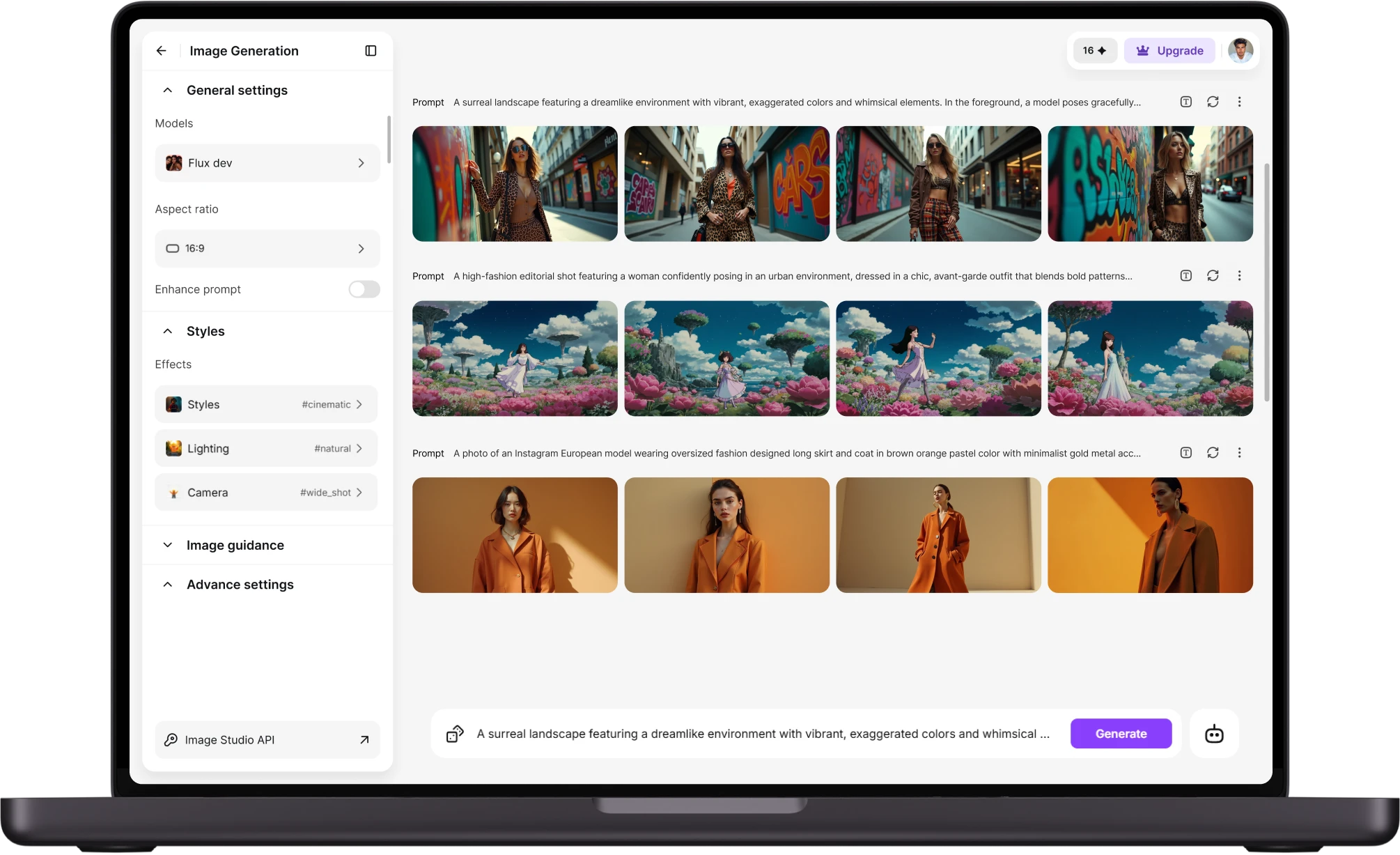
Built for a full campaign's worth of minis
- Batch generation:Generate concepts for a whole encounter's worth of monsters or NPCs in one sitting.
- Multiple aspect ratios:Square crops for a quick reference, wider shots for a full-pose view.
- PNG downloads:Every render downloads ready to save into a campaign folder or reference board.
- Credit-based plans:A free tier to test it, paid plans that scale for a dungeon master generating regularly.
- Shared model stack:Same engine used for ImagineArt's 3D figurine and action figure generators.
Where a mini concept actually helps
- Painting reference:Test a color scheme digitally before painting a physical miniature.
- Homebrew monsters:A visual for a custom creature that has no official mini available to buy.
- Print reference:A starting concept for someone converting the design into an STL file for 3D printing.
- Table presentation:Show players a monster or boss design when a matching physical mini isn't on hand.
- Player customization:Preview a reskinned or homebrew character mini before ordering or painting the real thing.
Customer Testimonials
Learn what user says about AI Miniature Generator

“Great platform, lots of useful features. All the models you would want under one roof. Multi variation parallel generation of images and videos. workflows. awesome stuff THOUGH lots and I mean lots of popups. ”
“Easy interface with all the latest models. Great pricing and worth using for advanced AI generations.”
“Using imagine has honestly been a great experience overall. The image quality is impressive, especially for cinematic and anime-style generations, and the platform feels smooth compared to many other AI tools. Prompt understanding is strong, and the renders usually come out detailed and visually appealing even without overly complex descriptions. One thing I really like is how easy the interface is to use. It doesn’t feel confusing for beginners, but still has enough features for advanced creators. The video and motion tools also have a lot of potential and can create very eye-catching content for reels and edits. ”
“I have tried quite a few AI image generators, and ImagineArt has quickly become one of my favourites. The image quality is consistently impressive, with detailed, creative, and highly accurate results from even simple prompts. The platform is easy to use, generates images quickly, and offers a great variety of styles and customisation options. One of the main ways I use ImagineArt is to create artwork for my YouTube music videos. I generate unique images and then animate them as visuals to accompany my music. The quality and creativity of the images make them perfect for this purpose, and they often require very little editing before I can use them in my projects. What stands out most is how well it understands complex prompts and turns ideas into stunning visuals with minimal effort. Whether you're creating concept art, character designs, content for social media, or visuals for videos, ImagineArt delivers excellent results. The regular updates and new features show that the team is actively improving the platform, and the overall experience feels polished and reliable. It's become an important part of my creative workflow, and I'd highly recommend it to anyone looking for a powerful and user-friendly AI image generation tool. ”
“ImagineArt offers an impressive range of AI image generation styles and tools. The platform is intuitive and produces high-quality results across different creative styles. The support team is responsive and genuinely helpful. Would recommend to anyone looking for a versatile AI image tool.”
“ImagineArt has a really amazing interface, well layered and clean. The workflow feature really makes working easy with all tools available in one place. One other thing, when I tested models like for instance Nano Banana 2 on ImagineArtAi and other Ai brands I got better results and higher quality on ImagineArtAi. It goes to show how much they have invested in making it the best of the best”
Purchase a Subscription
Upgrade to get access to pro features and generate more and better
Basic
For newcomers taking their first steps
View Plans
Billed monthly
Included in plan
3Kcredits per month
Additional Features
Up to ~600 Image Generations/month
Up to ~97 Video Generations/month
General Commercial Terms
Image Generation Visibility: Public
4 Concurrent Image Generations
Complimentary Access
All GPT Models
All Gemini Models
All Claude Models
Unlimited Generations
10 Image Models
9 Video Models
Standard
For rising creators to level up their game
View Plans
Billed monthly
Included in plan
8Kcredits per month
Additional Features
Up to ~1.6k Image Generations/month
Up to ~265 Video Generations/month
General Commercial Terms
Image Generation Visibility: Private
8 Concurrent Image Generations
Complimentary Access
All GPT Models
All Gemini Models
All Claude Models
Unlimited Generations
Nano Banana
Runway Gen 4 Turbo
Midjourney V7
8 more Image Models
8 more Video Models
Ultimate
Peak performance for pros
View Plans
Billed monthly
Included in plan
16Kcredits per month
Additional Features
Up to ~3.2k Image Generations/month
Up to ~530 Video Generations/month
All styles and models
General Commercial Terms
Image Generation Visibility: Private
Complimentary Access
All GPT Models
All Gemini Models
All Claude Models
Unlimited Generations
All image models in Standard plan
All video models in Standard plan
Kling 2.6 Pro
Seedance 1.5 Pro
ChatGPT 1.5
Creator
A full production engine for powerhouses
View Plans
Billed monthly
Included in plan
100Kcredits per month
Additional Features
Up to ~20k Image Generations/month
Up to ~3.3k Video Generations/month
All styles and models
General Commercial Terms
Image Generation Visibility: Private
Complimentary Access
All GPT Models
All Gemini Models
All Claude Models
Unlimited Generations
All image models in Ultimate plan
All video models in Ultimate plan
Kling 3.0 Pro
Seedance 2 Fast
Nano Banana 2
Have questions?
We have answers!
No, the miniature generator produces a 2D image concept, not an STL or OBJ file. It's a design reference for painting, a print concept for someone converting it separately, or a visual to use at the table. ImagineArt's 3D Figurines tool covers figurine-style renders if a more sculptural, 3D-styled output is what's needed.
Yes, uploading a photo of an existing sculpt or a hand-painted mini can guide the style of the generated concept, useful for matching a paint scheme or a specific sculpt style already used in a collection.
Classic fantasy, sci-fi, and homebrew designs are all supported, along with paint-style descriptions like matte, metallic, or weathered finishes, all controlled through the prompt rather than a fixed style menu.
Yes, a free tier includes a limited number of starting credits. Paid plans start at Basic with 3K credits a month and scale up to Creator at 100K credits a month for generating a full campaign's worth of concepts.
Yes, this is one of the more common uses: generating a visual concept for a homebrew monster or NPC that doesn't have a matching mini available to buy, so a dungeon master has something to show at the table.
Miniature concepts download as a PNG file, ready to use as a reference, save to a campaign folder, or share with a group before a session.
Design your miniature
Describe the character, pose, and paint style, and get a mini concept in seconds. Free to start, no sculpting kit required.
![38 AI Affiliate Programs for SaaS Bloggers - Highest Income Potential [2026 Edition]](https://blogs-cdn.imagine.art/Add_a_heading_14cf442dc9.png)