Studios
Other
Search across all features
Biggest Sale Ever! 50% OFF & Unlimited Free Generations on top models
AI Photo Restoration online app instantly repair scratches, enhance details, and restore clarity just within few clicks. Whether it's faded colors or damaged edges, our free AI tool brings your memories back to life effortlessly, no editing skills required.
Upload your old photo to ImagineArt Photo Restoration. The AI will automatically analyze and repair scratches, blur, and faded areas to bring clarity back to your photo. Just upload your photo as-is, and let the AI work its magic.
Choose your preferred aspect ratio (1:1, 4:3, etc.) to ensure the restoration fits your desired format. Then, click 'Generate' and let the AI restoration tool automatically fix imperfections, sharpen details, and enhance colors in seconds. It’s fast, effortless, and delivers professional-quality results.
Once the restoration is complete, simply download your image in seconds. Print, share, or save your restored memories digitally, all without needing any editing skills. It’s that simple.
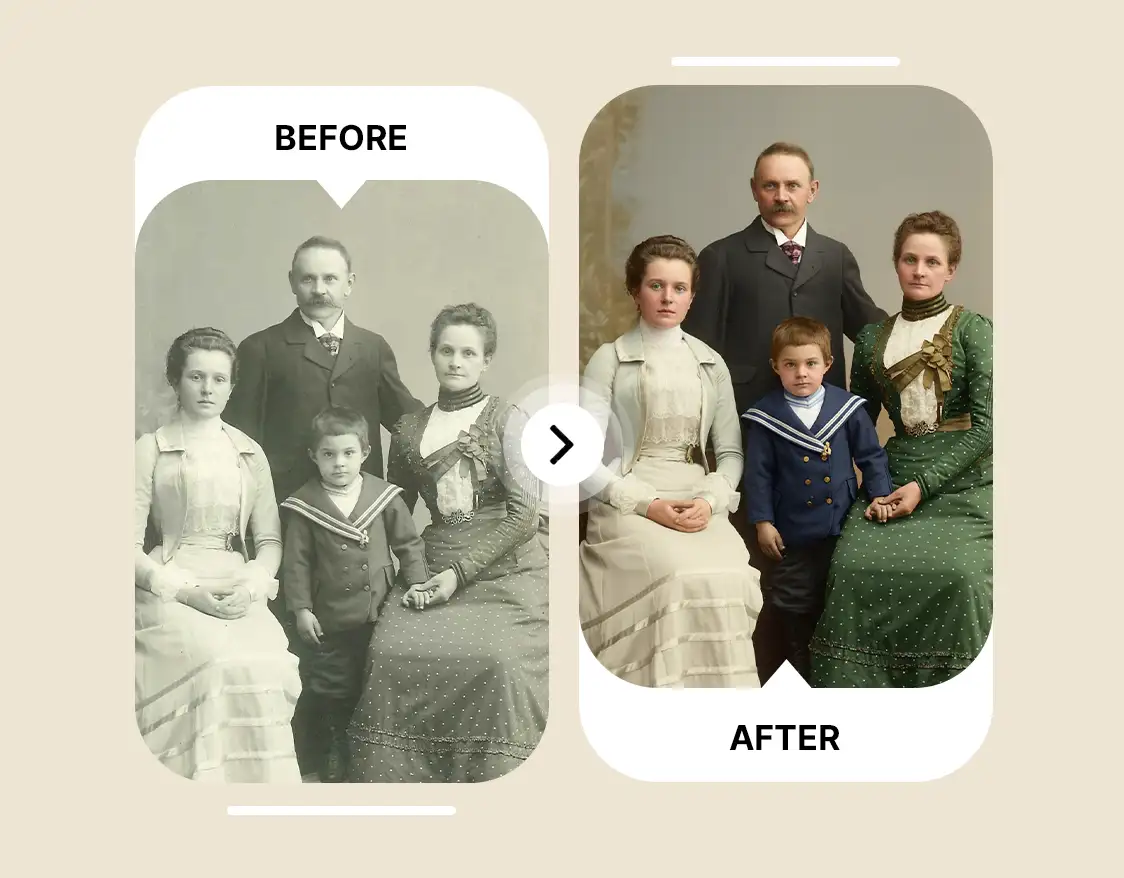
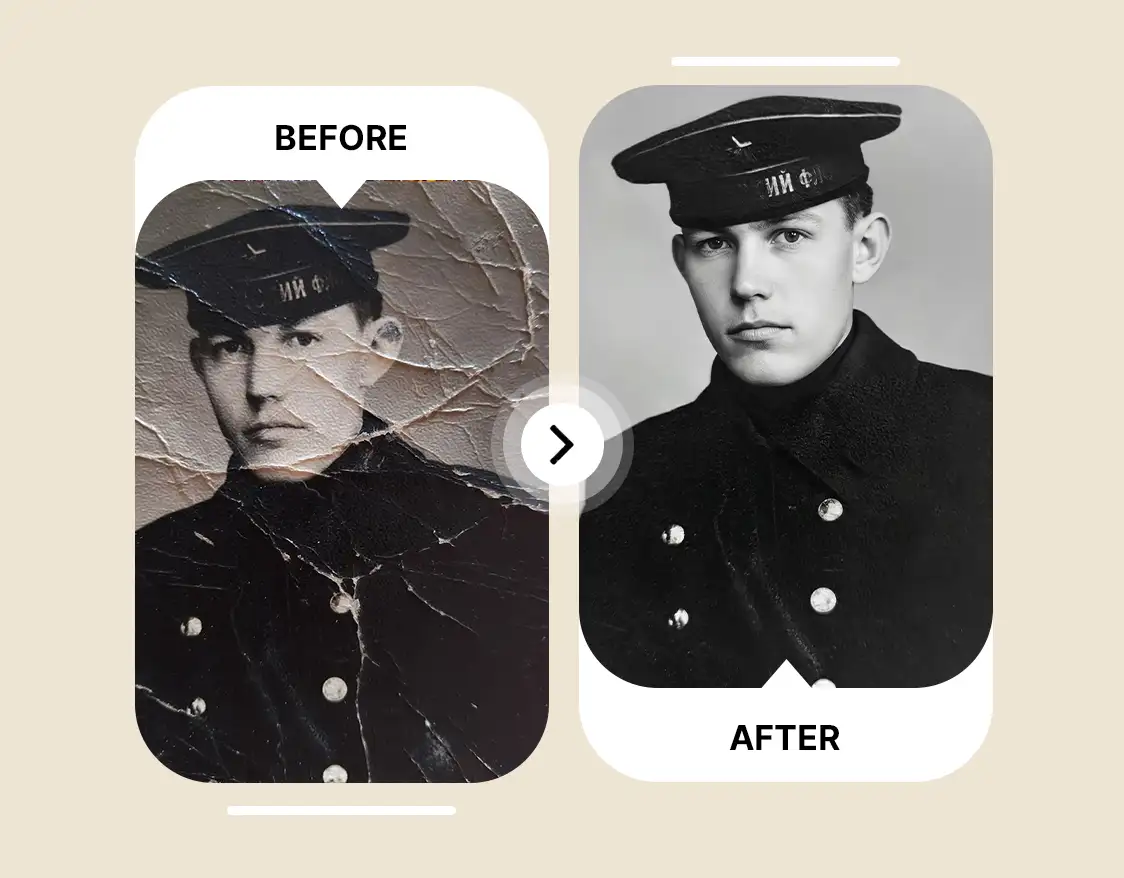
Old photos often carry scratches, tears, and fading that obscure precious details. Our AI restoration tool automatically detects these imperfections and seamlessly repairs them, reconstructing missing areas with accuracy. Even heavily damaged photos will look complete, clean, and true to their original beauty.
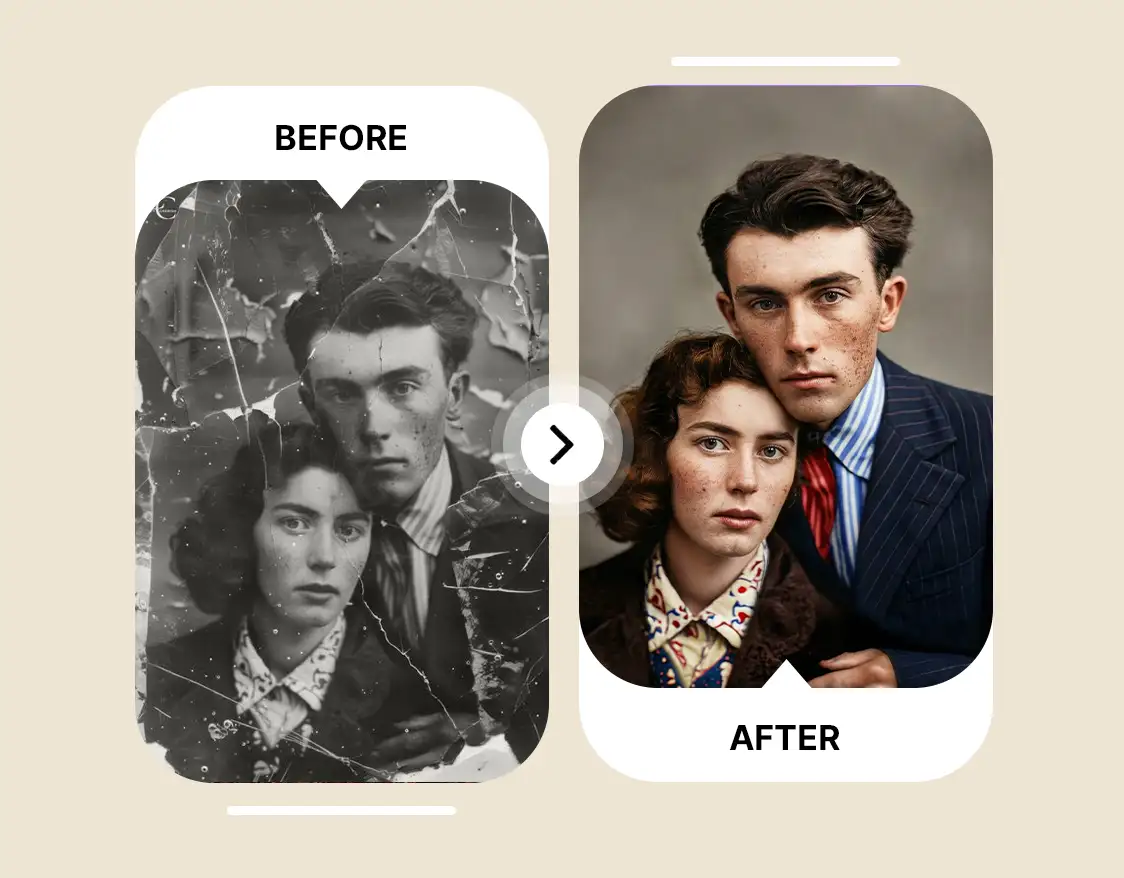
ImagineArt’s AI photo restoration ensures your memories stay true to life. It enhances clarity, corrects color fading, and removes blur without altering faces or objects. Even the smallest details—like hair strands, fabric patterns, or subtle shadows—are restored to their original, authentic appearance. Your photos are revived, not reimagined.
Trusted by Professionals and Creators from top Brands and Companies
"I found an old family photo that was faded, torn, and nearly unrecognizable. ImagineArt Photo Restoration brought it back to life perfectly, restoring the torn edges, sharpening the faces, and bringing back vibrant colors. It only took seconds, and now I have a restored digital copy to cherish forever."

Anya Petrova

"As a photography hobbyist, I love repairing vintage shots. ImagineArt Photo Restoration makes it so easy to fix scratches and enhance details without complicated software. It’s fun to experiment and see old photos look brand new."

Ben Harris

"I restored an old family photo that had been scratched and faded for years. ImagineArt Photo Restoration made it so simple to bring it back to life. The colors popped, the details were sharp, and it looked like the photo was brand new. Highly recommended"

Isabelle Kim

ImagineArt AI Photo Restoration is a free AI tool that allow user to restore and enhance old or damaged photos. It repairs imperfections, sharpens details, corrects color fading, and removes scratches or blur, bringing your precious memories back to life.
ImagineArt AI Photo Restoration analyzes your old or damaged photo and restores missing details automatically. You get a clear, natural result in seconds with zero manual editing.
Upload your photo, select your aspect ratio, click generate, and the AI fixes damage and enhances quality instantly with ImagineArt Photo Restoration. You can restore multiple photos without any technical skills.
AI image repair analyzes the image, detects scratches, blur, and fading, and reconstructs missing details automatically with tools like ImagineArt Photo Restoration. The AI also maintains the original colors and texture for realistic results.
ImagineArt AI Photo Restoration provides instant AI repair, face enhancement, and HD upscaling for old or damaged photos. It works seamlessly on both desktop and mobile devices.
You can get repaired photos in seconds with AI-powered ImagineArt AI Photo Restoration. Large or highly damaged images may take slightly longer, but still complete within 20 seconds.
Yes, it can restore faded, torn, or scratched family photos, including black-and-white images, bringing them back to vibrant quality.
Yes. ImagineArt Photo Restoration sharpens faces and enhances details to make photos clear and natural-looking. The tool can also subtly adjust lighting and contrast for better realism.
Compared to Photoshop or traditional editing, AI picture restoration works faster, requires no manual editing, and delivers precise results. ImagineArt Photo Restoration is easy to use and beginner friendly so users don’t need to learn any design or editing skill.
Yes. ImagineArt Photo Restoration repairs water-damaged areas and restores faded colors while keeping the photo’s original look. It can also correct uneven tones for a more balanced image.
Yes, ImagineArt’s AI can improve blurry photos by sharpening the focus and refining details. It enhances the image to make it clearer and more defined, bringing your blurry memories into sharp resolution.
Yes, ImagineArt Photo Restoration is completely free to use for restoring photos.
All uploaded photos are processed instantly and never stored on servers. Restored images are only accessible to you, ensuring full privacy. ImagineArt Photo Restoration tool follows a strict privacy policy where your photos aren't shared with any party. The AI works locally in real time, delivering high-quality AI photo repair results without compromising personal data. Share, print, or store your restored photos safely with peace of mind.







