AI Virtual Staging for Real Estate
AI virtual staging turns bare listing photos into furnished, on-brand rooms in minutes, no movers, no rental furniture, no reshoot. Upload a photo, pick a style, download images ready for MLS.



Community Creations

Cut staging costs that used to run into thousands
Physical staging for a single room typically costs $500 to $2,000 in rental furniture and delivery fees, and a full listing can run past $10,000. AI virtual staging replaces that line item with a photo upload and a subscription. Agents get a furnished look for a fraction of the cost, and sellers stop paying rental fees on a house they are trying to leave. Savings show up fastest on vacant listings and new construction, where furniture rental carries the highest overhead. The renders come from the same AI art generator behind ImagineArt's full creative suite, so staged photos match the same quality bar as every other visual on the listing.
List a property the same day you shoot it
Photographers used to wait on a stager before shooting, or shoot a room twice, once empty and once furnished. AI virtual staging removes that step entirely. Upload the empty room photos right after a shoot, generate staged versions while the agent is still driving back from the showing, and deliver the full gallery the same day. For an agent juggling ten listings a month, that shortened timeline means more properties photographed and live on the market inside one week instead of three.

Match every room to the buyer you're targeting
A $300,000 starter home and a $2 million estate read differently in photos, and one generic staging style misses both. AI virtual staging lets agents pick a style per room, from minimalist and Scandinavian to traditional and luxury, so a den photographed empty can be shown three ways for three buyer profiles. Photographers can run the same room through ImagineArt's AI image generator to produce multiple aesthetics without booking a second shoot, giving agents versions to test across listing platforms, email blasts, and social ads.

Stage vacant and new-construction listings that have no furniture to photograph
New builds and vacant resale homes have nothing to point a camera at, which is why builders have leaned on physical staging for decades. AI virtual staging generates furniture, rugs, art, and lighting directly onto the empty room photo, scaled to the room's real dimensions and window placement. A builder marketing twelve unsold units in one development can produce a furnished gallery for every floor plan without moving a single couch onto the lot.
How AI Virtual Staging Works
Step 1
Upload an empty room photo
Start with a photo of the empty room, shot on a phone or a DSLR during a standard listing walkthrough. ImagineArt accepts JPEG and PNG files straight from the camera roll, no lighting rig or tripod angle required. The model reads the room's geometry, window placement, and flooring so the furniture it adds later lines up with real perspective instead of floating on top of the photo.
Step 2
Generate the staged version
Pick a staging style, such as modern, farmhouse, or luxury, and generate. The model places furniture, decor, and lighting into the room in under a minute, scaling each piece to the room's actual dimensions. Generate two or three variations from the same photo so you can compare them against the property's price point before picking the final version.
Step 3
Download listing-ready images
Download the finished image at full resolution, ready for MLS upload, Zillow, or a printed flyer. Files return in the same aspect ratio as the original photo, so they drop into existing listing templates without cropping. Batch download the full set for a property into one folder, then hand it to the agent the same afternoon.
Staging styles matched to price point
- Minimalist and Scandinavian:Clean lines and light wood for condos and starter homes under roughly $400,000.
- Transitional:A blend of [traditional and contemporary furniture](https://www.imagine.art/features/ai-furniture-visualizer) for mid-market single-family homes, the segment most agents list.
- Modern luxury:Designer-grade furniture and statement lighting for listings above $1 million.
- Farmhouse and coastal:Regional looks for markets where buyer taste runs toward warm wood tones or beach palettes.
- Traditional:Formal furniture arrangements for colonial and estate-style homes where a modern look would clash.
Room types the tool supports
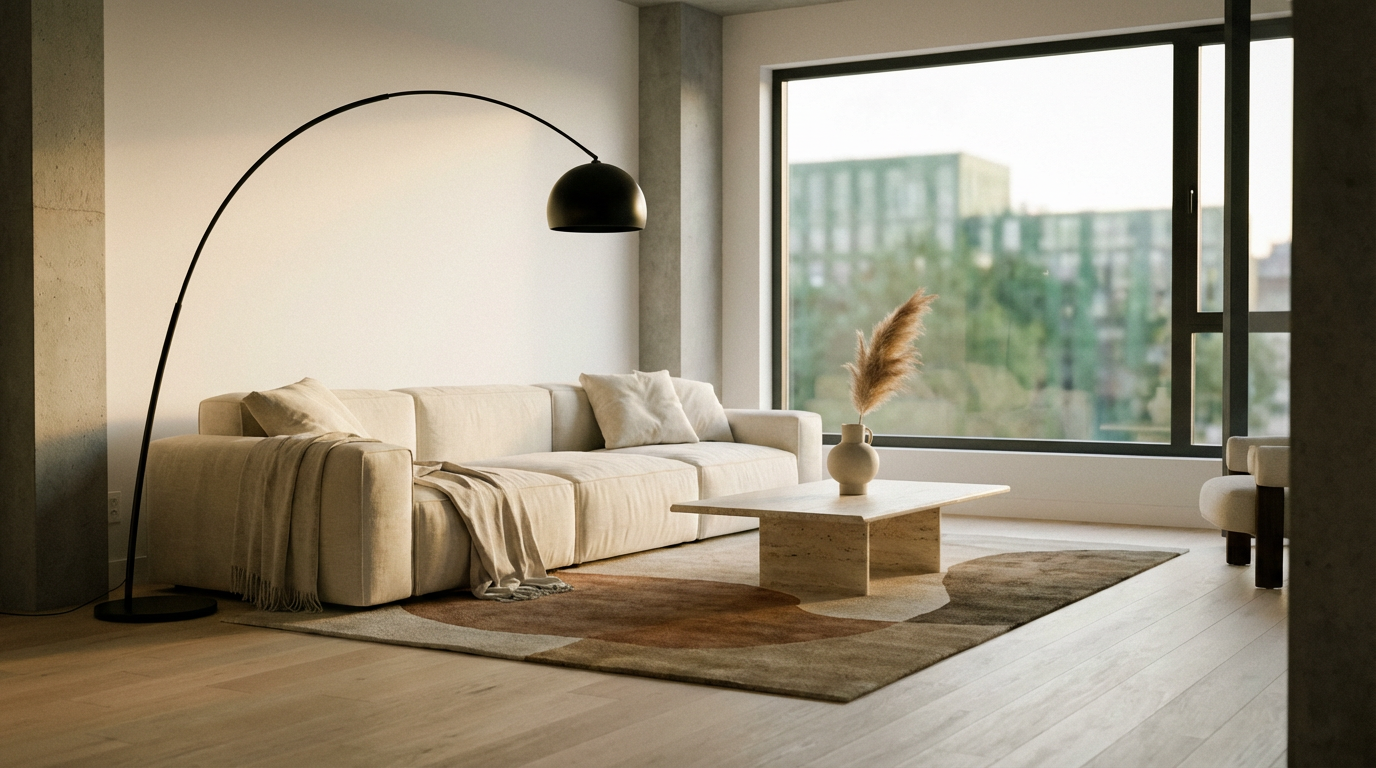
- Living rooms:The first interior photo most buyers click, staged with seating, a rug, and a coffee table sized to the room.
- Bedrooms:Primary and secondary bedrooms staged with a bed, nightstands, and soft furnishings that signal move-in ready.
- Kitchens:Counters and islands dressed with small appliances and decor, without covering the cabinetry or countertop finishes buyers are evaluating.
- Home offices:A desk and shelving setup for the extra bedroom or den buyers now expect to picture as a workspace.
- Outdoor patios:Seating and planters added to a bare deck or patio photo where outdoor living space is part of the pitch.
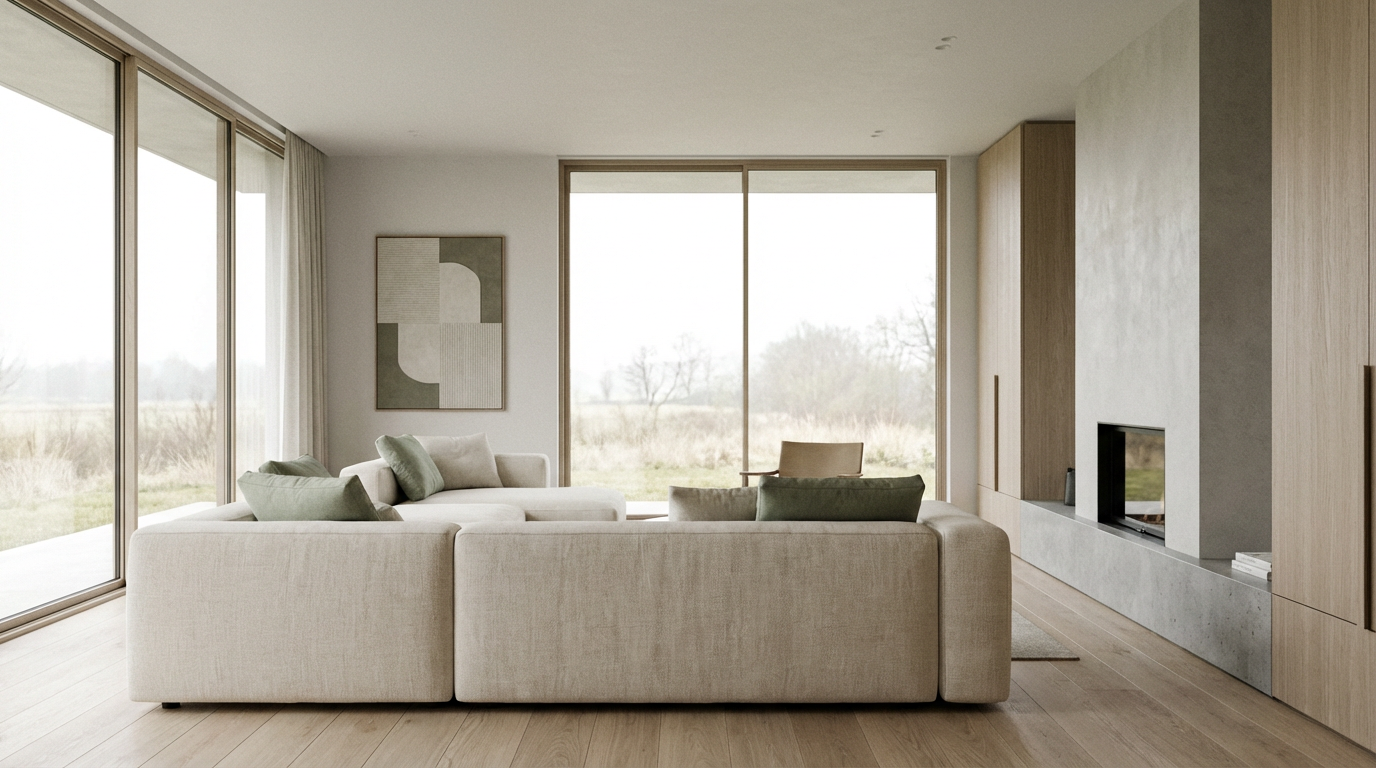
Built for the listing workflow agents already run
- MLS-ready resolution:Images export at full resolution to meet the file size and quality most MLS platforms enforce on upload.
- Turnaround speed:A staged image generates in under a minute per room, so a ten-room listing can be staged inside an afternoon.
- Batch processing:Upload a full folder from a shoot and generate staged versions of every room in one pass.
- Format compatibility:Files return in the source aspect ratio, ready for Zillow, Realtor.com, and printed flyers without resizing.
- Style comparison:Generate multiple styles from one photo so the agent picks the final version before it goes live, not after.

Review For AI Furniture Visualizer Content
Learn what users say about AI Furniture Visualizer content Generator

“I love this platform very easy to navigate through whatever you need to create. Excellent image generation and video generation. The pricing is very reasonable also. Thank you Imagineart for an amazing experience.”
“Imagine art is one of the best platforms for new AI creators offering the best prices, the market leader like Higgsfield are great but their prices are too high. Thank you imagine art for making AI Video models affordable. ”
“ImagineArt is a powerful creative suite, but if you want to leverage its flagship photorealistic and cinematic models, you’ll need to invest in a top‑tier account. For casual creators, the free/basic tier is sufficient, but professionals aiming for commercial‑grade visuals will find the upgrade essential. ”
“ImagineArt is an amazing AI art platform with an intuitive interface, fast image generation, and impressive results. It offers a great variety of styles and tools, making it easy to bring creative ideas to life. Whether you're a beginner or a professional, it's a reliable and enjoyable tool for creating high-quality artwork. Highly recommended! ”
“ImagineArt has a really amazing interface, well layered and clean. The workflow feature really makes working easy with all tools available in one place. One other thing, when I tested models like for instance Nano Banana 2 on ImagineArtAi and other Ai brands I got better results and higher quality on ImagineArtAi. It goes to show how much they have invested in making it the best of the best ”
“Great platform, lots of useful features. All the models you would want under one roof. Multi variation parallel generation of images and videos. workflows. awesome stuff THOUGH lots and I mean lots of popups. ”
Purchase a Subscription
Upgrade to get access to pro features and generate more and better
Basic
For newcomers taking their first steps
View Plans
Billed monthly
Included in plan
3Kcredits per month
Additional Features
Up to ~600 Image Generations/month
Up to ~97 Video Generations/month
General Commercial Terms
Image Generation Visibility: Public
4 Concurrent Image Generations
Complimentary Access
All GPT Models
All Gemini Models
All Claude Models
Unlimited Generations
10 Image Models
9 Video Models
Standard
For rising creators to level up their game
View Plans
Billed monthly
Included in plan
8Kcredits per month
Additional Features
Up to ~1.6k Image Generations/month
Up to ~265 Video Generations/month
General Commercial Terms
Image Generation Visibility: Private
8 Concurrent Image Generations
Complimentary Access
All GPT Models
All Gemini Models
All Claude Models
Unlimited Generations
Nano Banana
Runway Gen 4 Turbo
Midjourney V7
8 more Image Models
8 more Video Models
Ultimate
Peak performance for pros
View Plans
Billed monthly
Included in plan
16Kcredits per month
Additional Features
Up to ~3.2k Image Generations/month
Up to ~530 Video Generations/month
All styles and models
General Commercial Terms
Image Generation Visibility: Private
Complimentary Access
All GPT Models
All Gemini Models
All Claude Models
Unlimited Generations
All image models in Standard plan
All video models in Standard plan
Kling 2.6 Pro
Seedance 1.5 Pro
ChatGPT 1.5
Creator
A full production engine for powerhouses
View Plans
Billed monthly
Included in plan
100Kcredits per month
Additional Features
Up to ~20k Image Generations/month
Up to ~3.3k Video Generations/month
All styles and models
General Commercial Terms
Image Generation Visibility: Private
Complimentary Access
All GPT Models
All Gemini Models
All Claude Models
Unlimited Generations
All image models in Ultimate plan
All video models in Ultimate plan
Kling 3.0 Pro
Seedance 2 Fast
Nano Banana 2
Have questions?
We have answers!
Yes. Upload a photo of the empty room and the model places furniture, rugs, art, and lighting directly into the sceneplaces furniture, rugs, art, and lighting directly into the scene, matched to the room's dimensions and window placement. No manual furniture placement or 3D modeling is required. The process runs in under a minute per image, and the agent or photographer picks the staging style before generating rather than editing furniture position afterward.
Yes. The tool offers multiple staging presets, including minimalist, transitional, modern luxury, farmhouse, and traditional, so a $350,000 starter home and a $2 million estate can each get a look suited to their buyer pool. Agents generate two or three variations from the same photo and choose the one that reads correctly for the listing price before it goes into the gallery.
Staged images export at full resolution in the same aspect ratio as the source photo, meeting the file size and quality thresholds most MLS platforms and sites like Zillow and Realtor.com require on upload. Some MLS boards require a disclosure label on virtually staged photos, a policy that varies by region, so agents should confirm their specific board's disclosure rule before publishing.
Physical staging for one room typically runs $500 to $2,000 in furniture rental and delivery, with full-listing staging climbing past $10,000. AI virtual staging replaces that per-listing cost with a flat subscription and no delivery lead time. The exact savings depend on how many rooms and listings run through the tool each month, but the per-image cost stays flat regardless of listing price.
Yes. One uploaded photo can be run through several style presets, so a living room can come back staged as modern, farmhouse, and traditional without a second shoot. Agents use this to test which look performs better on a listing platform or in social ads, and photographers use it to hand clients options inside a single delivery instead of scheduling a reshoot for a different aesthetic.
The tool accepts standard JPEG and PNG files from any phone or DSLR used on a listing shoot, no raw file conversion required beforehand. Output returns at full resolution in the same aspect ratio as the uploaded photo, so images drop into existing listing templates, MLS uploads, and printed flyers without a separate resizing or cropping step in another program.
Ready to stage your next listing
Upload one empty room photo and see a furnished version back in under a minute. No rental furniture, no reshoot, no waiting on a stager's calendar before the listing goes live.