ImagineArt vs Remini
Fix blurry, cracked, or decades-old photos and generate studio-quality headshots in one app. No subscription trap, just upload a photo, pick a mode, and download a result ready for LinkedIn or a resume.


You might also be interested in
Community Creations
Why people search for a remini alternative in the first place
Remini built its reputation on one job: sharpening old, blurry, or low-resolution photos, mostly behind a recurring subscription. ImagineArt runs the same restoration and adds headshot generation, background replacement, and full image creation from a single credit balance. Most people searching for a remini alternative hit one of two walls: the subscription renews monthly whether they open the app or not, or Remini enhances a face but can't generate a new headshot, outfit, or background around it. ImagineArt closes both gaps in one account.
Old and low-resolution photo restoration, side by side
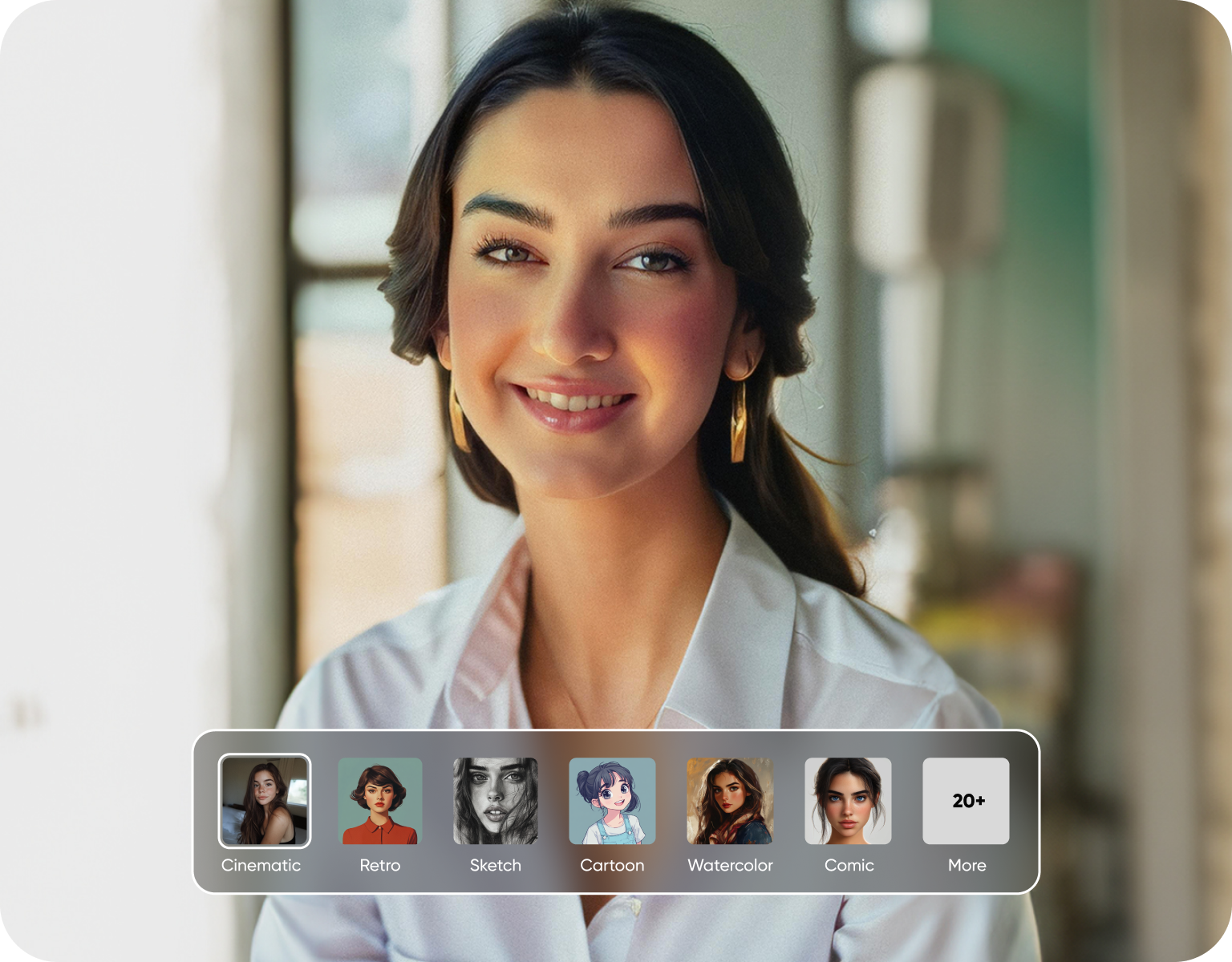
Both apps rebuild detail a compressed or aged photo lost, using models trained to reconstruct faces, skin texture, and fine edges rather than just sharpening pixels. Remini's restoration is tuned for a single photo at a time. ImagineArt runs the same face-detail reconstruction and adds batch processing, so a folder of scanned family photos or a damaged 1990s print goes through in one pass instead of one upload per file, with a resolution boost applied across the whole set.
Built for professional headshots, not just filters
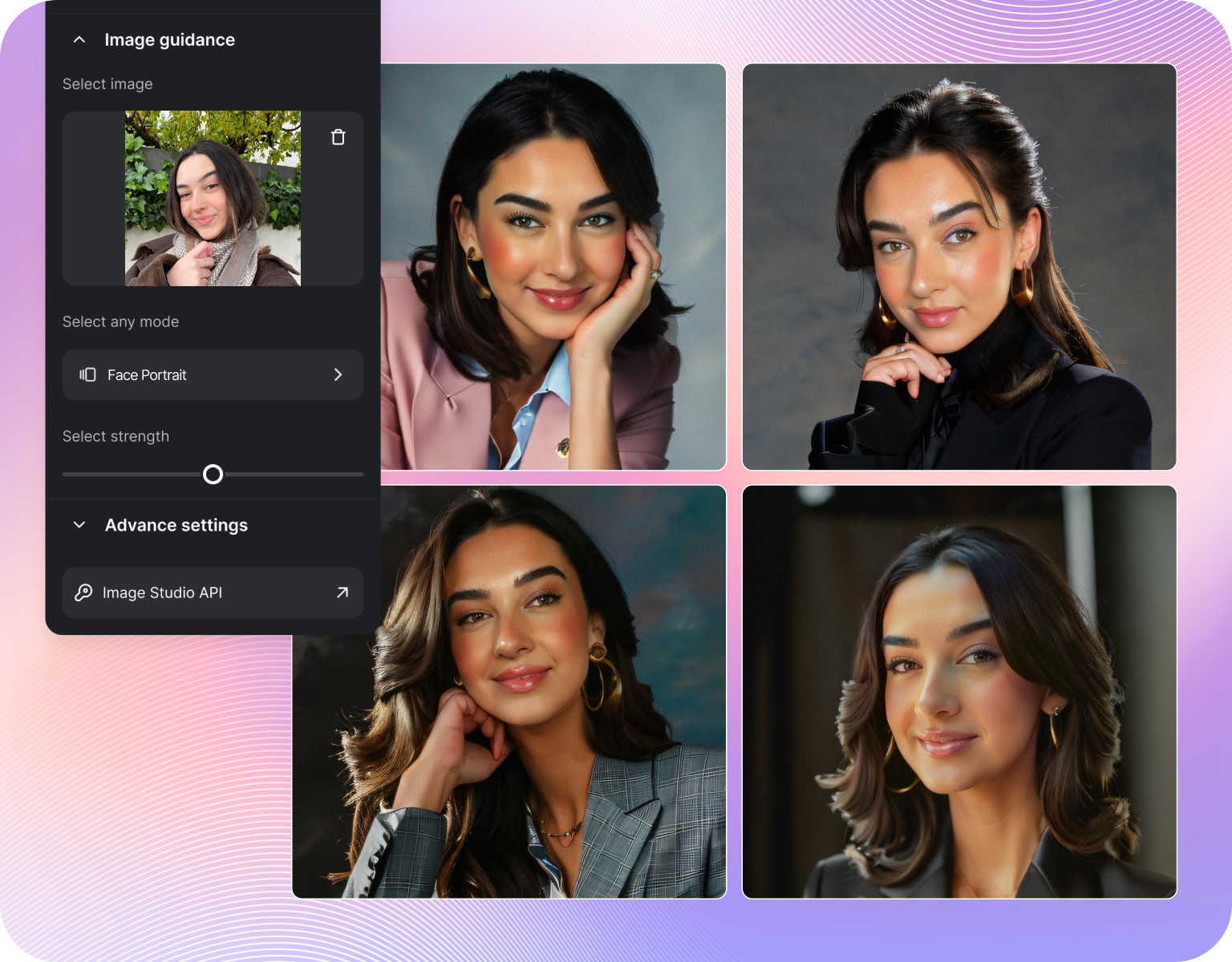
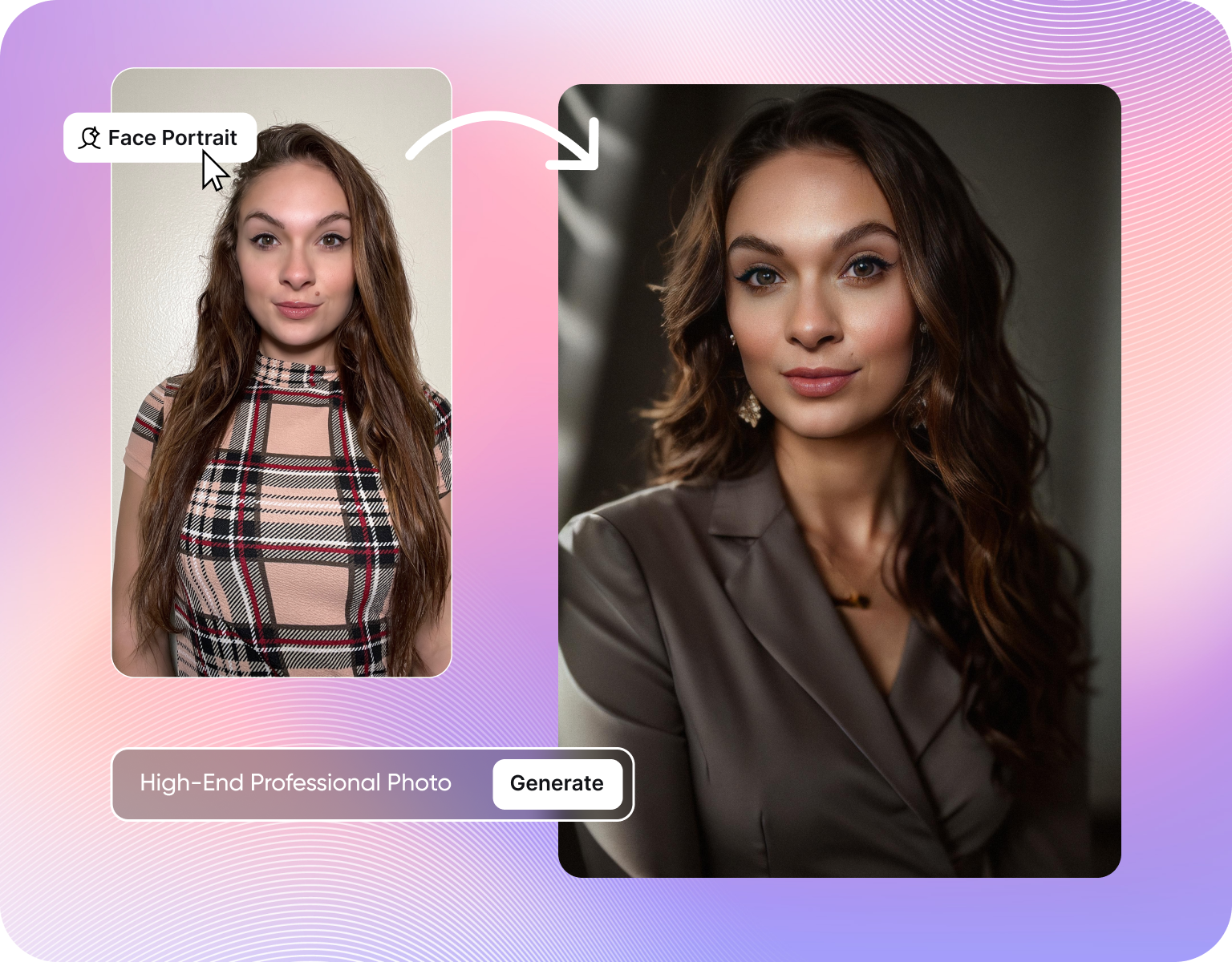
Remini's headshot mode works from a handful of selfies and returns stylized portraits, which can look closer to a filtered photo than a corporate headshot. ImagineArt's AI headshot generator works from your actual photo, keeps your real facial structure, and lets you set background, outfit, and lighting to match a specific use, whether that's a LinkedIn profile, a company directory, or a resume photo that needs to look shot in a studio, not run through a preset.
The subscription question: how pricing actually works
Remini's core enhancement features sit behind a recurring subscription, billed monthly or annually, with a limited free tier for trying it out. ImagineArt uses a credit system: buy or earn credits, spend them on enhancement, headshot generation, or image creation, and the balance doesn't expire into a renewal charge. For someone who wants to restore twenty old photos once or generate one batch of headshots for a job search, that's a materially different commitment than Remini's ongoing subscription.
How ImagineArt Works
Step 1
Upload the photo
Upload the photo that needs fixing, whether it's a scanned print, a screenshot, or a selfie meant for a headshot. ImagineArt accepts common formats and reads resolution, lighting, and face position automatically, so no manual cropping or pre-editing is needed before the next step, even on a photo that's decades old or badly compressed.
Step 2
Choose enhance or generate
Pick the mode that matches the goal: photo enhancer for restoration and upscaling, or headshot generator to build a new professional portrait from the same face. Each mode runs a different model tuned for that job, so a restoration request and a headshot request don't compete for the same settings or produce the same generic output.
Step 3
Download and use it
Preview the result, adjust background, outfit, or sharpness if the mode supports it, then download at full resolution. No watermark is added to a paid export, and the file is ready to upload straight to LinkedIn, a resume builder, or a print lab without a second round of editing or another tool to open it in first.
Photo restoration features compared to Remini
- Face-detail reconstruction:Rebuilds eyes, skin texture, and hair strands lost to compression or age, instead of applying a global sharpen filter.
- Batch upscaling:Processes a full folder of scanned photos in one pass, where Remini's flow is built around one photo at a time.
- Color and scratch repair:Corrects faded color casts and scratches on old prints, a request Remini handles through a separate tool.
- Resolution targets up to 4K:Upscales a blurry source file to a size usable for printing, not just a phone screen.
- No forced watermark:A completed restoration downloads clean, without a badge added by default the way some free tiers apply one.
Professional headshot generation compared to Remini
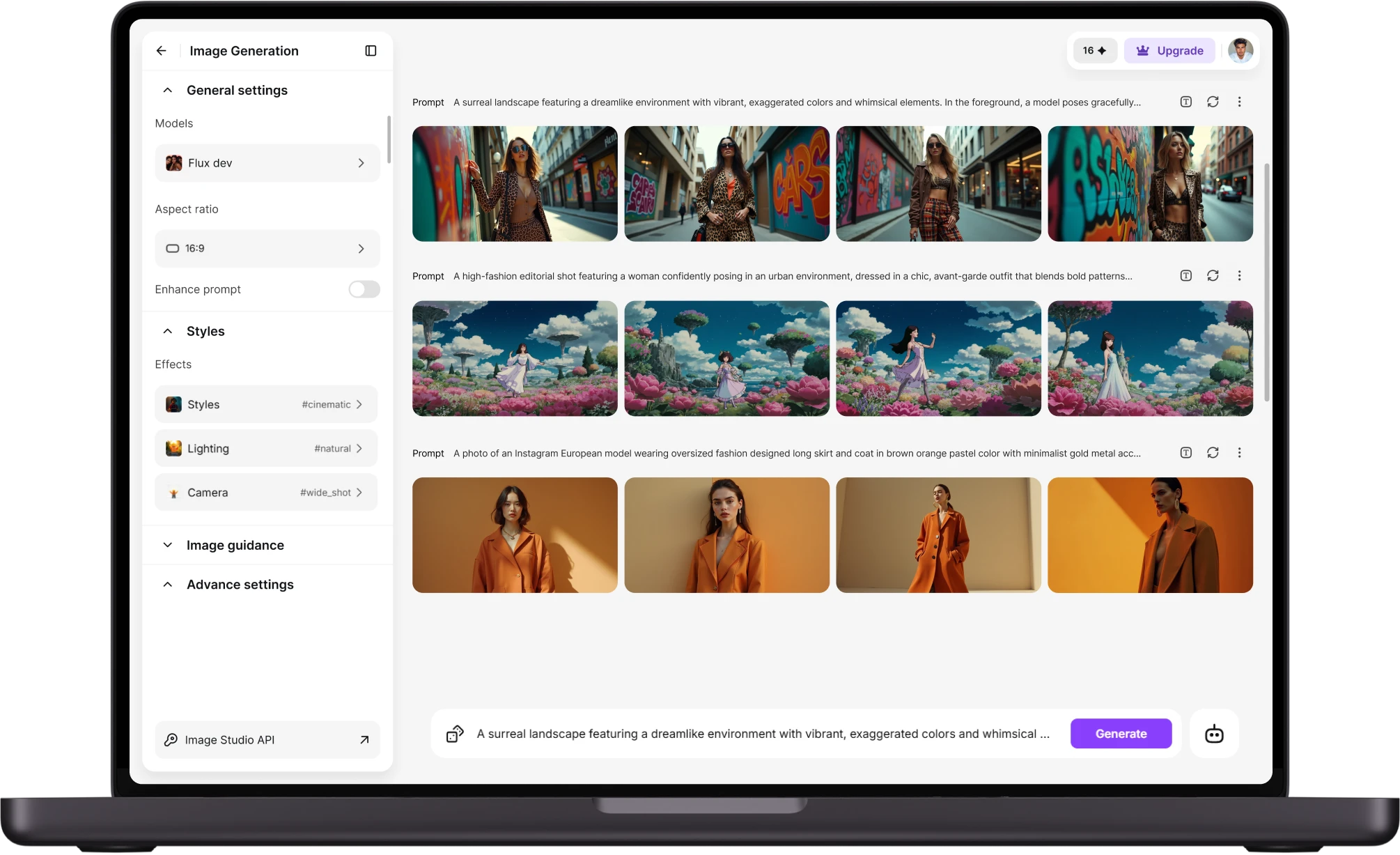
- Studio backgrounds on demand:Swap in a plain, gradient, or office-style background instead of the fixed set Remini's headshot mode offers.
- Outfit and styling control:Change from casual to business formal without retaking the source photo, using the same face across every variation.
- Face structure preserved:Keeps your real bone structure and features rather than smoothing toward a generic, filtered look common in fast selfie-to-portrait modes.
- Multiple aspect ratios:Exports sized for LinkedIn, a company directory, a resume, or a passport photo from the same generation, not one fixed crop.
- Bulk headshots for teams:Generates a consistent set for a whole team or department in one project, useful for company-wide directory updates.
Pricing and access compared to Remini
- Credit-based, not subscription-only:Spend credits on enhancement or headshot generation without a charge tied to a plan you might forget to cancel.
- Free tier to test quality:Try a restoration or headshot before paying, so the decision rests on a real result, not a screenshot.
- One tool, multiple jobs:The same account covers enhancement, headshots, and image creation, where Remini is scoped to enhancement and a narrower headshot mode.
- No lapse blocking past exports:Downloaded files stay usable after credits run out, without a lapsed plan blocking access to work already paid for.
- Transparent per-use cost:Credits spent per generation show before you confirm, so cost per headshot is known upfront, not buried in a tier.
Customer Testimonials About ImagineArt vs Remini
Learn what user says about AI ImagineArt vs Remini

“Great platform, lots of useful features. All the models you would want under one roof. Multi variation parallel generation of images and videos. workflows. awesome stuff THOUGH lots and I mean lots of popups. ”
“Easy interface with all the latest models. Great pricing and worth using for advanced AI generations.”
“Using imagine has honestly been a great experience overall. The image quality is impressive, especially for cinematic and anime-style generations, and the platform feels smooth compared to many other AI tools. Prompt understanding is strong, and the renders usually come out detailed and visually appealing even without overly complex descriptions. One thing I really like is how easy the interface is to use. It doesn’t feel confusing for beginners, but still has enough features for advanced creators. The video and motion tools also have a lot of potential and can create very eye-catching content for reels and edits. ”
“I have tried quite a few AI image generators, and ImagineArt has quickly become one of my favourites. The image quality is consistently impressive, with detailed, creative, and highly accurate results from even simple prompts. The platform is easy to use, generates images quickly, and offers a great variety of styles and customisation options. One of the main ways I use ImagineArt is to create artwork for my YouTube music videos. I generate unique images and then animate them as visuals to accompany my music. The quality and creativity of the images make them perfect for this purpose, and they often require very little editing before I can use them in my projects. What stands out most is how well it understands complex prompts and turns ideas into stunning visuals with minimal effort. Whether you're creating concept art, character designs, content for social media, or visuals for videos, ImagineArt delivers excellent results. The regular updates and new features show that the team is actively improving the platform, and the overall experience feels polished and reliable. It's become an important part of my creative workflow, and I'd highly recommend it to anyone looking for a powerful and user-friendly AI image generation tool. ”
“ImagineArt offers an impressive range of AI image generation styles and tools. The platform is intuitive and produces high-quality results across different creative styles. The support team is responsive and genuinely helpful. Would recommend to anyone looking for a versatile AI image tool.”
“ImagineArt has a really amazing interface, well layered and clean. The workflow feature really makes working easy with all tools available in one place. One other thing, when I tested models like for instance Nano Banana 2 on ImagineArtAi and other Ai brands I got better results and higher quality on ImagineArtAi. It goes to show how much they have invested in making it the best of the best”
Purchase a Subscription
Upgrade to get access to pro features and generate more and better
Basic
For newcomers taking their first steps
View Plans
Billed monthly
Included in plan
3Kcredits per month
Additional Features
Up to ~600 Image Generations/month
Up to ~97 Video Generations/month
General Commercial Terms
Image Generation Visibility: Public
4 Concurrent Image Generations
Complimentary Access
All GPT Models
All Gemini Models
All Claude Models
Unlimited Generations
10 Image Models
9 Video Models
Standard
For rising creators to level up their game
View Plans
Billed monthly
Included in plan
8Kcredits per month
Additional Features
Up to ~1.6k Image Generations/month
Up to ~265 Video Generations/month
General Commercial Terms
Image Generation Visibility: Private
8 Concurrent Image Generations
Complimentary Access
All GPT Models
All Gemini Models
All Claude Models
Unlimited Generations
Nano Banana
Runway Gen 4 Turbo
Midjourney V7
8 more Image Models
8 more Video Models
Ultimate
Peak performance for pros
View Plans
Billed monthly
Included in plan
16Kcredits per month
Additional Features
Up to ~3.2k Image Generations/month
Up to ~530 Video Generations/month
All styles and models
General Commercial Terms
Image Generation Visibility: Private
Complimentary Access
All GPT Models
All Gemini Models
All Claude Models
Unlimited Generations
All image models in Standard plan
All video models in Standard plan
Kling 2.6 Pro
Seedance 1.5 Pro
ChatGPT 1.5
Creator
A full production engine for powerhouses
View Plans
Billed monthly
Included in plan
100Kcredits per month
Additional Features
Up to ~20k Image Generations/month
Up to ~3.3k Video Generations/month
All styles and models
General Commercial Terms
Image Generation Visibility: Private
Complimentary Access
All GPT Models
All Gemini Models
All Claude Models
Unlimited Generations
All image models in Ultimate plan
All video models in Ultimate plan
Kling 3.0 Pro
Seedance 2 Fast
Nano Banana 2
Have questions?
We have answers!
Both apps reconstruct facial detail and texture rather than just sharpening existing pixels, so results on a cracked print or a heavily compressed scan look similar at a glance. The practical difference shows up in workflow: ImagineArtImagineArt batches a full folder of old photos in one pass and adds color and scratch repair, where Remini's flow is built around one photo at a time.
No. Remini's core features sit behind a recurring monthly or annual plan. ImagineArt runs on credits you buy or earn, spent on enhancement, headshot generation, or image creation, with no renewal charge required to keep using the app. That makes it a fit for someone who needs a handful of restorations or one headshot batch rather than ongoing monthly use.
For a headshot meant for LinkedIn, a resume, or a company directory, ImagineArt's control over background, outfit, and lighting from a single source photo produces a more deliberate, studio-style result. Remini's headshot mode is built from selfies and tends toward a stylized, filtered look, which works for casual use but less well for a headshot meant to read as professional.
ImagineArt offers a free tier so you can test enhancement and headshot generation quality on your own photo before spending credits. Remini also offers a limited free trial, gated more tightly and pushing toward its subscription quickly. Neither app requires payment to see a first result, but ImagineArt's credit model means a single paid session doesn't turn into an ongoing charge.
Downloaded exports stay yours and usable regardless of account status, since ImagineArt's credit balance doesn't gate access to files already generated. With a subscription model like Remini's, a lapsed plan can restrict access to certain in-app features, saved history, or re-editing tools, even though previously downloaded files remain on your device either way once saved locally before the subscription ended.
Credits are spent per generation, shown upfront before you confirm, so cost is visible per headshot or per restoration rather than bundled into a plan tier. The trade-off is that heavy, ongoing daily use may cost more over a year than a flat subscription would. For occasional or project-based use, the credit model works out cheaper than a recurring plan left running in the background.
Try ImagineArt on your next photo
Upload one old photo or one selfie and see the restoration or headshot before deciding on anything else. No subscription required to get a first result, and no filter-only fix standing in for real, reconstructed detail.
![38 AI Affiliate Programs for SaaS Bloggers - Highest Income Potential [2026 Edition]](https://blogs-cdn.imagine.art/Add_a_heading_14cf442dc9.png)