
Arooj Ishtiaq
May 17, 2024 • Updated March 26, 2026
7 mins Read
Image quality matters more than ever. Whether you’re running an e-commerce store, managing social media accounts, or preserving precious memories, pixelated and blurry images hurt your brand and limit what you can do with your content.
AI image upscalers solve this problem by using advanced machine learning to enhance image resolution and quality without the typical artifacts and blur that traditional methods produce.
This article covers everything you need to know about AI image upscaling, from how the technology works to practical applications across different industries.
What is AI Image Upscaling?
AI image upscaling uses artificial intelligence and deep learning to increase image resolution while maintaining or improving visual quality. Unlike traditional upscaling methods that simply stretch pixels and create blurry results, AI upscalers analyze the content of your image and intelligently fill in missing details. It enhances the image quality taking it from low resolution to high resolution.
The technology trains neural networks on millions of high-quality images. These networks learn patterns, textures, and structures found in professional photos.
When you upscale an image, the AI predicts and generates new pixel information based on what it learned during training. You get sharper edges, clearer textures, and more natural-looking results than any traditional method could achieve.
Modern AI upscalers can increase image resolution by 2x, 4x, 8x, or even 16x while preserving important details and adding realistic texture. This makes previously unusable low-resolution images suitable for professional applications like large-format printing, high-resolution displays, and commercial projects.
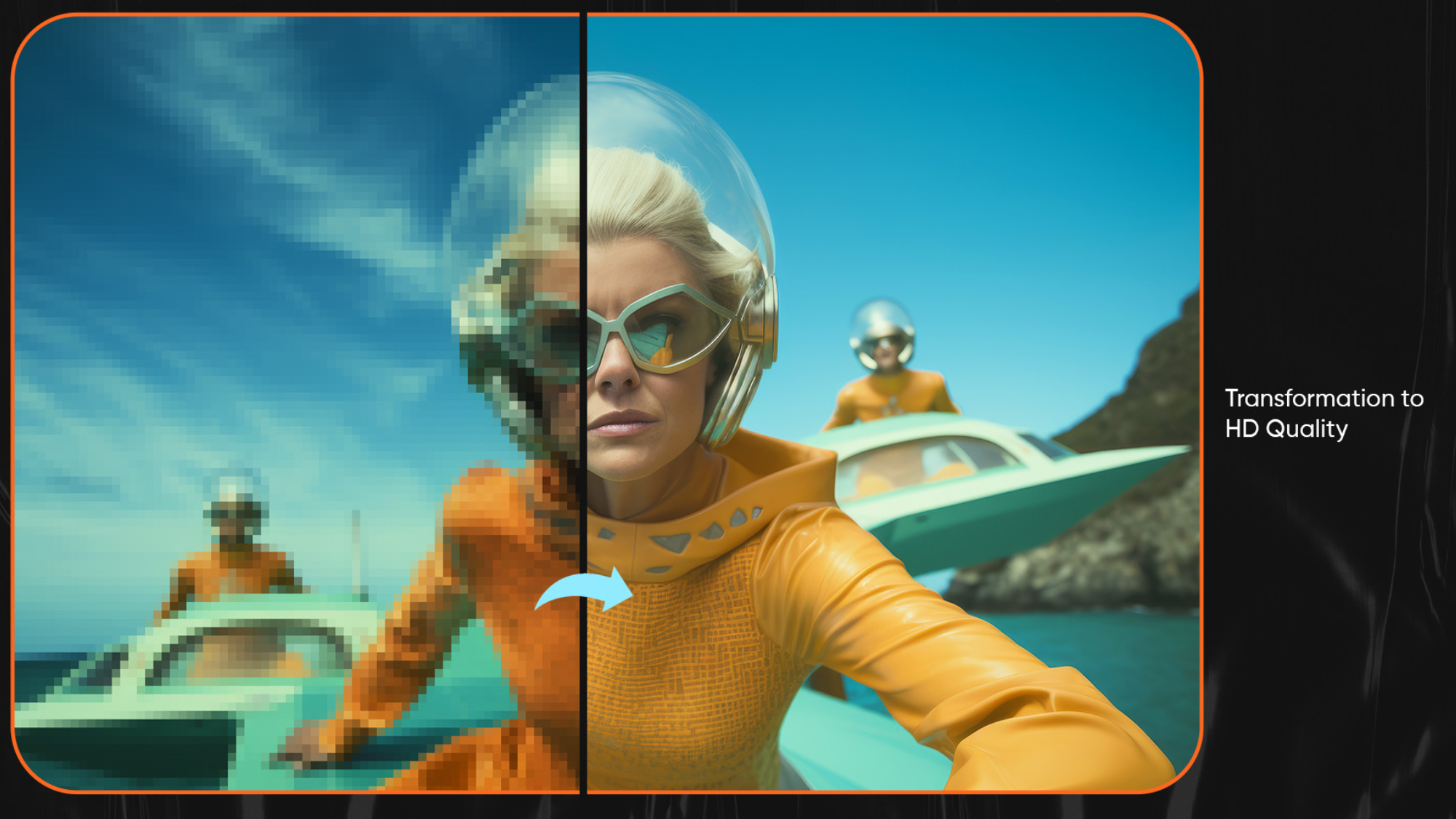 AI Image Upscaler by ImagineArt
How AI Image Upscalers Work?
AI image upscalers rely on sophisticated neural network architectures, primarily Convolutional Neural Networks (CNNs) and Generative Adversarial Networks (GANs). These systems analyze and enhance images in ways traditional algorithms cannot match.
The Technology Behind AI Upscaling
The process starts with deep learning models trained on paired datasets of low-resolution and high-resolution images. During training, the network learns to identify patterns, edges, textures, and structures at different scales. When you upload a low-resolution image, the neural network analyzes it through multiple layers, with each layer extracting different features:
- Edges and boundaries
- Colors and tones
- Textures and patterns
- Shapes and structures
The AI uses this understanding to generate new pixels that fit naturally with the existing image content. Advanced models like Real-ESRGAN use super-resolution technology, which doesn’t just interpolate between existing pixels but actually creates new detail based on learned visual patterns.
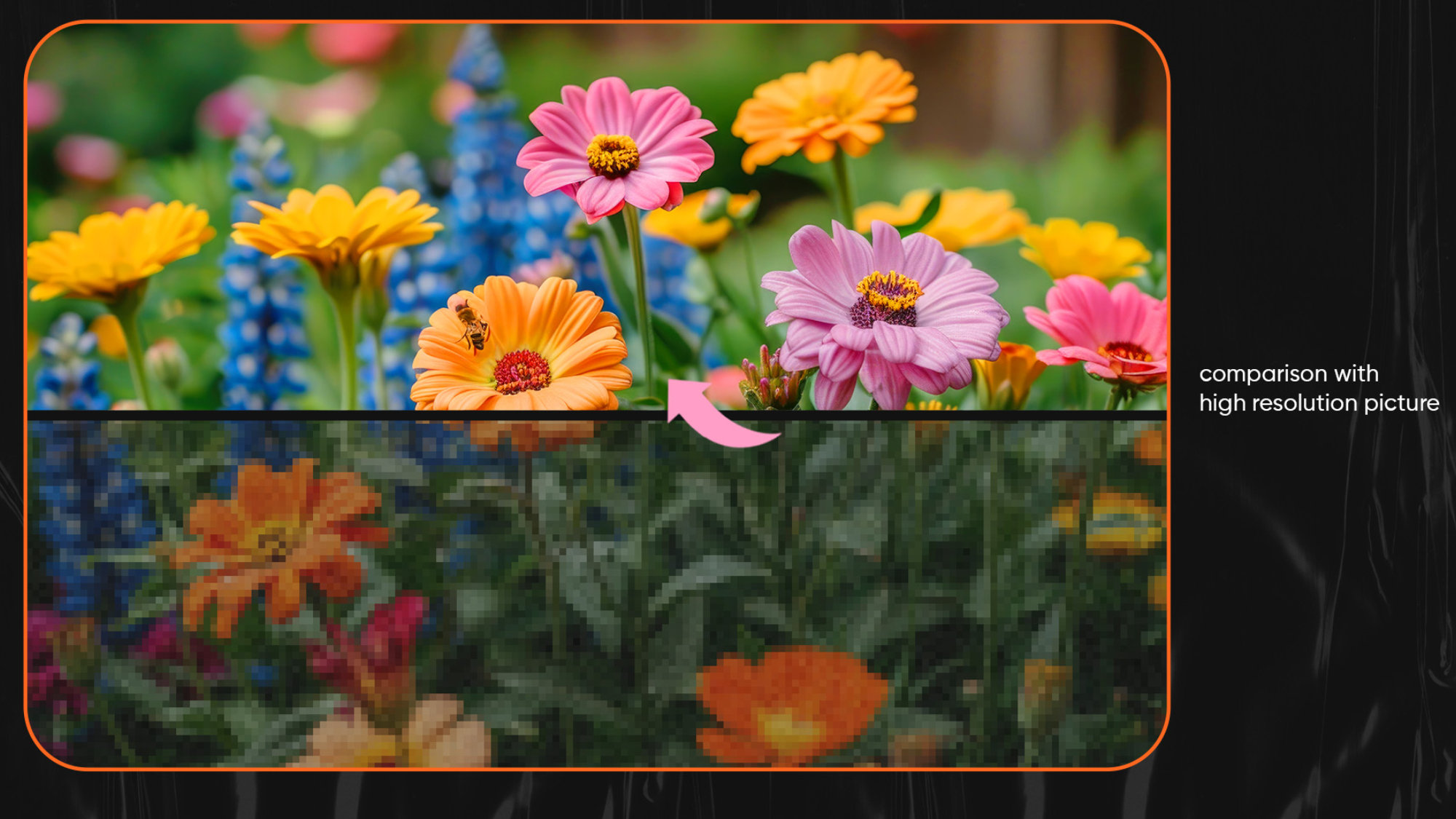 AI Image Upscaler by ImagineArt
Artists struggle with the choice between quantity and quality. We will explore how upscaling can redefine this. Imagine AI Image Generator keeps all the key details in the picture. It makes them simpler. Now, your images will be clear with better resolution.
Key Components of Image Upscaling
The most effective AI upscalers use several technical approaches:
- Feature Extraction: The network identifies key elements in your image like faces, text, edges, and textures, treating each differently for optimal results.
- Perceptual Loss Functions: Instead of just comparing pixel values, the AI evaluates how natural and realistic the upscaled image looks to human perception.
- Multi-Scale Processing: The system analyzes your image at different zoom levels to maintain both fine details and overall structure.
- Artifact Reduction: Advanced models specifically target and eliminate common upscaling problems like jagged edges, noise, and unnatural sharpening.
AI Image Upscaling vs Traditional Methods
Traditional upscaling methods like bicubic interpolation and Lanczos resampling work by mathematically calculating new pixel values based on surrounding pixels.
These algorithms don’t understand your image content; they just perform mathematical operations. The result is larger images that often look soft, blurry, and lacking in detail.
AI upscaling takes a different approach. AI models understand image content and recognize faces, textures, patterns, and structures. When upscaling a portrait, the AI preserves or enhances facial details. With architecture, it maintains clean lines and sharp edges. With landscapes, it adds realistic texture to foliage and terrain.
Recommended read: The Future of Digital Art: Image Upscaler for High-Fidelity Graphics
Performance Comparison
- Detail Preservation: Traditional methods blur fine details. AI upscaling maintains and enhances small details like text, facial features, and intricate patterns.
- Edge Quality: Traditional upscaling creates soft, mushy edges. AI upscaling produces clean, sharp edges that look natural.
- Texture Handling: Traditional methods create blur or unrealistic patterns. AI upscaling generates appropriate textures based on image content.
- Artifact Control: Traditional upscaling introduces visible artifacts like jaggies, halos, and noise. AI models minimize these issues.
- Scaling Limits: Traditional methods show severe quality loss beyond 2x upscaling. AI upscaling handles 4x, 8x, or 16x increases while maintaining quality.
Benefits of Using AI Image Upscalers
There are various benefits of using image upscalers. Let us take a look at some of the most important benefits:
Enhanced Visual Quality
Low-resolution images that were previously unusable become sharp, clear, and professional-looking. This transformation happens without the blur and artifacts that plague traditional methods. Whether you’re working with product photos, social media content, or historical photographs, AI upscaling restores visual quality that meets modern standards.
To remove blur from images, you can use the unblur image feature of ImagineArt.
Print-Ready Resolution
Most professional printing requires 300 DPI at the final size. AI upscaling converts images that would print poorly into properly sized, high-quality files suitable for posters, banners, photo books, and commercial printing projects.
Time and Cost Savings
Rather than re-shooting photos or purchasing high-resolution stock images, AI upscaling lets you work with existing assets. For businesses, this means significant savings on photography costs and faster project completion.
Platform Flexibility
Different platforms and use cases require different image sizes. AI upscaling creates properly sized images for any purpose, from thumbnail sizes to billboard dimensions, all from a single source image. This versatility is valuable for e-commerce sellers, social media managers, and digital marketers who need multiple image versions.
Content Preservation
For archival and personal use, AI upscaling breathes new life into old photographs, scanned documents, and historical images. Family photos from decades past can be enhanced and printed at modern sizes. Historical documents become readable.
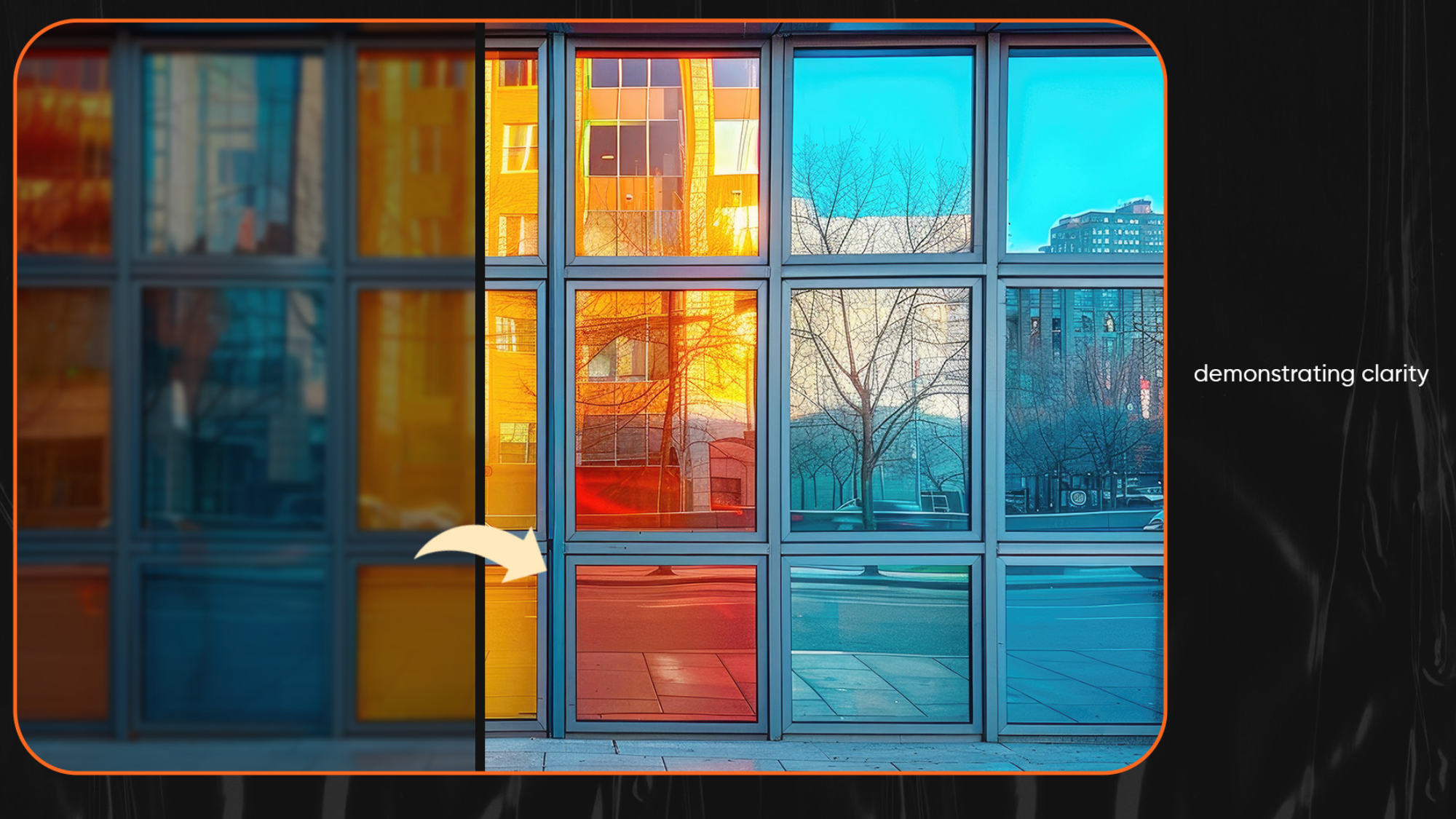 AI Image Upscaler by ImagineArt
Once we complete the analysis. The tool enhances the clarity and resolution of images. This improves simplicity. Increases sharpness. And quality of image. While storing standard information. This tool has made learning simple. Allowing for artists to adapt and improve.
Choosing the Right AI Image Upscaler
Processing Speed vs Quality
Some tools prioritize speed, processing images in seconds. Others focus on maximum quality but take longer. Your choice depends on volume and requirements. If you’re processing hundreds of product photos, speed matters. For important portfolio pieces or client deliverables, quality takes priority.
Batch Processing Capability
For users handling multiple images regularly, batch processing is essential. This feature lets you upscale dozens or hundreds of images without manual intervention for each file. E-commerce sellers, photographers, and content managers benefit significantly from batch capabilities.
Format and Size Support
Verify that your chosen tool handles your file formats and size requirements. Most tools support common formats like JPEG and PNG, but some also handle TIFF, WebP, and other formats. Check maximum input and output size limits.
Additional Features
Some AI upscalers include related enhancement features:
- Noise reduction
- Color correction
- Artifact removal
- Face enhancement
These complementary tools can streamline your workflow by handling multiple improvements in one process.
Cost Structure
AI upscaling tools use various pricing models, including credit-based systems, subscription plans, and per-image pricing. Calculate your expected usage to determine which pricing structure offers the best value for your needs.
Recommended read: AI Image Enhancement: Bring your images to perfection with AI Image Upscaler
FAQ’s
An Image Upscaler is a tool that improves the quality of low-resolution images. It increases image size while making the picture sharper, clearer, and more detailed, instead of blurry or pixelated..
The tool analyzes your image and enhances it by adding missing details and improving clarity. You simply upload an image, choose the output size, and generate an improved version within seconds.
Yes, low-resolution photos can be improved. An Image Upscaler helps reduce blurriness, sharpen details, and make images look more professional and usable.
No, you do not need any technical or design skills. The tool is designed to be simple and easy to use, so anyone can upscale images with just a few clicks.
An Image Upscaler saves time and effort by instantly improving image quality. It helps turn low-quality images into high-resolution visuals that are suitable for websites, marketing, printing, and professional use..
Improve Image Quality Easily with AI Upscaling
AI image upscaling is simple and quick to use. You upload an image, choose the size you need, and get a clearer, sharper version in seconds. There is no complex process or learning curve.
Trying different image types helps you see the results clearly. Test portraits, product photos, and landscapes to understand how the tool improves quality. AI upscaling helps turn low-quality images into professional-looking visuals, making it useful for personal memories, business needs, and creative work.
Arooj Ishtiaq
Arooj is a SaaS content writer specializing in AI models and applied technology. At ImagineArt, she creates sharp, product-focused content that helps creators and businesses understand, adopt, and get real value from AI tools.