AI Dating Profile Photo Generator
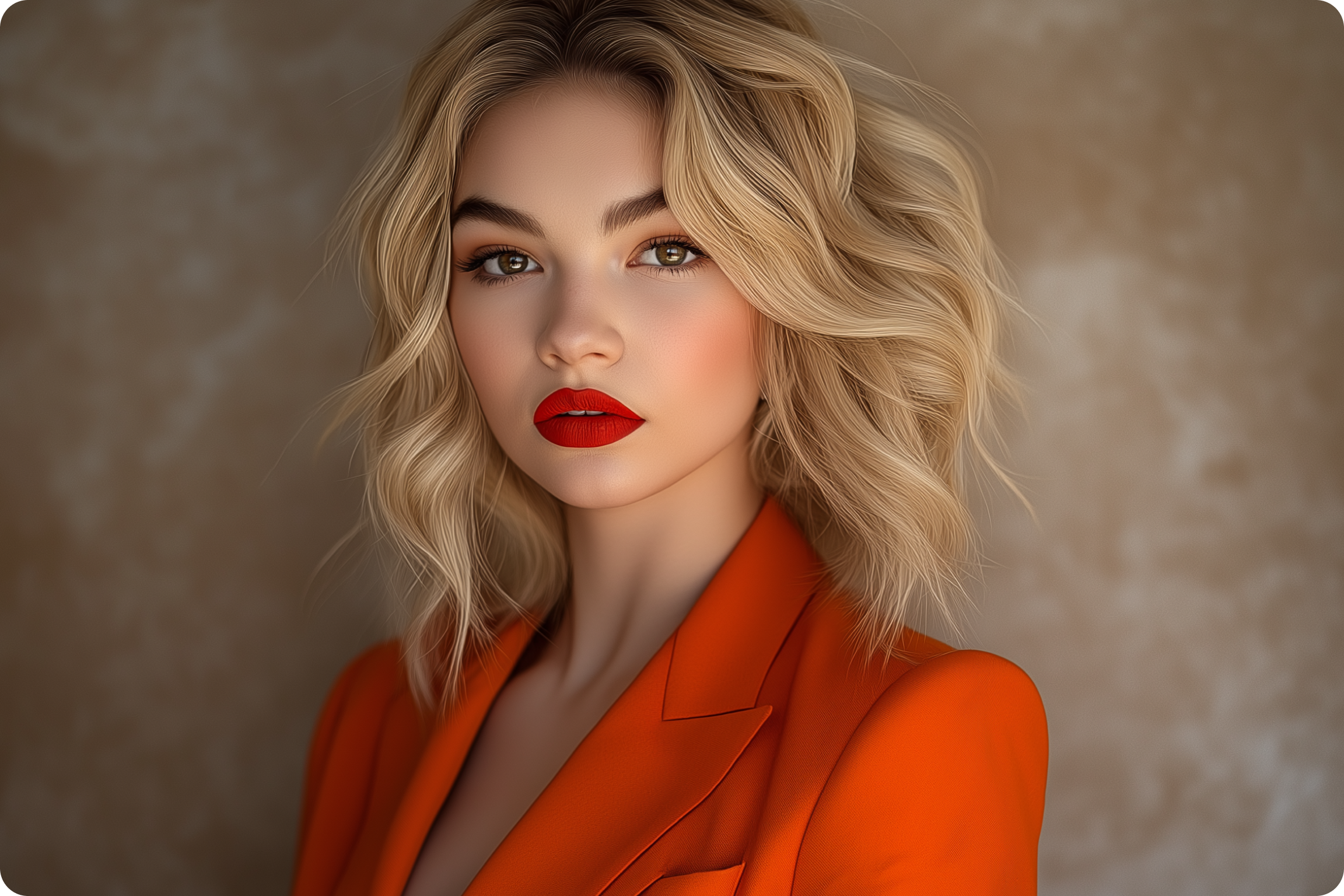
Dating app photos get judged in under a second. This tool turns a phone snapshot into polished, natural-looking profile shots using the same AI portrait engine behind ImagineArt's headshot generator, tuned for Hinge, Bumble, and Tinder.
You Might Also be Interested in
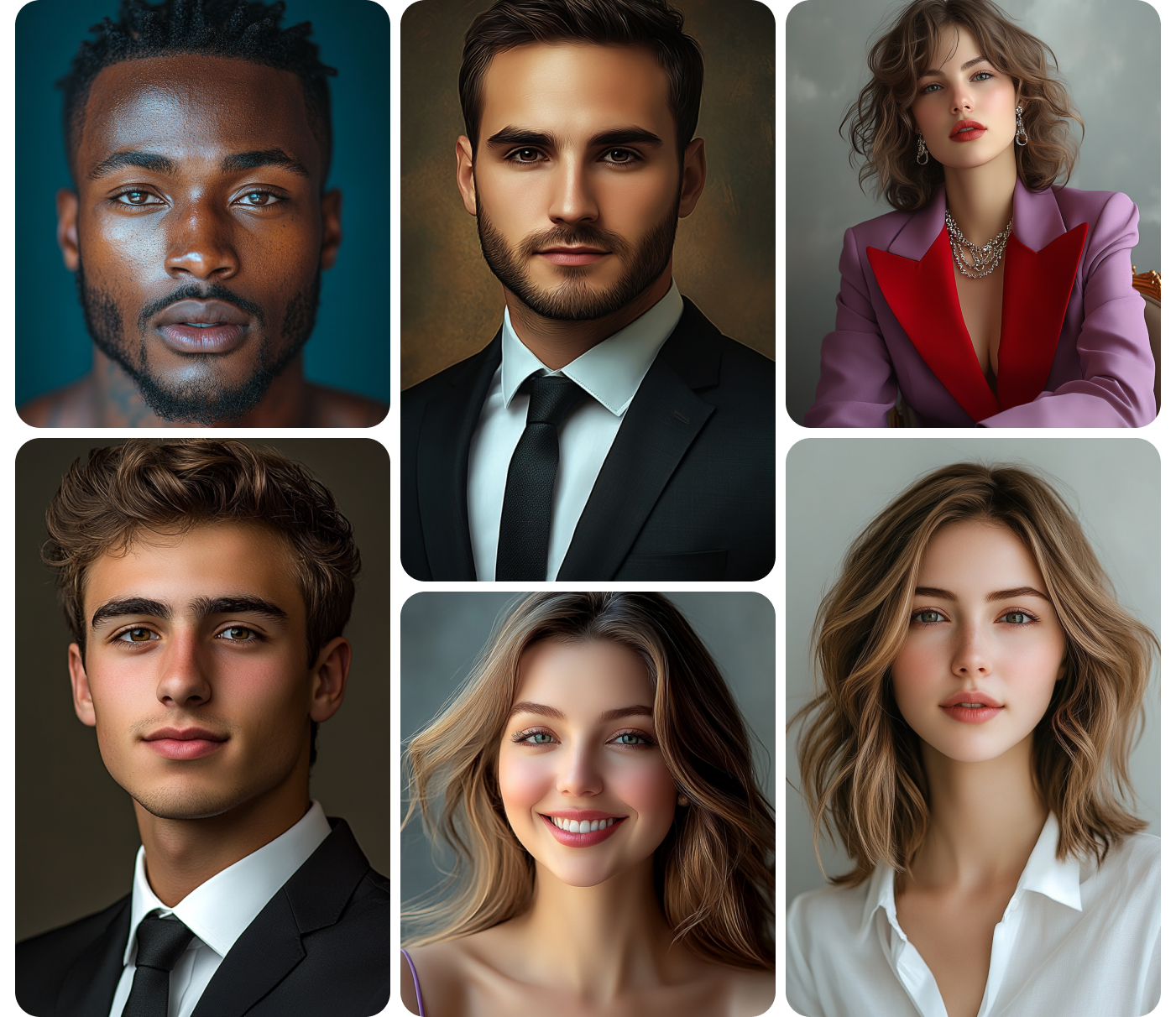
Community Creations
Why your dating profile needs better photos
Most dating profiles need five to six photos across different settings: a close-up, a full-body shot, a candid, one with a hobby in frame. Hiring a photographer for that range runs $200 to $600 in most US cities, plus scheduling. This tool generates multiple settings from a single upload in minutes, so testing a new profile photo set becomes a coffee-break task instead of a weekend booking.
Built for the apps, not the boardroom
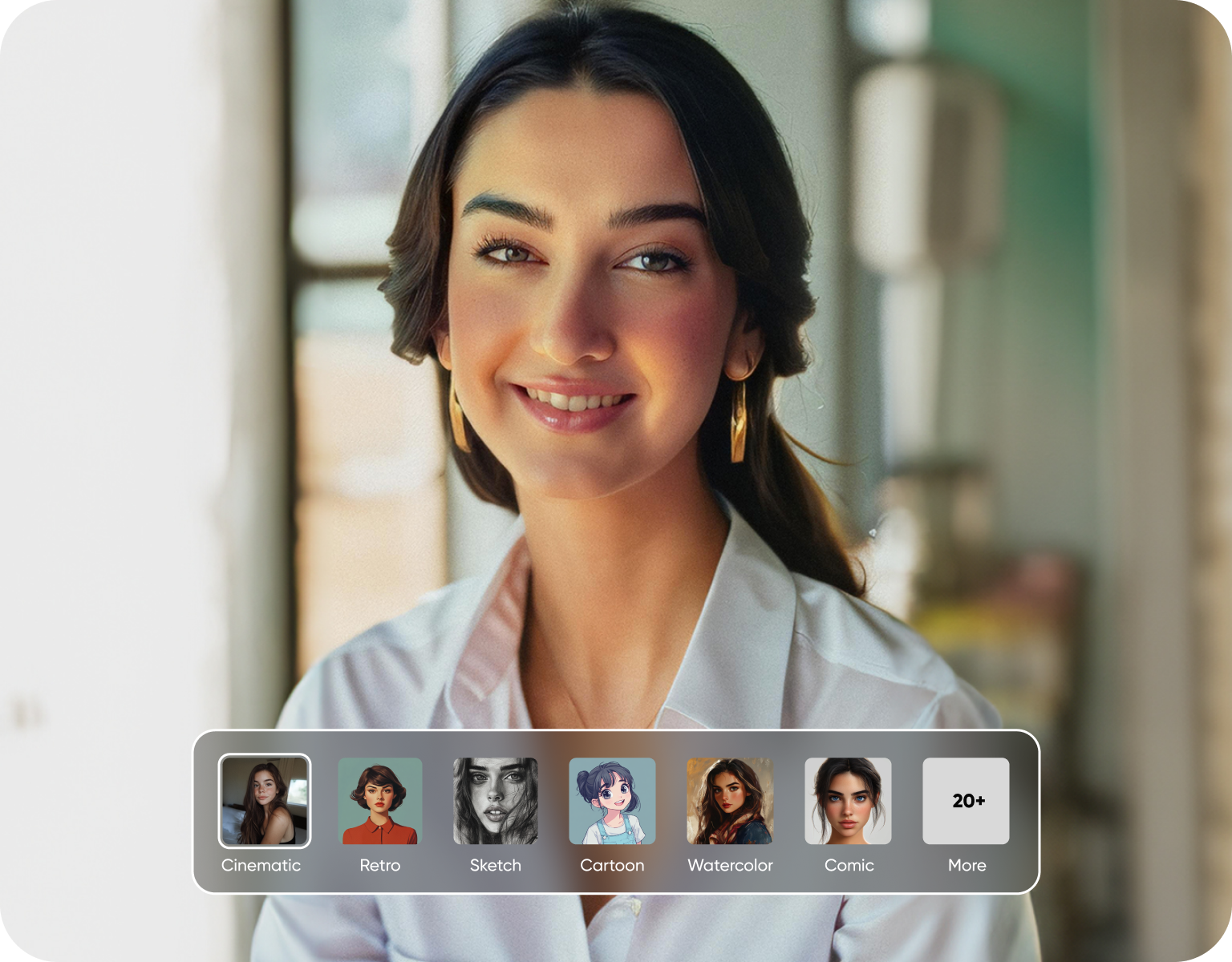
AI headshot tools are built for LinkedIn: dark suits, gray backdrops, corporate lighting. Dating profiles need the opposite, natural light, real settings, an outfit that looks like yours on a Tuesday. This generator's presets are tuned for casual environments, coffee shops, hiking trails, weekend outfits, so the output matches what actually performs on Hinge and Bumble instead of reading like a corporate badge photo.
For anyone re-entering the dating pool
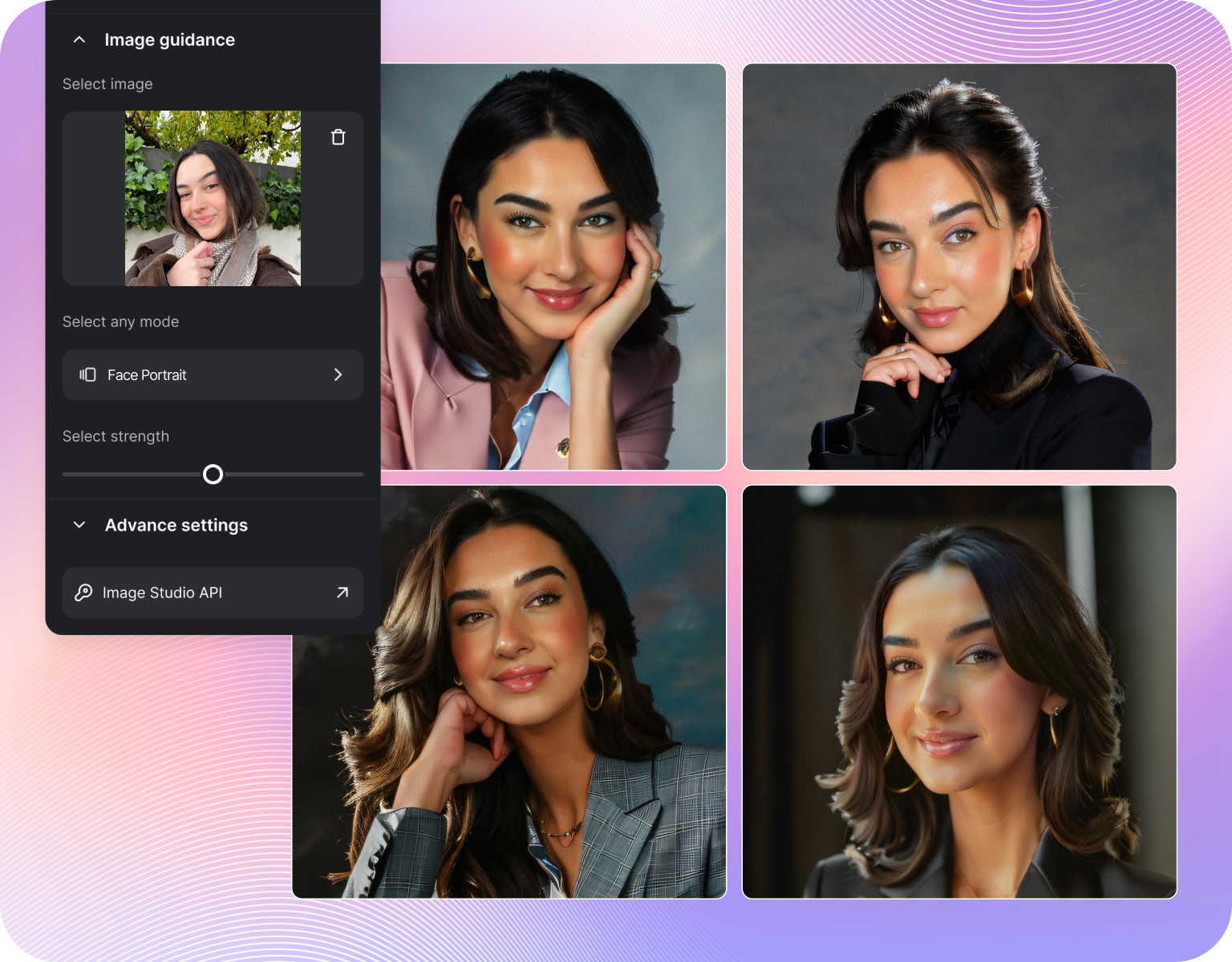
People coming back to dating apps after a long relationship, a move, or a few years off the apps often don't have current photos that reflect how they look now. Upload one recent photo and generate a spread of updated shots across settings and outfits in a single session, without scheduling a shoot or roping a friend into forty takes on a sidewalk.
How It Works
Step 1
Upload a photo
Upload one clear photo of your face, ideally shot in good lighting with your face unobstructed. Phone photos work fine, no studio shot required. The system reads facial structure and features from that single image, so a sharper, front-facing source photo produces a more accurate set of results across every generated variation you run afterward.
Step 2
Pick a style and setting
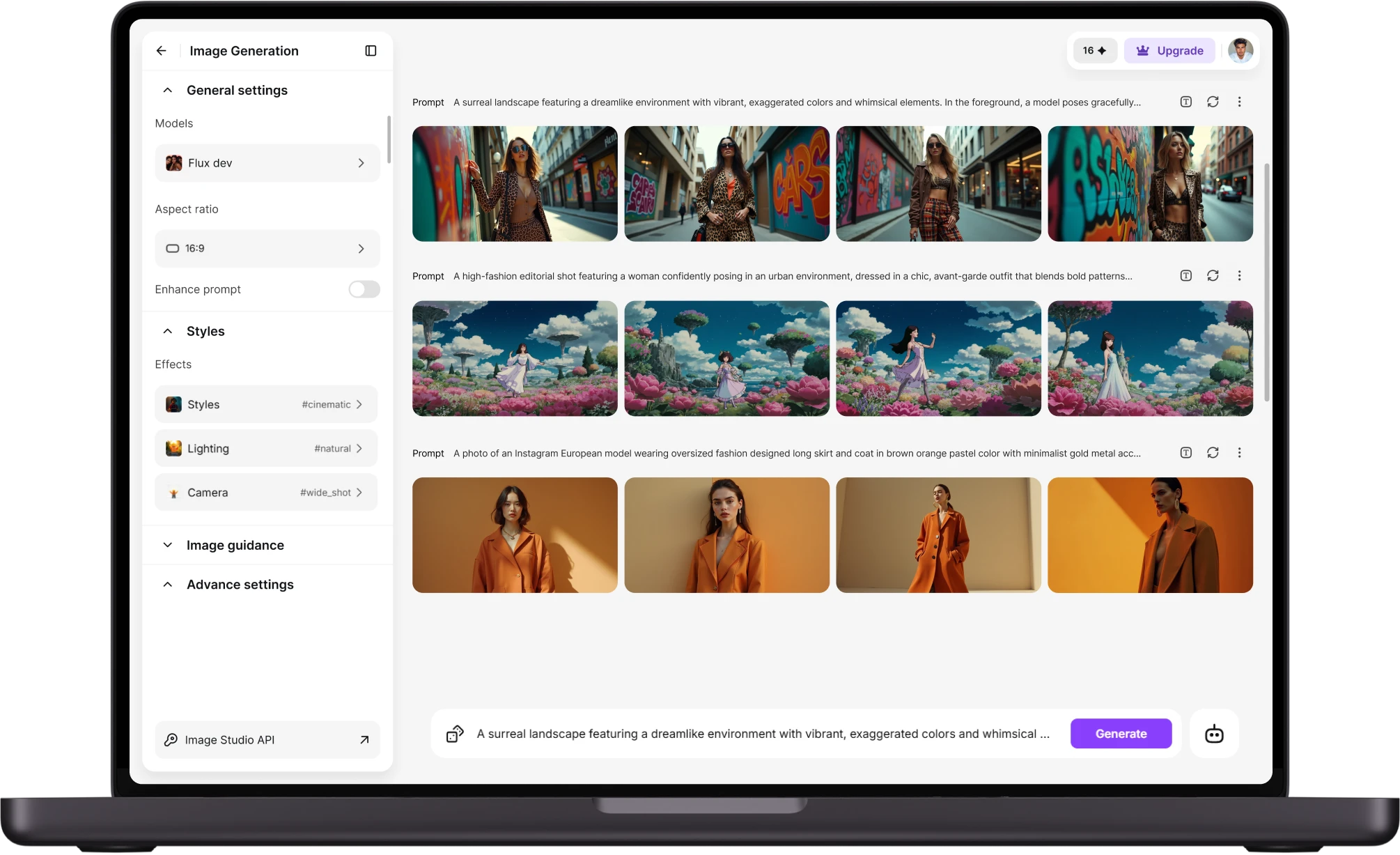
Choose from preset settings, outdoor, casual indoor, travel, or a specific outfit and backdrop, or describe what you want in a text prompt. Each preset applies consistent lighting and framing rules tuned for dating app crops. A batch of shots usually generates in under a minute, and you can run several style variations from the same source photo.
Step 3
Download and post
Review the generated set, pick the shots that look most like you, and download them at the resolution each app expects, Tinder, Bumble, and Hinge all compress differently on upload. Files export as standard JPG or PNG, ready to add directly to your profile without a separate editing pass.
Settings and outfits it supports
- Skin texture preservation:Keeps pores, lines, and natural skin texture intact instead of smoothing everything into a plastic finish.
- Style presets by category:Face-lock accuracy: Anchors the generated output to your actual bone structure and features, so results still look like you, not a generic model.
- Lighting match: Matches shadow direction and color temperature to the chosen setting, so outdoor shots avoid the flat, studio-lit look common in AI photos.
- Adjustable intensity: Lets you dial editing strength up or down on a slider, from a light touch-up to a fuller style change.
- Side-by-side comparison:Shows the original photo next to each generated version, so you can catch anything that drifts too far from reality before downloading.
Realism controls
- Skin texture preservation:Keeps pores, lines, and natural skin texture intact instead of smoothing everything into a plastic finish.
- Face-lock accuracy:Anchors the generated output to your actual bone structure and features, so results still look like you, not a generic model.
- Lighting match:Matches shadow direction and color temperature to the chosen setting, so outdoor shots avoid the flat, studio-lit look common in AI photos.
- Adjustable intensity:Lets you dial editing strength up or down on a slider, from a light touch-up to a fuller style change.
- Side-by-side comparison:Shows the original photo next to each generated version, so you can catch anything that drifts too far from reality before downloading.
Export and sharing options
- Multiple resolutions:Exports at the pixel dimensions Tinder, Bumble, and Hinge each recommend, so photos don't get recompressed and blurred on upload.
- Batch download:Downloads the full generated set as a single folder instead of saving each image one at a time.
- Format choice:Saves files as JPG or PNG depending on file size needs, useful when an app caps upload size.
- Direct profile sizing:Crops automatically to each app's preferred aspect ratio, square, 4:5, or 9:16, without manual cropping.
- Re-generation credits:Lets you regenerate a specific shot again if one variation doesn't land, without redoing the whole batch.
Customer Testimonials About ImagineArt vs Photoroom
Learn what user says about AI Dating Profile Photo Generator

“Great platform, lots of useful features. All the models you would want under one roof. Multi variation parallel generation of images and videos. workflows. awesome stuff THOUGH lots and I mean lots of popups. ”
“Easy interface with all the latest models. Great pricing and worth using for advanced AI generations.”
“Using imagine has honestly been a great experience overall. The image quality is impressive, especially for cinematic and anime-style generations, and the platform feels smooth compared to many other AI tools. Prompt understanding is strong, and the renders usually come out detailed and visually appealing even without overly complex descriptions. One thing I really like is how easy the interface is to use. It doesn’t feel confusing for beginners, but still has enough features for advanced creators. The video and motion tools also have a lot of potential and can create very eye-catching content for reels and edits. ”
“I have tried quite a few AI image generators, and ImagineArt has quickly become one of my favourites. The image quality is consistently impressive, with detailed, creative, and highly accurate results from even simple prompts. The platform is easy to use, generates images quickly, and offers a great variety of styles and customisation options. One of the main ways I use ImagineArt is to create artwork for my YouTube music videos. I generate unique images and then animate them as visuals to accompany my music. The quality and creativity of the images make them perfect for this purpose, and they often require very little editing before I can use them in my projects. What stands out most is how well it understands complex prompts and turns ideas into stunning visuals with minimal effort. Whether you're creating concept art, character designs, content for social media, or visuals for videos, ImagineArt delivers excellent results. The regular updates and new features show that the team is actively improving the platform, and the overall experience feels polished and reliable. It's become an important part of my creative workflow, and I'd highly recommend it to anyone looking for a powerful and user-friendly AI image generation tool. ”
“ImagineArt offers an impressive range of AI image generation styles and tools. The platform is intuitive and produces high-quality results across different creative styles. The support team is responsive and genuinely helpful. Would recommend to anyone looking for a versatile AI image tool.”
“ImagineArt has a really amazing interface, well layered and clean. The workflow feature really makes working easy with all tools available in one place. One other thing, when I tested models like for instance Nano Banana 2 on ImagineArtAi and other Ai brands I got better results and higher quality on ImagineArtAi. It goes to show how much they have invested in making it the best of the best”
Purchase a Subscription
Upgrade to get access to pro features and generate more and better
Basic
For newcomers taking their first steps
View Plans
Billed monthly
Included in plan
3Kcredits per month
Additional Features
Up to ~600 Image Generations/month
Up to ~97 Video Generations/month
General Commercial Terms
Image Generation Visibility: Public
4 Concurrent Image Generations
Complimentary Access
All GPT Models
All Gemini Models
All Claude Models
Unlimited Generations
10 Image Models
9 Video Models
Standard
For rising creators to level up their game
View Plans
Billed monthly
Included in plan
8Kcredits per month
Additional Features
Up to ~1.6k Image Generations/month
Up to ~265 Video Generations/month
General Commercial Terms
Image Generation Visibility: Private
8 Concurrent Image Generations
Complimentary Access
All GPT Models
All Gemini Models
All Claude Models
Unlimited Generations
Nano Banana
Runway Gen 4 Turbo
Midjourney V7
8 more Image Models
8 more Video Models
Ultimate
Peak performance for pros
View Plans
Billed monthly
Included in plan
16Kcredits per month
Additional Features
Up to ~3.2k Image Generations/month
Up to ~530 Video Generations/month
All styles and models
General Commercial Terms
Image Generation Visibility: Private
Complimentary Access
All GPT Models
All Gemini Models
All Claude Models
Unlimited Generations
All image models in Standard plan
All video models in Standard plan
Kling 2.6 Pro
Seedance 1.5 Pro
ChatGPT 1.5
Creator
A full production engine for powerhouses
View Plans
Billed monthly
Included in plan
100Kcredits per month
Additional Features
Up to ~20k Image Generations/month
Up to ~3.3k Video Generations/month
All styles and models
General Commercial Terms
Image Generation Visibility: Private
Complimentary Access
All GPT Models
All Gemini Models
All Claude Models
Unlimited Generations
All image models in Ultimate plan
All video models in Ultimate plan
Kling 3.0 Pro
Seedance 2 Fast
Nano Banana 2
Have questions?
We have answers!
Yes. The model preserves skin texture, pores, and natural asymmetry instead of smoothing faces into a generic look, and a slider lets you control editing intensity from subtle to more stylized. A side-by-side comparison against your original photo is built in, so you can check that a result still looks like you before downloading it. Most users keep intensity on the lower half of the range for dating profiles.
Yes. A single uploaded photo can run through outdoor, travel, home, and outfit-swap presets in one session, producing five or more distinct shots without a second upload. Each preset changes background, lighting, and clothing while keeping your face and body proportions fixed. This is the main advantage over a single AI headshot, most dating profiles need five to six varied photos, not one polished portrait.
General guidance built into the presets favors natural light, a visible smile, and one shot showing a hobby or activity, patterns that consistently show up across high-performing profiles on Hinge and Bumble. The tool doesn't guarantee match rates, since outcomes also depend on bio and location, but it defaults to settings that match what performs well rather than studio-style headshot framing.
A single generation run typically produces four to six variations per preset, and you can run multiple presets from the same source photo to build a full profile set of ten or more images. There's no fixed cap on regenerations, so if one setting doesn't produce a shot you like, you can rerun that preset again without starting over from a new upload.
Uploaded photos are processed to generate your requested images and are not used to train shared models or shown to other users. You control deletion of your own uploads and generated images from your account. As with any photo upload tool, avoid uploading photos of other identifiable people without their consent, since dating apps and most platforms require sole ownership of profile images.
Yes. The underlying portrait model is trained on a broad range of faces, ages, and skin tones, and the same presets, outdoor, travel, outfit swap, apply regardless of gender. Framing and outfit options are not restricted by gender, so a user can select any preset regardless of the categories it's labeled under. Results quality depends more on source photo clarity than on who is in it.
Ready for photos that actually look like you
Upload one photo and generate a dating-ready set in minutes, no photographer, no reshoot, no digging through old camera roll photos for something decent. Try it now and put a current profile up today.
![38 AI Affiliate Programs for SaaS Bloggers - Highest Income Potential [2026 Edition]](https://blogs-cdn.imagine.art/Add_a_heading_14cf442dc9.png)