
Tooba Siddiqui
July 16, 2025 • Updated March 18, 2026
6 mins Read
Seedance X ImagineArt is raising the standards of AI video generation for marketers, influencers, and product ambassadors.
In a group of top-tier AI video models, Seedance stands out by doing something different:
- Seedance is a cinematic, mood-first AI video generator
- Plus, it is super affordable
- It offers lightning-fast video generation speed
- It offers strong text and image prompt adherence.
If you're crafting ambient loops, moodboard content, fashion reels, or poetic sequences, Seedance is your go-to model.
What Is Seedance AI?
Seedance is a specialized AI video generator, designed for creators who want emotion-driven, visually elegant content. Whether you’re building short-form social content or looping visuals for digital art, Seedance gives you the power to create immersive, slow-paced videos without needing to touch an editing timeline.
What makes Seedance special is its ability to create videos that feel graceful, immersive, and beautifully fluid—even when generated in under two minutes. Unlike other models that emphasize dynamic movement or realism, Seedance brings in soft camera motion, artistic transitions, and visuals that feel like a scene from a dream. It’s available in two versions: Seedance Lite and Seedance PRO, both of which offer their own strengths depending on your project.
Both Seedance Lite and Seedance PRO are available inside ImagineArt AI video generator, and they shine when used for content that needs ambiance, smooth flow, or stylistic transitions. Seedance isn't just a tool for video generation—it's a model that helps you create mood.
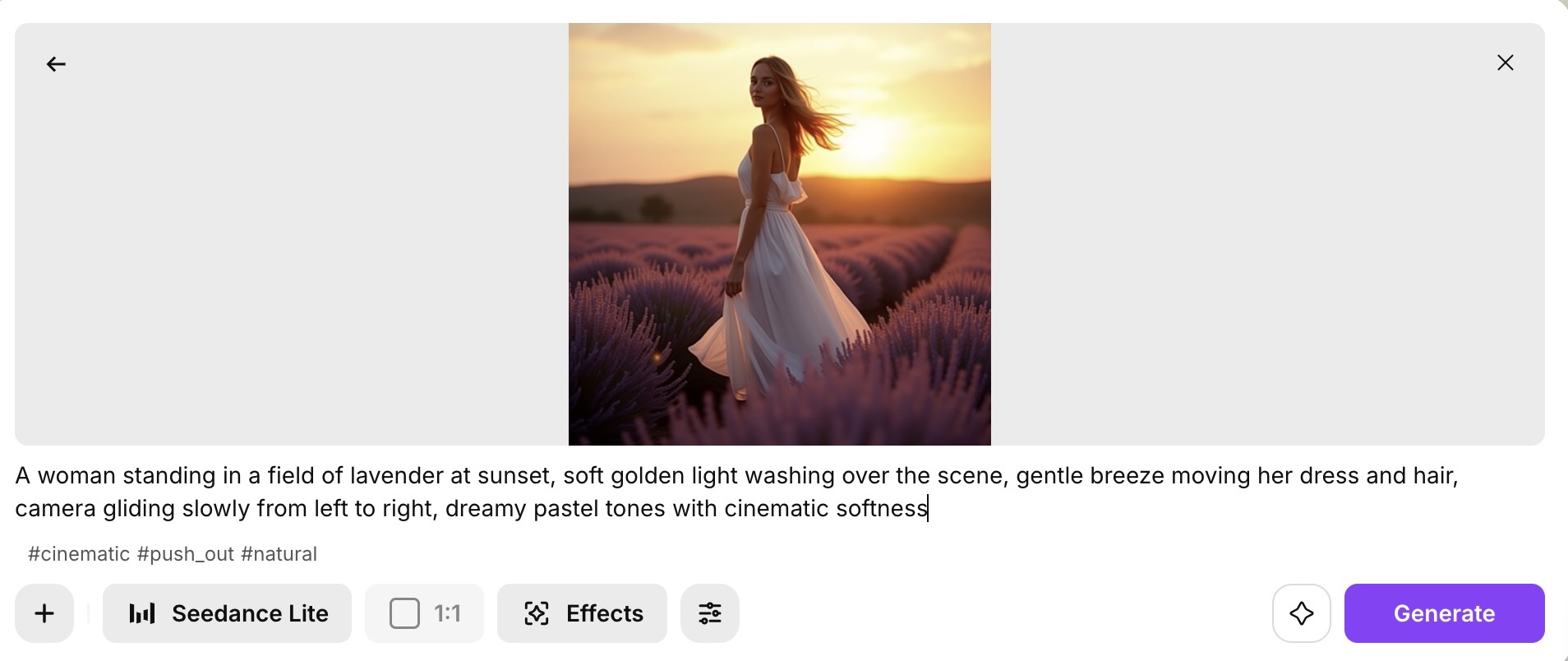 Seedance Lite Video Generation
Core Features of Seedance AI Video Generator
Multishot Generation
Seedance 1.0 presents an incredibly capable video generator model featuring multi-shot generation via a singular prompt — all while maintaining the narrative continuity and artistic coherence. Such capability enables this AI video generator to process and work on complicated narratives usually employed in cinematic storytelling. The model can recreate shot/reverse shot for dialogues, cut-ins, cutaways, and match cuts to preserve visual and transitional continuity and cohesive flow. These features demonstrate Seedance’s proficiency in layered storytelling, temporal coherence, and shot composition. Seedance provide the users with absolute creative control and expression. This model offers more storytelling coherence and cinematic fluidity than most of the existing AI video generators.
Multistyle Adaptability
Seedance 1.0 excels at adapting to a wide variety of visual styles. Seedance 1.0 offers two methods for AI video generation: text-to-video and image-to-video. In text-to-video method, fine-grained stylistic results are directly generated. However, in image-to-video, the model preserves the visual and stylistic attributes of the uploaded image. Seedance presents an array of cinematic video styles, inspired from both the real-world cinema and fantasy genres. Some of the commonly used styles include the retro Hollywood elegance, classic cinema, anime, and futurism. Seedance can transition between and adapt to various styles, without any requirement of fine-tuning the prompt or task. Such versatility makes Seedance a go-to AI video generator for professional filmmakers and AIGC (Artificial Intelligence Generated Content) creators.
Intelligent Video Captioning.
Backed by a diverse training dataset and a precision captioning engine, Seedance understands nuanced instructions and reflects them in visual output. Its training spans multiple sources, styles, and scenes—giving it the breadth to interpret everything from emotional expressions to subtle gestures. The intelligent captioning ensures that prompts are interpreted with visual accuracy and narrative clarity.
Artistically Driven Generation Capabilities.
Seedance combines artistic creativity with technical precision. It maintains spatiotemporal consistency across frames, offering realistic motion and physical coherence in animated sequences. Such precision allows the model to generate emotionally-resonant and photorealistic visuals, all while enhancing the compositional richness and textural subtlety.
Precision Instruction Following.
Seedance 1.0 stands out for its ability to understand and execute highly specific user instructions. It handles complex interactions (e.g., multiple characters), nuanced styles, dynamic camera work, and evolving tones—all within a single scene. The result: visually rich stories that feel cohesive and directed.
Camera Movements
Seedance understands pacing. Its motion paths feel more like floating or gliding than panning or zooming. Whether it's a slow tilt, a gentle push-in, or a drift across a surreal landscape, the camera movement enhances the emotion of your scene.
Built for Abstract & Experimental Prompts
Seedance interprets poetic and unconventional prompts beautifully. Think: "a memory fading into pastel clouds" or "a model walking through liquid light." It’s not constrained by realism, which makes it ideal for creative exploration.
Use Cases for Seedance AI
Seedance unlocks new possibilities for creators, brands, and artists who want their videos to feel more atmospheric than aggressive.
- Fashion Reels: Showcase fabric movement, outfits, or aesthetic styling with soft motion and elegant lighting.
- Product Intros: Float a product across abstract environments or dreamy textures.
- Poetic Storytelling: Translate metaphors and emotions into cinematic sequences.
- Moodboard Content: Visually communicate tone, season, or vibe without needing full story arcs.
- Wellness & Meditation: Slow breathing visuals, ambient backgrounds, and tranquil settings that sync with calm voiceovers or music.
Each of these use cases benefits from Seedance’s fluidity and its ability to generate scenes that feel thoughtful and intentional.
Seedance Input Features & Output Capabilities
Seedance is designed to give you creative control while the AI handles the heavy lifting of animation and pacing.
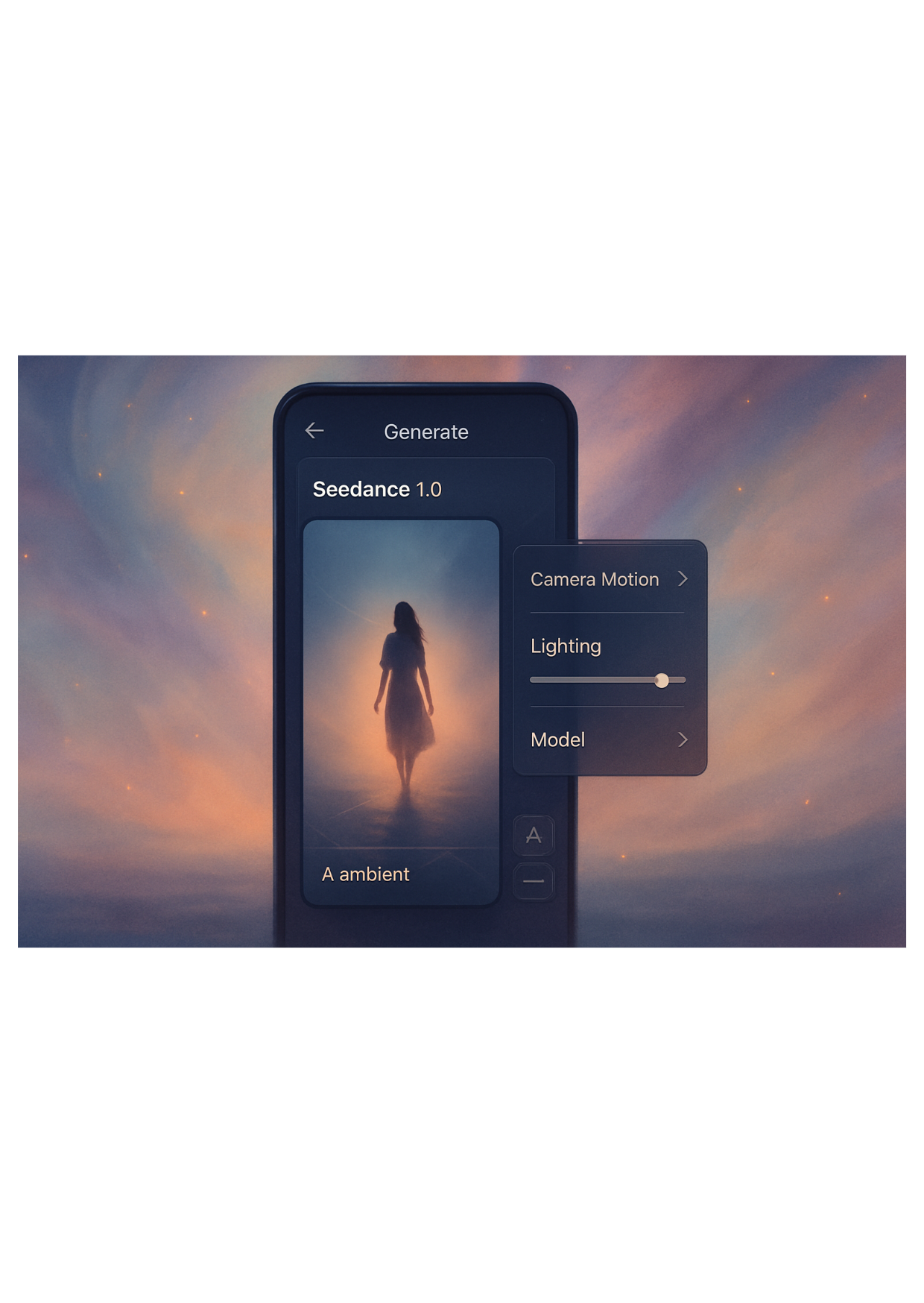
Input Features
- Prompt (Text-Based): Clearly describe visuals, movement, lighting, and style. Works best with poetic or cinematic tone.
- Model Choice: Seedance Lite (fast) vs PRO (polished)
- Camera Motion: Glide, push-in, left-right pan
- Lighting: Natural, ambient, dramatic, silhouette
- Aspect Ratio: 9:16 (TikTok/Reels), 1:1 (Instagram), 16:9 (YouTube/Presentations)
- Style/Tone: Dreamy, minimalist, dramatic, soft, surreal
Output Features
- Fluid Transitions: No abrupt cuts, great for looping
- Mood-Rich Visuals: Perfect for conveying emotions visually
- Cinematic Flow: Movement synced with tone
- Export-Ready Files: Download in MP4 format
- Sound-Ready: Add ambient tracks or narration post-generation
Seedance 1.0 doesn’t have any feature that allows synchronization of soundtrack or background sound with the dialogues. Audio has to be added separately.
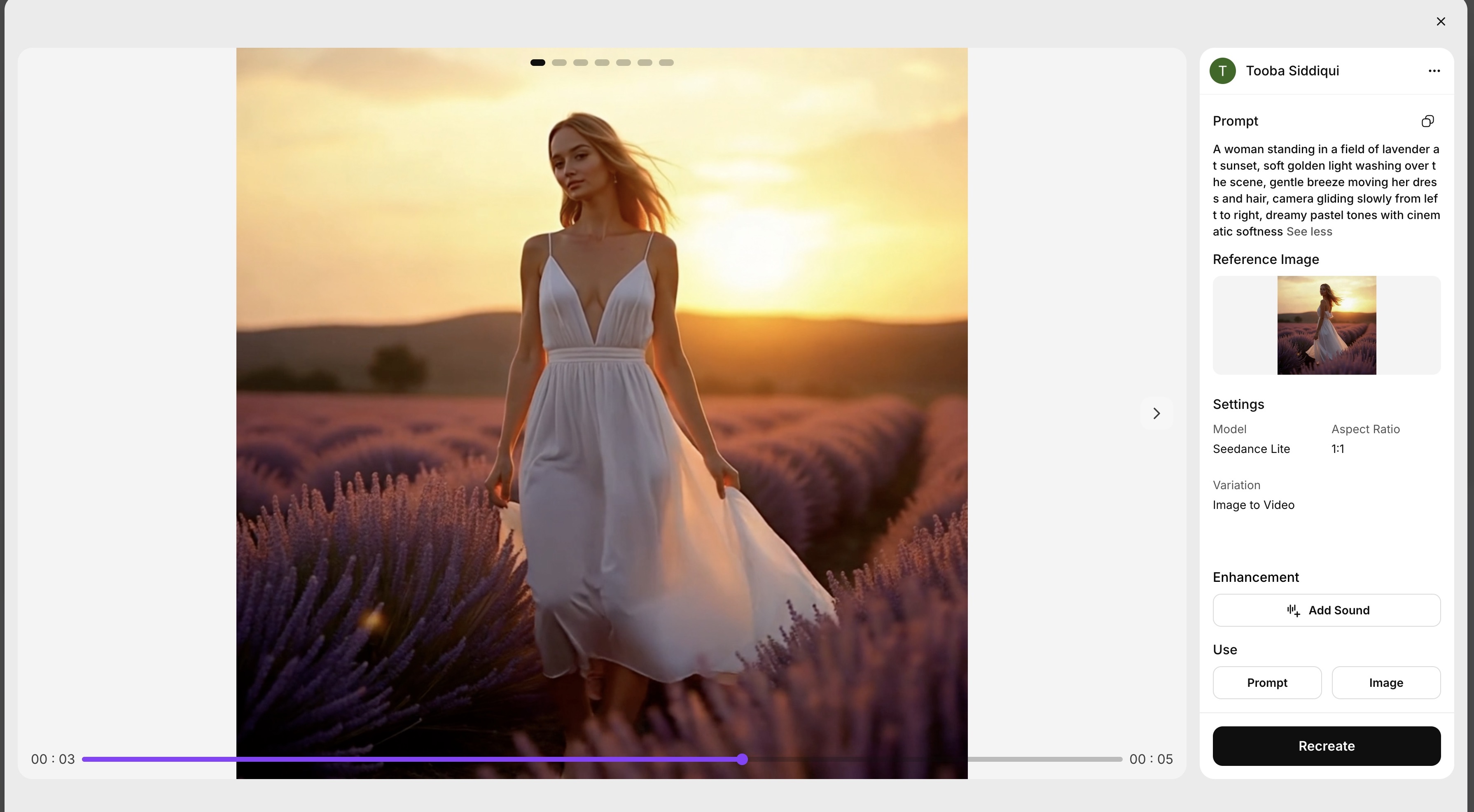 Video generated on ImagineArt using Seedance Lite model
How to Use Seedance on ImagineArt
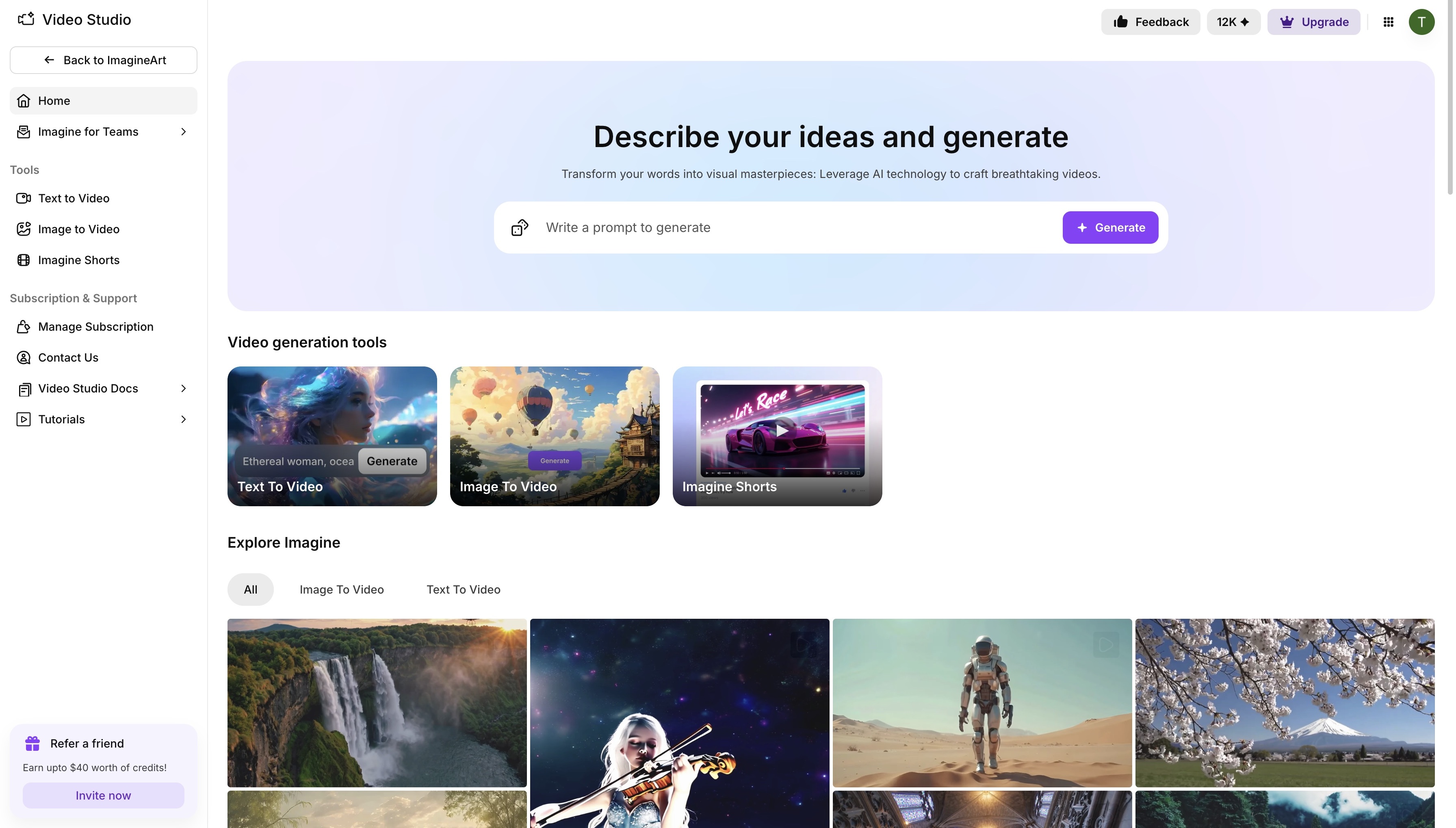 Imagine Video Generator dashboard
Creating a Seedance video in ImagineArt is effortless. Here’s how:
- Open ImagineArt AI video generator.
- Choose Text-to-Video or Image-to-Video depending on your input
- Select Seedance Lite or Seedance PRO from the model dropdown
- Write your prompt—describe the scene, motion, tone, and lighting
- Choose your desired aspect ratio and effects (e.g. lighting, motion)
- Click "Generate" to preview your clip and download it when finalized
Seedance Lite vs PRO
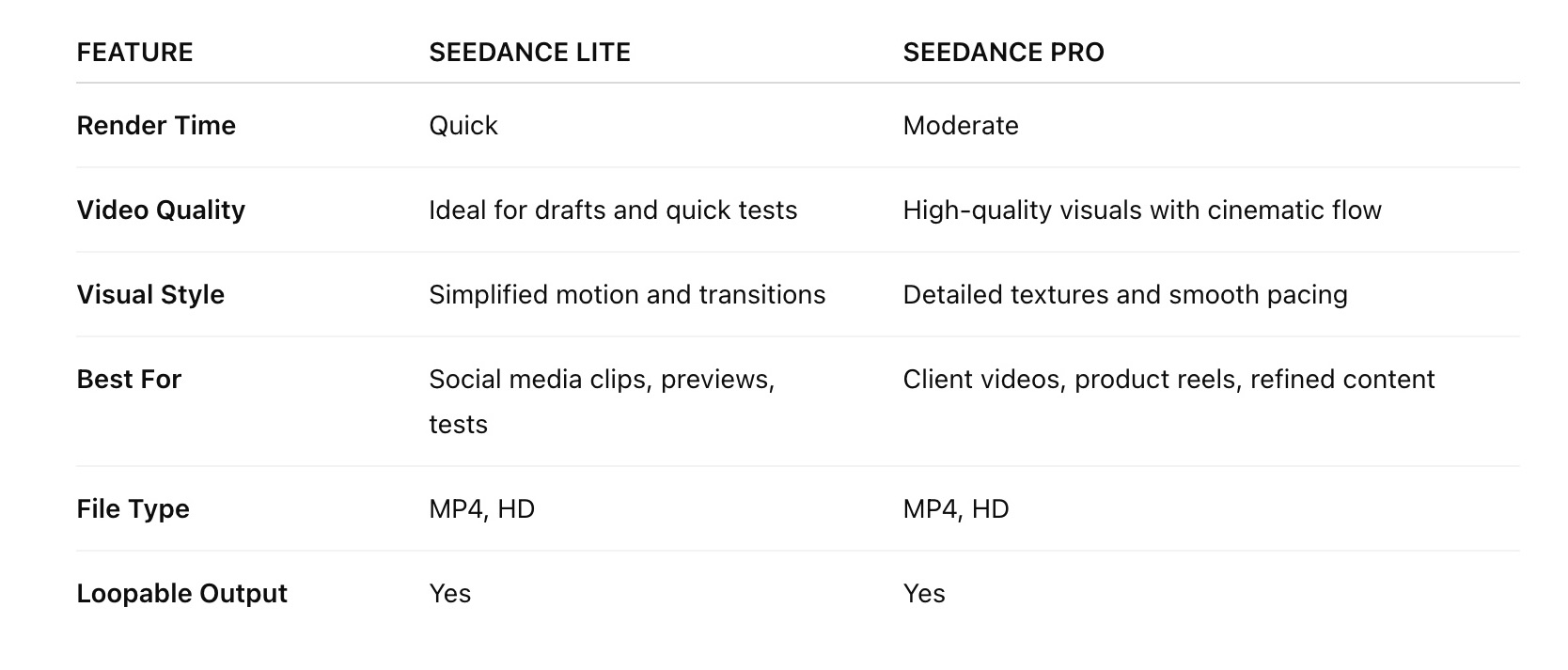 A brief comparison
Final Thoughts: Who Should Use Seedance?
Seedance is perfect for creators who believe in visual storytelling through mood, movement, and metaphor. Whether you’re a digital artist building ambient visuals, a marketer designing aesthetic product reels, or a wellness creator sharing calming content, Seedance simplifies elegant video creation like no other model.
With just a prompt, a tone, and a few stylistic tweaks, you can render scroll-stopping videos that look and feel intentionally designed. Try Seedance Lite for faster tests, or go with Seedance PRO when you're ready to make it shine.
Frequently Asked Questions about Seedance 1.0
Seedance 1.0 is a cinematic AI video generator by ByteDance, designed for mood-driven, flowing video creation. Unlike high-motion models like Veo 3, Seedance emphasizes elegance, soft transitions, and ambient storytelling.
Yes. Seedance supports multi-shot composition, enabling story arcs using cinematic techniques like match cuts, cut-ins, and shot-reverse-shot formats.
Yes. ImagineArt allows commercial use of Seedance-generated content, making it suitable for campaigns, branded reels, product intros, and digital storytelling.
Seedance Lite is faster and more lightweight—ideal for testing or social posts. PRO offers higher visual quality, smoother motion, and is best suited for final exports and polished content.
Related reading:
How to Use Seedance 1.0 on ImagineArt
Seedance vs. Google veo 3 vs. ImagineArt
Tooba Siddiqui
Tooba Siddiqui is a content marketer with a strong focus on AI trends and product innovation. She explores generative AI with a keen eye. At ImagineArt, she develops marketing content that translates cutting-edge innovation into engaging, search-driven narratives for the right audience.