AI Fashion Models for Amazon: How to Create Compliant On-Model Listing Images
Amazon apparel listings need a pure white main image, a separate photo for every color and, since July, a metadata tag on any image showing an AI-generated person. This guide covers Amazon's clothing image rules, the exact tagging step and a six-step workflow for building one reusable AI fashion model that fills every SKU and color variation.

Kamran Arshad
November 6, 2026 • Updated November 9, 2026
11 mins Read
Amazon shoppers cannot touch the fabric or try the fit, so your images do the job of a fitting room. For apparel sellers, that means a main image on pure white, a model for adult clothing, a separate main image for every color and, since July, a metadata tag on any image that shows an AI-generated person.
AI fashion models make that full image set affordable at catalog scale. In ImagineArt Fashion Studio, you upload a flat lay or ghost mannequin photo, save one model and generate the main image, angles and lifestyle shots for every SKU from the same setup.
This guide gives you Amazon's clothing image rules, the AI tagging step, a six-step workflow to create AI fashion models for Amazon, and an eight-point checklist to run before every upload.
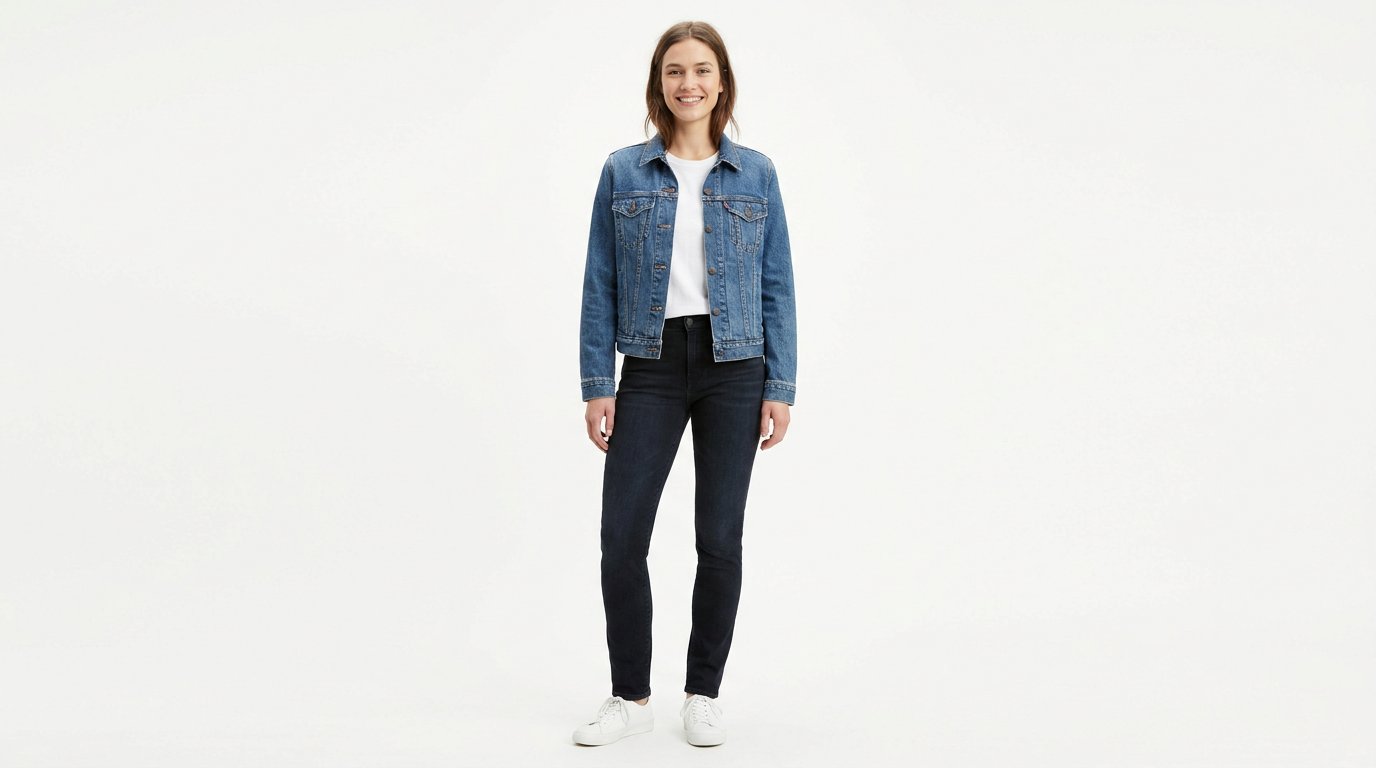
An AI-generated apparel photo on a pure white background, built to Amazon main image rules in ImagineArt Fashion Studio
Why AI Fashion Models Fit Amazon Apparel Catalogs
Photography cost grows with every style and every color you list. A single tee in ten colors needs ten main images, plus back views, detail crops and a lifestyle shot, and a studio bills for each session again next season.
An AI fashion model breaks that link between catalog size and cost. You build the model and the shot setup once, then generate each new product's full set in one sitting. The biggest gain shows up for sellers whose products sit unlisted while they wait for a shoot. AI does not replace one photoshoot for them. It removes the queue.
The numbers back this up...
ImagineArt's own model puts an approved AI image at about $3.50 at max, including generation, review time and garment photos, while on-model studio photography commonly runs well over $100 per finished image. Our breakdown of what a product page image costs with a studio versus AI walks through the math.
Accuracy matters more on Amazon than anywhere else, because the photo is a promise about the parcel. ImagineArt's Fashion Studio runs on top-tier generative models tuned to keep fabric, fit and color true to the garment you upload, and the same platform produces imagery for more than 350 companies, including Unilever's Knorr and the fashion retailer Khaadi.
Amazon's Main Image Rules for Clothing
The main image is the one Amazon checks hardest, and a single error can suppress the listing however good the photo looks. These are the rules that matter for apparel:
- The background is pure white, RGB 255, 255, 255. Off-white and cream fail even when they look white on screen.
- No text, logos, watermarks, borders, badges or inset images. That includes the corner watermark some AI tools add.
- The product fills at least 85% of the frame and is not cropped by the edge.
- The image is at least 1,000 pixels on its longest side, which turns on zoom. Exporting at 1,600 to 2,000 pixels keeps knit and weave texture sharp when shoppers zoom in.
- Adult clothing is shown on a model or as a ghost mannequin shot, not on a hanger or folded.
- The image shows only the product for sale. Props and extra items that are not included stay out of the main image.
Secondary images have more freedom. Lifestyle scenes, styled outfits, flat lays and detail crops all belong there, and the white background rule does not apply. Amazon updates category style guides from time to time, so check the clothing guide in Seller Central before a large upload.
Fashion Studio includes a marketplace main image setting built around these rules: a 1:1 square, a clean white background, the garment centered and fully in frame, and no props or overlaid text.
How to Tag AI-Generated Models in Amazon Images
Amazon told third-party sellers in July 2026 that listing images and videos showing photorealistic AI-generated people must be labeled, as CNBC reported. The move followed New York's synthetic performer disclosure law, which took effect on 9 June 2026. The rule covers product images, videos and A+ Content, and Amazon says it will show shoppers an indicator where applicable.
The label lives inside the file, not on the visible image. Before upload, add the keyword contains-synthetic-performer to the image's embedded metadata with an IPTC-compatible editor, following the steps in Amazon's image guidance in Seller Central.
Not every image needs it. These cases fall outside the rule:
- Images of real people, even when AI tools were used to edit them.
- Images with no people at all, such as flat lays and ghost mannequin shots.
- Characters from films, TV shows and video games.
One practical warning: some export tools and digital asset managers strip metadata. Open the final file and confirm the keyword survived before you upload. For the wider legal picture, including copyright, consent and labeling in other markets, read whether you can use AI-generated fashion images commercially.
Kids' and Baby Clothing: Shoot the Main Image Flat
Children's clothing follows stricter rules than adult apparel. Amazon's clothing style guide calls for kids' and baby main images to be shot off-model, and children's underwear, swimwear and similar items should never appear on a model.
For an AI workflow that means one clear rule: never generate AI child models for main images. Use a clean flat lay or ghost mannequin shot on pure white.
Workflow to Going From Flat Lay to Amazon-Ready Listing
You can literally replicate this workflow for one SKU or five hundred, because the model you build carries across all of them.
- Start from a photo you already have. A flat lay, hanger shot or ghost mannequin photo works, and most apparel sellers have these on file from suppliers. Our guide to turning a flat lay into an on-model photo with AI shows what to check in the result.
- Build your model once. Choose the body type, height, skin tone and styling that match your customers, then save the model so every product and colorway uses the same person. See how to keep the same AI model across your collection.
- Generate the main image on pure white. Use the marketplace preset, then confirm the background reads RGB 255, 255, 255 in an image editor and the garment fills at least 85% of the frame.
- Generate the secondary set. Fashion Studio produces front, three-quarter, side and back angles from one approved image, then add a fabric close-up and one lifestyle scene.
- Check every image against the real garment. Compare color in daylight, then check seams, pockets, prints and logos at full zoom.
- Tag, name and upload. Add the contains-synthetic-performer keyword to every image showing a photorealistic AI person, export with your SKU codes as file names and confirm the tag survived export.
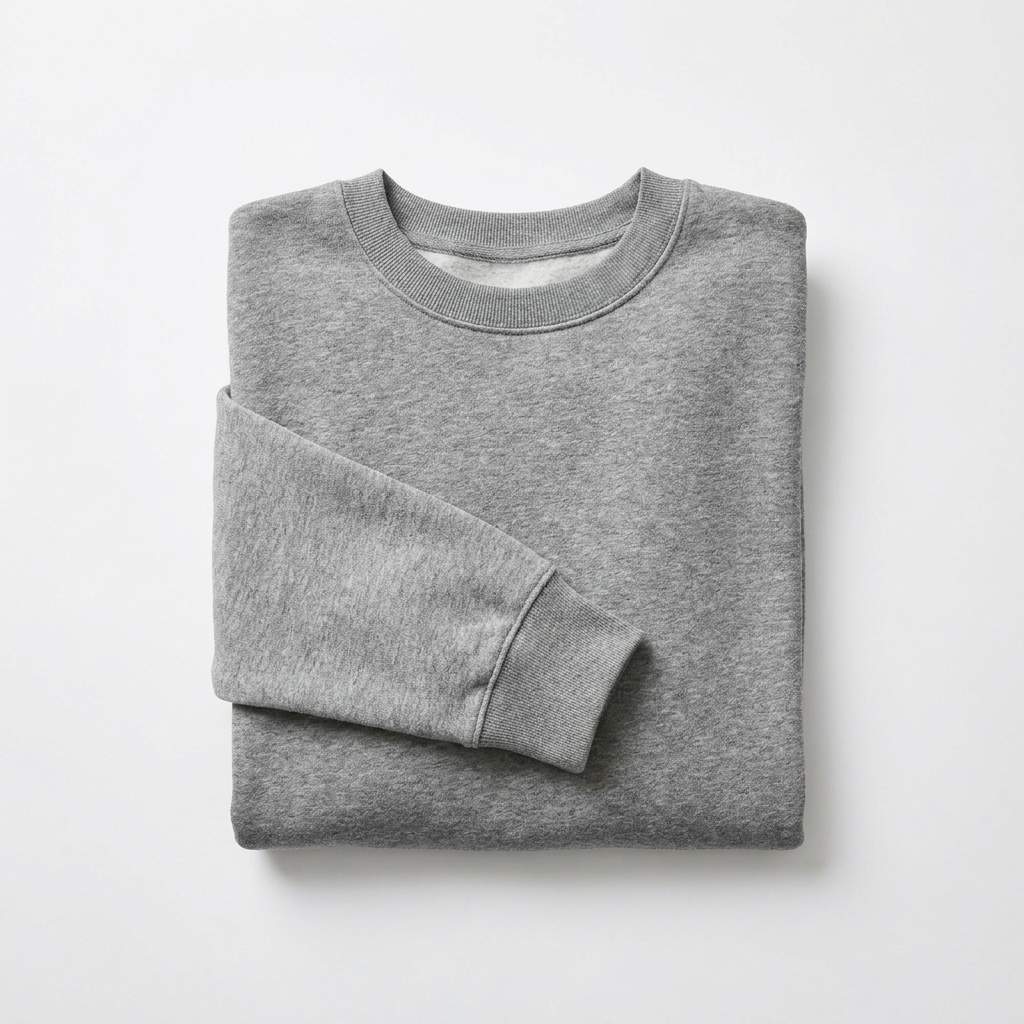 A flat lay product photo of a grey crewneck sweatshirt on a plain background
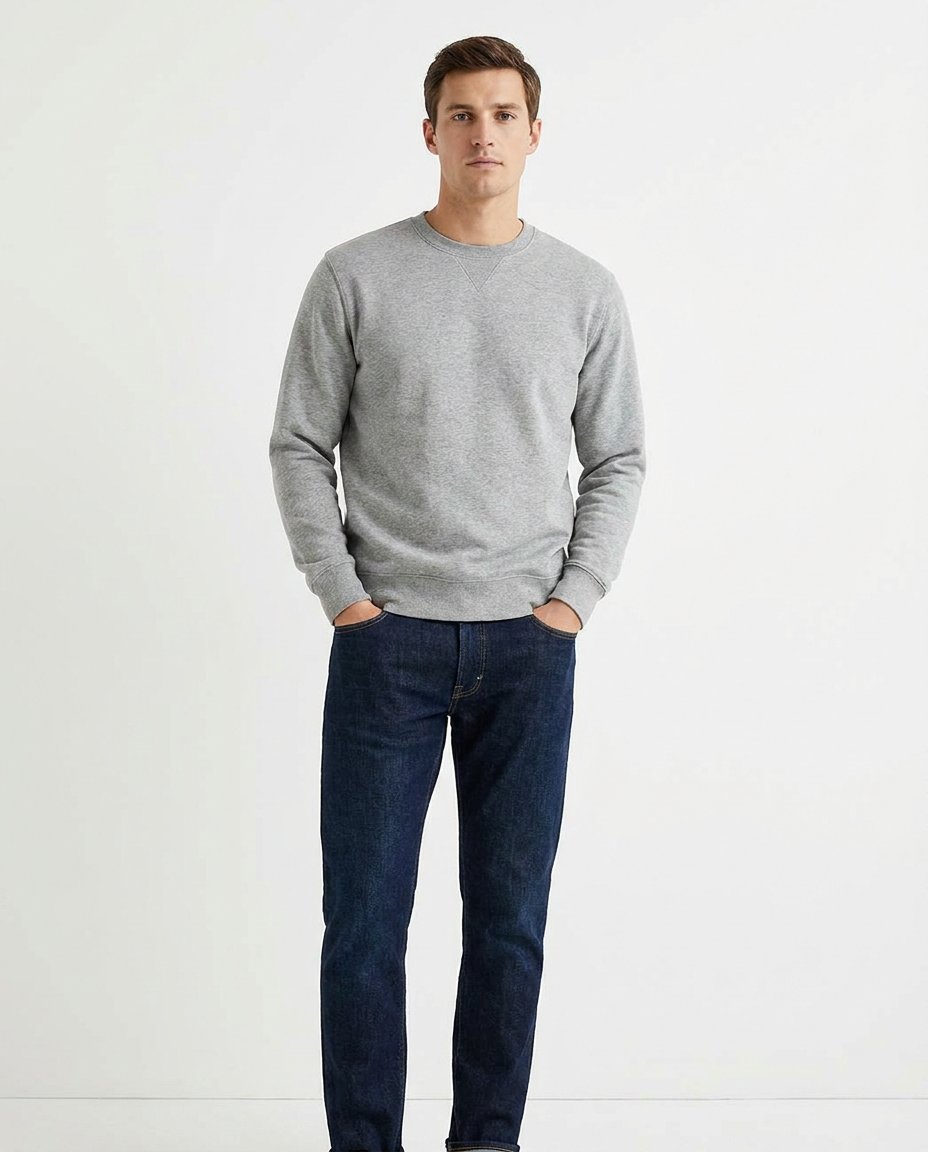 The same grey crewneck sweatshirt as an AI-generated on-model main image on pure white, made in ImagineArt Fashion Studio
The pair above shows the conversion: a plain flat lay of a grey crewneck in, an on-model main image on pure white out, with the same color, ribbing and fit.
One Main Image per Color Variation
Apparel listings usually group colors and sizes under one parent ASIN, and each color needs its own accurate main image. Shoppers click a swatch and expect the photo to change. When the navy swatch still shows the black shirt, the shopper either leaves or orders and returns.
An AI fashion model turns this into one quick batch. Lock the pose, framing and background, and change only the garment color. Every swatch gets a matching main image, and the whole variation family looks like one shoot.
Two checks keep color variations accurate:
- Compare each generated color against the physical garment, not against the swatch on your screen.
- Look hardest at near-neighbor colors such as navy and black or cream and white, where small errors cause the most returns.
The Secondary Image Set That Answers Every Fit Question
The main image wins the click. The secondary images win the sale, because they answer the questions a shopper would ask in a store. Plan the set so each image answers exactly one:
- Back view: what does the back look like?
- Side or three-quarter view: how does it sit on the body?
- Fabric close-up: is it soft, thick, ribbed or smooth?
- Detail crop: how are the zips, buttons and stitching finished?
- Lifestyle scene: where would I wear this?
- Size reference: how tall is the model, and which size are they wearing?
AI is especially strong on lifestyle shots, because the saved model can appear on a street, in a café or in an office without a location fee. A run of outfits across your line also doubles as a compact lookbook, and Brand Registry sellers can reuse those images in A+ Content to cross-sell related styles. A+ Content falls under the same AI tagging rule as listing images.
How Better Images Lift Your Amazon Search Rank
Images do not rank a listing on their own. They move the two signals Amazon's search rewards most: clicks from the results page and sales once a shopper lands on your page.
A sharp, well-filled, on-model main image wins clicks in a crowded apparel search. A complete secondary set converts those clicks into orders. Accurate color and drape then protect the rank you earned, because returns and "not as pictured" reviews pull a listing down over time. Aim for the image that sells the product that ships, not a flattering one.
Seven Image Errors That Trigger Suppressions and Returns
Most suppression notices and image-related returns trace back to the same short list. Each one takes seconds to catch before upload:
- A main image background that looks white but is not pure RGB 255, 255, 255.
- A visible AI-tool watermark or logo in a corner.
- A main image under 1,000 pixels, so zoom does not work.
- A lifestyle or styled shot placed in the main image slot.
- One color's photo reused across every color variation.
- A print or texture that renders differently from what ships.
- A photorealistic AI model with no contains-synthetic-performer tag in the file.
Before you trust any AI fashion tool with your whole catalog, run your hardest garment through it: a print, a ribbed knit or anything with fine stitching. If it passes on that piece, your basics will pass too.
Run This Eight-Point Check Before Every Apparel Upload
Save this list and run it on every new or updated apparel listing:
- Main image background verified as RGB 255, 255, 255 in an image editor.
- Main image at least 1,000 pixels on the longest side, ideally 1,600 or more.
- No text, logo, watermark, badge, border or inset on the main image.
- Garment fills at least 85% of the frame and is not cropped.
- Kids' and baby items shot flat, with no model in the main image.
- Each color variation has its own main image, checked against the real garment.
- Secondary set includes a back view, a detail crop and at least one lifestyle shot.
- Every image with a photorealistic AI person carries the contains-synthetic-performer keyword, confirmed after export.
Listing hundreds of ASINs or launching across several Amazon marketplaces? Talk to the ImagineArt team. Enterprise plans include reserved capacity, agreed delivery dates and forward-deployed creatives who set up the model, the review process and the tagging step with your team.
Frequently Asked Questions
Yes. Amazon accepts AI-generated images that meet the same image rules as any photo and show the product accurately. Since July 2026, sellers must also tag images and videos that show photorealistic AI-generated people.
Add the keyword contains-synthetic-performer to the image's embedded metadata with an IPTC-compatible editor before upload, following Amazon's image guidance in Seller Central. Then confirm the keyword survived export, because some tools strip metadata.
No. The tag applies only to images that show photorealistic AI-generated people. Images with no people, such as flat lays and ghost mannequin shots, do not need it, and neither do photos of real people edited with AI.
At least 1,000 pixels on the longest side, which turns on zoom. Many apparel sellers export at 1,600 to 2,000 pixels so fabric texture stays sharp when shoppers zoom in.
Yes. The main image background must be pure white, RGB 255, 255, 255. Off-white or cream backgrounds can fail the check even when they look white on screen.
Yes, for adult clothing, which is shown on a model or as a ghost mannequin shot. Kids' and baby clothing main images are shot flat, without a model.
Yes. Each color under a parent ASIN needs its own accurate main image that matches the swatch. Reusing one color's photo across variations is a common cause of returns.
The most common causes are a main image background that is not pure white, a visible watermark or logo, text or badges on the main image, a product filling too little of the frame, or a lifestyle shot in the main image slot.
For most apparel catalogs, yes. ImagineArt models an approved AI image at about $3.50 including review time, and the same saved model is reused across every product, color and season, while a studio bills again for each session.
Indirectly. Images lift click-through from search and conversion on the product page, which Amazon's ranking rewards, and accurate images reduce returns and negative reviews that drag ranking down.
Kamran Arshad
Kamran Arshad is a full-stack marketer and growth strategist for Gen AI and B2B SaaS companies.
View all articlesRecent posts
The Best AI Avatar Generators In 2027: 11 Tools Compared And Ranked
50 Types of Art Styles: Definitions, Examples and AI Prompts

How to Edit Images With Ideogram 4.6: 38 Edits, Prompts and Results