
Kamran Arshad
October 21, 2026 • Updated October 21, 2026
27 mins Read
A lookbook is a curated set of styled photographs that presents a clothing collection as a story: models wearing the pieces together, in one setting, with one point of view. It exists to sell a mood and a way of dressing, not to list products. Brands use it with buyers, press and customers, in print, as a PDF, or on a web page.
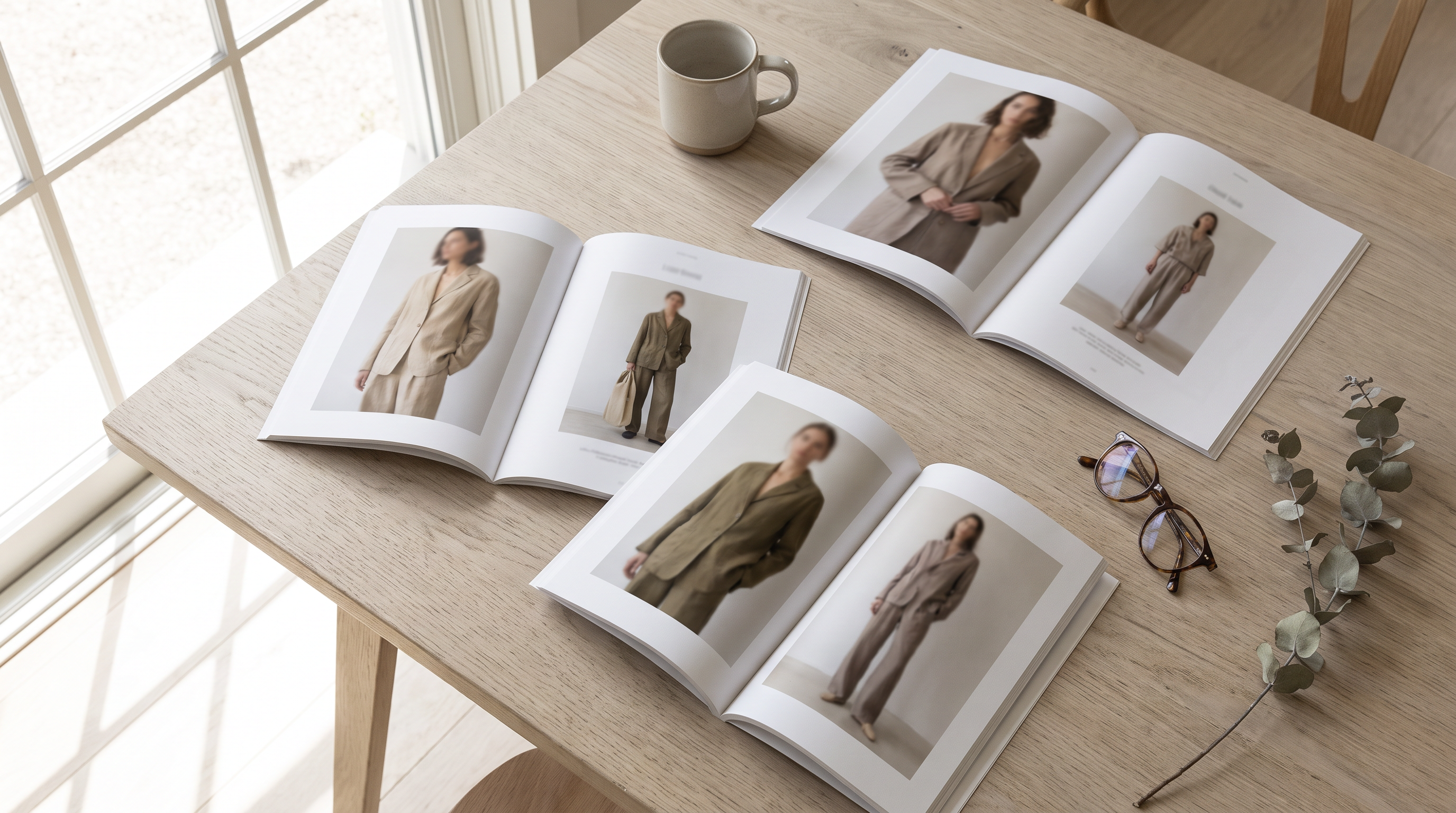 Three printed lookbook spreads laid across a pale wooden table
What you will take from this guide
- The exact difference between a lookbook, a catalog, a line sheet and a mood board, and which one to send to whom
- Six lookbook types, with the length, team and channel each one needs
- A page-by-page structure you can copy
- What real brands do well, and what to borrow
- What a traditional lookbook costs, and how to make one with AI in an afternoon without it looking fake
- The seven mistakes that make a lookbook forgettable
What is a lookbook?
A lookbook is a collection of photographs compiled to show a clothing line, a style, a stylist or a model. Wikipedia's entry says it plainly. The working definition for a brand is narrower: a lookbook is the document that answers one question for a viewer, which is "how does this collection look when it is worn?"
Three traits separate a lookbook from every other fashion document:
- It is selective. A lookbook shows the looks the brand is proudest of, not every item it makes. Cut hard: a 200-piece collection earns a 20-to-40-look lookbook.
- It is styled. Pieces appear as outfits, with shoes, bags, layers and a consistent setting. The viewer sees how garments combine, which no product page shows.
- It carries a point of view. Light, location, casting, pose and edit all push in one direction. A viewer should be able to describe the collection's mood after ten seconds.
Where the format comes from
The term started in fashion. Designers and brands used printed booklets of styled shoots to present each collection, as Plytix's glossary puts it, and the habit moved online as e-commerce grew. The online version kept the editorial look and added scrolling layouts, carousels and links straight to product pages.
The word also lives outside fashion. In film, a lookbook is a set of reference images that shows a director or cinematographer how a scene should be lit and staged. The fashion version has more in common with a portfolio. The idea is the same in both: images set the direction before words do.
What a lookbook is not
A lookbook is not a product page, a price list or an ad. It has no "add to cart" job on the page itself, though digital versions link out to products. It earns attention first and sales second. A brand that treats it as a catalog with prettier photos ends up with a document that serves neither purpose.
Lookbook vs catalog vs line sheet vs mood board vs campaign
Send the wrong document and you lose the reader. A buyer who opens a lookbook looking for wholesale prices closes it. A customer who opens a line sheet leaves. Use this table to pick.
| Document | Job | Reader | Contains | Shows prices? |
|---|---|---|---|---|
| Lookbook | Sell the mood and the styling | Buyers, press, customers | Styled photos, a few captions | Rarely. Consumer lookbooks link to product pages |
| Catalog | Show everything you sell | Customers, buyers | Every product, specs, sizes | Yes |
| Line sheet | Take the wholesale order | Wholesale buyers | Style number, wholesale price, MSRP, sizes, colors, minimums | Always |
| Mood board | Align the team before production | Internal team, collaborators | Color story, fabrics, silhouettes, references | No |
| Campaign | Advertise the season | Customers | A few hero images or a film | No |
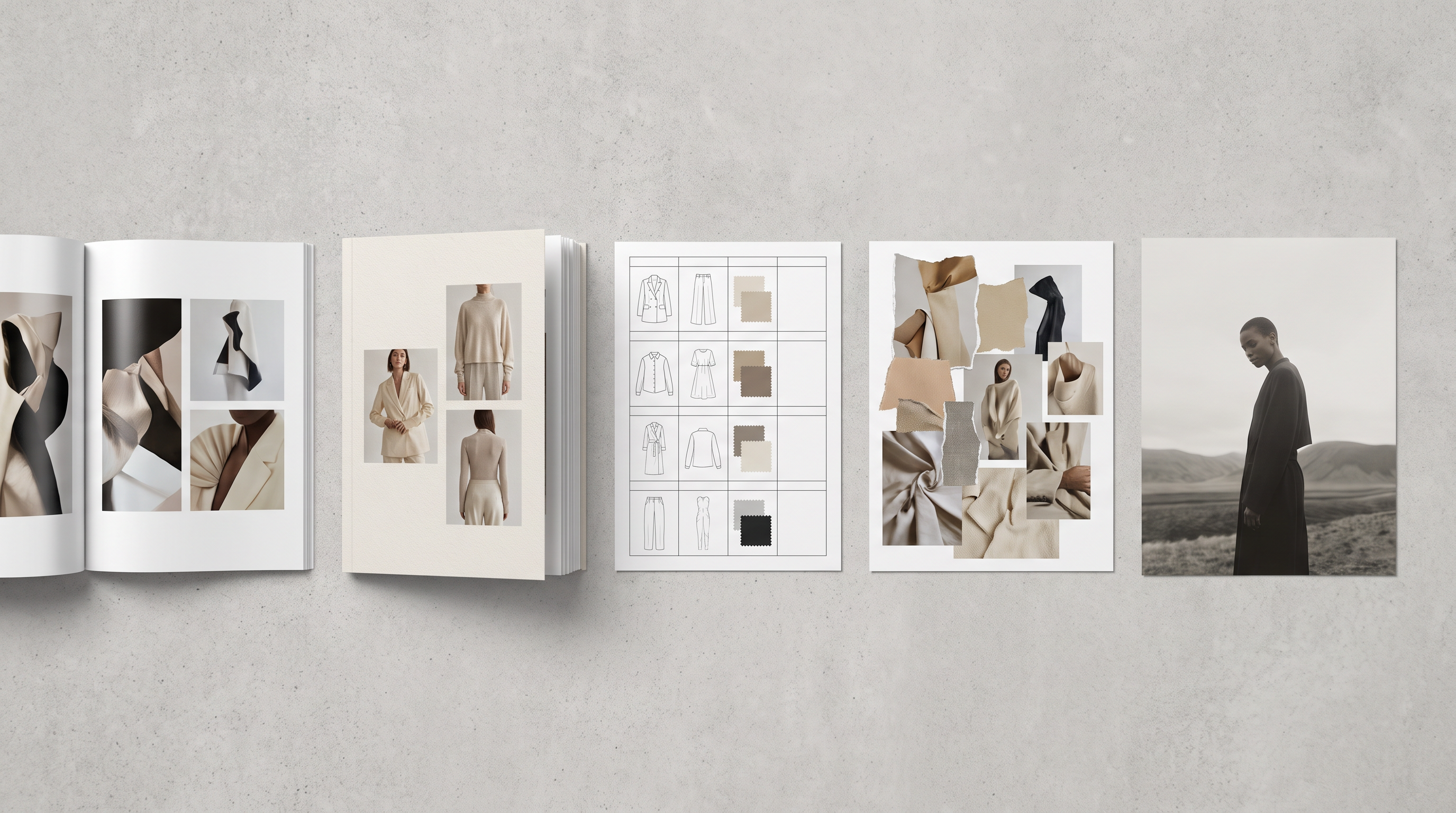 A lookbook spread beside a wholesale line sheet, showing how the two documents divide the work
The line sheet is the one brands confuse most
A line sheet is the plain ordering document a wholesale buyer uses to place an order. JOOR describes it as the tool that gives buyers sizing, colors and fabrics. Makers Row lists what it needs: a product photo, style number, description, sizes and colors, wholesale price, MSRP, minimum order quantity, delivery date and contact details.
The working rule among wholesale teams: the lookbook gets the meeting, the line sheet gets the order. The lookbook sets the mood and the line sheet closes the deal, which is how Dynamic Mockups frames the sequence. Keep them separate. A buyer should never hunt through mood photography to find a wholesale price.
Lookbook vs mood board
A mood board comes first and a lookbook comes after. The mood board is abstract and can hold a fabric swatch, a color reference or an unrelated photograph that carries a feeling. Every image in a lookbook has to be a finished, styled look of a real garment. Skip the mood board and the lookbook needs more revisions, because nobody agreed on the direction before the shoot. Our guide to building a fashion mood board with AI covers that step.
Lookbook vs campaign
A campaign is paid media. It runs a handful of images, or a film, across ads, billboards and homepages, and it leaves out most of the collection. A lookbook is the longer, quieter companion: it shows the whole range of looks for people who already want to see more. One shoot day often feeds both, with campaign frames pulled from the lookbook edit.
Who a lookbook is for
One lookbook cannot serve everyone, so decide who the primary reader is before you plan a single look. Five audiences use lookbooks, and each reads them differently.
1. Wholesale buyers
They scan for range and commercial fit. Can they picture these pieces in their stores next to what they already stock? Show the full silhouette on each look, keep backgrounds simple, and make sure the hero pieces they will order are clearly visible. Pair the lookbook with a line sheet.
2. Press and stylists
Editors and stylists scan for angle and exclusivity. They look for a strong point of view, credits (photographer, stylist, model) and images they can borrow for a shoot or a feature. Send high-resolution files, with look numbers that match your sample numbers so they can request pieces fast.
3. Customers
A shopper uses a lookbook for styling ideas: what goes with what, what to wear to an occasion. This reader needs real outfits, size and fit information for the model, and links to buy each piece. For this audience the lookbook is a sales page in disguise.
4. Collaborators and retail partners
Department stores, marketplaces and brand partners use your lookbook to decide whether your visual world fits theirs. They look for consistency across seasons.
5. Your own team
Merchandisers, social teams and regional marketers use the lookbook as the visual source of truth for the season. Store displays, emails, ads and social posts all borrow from it. A weak lookbook produces inconsistent downstream content.
How to pick a primary reader
Fill in this sentence: "This lookbook exists so that [reader] will [action] after seeing [number] looks." For example: "so that department store buyers will book a showroom appointment after seeing 28 looks." If you cannot finish the sentence, the lookbook has no job yet.
Brands that need more than one audience make a core lookbook and cut variants from it: a trimmed 12-look version for press, a version with prices for wholesale, a shoppable version for the website. The shoot happens once. The edit changes.
The six types of lookbook
The type you pick decides the length, the team and the channel. Choose by reader first, then by budget.
| Type | Primary reader | Typical length | Where it lives | Shot by |
|---|---|---|---|---|
| Seasonal collection lookbook | Buyers, press | 20 to 40 looks | PDF, showroom, press email | Photographer, stylist, models |
| Wholesale lookbook | Retail buyers | 20 to 50 looks, plus a line sheet | Wholesale platform, email | Same shoot as seasonal, edited for range |
| Shoppable e-commerce lookbook | Customers | 8 to 20 looks | Website page | Studio team or in-house |
| Editorial story lookbook | Customers, press | 6 to 12 images with a narrative | Website, social, magazine pitch | Art-directed shoot on location |
| Capsule or styling-guide lookbook | Customers | 5 to 10 outfits from one core piece set | Email, social, store | In-house |
| Campaign lookbook | Customers, press | 1 film plus 6 to 12 stills | Ads, homepage, social | Production house |
Lengths are working ranges from common practice, not rules. Fit the length to the reader's patience and your number of strong looks.
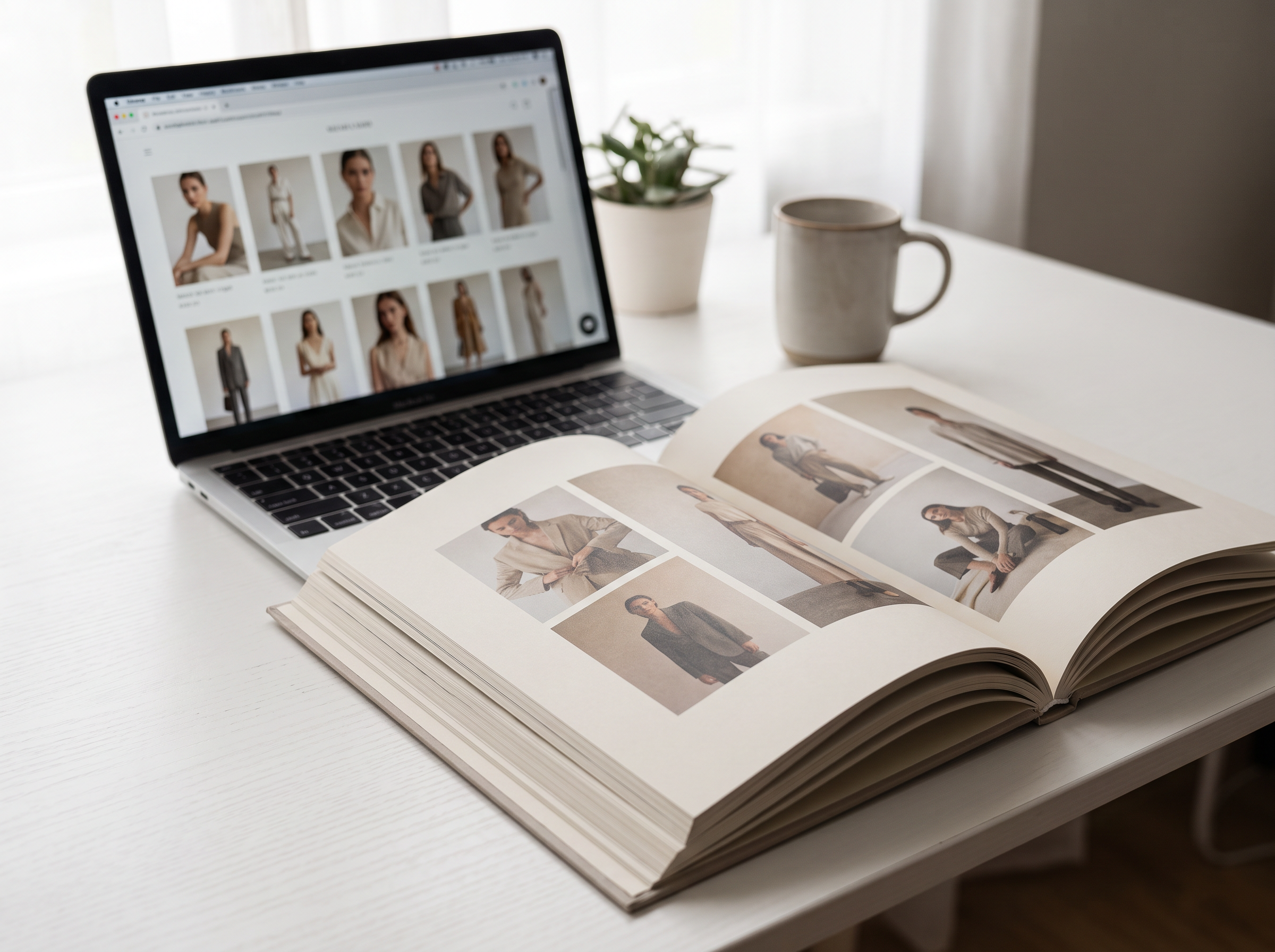 A shoppable e-commerce lookbook grid on a laptop beside a printed editorial spread
1. Seasonal collection lookbook
The classic. It shows the whole season, usually grouped into themes, and goes to buyers and press once the collection is final. Build it around your strongest 20 to 40 outfits. Cut any look that duplicates another. If two looks tell the same story, one goes.
2. Wholesale lookbook
A seasonal lookbook edited for buyers. It puts commercial pieces up front, groups looks by delivery window or category, and carries style numbers on every page so buyers can match a look to a line sheet entry. It leaves out props and framing that hide the garment's shape.
3. Shoppable e-commerce lookbook
A web page where each look links to the products in it. The reader can click a jacket and land on its product page. Keep it scannable: a uniform grid or one clean scroll, fast load, and a mobile layout that works with a thumb. Econsultancy's review of ecommerce lookbooks singles out simple scrolling grids over paginated click-throughs, because slow page loads and extra clicks lose readers.
4. Editorial story lookbook
This one reads like a short magazine feature. Fewer looks, stronger setting, a narrative thread such as a place, a season or a character. It sells brand world before products and suits brands with a story to tell. It also takes the most art direction, which makes it the best candidate for AI-assisted scene work (more on that below).
5. Capsule or styling-guide lookbook
One small group of core pieces, styled into many outfits. A shopper learns that six items make ten outfits. It drives multi-item baskets and costs little, because the same garments repeat across looks. Email and social are its natural homes.
6. Campaign lookbook
A lookbook built on top of a paid campaign: a hero film or a small set of stills, extended with supporting looks. It is the most expensive type and the one most brands reserve for one or two launches per year.
Anatomy of a lookbook, page by page
The strongest lookbooks follow a rhythm: a mood-setting opening, a body that shows the range of the collection, and a brand-reinforcing close. Use this structure for a 32-look seasonal lookbook and scale it down or up.
- Cover. One hero image, the collection name and the season. No logo clutter. The cover decides whether the reader opens the file.
- Concept page. One sentence naming the idea ("Quiet coastal tailoring"), a short color story of five to eight colors, and a single supporting image. Name the colors with codes, not words. "Olive" means different things to different people. A Pantone reference stays the same from lookbook to factory.
- Opening looks (3 to 5). Your most distinctive outfits, shot wide, to set the world. These are the looks you would put in a window.
- The body (15 to 25 looks). Group by story, color or occasion, not by garment type. Alternate full-length shots with half-length crops and the occasional detail, so the eye keeps moving. Put one look per page for hero pieces, two per page for supporting looks.
- Detail pages (2 to 4). Close crops of fabric, stitching, hardware and print. Buyers and press want to see construction. Customers want to see texture.
- Product index. A final page with a thumbnail of every look, its look number and its style numbers. This is the page buyers use to order and editors use to request samples.
- Contact and credits. Sales and press contacts, showroom address, order deadlines, and credits for photographer, stylist, hair and makeup, models.
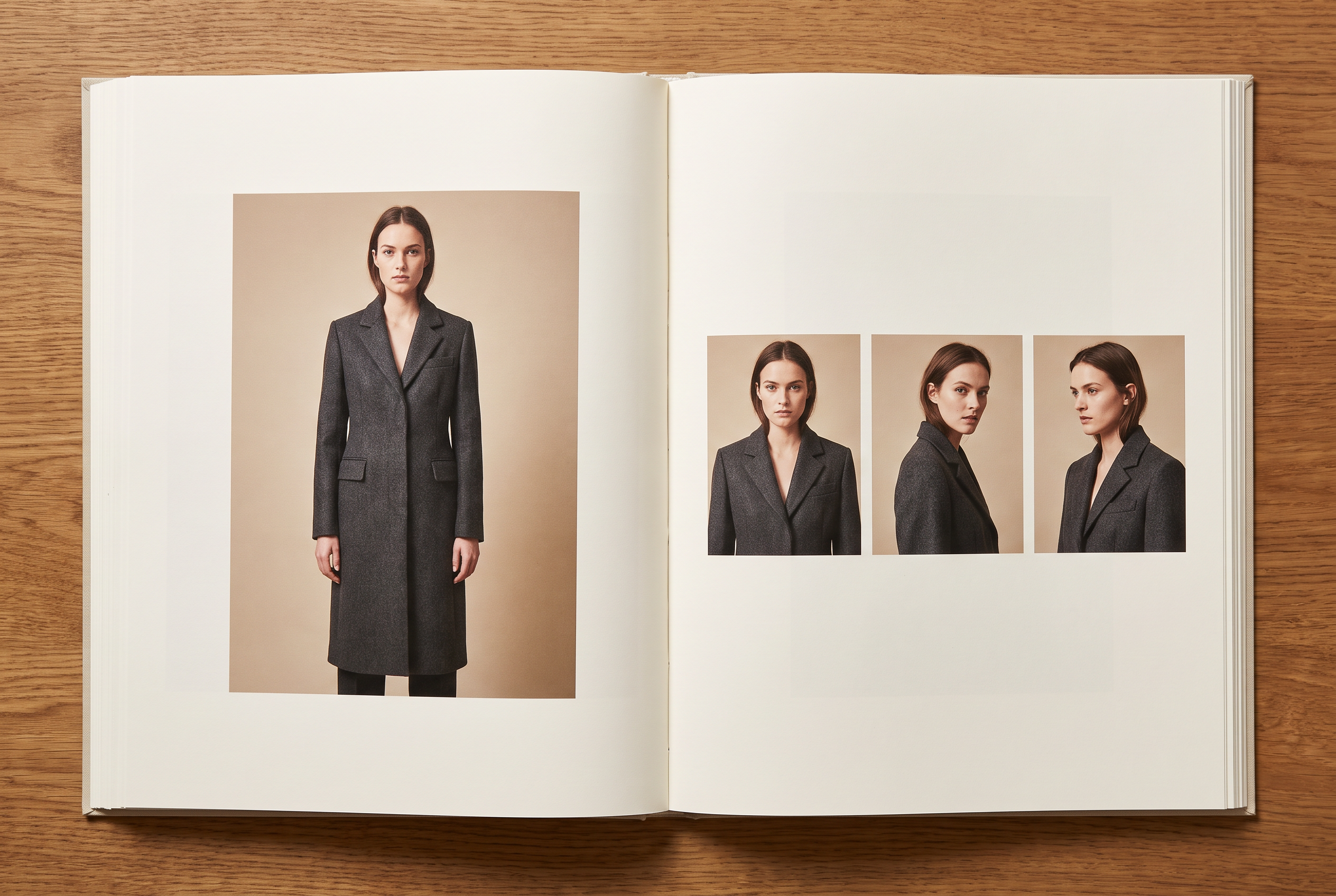 An open lookbook spread with one full-length look on the left page and three half-length crops on the right
The five rules of pacing
- Change scale every two or three pages. Wide, medium, close, then wide again. Five full-length shots in a row flatten the story.
- Keep one constant. Same light, same color grade, same model casting logic. Variety lives in the outfits, not in the visual language.
- Lead with your best look, end with your second best. People remember the first and last images of anything they read.
- One idea per page. A page that shows two different moods asks the reader to choose, and readers skip.
- Cut 20 percent after the first edit. Every first edit is too long. Drop the looks you like but do not need.
Captions
Use short ones: look number, key piece name and one detail such as the fabric. "Look 14. Wide-leg trouser in organic cotton twill." Skip adjectives. The photograph does the persuading, and the caption does the filing.
Lookbook examples and what to steal from each
The examples below come from published reviews of real lookbooks. For each one, the useful question is what the brand decided, and what that decision costs or earns.
| Brand | What it does | What to steal |
|---|---|---|
| adidas | Leads with full-bleed imagery and clean layouts inside its "Shop Your Style" page | Let the clothes carry the page. Cut the headline copy and fill the screen with the outfit |
| Botter AW24 | Turns a standard gallery into an immersive, high-fashion experience tied to the label's world | Build the lookbook as a place, not a grid, when the brand has a strong visual identity |
| Cuyana | Shows products in context, in real outfits | Style pieces with each other. Customers buy the second item because the first one showed them how |
| Paul Fredrick | Fills the page with large, high-quality images on click-through | Fewer, bigger images beat many small ones, especially on desktop |
| Uniqlo | Sets looks in a uniform grid that scrolls down the page | Remove clicks. A single scroll loads faster and keeps people moving |
| Brandy Melville | Delivers a lookbook that works as well on a phone as on a laptop | Design for the thumb first. Then check it on a laptop |
| Net-A-Porter | Runs an online magazine alongside the store | Add editorial depth to feed search and time on site, as long as each story links to products |
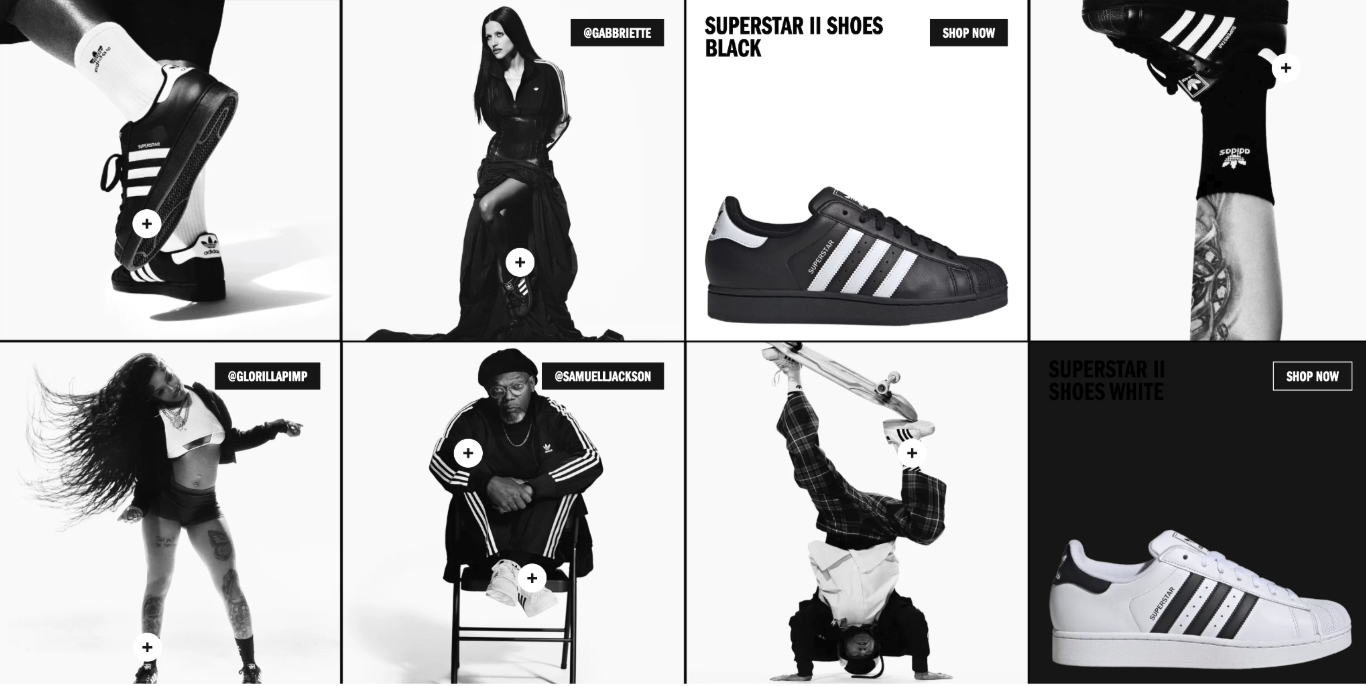 A uniform product grid on a fashion retail site, the layout pattern most shoppable lookbooks borrow
Three patterns the best lookbooks share
- They commit to one setting per story. A lookbook shot in one location or one studio set reads as a collection. One shot in five locations reads as a mood board.
- They show the garment's shape. Hero pieces appear at least once in a plain, full-length view, with the pose open enough that a buyer can read the silhouette. Dramatic cropping belongs in the second image of the same look.
- They connect the image to the product. Every look carries a number or a link. A beautiful image that cannot be traced to a product page loses the sale.
What most lookbooks get wrong
Three failures to avoid in your own document. The first is too many looks: a 60-page lookbook tells a buyer the brand cannot edit itself, and the pieces that would have sold get buried under the ones that will not. The second is too many poses per outfit: three angles of one look is a gallery, not a lookbook, and it spends space that a second look should have had. The third is a cover treated like any other page, which wastes the only image every reader is guaranteed to see.
When you review, ask the question a buyer asks: "Which three looks would I order, and did the document make that easy?"
How a traditional lookbook gets made: team, timeline, cost
Know the real process before you replace any of it. Every step below is a place where time or money leaks, and where AI changes the math.
The team
- Creative director or brand lead. Owns the concept and signs off.
- Stylist. Builds the outfits from your samples. Styling is where a lookbook wins or loses.
- Photographer and, usually, an assistant.
- Models. Cast for the target customer and for the garment sizes in your sample run.
- Hair and makeup.
- Producer or coordinator. Handles location, permits, call sheets, schedules.
- Retoucher. Cleans skin, fabric, and background, and matches color across the set.
The timeline
These durations are planning assumptions from common practice, not measured data. Adjust to your sample readiness.
| Step | What happens | Planning assumption |
|---|---|---|
| Concept and mood board | Direction, color story, references | 1 to 2 weeks |
| Sample readiness | Final samples in the right sizes, pressed and fitted | Runs in parallel, the usual bottleneck |
| Casting and booking | Models, photographer, studio or location | 1 to 2 weeks |
| Styling prep | Look list, accessories, shoe and bag sourcing | 1 week |
| Shoot | One to three days | 1 to 3 days |
| Selection and edit | Pick and sequence the final looks | 2 to 4 days |
| Retouching and layout | Color match, cleanup, layout | 1 to 2 weeks |
The step that surprises first-timers is sample readiness. If one hero piece arrives late or in the wrong size, the whole shoot slips. This is the strongest argument for AI-assisted lookbooks. Garments need a clean photo, not a finished sample on a hanger.
The cost
Published day rates vary by city and experience. Our e-commerce photography guide lists a photographer day rate of $1,000 to $3,500, styling of $250 to $600, model fees of $400 to $800 per model, and studio or location hire of $300 to $800. Here is an illustrative budget built from those ranges for a 30-look lookbook.
Assumptions: 2 shoot days, 3 models, one stylist, one studio, 30 retouched images. Styling and model rates apply per day. Hair and makeup, producer fees, sample shipping and usage buyouts are not priced here.
| Line | Low | High |
|---|---|---|
| Photographer, 2 days | $2,000 | $7,000 |
| Stylist, 2 days | $500 | $1,200 |
| Models, 3 models × 2 days | $2,400 | $4,800 |
| Studio, 2 days | $600 | $1,600 |
| Retouching, 30 images | $750 | $1,500 |
| Total of priced lines | $6,250 | $16,100 |
| Per look (30 looks) | $208 | $537 |
That figure is a floor. Add hair and makeup, a producer, travel and any location fees, and a brand with a high-profile model or photographer pays far more. Squareshot puts a full model shoot day at $2,000 to $15,000 depending on scope.
For a brand that ships a lookbook every season, with a spring-summer and an autumn-winter collection plus capsules and resort, those costs repeat with every collection and every capsule.
How to make a lookbook with AI, step by step
AI changes three things in a lookbook shoot: it removes the sample bottleneck, it removes the booking calendar, and it makes a reshoot as cheap as a regeneration. It does not change what makes a lookbook good. Direction, edit and restraint still decide the result. This section covers the workflow in ImagineArt Fashion Studio. For a longer walkthrough with layout templates, see our guide to creating a fashion lookbook with AI.
When AI fits, and when to book a real shoot
| Use AI when | Book a real shoot when |
|---|---|
| You need an editorial lookbook but have no budget for locations | A hero campaign depends on a named model or photographer |
| Samples are late, missing or still in development | The collection depends on fabric movement, sheer layers or draping that must be exact |
| You need regional versions with different models and settings | Your contracts or brand rules require real talent in every image |
| You want to test three directions before committing to one | The lookbook is the brand's biggest asset of the year and a shoot is in budget |
| You need a capsule or e-commerce lookbook fast | A buyer expects to see the garment in motion on a real person |
Most brands end up in the middle: shoot the hero looks for real, then extend the shoot with new poses, angles and locations in AI after it wraps. That hybrid keeps the real garment and real talent where they matter and removes the cost of every extra look.
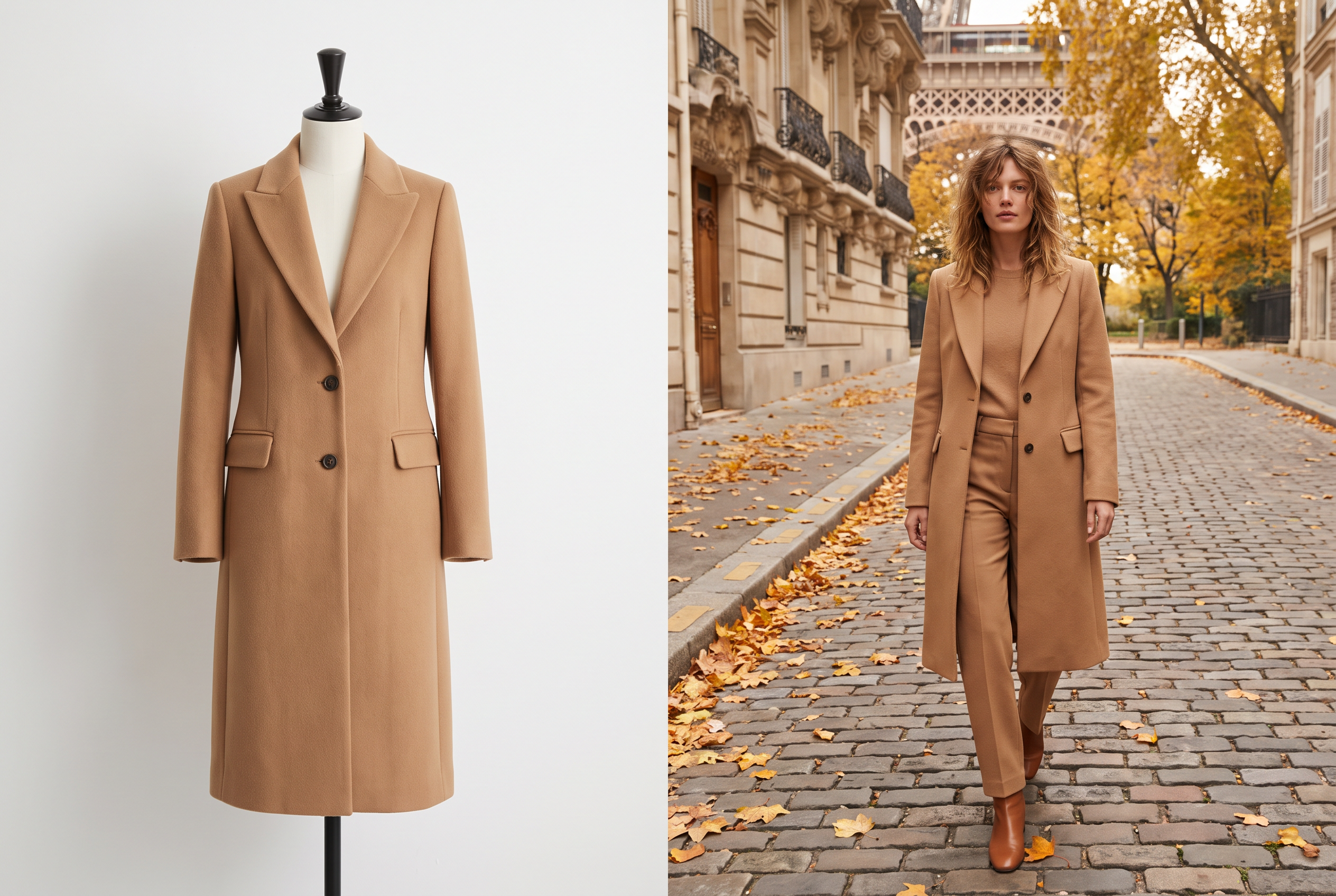 A garment photographed on a plain mannequin beside the same garment on a model in an editorial setting
Before you start: four inputs
- A one-line concept. "Coastal tailoring, late summer, soft light." Every generation will refer back to it.
- A look list. Write each outfit as a row: top, bottom, layer, shoes, accessories. Twenty-four looks is a strong first lookbook.
- Clean garment images. Flat lays or mannequin shots on a plain background, in focus, with the whole garment visible and the fabric texture readable. Better inputs produce better outfits.
- A model decision. Choose one model for the whole lookbook before generating anything. Changing the model between looks breaks the spell.
The workflow
- Open Fashion Studio and start a new project. Choose Editorial, not Catalog. Editorial is built for art-directed imagery with mood, lighting and styling control. Catalog produces the consistent, commerce-ready shots that product pages need.
- Pick Image mode for lookbook stills. Switch to video later for motion tiles.
- Choose your model once. Pick a preset from the library, upload your own, or create one from a prompt. Save the model. You will reuse it for every look.
- Dress the look. Select garments from the built-in categories or upload your own with its fabric detail. Add footwear and accessories from presets or your own uploads.
- Set the scene. Choose an editorial backdrop or upload your own. Use one setting per story. A coastal lookbook gets a coastal setting in every image.
- Direct the pose. Select a pose, upload a reference image, or describe one. Vary pose across looks, and keep it open enough to show the garment's shape.
- Generate, review, repeat. Run the first look, check it against the garment photo, then repeat steps 4 to 6 for each remaining look with the same model selected. The Lookbook tool in the Fashion Studio dashboard also generates every outfit and pose in one run when you want a full set quickly.
Video: How to Make a Luxury Campaign with AI Fashion Studio, by AI Filmmaking Academy. A campaign build rather than a lookbook build, but the studio workflow is the same one described above.
Quality control: the six-point check
Check every generated look at 100 percent zoom against the source garment before it goes in the lookbook.
- Construction. Count buttons, pockets, seams and straps. The garment should have what the real one has.
- Print and logo placement. Check scale and position against the flat.
- Color. Compare against your swatch or Pantone code under the same screen settings.
- Hands, ears and jewelry. The details that look wrong most often.
- Hems and proportions. Sleeve length, trouser break, jacket length.
- Light and shadow. Each look should match the others in direction and softness.
Be realistic about the first output. Close-up product detail and consistent lighting hold up best. Complex fabric movement and very specific styling take a couple of rounds before they are ready to publish, as the GPT for Fashion page says plainly. Treat the first render as a strong draft. Three rounds on a hard look still cost less time than waiting on a shoot date.
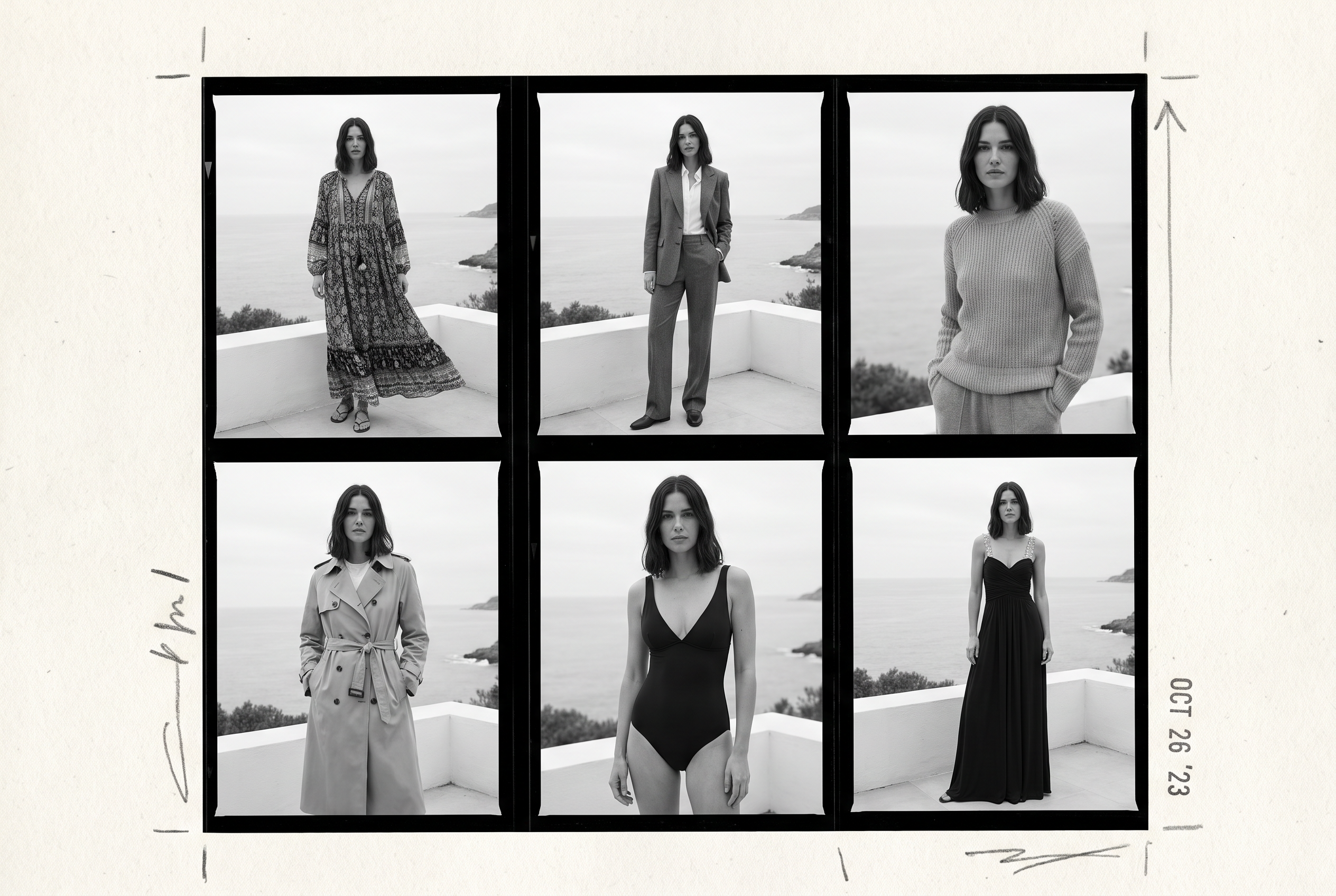 Six looks of the same model in one setting, shown as a contact sheet
Keep it consistent
- One model, one setting per story. The two fastest ways to ruin a lookbook are switching faces and switching rooms.
- One grade. Apply the same color treatment to the whole set in your layout tool, not look by look.
- One camera logic. Decide full-length, half-length and detail ratios up front and keep them across looks.
Assemble it
Export the finals and build the layout in the tool your team already uses, such as Canva, InDesign or Figma. Follow the page structure above, add look numbers, and finish with the product index and contact page. For a shoppable web version, link each look to its product pages.
Where AI still falls short
- Sheer, draped and fast-moving fabrics need more rounds than structured ones, and some will not match the real garment.
- Garments that have never been photographed cleanly. Weak input produces a weak look.
- Real-talent promises. If a lookbook is sold on a named model, use that model.
- Brand identity from nothing. AI executes direction. It does not supply one.
Layout, format and file specs
Decide where the lookbook will be read, then build to that surface. These are production recommendations, not industry standards.
| Surface | Format | Image size | File notes |
|---|---|---|---|
| Buyer and press email | PDF, landscape, A4 or US Letter | 2000 px on the long edge, JPEG | Keep under 25 MB so it passes common email attachment limits. Share a download link for the full-resolution set |
| Print showroom book | PDF, landscape, 300 dpi at print size | Match the trim size, add 3 mm bleed | Convert to CMYK and proof the colors on paper before the full run |
| Website lookbook | Scrolling page or grid | 2400 px wide for full-bleed, 1200 px for grid tiles, WebP or AVIF | Lazy-load below the fold. Link each look to its products |
| Instagram carousel | 4:5 portrait | 1080 × 1350 px | One look per slide, cover first |
| Email campaign | Single column | 1200 px wide, JPEG, under 200 KB per image | Link every image. Use alt text for blocked-image clients |
Four layout choices that change how it reads
- Landscape for print and PDF, portrait for mobile. A landscape spread shows two pages at once on a desktop. A portrait stack fits a phone. Build both from the same selects.
- Margins of at least 5 percent. Full-bleed works for the cover and hero looks. Give supporting looks air.
- Two typefaces at most. One for titles, one for captions. The clothes are the main event.
- Look at the numbers on every image. Place them in a consistent corner, small and in a neutral color. Buyers and editors reference looks by number.
Accessibility and speed on the web
Write alt text for every image: describe the outfit and the setting in a sentence. It serves screen-reader users, and it gives search engines the words they need to understand a page that is mostly pictures. Compress every file. A lookbook page that takes five seconds to load loses the reader before the first look appears.
Seven mistakes that weaken a lookbook
- No named reader. A lookbook for "everyone" persuades no one. Fix: finish the sentence from earlier ("so that [reader] will [action] after seeing [number] looks") before you book anything.
- Too many looks. Forty weak looks bury ten strong ones. Fix: cut every look that repeats another's story. Cut again after the first review.
- The wrong model for the customer. A lookbook that does not match who buys the clothes tells buyers the brand does not know its customer. Fix: cast for the real customer, and show the size range you sell.
- Settings that fight each other. A studio, a beach, a street and a rooftop in one document read as four brands. Fix: one setting per story, with changes made on purpose.
- No path from image to product. Beautiful looks with no look number, no style number and no link send readers away. Fix: caption every look and finish with a product index.
- Color that drifts. Skin tones and garment colors shift between shots when light and retouching vary. Fix: grade the set in one pass and check key colors against swatches.
- Skipping the mood board. Teams that start with the shoot discover disagreements on set. Fix: agree the concept, color story and silhouettes on a board first. Our moodboard generation guide shows how.
AI adds one more of its own: publishing the first render without checking it. Run the six-point check from the workflow section on every look.
Disclosure and rights when AI is in the lookbook
Lookbooks reach buyers, press and customers who care how images were made. Set your rules before you publish, not after a comment thread forms.
Label AI imagery. When H&M introduced AI twins of 30 real models, it put watermarks on the first images so shoppers could see they were AI-generated, and the models kept control over how their digital replicas were used. That is the standard to match: say so on the image, in the caption or in the credits.
Use real likenesses only with written consent. If an AI model resembles a real person, or is built from a real person's photos, the person needs a contract that covers AI derivatives, compensation and the right to withdraw. Without that, generate a fully synthetic model.
Expect scrutiny. Guess ran an AI-generated model in Vogue's print edition, and Guess and Vogue were both called out publicly, even though Vogue noted the ad was a paid placement. The lesson is not to avoid AI. It is to expect questions about how the images were made, and to write the answer before you publish: who made them, with which tool, and which real people consented.
Check the rules where you sell. Advertising and disclosure requirements differ by country, platform and channel, and they are changing. Have your legal team review the final wording for each market, and read the usage terms of the tool you generate with. In Fashion Studio, commercial usage is covered in our terms.
Keep source files. Store the prompts, settings and garment inputs for every look. If a buyer or editor asks how an image was made, you answer in one email.
Pre-publish checklist
- You can finish this sentence: "This lookbook exists so that [reader] will [action] after seeing [number] looks."
- The concept fits in one line and the color story has codes, not names
- Every look has a number, and every number maps to a product index entry
- The cover is the strongest image in the set
- Scale changes every two or three pages
- One model logic, one setting per story, one color grade
- Hero garments appear in at least one clear full-length view
- Every AI image passed the six-point check against its source garment
- AI imagery is labeled, and any real likeness has written consent
- File sizes fit the channel, and every web image has alt text
- Contact page lists sales, press, showroom and order deadlines
- A line sheet is ready for any buyer who asks for prices
FAQ
What is a lookbook in fashion?
A lookbook is a curated set of styled photographs that shows how a clothing collection looks when worn. Brands use it to present a season to buyers, press and customers, as a PDF, a printed book or a web page.
What is the difference between a lookbook and a catalog?
A lookbook is selective and tells a story. A catalog lists everything a brand sells with specs and prices. The lookbook builds desire, and the catalog supports the purchase.
What is the difference between a lookbook and a line sheet?
A lookbook sells the mood and a line sheet takes the order. A line sheet lists style numbers, wholesale prices, MSRP, sizes, colors and minimums. Send the lookbook first, then the line sheet when a buyer shows interest.
How many looks should a lookbook have?
A seasonal lookbook usually carries 20 to 40 looks. A shoppable web lookbook works with 8 to 20, and a capsule lookbook with 5 to 10 outfits. Use the number of strong looks you have, not a target.
Do you need a lookbook to sell wholesale?
Yes, in practice. Buyers expect to see your collection styled before they read a line sheet. Without one, you start the conversation with a spreadsheet.
How do you make a lookbook for free?
Shoot looks with a phone in good natural light, edit them to one color grade, and lay them out in a free design tool. For a polished result without a shoot, build the looks in an AI fashion tool and assemble the layout the same way.
Can you make a lookbook with AI?
Yes. In ImagineArt Fashion Studio you start an Editorial project, pick one model, dress each look with your garments, set the scene and generate. Check every image against the source garment, label it as AI, and then lay it out. The first render of a complex look usually needs a few rounds.
How often should a brand make a lookbook?
Once per season at minimum, and a smaller one for each capsule or drop. Brands that sell wholesale also need the lookbook ready before buyers' appointment windows open.
Kamran Arshad
Kamran Arshad is a full-stack marketer and growth strategist for Gen AI and B2B SaaS companies.