

Kamran Arshad
November 2, 2026 • Updated November 3, 2026
11 mins Read
Cast one model, save it, and reuse it for every garment, setting and season. Then check each batch against a short scorecard.
Skip either step and AI gives you forty slightly different people instead of one model wearing forty garments. Shoppers notice, even when they cannot say why.
This guide shows you how to do it in five parts: what "the same model" means, how to lock one in, how to check your results, how to keep it consistent across catalog, lookbook, editorial and video, and how to carry it from one season to the next.
Want to try it as you read?
Open ImagineArt Fashion Studio, pick a model, and shoot your first three garments with the same face.
What "the same model" actually means
A consistent AI model is five things staying put, not one. Most teams check only the face. Shoppers read all five.
| What must stay the same | What drifts | How a shopper notices |
|---|---|---|
| Face | Eye shape, nose, jaw, brow, freckles and marks | "Is this the same person?" |
| Body and proportions | Height, shoulder width, waist, leg length | The same size looks different from one product to the next |
| Skin tone and age | Tone shifts with light. The model looks younger or older | The range looks like a mix of unrelated people |
| Hair and styling | Length, parting, texture, makeup, jewelry | The look changes with no reason |
| Light and grade | Color temperature, contrast, backdrop tone | The page looks stitched together from different shoots |
Fix identity first, then lock the treatment. A perfect face under five different lighting setups still looks like five shoots.
Why AI models drift
A tool that generates each image fresh has no memory of the last one. A written description such as "a woman in her thirties with a dark bob" fits thousands of faces. Every new pose, crop or light gives the tool a new chance to pick a different one.
Drift gets worse as you change more at once. Same pose, same light and a new top: small drift. New pose, new light, new setting and a new garment together: large drift. A real collection changes all of those, so the fix cannot be a better prompt. The fix is a saved identity that every shot starts from.
Four ways to keep a model consistent
Use a saved model, not a repeated description. The four common approaches, from weakest to strongest:
| Approach | How it works | Good for | Weakness |
|---|---|---|---|
| Re-describe in every prompt | You write the same model description each time | One-off tests | Different faces from the same words |
| Attach a reference photo each time | You upload the same face with each request | Small batches | Drifts at new angles and light. Hard to share across a team |
| Use a saved model in the studio | You pick a model once and reuse it for every shoot | Whole collections and teams | You still need to check each batch |
| Train a custom model from reference photos | You teach the system a specific face from several photos | A signature brand face | Needs consent if the photos show a real person. Takes more setup |
For most clothing brands, the third approach is the right default. In Fashion Studio you pick a model from the library, upload your own, or create one from a description, then save it so the same face appears on every garment, in every setting.
How to cast and lock your model, step by step
Allow one afternoon. The time you spend here saves hours of fixing drift later.
-
Write a one-line casting brief.
Who is your customer? Note age range, size, skin tone and the feel you want, for example "relaxed, thirty-something, size M, warm skin tone". The brief stops you choosing on mood alone.
-
Pick or create the model.
Browse the library for a close match, or create one from your brief. Look at the face in close-up first. Skin, hair and hands tell you whether the model will hold up.
-
Run a stress test.
Put the model in your three hardest garments: a dark piece, a bold print and a layered look. Use three different settings. If the face holds across those, it will hold across easy garments.
-
Score the test.
Use the scorecard below. Do not save a model that fails on skin tone or proportions. Pick again.
-
Save and name the model.
Use a clear pattern, such as Brand-Name-Size-v1. The version number matters when you update the model later.
-
Share it with the team.
Everyone on the team should shoot from the saved model, not from their own copy or description.
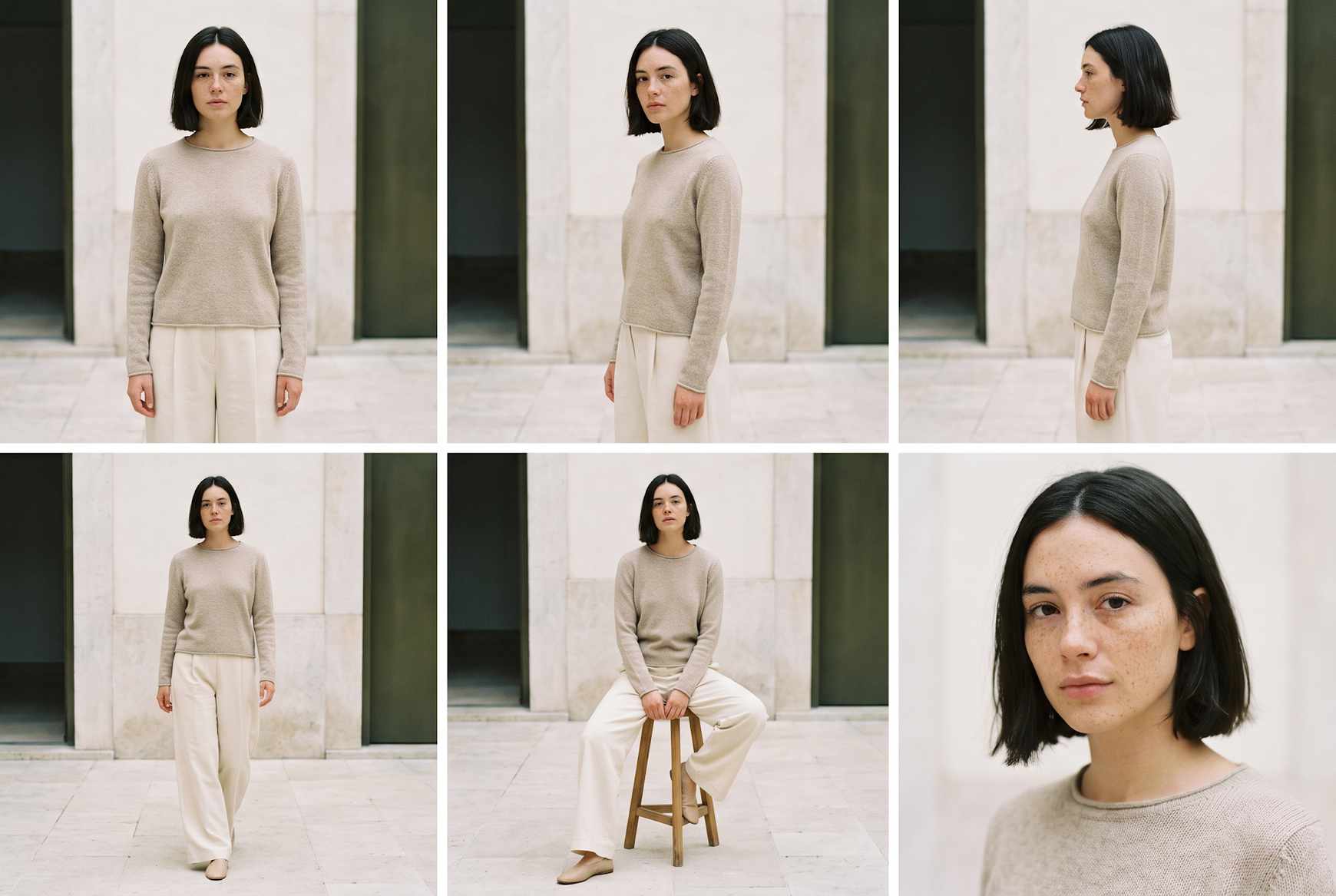 A character sheet of the same model in six frames: front, three-quarter, side, walking, seated and close-up.
The consistency scorecard
Check every batch against eight points before you publish. Pull four images at random from the batch, put them side by side, and score each point pass or fail.
| Check | Pass looks like | Fail looks like |
|---|---|---|
| Face match | You would say it is the same person without being told | Different eyes, nose or jaw from image to image |
| Proportions | Height, shoulders and waist read the same in every shot | Longer legs in one image, wider shoulders in another |
| Skin tone | The same tone across lighting setups | Warmer or paler from image to image |
| Age | The same apparent age | The model looks younger in one shot and older in another |
| Hair and makeup | Same length, parting, texture and finish | Length or color shifts |
| Expression range | Natural expressions that feel like one person | A different smile in every frame |
| Hands and accessories | Five natural fingers, consistent jewelry | Extra fingers, vanishing rings or necklaces |
| Light and grade | One look across the set | Some images cool, some warm, some flat |
Treat any fail on face, proportions or skin tone as a stop. Regenerate those images before they reach the product page. Fails on hair, accessories or grade you can usually fix with a re-run or a small edit.
One model across catalog, lookbook, editorial and video
Shoppers should recognize your model whether they meet them on a product page, in a lookbook, in an ad or in a clip. Each format changes something. Keep the identity fixed.
| Format | What changes | What must not change |
|---|---|---|
| Catalog | Garment and pose. Backdrop stays plain | Face, proportions, skin tone |
| Lookbook | Looks, locations and styling across pages | Face and build on every page |
| Editorial | Scene, light and mood | Face, hair and the feel of the person |
| Video | Motion, camera and expression | Face from the first frame to the last |
For lookbooks, the model is the thread that holds a collection together. Our guide to lookbooks covers structure and page flow. For video, start from an approved still and check the first and last frames of each clip. Faces drift most at the end of a movement.
One model, three shoots. In Fashion Studio, the same saved model delivers the catalog image, the lookbook and the editorial, and catalog and editorial can move into video. Book a demo to see it on your garments.
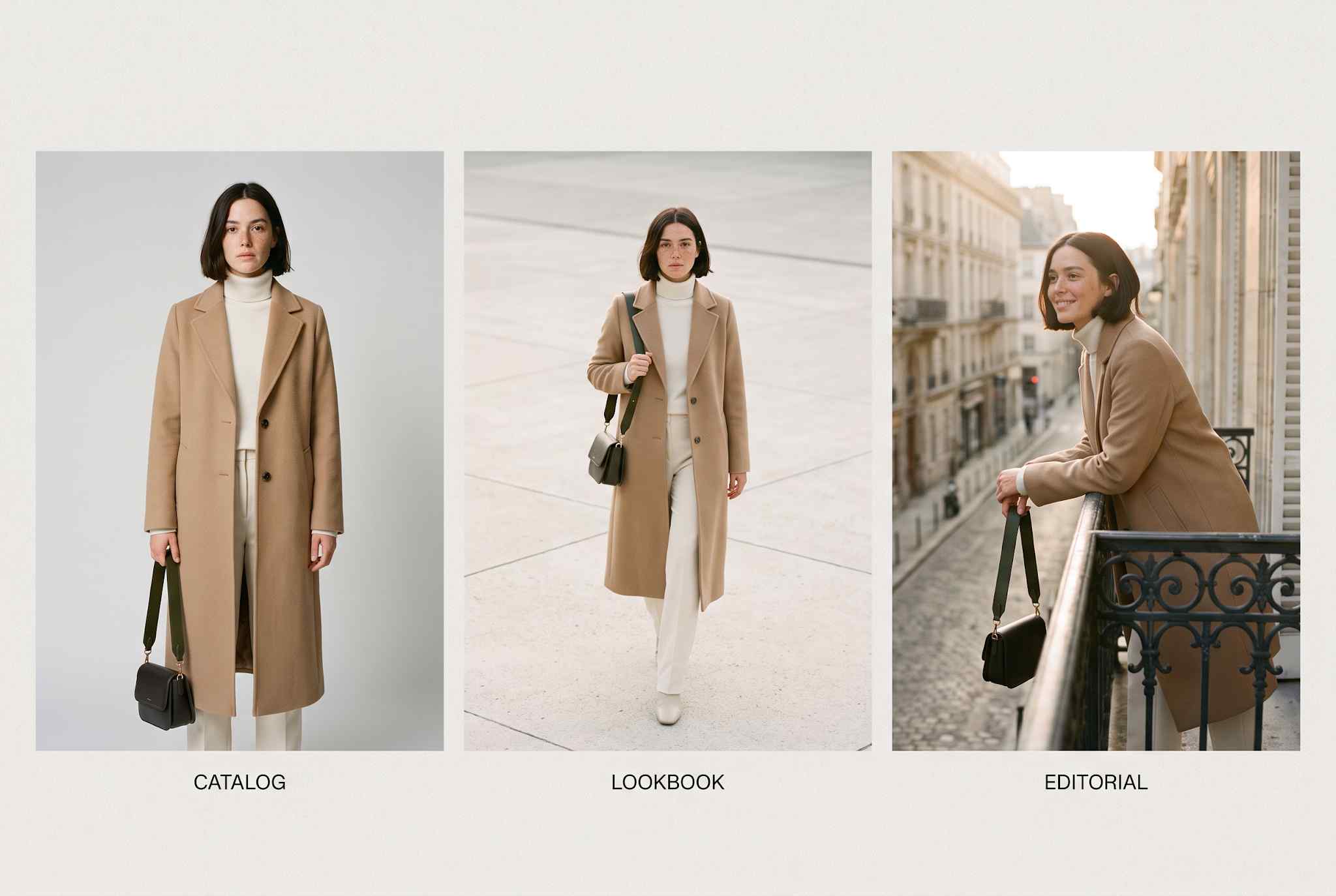 The same model in the same coat, shown three ways: catalog, lookbook and editorial.
Keeping the model consistent across seasons and markets
Treat your AI fashion model as a brand asset with a version history. A model who looks the same in spring and autumn builds recognition. A model who changes without a plan breaks it.
- Version the model: Keep v1 as it was. If you update hair or styling for a new season, save a new version and note what changed.
- Change styling, not the face: New hair, new wardrobe and new settings keep the identity. A new face is a new model.
- Add models on purpose: Introduce a second or third model for a new size range, market or customer group, not by accident.
- Keep a model sheet: One page that anyone on the team can open before they shoot.
Here is a template for the model sheet:
MODEL SHEET: [Brand] / [Model Name] / v[1]
| Field | Configuration Rules & Constraints |
|---|---|
| Casting Brief | [One line: customer, age range, size, skin tone, feel] |
| Channels | [Catalog, lookbook, editorial, ads, video] |
| Fixed (Locked) | [Face, build, skin tone, hair length and parting, jewelry rules] |
| Variable (Can Change) | [Styling, wardrobe, setting, expression] |
| Do Not | [e.g., Change hair color, add facial hair, age the model] |
| Environments | [Names of saved settings / backdrops and light] |
| Sign-Off | Approved by [Name] on [Date] |
| History | v1: [Date] v2: [Date - what changed] |
One model or a cast?
One model is not always the right answer. The question is where consistency pays and where range pays.
- Within a product range, use one model. The same person in every top in a range lets shoppers compare garments.
- Across sizes, use a matched set. To show a garment on XS to 4XL, keep styling, light and pose constant and change only the body. Read more about size range on the Fashion Studio page.
- Across markets, use a different model per storefront. A shopper in each market should see someone who looks like them. Keep the rules in your model sheet the same.
Rights and exclusivity: who else can use your model?
A consistent model is only an asset if it is yours. Two checks protect you.
-
Is the model exclusive?
A shared library model can appear in other brands' images. A model you create or train for your brand is the safer choice for a signature face. Get the exclusivity terms in writing. Our guide to commercial use, ownership and disclosure has the checklist.
-
Does a real person's likeness sit behind it?
Do not build a model from photos of a real person without written consent that covers AI versions. In New York, consent for a digital replica must be specific, in writing and separate for each use. A release signed for a photo shoot may not cover it.
A synthetic face has no copyright, so your protection is exclusivity and contract, not ownership of the face. The commercial use guide explains how to protect the rest of your imagery.
When the model drifts anyway
| Problem | Likely cause | Fix |
|---|---|---|
| Face changes at a new angle | The angle was not covered when you saved the model | Stress-test side and back views before you save |
| Skin tone shifts | Different lighting settings across shoots | Use one saved setting per range |
| Proportions change | A garment with strong volume or a long hem changed the silhouette | Regenerate and check against the model sheet |
| Face drifts late in a clip | Long or fast movement in video | Shorten the clip or reduce the motion |
| Team members get different faces | Each person describes the model in their own words | Everyone shoots from the same saved model |
| The model looks too glossy | The model is over-smoothed | Pick a model with visible skin texture |
Six mistakes to avoid
- Choosing a model from one flattering image. Test it on your hardest garments first.
- Skipping the saved model. A description is not an identity.
- Checking only the face. Proportions and skin tone give you away.
- Changing light between ranges. It breaks the look even when the face holds.
- Letting each person make their own model. You end up with a cast nobody chose.
- Using a real model's photos without consent. It creates a legal risk and a brand risk.
Start with a one-day pilot
- Pick 20 styles, including your three hardest garments.
- Cast one model from your casting brief and run the stress test.
- Shoot all 20 styles with the saved model and one saved setting.
- Score a sample with the eight-point scorecard, then fix and publish.
The same pilot gives you your cost per approved image. Our guide to what a product page image really costs shows how to measure it.
Ready to cast your model? Start in Fashion Studio or book a demo and we will help you set up your first model and a pilot batch.
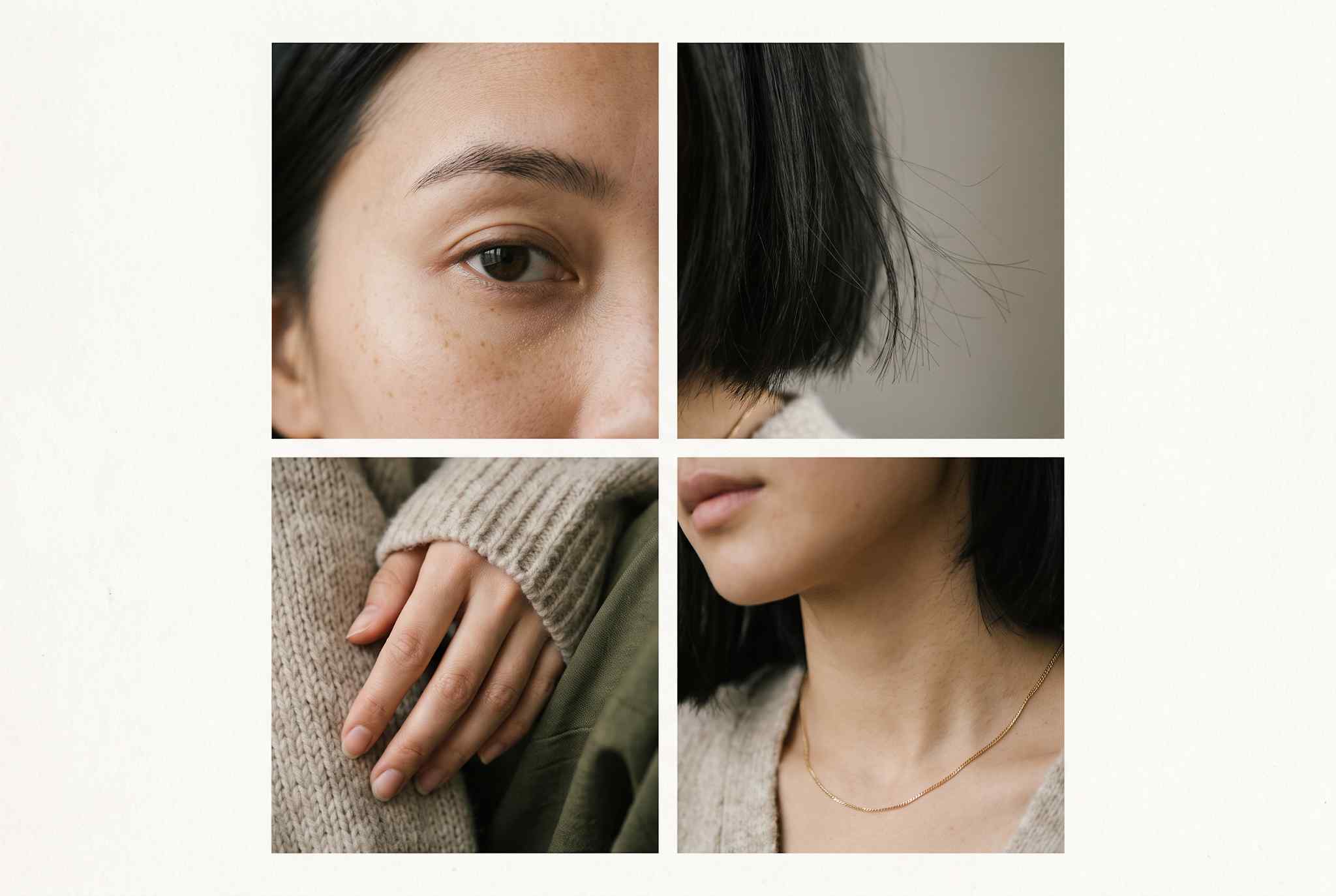 Four close-up details of one model: eye and brow, hair strands, a relaxed hand and a jawline with a gold chain.
FAQ
Yes, when every image starts from a saved model instead of a fresh description. Check each batch, because large changes in pose, light and setting can still cause drift.
Cast one model from a short brief, stress-test it on your hardest garments, save and name it, and have the whole team shoot from it. Score each batch with a simple checklist before you publish.
No. With a saved model you choose the model once. Describing the person again in each request invites a different face.
Only with written consent that covers AI versions, specific to the use. A release for a normal photo shoot may not cover it. Read our guide to rights and disclosure before you start.
Yes. Start from an approved still and check the first and last frames of each clip, where faces drift most.
Yes. That is the point of casting once. The face and build stay the same while the garment, setting and mood change.
Start with one for a product range. Add models for new size ranges, customer groups or markets, and give each one its own model sheet.
Not necessarily. Library models can be available to other brands. For a signature face, create a model for your brand and confirm exclusivity in your terms.
Save a new version and note what changed. Change styling and settings to refresh the look. Change the face only when you mean to introduce a new model.
Over-smoothed skin and generic faces. Choose a model with visible skin texture and natural hair, and check close-ups before you save it.
Kamran Arshad
Kamran Arshad is a full-stack marketer and growth strategist for Gen AI and B2B SaaS companies.