

Tooba Siddiqui
July 8, 2026 • Updated July 13, 2026
12 mins Read
Most AI image generators produce one output per prompt. If the result is close but not right, the only option is to revise the prompt and regenerate. Seedream 5.0 Pro is designed around a different starting point: the first generation is a draft, not a final answer.
Launched July 8, 2026, Seedream 5.0 Pro is ByteDance's AI image generation model that handles both text-to-image generation and precise image editing in a single API. Users can target a specific region, separate an image into editable layers, sketch a rough edit, or fuse elements from multiple reference images — all without regenerating from scratch.
This guide covers what Seedream 5.0 Pro does, its key features, how it stacks up against Seedream 5.0 Lite, Nano Banana Pro, GPT Image 2, and Ideogram 4, how it's priced, which industries it fits, and how to prompt it effectively.
Key Takeaways
- Seedream 5.0 Pro is an AI image generator built for controllable production — users can target specific regions, separate layers, and reuse assets across campaigns rather than regenerating from scratch
- In internal cross-industry testing, it performs slightly ahead of Nano Banana 2 overall while priced 11–55% lower than Nano Banana Pro and up to 4.7x lower than GPT Image 2 High
- It natively supports 15 languages for in-image text, including Arabic, Korean, Japanese, Thai, Russian, and Spanish
- The first reference image per generation is free — over 80% of use cases involve one reference image or fewer, keeping standard usage at the flat output rate
What Is Seedream 5.0 Pro?
Seedream 5.0 Pro is an AI image generation and editing model developed by ByteDance. It generates images from text prompts, from reference images, or from a combination of both — and it supports precise editing of specific regions within an existing image without touching the rest of the frame.
It functions as both an AI image editing and an AI image generation tool. The same API handles text-to-image creation, image-to-image editing, region-specific modifications, sketch-based edits, and layer separation for downstream design work.
Seedream 5.0 Lite is the sibling model in the same product family. The two serve different use cases: Pro targets high-control commercial editing; Lite targets high-resolution generation. A full comparison is in the section below.
Seedream 5.0 Pro Key Features
Interactive Editing
Seedream 5.0 Pro supports four types of interactive editing, each suited to a different level of precision:
Region editing: Specify the exact area to edit by drawing a selection, placing points, arrows, or annotation boxes, or entering coordinates. Only the targeted region changes — surrounding areas are preserved. This is functionally similar to AI inpainting, but with more targeting methods available: selection, points, arrows, boxes, and coordinate input.
Sketch editing: Use a doodle, color block, or rough sketch as a visual reference. Combined with a text instruction, the model generates the corresponding object or refines the content in that area. Useful for communicating rough shape and position without a detailed prompt.
Anchor editing: Use text to locate a specific object, then edit only that object. Works best when objects in the image are arranged in clear rows and columns — spatial disambiguation is more reliable in structured layouts.
Multi-image fusion: Provide up to 10 reference images. The model extracts objects, styles, and materials from the references and composes and combines images into a single output following the prompt instruction.
Layer Separation
Layer separation splits an image into independently editable components: one background layer plus multiple element layers. Each layer is exported as a PNG with a transparency (alpha) channel, which makes individual elements movable and editable in downstream design tools.
Each request returns between 2 and 20 images, billed per output image. The layer count is determined by the prompt — it cannot be manually capped. A product shot can be separated into the product, its background, and surrounding elements. Each component can then be repositioned, rescaled, or reused across different scenes and layouts without regenerating.
High-Density Information Images
Seedream 5.0 Pro converts data, text, and structured content into visual layouts — infographics, charts, flowcharts, and presentation slides — in a single generation pass. Small-text rendering is significantly improved over earlier versions. Occasional errors still occur on complex typographic requirements, so a review pass on text-heavy outputs is recommended before use.
Visual Quality
Outputs have stronger cinematic quality: more developed atmosphere, more controlled lighting direction, and higher-fidelity material rendering. Wood grain, leather, glass, and fabric surfaces are reproduced with more accuracy. Face and identity consistency holds more reliably across edits — retouching a portrait or changing an outfit keeps the subject's features stable.
Native Multilingual Text Support
Seedream 5.0 Pro natively supports 15 languages for in-image text: Arabic, English, Russian, Indonesian, Spanish, German, Turkish, Portuguese, Malay, Vietnamese, French, Japanese, Korean, Tagalog, and Thai. Character structure is stable across scripts, including right-to-left and character-based systems. Local cultural context — attire, patterns, visual conventions — is understood with more accuracy than in previous versions.
How Seedream 5.0 Pro Compares
Seedream 5.0 Pro vs Seedream 5.0 Lite
| Seedream 5.0 Pro | Seedream 5.0 Lite | |
|---|---|---|
| Max output resolution | 2K (~2.7K at 16:9) | 4K |
| Max input images | 10 | 14 |
| Sequential image generation | No | Yes |
| Native languages (in-image text) | 15 | English and Chinese |
| Interactive editing modes | Region, sketch, anchor, fusion | Standard |
| Layer separation | Up to 20 layers, PNG + alpha | Not available |
| Output 1.5K price | $0.045 | Comparable tier |
| Best for | Precise editing, multilingual production | High-resolution generation |
In internal cross-industry testing, Seedream 5.0 Pro outperforms Lite by +51% overall. The gap is widest in marketing (+69%) and e-commerce (+61%).
The decision is straightforward: if 4K output or sequential image generation is the primary requirement, use Seedream 5.0 Lite. If the workflow involves multilingual text, region-specific editing, or layer-based asset production, Pro is the stronger fit.
Seedream 5.0 Pro vs Nano Banana Pro
| Seedream 5.0 Pro | Nano Banana Pro | |
|---|---|---|
| Interactive editing | Region, sketch, anchor, fusion | Not available |
| Layer separation | Up to 20 layers, PNG + alpha | Not available |
| Multilingual text (native) | 15 languages | Not documented |
| Max input images | 10 | Not documented |
| First reference image | Free | Charged |
| Output at 1.5K | $0.045 | $0.134 |
| Output at 2K | $0.09 | $0.134 |
| Strengths | E-commerce, marketing, commercial editing | UI design, apparel |
Nano Banana Pro prices both resolution tiers at a flat $0.134. At 1.5K, Seedream 5.0 Pro is roughly 3x cheaper. At 2K, it is roughly 1.5x cheaper.
On quality: in internal benchmarks comparing Seedream 5.0 Pro and Nano Banana 2, Pro leads in e-commerce (+10%) and marketing (+20%). Nano Banana leads in UI design and apparel design. If those two categories are the primary use case, Nano Banana Pro is worth testing. For commercial product work, campaign assets, and multilingual outputs, Seedream 5.0 Pro holds both a quality and cost advantage. Read complete comparison on Seedream 5.0 vs Nano Banana Pro.
Seedream 5.0 Pro vs GPT Image 2
| Seedream 5.0 Pro | GPT Image 2 | |
|---|---|---|
| Interactive editing | Region, sketch, anchor, fusion | Not available |
| Layer separation | Up to 20 layers, PNG + alpha | Not available |
| Multilingual text (native) | 15 languages | Not documented |
| First reference image | Free | ~$0.013 charged |
| Output — standard tier | $0.045 | $0.041–$0.053 (Medium) |
| Output — high quality tier | $0.09 | $0.165–$0.211 (High) |
| Output — entry tier | Not available | $0.006 (Low) |
| Per additional reference image | $0.003 | ~$0.013 |
GPT Image 2 Low is the cheapest option for simple output-only generations at $0.006. At Medium quality, prices are close. At High quality, GPT Image 2 is 2–5x more expensive than Seedream 5.0 Pro at equivalent resolution.
The feature gap is larger than the price gap. GPT Image 2 generates images — it does not offer region editing, sketch editing, anchor editing, layer separation, or multi-image fusion. For teams using reference images frequently, Seedream 5.0 Pro's free-first-image policy reduces per-generation cost meaningfully. As soon as reference images are part of the workflow, GPT Image 2 costs an additional ~$0.013 per image on every generation with no free tier.
Seedream 5.0 Pro vs Ideogram 4
| Seedream 5.0 Pro | Ideogram 4 | |
|---|---|---|
| Interactive editing | Region, sketch, anchor, fusion | Not available |
| Layer separation | Up to 20 layers, PNG + alpha | Not available |
| Multilingual text (native) | 15 languages | Primarily English |
| In-image text rendering | Strong across supported languages | Primary strength |
| First reference image | Free | Not applicable |
| Output — standard tier | $0.045 | $0.06 (Default) |
| Output — high quality | $0.09 | $0.10 (Quality) |
| Output — entry tier | Not available | $0.03 (Turbo) |
Ideogram 4's core strength is text-in-image rendering, particularly for English typography and design-heavy layouts. At Turbo tier ($0.03), it is the cheapest option for text-forward output-only generations. At Default and Quality tiers, Seedream 5.0 Pro is slightly cheaper.
Outside of text rendering, Ideogram 4 does not offer interactive editing, layer separation, or documented multilingual support. For design work that is primarily English-language and does not require region editing or layered outputs, Ideogram 4 Turbo is a cost-efficient option. For multilingual text, precise region edits, or layer-separated assets, Seedream 5.0 Pro covers use cases Ideogram 4 does not address. Read our comprehensive comparison of Ideogram 4.0
Seedream 5.0 Pro Use Cases by Industry
Learn how to use Seedream 5.0 Pro while exploring its real-world use cases:
E-commerce
 Generated by ImagineArt AI image generator
Product colorways, material variants, and marketplace hero images. Seedream 5.0 Pro can change a product's color, material, or background while preserving the product's structure and the scene's composition. Region editing targets the product directly — surrounding elements stay untouched. In internal benchmarks, it outperforms the next closest model in e-commerce by +10%. For more on AI-generated commercial visuals, see best AI image generators for commercials.
Marketing and Advertising
 Generated by ImagineArt AI image generator
Campaign posters, ad variants, social media assets, and seasonal promotions. Multi-image fusion and layer separation let teams reuse the same product, character, or brand element across different scenes and formats rather than generating each variation from scratch. Benchmark lead in marketing: +20%. For more on creating marketing assets, see best AI image generators for marketers.
Portrait Retouching
Outfit changes, hair edits, background replacements, and lighting adjustments on headshots and profile photos — with identity and skin texture preserved across edits. Targeted region editing prevents changes outside the specified edit area, which matters when the instruction is subtle (adjusting the background but not the subject's face or clothing).
Film, Short-Drama, and Gaming
 Generated by ImagineArt AI image generator
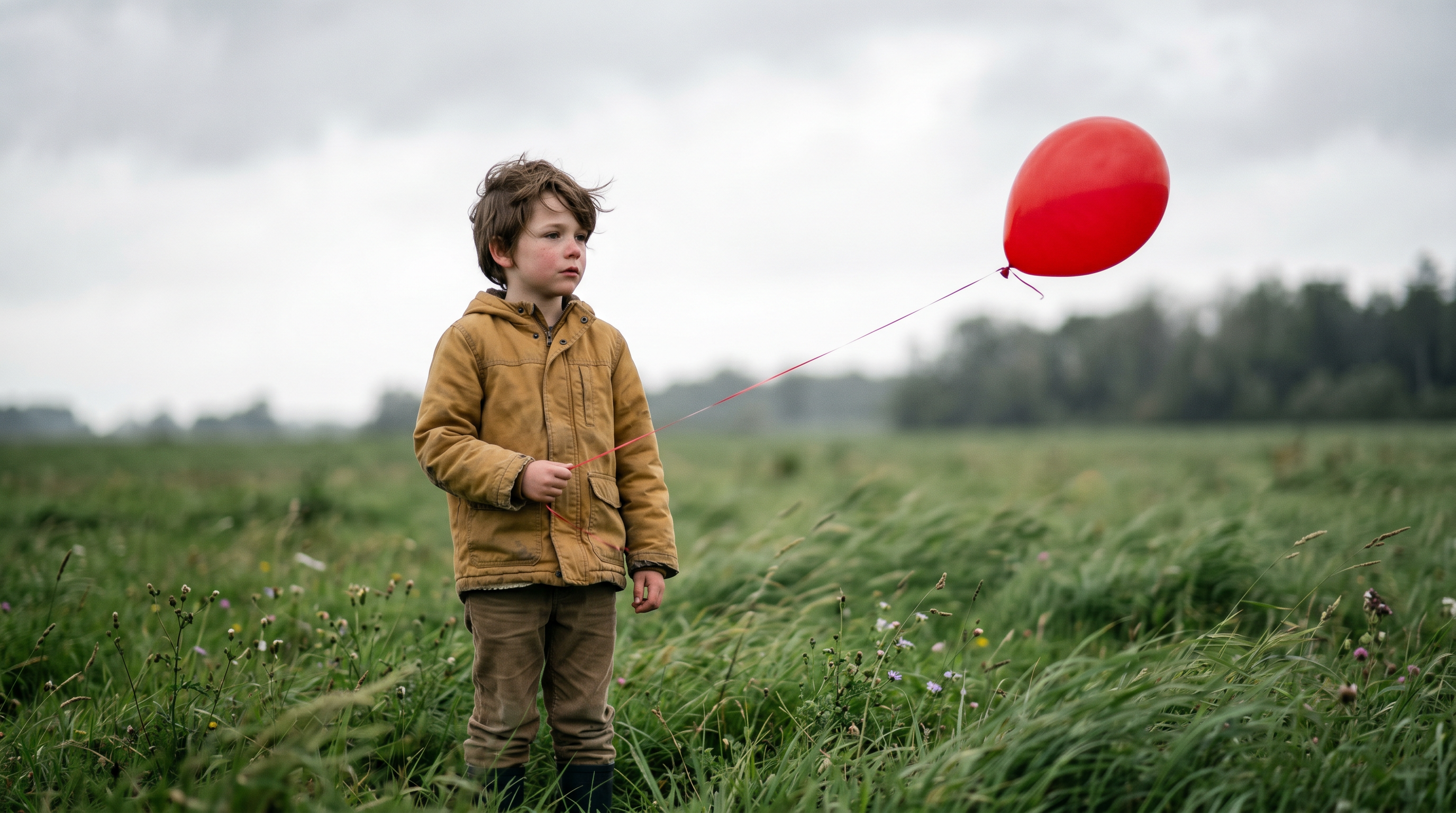
Character concept art, storyboard frames, prop and scene variation. Layer separation allows production teams to iterate character, prop, and background elements independently — each component can be updated without regenerating the full scene. Useful for cross-shot consistency in visual development. Read our complete guides on making AI films and short films.
Presentations and Productivity
 Generated by ImagineArt AI image generator
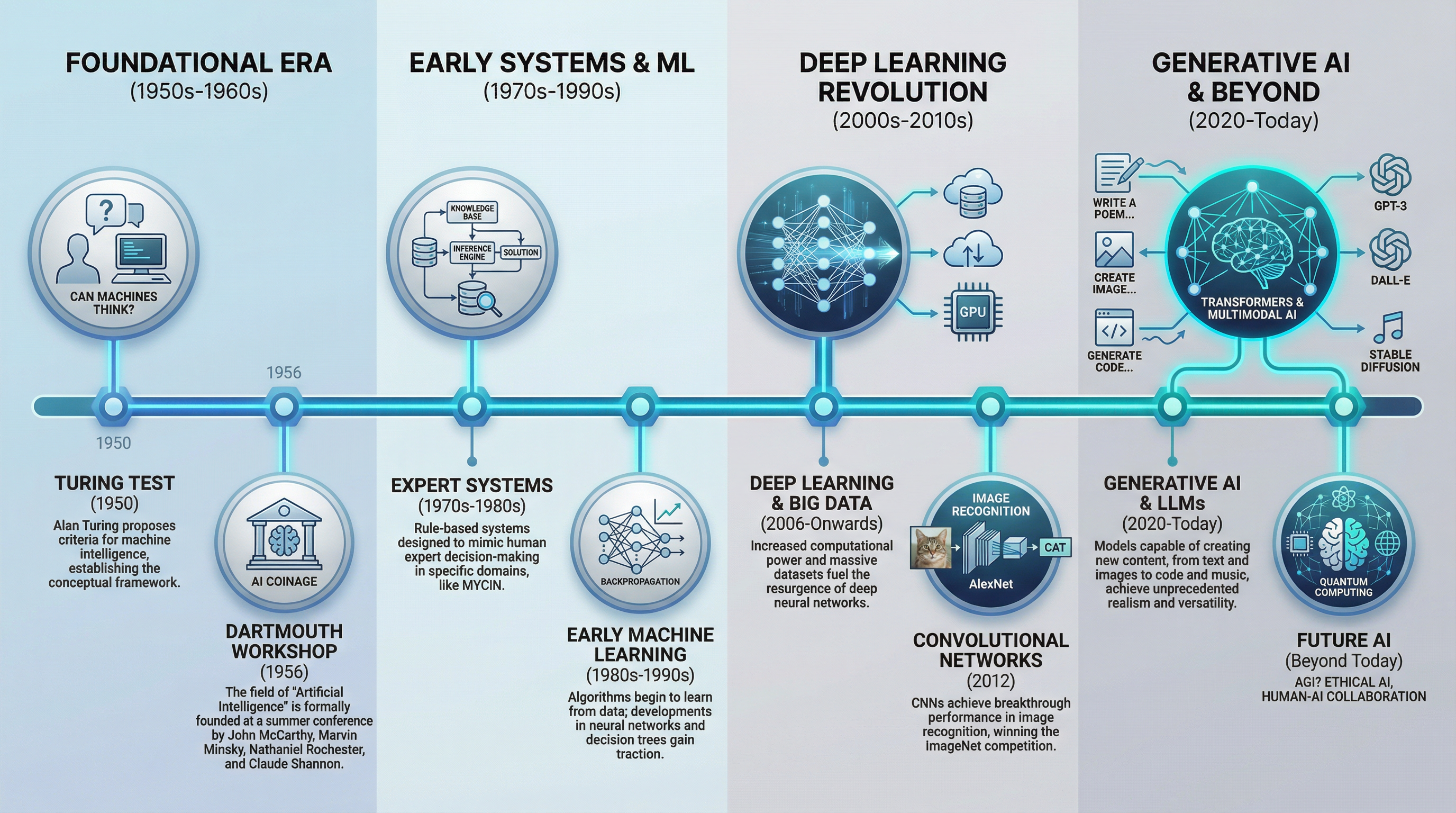
Business presentation visuals, report covers, event posters, and internal communication assets. Improved small-text rendering and structured layout generation make it more reliable for infographics, flowcharts, and slide visuals than earlier models. Describe small-text output as significantly improved, not perfect — a review pass before publishing is still recommended.
How to Prompt Seedream 5.0 Pro
Seedream 5.0 Pro handles complex prompts well, but the right approach differs depending on whether you are generating or editing. For a broader introduction to prompt engineering for AI image generation, that guide covers foundational techniques that apply across models.
The Five-Element Framework for Generation
For text-to-image, cover five elements:
- Subject — who or what is in the frame, with specific physical detail
- Palette and style — color grade, visual aesthetic, lighting mood
- Arrangement — composition, spatial layout, how elements relate
- Camera and light — shot angle, depth of field, lighting setup
- Extra detail — materials, textures, any on-image text in quotation marks
Vague adjectives like "beautiful," "professional," or "high-quality" produce less consistent results than descriptions of what those qualities look like in the frame. "Warm directional light from the upper left, shadows falling right" is more actionable than "professional lighting."
Prompting for Region and Interactive Editing
For region editing, name the target first, then describe the change:
"Change the jacket on the figure standing on the left to dark navy wool — keep everything else unchanged."
Describe the target and the intended change. Avoid describing elements you want preserved — the model treats unmentioned areas as stable by default, and describing them can introduce unintended changes.
For anchor editing, name the specific object using language that corresponds to its position in the scene. This works most reliably when objects are in a clear spatial arrangement — a grid, row, or column — rather than clustered or overlapping.
For sketch editing, pair the sketch with a prompt that names the target material or style. The sketch provides shape and position; the prompt supplies the surface qualities the model renders.
In-Image Text
Spell out any text that should appear in the image using quotation marks within the prompt. Specify the language, position, and approximate size. Name the target language explicitly for non-English scripts — the model supports 15 languages natively, but ambiguous prompts default to English.
For complex scripts (Arabic, Thai, Japanese, Korean), review character structure after generation. Rendering is significantly improved but occasional character-level errors still occur, particularly in dense or small-size text.
Read the complete Seedream 5.0 Pro prompting guide on ImagineArt blogs.
Ready to Create with 5.0 Pro on ImagineArt?
Seedream 5.0 Pro is built for workflows where the first generation is rarely the last step. Region editing, layer separation, and multi-image fusion let teams iterate on existing assets — changing a product color, swapping a background, or isolating elements for reuse — without regenerating from scratch.
For e-commerce product shots, multilingual campaign assets, or film and short-drama production stills, it holds both a quality and cost advantage over most alternatives at the same output tier. The first reference image is free, which means the most common single-reference workflows cost the same as a text-to-image generation.
Frequently Asked Questions
Seedream 5.0 Pro is ByteDance's AI image generation and editing model, launched July 8, 2026. It supports text-to-image generation, image-to-image editing, region editing, sketch editing, anchor editing, layer separation, and multi-image fusion — all through a single API.
Pro supports up to 10 input images, 15 native languages for in-image text, and advanced interactive editing modes. Lite supports up to 14 input images, 4K output, sequential image generation, and natively supports English and Chinese. Pro is the stronger choice for commercial editing workflows; Lite is the stronger choice for high-resolution generation.
No. Seedream 5.0 Pro outputs up to 2K, and up to approximately 2.7K on the longest edge at 16:9. For 4K output, use Seedream 5.0 Lite.
Output is billed by resolution tier: $0.045 per image at 1.5K (≤2.36M pixels) and $0.09 per image at 2K (>2.36M pixels). The first reference image is free; each additional reference image is $0.003. Pricing is as of July 8, 2026 and subject to change — verify against the official API documentation before production use.
Up to 10 input images per request. The first reference image is free; each additional reference image is billed at $0.003.
Arabic, English, Russian, Indonesian, Spanish, German, Turkish, Portuguese, Malay, Vietnamese, French, Japanese, Korean, Tagalog, and Thai. Other languages can be used in prompts but produce weaker results for in-image text rendering and local cultural accuracy.
Tooba Siddiqui
Tooba Siddiqui is a content marketer with a strong focus on AI trends and product innovation. She explores generative AI with a keen eye. At ImagineArt, she develops marketing content that translates cutting-edge innovation into engaging, search-driven narratives for the right audience.