
Saba Sohail
September 4, 2025 • Updated June 8, 2026
13 mins Read
A short film is a motion picture that runs under 40 minutes and tells a complete story within a limited timeframe. To make a short film, you have to focus on a single idea, character, or conflict so it delivers impact quickly. Creators, media students, NGOs, welfare organizations and brands use short films to showcase creativity, experiment with styles, and share powerful messages.
And, how long is a short film?
Industry standards define a short film as running between 5 and 40 minutes.
- The most common length for narrative short films is around 10 to 15 minutes.
- Film festivals often set their own limits, usually between 20 and 40 minutes.
- Vertical short films (9:16 format) for TikTok, Reels, YouTube Shorts and other short form video platforms usually last 1 to 3 minutes.
How much does it cost to make a short film?
- Low-budget indie shorts cost between $500 and $2,000.
- Professional, crew-based short films can exceed $10,000.
- AI-generated short films cost under $70.
Note: I have calculated these cost ranges considering equipment, actors, locations, editing, and music rights.
 How to make a good short film
How to Make a Short Film
You can make a short film choosing either of the two popular ways:
- make a short film with AI
- make a short film with tradition methods like casting actors, finding locations and spending on filming equipment.
Option 1 – AI-Assisted Short Films
With AI, you can start by writing your script, then break it down into prompts for scenes, settings, and characters.
With [AI filmmaking tools] like ImagineArt, you can easily generate visuals and short clips to convey the message of your short film.
Once you have your scenes, stitch them together in the [Video Editor], add the movie name, your production business logo, voiceovers and music.
For character consistency, ImagineArt gives you two options:
- Train your own character model and use it across your movie.
- Or create movie scenes from images to maintain continuity.
Option 2 – Traditional Methods
The traditional filmmaking route starts with ideation, scriptwriting and storyboarding. Then goes casting actors, securing locations, filming with equipment, and editing post-production.
If I compare, traditional movie-making, even for short films is time-consuming and requires a higher budget because you have to cast actors, create music and navigate other logistics like permissions, schedules, and crew management.
Step-By-Step Guide to Make Short Films with AI
Step 1: Develop Your Concept
Start with one question: what do I want the audience to feel when the film ends? Every decision — genre, tone, length, characters — flows from that answer.
A strong short film concept is specific, not broad. Not "a love story" but "a couple has their last dinner without knowing it." Constraint is your friend: one location, two characters, one conflict.
Define your genre early. Drama, horror, comedy, documentary, and sci-fi each have different visual languages and audience expectations. Locking this down before writing your script keeps every creative decision aligned.
Three concept tests before you move forward:
- Can you describe the film in one sentence?
- Does the story have a clear beginning, middle, and end within under 20 minutes?
- Can you make it with the time and resources you actually have?
Also read: Why Your AI Film Looks Generic -- 7 Mistakes to Avoid
Step 2: Write Your Script
Short film scripts run 5–15 pages. One page equals approximately one minute of screen time, so a 10-minute film needs a 10-page script.
Script structure for a short film:
- Opening (pages 1–2): Establish your character and their world immediately
- Inciting incident (page 3): The event that disrupts the status quo and creates the central conflict
- Rising tension (pages 4–10): Your character's attempts to resolve the conflict — each attempt should raise the stakes
- Climax and resolution (pages 11–15): The confrontation and its outcome — earn the ending
Write lean. Short films live and die on visual storytelling. If a scene can be shown without dialogue, show it. Read your dialogue out loud — if it sounds like writing, rewrite it.
Step 3: Build Your Script Breakdown and Storyboard
A script breakdown converts your screenplay into a production checklist. Go scene by scene and identify: locations needed, characters present, props required, and visual reference style.
For AI filmmaking, your storyboard becomes your reference image set. For each scene, generate a reference frame in ImagineArt that captures the intended camera angle, lighting, character position, and mood. These reference images feed directly into your video generation in Step 4 — the more precise your references, the more consistent your output. Your storyboard can be images created in the AI image generator and you can use models that work well for character consistency, artistic and cinematic images, and realistic images.
For each scene, note:
- Shot type (wide, medium, close-up)
- Camera movement (static, push in, pan)
- Lighting mood (day, night, interior, golden hour)
- Character expression and position
Step 4: Generate Your Scenes
 How to make a short film with AI
With your script breakdown and reference images ready, you generate video clips scene by scene. Use your reference images from Step 3 as visual anchors — they maintain character and environment consistency across scenes.
Write each scene prompt using a director's note formula: [shot type] + [subject and action] + [environment] + [lighting and mood] + [camera movement]. Vague prompts produce vague clips.
Set aspect ratio to 16:9 for standard cinematic output, 9:16 for social-first short films. Generate each scene individually, review for continuity with the previous clip, and iterate before moving forward. It is significantly easier to fix a scene during generation than during editing.
Read camera movement prompts and AI film prompts to get an idea about scene generation.
Step 5: Add Audio — Music, Voiceover, and Sound Design
Audio is 50% of film. A scene that feels flat visually can be transformed by the right score, ambient sound, or voiceover.
Three audio layers for a short film:
- Score/music: Sets the emotional tone. Use ImagineArt AI Audio Studio to generate custom music matched to your genre and pacing — documentary, cinematic, suspense, or ambient.
- Voiceover/narration: If your film has a narrator or internal monologue, generate the voiceover in Audio Studio and sync it to the corresponding scene clip. Learn how to add AI voiceover on ImagineArt blogs.
- Dialogue and sound effects: For dialogue scenes, use lipsync tools to match generated voiceover to character lip movement.
- Add audio before final editing — the rhythm of your cuts should follow the audio, not the other way around.
Step 6: Assemble and Edit
Import all scene clips into ImagineArt AI Video Editor and assemble them in script order. Your first assembly cut will run long — expect to trim.
Editing checklist:
- Cut on action where possible — movement at the cut point creates natural visual flow
- Check audio sync across all dialogue and voiceover clips
- Review scene-to-scene continuity (character position, lighting, props)
- Add titles, credits, and any text overlays
- Use the AI video extender feature to lengthen any clip that cuts too early
Before locking your edit, watch the full film once without stopping. Note where your attention drifts — those are the cuts to tighten.
Step 7: Export and Distribute
Export at 1080p minimum as MP4. For festival submissions, check individual festival technical specs — some require specific frame rates or color profiles.
Distribution options for short films:
- Film festivals: ImagineArt Film Festival program connects AI filmmakers with submission opportunities. Festivals are the fastest path to audience feedback and credentials.
- YouTube and Vimeo: Host publicly for portfolio purposes and organic discovery
- Social platforms: Recut your short for 60-second or 90-second vertical versions for Instagram Reels, TikTok, and YouTube Shorts
- Streaming platforms: Short film aggregators like Shorts TV, Omeleto, and DUST license quality short films for their platforms
Make Your Short Film in ImagineArt Film Studio
Every step in this guide — reference generation, scene production, audio, editing, and export — happens inside ImagineArt Film Studio.
Film Studio is ImagineArt's browser-based production workspace that brings the entire short film pipeline into one place. No switching between tools, no re-uploading assets between stages, no downloads required.
The workspace is organized around your production stages:
- Image tab — Generate reference frames for characters, locations, and scene composition. Set focal length, aperture, and aspect ratio to match your shot list.
- Create Video tab — Turn reference frames into generated video clips. Apply Genre settings (cinematic, documentary, atmospheric), movement controls, and Speedramp to match your storyboard intent.
- Edit tab — Trim, reorder, and refine clips without regeneration. Adjust timing and pacing across the full assembly.
- Extend tab — Lengthen any clip while maintaining visual continuity — essential when a scene needs more runtime to breathe.
- References panel — Store your character stills and scene references in one place, accessible across every scene you generate. This is what keeps visual consistency across a full film rather than individual clips.
- Audio Studio — Generate narration, custom music, and ambient sound in the same workspace, synchronized to your video timeline.
Film Studio is free to access on any ImagineArt account.
Recommended read: How to Use ImagineArt Film Studio | ImagineArt Film Studio Complete Guide
How to Make an Animated Short Film
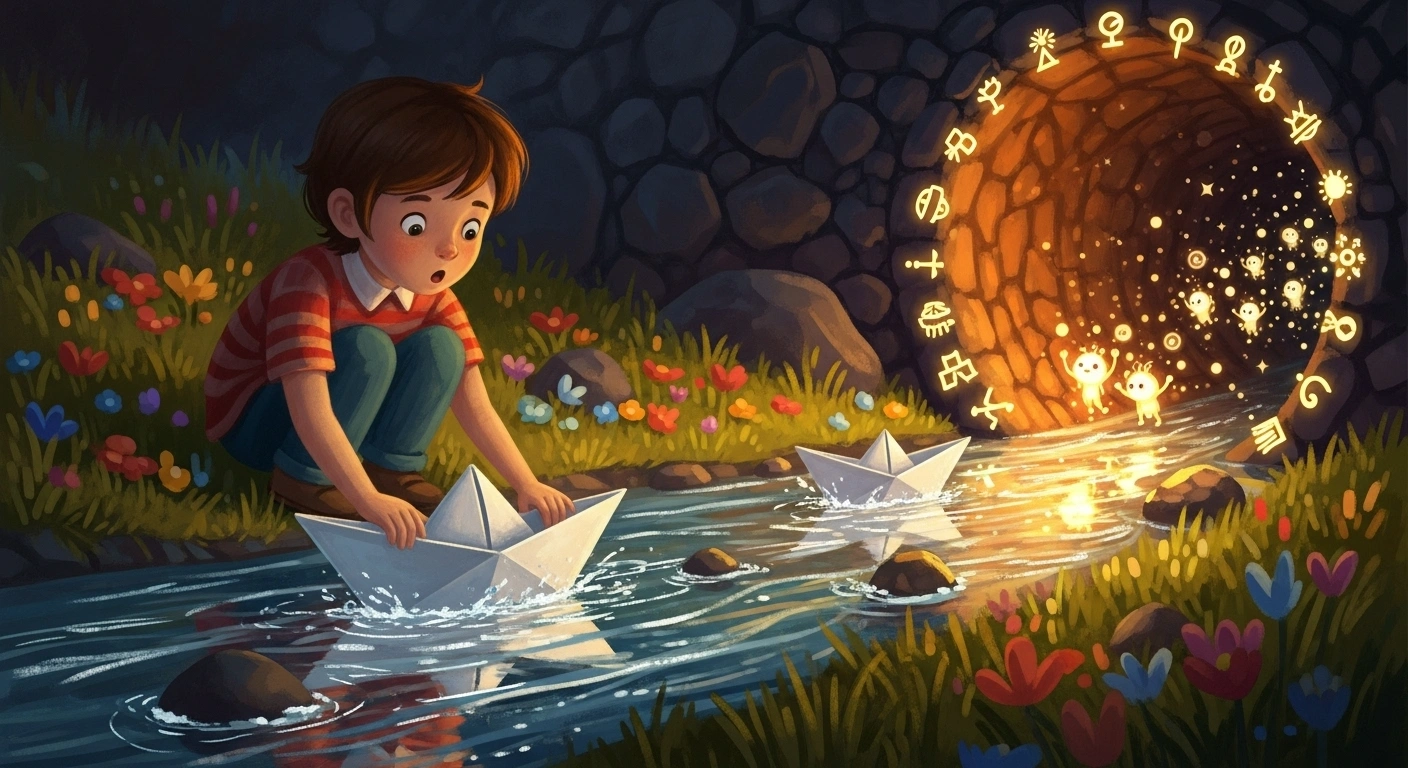
So for animated short films, you’ll have to first choose the style of animation. You can pick from hand-drawn or digital animation or from AI animation tools: this choice completely depends on your budget and investment priorities.
 How to make an animated short film
Recommended read: How to Make Cartoon Videos
For character inspiration, read: 35 Black Cartoon Characters Guide | 15 Female Cartoon Characters Guide
How do short films and AI movies make money?
Film festivals and competitions are still a reliable way to earn and many offer cash prizes or grants for standout shorts. You have to, however, following specific guidelines or themes to qualify for such films.
Brand sponsorships are another route and the most lucrative one, I would say! Companies fund short films as part of their marketing stunts, in exchange for subtle product placement or co-branding.
With ad monetization on YouTube or TikTok, you earn directly from views, especially if your short film gains viral traction.
Streaming platforms, say Netflix, and niche distributors also license short films, giving you a direct payout or ongoing royalties.
And finally, crowdfunding and Patreon-style memberships allow creators to build a community that financially supports their AI or indie film projects: but such platforms now charge a solid commission.
How to Write a Short Film
The best way to begin making your short film is with a prompt or core idea.
This prompt could be as simple as a “what if” scenario: what if a child found a mysterious letter, or what if two strangers kept meeting on the same train?
From this seed, you can grow a complete story. Decide on the theme, mood, or emotional journey you want your short film to convey, since shorts rely heavily on one strong concept rather than multiple subplots.
Once you have the idea, build your characters and setting. Even in a 2- or 3-minute film, the audience should quickly understand who the characters are and what motivates them.
Give them a clear conflict to face, whether internal (emotions, choices) or external (situations, relationships).
Define your setting: it could be a busy street, a childhood bedroom, or a surreal animated world, because short films rely on strong visual storytelling.
Now, how to write a script for a short film?
From there, create a short script. Keep the dialogues minimal and powerful; in many short films, body language and visuals do more of the storytelling than words.
Think in terms of scenes rather than chapters: each scene should move the story forward toward a resolution or twist.
Once your script is ready, you can transform it into prompts inside ImagineArt while breaking each scene into visual instructions so the AI can generate cinematic moments for your story.
How many pages is a short film script?
A short film script is usually 5–15 pages long, since one page roughly equals one minute of screen time. Micro-shorts can be just 1–2 pages, and festival-ready shorts sometimes extend up to 40 pages.
Short Film Ideas
A good short film story is simple yet powerful and focuses on one clear idea or conflict. Keep characters relatable and aim for an ending that surprises or moves the audience.
Check these 45 short film ideas and pick the one you love.
You can find an epic short film idea by deciding either of these things first:
style: you want to make a realistic or cinematic short film, or an animated one like silent short film, kawaii, chibi, ghibli etc.
genre: you want to make a scary or spooky movie, a funny and comedy short film, a fantasy or gothic one and so on.
duration: you can make a short film of 2, 3, 5 or 10 minutes or a complete 40-minute.
character: you want to write a story about a child, a teenager, a teacher, a bartender, a friendly shark, a female ghost or a male gynae!
setting: you want your film set in a school, a room, an office, a deserted island, a coffee house, an ocean etc.
Already have an epic idea?
Or if you need an idea to start your first AI short film project, read AI video prompt guide.
How to make a short film by yourself?
You can make a short film yourself, independently with:
- An AI filmmaking tool like ImagineArt or Google Flow
- An AI video generator like Google Veo 3
- A strong script where you have divided scenes into prompts.
- A video editing software like .
- Background music or AI-generated soundtracks to set the mood.
- AI voiceovers or simple recorded narration for dialogue.
- Minimal locations and a small cast (1–2 characters is ideal).
- Consistent characters created by training a model or reusing images across scenes.
How to get funding for a short film?
As a filmmaker, media student, marketing professional or even a total beginner planning to make a short film, you have multiple avenues to fund your first movie.
Based on your teacher or student profile working or researching in a specific field, you can get film grants for movies if you have a strong message.
Crowdfunding platforms like GoFundMe, Kickstarter, Indiegogo, and Patreon also frequently host film-funding posts.
If your message, story or the overall concept works around a specific product or service, for example fitness or therapy, you can even seek pre-release brand sponsorships. This is the easiest, quickest and lucrative if you plan on pursuing filmmaking.
Another option is to first make a short film with AI and monetize through YouTube/TikTok and festivals.
AI Filmmaking Tools
AI has completely reshaped how creators make short films. From generating scripts and visuals to animating characters and stitching everything together, these tools give you speed, affordability, and creativity. Here are some of the best options you can use:
1. ImagineArt Film Studio
ImagineArt is an all-in-one AI filmmaking platform with a dedicated workspace — Film Studio — built specifically for short film production from first reference frame to final export. Inside Film Studio, you generate reference images, produce video clips using models like Seedance 2.0, Google Veo 3, and Kling 3.0, add narration and custom music through Audio Studio, assemble your scenes in the built-in video editor, and export as MP4 — all without leaving the platform. It's the only tool in this list that covers the complete filmmaking workflow in a single workspace.
2. Google Veo 3.1
Google Veo 3.1 creates cinematic, high-quality video clips from text and images, while Google Flow gives your fast, flexible storytelling and real-time visual generation. Both of these tools available on platforms like ImagineArt are great for creators who want to make short films.
3. Runway Act-Two and Aleph
Runway Aleph is one of the most popular AI video generation tools for text-to-video and image-to-video. It’s great for narrative short films with its clean, cinematic outputs. Runway Act-Two's best AI filmmaking feature is performance animation. In your short film, you can capture movements and full performances, say overall body language like expressions, dance, music and apply them to your AI characters.
4. Kling 2.1 End Frame
Kling 2.1 End Frame works great for animated short films and cinematic motion. You can generate smooth video transitions with professional polish via newest “end frame” feature.
Also read: AI Tools for Film Production
Make your first stunning short film with ImagineArt
Ready to create a ground-breaking movie that has beautiful characters, impactful story and cinematic scenes? Start with a strong concept, create prompts for scenes: everything in ImagineArt. Plus, show it to the community super motivated to support artists and filmmakers.
Saba Sohail
Saba Sohail is a Generative Engine Optimization and SaaS marketing specialist working in automation, product research and user acquisition. She strongly focuses on AI-powered speed, scale and structure for B2C and B2B teams. At ImagineArt, she develops use cases of AI Creative Suite for creative agencies and product marketing teams.