
Tooba Siddiqui
July 9, 2026 • Updated July 10, 2026
23 mins Read
Every prompt in this guide was tested on Seedream 5.0 Pro. The examples are not theoretical — they reflect what the model actually responds to across e-commerce, fashion, cinematic content, and data visualization use cases on ImagineArt.
Seedream 5.0 Pro prompts work differently across the model's five input modes — text-to-image generation, region editing, sketch editing, anchor editing, and multi-image fusion. Using a generation-style prompt for an editing task produces weak results in both. Most AI image prompting advice ignores this distinction. This guide doesn't.
Key Takeaways
- Seedream 5.0 Pro prompts require different structures depending on the mode — generation, region editing, sketch editing, anchor editing, and multi-image fusion each follow separate rules
- The five-element framework (Subject, Palette and style, Arrangement, Camera and light, Extra detail) is the foundation for all text-to-image generation
- HEX color codes produce more consistent color output than descriptive color names for brand-critical work
- In-image text renders most accurately with content in quotation marks and language specified explicitly
- Name only the layers you need in separation requests — each layer is billed as a separate output image
How Seedream 5.0 Pro Handles Prompts Differently
Most AI image generation models respond to one prompt type: describe what you want, receive an output. Seedream 5.0 Prois built for iterative control — the first generation is a draft, and editing modes refine it through targeted instructions rather than full regenerations.
Two principles hold across every mode:
- The model is literal. Describe what you see in the frame, not how the result should feel.
- Vague qualifiers produce inconsistent results. Lighting direction, material texture, and specific color grade produce repeatable outputs. "Beautiful" and "professional" do not.
The Same Prompt at Three Levels of Detail
Before covering the five-element framework, here is the same subject — a perfume bottle — written at three levels of depth.
Level 1: "A perfume bottle on a surface."
The model decides everything — surface material, lighting, color, background. Results vary across every generation.
Level 2: "A dark glass perfume bottle on a black marble surface. Studio lighting. Clean background."
Better. The model still decides light direction, shadow behavior, and composition. Results are inconsistent in the details that matter for production use.
Level 3: "A 100ml dark amber glass perfume bottle standing upright on wet black slate. Deep jewel-tone color grade — dark emerald, black, and gold. Bottle centered in the lower half of the frame. Eye-level shot, single raking key light from camera left, long shadow falling right. Matte label with embossed gold lettering reading 'NOIR' in English, centered on the bottle."
Every variable is defined. The model executes the description rather than making compositional decisions. Results are consistent across multiple generations.
The Five-Element Framework for Text-to-Image Generation
Every Seedream 5.0 Pro prompt for text-to-image generation should cover five elements:
- Subject — who or what is in the frame, with specific physical detail
- Palette and style — color grade, visual aesthetic, lighting mood
- Arrangement — composition, spatial layout, how elements relate in the frame
- Camera and light — shot angle, depth of field, lighting setup and direction
- Extra detail — materials, textures, surface finishes, any on-image text
Subject
Describe using nouns and observable attributes, not impression adjectives.
- Weak: "a woman in nice clothes"
- Strong: "a woman in her mid-30s wearing a structured navy wool blazer, standing directly facing the camera"
Palette and Style
Name color relationships and grade, not the emotion they create.
- Weak: "warm and inviting"
- Strong: "muted terracotta and warm sand tones, golden-hour color grade, no cool tones"
Arrangement
Composition, spatial layout, and the relationship between elements in the frame.
- Weak: "product in the center"
- Strong: "product centered in the lower two-thirds, negative space in the upper left, no overlapping elements"
Camera and Light
Cinematographer Roger Deakins describes light as "the first decision in any shot" — the same applies here. Read more about camera movements and how to write camera movement prompts on our blog.
- Weak: "professional lighting"
- Strong: "eye-level shot, shallow depth of field, warm directional light from the upper left, soft shadow falling right"
Extra Detail
Materials, textures, surface finishes, and any on-image text. Put text content in quotation marks and specify the language.
- Weak: "high quality finish"
- Strong: "matte brushed aluminum surface, visible fine grain texture, no surface reflections"
Bad → Good Prompt Rewrites
Rewrite 1 — E-commerce product shot
- Bad: "a perfume bottle on a table, nice lighting"
- Good: "A 100ml dark amber glass perfume bottle on wet black slate. Deep jewel-tone color grade — dark emerald, black, and gold. Centered in the lower half of the frame. Eye-level shot, single raking key light from camera left, long shadow falling right. Matte label reading 'NOIR' in English, embossed gold, centered on the bottle."
Rewrite 2 — Region edit: background swap
- Bad: "change the background to something more natural and keep the model"
- Good: "Change the background to a sun-lit wheat field at golden hour, shallow depth of field so the field blurs softly behind the subject."
No mention of the model or outfit — the model treats unmentioned elements as stable.
Rewrite 3 — Data infographic
- Bad: "a chart showing quarterly revenue"
- Good: "A horizontal bar chart showing Q1–Q4 2026 revenue for four product lines. White background. Each bar in a distinct muted color — slate blue, coral, sage, sand. English labels on the left Y-axis, percentage values at bar ends. Bold headline reading 'FY2026 Revenue by Product Line' in English, dark charcoal, top left."
HEX Color Control
Seedream 5.0 Pro responds to HEX color codes in prompts. For brand-critical work, this produces more consistent output than descriptive color names — "deep forest green" varies; '#2D6A4F' does not.
Format:"Background in '#2D6A4F' (deep forest green), text in '#FFFFFF' (white), accent in '#F4A261' (warm amber)."
Gradient:"A vertical gradient from '#1A1A2E' (deep navy) at the top to '#E94560' (bright red-pink) at the bottom. Smooth transition, no banding."
Use HEX when brand consistency matters — product photography, packaging, marketing assets. Use descriptive color language for lifestyle and cinematic content where mood matters more than precision.
Prompting for Each Interactive Editing Mode
For AI image editing with Seedream 5.0 Pro, try these methods:
Region Editing
Target a specific area and describe only the change. The model treats unmentioned areas as stable.
Template: "Change [specific target] to [detailed description of the change]."
- "Change the background behind the product to a matte dark grey studio backdrop."
- "Change the jacket to a dark navy heavyweight wool overcoat."
Sketch Editing
The sketch provides shape and position. The prompt supplies material, style, and surface qualities.
Template: "[Object] made of [material], [surface finish], [lighting condition], matching the shape in the sketch."
- "A side table in pale ash wood with a live edge, matte oil finish. Soft natural light from the left."
- "A ceramic vase with matte speckled grey glaze, narrow neck, wide base. Neutral studio lighting."
Anchor Editing
Uses text to locate a specific object. Reliable for grid or row layouts; use region editing for unstructured layouts.
Template: "The [object described by position]: change [specific detail]."
- "The second product from the left in the bottom row: change the colorway to all-black."
- "The price tag on the item in the center column: change the text to read '€29.99' in English."
Multi-Image Fusion
Assign an explicit role to each reference image — up to 10 accepted.
Template: "Use reference 1 as [role]. Use reference 2 as [role]. Compose as: [instruction]."
- "Use reference 1 as the primary product. Use reference 2 as the background — a marble kitchen countertop. Product centered, eye-level, soft overhead light."
- "Use reference 1 for the character's face. Use reference 2 for the outfit. Use reference 3 for the background. Full-body shot, natural daylight."
Prompting for Layer Separation
Name only the layers you need. Outputs are billed per layer — between 2 and 20.
Template: "Return as [N] separate layers with transparent backgrounds: [layer 1], [layer 2], [layer 3]."
- "Return as four separate layers: the perfume bottle, the bottle's cast shadow, the water mist, and the background."
- "Return as three separate layers: the headline text block, the product image, and the background."
Prompting for In-Image Text
Put all text in image in quotation marks, name the language explicitly, and describe position and style. Seedream 5.0 Pro natively supports 15 languages. For Arabic, specify right-to-left direction.
- "Bold text reading 'عرض محدود' in Arabic script, right-to-left, upper right corner, white fill, heavy sans-serif."
- "English headline reading 'Summer Collection' centered at top, bold uppercase, white. Arabic subtext reading 'مجموعة الصيف' centered below, medium, light grey."
Prompt Templates by Use Case
Learn how to use Seedream 5.0 Pro before you write or try any prompt.
Product Photography
For product photography, specify the product's physical characteristics precisely, the surface, and a single defined light source. Region editing handles variants without full regeneration.
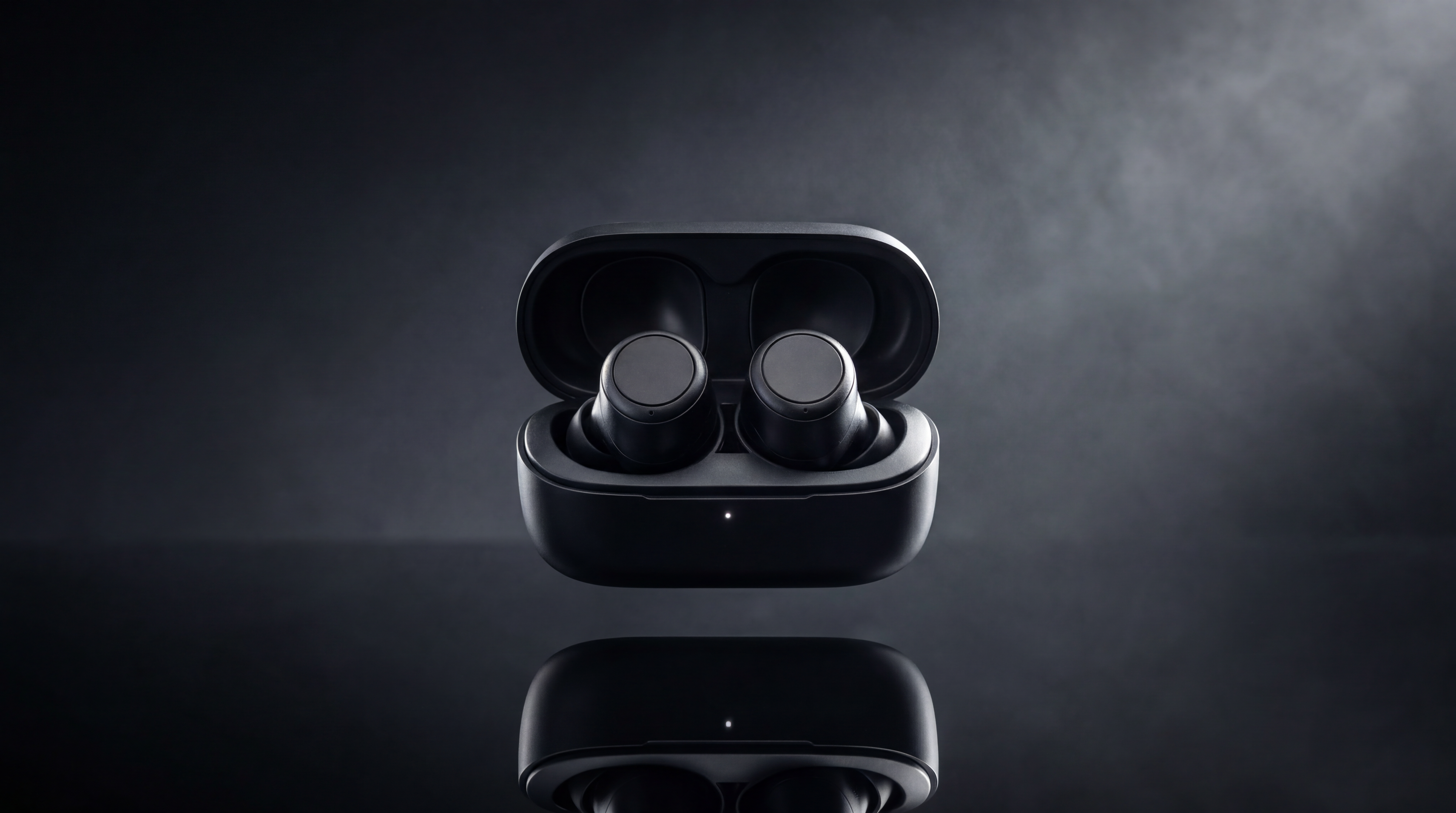 Generated on ImagineArt AI image generator
- "A 200ml amber glass skincare serum bottle on pale pink marble. Pastel color grade — blush, ivory, soft gold. Centered in frame, no other objects. Eye-level shot, soft diffused overhead light, minimal shadow. Label reading 'GLOW SERUM' in English, uppercase, gold embossed serif."
- "A wireless speaker on a dark wood surface. Top-down overhead shot. Charcoal grey colorway, matte fabric grille. Even diffused natural light, no shadows. No text."
- "A running shoe floating against pure white. Even studio lighting, no shadows. High-contrast product photography. Laces in default position, clean sole."
- "A smartphone upright on a reflective black surface, screen forward. Dark studio background, gradient light from the upper right catching the device edge. Screen showing a clean home screen."
E-commerce Flat Lay
For flat lays, describe the arrangement spatially — what sits where, the spacing, and whether any overlap is intended.
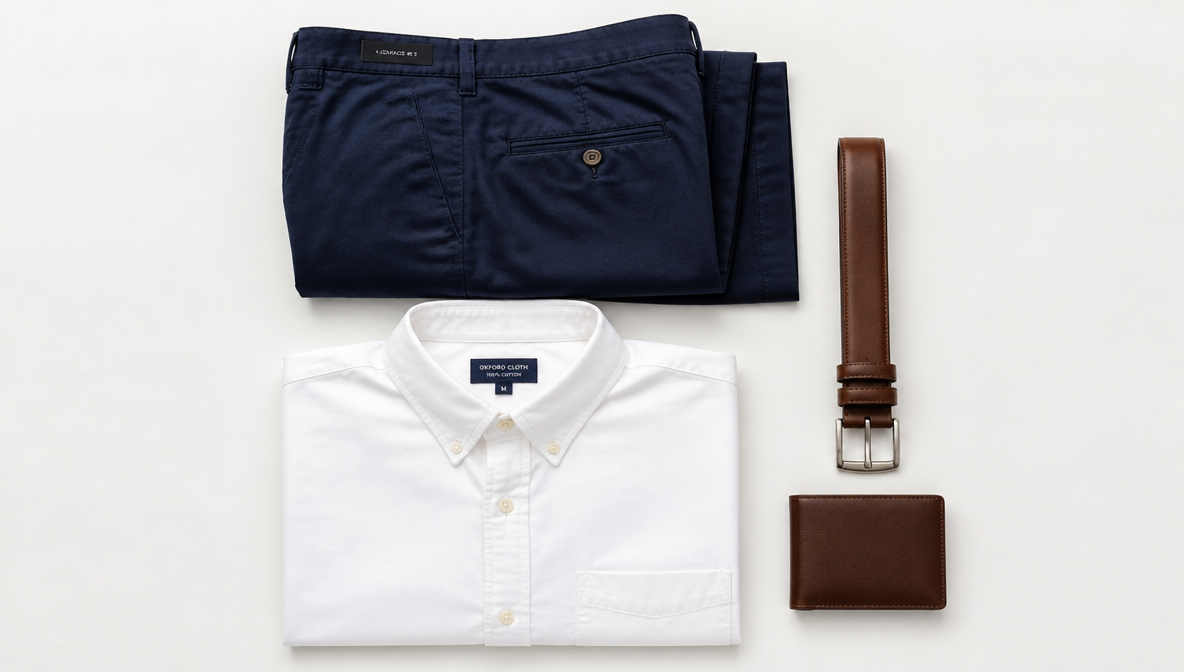 Generated on ImagineArt AI image generator
- "A men's outfit flat lay: navy chinos folded at top, white Oxford shirt below it, brown leather belt and bifold wallet to the right. Clean white surface, overhead shot, even natural diffused light. No shoes."
- "A skincare routine flat lay. Six products arranged in a loose arc on a white marble surface. Overhead shot, soft diffused light from the upper left. No text visible on packaging."
- "A coffee flat lay. A ceramic mug at center, a folded linen napkin to the left, three coffee beans to the right. Overhead shot, warm directional light from the upper right. Dark wood surface."
- "A tech accessories flat lay. Laptop closed at top, wireless earbuds case to the right, slim power bank below, charging cable coiled at bottom left. Clean grey surface, overhead shot, even studio lighting."
Fashion Editorial
Fashion editorial prompts benefit from specific location context and a defined camera relationship to the subject.
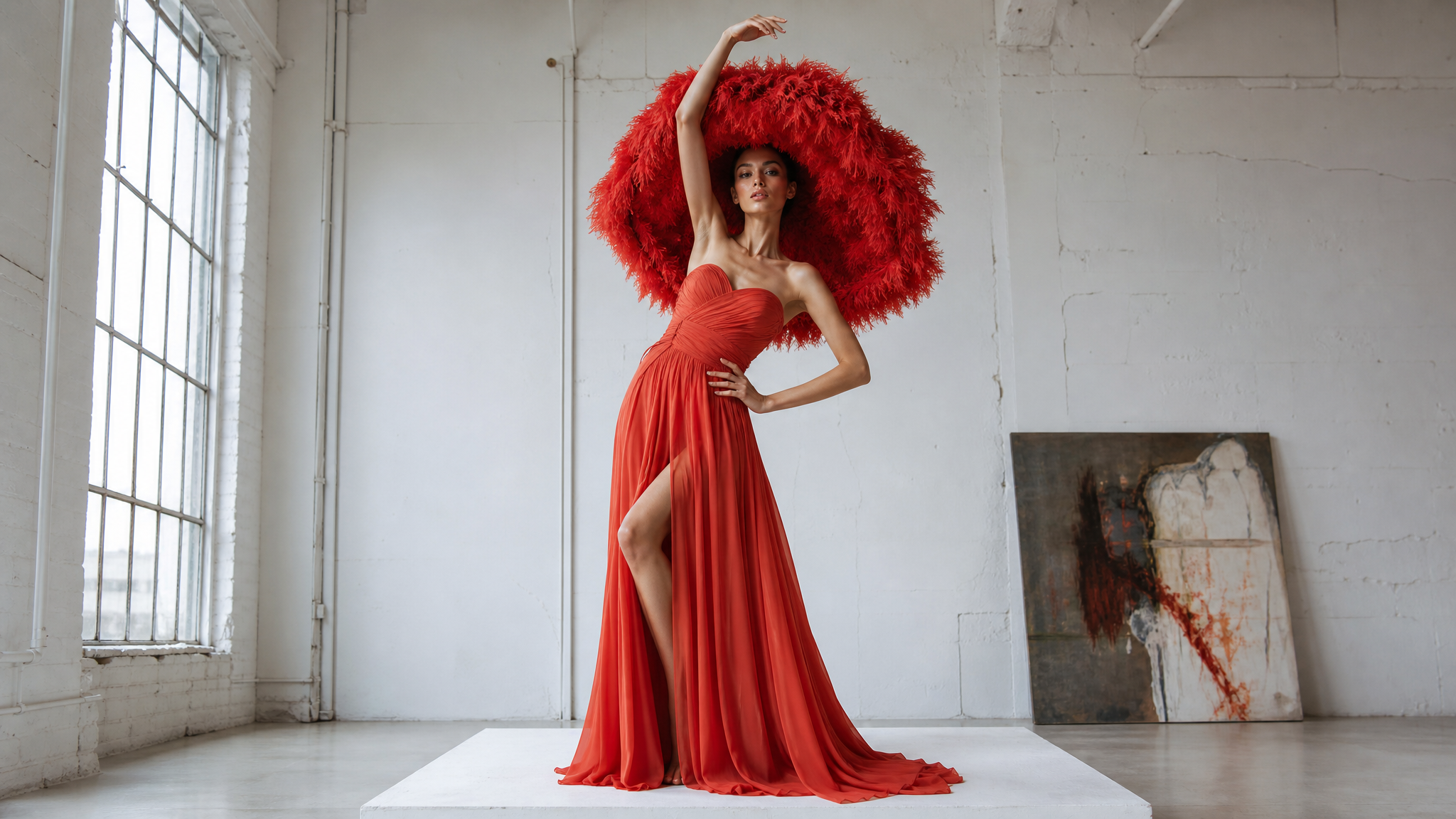 Generated on ImagineArt AI image generator
- "A fashion editorial shot of a woman in an empty concrete parking structure. Overcast daylight from openings. Oversized camel coat, black ankle boots. Full-body shot, slight low angle."
- "A rooftop editorial at dusk. Male subject in a navy rollneck and slim trousers, standing at the railing. City lights beginning to show in the background. Medium shot, cool blue ambient light, warm lamp light from behind."
- "A studio editorial. Female subject sitting on a minimalist wooden stool, side-on to camera. Pale grey seamless background. White linen shirt, wide-leg trousers. Single key light from the left, sharp shadow."
- "A street fashion shot. Female subject mid-stride on a wet cobblestone street. Glossy black trench coat, red heeled boots. Overcast grey sky, rain reflections on the ground. Full-body shot, eye level."
Portrait
Region editing is the most efficient approach — change outfit, background, or lighting in a targeted pass without regenerating the subject.
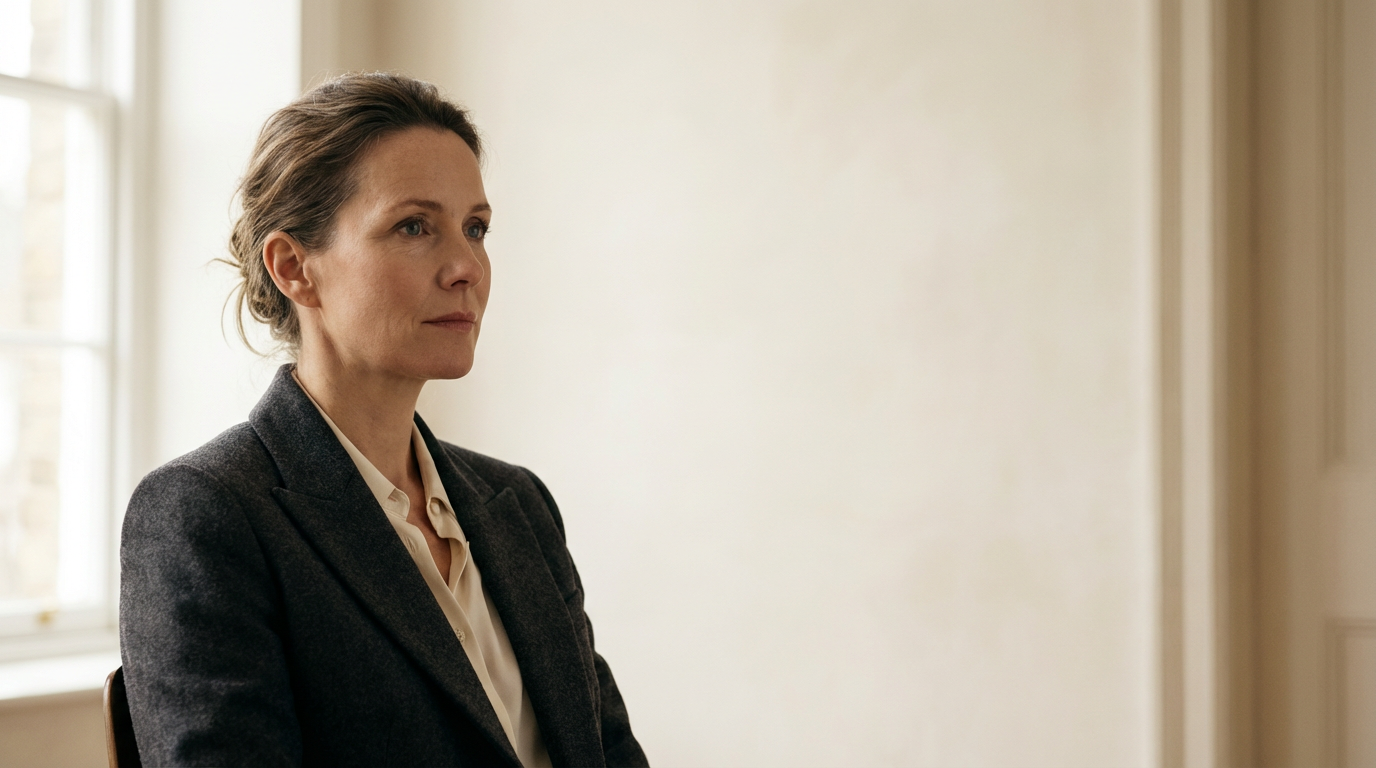 Generated on ImagineArt AI image generator
- "A studio headshot of a man in his early 40s. Grey seamless background. Natural light from the left, slight shadow on the right. White dress shirt, top button open. Eye-level, cropped at shoulders."
- "Close-up portrait, shoulders and above. Deep forest green background. Strong side lighting from the right, shadow on the left side of the face. Subject facing slightly left of camera."
- "A documentary-style portrait of a woman in her 60s. Available light from a window on the left. No makeup, natural expression. Slight grain, warm colour grade. Medium shot."
- "A corporate headshot on a clean white background. Even diffused light, no shadows. Business casual attire — navy blazer, no tie. Direct eye contact."
Food Photography
Food ads and photography prompts perform better with specific garnish and surface detail. Reference photographers like Jamie Oliver's visual team use high contrast surfaces to separate food from background — a principle that translates directly to prompting.
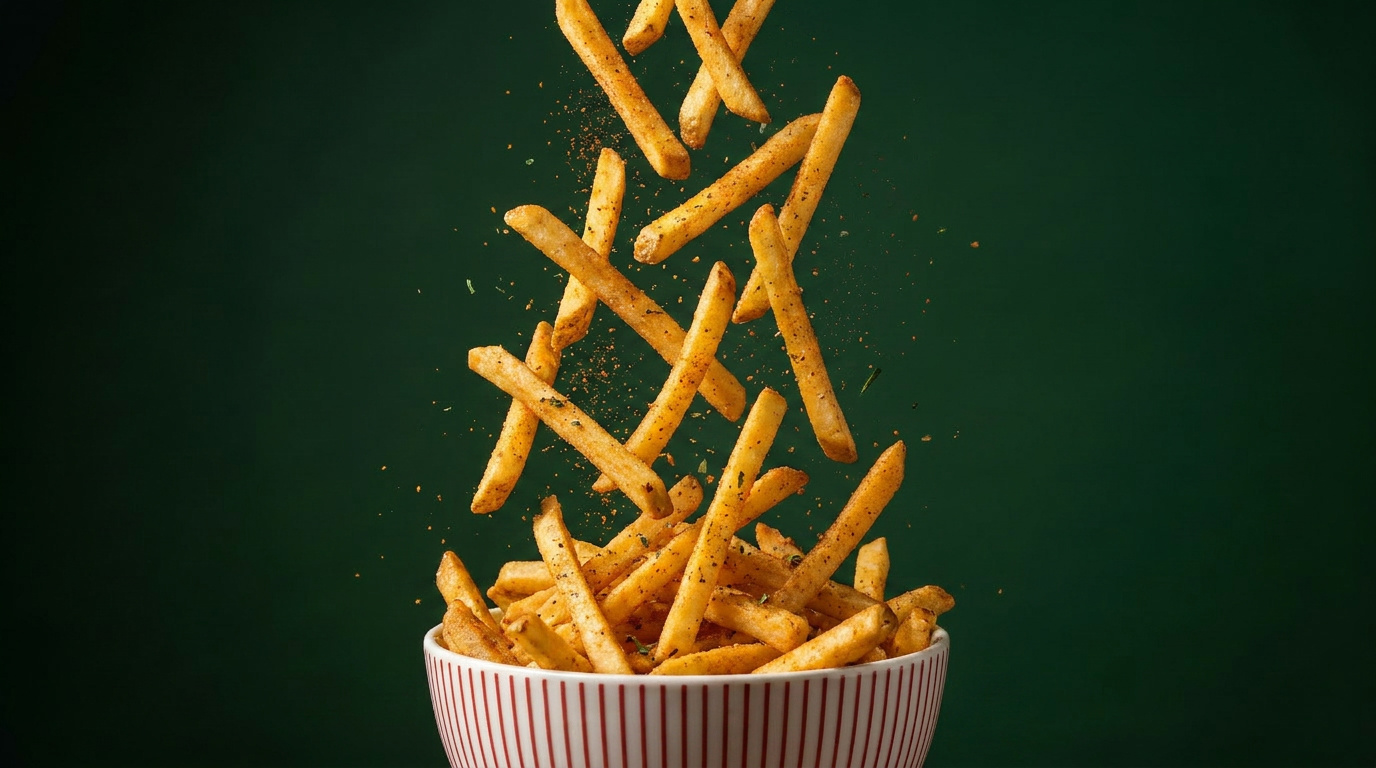 Generated on ImagineArt AI image generator
- "A ramen bowl shot from a 45° overhead angle. Dark matte ceramic bowl, rich broth, two slices of chashu pork, a soft-boiled egg halved, nori, scallions, sesame. Dark wood surface. Warm side light from the right. No text."
- "A flat lay of a summer salad on a white ceramic plate. Mixed greens, halved cherry tomatoes, cucumber rounds, crumbled feta, olive oil glisten. Bright overhead natural light, clean white linen underneath."
- "A close-up of a stack of three chocolate chip cookies on a wire cooling rack. Shallow depth of field, slight golden hour warmth. Focus on the top cookie. Rough wooden surface beneath the rack."
- "A coffee shop bar shot. A latte in a white ceramic cup, latte art on top, on a pale wood bar top. Soft overhead café lighting. Espresso machine slightly out of focus in the background."
Architecture and Interiors
Describe the architectural style, time of day, light source, and one focal point. References to styles or periods ("Brutalist," "Scandinavian minimalist," "mid-century modern") work well in interior design and architecture prompts because the model has strong domain knowledge in this area.
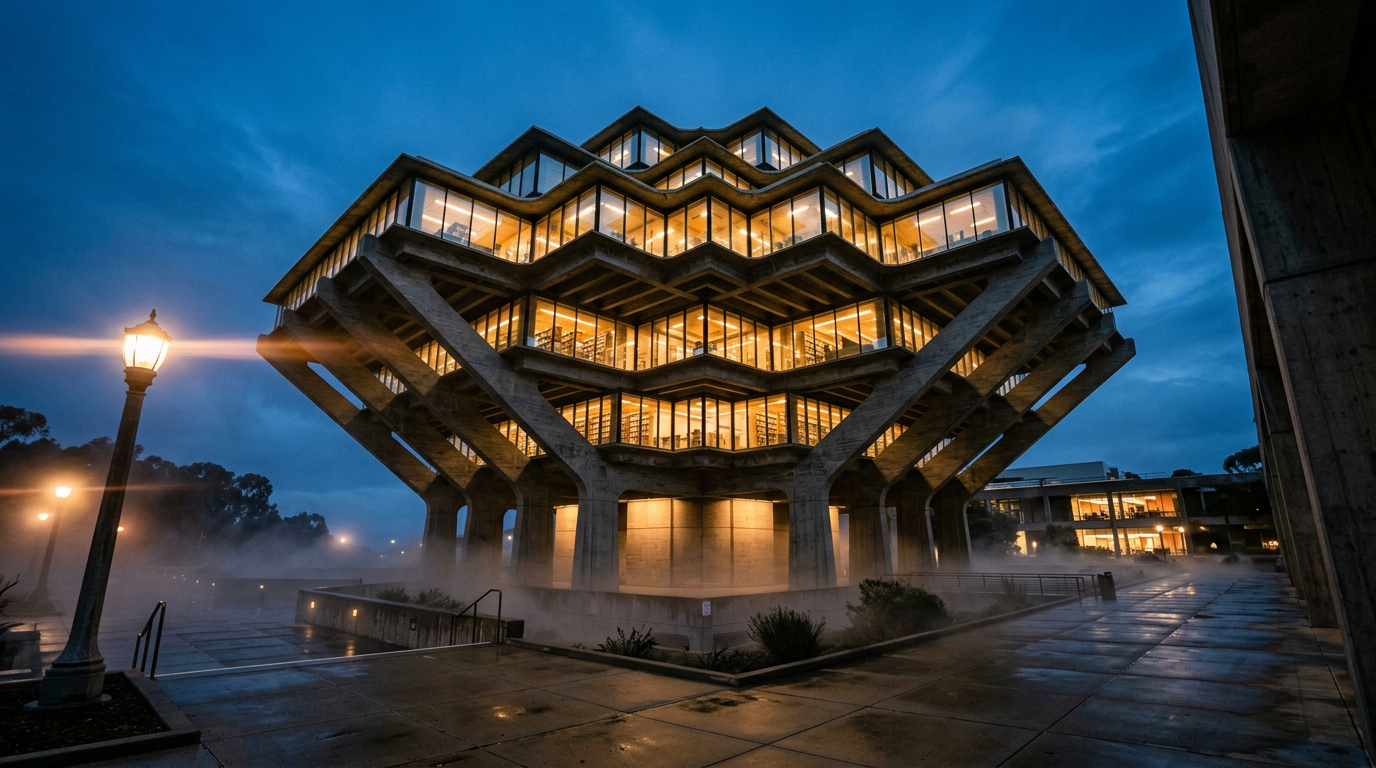 Generated on ImagineArt AI image generator
- "A Brutalist concrete library interior. High ceilings with exposed concrete beams, rows of wooden desks with study lamps, floor-to-ceiling shelves. Overcast natural light from clerestory windows. Wide interior shot, slight upward angle."
- "A Scandinavian minimalist living room. White walls, pale oak floors, linen sofa in a warm grey, a single low-profile coffee table, one floor lamp. Natural light from a large window on the left. Clean, no clutter."
- "A mid-century modern kitchen. Walnut cabinetry, terrazzo countertops in cream and green, brass fixtures, open shelving with ceramic objects. Warm morning light from the right. Wide shot, eye level."
- "A narrow Tokyo alleyway at dusk. Warm light spilling from a ramen shop on the left, blue-grey ambient sky above, wet reflective pavement. Medium shot, straight ahead perspective."
Cinematic Scenes
Cinematic scene prompts respond well to named visual references. Referencing a cinematographer's style — Roger Deakins for warm naturalistic light, Christopher Doyle for saturated color — gives the model strong contextual signals.
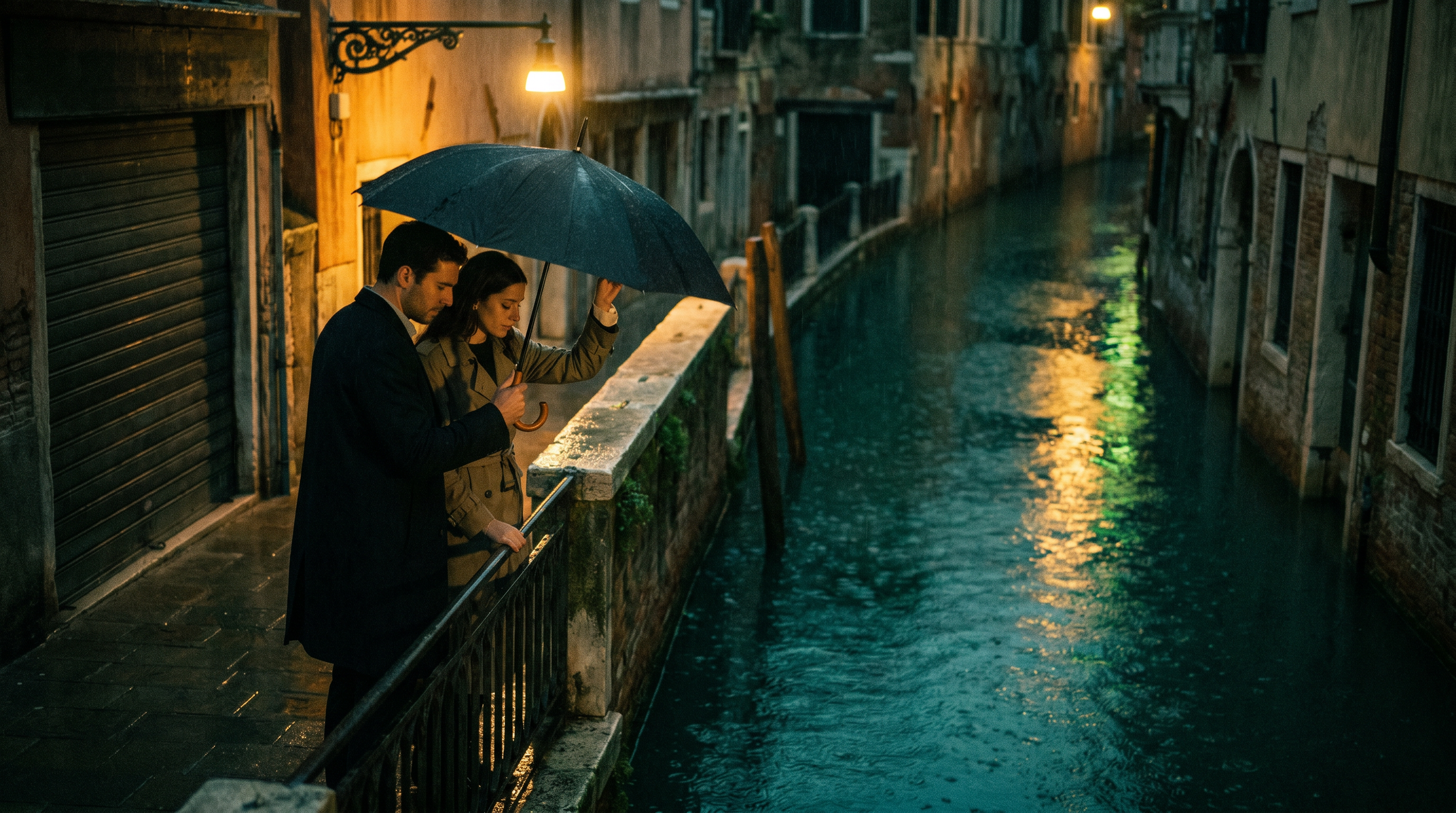 Generated on ImagineArt AI image generator
- "A lone figure walking across a frozen lake at dawn. Roger Deakins-inspired lighting — warm golden horizon light from the right, long blue shadow on the ice. Wide shot, extreme low angle. 2.39:1 aspect ratio."
- "A Wes Anderson-style hotel lobby. Perfectly symmetric composition, pastel palette — coral, sage, cream. A bellhop at the reception desk exactly centered. Top-down overhead shot."
- "A Christopher Doyle-style night scene in a Hong Kong convenience store. Saturated neon from the refrigerator lights — cyan, magenta, green. One figure in the aisle, blurred motion. Handheld feel."
- "A car interior shot at night. Driver lit only by dashboard glow — cool blue-green. Rain on the window beside them. Medium shot from the passenger side. Shallow depth of field."
Fantasy and Concept Art
Fantasy prompts benefit from strong environmental context and specific lighting conditions. Without a defined light source, concept and creative art tends toward generic fantasy aesthetics.
 Generated on ImagineArt AI image generator
- "An ice dragon emerging from a frozen mountain peak. Glacial blue and white scales, translucent wing membranes. Storm clouds behind, lightning in the distance. Low angle looking up. Epic scale — the dragon fills the upper two-thirds of the frame."
- "An enchanted forest at night. Bioluminescent mushrooms along the path, pale blue and green light. Mist at ground level. Ancient gnarled trees forming a tunnel. Wide shot, path leading to a distant warm glow."
- "A solarpunk city. Living walls of greenery on brutalist architecture, solar panels integrated into the roof design, narrow canals between buildings. Golden afternoon light. Wide establishing shot."
- "A desert necromancer's tower at sunset. Crumbling sandstone, arcane symbols carved into the walls, torchlight from narrow windows. Orange and deep red sky behind. Low angle wide shot."
Night and Low-Light Photography
Low-light photography prompts require explicit definition of every light source. Without it, the model adds ambient light that flattens the scene.
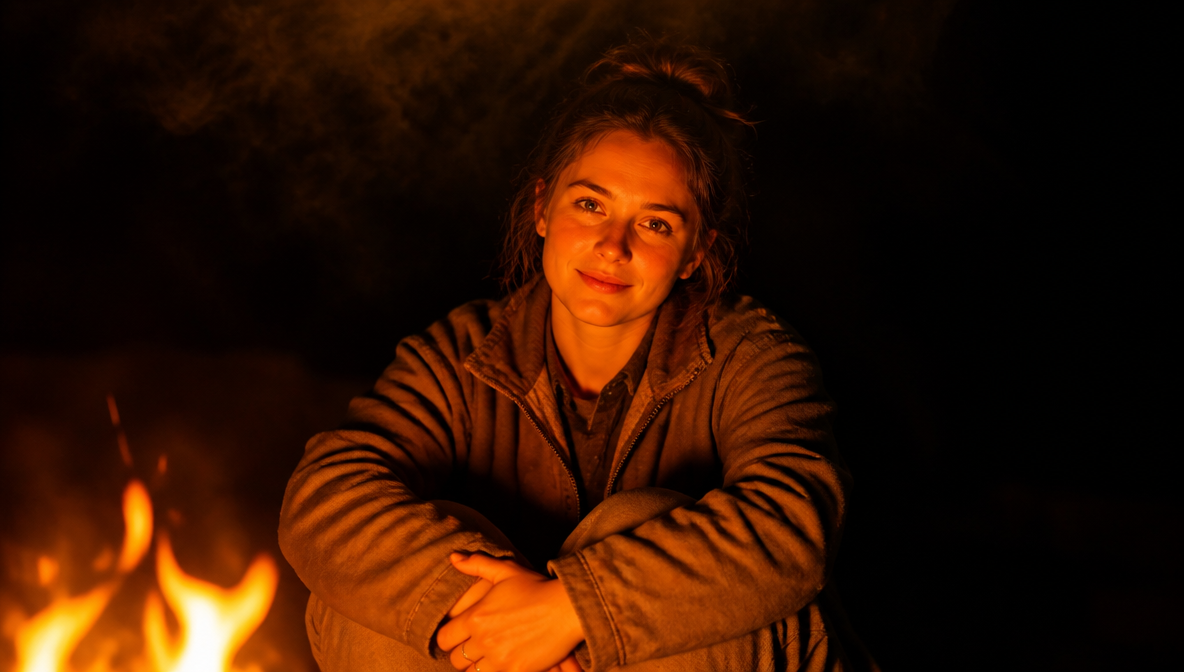 Generated on ImagineArt AI image generator
- "A street photography shot in Tokyo at 2am. Neon signs in kanji reflecting on wet pavement — pink, yellow, blue. One figure in a dark jacket crossing in the middle distance. Shot on Sony A7 IV, 35mm f/1.4, high ISO grain visible."
- "A campfire portrait. Subject lit entirely by the fire's orange warmth, darkness behind them. Medium shot, eye level. Slight smoke visible at the top of the frame."
- "A night sky over a desert landscape. Milky Way visible, horizontal bands of stars. Foreground: red sandstone formations in silhouette. Shot on Canon EOS R5, wide angle, 30-second exposure effect."
- "A jazz club interior at night. Stage lit by a single overhead spotlight — warm amber. Musician at a grand piano, back to camera. Dark tables in the foreground, barely visible faces. Grainy, documentary feel."
Double Exposure and Surrealism
Specify which two images are composited, which one forms the shape, and which fills the interior. Without this, double exposure outputs lack clear visual hierarchy.
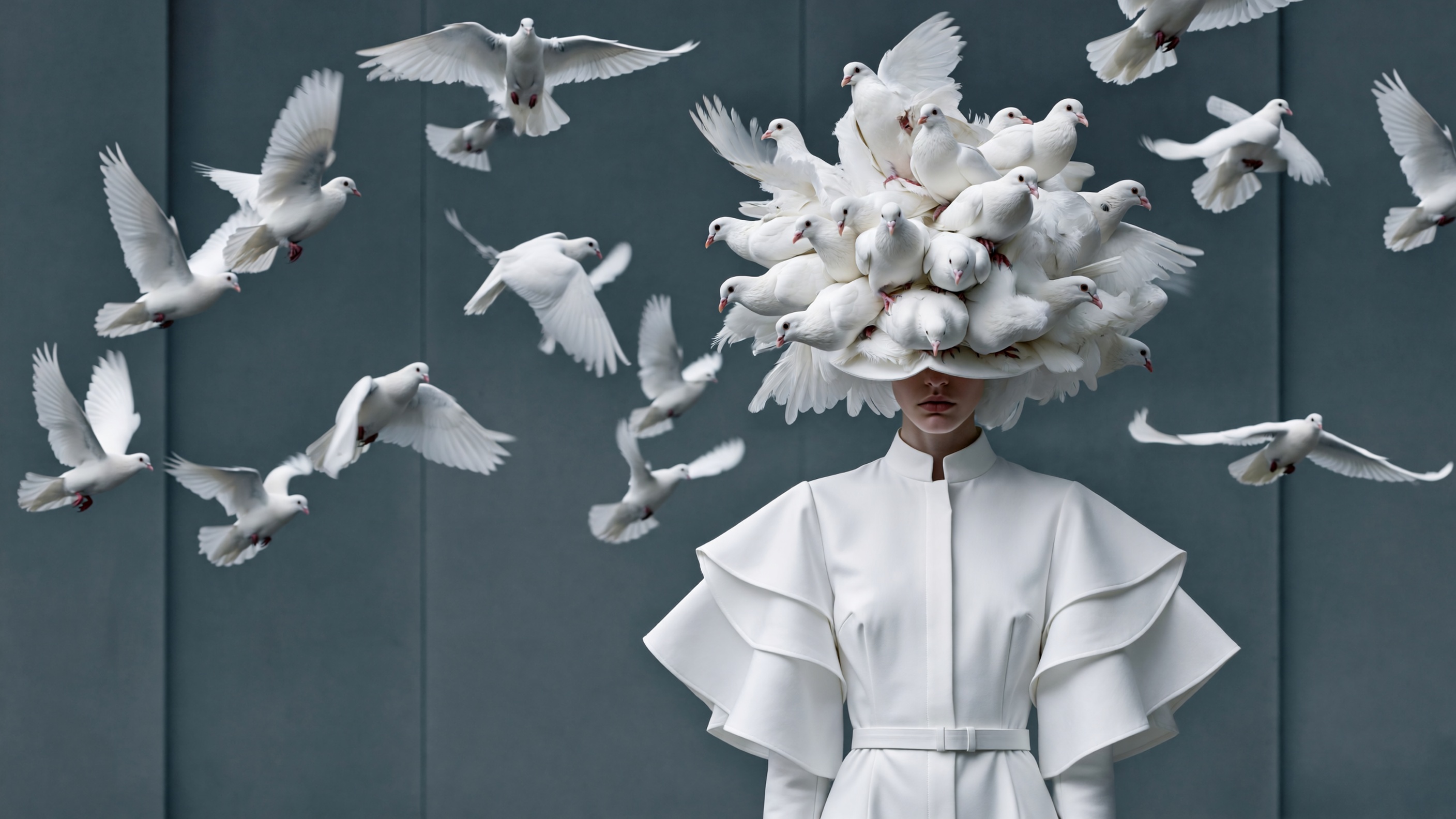 Generated on ImagineArt AI image generator
- "A double exposure portrait. A woman's face in profile forms the outer silhouette. Inside the silhouette: a dense pine forest at dawn, mist between the trees, cool blue morning light. Clean white background."
- "A double exposure of a lion's head filled with the savanna at sunset — golden grasses, acacia trees, orange sky. The lion's mane transitions naturally to the grassline. Black background outside the shape."
- "A surrealist composition: a vintage alarm clock melting over a desert rock formation, Salvador Dalí-influenced. Photorealistic rendering, warm midday light, no cast shadows on the clock."
- "A double exposure of a human hand with a cityscape inside it. Buildings visible through the translucent skin, lights suggesting veins. Dark background, cool blue tone."
Marketing and Advertising
For marketing creatives, specify the format, key message as quoted text, and the visual hierarchy — what the eye goes to first.
 Generated on ImagineArt AI image generatorg
- "A vertical 4:5 social media ad. Bold brushstroke background in deep teal fading to navy. Product — a gold perfume bottle — centered in the upper two-thirds. Bold text reading 'LUXE' in English at the bottom, white, wide-spaced sans-serif."
- "A horizontal banner. Clean white background. Left half: lifestyle image of a woman holding a coffee cup, natural light, warm tones. Right half: headline reading 'Start Your Morning Right' in English, dark charcoal, bold serif, left-aligned."
- "A square social post. Warm sand background. Centered text reading 'LIMITED OFFER' in English, bold uppercase, large black sans-serif. Subtext reading '30% off all orders this weekend' in a lighter weight."
- "A campaign poster. High-contrast black and white — athlete mid-motion. Red diagonal stripe across the lower third. Text reading 'PUSH FURTHER' in English, white, uppercase, bottom left. Full bleed."
Infographic and Data Visualization
Seedream 5.0 Pro's high-density information rendering produces accurate structured content in a single pass. Include all labels, values, and text as quoted strings in the prompt.
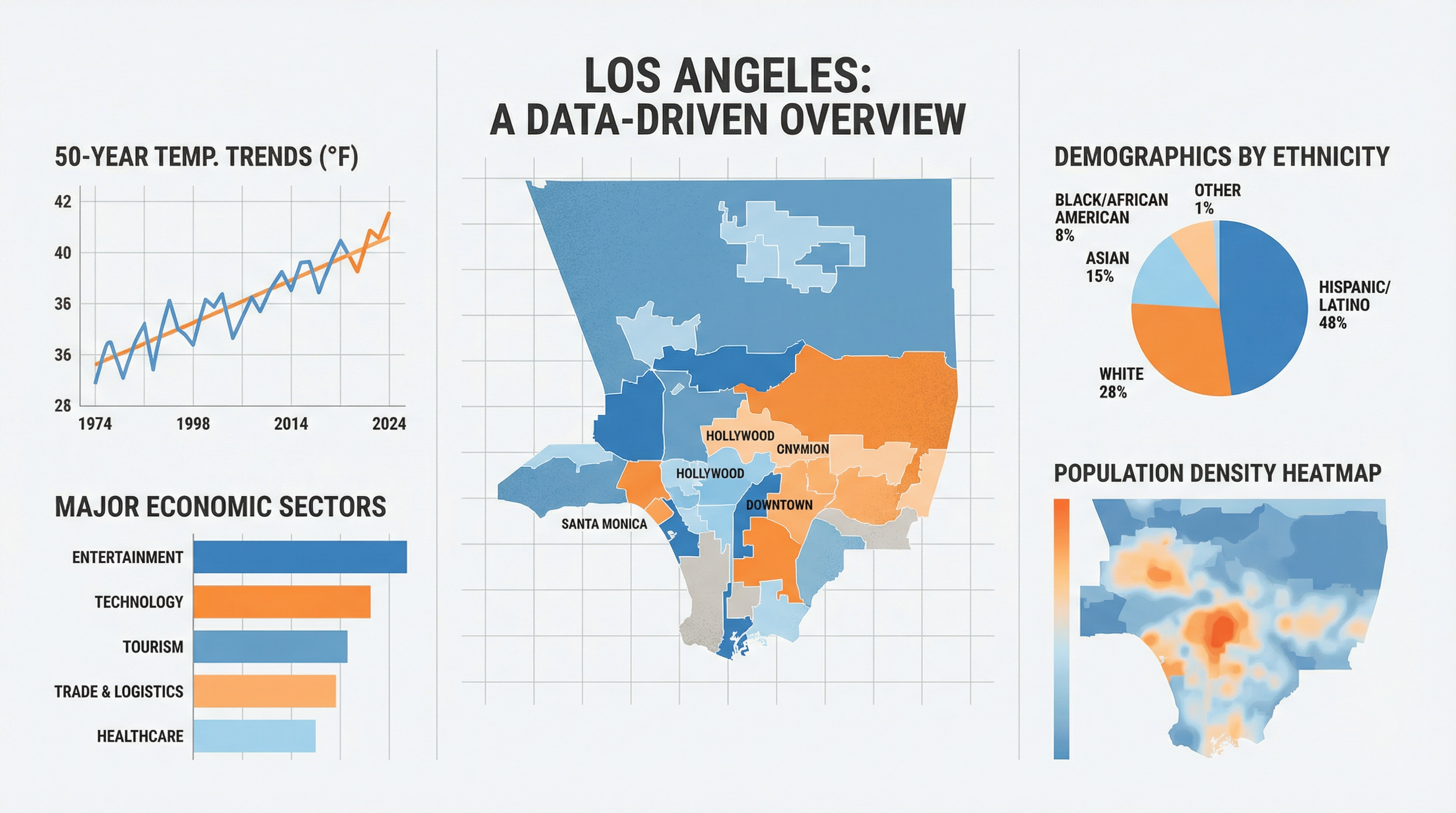 Generated on ImagineArt AI image generator
- "A horizontal bar chart showing Q1–Q4 2026 revenue for four product lines. White background, light grey gridlines. Bars in muted colors — slate blue, warm coral, sage green, sand. English labels on the left, values at bar ends. Title reading 'FY2026 Revenue by Product Line' in dark charcoal, top left."
- "A circular infographic showing AI adoption by industry. Six segments with percentage labels in English. Muted color palette — one distinct color per segment. Bold title at top, data source footnote at bottom, small grey text."
- "A timeline infographic showing five milestones from 2020 to 2026. Horizontal layout, left to right. Each milestone in a circular node with a year and a two-word label in English below. Connecting line in a muted navy. Clean white background."
- "A comparison table showing three product tiers — Basic, Pro, Enterprise. Rows for seven features. Checkmarks in green for included, X in grey for excluded. Header row in dark navy with white English text. Clean, minimal corporate style."
Technical Diagrams and Floor Plans
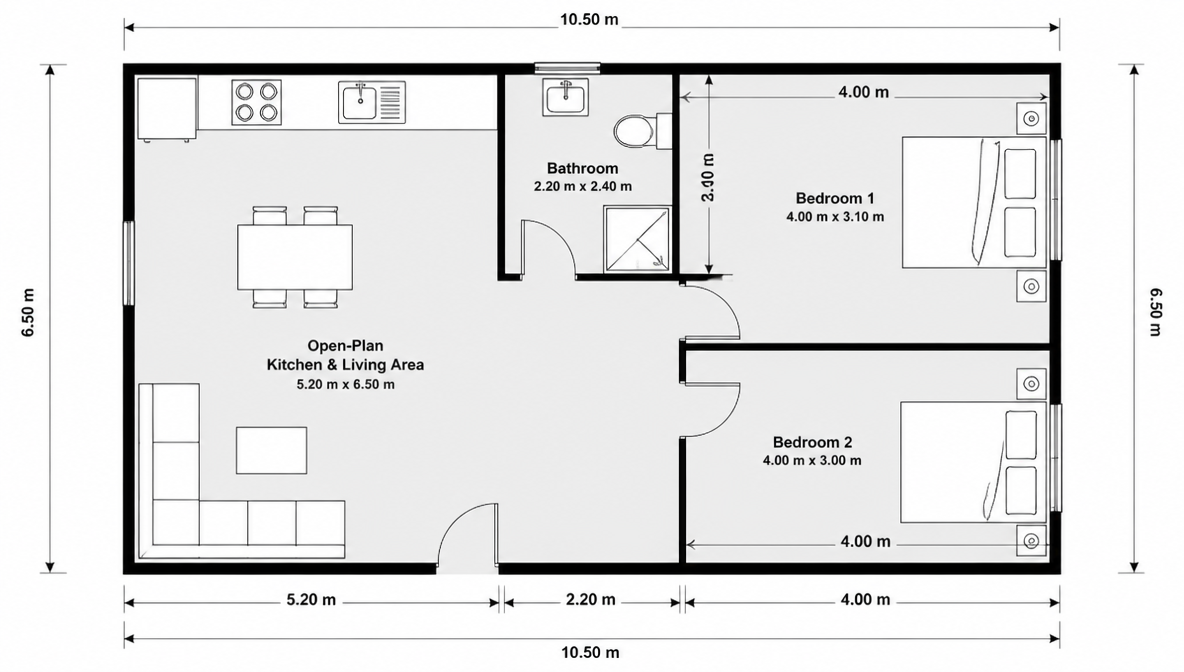 Generated on ImagineArt AI image generator
- "A simple apartment floor plan. Top-down architectural drawing style, white background. Two bedrooms, one bathroom, open-plan kitchen and living area. Each room labeled in English, clean sans-serif. Walls in black line, rooms in very light grey. Dimensions in meters along each wall."
- "An annotated cross-section of a plant cell for educational use. Clean white background, rounded accessible illustration style. Each component labeled in English with a leader line — nucleus, mitochondria, cell wall, vacuole, chloroplast. Muted pastel fill colors."
- "A nutritional information panel for a protein bar. Standard European format. Product name reading 'PEAK BAR — Chocolate Fudge' in bold English at the top. Values table: energy, protein, carbohydrates, fats, fiber — per 100g and per bar. Black on white, small regulatory footnote."
- "A network diagram showing five interconnected servers. Each server as a labeled rectangle in English. Connecting lines showing data flow with directional arrows. Clean white background, muted blue and grey palette."
Presentations and Slide Visuals
 Generated on ImagineArt AI image generator
- "A slide visual. Clean white background, thin navy border. Bold headline reading 'Three Core Pillars' in English, left-aligned, dark charcoal. Three equal columns below with placeholder icon and a label each: 'Speed', 'Accuracy', 'Scale' in English. Minimal, corporate."
- "A process flowchart, five steps left to right. White background. Each step in a rounded rectangle, alternating light blue and white fill. English labels: 'Research', 'Design', 'Build', 'Test', 'Launch'. Connecting arrows. Title 'Product Development Process' at the top."
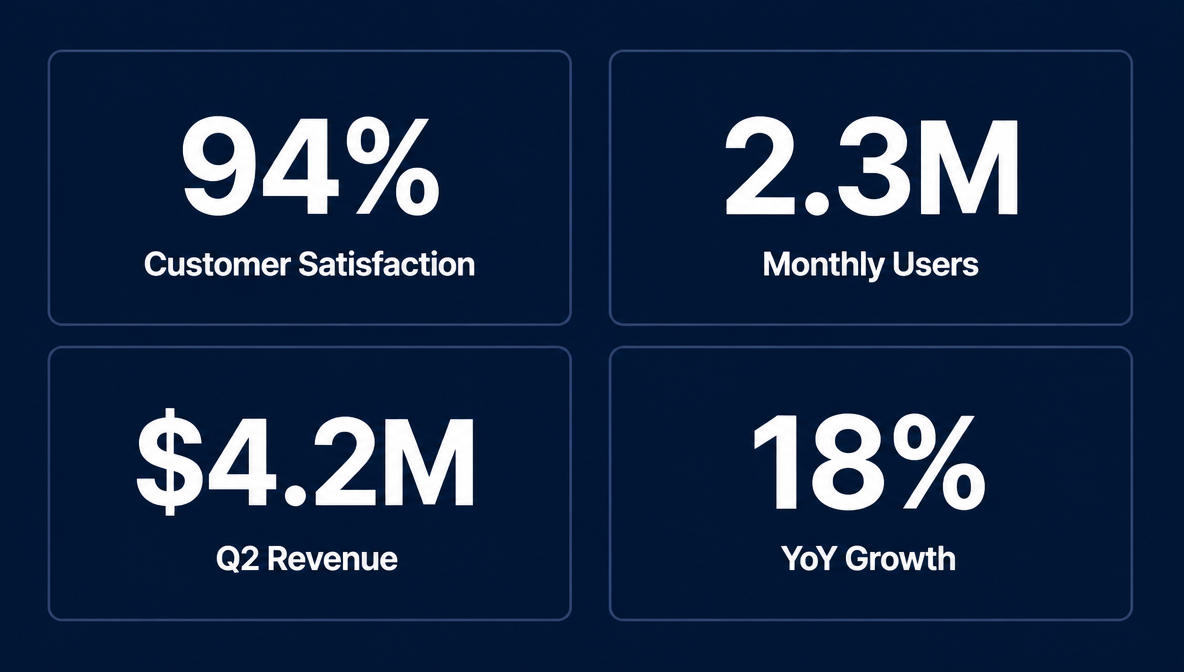
- "A KPI dashboard slide. Dark navy background. Four metric tiles in a 2×2 grid. Each tile shows a large number and a label in English — '94%', 'Customer Satisfaction'; '2.3M', 'Monthly Users'; '$4.2M', 'Q2 Revenue'; '18%', 'YoY Growth'. Clean, white text on navy."
Film, Short Drama, and Gaming
 Generated on ImagineArt AI image generator
- "Character concept art for a sci-fi short film. Female character, late 20s, worn tactical vest over a dark grey high-neck top, carrying a compact handheld device. Industrial space station corridor background, cold blue-green lighting from overhead panels. Full-body, slight low angle."
- "Environment concept for a fantasy RPG. A moss-covered stone temple entrance partially swallowed by dense jungle. Warm golden light from the upper right through the canopy. Wide establishing shot, detailed foreground foliage."
- "Prop design: a weathered leather-bound journal with brass corner reinforcements and a strap clasp. Worn edges, cracking on the spine, aged yellow pages visible at the top. White background, even studio lighting, slight three-quarter angle."
- "Storyboard frame: a character alone at a diner counter at night. Warm interior light from above, cold blue from a window on the left. Medium shot from slightly behind and to the right. Rain on the window. Cinematic 2.39:1 crop."
Advanced Prompting Techniques
Describing materials precisely
Generic material terms produce generic surface rendering. Specific descriptors produce accurate, consistent results across generations.
High-signal material descriptors:
- Metals: matte brushed aluminum, polished chrome, oxidized copper, warm satin gold, cold gunmetal
- Textiles: heavyweight raw selvedge denim, sheer silk organza, ribbed cotton jersey, boiled wool, waxed canvas
- Wood: aged reclaimed oak with visible grain and knots, pale ash with matte oil finish, dark walnut with satin lacquer
- Glass and ceramics: frosted borosilicate glass, hand-thrown matte stoneware with slight surface variation, high-gloss porcelain
- Other: weathered concrete with hairline cracks, smooth poured resin in translucent amber, gloss acrylic with no fingerprints
Before: "a metal watch case"
After: "a watch case in cold brushed titanium with matte bead-blasted finish, no visible scratches"
Lighting descriptions that produce consistent results
Mood-based descriptions are interpreted inconsistently. Directional descriptions produce stable outputs.
Formula: "[Intensity] [color temperature] light from [direction], [shadow behavior]."
- Studio product: "Soft diffused light from directly above, even illumination, no visible shadows"
- Lifestyle warmth: "Warm afternoon light from the upper right, long shadow falling left, slight lens flare"
- Portrait editorial: "Single key light at 45° from camera left, minimal fill on the right, slight shadow across the nose"
- Cinematic night: "Low cool moonlight from behind the subject, rim-lit silhouette, deep foreground shadow, no ambient fill"
Style references without naming artists or properties
Describe visual style in terms of color, composition, and material rather than referencing copyrighted work directly.
- "High-contrast black and white, deep shadows, strong directional light, sharp focus on subject, blurred background"
- "Muted desaturated palette, slightly elevated shadows, no deep blacks — faded film stock color grade"
When translating a visual reference into a prompt: note the color range (warm/cool, saturated/muted), contrast ratio, texture quality, and composition type (centered, rule of thirds, full bleed).
Role assignment in multi-image fusion
Without explicit role instructions, the model averages influence across all reference images, producing a blended output that doesn't closely resemble any one reference.
- Reference 1 → subject identity
- Reference 2 → environment
- Reference 3 → color and lighting mood
- Reference 4 → style or texture
One job per reference. The more specific the role, the more precise the composition.
Negative Prompts
Seedream 5.0 Pro responds to negation written directly in the main prompt — there is no separate negative prompt field. Keep negations to 1–2 items; longer exclusion lists produce inconsistent results.
| Use case | Negative prompt to add |
|---|---|
| Clean product shot | no text, no watermarks, no distracting props |
| Portrait | no background objects, no lens flare |
| Infographic | no decorative elements, no gradients |
| Architecture | no people, no cars |
| Night scene | no ambient fill light, no blown highlights |
For complex exclusion needs, region editing is more reliable than negation.
Common Prompting Mistakes and How to Fix Them
| Mistake | What happens | Fix |
|---|---|---|
| Describing preserved elements in region edits | Model changes them | Only describe what you want changed |
| Using vague quality adjectives | Inconsistent interpretation | Replace with lighting direction, material texture, specific color |
| Omitting language for non-English text | Defaults to English rendering | Name the language; specify RTL direction for Arabic |
| Using anchor editing on unstructured layouts | Wrong object gets edited | Switch to region editing with bounding box input |
| Not naming layers in separation requests | Imprecise layer boundaries | Name each element explicitly |
| Generic color descriptors for brand work | Color varies across generations | Use #hex codes |
| Too many reference images without role assignments | Model averages across all inputs | One explicit job per reference image |
Quick Reference Cheat Sheet
Five-element formula: Subject → Palette and style → Arrangement → Camera and light → Extra detail
Lighting formula: "[Intensity] [color temperature] light from [direction], [shadow behavior]."
In-image text: Content in quotation marks → language named → position and style described → max 3–5 words per text element
Region editing: "Change [target] to [change]." — say nothing about what to preserve
Layer separation: "Return as [N] separate layers with transparent backgrounds: [list]."
HEX format: "Background in '#hex' ([color name])."
Negation: "No [specific element]." — maximum 1–2 per prompt
Prompt length: Keep under 200 words for best rendering consistency
Resolution: 1.5K (≤2.36M px) → $0.045 | 2K (>2.36M px) → $0.09 | First reference image: free
Frequently Asked Questions
How specific do Seedream 5.0 Pro prompts need to be?
Specific enough to describe what's in the frame without ambiguity. The five-element framework is the baseline — short prompts work for simple compositions, but any output involving text, specific materials, or editing benefits from precise description. The Level 1 → 3 comparison earlier in this guide shows what specificity gains in practice.
What is the difference between region editing and anchor editing?
Region editing uses a visual selection — you draw or define the area. Anchor editing uses text to locate an object by its position in the scene. Region editing works on any layout. Anchor editing is faster but only reliable when objects are in a clear grid, row, or column.
Can I use the same prompt structure for generation and editing?
No. Generation prompts describe an entire scene. Editing prompts describe a single targeted change. Using a generation-style prompt in an editing context causes the model to modify areas outside the intended target.
How do I prompt for in-image text in Arabic or Korean?
Put the text in quotation marks, name the language, and specify right-to-left for Arabic. For Korean and Japanese, no direction specification is needed. Test short strings before prompting dense text blocks.
Does Seedream 5.0 Pro support negative prompts?
The model responds to natural language negation in the main prompt — "no text," "no shadows," "no watermarks." There is no dedicated negative prompt field. Keep negations to 1–2 items; longer lists produce inconsistent results.
How do I prompt for layer separation without generating more images than I need?
Name only the layers you need. "Return as three layers: the product, the shadow, and the background" generates exactly three outputs. An unspecified separation request may return more than necessary.
Where can I use Seedream 5.0 Pro?
Seedream 5.0 Pro is available through ImagineArt's image generation platform and API.
Tooba Siddiqui
Tooba Siddiqui is a content marketer with a strong focus on AI trends and product innovation. She explores generative AI with a keen eye. At ImagineArt, she develops marketing content that translates cutting-edge innovation into engaging, search-driven narratives for the right audience.