
Arooj Ishtiaq
August 13, 2026 • Updated August 13, 2026
14 mins Read
Most coverage of Grok Bot describes a developer framework for orchestrating swarms of agents. xAI's own documentation describes something narrower and more interesting: an app where you create named AI teammates that share one cloud computer, sign into your real tools, and keep working after you close the laptop.
That gap matters, because the wrong mental model leads to the wrong buying decision. Teams evaluating Grok Bot as an SDK will look for APIs that do not exist. Teams evaluating it as a chat assistant will underestimate what a persistent computer changes. This guide works strictly from xAI's official documentation and separates Grok Bot from the two other xAI agent products it keeps getting confused with.
What is Grok Bot?
Grok Bot is xAI's app for creating persistent, named AI teammates. Each Bot works on a shared cloud computer with a browser, filesystem and terminal, signs into your real tools, keeps memory across turns, and comes back only when a task needs your approval. You direct it by messaging it, not by building a workflow.
The shorthand xAI uses is that Bots have their own computer, use it like you do, and never log off.
Grok Bot: xAI's Always-On AI Agents Actually Do
| Attribute | Detail |
|---|---|
| Product type | Application, not a framework or SDK |
| Interfaces | Desktop app and iOS, the same Bot reachable from both |
| Unit of work | A Bot, meaning one persistent, named agent |
| Execution environment | Persistent cloud VM with browser, filesystem and terminal |
| Isolation boundary | The user account, not the individual Bot |
| Tool access | Connectors and MCP where available, plus direct computer use |
| Memory | Persistent across turns: files, browser sessions, preferences |
| Repeatability | Routines learned from live demonstration, re-runnable on a schedule |
| Human control | Bots return for approval when a task needs sign-off |
| Model version | Not documented by xAI |
Terminology Define for Grok Bot
Precision here saves confusion later, because several of these words mean something specific in xAI's documentation and something looser in general agent discourse.
Bot. One persistent, named agent. One AI teammate. In both the documentation and the app, this is the singular unit, and plural Bots are simply several of them under one account.
The computer. A persistent cloud virtual machine carrying a browser, a filesystem and a terminal. It belongs to your account and is shared by all of your Bots.
Screen. Each Bot gets its own screen on the shared computer, which is what allows several Bots to operate browser and desktop tools at the same time without colliding.
Skill. A reviewed and corrected process turned into something reusable, built out of work a Bot has already done for you.
Routine. A multi-step path a Bot has learned by following along once, then persisted so it can run again on a schedule or on demand.
Connector and MCP. The clean integration path into tools that expose one. Where a tool exposes nothing usable, the Bot falls back to operating the interface directly.
Grok Bot is not a framework
xAI ships three separately named agent products. Merging them is the most common error in third-party writeups, and it produces recommendations that do not survive contact with the docs.
| Product | What it is | Interface | Who it is for |
|---|---|---|---|
| Grok Bot | Persistent AI teammates on a shared cloud computer | Desktop app and iOS | Knowledge workers and teams |
| Grok Build | Agentic coding agent | Terminal CLI | Engineers |
| Agent Tools API | Server-side tools the model invokes autonomously | Developer API | Developers building on xAI |
Grok Bot Architecture: One computer with Many Bots
The single design decision that explains everything else is the computer. Each Bot runs on a persistent cloud VM with a browser, a filesystem and a terminal, so work finishes inside the actual tools rather than arriving as a chat draft you still have to execute yourself.
That computer is scoped to your account rather than to an individual Bot. All of your Bots share the same files, browser sessions and app logins, which is precisely what makes handoffs work without repeating setup. One Bot signs into a system, and the next Bot inherits that session instead of asking you for credentials again.
Each Bot gets its own screen on that shared machine, so several can drive browser and desktop tools in parallel. Work that would otherwise queue behind a single session runs concurrently.
What Account-level Isolation Means for Security
The security consequence is stated directly in xAI's documentation and it is easy to miss. Because isolation sits at the account level rather than the Bot level, a login or a file you place on the computer is available to every one of your Bots. Separate screens are not separate security boundaries.
The practical rule that follows: do not treat one Bot as a sandbox for sensitive credentials. If you would not grant the access to all of your Bots, do not place it on the computer at all. xAI publishes approvals, security and privacy guidance and recommends reviewing it before connecting sensitive systems.
How Teams are Provisioned
For team and enterprise use, xAI documents one dedicated managed Linux VM per member, shared by all of that member's Bots. The boundary stays per person, which keeps one colleague's logins away from another's Bots while preserving handoffs inside a single person's set.
Grok Bot Capabilities That Matter
Five capabilities do the real work, and each is documented rather than inferred.
-
Computer use for tools without a clean API. Bots use connectors and MCP servers where they exist, and operate apps and websites directly through the browser where they do not. The result is that a task ends with work completed in the destination tool rather than a set of instructions for you to carry out. MCP is the same connective standard we cover in our guide to running ImagineArt through MCP in Claude Code, which is a useful way to see how an agent reaches a generation tool in practice.
-
Routines learned from live demonstration. Ask a Bot to follow along once through a multi-step path across several systems and it persists that path as a routine. From then on it re-runs the routine on a schedule or on demand. The setup cost is one supervised pass rather than a configuration session in a workflow builder.
-
Durable state across turns. Named Bots keep memory, files, browser sessions and preferences. Context compounds instead of resetting to a fresh environment on every task, and the Bot develops an understanding of how you like work done over time. This is the difference between an assistant you re-brief every morning and a colleague who already knows.
-
Independent coordination between Bots. Multiple Bots run in parallel on the shared computer, message each other, share context in threads or group chats, and pass ownership of a task between themselves. You stop being the router between tools, which is the actual bottleneck in most manual workflows.
-
Approval as the default stopping point. Bots take on ambitious projects, work across multiple systems, keep you updated in the conversation, and return when something needs sign-off. Long-running delegation is only tolerable when the stopping condition is explicit, and here it is the product's default.
How to Start with Grok Bot
xAI's onboarding is short by design. You create a Bot, message it, and grant access as needed. There is no workflow builder to configure and no prior setup required before the first task.
On first use, the app introduces Bots, the shared computer and routines, then asks which tools you use. Those answers shape the first teammate you get, so answering them accurately is worth the two minutes.
What a good first task looks like
xAI's documented example of a strong first handoff is a real multi-tool job with a clear deliverable: pull this week's strategic prospect list from Salesforce, skip anyone already in a sequence, research the top five accounts across the web, Slack, Databricks and Sumble, pull contacts, draft LinkedIn and email messages in your voice, and leave drafts to approve by the next morning.
Four elements make that brief work, and they transfer to any first task you write.
- What to do, stated as an outcome rather than a series of clicks.
- Where to work, naming the specific systems involved.
- What context to pull in, so the Bot is not guessing at inputs.
- What the finished deliverable looks like, including the approval gate.
Turning One Good Run Into a Repeatable Process
After a Bot completes a task you review the work and provide corrections. That corrected process becomes a reusable skill or a proactive routine. The compounding effect is the point: the second run of a job costs a fraction of the first, and the tenth costs almost nothing.
Grok Bot Use Cases in Creative Workflows
Creative production has the same shape as xAI's sales research example: several systems, a clear deliverable, a human approval gate. It is also where an agent that can operate a browser pairs naturally with a generation stack, because the agent decides what needs making and the generation tools make it.
Campaign Asset Production
A Bot can pull the week's briefs from your project tracker, deduplicate them against what already shipped, and hand the visual work downstream. Rendering the stills through an AI image generator and the motion through an AI video generator turns a brief queue into finished files rather than a longer to-do list. Teams still choosing a model can start from our roundup of the best AI image generators for marketers.
Ad and Social Variants at Volume
Once a concept is approved, the repetitive part is producing sized and localised variants. This is exactly the shape of work a demonstration-learned routine handles well: fetch the approved master, generate the cuts, name the files to convention, upload to the right folder. The AI marketing video generator produces the cuts, and our guide to the best AI video generators for commercials covers which model suits which format.
Iterative Refinement Rather than One-shot Prompting
Agent work is conversational by nature, which suits tools built for revision instead of a single render. Our guide to multi-turn image generation covers keeping a subject consistent across successive edits, and the AI image editor is where those corrections land.
Structured Prompting for Unattended Runs
When an agent issues the prompts instead of a person, structure beats prose. A schema is reproducible; a sentence is not. The technique is covered in our guide to JSON prompting for AI image generation, which gives an agent fields to fill rather than a paragraph to compose, and cuts the variance between runs.
Post-production and Assembly
Generated clips still need trimming, captioning and sequencing before anything ships. The AI video editor handles that stage, and our video editor overview walks through where each control sits so a routine can be demonstrated against it.
Keeping Output on Brand at Volume
Agents running unattended amplify whatever inconsistency already exists in your pipeline. Ten off-brand assets are a nuisance; a routine producing them nightly is a problem. Custom AI model training pins the look to your brand before a Bot ever runs the job at volume, and our guide to training your own AI model covers what that takes.
Pairing Grok Bot with xAI's Own Generative Models
Since Grok Bot sits inside xAI's product line, xAI's generative models are the natural pairing. Grok Imagine generates images with native audio, Grok Imagine Video took the top spot on the Image-to-Video Arena at release, and Grok Imagine Video 1.5 is the current release available to run directly.
For orientation, start with our Grok Imagine overview, then the practical walkthrough on how to use Grok Imagine Video 1.5 and its prompt guide. Budgeting a scheduled routine is easier with real numbers, which is what our Grok Imagine Video 1.5 pricing breakdown provides.
Grok Bot vs Traditional AI Agents
Most agent products are either a chat assistant with tool calls attached, or a workflow builder you configure before anything runs. Grok Bot differs on six axes.
| Dimension | Traditional AI agents | Grok Bot |
|---|---|---|
| Execution surface | API calls and sandboxed code | Persistent cloud VM with browser, filesystem and terminal |
| Setup | Workflow builder configured before first run | Create a Bot, message it, grant access as needed |
| Memory | Context resets per session | Memory, files, browser sessions and preferences persist |
| Coordination | A human routes output between tools | Bots message each other, share threads, pass ownership |
| Tool coverage | Limited to services with a usable API | Connectors and MCP, plus computer use where neither exists |
| Repeatability | Scripted in advance by a person | Learned once by demonstration, then scheduled |
The honest summary: Grok Bot trades configurability for directness. If your work already lives in tools with mature APIs and you want deterministic control over every step, a workflow builder still fits better, because a scripted step fails loudly and a browser step fails quietly. If your work spans systems that were never designed to be automated, an agent that can simply use the interface is the shorter path.
Grok Bot limits Worth Knowing
Isolation is per account, not per Bot. Every login and file on the computer is reachable by all of your Bots. That is documented design rather than a defect, and it should shape what you connect and in what order.
Availability is limited. Grok Bot was announced on 11 August 2026 and entered beta for specific subscription tiers on desktop and iOS, with a waitlist for enterprise access. Check current eligibility before planning a workflow around it.
Computer use is slower than an API call. Driving an interface at roughly human speed is the fallback for tools without a clean integration, and it costs time. Where a connector or MCP server exists, expect the Bot to be materially faster.
A demonstrated routine inherits your mistakes. A path learned from one supervised pass reproduces whatever was wrong with that pass. Demonstrate carefully, then review the first scheduled run rather than assuming it.
The model behind it is undocumented. You cannot benchmark Grok Bot against a specific model version, because xAI has not published which one it runs. Evaluate it on execution surface, memory and coordination, which are documented.
Who Grok Bot Suits
A good fit if your week involves repetitive work across four or five systems that do not talk to each other, if the deliverable is reviewable output such as drafts, research or assets, and if you are comfortable granting real tool access under an approval gate.
A poor fit if you need deterministic, auditable steps for compliance reasons, if your systems all expose good APIs and you already have them wired together, or if the work cannot tolerate an occasional silent failure in a browser session.
Where Grok Bot Goes Next
The interesting claim in Grok Bot is not autonomy, which every agent product asserts. It is persistence: a named teammate with a durable computer, durable logins and durable memory, where context compounds instead of resetting. That is a smaller promise than "agent fleet" and a considerably more useful one, and it is the promise xAI's documentation actually makes.
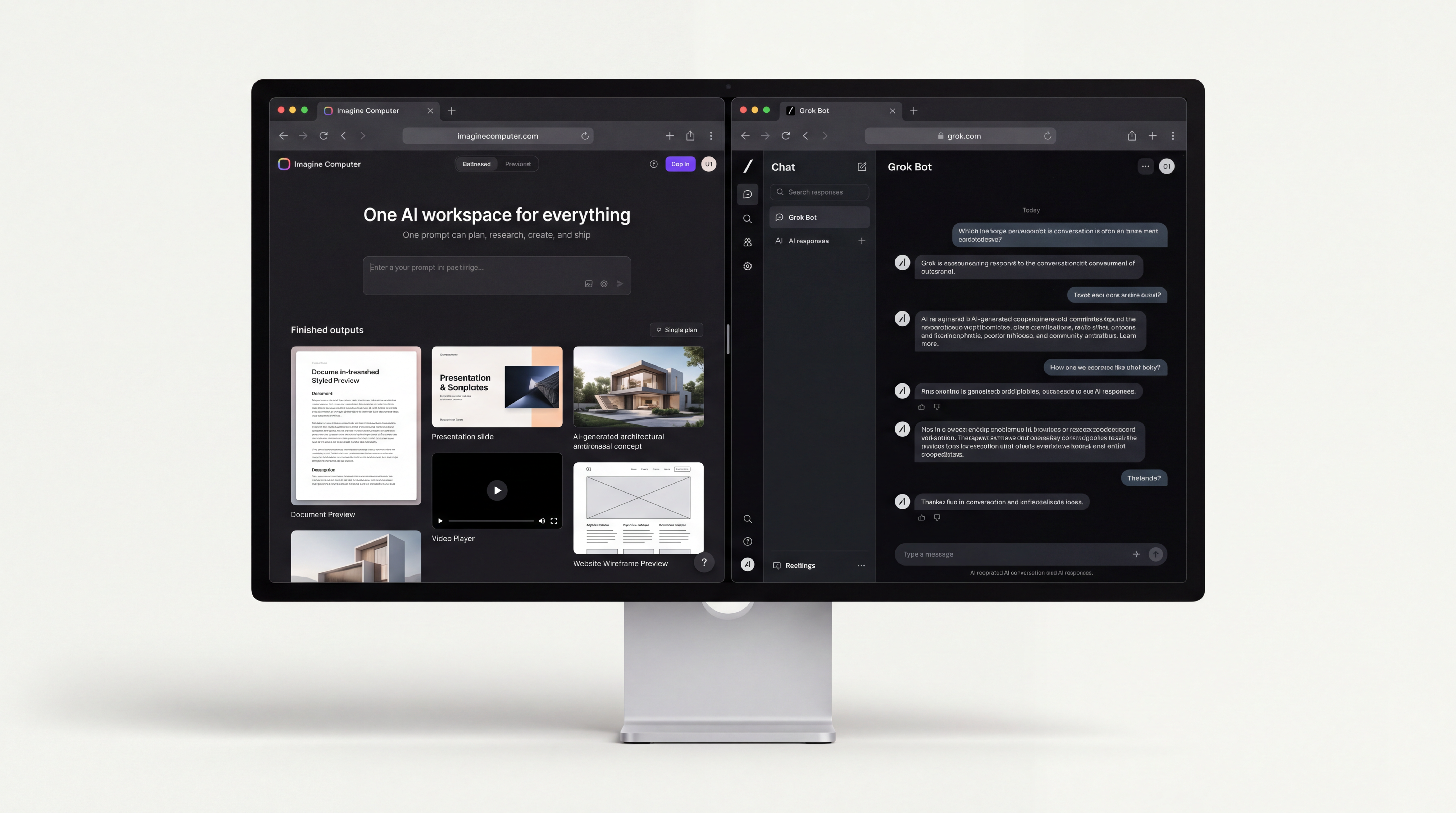
The constraint that follows is compute. An agent running routines on a schedule generates work continuously, and generative workloads are the heaviest part of that output. Imagine Computer is built for that load, giving image and video generation somewhere to run at volume while agents like Grok Bot handle the coordination around it.
Pair the two and the division of labour is clean. The agent decides what needs making, where the inputs come from and where the result belongs. The generation stack makes it.
Frequently asked questions
What is Grok bot?
Grok Bot is xAI's app for creating persistent, named AI teammates that run on a shared cloud computer with a browser, filesystem and terminal. Each Bot signs into your tools, works inside them, and reports back in the conversation. It is a product you message rather than a framework you build on.
What is Grok mostly used for?
Multi-tool work with a clear deliverable: research across several systems, pulling and cross-referencing records, drafting output in your voice, and re-running the same path on a schedule once it has been demonstrated. xAI's documented starter example is a sales research and drafting task spanning Salesforce, the web, Slack and Databricks.
Is Grok better than GPT-4?
That comparison is about models, and Grok Bot is an app rather than a model. xAI does not document which model powers Grok Bot, so any ranking against GPT-4 on that basis is inference rather than fact. Compare the products on execution surface, memory and coordination, which are documented.
Are chats with Grok AI private?
xAI publishes approvals, security and privacy documentation and recommends reviewing it before granting access to sensitive systems. The detail that most affects privacy in practice is that the cloud computer is scoped to your account, so anything placed on it is available to all of your Bots.
Arooj Ishtiaq
Arooj is a SaaS content writer specializing in AI models and applied technology. At ImagineArt, she creates sharp, product-focused content that helps creators and businesses understand, adopt, and get real value from AI tools.