
Tooba Siddiqui
April 2, 2026 • Updated August 4, 2026
11 mins Read
By early 2026, 86% of creative professionals reported incorporating AI into their daily design work. Yet most businesses are still choosing AI design tools based on brand recognition rather than on actual capability fit for their workflow.
That distinction matters more than ever, because the category of AI agents has fundamentally changed what design software can do. The best AI agents in 2026 don't just generate a single image from a text prompt. They understand briefs, maintain brand parameters across dozens of assets, automate multi-step production pipelines, and deliver ready-to-publish content at a scale no human design team could match manually.
Here’s a quick rundown of best AI design agents:
- ImagineArt and ImagineArt Workflow
- Canva Magic Studio
- Figma AI
- Adobe Firefly Boards
- Runway ML
What Are AI Agents and How Are They Different From Regular Design Tools?
An AI design agent is an autonomous AI system that can complete multi-step design tasks end-to-end with minimal human input
The Three Levels of AI Design Capability
The principles of building AI agents that are actually useful for businesses come down to three things: brand parameter locking, workflow reusability, and output consistency at scale.
High-complexity workflows — AI Design Agents
AI design agents like ImagineArt execute multi-step creative pipelines autonomously from a single brief. They maintain brand parameters across an entire output batch, connect multiple models and tools in sequence, evaluate their own outputs against the brief, and produce production-ready assets at scale.
Mid-complexity workflows — AI Design Assistants
These AI design assistants handle sequences of related tasks: suggesting layouts, resizing assets across formats, applying brand templates, generating variations from a single source file. They respond to each instruction individually, but they reduce the manual steps between brief and output meaningfully.
Low-complexity workflows — AI Image Generators
You provide a prompt, the AI image generator produces a single output. Fast, accessible, and genuinely useful for ideation and asset creation. But each generation is independent, there's no memory between outputs, no brand context carried forward, and no connection between steps. You are the workflow.
Key Distinction
Generating an image is different from building a usable marketing asset. A single image can be gorgeous and still useless if it doesn't fit your brand or brandkit—whether created manually or through a brandkit generator. The shift from image generator to AI design agent is the shift from output to workflow, so the real value is no longer in what AI can create once, but in what it can reliably produce, repeatedly, within a system.
Top 5 AI Design Agents for Businesses
1. ImagineArt Workflows — The All-in-One Design Agent for Solo Creatives and Teams
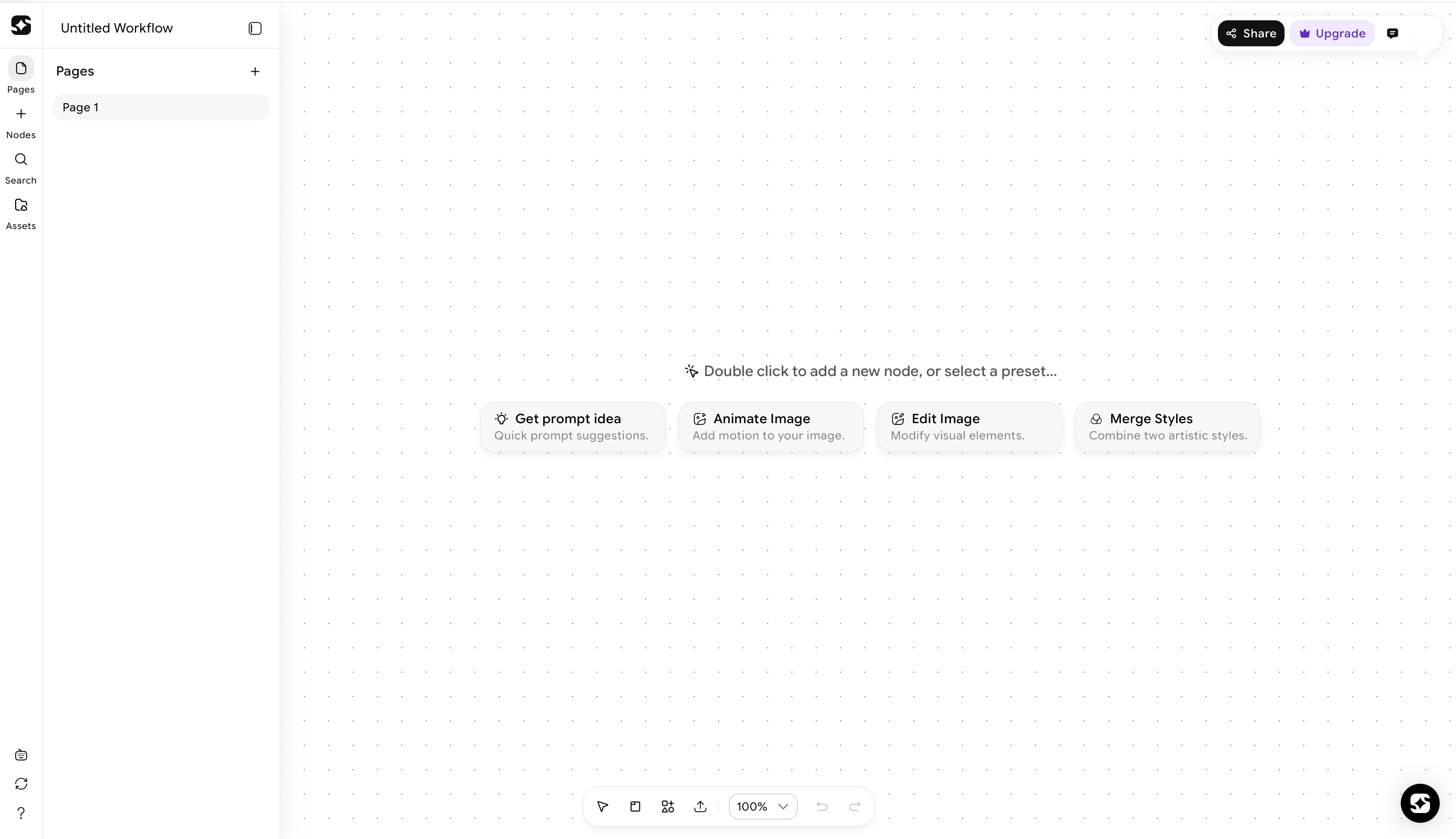 ImagineArt Workflows dashboard
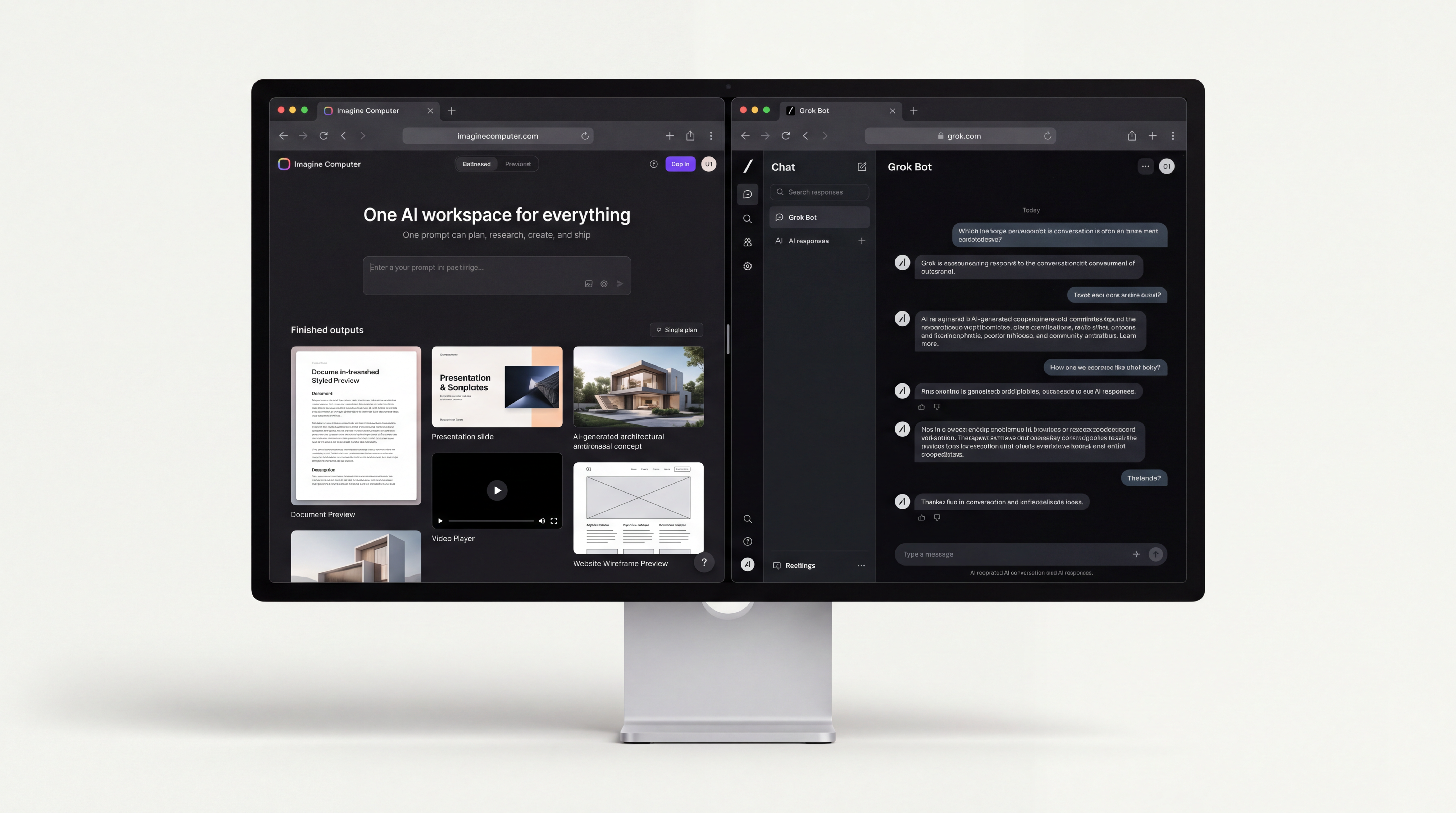
ImagineArt is a full AI creative suite that combines AI image generation, video generation, audio tools, and workflow automation in a single platform. For businesses and agencies, it is the closest thing available in 2026 to a custom AI agent for design that doesn't require any technical setup. Its newest layer, Imagine Computer, pushes that further as an AI agent for end-to-end creative work. Describe the outcome and it plans the steps, does the research, and hands back the finished document, deck, image or video instead of a single generated asset.
The defining feature of ImagineArt Workflows is the node-based canvas where every step of a design process becomes a connected node.
- A node is one operation: generate an image, apply a style, relight a scene, change angle, upscale, remove background, resize.
- You connect nodes by linking them together. The output of one node automatically becomes the input of the next.
The result is a reusable creative pipeline. Build it once, run it on every project. ImagineArt Workflows give teams access to multiple AI image models on a single canvas — including ImagineArt 1.5 Pro, Nano Banana Pro, Seedream 5, and more — eliminating the need to switch between platforms. The platform also features top AI video generation models, including Kling 3.0, Runway Gen-4.5, Seedance 2.0, Google Veo 3.1, and more.
Create images, animate them into video, adjust aspect ratios for YouTube, Instagram, TikTok, or ads, and preview results in real time — all inside one workflow.
For agencies specifically, ImagineArt Workflow functions as a marketing production engine. Build one workflow that takes a finished design, generates multiple lighting versions, and produces different camera angle shots — a full batch of social content in one automated run. Build it once, save as a template, and every future project that follows the same process skips setup entirely.
Key Features for Businesses
- Node-based pipeline builder — connect prompts, models, and edits into reusable templates
- Multi-model access — 50+ AI models under one canvas with no platform switching
- Batch generation — produce hundreds of consistent, on-brand asset variations from a single workflow
- Team collaboration — share workflows so others can iterate, reuse, or build alongside you
- Built-in AI image editor and dedicated image editing apps for image resizing, background changing, upscale, image recoloring
- Built-in AI video editor and dedicated video editing apps for color correction, background removal, object manipulation, and motion control.
ImagineArt Workflow is best for:
- Creative agencies
- marketing teams replacing fragmented tool stacks
- businesses that need high-volume visual output with consistent brand identity.
Starting price: $10/month with flexible team and enterprise plans.
Limitation: Completely browser-based and needs stable internet connection.
2. Canva Magic Studio
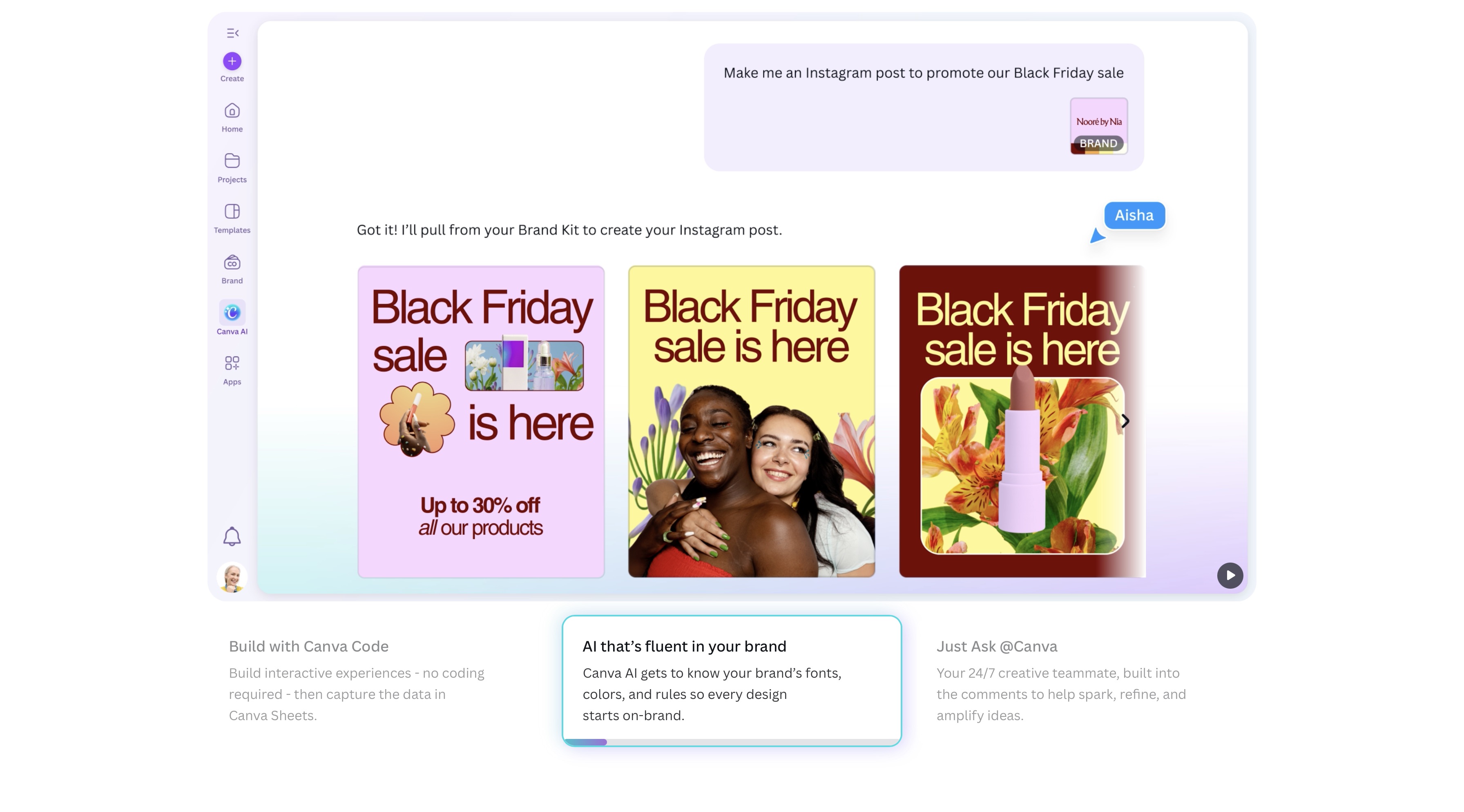
Canva Magic Studio is the most accessible AI design agent in this list and the most widely adopted by non-design teams. It is a text prompt-based AI design generator built into Canva's familiar drag-and-drop interface — giving marketers, social media managers, and small business owners the ability to produce professional-quality assets without design skills or external software.
Brand Guardrails and Magic Suite
Canva's agent-level capability comes from its Brand Kit and Brand Guardrails system. Users upload logos, color palettes, and font pairings once — and Canva's AI automatically applies those parameters to every piece of generated content. Brand Guardrails actively prevent employees from using non-brand fonts or colors: if the AI generates an image with the wrong green, Canva auto-corrects it to the specified hex code.
Magic Animate adds motion with one click. Magic Switch resizes assets for different platforms without rebuilding layouts. Magic Design generates complete ad layouts from a single text prompt. Everything runs in the cloud, rendering is fast, and outputs are immediately shareable — making Canva the fastest path from brief to published asset for non-technical teams.
Best for: Marketing teams, SMBs, social media managers, non-designers producing high-volume content at speed.
Starting price: Free tier available; Pro at $15/month; Teams at $14.99/user/month.
Limitation: Canva lacks the pen tools, layer masks, and CMYK print controls required for high-end professional design. It is a marketing production tool, not a professional design studio.
Also read: Canva Alternatives
3. Figma AI — The Collaboration-First Design Agent for Product Teams
Figma AI is the leading AI agent for UI/UX design workflows. AI capabilities are embedded directly into the live design environment, meaning there is no context-switching between generation and production.
Check Designs and Text-to-Layout
Figma's "Check Designs" feature is an AI linter — it scans your design system, finds components that don't match the defined style (buttons the wrong shade of blue, spacing inconsistencies, mismatched typography), and fixes them automatically. This is agent-level behavior: the system understands intent and corrects deviation without human instruction.
Text-to-Layout generates a 3-column pricing table just by typing it. Figma Make converts text descriptions into AI prototypes and working code components. Figma Buzz creates social media graphics and digital ads from design system components. Figma Draw provides AI-assisted vector illustration directly in canvas.
Best for: Product teams, UI/UX designers, dev-design collaboration workflows, businesses managing complex design systems.
Starting price: Included in Figma plans from $12/user/month.
Limitation: Steep learning curve — Figma AI requires understanding of design systems and prompting to produce consistent, usable results. Not suitable for non-designer teams.
4. Adobe Firefly Boards — The Enterprise-Grade Creative Agent
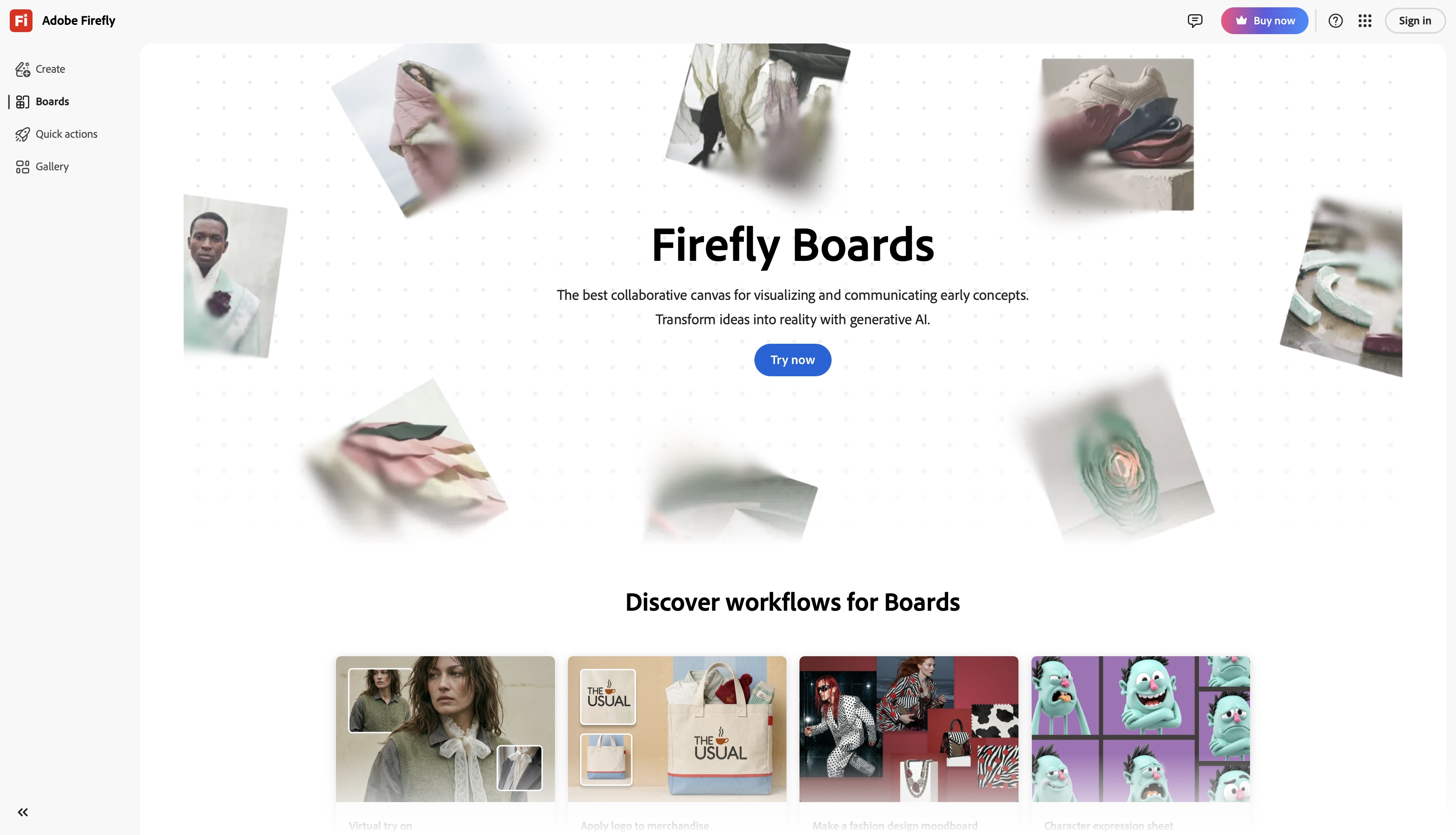
Firefly Boards is an infinite canvas where teams can prompt, iterate, and sketch together in real time — functioning like a Miro board with a built-in AI image generator that understands brand style. Teams can move from brief to multiple creative directions without leaving the tool or switching platforms.
You can link assets to external Adobe apps, like Photoshop, and update them in real-time on the board. Instead of connecting nodes for styling, you use "image prompts" (or style references) to guide the AI, treating images on the board as references for style or composition.
Within the board, teams can generate new images directly using text prompts and Firefly's Image Model 5, apply generative fill and expand to existing assets, remove backgrounds, and use reference images to guide new generations — either by style (color palette, artistic tone) or by structure (composition, pose). Video generation is also available: text prompts and static images can produce short video clips, making animated storyboards and motion mood boards possible without leaving the workspace.
Style Kits
Firefly's Style Kits are the standout agent-level feature for brand-conscious businesses. Upload 20 brand images and the model fine-tunes itself to generate only images that look like your brand — matching your visual identity across color palette, composition style, and lighting direction without manual instruction on every prompt.
Critically, Firefly is trained solely on Adobe Stock, licensed content, and public domain materials — making it the only enterprise-grade AI design agent with legally defensible commercial usage rights out of the box. For agencies and brands where IP disputes carry financial risk, this is a significant structural advantage.
Best for: Creative agencies, enterprise teams, professional designers already in the Adobe ecosystem, businesses with strict commercial licensing requirements.
Starting price: Included in Creative Cloud plans from $20/month; Creative Cloud Pro for Teams at $99.99/user/month.
Limitation: Outputs can feel constrained due to conservative training data guardrails. Full agent capability requires Creative Cloud access, which carries the highest cost in this comparison.
Also read: Adobe Firefly Alternatives
5. Runway — The AI Design Agent Built for Motion and Visual Storytelling
Runway AI occupies a distinct position in this comparison: it is the only tool here that operates primarily in the motion and video dimension of design. Runway ML has evolved from a creative AI tool into a full-stack generative video production system — making it the essential AI agent for businesses whose brand storytelling requires moving images rather than static assets.
Gen-4.5 and World Consistency
Runway Gen-4.5 — the world's leading video model as of 2026 — introduces what Runway calls "world consistency": the ability to maintain consistent characters, locations, and objects across multiple scenes using a single reference image. For businesses, this means generating a full campaign of video content featuring the same character in different environments, without a single physical shoot or an actor on payroll.
Act Two is Runway's motion capture system — it transfers human performance onto any AI-generated character, enabling branded avatar content and consistent character animation across campaigns. Style reference locking allows businesses to upload brand imagery and generate new content that inherits the same lighting, color grading, and compositional style automatically.
Best for: Creative agencies, brand studios, marketing teams producing motion content, social video creators, businesses replacing traditional video production with AI-generated campaigns.
Starting price: Standard at $12/month (625 credits); Pro at $28/month (2,250 credits); Unlimited at $76/month.
Limitation: Runway's strength is motion and cinematic output. It is less suited to static graphic design, UI/UX work, or document-based design tasks where Canva, Figma, or Firefly are stronger choices.
Also read: Runway ML Alternatives
AI Design Agents for Business: Side-by-Side Comparison
Choosing the right AI agent for your business depends on team size, design sophistication, primary output type, and budget. Here's a direct comparison across all five tools:
| Tool | Best For | Standout Feature | Starting Price | Skill Level |
|---|---|---|---|---|
| ImagineArt Workflows | Agencies, creative teams | Multi-model workflow automation | $10/month | Low–Medium |
| Canva Magic Studio | SMBs, marketers | Brand Guardrails, non-designer UX | Free / $15/month | Low |
| Figma AI | Product & UI/UX teams | AI design linter, Text-to-Layout | $12/user/month | Medium–High |
| Adobe Firefly | Enterprise, professionals | Style Kits, brand-safe generation | $20/month+ | Medium–High |
| Runway | Motion, video, brand storytelling | Gen-4.5, world consistency | $12/month | Low–Medium |
How to Choose the Right AI Design Agent for Your Business
The principles of building AI agents into a business design workflow start with one question: what is your team's primary bottleneck? Speed, consistency, brand control, and output format are the four axes that determine which tool — or combination of tools — fits your operation.
- Non-designers producing social content at volume: Canva Magic Studio
- UI/UX prototyping and product design: Figma AI
- High-end static assets with brand-safe generation: Adobe Firefly
- Full visual pipeline automation across formats: ImagineArt Workflow
- Motion content, branded video and storytelling: Runway ML
- If you want to scale at agency level, then use ImagineArt Workflow & Runway combined
For teams asking how to build AI agents into their existing workflow without disruption: start with ImagineArt Enterprise or one tool that maps directly to your highest-volume task. Master it. Then expand. Adopting five tools simultaneously without workflow integration creates fragmentation — the exact problem AI agents are designed to solve.
Common Mistakes Businesses Make When Adopting AI Design Agents
- Choosing a tool based on brand recognition rather than capability fit.
- Using multiple disconnected tools with no shared brand parameters produces visual inconsistency at scale, which defeats the purpose of an AI agent
- Treating AI design agents as image generators and ignoring workflow automation, batch generation, and brand locking capabilities that deliver the real ROI
- Ignoring commercial licensing since not all AI-generated assets are legally safe for commercial use
- Skipping prompting and onboarding training as AI agents require understanding of how to direct them. Teams that skip this phase consistently underperform against the tool's actual capability
- Adopting free tiers for production work because free credits exhaust within days during active campaign development, and watermarks make outputs unusable for client-facing work
Ready to setup creative pipelines with AI design agents?
The best AI agents for design are not the ones with the most impressive demos — they are the ones that integrate into your team's real workflow, enforce your brand parameters without constant manual oversight, and produce output at a volume and consistency that moves your business forward.
Teams that build structured, reusable AI workflows today will produce more, spend less, and maintain stronger brand consistency than competitors who approach it tool-by-tool. The infrastructure is here. The capability is proven. The remaining variable is how deliberately your business chooses to deploy it.
Tooba Siddiqui
Tooba Siddiqui is a content marketer with a strong focus on AI trends and product innovation. She explores generative AI with a keen eye. At ImagineArt, she develops marketing content that translates cutting-edge innovation into engaging, search-driven narratives for the right audience.