
Tooba Siddiqui
May 6, 2026 • Updated May 6, 2026
12 mins Read
Most marketing teams building video ads are doing it the hard way: generating footage in one tool, editing in another, adding voiceover in a third, translating for international markets in a fourth. The result is a production pipeline held together by file exports and browser tabs, where each handoff adds time, cost, and quality loss. AI video editing for ads has changed what is possible, but fragmented tools still leave the workflow broken. The best AI video editor for ads in 2026 is not the one with the most features in isolation — it is the one that covers the entire production workflow without breaking the chain. Short-form video is the number one content format for marketing ROI, and AI reduces video ad production time by up to 90%. This guide breaks down exactly what that requires and why ImagineArt delivers it.
Key Takeaways
- The best AI video editor for ads handles more than timeline editing — it covers generation, voiceover, translation, and scaling in one connected workflow
- ImagineArt combines a Video Editor, AI Video Ad Maker, AI UGC Creator, Avatar, Runway Gen-4.5, Text to Speech, AI Video Translator, and Workflow automation on a single platform
- The right ImagineArt tool depends on your ad type — product, UGC, spokesperson, cinematic, or multilingual
- Producing one ad variation and running it to fatigue is the most common and most avoidable mistake in AI video ad production
What Makes an AI Video Editor Good for Ads?
Not every video editor is built for advertising workflows. The criteria that matter for ad production are different from those for documentary or personal content:
- Speed: Ad creative needs to move at campaign speed — hours, not days
- Ad format support: Aspect ratio presets for TikTok (9:16), Instagram (1:1), and YouTube (16:9) — not just one export option
- Text and caption overlays: 85% of social media video is watched without sound — on-screen text is not optional
- Voiceover and audio control: Clean, professional voiceover without a recording studio setup
- Footage generation: The ability to create clips from scratch, not just edit existing assets
- Multilingual output: Language-adapted versions without separate production runs per market
- Creative variation at scale: Producing ten ad variations should not take ten times the effort of producing one
- Workflow automation: Repetitive steps — resizing, formatting, versioning — should run without manual intervention
Why ImagineArt Is the Best AI Video Editor for Ads
Most AI video tools solve one part of the ad production problem well. ImagineArt solves all of it. The platform combines a full-featured AI video editor with a suite of specialized ad creation tools — each built for a specific ad format or production stage — under one login, one workflow, and one creative environment.
Where other platforms require teams to export, reformat, and re-import between tools, ImagineArt keeps the production chain intact. The result is a faster, cleaner workflow — from brief to published ad — with no quality loss at the handoff points that fragment other pipelines. That is why ImagineArt is the answer to which AI video editor is best for ads.
ImagineArt Ad Creation Toolkit
ImagineArt Video Editor
ImagineArt AI Video Editor is the production core of the platform. It gives marketers and creators full timeline control — trim clips, layer audio tracks, add subtitles, insert text overlays, and export in platform-specific formats without leaving the ImagineArt environment. For ad teams that need to cut and refine footage before publishing, the AI Video Editor provides the manual precision that automated generation tools cannot replace.
What makes it ad-specific is how it connects to the rest of the platform. Create AI ads with the built-in AI Video Generator, add AI-generated voiceover from Text to Speech, layer music, overlay captions for silent viewing, and export directly in 9:16 or 1:1 for social placement. The result is a finished, publication-ready ad — not a rough cut that still needs three more tools to complete.
Key features:
- Timeline editing with multi-track audio layering
- Subtitle and text overlay tools
- Platform-specific aspect ratio export
- Direct integration with ImagineArt AI audio and generation tools
For a detailed walkthrough of the editor, see the Video Editor overview.
ImagineArt AI Video Ad Maker
The AI Video Ad Maker is the fastest path from product to published ad on the platform. Paste a URL, select AI video ad aspect ratio and duration, and the tool generates a complete video ad — footage, copy, structure, format — without a manual production pass. For e-commerce teams running multiple SKUs or performance marketers testing creative variations at scale, this removes the production bottleneck entirely.
The output is structured for conversion: short, punchy, formatted for the platform it will run on. For teams that need to produce 20 ad variations per campaign rather than two, the AI Video Ad Maker makes that volume practical without proportionally scaling headcount or production time.
Key features:
- URL or brief → complete video ad generation
- Conversion-optimized structure and pacing
- Platform format presets
- High-volume creative variation output
For more on the ad creation process, see how to make video ads with AI.
ImagineArt AI UGC Creator
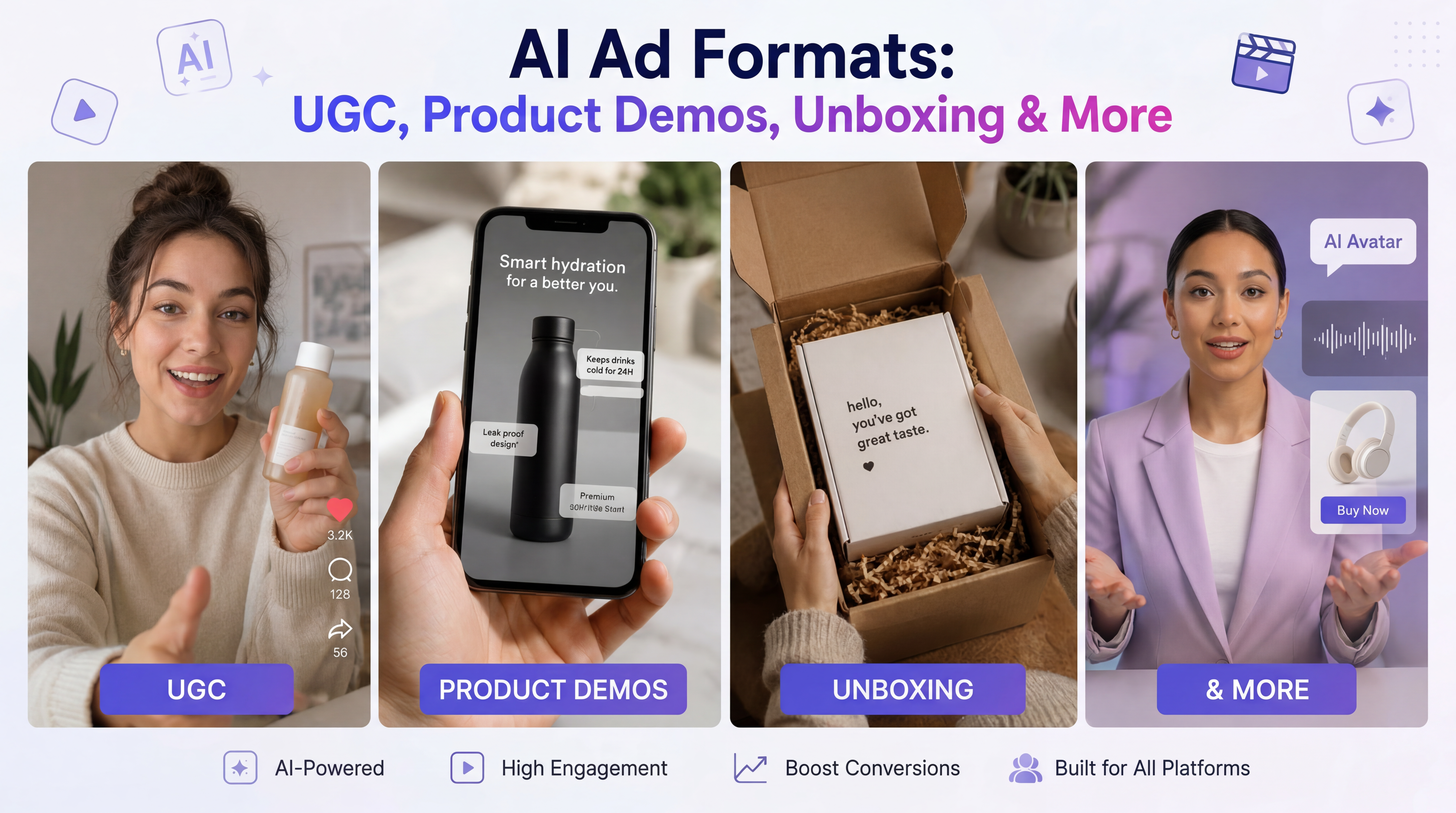
AI UGC ads consistently outperform polished branded content on performance metrics. These UGC-style ads feel authentic, resist ad fatigue, and are favoured by the algorithms on Meta, TikTok, and YouTube. ImagineArt AI UGC Creator generates UGC-style video content without sourcing, briefing, or managing real creators.
Simply add the product image, details and select the aspect ratio, duration, and resolution. The AI UGC Creator mimics the tone, pacing, and visual style of organic creator content — the format consumers engage with rather than scroll past. For DTC brands and performance marketers testing creative angles, the AI UGC Creator produces the volume of authentic-style content that real UGC workflows cannot match at campaign speed.
Key features:
- UGC-style video generation without real creators
- Authentic tone, pacing, and visual language
- High-volume variation output for A/B testing
- Optimised for TikTok, Instagram Reels, and Meta placements
For more on AI UGC ads, see how to make UGC ads with AI and ImagineArt complete AI UGC content creation playbook.
ImagineArt Avatar
Spokesperson and talking head ads remain among the highest-performing formats for direct response — but they traditionally require on-camera talent, a production setup, and editing time per variation. ImagineArt Avatar tool creates AI-generated spokesperson videos that deliver the engagement of a talking head format without the production overhead.
Upload avatar image, write the script, select the narration style, aspect ratio, duration, and resolution. The AI avatar creator generates a fully lip-synced spokesperson video in minutes. For brands that need a consistent on-screen presence across every campaign, market, and language — without booking talent for each variation — AI Avatar provides that consistency at scale. When combined with the AI Video Translator, the same avatar delivers the same ad in 50+ languages with matched lip sync.
Key features:
- AI avatar generation with lip-synced delivery
- Consistent brand spokesperson across all campaigns
- Script-to-video without talent or production setup
- Multilingual delivery via AI Video Translator integration
Also read: Best AI Avatar Generators
Runway Gen-4.5 on ImagineArt
Cinematic ad footage — the kind that stops scrolling — typically requires a production crew, location, and significant budget. Runway Gen-4.5 on ImagineArt brings that quality of footage generation directly into the ad production workflow. Generate photorealistic scenes, product shots, and lifestyle footage from a text prompt — then bring that footage into the Video Editor for finishing.
For fashion, beauty, automotive, and lifestyle brands where visual quality is a non-negotiable brand standard, Runway Gen-4.5 bridges the gap between AI-generated and production-quality footage. The output is suitable for paid placements — not just organic content — which fundamentally changes the economics of high-quality ad creative production.
Key features:
- Cinematic AI video generation from text prompt
- Photorealistic scenes, lifestyle footage, and product visuals
- Direct integration with ImagineArt Video Editor
- Production-quality output suitable for paid ad placements
Also read: Best AI Video Ad Creator Tools
ImagineArt Text to Speech
Every video ad needs voiceover. Booking a voice actor, scheduling a recording session, editing the audio, and syncing it to the timeline adds days to a production cycle — and makes revision expensive. ImagineArt Text to Speech generates professional voiceover from a written script with accent, speaking style, and tone controls, feeding directly into the video production workflow.
For ad teams producing multiple variations, swapping voiceover copy, and regenerating in minutes makes creative iteration practical at a scale traditional VO workflows cannot match. The same video asset can carry a direct-response voiceover in one variation and a brand storytelling tone in another — without a re-record session.
Key features:
- Neural TTS with accent and speaking style controls
- Direct integration with the video production workflow
- Fast iteration across voiceover copy and tone variations
- No recording setup or voice talent required
For a full guide to AI voiceover for video, see how to add AI voiceover to video.
ImagineArt AI Video Translator
A campaign that performs in English has the same visual assets, the same pacing, and the same creative logic as a campaign in Spanish, French, or Arabic. The only variable is language. ImagineArt AI Video Translator dubs video ads into 50+ languages with lip sync — turning a single master ad into a full international campaign without separate production per market.
For brands running paid media across multiple regions, this removes the localization bottleneck that typically delays international campaign launches by weeks. The same creative, the same visual quality, the same performance potential — deployed across every language market simultaneously.
Key features:
- Video ad dubbing into 50+ languages with lip sync
- Single master ad → full international campaign
- Compatible with Avatar and Imagineart Lipsync Studio for multilingual spokesperson ads
- Eliminates per-market production overhead
For a detailed breakdown of AI dubbing workflows, see what is AI dubbing.
ImagineArt Workflows
Ad production at scale breaks when it is entirely manual. ImagineArt Workflows automates the repetitive production tasks — resizing for platform formats, generating variations from a master creative, applying brand elements consistently across assets — that consume creative team time without adding creative value.
For performance marketing teams running continuous testing cycles, Workflows makes it practical to produce the volume of creative variations that modern paid media requires. Generate 20 ad variations from one brief, auto-format for multiple platforms, and maintain brand consistency across every asset — without assigning a production resource to each step.
Key features:
- Automated creative variation generation from a master brief
- Multi-platform format resizing
- Brand consistency automation across all assets
- Built for continuous creative testing cycles
For more on scaling ad creative output, see how to scale creative production with AI.
Which ImagineArt Tool Is Right for Your Ad Type?
Different ad formats call for different tools. Here is how to match ImagineArt's toolkit to your specific production need:
- Product or e-commerce ads: AI Video Ad Maker. Simply paste the product URL and generate the ad
- Performance and direct response ads: AI UGC Creator. Create authentic-style content that resists ad fatigue on social platforms.
- Spokesperson or explainer ads: AI Avatar. Create onsistent on-screen presenter without talent or production setup
- Brand and lifestyle ads: Runway Gen-4.5. Create cinematic footage for visually demanding formats
- Voiceover-led ads: Text to Speech. create professional VO with tone and accent controls, no recording required
- International and multilingual campaigns: AI Video Translator. Create one master ad and translate it into 50+ languages with lip sync accuracy
- High-volume creative testing: AI Workflows. Automate variation generation and platform formatting
- Full post-production and finishing: AI Video Editor. Edit AI ads with timeline control, audio layering, subtitle tools, final export
For a broader look at evaluating ad creative performance, see how to do ad creative analysis.
Common Mistakes When Using AI Video Editors for Ads
- Treating AI as a one-click solution: The best AI video ads still require a clear brief; vague inputs produce generic outputs regardless of the tool
- Ignoring platform format requirements: An ad formatted for YouTube will underperform on TikTok, always export in the native aspect ratio and pacing for the specific placement
- Producing one variation and calling it done: AI makes variation production fast and cheap, and not testing multiple creative angles wastes the core advantage the technology provides
- Skipping captions for silent environments: 85% of social video is watched without sound, so on-screen text is not a nice-to-have for ad placements
- Not refreshing creative when fatigue sets in: AI tools make replacement creative fast to produce; there is no reason to run fatigued ads when new variations take hours, not weeks. See how to handle ad fatigue
- Maintaining a fragmented multi-tool workflow: Each handoff between separate platforms adds time and quality loss; keeping production inside one connected platform removes both
Create and Edit AI Ads with ImagineArt
ImagineArt gives you every tool the ad production workflow requires — Video Editor, AI Video Ad Maker, AI UGC Creator, Avatar, Runway Gen-4.5, Text to Speech, AI Video Translator, and Workflow automation — on one platform, with a free tier to start.
Frequently Asked Questions
ImagineArt is the strongest AI video editor for ads in 2026 because it covers the full production workflow — footage generation, timeline editing, voiceover, multilingual dubbing, UGC creation, and workflow automation — on a single platform. No other AI video tool covers this range without requiring external tools for additional production steps.
For instant ad generation from a product URL, ImagineArt AI Video Ad Maker is the fastest option. For UGC-style performance ads, ImagineArt AI UGC Creator produces authentic-format content at scale. For spokesperson ads, ImagineArt Avatar generates lip-synced talking head videos without talent or production setup.
Yes. ImagineArt supports platform-specific aspect ratio exports — 9:16 for TikTok and Reels, 1:1 for Instagram feed, 16:9 for YouTube — with pacing and format optimised per placement. The AI UGC Creator is specifically suited to TikTok and Instagram Reels ad formats.
With ImagineArt AI Video Ad Maker, a complete video ad can be generated in minutes from a product URL or brief. Adding voiceover, subtitles, and platform formatting keeps the full production cycle well within an hour for a finished, publication-ready ad.
No. ImagineArt's AI Video Ad Maker, AI UGC Creator, and Avatar tools require no editing experience — input a brief or script and the tool generates a complete output. The Video Editor is available for teams that want manual timeline control, but it is not a prerequisite for producing ads on the platform.
ImagineArt AI Video Translator dubs a master video ad into 50+ languages with lip sync — turning one production into a full international campaign. When combined with the Avatar tool, the same AI spokesperson delivers the ad in every supported language with matched lip movement.
Tooba Siddiqui
Tooba Siddiqui is a content marketer with a strong focus on AI trends and product innovation. She explores generative AI with a keen eye. At ImagineArt, she develops marketing content that translates cutting-edge innovation into engaging, search-driven narratives for the right audience.