
Syed Anas Hussain
May 1, 2026 • Updated July 10, 2026
15 mins Read
Most AI UGC guides focus on the basics: choose a tool, generate a video, and launch your ad. That might help you create a single campaign, but it doesn't give you a process you can scale.
This playbook goes beyond one-off video creation. It walks you through the complete AI UGC production system, covering everything from content planning and scripting to avatar selection, production workflows, ad formats, testing strategies, and compliance best practices.
Instead of teaching you how to make a single AI UGC video, it shows you how to build a repeatable content engine that consistently produces high-performing ads, streamlines your workflow, and scales with your marketing efforts.
Who This Playbook Is For
This isn't a beginner's introduction to UGC. If you need that, start with our guide on what a UGC creator is and how to become one.
This playbook is for three audiences.
- Solo UGC creators who already have clients but need to scale output beyond what filming allows. Join the ImagineArt Creator Program for additional support.
- Marketing teams at DTC, e-commerce, or SaaS brands who produce UGC ad creative in-house.
- Agencies that deliver UGC content for multiple clients and need a repeatable production system.
The common problem: you know AI UGC content creation works, but you haven't built the system that makes it consistent, testable, and scalable.
Part 1: The AI UGC Content Strategy Layer
Before creating AI UGC videos, it's important to define your content strategy. This stage helps you identify your target audience, messaging, content format, and creative direction, ensuring every video is aligned with your goals and designed to drive engagement and conversions.
Define Your Content Pillars Before You Generate Anything
Most AI UGC fails because creators skip strategy and jump straight to production. Before generating a single video, establish three things.
Audience segments. Who are you creating for? A skincare brand might have three segments: acne-prone teens, anti-aging 35+, and ingredient-conscious minimalists. Each segment needs different hooks, different avatars, different scripts. One generic video doesn't convert across all three.
Content formats per funnel stage. Top-of-funnel (awareness) needs hooks that stop the scroll — problem/solution openers, "I didn't expect this" reveals, lifestyle integration. Mid-funnel (consideration) needs social proof — testimonials, comparison reviews, "day 14 update" content. Bottom-funnel (conversion) needs urgency — limited offers, direct CTAs, "here's why I finally bought it" narratives.
Platform requirements. TikTok rewards raw, native-feeling content. Instagram Reels rewards polished-casual. Meta Ads rewards clarity in the first 2 seconds. YouTube Shorts rewards information density. Your AI UGC content creation system should produce variants for each platform, not one video resized for all.
The Content Matrix
Before production, build a simple matrix:
| Audience Segment | Funnel Stage | Format | Hook Type | Platform |
|---|---|---|---|---|
| Acne-prone teens | Top-of-funnel | Problem / Solution | "I tried everything until..." | TikTok |
| Anti-aging (35+) | Mid-funnel | Day-14 Update | "Here's what actually changed" | Instagram Reels |
| Minimalists | Bottom-of-funnel | Direct Testimonial | "This replaced 4 products" | Meta Ads |
Each row becomes a production brief. 10 rows = 10 videos. With AI UGC, you can produce all 10 in a single session.
Part 2: The Scripting System
Every successful AI UGC video begins with a strong script. While visuals and avatars capture attention, it's the messaging that keeps viewers engaged and drives them to take action. In this section, you'll learn how to structure scripts that feel authentic, communicate value clearly, and consistently perform across different platforms and audiences.
Why Scripts Matter More Than Production Quality
In AI UGC content creation, the script is 80% of the outcome. The avatar handles delivery. The voice handles tone. But the words — the hook, the story structure, the CTA — determine whether someone watches for 2 seconds or 30. No matter how advanced your AI UGC Video setup is, investing time in the script is what drives engagement and conversions. Invest your time here.
The 5 UGC Script Frameworks
Rather than starting from a blank page every time, use proven script frameworks that have been refined through countless high-performing UGC campaigns. Each framework is built for a specific objective, whether it's grabbing attention, telling a relatable story, overcoming objections, demonstrating a product, or driving conversions. Mastering these structures will help you create compelling scripts faster while maintaining consistency across your content.
Framework 1: Problem → Agitation → Solution (PAS) "I've been dealing with [problem] for [timeframe]. I tried [alternatives] and nothing worked. Then I found [product] and [specific result]." Best for: Top-of-funnel awareness, testimonial ads.
Framework 2: Before → After → Bridge (BAB) "Before [product], my [routine/life] looked like [before state]. Now it looks like [after state]. The bridge? [Product] does [specific mechanism]." Best for: Mid-funnel consideration, transformation content.
Framework 3: Hook → Demo → CTA "[Surprising statement or question]. Watch this — [show product in use]. [Direct CTA]." Best for: Short-form TikTok and Reels, product demos.
Framework 4: Myth Buster "Everyone says [common belief about category]. Here's what they don't tell you: [contrarian insight]. [Product] works because [reason]." Best for: Authority-building content, ingredient/tech-focused brands.
Framework 5: Day-in-the-Life Integration "Morning routine: [step 1], [step 2], and this is where [product] comes in. I use it for [specific use case] and it [specific result]." Best for: Lifestyle content, GRWM format, mid-funnel.
Script Batching
Write scripts in batches of 10–15 using these frameworks. Rotate frameworks across your content matrix. A single afternoon of script writing feeds a full week of AI UGC production.
Part 3: Avatar Strategy
The right avatar makes your content more engaging, relatable, and trustworthy. In this section, you'll learn how to choose avatars that align with your audience, brand, and campaign goals to create more effective AI UGC ads.
Building Your AI Creator Roster
Don't use one avatar for everything. Build a roster of 3–5 AI personas, each designed for a different audience segment or content style.
How to create avatars on ImagineArt:
Use the AI Image Generator to generate realistic character faces. Specify age range, gender, ethnicity, styling, and setting to match your target audience. Once you have a face you like, save it and reuse it across all content for that persona — consistency builds recognition.
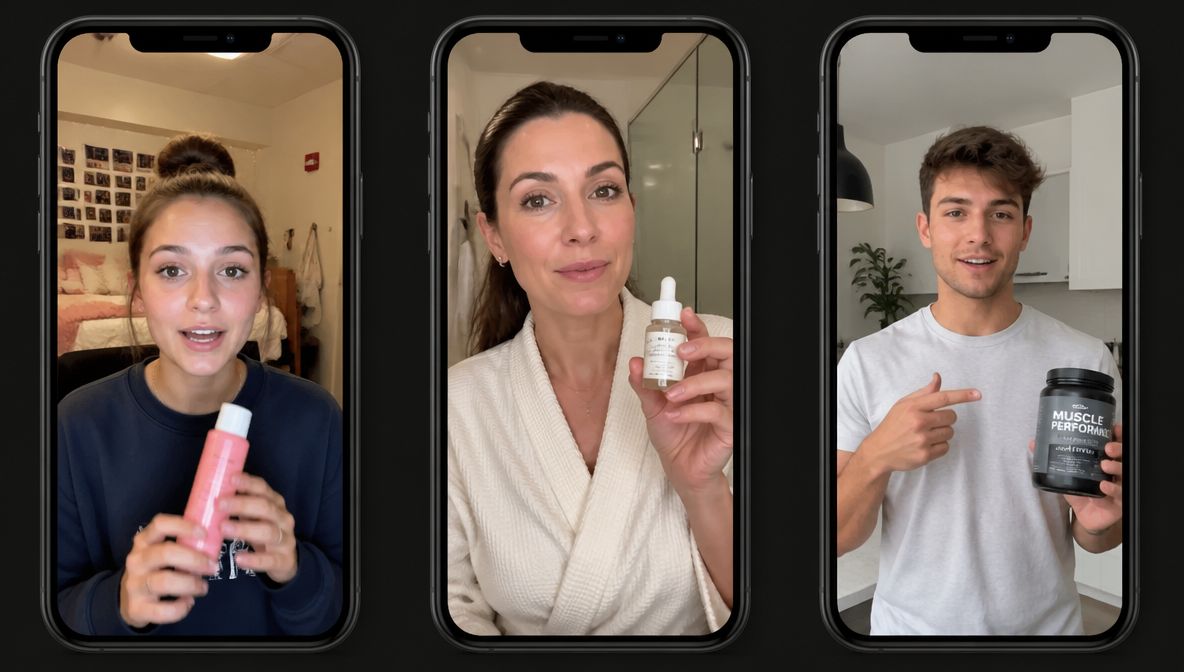
Avatar roster example for a skincare brand:
- Persona A: 19-year-old college student, casual, filmed in dorm room. For acne-prone teen content.
- Persona B: 38-year-old professional, polished-casual, filmed in bathroom. For anti-aging content.
- Persona C: 28-year-old minimalist, clean aesthetic, filmed in bright kitchen. For ingredient-focused content.
Each persona gets assigned scripts from the content matrix. Persona A delivers Framework 1 (PAS) scripts for TikTok. Persona B delivers Framework 2 (BAB) scripts for Instagram. Persona C delivers Framework 4 (Myth Buster) scripts for Meta Ads.
Avatar Quality Checklist
- Face should be photorealistic, not stylized
- Lighting should match the "setting" (warm for home, bright for bathroom, natural for outdoor)
- Clothing and styling should match the audience segment
- Maintain the same avatar across all content for that persona — don't regenerate a new face each time. For brand-level consistency,custom model training lets you train on your product's visual style and reuse it across every generation.
Part 4: The Production Workflow
A great script and avatar are only part of the process. This section walks you through the complete production workflow, from generating videos to refining and optimizing them, so you can create high-quality AI UGC content efficiently and at scale.
The 7-Step AI UGC Production Pipeline
This is the operational core. Every AI UGC video follows this pipeline on ImagineArt.
Step 1: Select script + persona from your content matrix. Pull the next script-persona combination. The matrix tells you which framework, which avatar, and which platform.
Step 2: Generate voiceover. Open Voice Studio. Paste the script. Select voice profile — match the tone to the persona (energetic for teens, measured for professionals, conversational for lifestyle). Adjust speed and intonation. Export the audio file.
ImagineArt also provides the HeyGen Avatar tool for template-based avatar videos alongside the modular Lipsync Studio approach — choose whichever fits your workflow.
Step 3: Generate or load avatar image. Use your pre-built avatar from the roster. If generating fresh, use the AI Image Generator with the same prompt parameters to maintain visual consistency.
Step 4: Generate lipsync video. Open Lipsync Studio. Upload the avatar image + voiceover audio. Select the model — Google Veo 3.1 for highest realism, Kling for speed, WAN for cost efficiency.
Step 5: Generate B-roll (optional). Use the AI Video Generator to create product shots, lifestyle scenes, or close-up details to intercut with the talking-head footage. This adds visual variety and breaks up the avatar's monologue.
Step 6: Generate background music (optional). Open Music Studio. Generate a royalty-free track that matches the content mood — lo-fi for lifestyle, upbeat for product demos, minimal for testimonials. Keep it subtle — background music supports the voice, it shouldn't compete with it.
Step 7: Export in platform-native format. Vertical 9:16 for TikTok, Reels, and Shorts. Square 1:1 for Meta feed ads. Horizontal 16:9 for YouTube pre-roll. Export and deliver.
Part 5: AI UGC Ad Formats That Convert
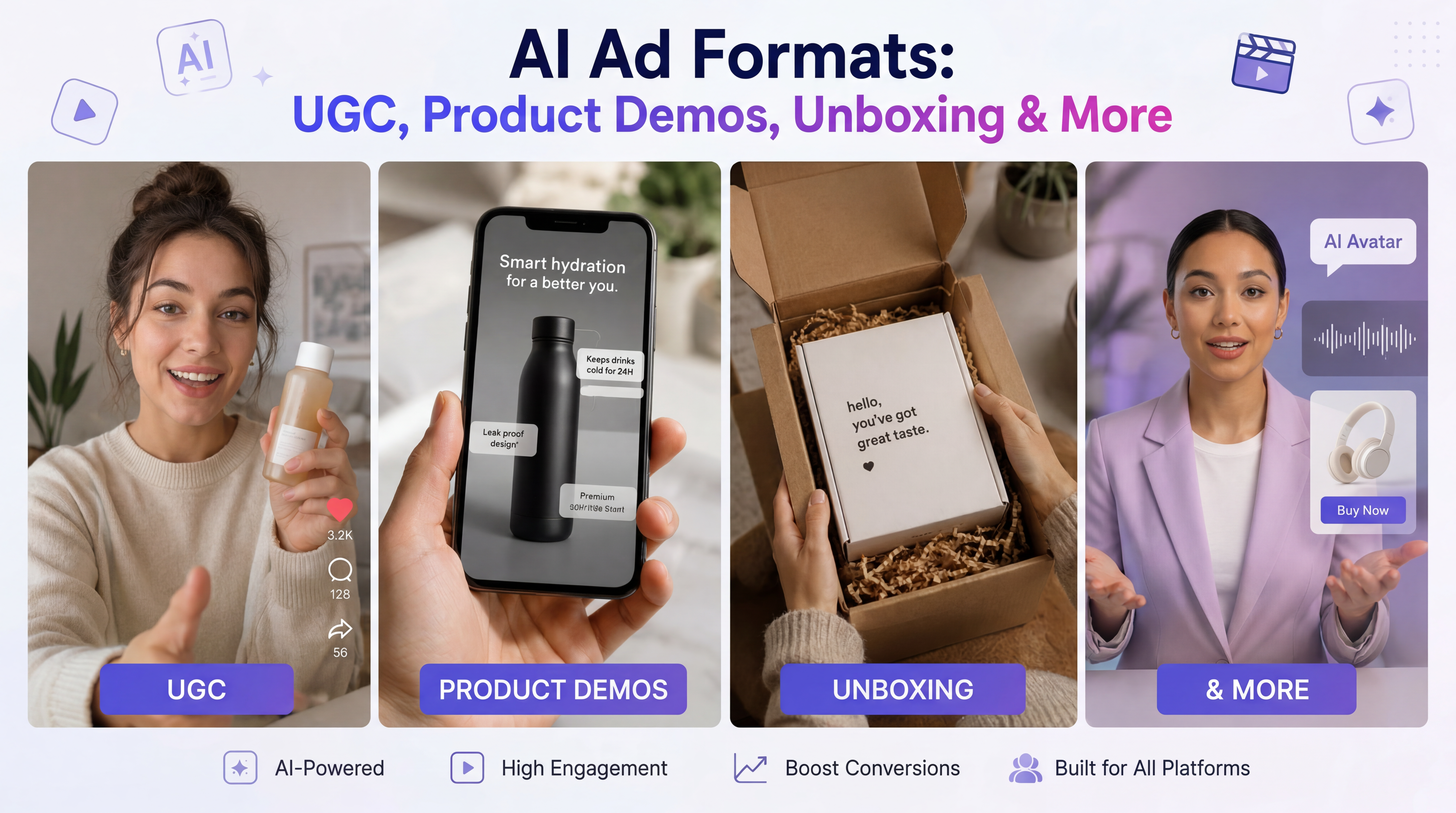
Not all AI UGC content is the same format. Here are the seven ad formats that perform best in 2026, with production notes for each.
Format 1: Talking-Head Testimonial
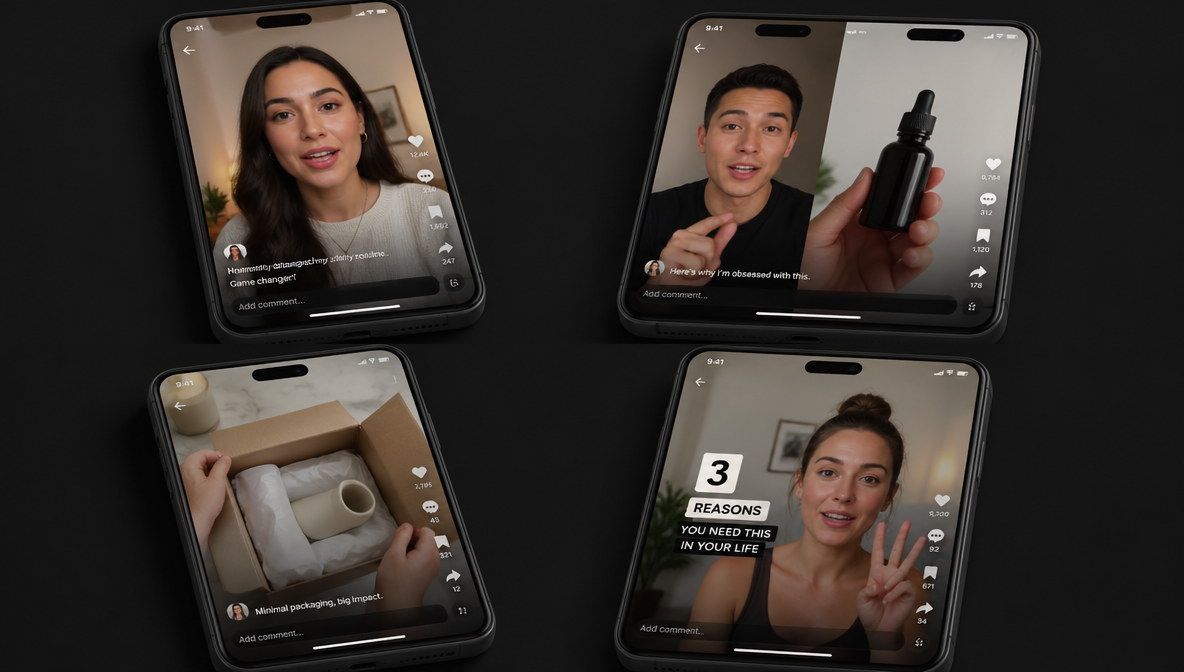
Avatar speaks directly to camera about their experience with the product. 15–30 seconds. The most common and most tested AI UGC format. Use PAS or BAB script frameworks. For a step-by-step walkthrough of this exact format, see our guide on how to make a photo talk with AI.
Format 2: Split-Screen Comparison
Avatar on one side, product demonstration or before/after on the other. Requires B-roll generation alongside the talking-head. Strong for consideration-stage content.
Format 3: Unboxing / First Impressions
Avatar reacts to a product as if seeing it for the first time. Requires more expressive voice delivery and multiple scene transitions. Works well on TikTok.
Format 4: Walk-and-Talk
Avatar filmed in a lifestyle setting (walking, cooking, commuting) while discussing the product casually. Feels native to TikTok and Reels. Requires background scene generation.
Format 5: Problem/Solution Hook
Opens with a visual or text hook about a common problem (first 2 seconds), then avatar presents the solution. High-performance format for Meta Ads where the first 2 seconds determine whether the ad gets watched.
Format 6: Listicle / "3 Reasons"
"Three reasons I switched to [product]." Numbered structure with quick cuts between points. Easy to produce in batch — each reason is a separate lipsync generation that gets stitched together.
Format 7: Duet / Reaction Style
Avatar reacts to existing content (a brand video, a competitor ad, a customer question). Feels native to TikTok's duet culture. Requires timing the avatar's reactions to the source content.
Part 6: The Testing Loop
Creating great AI UGC ads is only the beginning. This section shows you how to test different creatives, identify what works, and continuously refine your campaigns to improve engagement, conversions, and overall ad performance.
You're Not Done After One Video
The advantage of AI UGC content creation is volume. Use it. For every concept, produce 5–10 variants and test them against each other.
What to vary across variants:
- Hook: Same product, different opening line. Test 3 hooks per concept minimum.
- Avatar: Same script, different persona. A 20-year-old delivering the same script as a 40-year-old will perform differently depending on the audience.
- Voice tone: Same script, same avatar, different delivery — energetic vs. calm vs. conversational.
- Length: 15-second cut vs. 30-second cut vs. 60-second cut of the same content.
- CTA: "Link in bio" vs. "Use code X" vs. "Try it free" — small changes in CTA can shift conversion rates significantly.
How to read test results:
- Hook rate (% who watch past 3 seconds) tells you if your opening is working.
- Hold rate (average watch time / total length) tells you if the body is engaging.
- CTR tells you if the CTA is effective.
- CPA/ROAS tells you if the whole thing converts.
If hook rate is low, the problem is the first 2 seconds — rewrite the hook, don't remake the entire video. If hold rate is low but hook rate is high, the body isn't delivering on the hook's promise. If CTR is low but watch time is high, the CTA needs work. AI UGC lets you isolate and fix each variable independently because production cost per variant is near zero.
Part 7: Scaling with AI Workflows
As your content needs grow, manual production becomes harder to manage. In this section, you'll learn how AI workflows help automate repetitive tasks, streamline production, and scale AI UGC creation without sacrificing quality or consistency.
From Manual Production to Automated Pipeline
When you're producing 5–10 videos a week, the 7-step pipeline works manually. When you're producing 50–100 videos a week — which is where agencies and high-volume brands operate — you need automation.
ImagineArt's AI Workflow builder lets you chain the entire production pipeline into a single automated flow. Define the pipeline once: script input → voice generation → avatar loading → lipsync → B-roll → music → export. Save it. Next time, you feed in a new script and the pipeline runs end to end.
What automation changes:
- Production time per video drops from 15–20 minutes to 3–5 minutes
- A single operator can produce 30+ finished videos per day
- Consistency increases because the pipeline is standardized
- Testing velocity increases because generating variants costs almost nothing
For teams producing AI UGC content at scale, the AI Workflow builder is what turns a production process into a production system.
Part 8: Compliance and Disclosure
Trust is essential for successful AI UGC campaigns. In this section, you'll learn the key disclosure requirements, platform guidelines, and best practices to keep your content transparent, compliant, and brand-safe.
What You Need to Know About AI UGC in 2026
AI-generated content is legal to use in advertising. But there are rules, and they're tightening.
FTC guidance (US): The same rules that apply to traditional UGC apply to AI UGC. You cannot script first-person testimonial claims that imply personal experience with a product unless the experience is real. "I used this and my skin cleared up" from an AI avatar is a fabricated testimonial — that's not compliant. "This cleanser outperforms the leading competitor" presented by an AI avatar is a product claim, which is different and generally permissible if substantiated.
EU AI Act (effective August 2026): Requires disclosure when content is AI-generated. If you're advertising in EU markets, your AI UGC needs a clear disclosure label.
Platform policies: As of April 2026, Meta, TikTok, and Google have not flagged or disapproved ads specifically for using AI-generated creative. Their ad policies apply equally regardless of how the creative was produced. But policies evolve — check current guidelines before launching in a new market.
Best practices:
- Don't script first-person claims of personal experience for AI avatars
- Present product claims in third person ("This product does X") not first person ("I experienced X")
- Disclose AI generation where required by law (EU) or by platform (evolving)
- Be transparent with clients about your production method
- Keep records of all generated content and the prompts/inputs used
Part 9: The Economics of AI UGC
Traditional UGC production costs $150–$300 per short video for creator fees alone, plus 30–50% for usage rights, plus coordination time. A 20-video campaign runs $4,000–$9,000 before ad spend.
AI UGC content creation on ImagineArt runs on credits. At the Ultimate plan ($34/mo billed annually, 16,000 credits), a lipsync video costs approximately 7–58 credits depending on model and resolution. That means 16,000 credits can produce hundreds of finished UGC videos per month. See the full ImagineArt pricing breakdown.
The cost comparison isn't even close at volume. But cost isn't the real advantage — speed and testing velocity are. When producing a variant costs nearly nothing, you can test 10 hooks where you previously tested 2. You find winners faster. Your ad account learns faster. ROAS improves because creative iteration is no longer the bottleneck.
For a detailed breakdown of how UGC monetization works for creators, see our guide on how to make money with UGC.
FAQs
AI UGC content creation is the process of producing user-generated-style videos, images, and ads using AI tools — avatars, lipsync, voice cloning, and automated workflows — instead of filming with real creators. The output looks and feels like authentic UGC but is produced at a fraction of the time and cost.
ImagineArt provides the complete toolkit: Lipsync Studio for talking-head videos, Voice Studio for text-to-speech and voice cloning, AI Image Generator for avatar creation, AI Video Generator for B-roll, Music Studio for background tracks, and AI Workflow for pipeline automation. One subscription covers everything.
On ImagineArt's Ultimate plan (16,000 credits/month), you can produce hundreds of lipsync videos depending on model choice and resolution. A Kling lipsync at 720p costs approximately 2 credits per 2 seconds, while Veo 3.1 with audio costs approximately 22 credits per 8 seconds.
Yes. In 2026, many brands — especially in tech, SaaS, DTC e-commerce, and supplements — accept AI UGC for paid social ads. Meta, TikTok, and Google have not flagged ads specifically for using AI creative. FTC guidance requires that first-person testimonial claims be genuine, so script in third person.
Three things: realistic avatars (photorealistic faces, appropriate styling for the audience), natural voice delivery (use voice cloning or adjust tone/speed to avoid robotic delivery), and platform-native formatting (vertical 9:16, casual framing, subtle background music). The script matters most — write like a real person, not a marketer.
Traditional UGC is filmed by real human creators. AI UGC is produced using AI avatars, voice synthesis, and lipsync. Both serve the same purpose — authentic-feeling content for ads and social media. AI UGC offers speed, scale, and cost advantages; traditional UGC offers inherent human authenticity.
Yes, with guidelines. FTC rules apply equally to AI and human UGC — no fabricated first-person testimonials. The EU AI Act (effective August 2026) requires disclosure of AI-generated content. Platform ad policies apply regardless of production method. Script in third person and disclose where required.
Yes. ImagineArt's AI Workflow builder chains the entire pipeline — script to voice to avatar to lipsync to music to export — into a single automated flow. Build once, reuse for every campaign. This is how teams scale from 10 videos/week to 100+.
Syed Anas Hussain
Syed Anas Hussain is a computer scientist blending technical knowledge with marketing expertise and a growing passion for AI innovation. Curious by nature, he dives into new AI sciences and emerging trends to produce thoughtful, research-led content. At ImagineArt, he helps audiences make sense of AI and unlock its value through clear, practical storytelling.