
Umaima Shah
June 19, 2026 • Updated July 9, 2026
11 mins Read
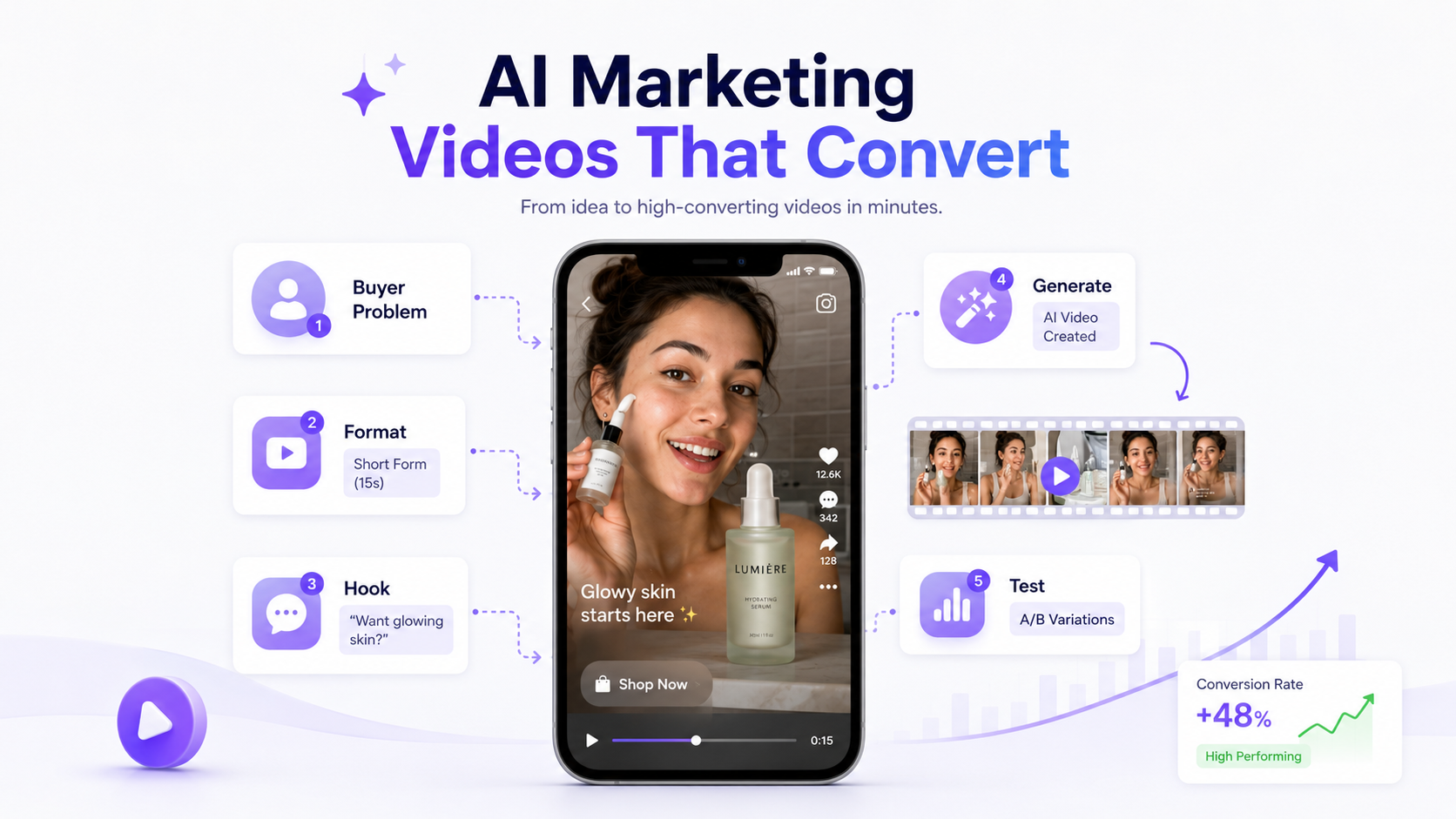
Your video can look polished and still fail to convert. AI marketing videos work when the hook, product message, proof, pacing, and CTA all point toward one action. If the video only looks nice, viewers may watch for a second and scroll.
The goal is not only to generate a video. The goal is to create a short, clear, testable asset that can turn attention into clicks, leads, signups, product interest, or sales.
In this guide, you will learn what makes AI marketing videos convert, how to plan the buyer problem, choose the right format, write stronger hooks and scripts, generate videos with ImagineArt tools, edit your output, create test variations, and measure performance after publishing.
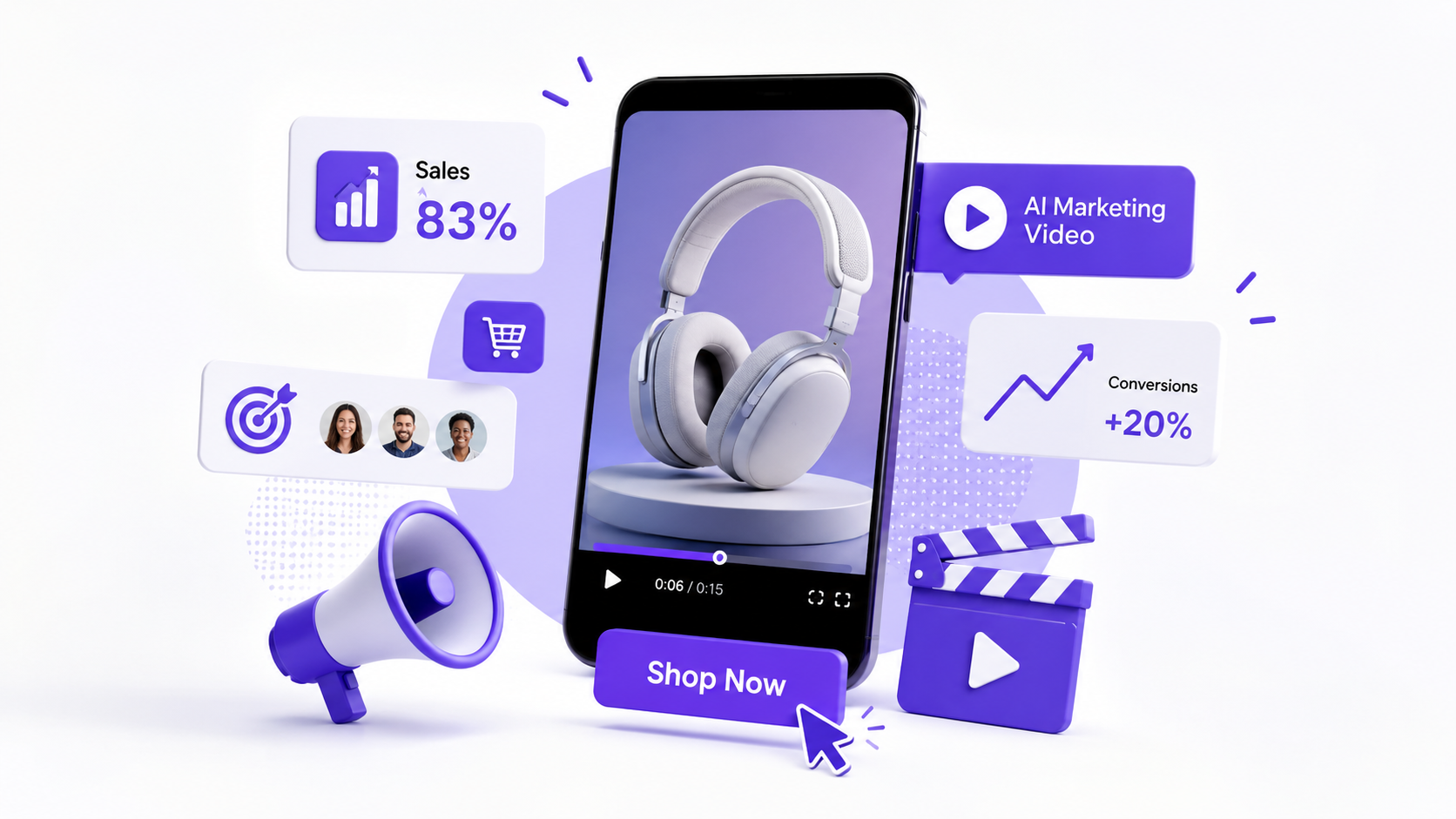 Modern digital marketing UI elements That Help in Conversions
What Makes AI Marketing Videos Convert?
AI marketing videos convert when they answer one buyer question fast:
“Why should I care?”
That answer can come through a product demo, a creator-style review, a before-and-after visual, a pain-point hook, a short explainer, or a direct offer. The format can change, but the message has to stay clear.
Video already has a strong link to buying action. Wyzowl’s 2026 video marketing data found that 83% of video marketers say video has directly increased sales. That makes the first few seconds of your AI marketing video more than a creative choice. It affects how quickly the buyer understands the product, the problem, and the next step.
A strong AI marketing video usually has:
- a hook in the first few seconds
- one clear product promise
- a visible product or service
- one simple proof point
- fast pacing
- readable captions
- one CTA
- a format that fits the platform
Do not start with the tool. Start with the buyer.
If your audience does not understand the problem, the product, or the next step, the video will struggle even if the visuals look expensive.
For paid social, the hook can decide if the rest of the video gets watched. The ImagineArt guide on Best Hooks for Video Ads in 2026 gives stronger hook structures when your AI marketing videos need better openings.
Google reports that Video action campaigns using Google AI optimized targeting can see up to 20% more conversions.
That does not mean AI fixes weak creative. It means the creative, targeting, and campaign goal need to work together. A clear AI marketing video gives the platform better signals because the hook, product, proof, and CTA all point to one action.
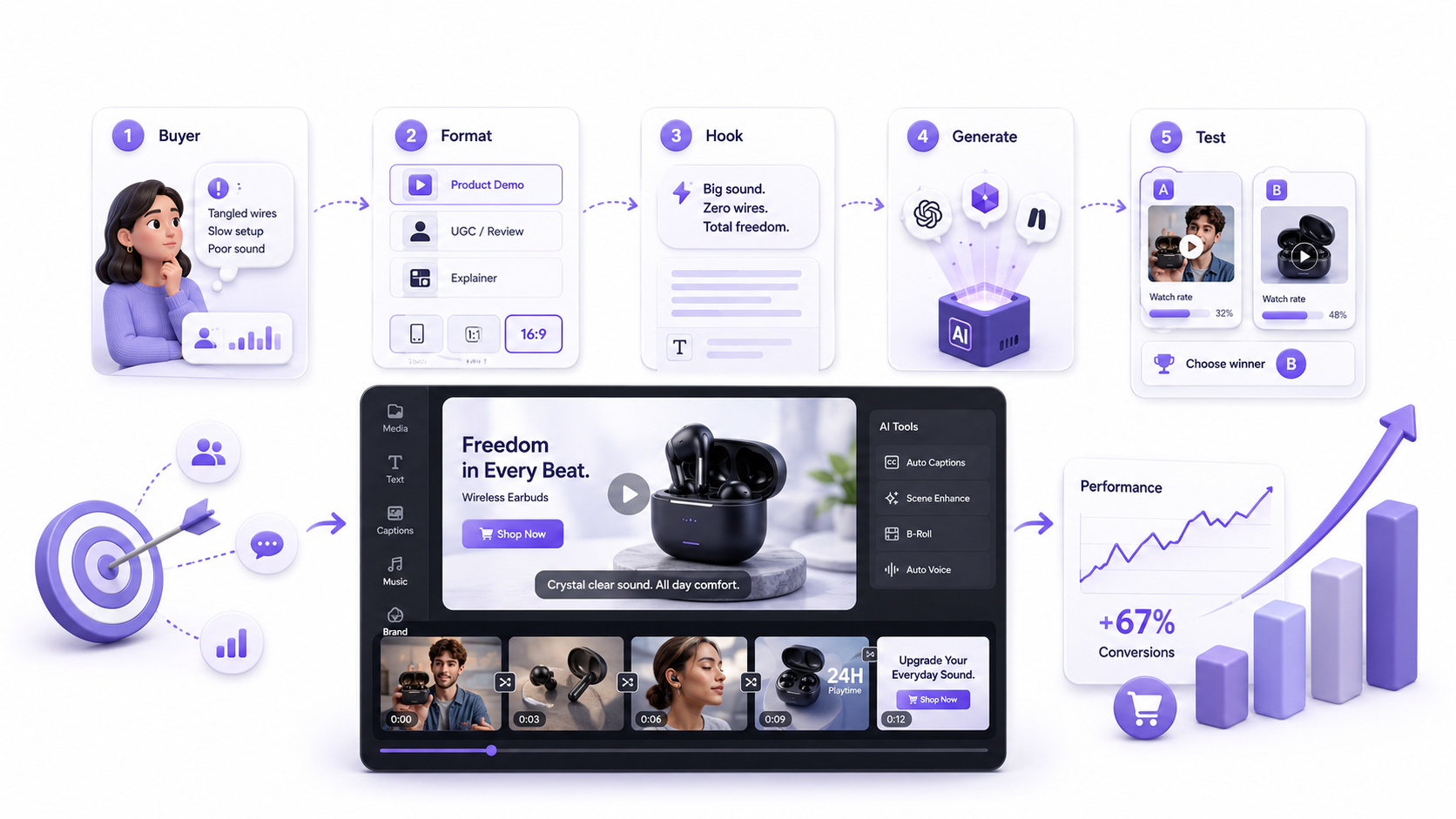 Digital Workflow for Video Editing Process
How to Make AI Marketing Videos with ImagineArt
The best way to make AI marketing videos is to treat the video as a sales asset first and a creative asset second.
Start with one product, one audience, and one action. Do not ask AI to create a general brand video before you know what the video needs to achieve.
A simple workflow looks like this:
- define the buyer problem
- Choose the video format
- Generate the first video
- Check the product and offer
- Create variations
ImagineArt AI Ad Studio fits this workflow when you want to turn product information into multiple ad formats, including UGC, unboxing, product demos, and other campaign-ready creatives.
Step 1: Start With the Buyer Problem
AI marketing videos work better when they start with a clear buyer problem.
Before generating anything, define:
- who the video is for
- what problem they want solved
- what product or service does for them
- what result they should expect
- what action they should take next
Do not prompt AI with “make a cool product video.”
Use a clearer starting point:
“Create a video for busy skincare buyers who want hydration without a greasy finish.”
Once the buyer problem is clear, the hook, format, script, and CTA become easier to build.
Step 2: Pick the Right Video Format
Choose the format before you write the script.
Different AI marketing videos convert for different reasons:
- Product demo: shows how the product works
- UGC-style video: builds trust through a creator-style delivery
- Spokesperson video: explains the offer clearly
- Product reveal: creates visual interest around the item
- Problem-solution ad: connects pain to product
- Offer video: pushes price, urgency, or promotion
- Feature explainer: helps buyers understand a specific function
The ImagineArt guide on AI Ad Formats: UGC, Product Demos, Unboxing & More can help when you need to match the video format to the campaign goal.
Step 3: Write the Hook and Script Together
Do not treat the hook as a last-minute line.
The hook sets up the whole video. It should name the pain, result, objection, or visual reason to keep watching.
Use this script structure:
- Hook: call out the pain, result, or curiosity gap
- Product: show what the product is
- Benefit: explain why it matters
- Proof: add a demo, review, comparison, or visual result
- CTA: tell the viewer what to do next
Example:
“Still using five products for one skincare routine? This lightweight gel hydrates for 48 hours without feeling greasy. Use it before makeup, after cleansing, or whenever your skin feels tight. Shop now.”
For video ads, track whether people stay after the opening. The ImagineArt guide on Hook Rate vs Hold Rate can help connect your hook to performance.
Step 4: Generate the Video With the Right Tool
Once the buyer, format, hook, and script are ready, generate the video.
Use the tool that matches the job:
- AI Video Generator: general campaign videos, explainers, brand clips, and social videos
- URL to Video Ad Maker: product page or landing page to video ad
- AI Product Video Generator: product demos, reveals, and ecommerce visuals
- AI UGC Creator: creator-style product videos and social proof ads
- AI Spokesperson Video: presenter-led explainers, walkthroughs, and sales messages
A strong prompt should include:
- what the prompt needs
- prompt example
- one line saying choose the tool based on the video type
- Prompt example:
“Create a vertical AI marketing video for a lightweight moisturizer. Target busy women with oily skin who want hydration without a greasy finish. Open with a close-up of the product on a bathroom counter. Show a creator applying it before makeup. Add text overlays for lightweight texture, 48-hour hydration, and non-greasy finish. End with the CTA: Shop now.”
Step 5: Edit, Test, and Create Variations
Generation gives you the first version. Editing makes it usable.
Before publishing, check:
- does the first frame stop the scroll?
- does the product appear early?
- does the script match the offer?
- are the claims accurate?
- are captions readable?
- does the CTA appear clearly?
- does the video fit the platform?
Then create test variations. Change one element at a time:
- hook angle
- first frame
- product benefit
- creator style
- CTA
- caption style
- video length
- format
For ecommerce videos, the ImagineArt guide on How to Turn a Product URL into a Video Ad with AI shows how one product page can become several ad directions instead of one static creative.
For paid social, test the hook, format, offer, and CTA before remaking the full video.
AI marketing video workflow design
Best ImagineArt Tools for AI Marketing Videos
ImagineArt gives you two types of options for AI marketing videos: marketing-focused tools that help with ads, product videos, UGC, and explainers, and AI video models that help with cinematic motion, scene quality, and visual style.
Use this table to pick the right option based on the video job.
| ImagineArt Tool | Best Fit | Use It When |
|---|---|---|
| AI Video Generator | General marketing videos | You want to turn a prompt, image, script, or campaign idea into product teasers, short ads, brand clips, explainers, or social videos. |
| URL to Video Ad Maker | Product URL ads | You want to turn a product page or landing page into a video ad with product details, images, copy, overlays, and CTA direction. |
| AI Product Video Generator | Product demos and showcases | You need product reveals, close-ups, ecommerce visuals, feature highlights, marketplace videos, or product page clips. |
| AI UGC Creator | Creator-style marketing videos | You need UGC ads, product reviews, testimonial-style clips, TikTok-style videos, Reels, Shorts, or social proof content. The guide on How to Create Realistic AI UGC Videos can help you keep the tone natural. |
| AI Spokesperson Video | Explainers and walkthroughs | You need a presenter for sales videos, onboarding content, training videos, product walkthroughs, or brand introductions. |
| Sora 2 | Story-led campaign videos | You want cinematic social clips, launch videos, narrative ad concepts, or high-quality product scenes with stronger motion and continuity. |
| Veo 3.1 Lite | Polished campaign visuals | You need lifestyle scenes, product launch videos, brand stories, social ads, or believable product moments with cinematic control. |
| Kling 3.0 AI Video Generator | Motion-heavy marketing videos | You need product reveals, fashion campaigns, app promos, sports products, gaming visuals, or brand videos with stronger camera movement. |
Choose the tool based on the video job first. A product URL ad, UGC review, spokesperson explainer, and cinematic launch clip need different inputs and different creative control.
Prompt Examples for AI Marketing Videos
Use prompts that give the model a marketing job, not only a visual job.
Product demo prompt
“Create a vertical AI marketing video for a stainless steel water bottle. Show the bottle on a desk, then in a gym bag, then beside a laptop. Highlight cold for 24 hours, leak-proof cap, and slim design. Use clean captions and end with Shop the bottle today.”
UGC prompt
“Create a creator-style AI marketing video for a hair serum. A young woman talks to camera in a bathroom setting, explains that her hair feels dry after heat styling, then shows the serum and applies a small amount to the ends. Keep the tone casual and honest. End with Try it before your next wash day.”
SaaS explainer prompt
“Create a short AI marketing video for a project management app. Open with a messy task list, then show a clean dashboard where tasks, deadlines, and team updates appear in one place. Use clear text overlays and a calm professional voiceover. End with Start your free trial.”
Offer Video prompt
“Create a fast-paced AI marketing video for a limited-time skincare bundle. Show the products together, highlight 25 percent off, free shipping, and only this week. Use bold captions, quick cuts, and a clear CTA: Claim the bundle.”
B-roll supported prompt
“Create B-roll for a premium coffee brand. Show slow-motion coffee pouring into a mug, morning sunlight on the counter, close-up steam, and the product bag beside the cup. Keep the mood warm, calm, and premium.”
The ImagineArt guide on What Is B-Roll and How to Create B-Roll Video with AI can help when your AI marketing videos need extra scene depth, transitions, or visual support.
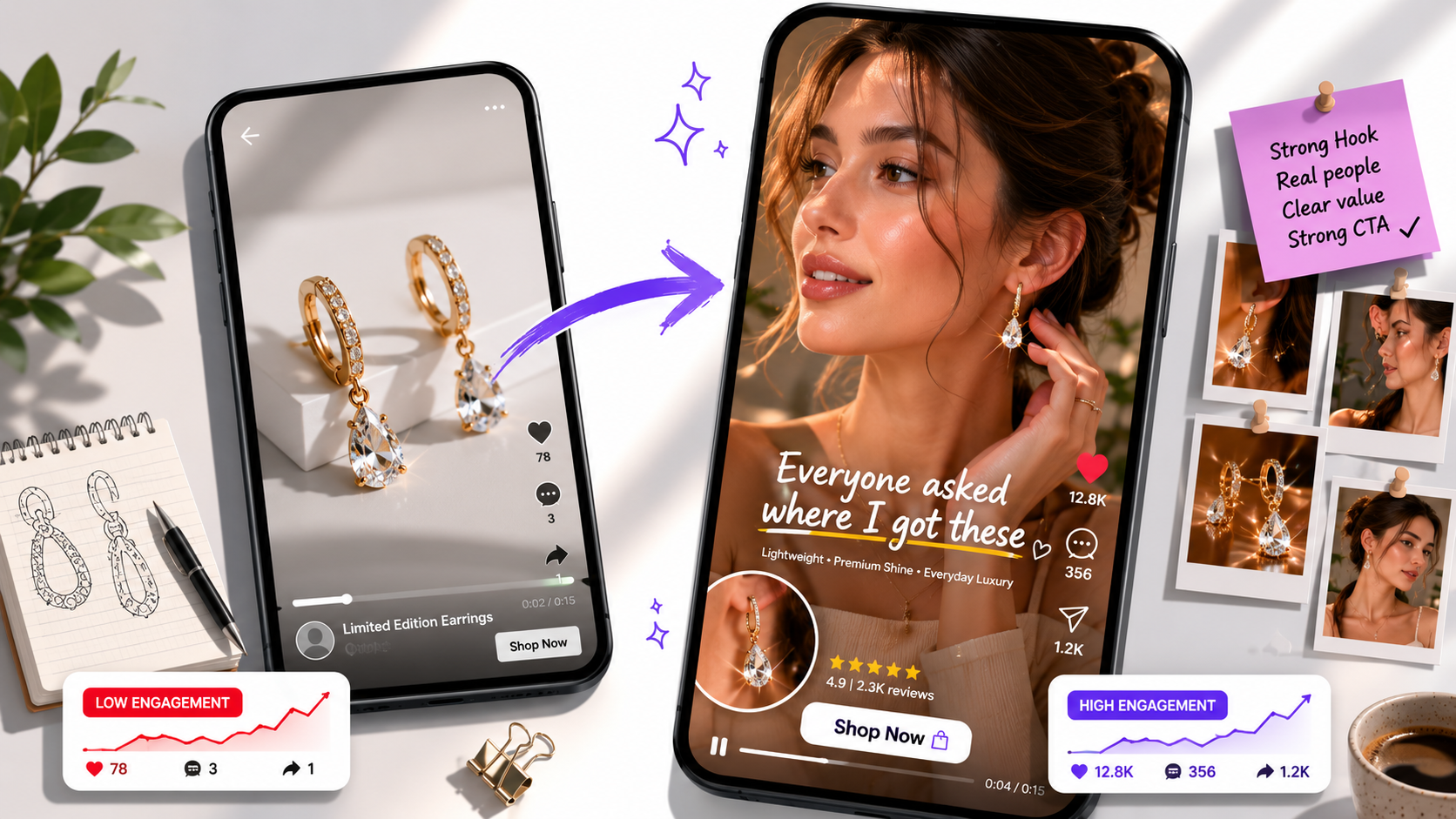 Before and After AI video Marketing
Common Mistakes When Making AI Marketing Videos
The biggest mistake is treating AI as the strategist.
AI can generate scenes, scripts, visuals, and variations, but the marketer still needs to check the product, offer, page, claim, and final message.
Avoid these mistakes:
- Hiding the product too long
- Posting without review
- Using the wrong format
- Overloading the video
- Ignoring platform fit
- Leaving captions unclear
- Using vague CTAs
A good AI marketing video still needs judgment. The tool speeds up production, but the marketer decides what should be published.
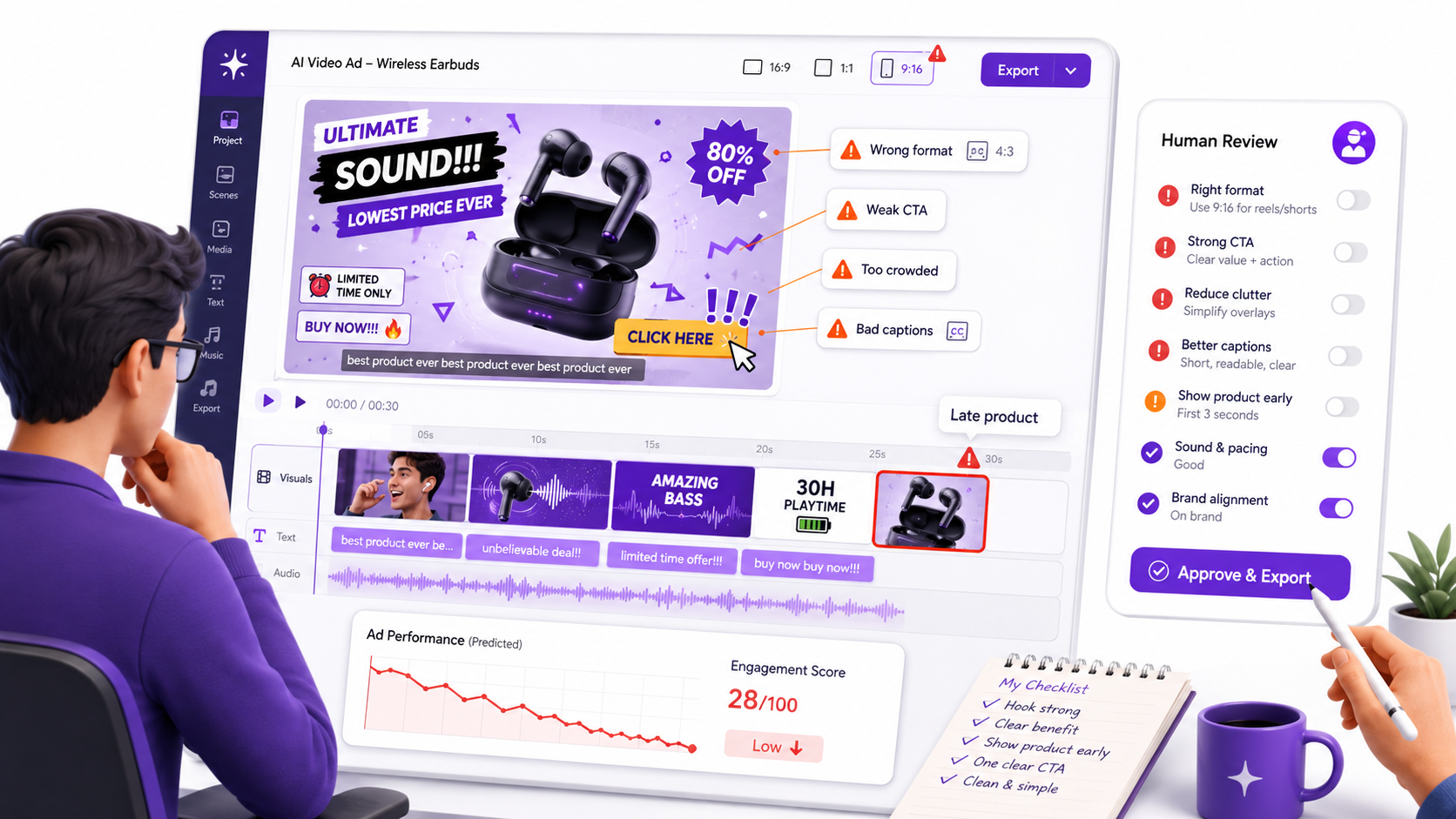 Common Mistakes in Creating AI Marketing Video
How to Measure AI Marketing Video Performance
Do not judge AI marketing videos only by how they look. Measure what the video does after people see it.
Track these metrics:
- Attention metrics: hook rate, hold rate, watch time
- Traffic metrics: CTR, CPC
- Conversion metrics: conversion rate, CPA, add-to-cart rate, landing page conversion
- Engagement quality: comments, saves, shares
When you need to test fixes, use the ImagineArt guide on How to Use AI to Test Ad Creative Variations. Test one variable at a time: hook, first frame, product angle, CTA, format, or creator style.
Ready to Create AI Marketing Videos with ImagineArt?
AI marketing videos work best when the strategy and production stay connected. Start with the buyer problem, choose the right format, generate the video, then test hooks, CTAs, and creative variations.
ImagineArt helps you create product videos, UGC-style ads, URL-based video ads, spokesperson clips, and edited campaign versions inside one workflow. Check ImagineArt Pricing before scaling video production across a larger campaign.
Frequently Asked Questions
ImagineArt AI Video Generator is the best broad starting point for AI marketing videos. Use URL to Video Ad Maker for product page ads, AI Product Video Generator for ecommerce demos, AI UGC Creator for creator-style ads, and AI Spokesperson Video for explainers or sales messages.
Yes. AI marketing videos work well for ecommerce when they show the product clearly, explain the main benefit, match the offer, and send viewers to the correct product page. Product demos, UGC videos, and URL-based video ads are strong ecommerce formats.
AI marketing videos can reduce the need for repeated shoots, especially for testing, product demos, UGC-style ads, and social variations. Some brands may still use real shoots for premium campaigns, but AI can handle a large part of daily creative production.
Check the product details, claims, pricing, offer, CTA, captions, visual accuracy, audio, landing page match, and platform format. Do not post the first output without human review.
Create at least three to five variations for one campaign. Test different hooks, openings, formats, CTAs, and product benefits. One video rarely gives enough data.
The best format depends on the goal. Use UGC for trust, product demos for clarity, explainers for complex offers, video ads for paid campaigns, and B-roll for atmosphere or scene support.
Yes. Captions help viewers understand the video without sound. They also make the product message clearer on TikTok, Instagram Reels, Facebook, YouTube Shorts, and other social platforms.
Umaima Shah
Umaima Shah is a creative content strategist specializing in AI tools, image generation, and emerging technologies. She focuses on translating complex platforms into clear, practical insights for creators, designers, and product teams