
Tooba Siddiqui
July 28, 2026 • Updated July 28, 2026
16 mins Read
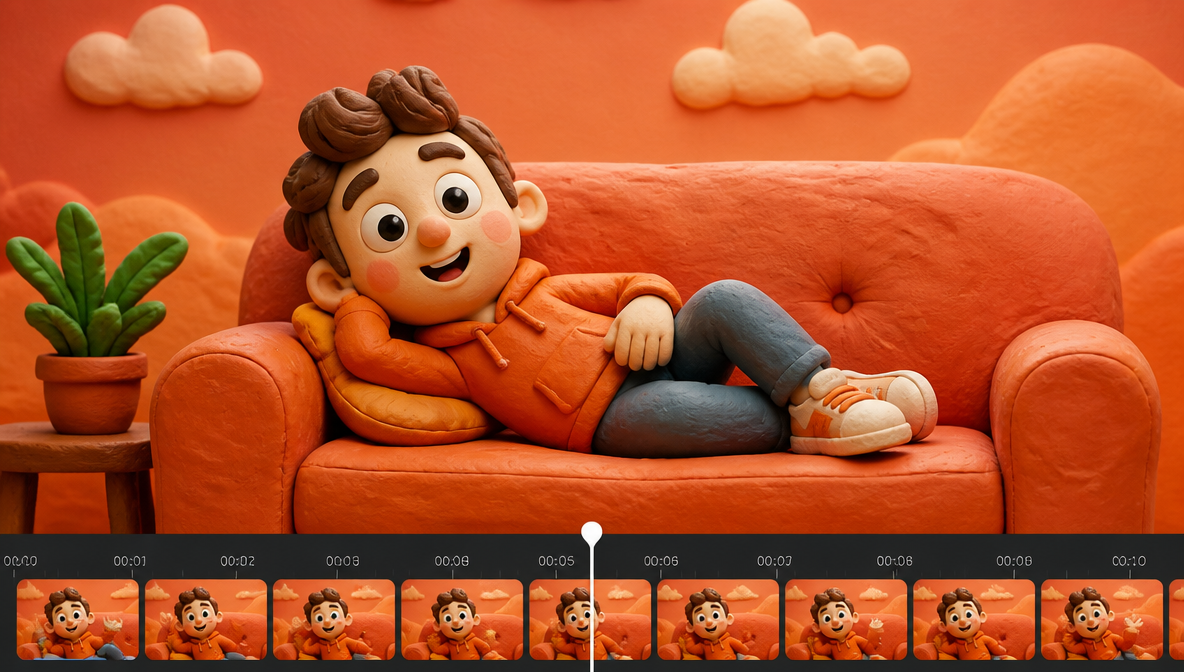
An AI video extender solves a simple problem. Your clip works, but it ends too soon.
A product demo cuts before the CTA, a Reel needs more motion, or a short ad needs extra seconds to land the offer. The right AI video extender helps you continue the scene without booking another shoot.
The best tools keep the subject consistent, carry the motion forward cleanly, and give you enough control to turn one short clip into something usable.
What Is an AI Video Extender?
An AI video extender adds new usable seconds to an existing clip by generating continuation frames that match the subject, motion, lighting, and style of the original.
It is different from video outpainting, which expands the frame edges outward to reveal more of the scene spatially. A video extender adds time. Video outpainting adds width or height. Some tools do both, but they serve different needs and should not be confused when choosing a tool.
What a good AI video extender does:
- Keeps the subject consistent from the original clip into the extension
- Carries the motion forward at the same speed and direction
- Matches the visual style, lighting, and color of the source
- Gives you an output you can still edit before publishing
What Makes a Good AI Video Extender?
- Clip continuation quality: The tool should add usable seconds without breaking the subject, motion, or scene.
- Input flexibility: A strong AI video extender should work with prompts, still images, or existing footage.
- Editing control: You need a way to refine the result after generation.
- Format fit: Vertical, square, and wide outputs matter for real publishing work.
- Use case range: Product demos, paid ads, UGC, Reels, Shorts, and B-roll all need different outputs.
- Creative workflow value: A good AI video extender should help you move from one idea to several usable assets.
The Best AI Video Extender Tools in 2026
| Tool | Best For | AI Model | Free Tier |
|---|---|---|---|
| ImagineArt | Full workflow: generate, extend, edit | Multiple models | Yes |
| Runway | Cinematic motion control | Runway Gen 4.5 | Limited |
| Luma Dream Machine | Image-to-video and still animation | Luma AI Dream Machine | Limited |
| Sora 2 | Physics-aware video with audio sync | Sora 2 | No |
| Kling AI | Dynamic motion and character movement | Kling 3.0 | Limited |
| Hailuo AI | Fast creative testing | Hailuo AI Video Generator | Limited |
| PixVerse | Short-form and social-first clips | PixVerse V6 | Limited |
| Seedance | Multi-shot sequences and narrative continuity | Seedance 2.0 | No |
| Google Flow / Veo | Cinematic scene planning | Veo 3.1 Lite | Limited |
| Grok Imagine | Fast text-to-video concept testing | Grok Imagine | Limited |
1. ImagineArt
ImagineArt leads this list because it works for creators who need more than a longer clip. It helps you move from a text prompt, product image, campaign visual, or existing creative into a video that can work across ads, product pages, Reels, Shorts, and UGC-style content. That makes it a practical AI video extender for marketers, ecommerce teams, content creators, agencies, and social media teams that need usable outputs instead of one-off experiments.
ImagineArt Video Extend appends 5 seconds to any existing clip through two modes.
Continue Without Prompt
The model analyzes the last frames of your clip and generates a natural continuation that maintains the same scene, motion, and style. Use this when the clip already has clear, ongoing motion that should continue — a camera pan, a walking character, flowing water — or when the final frames give the model enough visual context to carry forward without direction. It is the faster path when you want a quick extension and the end of the clip already tells the AI what comes next.
Continue with Prompt
Write a custom prompt describing what should happen in the added seconds. You can introduce new actions, new scene elements, or a shift in camera angle.
Example prompts:
- "The character continues walking and turns a corner, revealing a busy marketplace"
- "The camera slowly pulls back to reveal the full landscape"
- "Rain begins to fall, intensifying with each second"
Use this mode when you want to direct a specific continuation rather than letting the model decide, or when the clip ends on a neutral or static frame that doesn't suggest what comes next. It also fits multi-segment narratives where each extension needs to advance the story rather than simply continue the motion.
When the mode is set and the prompt is written, click Generate. The AI produces the extension and appends it directly to your original clip, delivering a combined video as the output.
With ImagineArt AI Video Generator, you can create a video from text, images, or video inputs, then build multiple versions around the same idea. This helps when a clip ends too soon, a product shot needs more motion, or a campaign visual needs to become a stronger video asset. It also gives creators more room to test openings, endings, product reveals, and short-form variations without rebuilding the concept from scratch.
ImagineArt also connects video generation with editing and campaign production. If the extended clip needs cleanup, object changes, or background edits, ImagineArt AI Video Editor gives you a direct next step. Use ImagineArt when you want an AI video extender that supports the full workflow, from first visual idea to edited, export-ready video.
2. Google Flow / Veo 3.1 Lite
Google Flow is a strong fit for creators who think in scenes, not only single clips. It works best for AI filmmaking workflows where the user wants to plan shots, maintain visual direction, and build a more controlled sequence from an idea. For AI video extender use cases, this matters because the problem is often not only clip length. The real problem is continuity from one shot to the next.
On ImagineArt, the verified Google video-model path is ImagineArt Veo 3.1 Lite, which supports cinematic video generation with motion and scene control. This makes it useful for creators who want a Google-style video model workflow for realistic clips, social video ideas, campaign scenes, and short film concepts. It works better when the prompt gives clear details about the subject, setting, action, and camera movement.
Choose Google Flow-style workflows when you want scene planning, cinematic direction, and more control over how the video continues. It is especially useful for storytellers, filmmakers, and brand teams who need the added seconds to feel like part of the same visual world.
3. Runway Gen 4.5
Runway stays near the top because it fits cinematic video work, motion control, and polished creative direction. It is useful for filmmakers, agencies, and creative teams who care about camera movement, scene tone, and visual style. When someone needs an AI video extender for higher-control motion, Runway makes sense over tools built for speed.
ImagineArt Runway Gen 4.5 is the relevant internal option for users who want Runway-style cinematic video generation inside a broader creative process. It works well when the source idea already has a strong visual direction and the user wants more control over how the clip moves, continues, or develops.
Choose Runway when visual polish and scene consistency matter more than fast turnaround. It fits creators who need stronger output for campaign visuals, brand films, product teasers, and film-style social content.
4. Luma Dream Machine
Luma Dream Machine works well when the starting point is a still image that needs natural movement. It is useful for creators who have a product shot, concept frame, lifestyle image, or campaign still and want to turn it into a short video. For AI video extender use cases, this matters because many users are not starting from footage — they are starting from one strong image that needs to move.
Luma AI Dream Machine fits this image-to-video workflow. It can help when a still frame needs motion, depth, camera movement, or a more cinematic feel. This works well for product visuals, fashion clips, environmental shots, and concept videos where the image already has the right composition but needs extra life.
Choose Luma Dream Machine when your goal is to animate a still image or make a short scene feel more alive. It is a good AI video extender for creators who want natural motion from one strong visual without a full production setup.
5. Sora 2
Sora 2 belongs in this list because it supports longer-feeling generated scenes, natural motion, physics-aware outputs, and audio-synced video. It is useful for creators who want an AI video extender that can support storytelling, realistic movement, and more complete scene generation.
Sora 2 gives users a way to create professional videos from text prompts with natural motion, camera direction, and synced audio. For marketers and creators, this can help turn a basic concept into a stronger visual sequence that holds together as a finished piece.
Choose Sora 2 when the extended video needs realism, audio, scene direction, and better physical movement. It is a strong option for creators who need the AI video extender to create something closer to a full video moment.
6. Kling AI
Kling AI works well for users who want dynamic motion, cinematic direction, and prompt-led video generation. It fits creators who need product motion, character movement, short scenes, and visually polished clips where the added seconds need energy and camera movement.
Kling 3.0 AI Video Generator supports custom video lengths, camera cuts, character referencing, and multilingual audio generation. That makes it stronger for creators who want video extension to feel like a directed sequence instead of a simple loop. It can support social campaigns, short narrative clips, product reveals, and branded video ideas.
Choose Kling AI when motion quality matters. It works well for creators, performance marketers, and brand teams who need an AI video extender that handles more expressive movement and polished short-form outputs.
7. Hailuo AI
Hailuo AI fits creators who need fast video generation and short-form creative testing. It is useful when the goal is to test several motion directions, build quick campaign ideas, or create short video concepts from prompts or visuals. For AI video extender workflows, Hailuo works best when speed and variety matter more than cinematic depth.
Hailuo AI Video Generator gives creators a path to fast AI video creation without treating every output like a large production. This helps with product teasers, social tests, ad concepts, and short motion ideas that need to be reviewed quickly.
Choose Hailuo AI when you want an AI video extender for rapid testing. It fits creators and marketers who need several usable directions before committing to a final clip.
8. PixVerse
PixVerse is useful for creators who want short videos with strong motion and social-friendly pacing. It fits Reels, Shorts, TikToks, product teasers, and campaign visuals where speed and variety matter. For AI video extender needs, PixVerse works well when the user wants to turn a quick idea into a sharper motion clip.
PixVerse V6 fits this social-first video workflow. PixVerse helps when a creator needs punchy motion, a faster visual test, or a short video that works for vertical content without building a full edit.
Choose PixVerse when you want an AI video extender for short-form content, quick creative testing, and stylized motion. It is a practical choice for social creators and performance marketers creating frequent video variations.
9. Seedance 2.0
Seedance fits users who need multi-shot generation, smoother continuity, and more structured video output. It is useful when the video needs to feel like a sequence instead of one isolated motion clip. For AI video extender use cases, Seedance is relevant when creators want to add shots, continue scenes, or build a short visual story from several inputs.
Seedance 2.0 supports multimodal inputs, multi-shot sequences, and synchronized sound. That makes it useful for creators building narrative content, product stories, campaign clips, and videos that need a clearer beginning, middle, and end. It also helps when the extended content needs to keep characters, style, lighting, and motion consistent across shots.
Choose Seedance when you need an AI video extender for story-driven clips, multi-shot videos, or stronger creative continuity. It fits filmmakers, educators, advertisers, and content teams that need more structure than a basic text-to-video output.
10. Grok Imagine
Grok Imagine fits creators who want quick text-to-video or image-to-video outputs with motion, scene control, and fast variation. It is useful for creators who want to test multiple concepts quickly, especially when the goal is idea generation, social clips, or short campaign experiments.
Grok Imagine gives users a way to turn text or images into short videos with synced audio and motion control. This helps creators test different creative directions before committing to a more polished production path.
Choose Grok Imagine when you want an AI video extender for fast experimentation and multiple short-form outputs. It is a good fit for creators who need speed but still want enough control to guide the subject, camera movement, and visual style.
Prompt Examples for an AI Video Extender
A weak prompt gives the model too much freedom.
Weak prompt:
"Make this video longer."
A strong prompt protects the subject and tells the model what should happen next.
For a product clip:
"Continue the skincare product close-up for 4 more seconds. Keep the bottle shape, label, and lighting unchanged. Add a slow camera push-in and end with the bottle centered for CTA space."
For a UGC clip:
"Extend this creator-style video by 3 seconds. Keep the speaker consistent. Continue the hand gesture naturally, hold on the product for one beat, then end on a clean smile."
For a social ad:
"Extend this vertical ad by 5 seconds. Keep the same subject and bedroom setting. Add a quick product pickup, show the item closer to the camera, and leave space at the bottom for captions."
For a B-roll scene:
"Continue the café scene for 4 seconds. Keep the warm lighting and shallow depth of field. Add a slow pan across the table and end on the cup with gentle steam."
The rule stays consistent: tell the model what should stay the same, what should happen next, and where the shot should end.
Common AI Video Extender Mistakes That Need Human Review
The biggest mistakes do not come from the model. They come from skipping review.
- Not watching the full extended clip. Do not assume the continuation stayed on brief. Watch it through from the join point.
- Posting without checking product or script accuracy. AI can drift on labels, hand positions, object shapes, and motion logic between frames.
- Using a weak source asset. A low-quality starting clip produces a low-quality extension.
- Ignoring placement requirements. A good extension for Reels may fail on a product page or paid ad feed.
- Leaving the hook and ending untreated. A longer clip still fails if the opening does not hold attention or the CTA arrives too late.
- Generating one version only. Good output comes from comparison, not from the first result.
- When judging the finished video, use real ad metrics.
AI Video Extender Use Cases for Ads, UGC, and B-Roll
Product demos and ecommerce videos
A short product clip often needs three more seconds, not a full reshoot. You may want more time for the reveal, a slower finish on the packaging shot, or a better end card. ImagineArt's guide on Which Is the Best AI Video Generator for DTC Product Ads? gives good context for product-first creative choices. If you build ads from product pages, the ImagineArt guide on How to Turn a Product URL into a Video Ad with AI shows how an AI video extender fits into a larger ad workflow.
UGC and paid social videos
UGC breaks when the opening feels rushed or the product moment arrives too fast. An AI video extender adds reaction time, breathing room, or a cleaner product handoff. The ImagineArt AI UGC playbook fits that need, and the guide on How to Create Realistic AI UGC Videos shows how to keep the result believable. For a wider ad strategy, the ImagineArt post on AI Ad Formats: UGC, Product Demos, Unboxing and More helps you choose the right structure before generating.
Video ads and creative testing
Paid social teams rarely need one long video. They need several versions of the same angle, each with different pacing, hooks, or endings. The ImagineArt guide on How to Make Video Ads with AI for High ROAS connects generation to the actual campaign output. Build more ad-ready variations with ImagineArt AI Ad Studio.
B-roll, trailers, and film-style sequences
Sometimes the job is not ad testing. You may need filler motion, transition footage, atmosphere shots, or a stronger sequence between scenes. The ImagineArt article on What Is B-Roll and How to Create B-Roll Video with AI fits that use case. For a more cinematic flow, the guide on How to Make a Movie Trailer with AI gives a stronger structure for scene-driven work. If the clip needs a stylized finish, the ImagineArt guide on How to Add AI Visual Effects to Your Videos helps after the extension step.
How to Choose the Right AI Video Extender
Choose by the job, not by hype. Ask these questions first:
- Are you starting from footage, still images, or text prompts?
- Do you need social clips, ads, product demos, or trailer-style scenes?
- Do you need editing access after generation?
- Do you need several variations every week or occasional one-off clips?
| If you need... | Use this |
|---|---|
| Full workflow from generation to export | ImagineArt |
| Cinematic motion and camera control | Runway Gen 4.5 |
| Still image animation | Luma Dream Machine |
| Physics-aware video with audio | Sora 2 |
| Dynamic motion and character referencing | Kling AI |
| Fast testing and social variations | Hailuo AI or PixVerse |
| Multi-shot narrative continuity | Seedance 2.0 |
| Scene planning and cinematic direction | Veo 3.1 Lite |
| Fast concept testing | Grok Imagine |
Known Limitations of AI Video Extenders
Every AI video extender on this list has constraints worth understanding before you commit to a workflow.
- Subject drift — Subjects can shift slightly in appearance, especially over longer extensions or multiple passes. Check hand positions, product labels, and facial consistency.
- Motion errors — Fast or complex motion in the source clip is harder to continue cleanly. Simpler, slower-moving clips extend more reliably.
- Audio gaps — Most AI video extenders generate new visual frames but do not extend the original audio. Budget for audio handling separately.
- Lighting inconsistency — The join point between the original clip and the extension is the most common place for visible lighting shifts. Tight prompts with explicit lighting instructions reduce this.
- Duration caps — Most tools cap individual extension passes at 4 to 10 seconds. For longer extensions, use multi-pass extension: generate once, use the output as the new source, and extend again. Subject drift compounds across passes, so review the quality checklist after every generation.
- If you want one place to manage that workflow, ImagineArt Pricing shows the current plan options and usage tiers.
FAQs About AI Video Extenders
What is the best AI video extender for product videos?
The best AI video extender for product videos keeps the product accurate while adding usable motion and extra seconds. ImagineArt works well here because it connects product video generation, editing, and ad workflows rather than treating extension as a one-click output.
Can an AI video extender make a short clip longer without reshooting?
Yes. A good AI video extender adds more scene time, extends a motion beat, or builds a longer clip from a short source or still image. The result still needs human review, but it saves time when the original footage already works.
Which AI video extender works best for Reels, Shorts, and paid social?
For short-form platforms, you need vertical framing, strong opening motion, and fast testing cycles. ImagineArt, Kling, Hailuo, and PixVerse all fit short-form work. ImagineArt gives the widest path into ads, UGC, and product demos from the same platform.
Does an AI video extender keep the same subject and camera movement?
A good AI video extender aims to match subject, framing, and motion direction. Results depend on prompt quality and source asset quality. The more specifically you describe what should stay the same, the cleaner the continuation tends to be.
What is the difference between AI video extension and video outpainting?
Video extension adds time to a clip by generating continuation frames. Video outpainting expands the frame edges outward to reveal more of the scene spatially. For related frame-manipulation techniques, see ImagineArt's guide to video inpainting. They solve different problems. Extension is for clips that end too soon. Outpainting is for clips that need a wider or taller frame.
What is multi-pass extension?
Multi-pass extension means using each generated output as the new source clip and extending again. It is useful when you need a final video longer than any single generation pass allows. Run a quality check after every pass, since subject drift compounds across multiple generations.
Tooba Siddiqui
Tooba Siddiqui is a content marketer with a strong focus on AI trends and product innovation. She explores generative AI with a keen eye. At ImagineArt, she develops marketing content that translates cutting-edge innovation into engaging, search-driven narratives for the right audience.