Zahida Misher
November 20, 2026 • Updated November 25, 2026
10 mins Read
A painted shop sign that reads ROSE BAKERY. One sentence later it reads MILL STREET BREAD, in the same cream serif on the same dark green, and the croissants in the window haven't moved. That's the trick Qwen Image Edit is known for: changing words inside a picture without repainting the picture.
It's Alibaba's open image-editing model, open-sourced by the Qwen team on August 18, 2025. Two numbered updates later it dissolved into Qwen-Image 2.0 and 2.1, which generate and edit in one model. Hence five names for roughly one idea.
Below: the versions sorted, a no-install way to run Qwen's current editor, prompts that suit it and where it stumbles. New to prompt-based editing? Start with how to edit photos with AI, then come back.
What is Qwen Image Edit?
Qwen Image Edit is the image-editing version of Qwen-Image, Alibaba's 20B-parameter image model. You give it a photo and a written instruction, and it changes what you asked for while trying to leave the rest alone. Its party piece is editing English and Chinese text inside images, which Qwen says keeps the original font, size and style.
The Qwen-Image-Edit model card explains how it pulls that off. The input image goes down two paths at once: Qwen2.5-VL reads it for meaning (semantic control), and a VAE encoder reads it for looks (appearance control). That split is why the qwen image edit model handles two very different kinds of request:
- Appearance edits change one part and leave the rest untouched: add a cup, remove a sign, recolor a jacket.
- Semantic edits may redraw the whole frame but keep the subject: rotate an object, spin a character into new artwork, restyle a photo.
The model card lists the license as Apache 2.0. The catch: the name now covers a family, not one file.
Qwen Image Edit versions: 2509, 2511 and what came after
Five steps, dated from Qwen's GitHub news and model cards:
| Release | Date | What changed | License |
|---|---|---|---|
| Qwen-Image-Edit | Aug 18, 2025 | First release: 20B, appearance and semantic edits, bilingual text edits | Apache 2.0 |
| Qwen-Image-Edit-2509 | Sep 22, 2025 | Multi-image editing, best with 1 to 3 inputs; native ControlNet (depth, edge, keypoint maps) | Apache 2.0 |
| Qwen-Image-Edit-2511 | Dec 23, 2025 | Less image drift, better character consistency, popular LoRAs built in | Apache 2.0 |
| Qwen-Image 2.0 | Feb 10, 2026 | Generation and editing unified in one model, native 2K | not stated in the release note |
| Qwen-Image 2.1 | Sep 20, 2026 | Unified model, 7B visual generation component, up to 10 reference images | Qwen Research License Agreement |
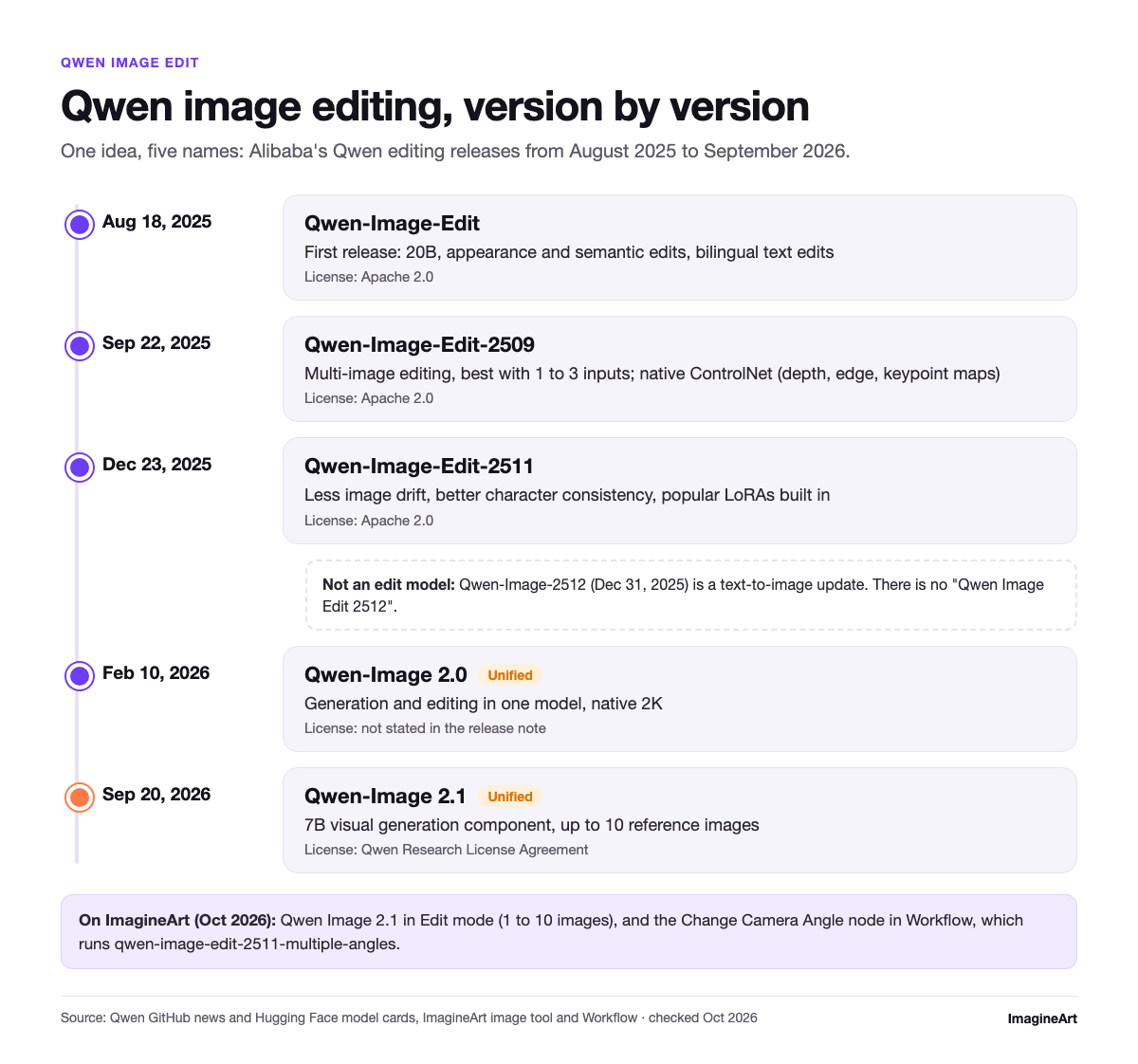 One idea, five names: Qwen's editing releases in order
Qwen image edit 2509 was the "monthly iteration" that added multi-image input. The 2509 release notes list three pairings it was built for (person plus person, person plus product, person plus scene) and say it works best with 1 to 3 input images.
Qwen image edit 2511 went after drift, where each pass nudges a face or logo further from the original. The 2511 release notes also list steadier characters, better group shots, stronger geometric reasoning and popular community LoRAs built in, including lighting enhancement and new viewpoints.
Then the line merged. Qwen-Image-2.1 on GitHub calls itself "a unified text-to-image generation and image editing model", and a Turbo build (8 denoising steps) followed on October 9, 2026. Qwen-Image 3.0 exists too, but it was reported as a closed model with no public weights.
And "qwen image edit 2512"? There isn't one. Qwen-Image-2512 (December 31, 2025) is a text-to-image update: more realistic people, finer textures, better text. It doesn't edit your photos, however politely you ask.
How to use Qwen Image Edit in ImagineArt
Most guides assume you'll install it or queue on a demo Space. ImagineArt runs its AI image editor on Nano Banana Pro by default, but you can also run Qwen's current editing model, Qwen Image 2.1, in a browser tab from the image tool's Edit mode. The picker lists it under Alibaba with the note "Precise edits with sharp, legible text".
ImagineArt's AI photo editor page puts it plainly: "There are no masks to draw, layers to manage or selection tools to learn." The prompt does the pointing. The editor page accepts JPG, PNG or WEBP up to 30MB, so RAW files need a conversion first.
Method 1: edit with Qwen Image 2.1
- Open ImagineArt's image tool and switch to Edit.
- Pick Qwen Image 2.1 from the model list.
- Upload your photo. You can add up to 10 images when the edit combines several (a product and a scene, two people).
- Write the change, then a keep line: what must stay exactly as it is. Prompts can run up to 10,000 characters, and a prompt enhancer is there if you want help phrasing it.
- Choose a ratio: 1:1, 4:3, 3:4, 16:9 or 9:16.
- Generate, then check the parts you asked it to keep.
- For a second change, load the output back as the reference and run again. There's no chat thread, so it's one change per run.
We ran this edit in ImagineArt on a generated bakery front. The source (Qwen Image 2.1, 4:3) spelled ROSE BAKERY right but also invented window lettering and a chalkboard nobody asked for.
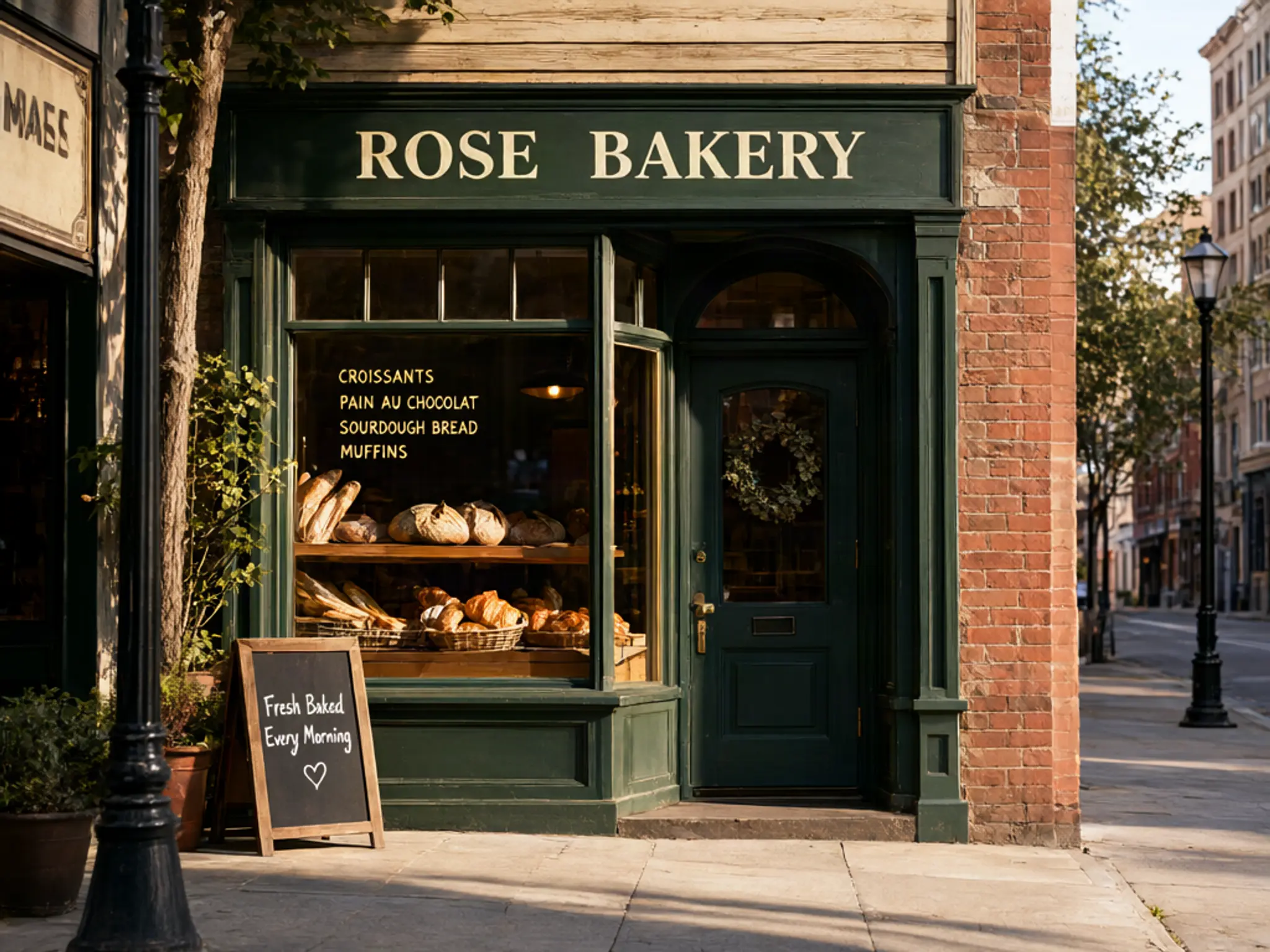 The source: right sign text, plus some bonus window lettering we didn't request
The edit prompt quoted both texts: change the sign "from 'ROSE BAKERY' to 'MILL STREET BREAD' in the same painted serif lettering", keeping the storefront, window display and lighting. The result reads MILL STREET BREAD with all 15 letters right, in the same cream serif on dark green. The window lettering, the chalkboard and the storefront came through unchanged.
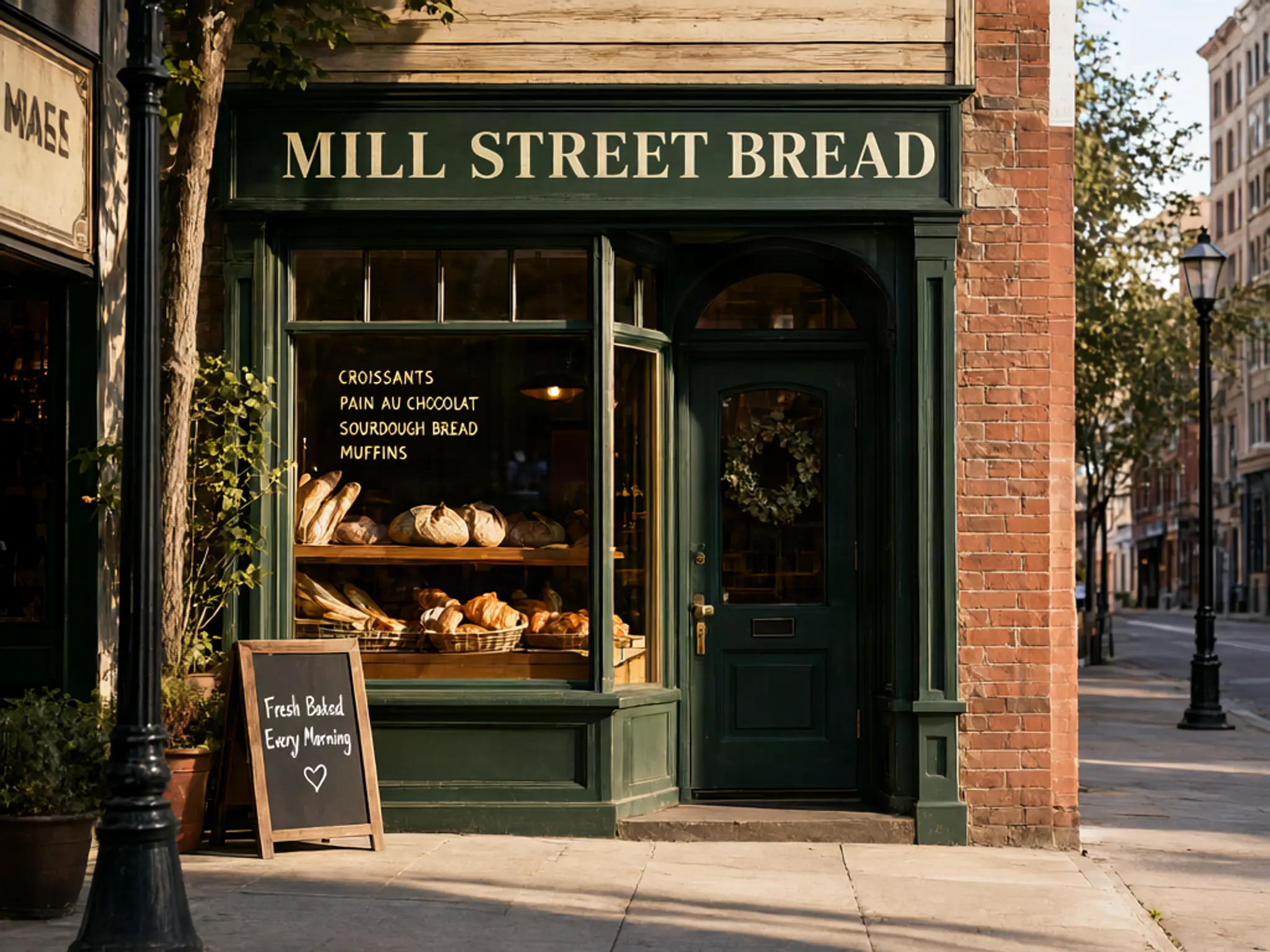 After one edit: 15 of 15 letters right, everything else left alone
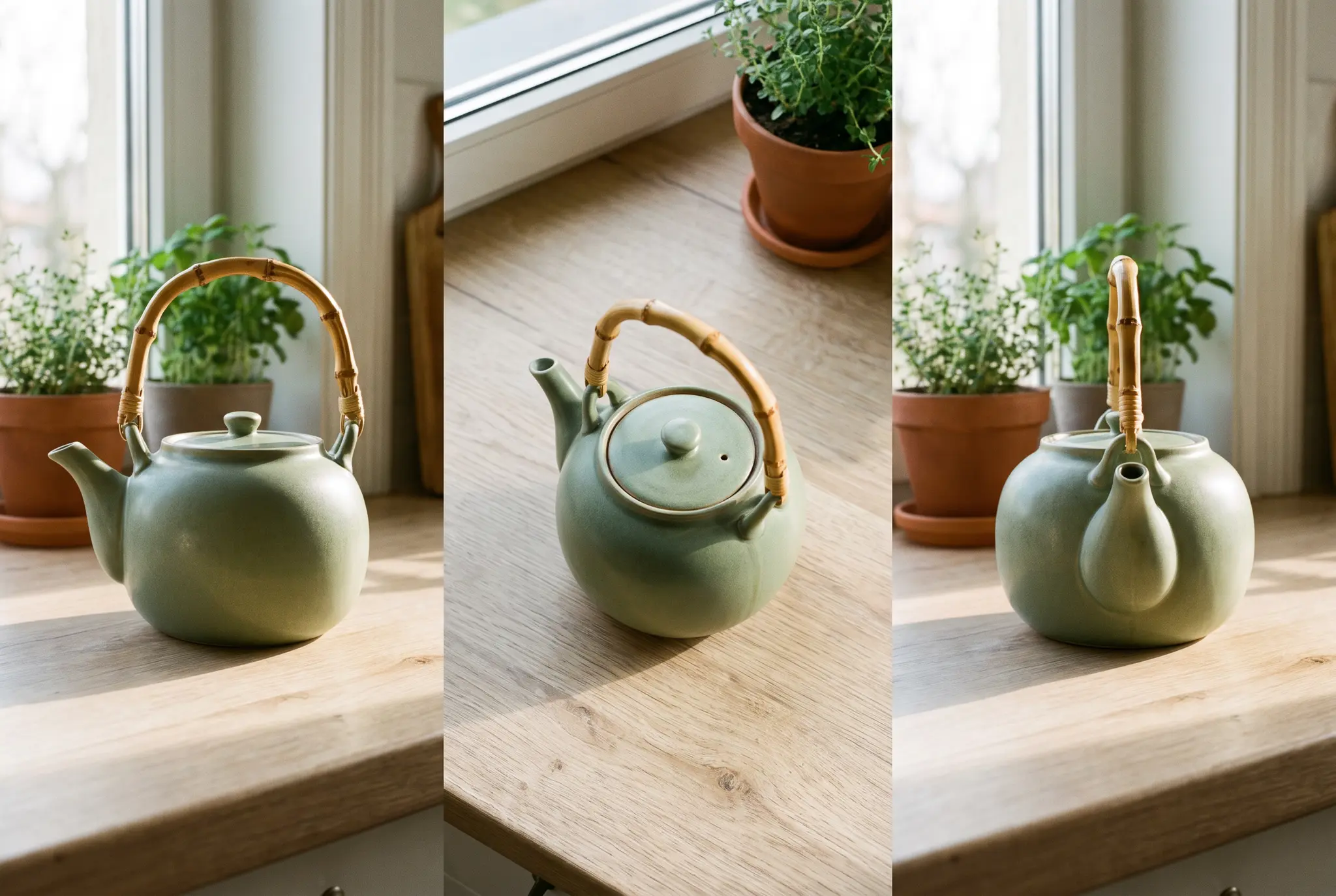
The second test combined two Nano Banana Pro images, a sage-green teapot on white and an empty oak counter, named "image 1" and "image 2" in the prompt.
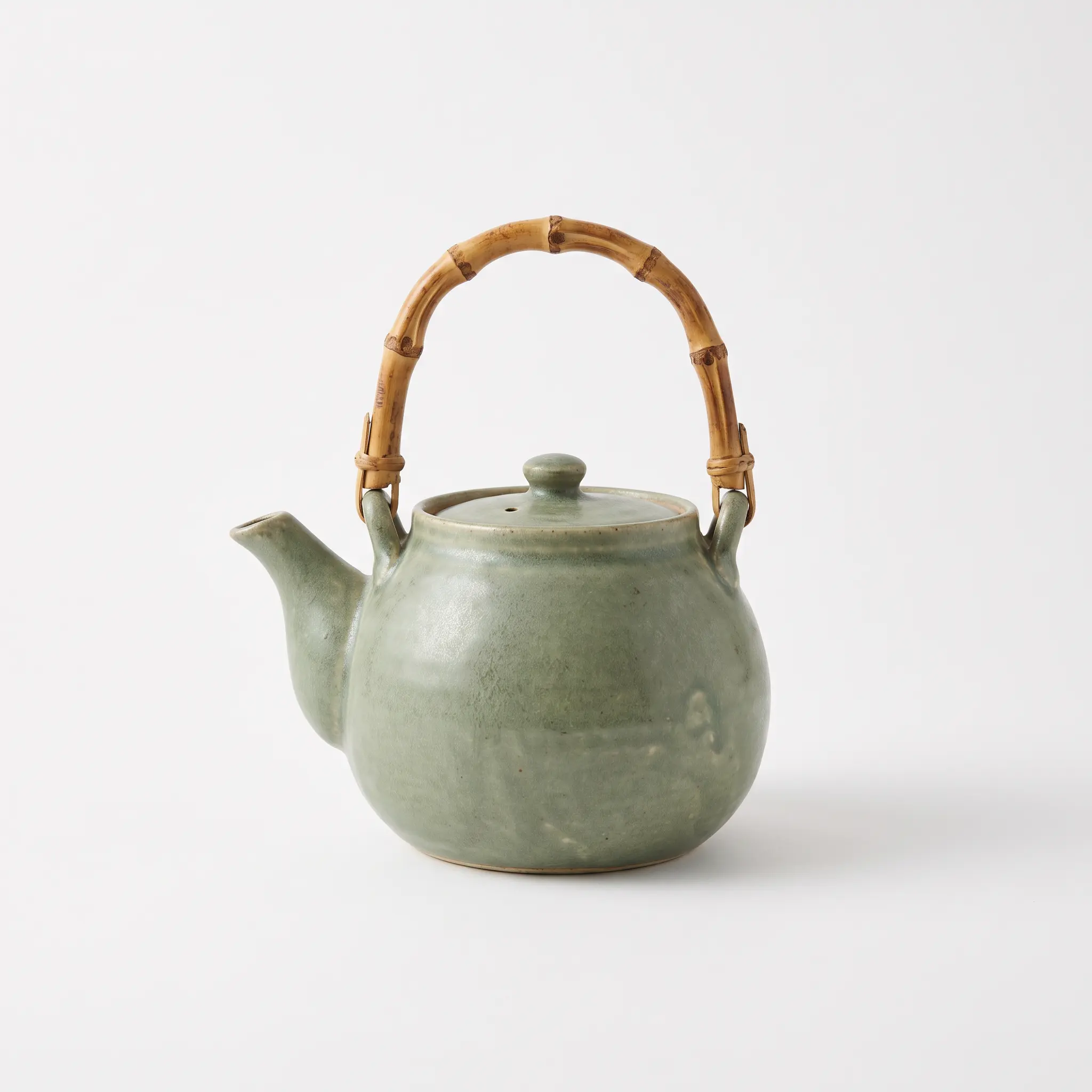 Input 1: the product
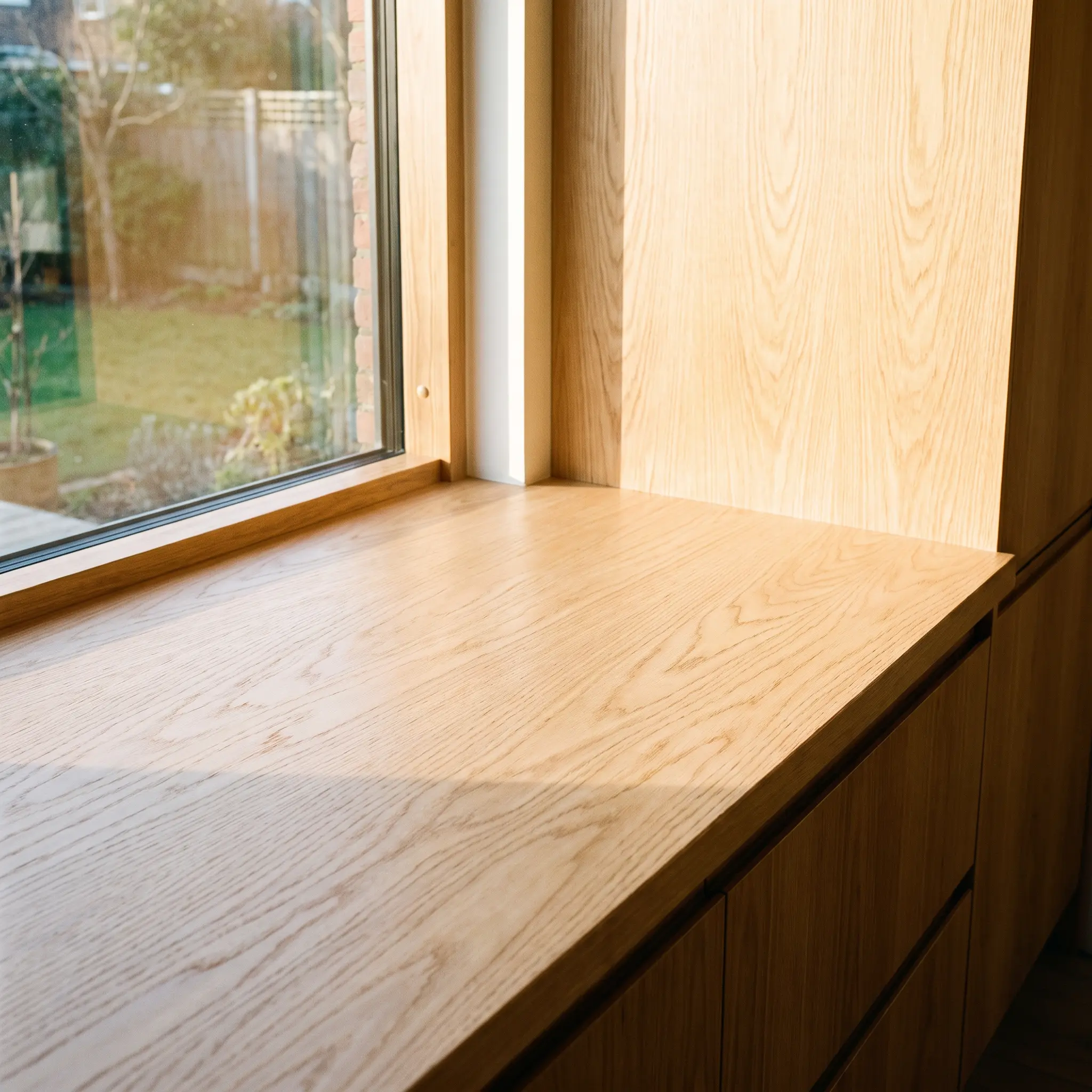 Input 2: the scene
Qwen Image 2.1 kept the shape, glaze color and bamboo handle (3 of 3 checks) and lit the pot with warm side light, its soft shadow matching the window. One run each, one rater: a good sign, not a guarantee.
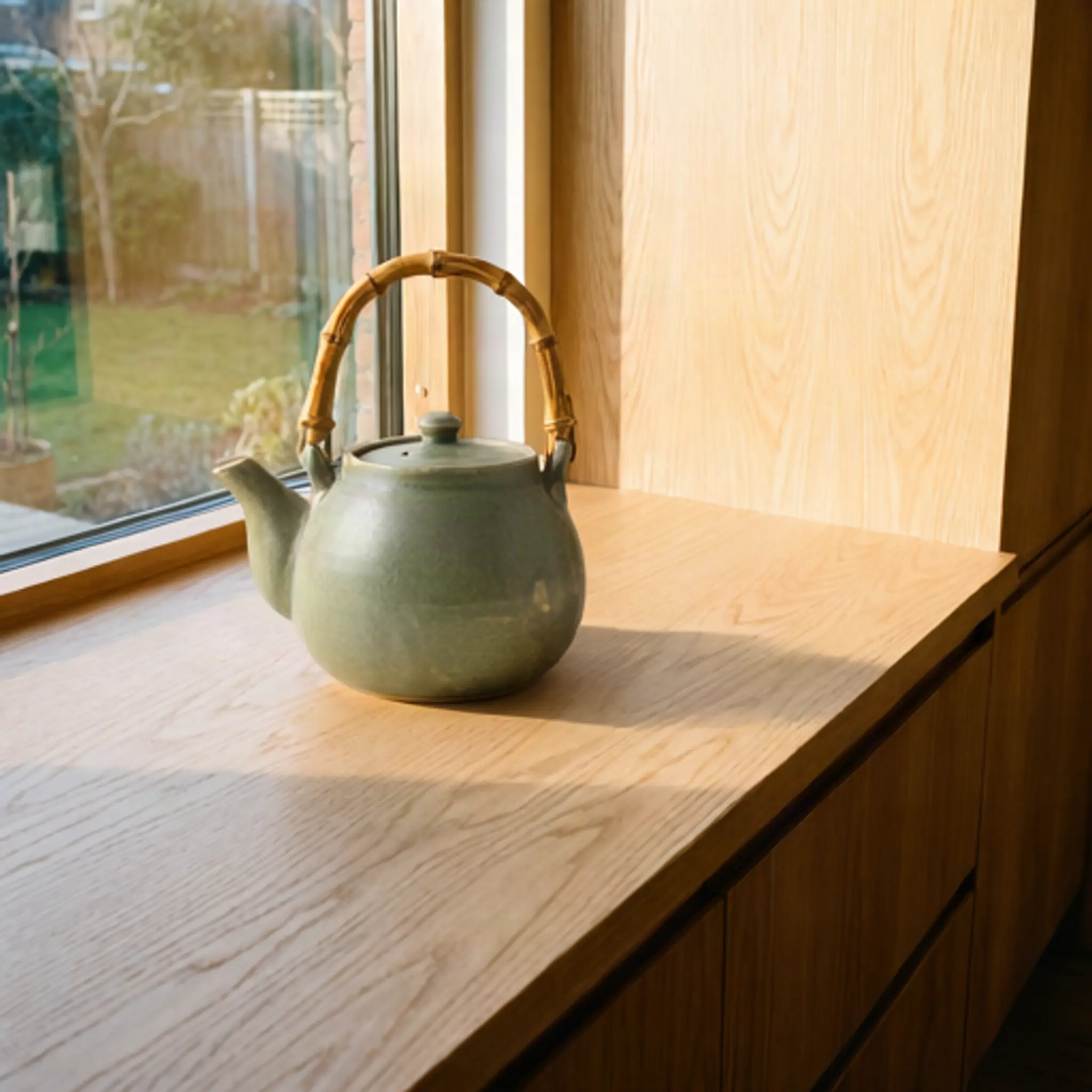 Image 1 on image 2, with a soft shadow that matches the window light
Method 2: re-angle with Change Camera Angle
For new viewpoints, ImagineArt Workflow has a node called Change Camera Angle that runs qwen-image-edit-2511-multiple-angles. It takes one input image, an optional negative prompt, a Wide Angle Lens checkbox, a ratio (16:9 by default), a guidance setting from 1 to 20 (default 4.5) and a seed.
The name matches fal's multiple-angles LoRA for 2511. fal's card describes 96 camera positions (4 elevations, 8 azimuths, 3 distances), trained on more than 3,000 Gaussian Splatting renders, with low angles down to -30°.
No workflow needed? The Change Camera Angle app does the casual version (the app doesn't say which model it uses): upload, nudge the Rotation, Move and Zoom sliders, generate. We haven't run either route for this post.
| Route | Inputs | Controls | Use it for |
|---|---|---|---|
| Edit mode, Qwen Image 2.1 | 1 to 10 images | prompt up to 10,000 characters, 5 ratios | text swaps, composites, local changes |
| Workflow node, Change Camera Angle | 1 image | negative prompt, Wide Angle Lens, guidance 1 to 20, seed | new viewpoints inside a bigger workflow |
| Change Camera Angle app (model not named) | 1 image | Rotation, Move and Zoom sliders | a quick re-angle without settings |
Prompts that play to Qwen's strengths
Qwen rewards bossy prompts. Name the exact change, quote any text letter for letter and list what must survive. Six that suit it:
- Swap sign text: "Change the text on the shop sign from 'OPEN DAILY' to 'CLOSED MONDAYS'. Same lettering, color and size. Keep the window and the street unchanged."
- Add a line of text: "Add the words 'Est. 1998' in small white serif letters under the logo on the awning. Change nothing else."
- Product into a scene: "Place the bottle from image 1 on the marble shelf in image 2. Match the shelf's lighting and reflections. Keep the label exactly as in image 1."
- Two people into one group shot: "Put the woman from image 1 and the man from image 2 side by side on the park bench in image 3, both smiling at the camera. Keep their faces, hair and clothes unchanged." Use fictional people or people who've agreed to it.
- Material swap: "Change the chair's fabric from gray linen to tan leather. Keep the frame, the legs, the room and the light the same."
- Lighting change: "Relight this room as late golden-hour sun from the left window, with long warm shadows. Keep every object in place."
The pattern: change line, then keep line, and number your inputs, since Qwen reads them as image 1 and image 2. For a much longer list across models, see our AI photo editing prompts.
If you want the words gone rather than swapped, an AI text remover is the shorter road.
Where Qwen's editing falls short
Strong on text, precise with small edits, fussy about instructions. In Chris Green's comparison test of the August 2025 model against Flux.1 Kontext and Nano Banana, he found you "have to be very explicit in terms of what to change and importantly what not to change". In his text test, Qwen got the words right but "did a poor job on maintaining the font style", and he noticed a "softening/loss of detail". Our Qwen Image 2.1 editor sign kept its lettering, but that's a newer model and one sign.
ImagineArt's own model note for Qwen Image 2.1 is candid too: text in languages other than English and Chinese is "unproven", and it's weaker at mid-level photographic polish for new images.
On the Artificial Analysis editing leaderboard in October 2026, Qwen-Image 2.1 sat around 24th of 77 models. Edit-2511 and Edit-2509 were outside the top 50. Positions drift, so check the date before quoting them.
AI Search's side-by-side of Qwen's original editor and Flux Kontext dev. It's an install tutorial; the steps above are the no-install route.
For a model built around chained edits, compare it with Flux Kontext image editing, the model Chris Green tested Qwen against.
Are the Qwen editing models free and open source?
Partly. Qwen-Image-Edit, 2509 and 2511 are open weights under Apache 2.0. Qwen-Image 2.1 is different: it ships under the Qwen Research License Agreement, so read those terms before you build anything on it. Most tutorials still describe the August 2025 release, so check the license for the exact version you download.
Running it in a browser is a separate question from the license. ImagineArt has a free plan; check the current plan limits to see which editor models your plan includes.
Conclusion
Qwen Image Edit started as one open 20B model in August 2025 and now lives inside Qwen-Image 2.1. Use 2509 or 2511 if open weights under Apache 2.0 matter to you. Use 2.1 for the better leaderboard spot and up to 10 references, if a research license works for you.
The prompt habits don't change between versions: quote the exact text, number your inputs so Qwen knows which is image 1 and image 2, add a keep line, and check fine detail before you ship.
To try it without installing anything, open ImagineArt's image tool, switch to Edit, pick Qwen Image 2.1 and swap the words on a sign of your own.
Frequently Asked Questions
What's the difference between Qwen Image Edit 2509 and 2511?
2509 (September 2025) added multi-image editing, with the best results from 1 to 3 input images, plus native ControlNet support. 2511 (December 2025) focused on consistency: less drift between edits, steadier characters and group shots, stronger geometric reasoning and built-in LoRAs for lighting and new viewpoints. Both are Apache 2.0.
Is there a Qwen Image Edit 2512?
No. The search term mixes two releases. Qwen-Image-2512, out December 31, 2025, updated the text-to-image model with more realistic people, finer textures and better text. Editing moved on from 2511 to the unified Qwen-Image 2.0 in February 2026.
Can Qwen change text in a photo?
Yes, that's its specialty. The original model card claims English and Chinese text edits that keep the font, size and style. In our run, Qwen Image 2.1 changed a 15-letter sign with every letter right and matching lettering, while one tester found the August 2025 version drifted on font style.
Is Qwen Image 2.1 better than Qwen Image Edit?
On the Artificial Analysis editing board in October 2026, yes: around 24th of 77, against outside the top 50 for 2511 and 2509. It also takes up to 10 reference images instead of 2509's best range of 1 to 3. The trade is the license, a research license instead of Apache 2.0.
Zahida Misher
Exploring how AI transforms marketing, I help businesses unlock growth and future-proof their presence.
View all articlesRecent posts
The Best AI Avatar Generators In 2027: 11 Tools Compared And Ranked
50 Types of Art Styles: Definitions, Examples and AI Prompts
How to Edit Images With Ideogram 4.6: 38 Edits, Prompts and Results