Biggest Sale Ever! 50% OFF & Unlimited Free Generations on top models
Remove Text From Image
Tired of wasting hours removing text from images manually? Use ImagineArt Remove Text from Image to instantly detect and remove text, captions or anything ruining the original image. Its fast, accurate and free to try!
How to Remove Text from Image Online In 3 Steps
Upload Your Image
Upload your photo to ImagineArt AI Remove Text from Image. You can upload your image in any format; JPG, PNG, WebP etc. This app instantly analyzes and detects text, watermarks, logos, etc automatically.
Remove Text Instantly
Click ‘Generate’ and let ImagineArt AI Remove Text from Image erase unwanted text in one step. ImagineArt AI Remove Text from Image reconstructs background details with AI precision. The final image would seem exactly like the original
Download High Quality Result
Download the clean image in seconds after processing completes. AI Remove Text from Image delivers a high resolution, text free photo. You can use it for social media, e-commerce, presentations, or more.
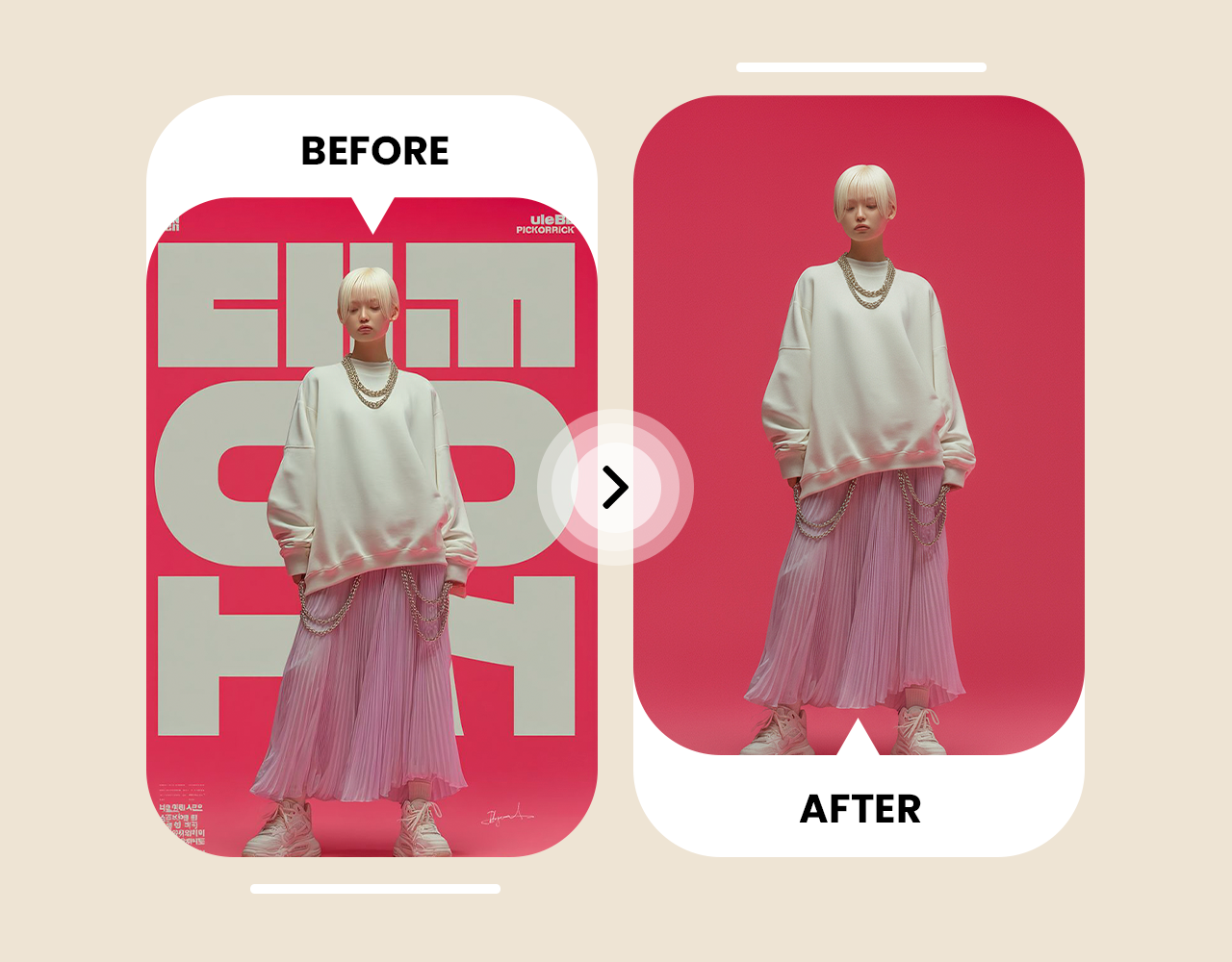
Erase Unwanted Text Instantly With AI Restoration

Cross-Platform Text Removal Without Any Downloads
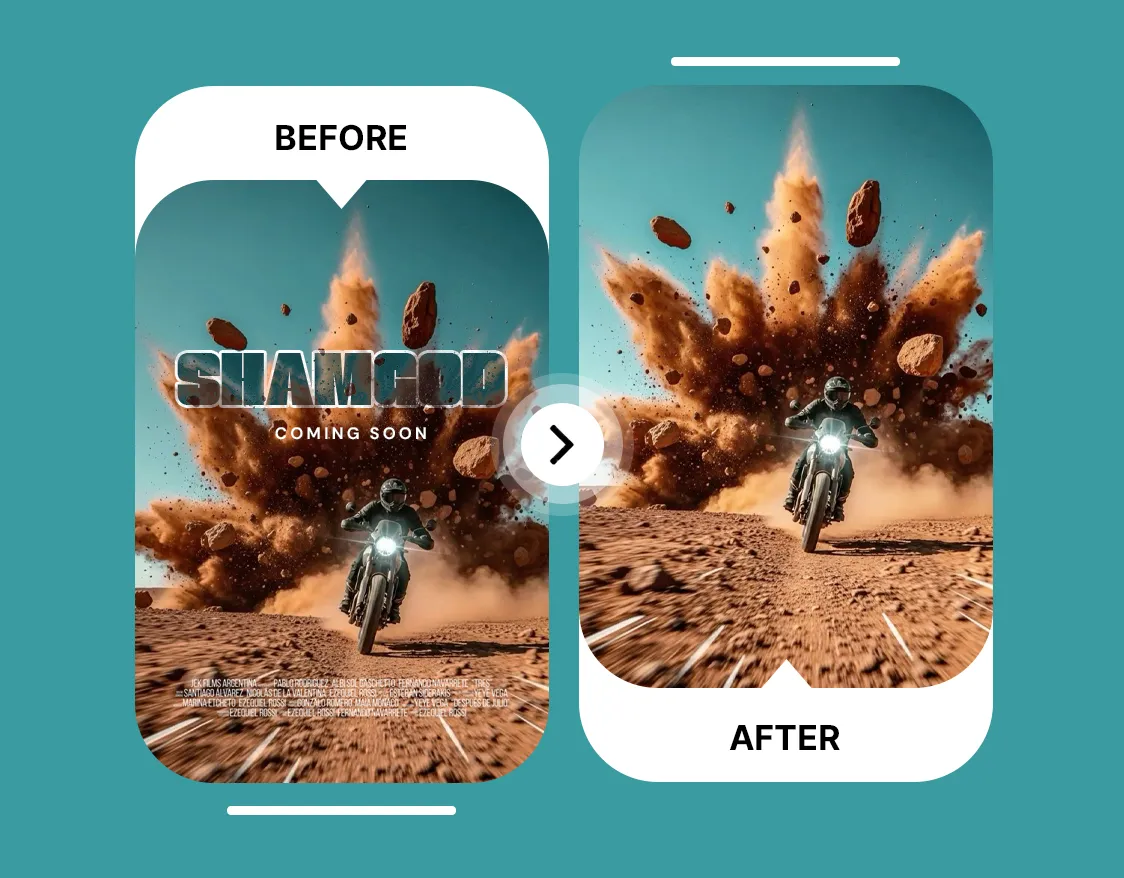
Remove Text From Images Without Editing Skills
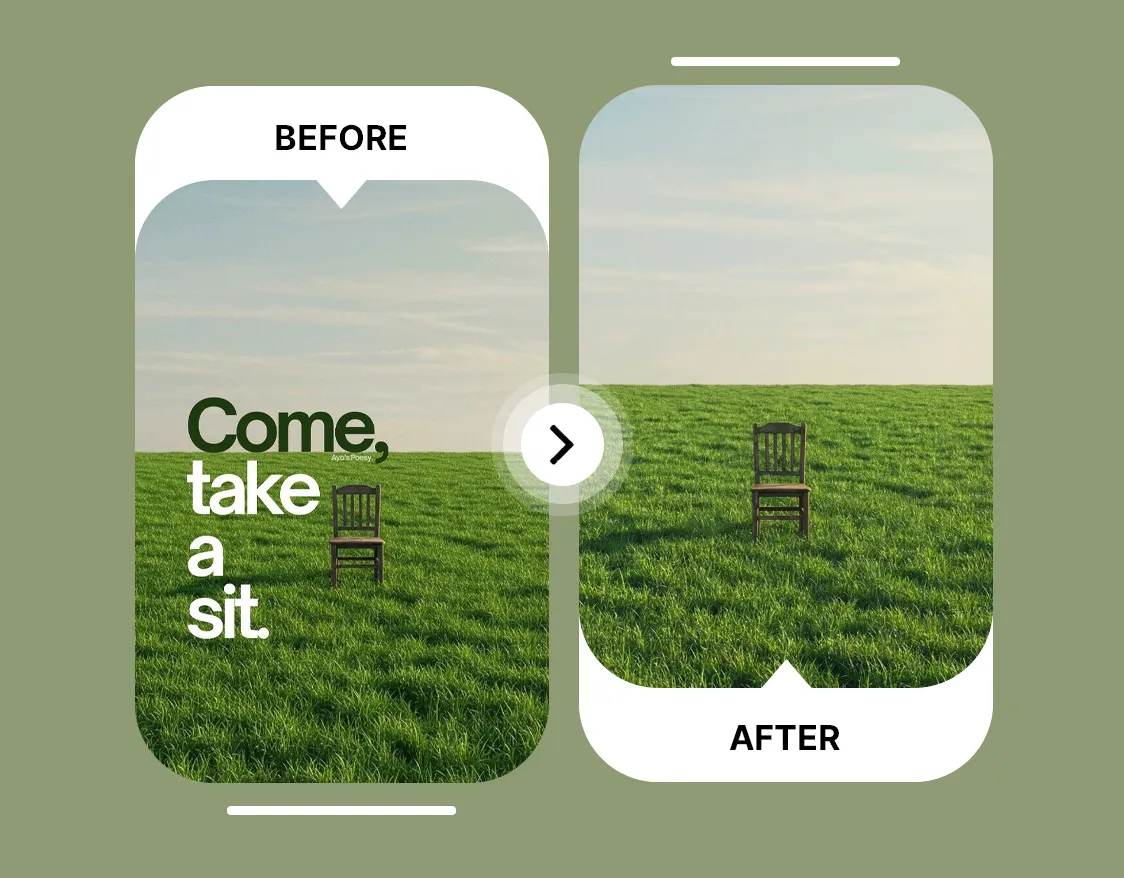
High-Resolution AI-Powered Text Removal Online








Trusted by Professionals and Creators from top Brands and Companies
Testimonials
I needed a quick way to clean up screenshots for my Instagram posts, and this AI remove text from image tool actually made it simple. I mostly use it for personal stuff like removing random captions or usernames before reposting something. I just upload the image, and it clears the text without messing up the background. It saves me from opening heavy editing software, which I honestly do not have the patience for.

Anya Petrova

I run a small online clothing brand, and I have been using this AI remove text from image feature to fix supplier photos. Some images come with watermarks or extra labels that do not match our branding. Instead of asking for new photos every time, I remove the text and then add our own branding. It keeps our product pages clean and consistent, and it speeds up our content workflow.

Ben Harris

I use the AI remove text from image tool mostly for hobby projects. I like restoring old family photos and random vintage images I find online. Sometimes they have dates or captions printed on them. The tool removes those marks without damaging the photo quality, which helps me keep the images looking natural. It feels straightforward and does not require any editing skills.

Isabelle Kim

As a student, I rely on the AI remove text from image tool when I prepare presentations. I often find useful diagrams online, but they include watermarks or extra labels that distract from my slides. I remove the text, keep the visual clean, and then add my own notes. It helps me create more polished presentations without spending too much time on design.

Michael Chenn

Got Questions? We Have the Answers
ImagineArt AI text remover is an AI-powered tool that automatically removes text from image files using artificial intelligence. It detects words, captions, or watermarks and cleans them while keeping the background looking untouched.
ImagineArt AI text remover scans the image, finds all text, and rebuilds surrounding pixels so the area looks natural. The AI removes text from image files without damaging edges, textures, or quality.
ImagineArt AI text remover usually takes a few seconds to remove text from image online. After uploading, the tool quickly processes the file and delivers a clean, text-free result.
No, image quality does not drop when you remove text on photo with ImagineArt AI text remover. The tool preserves resolution, sharpness, and natural detail after the text is removed.
Yes, ImagineArt Remove text from image is safe to use online. The tool works securely in the browser and does not require risky downloads or complicated installs.
Yes, you can remove text from images on iPhone, Android, or any device with a browser. ImagineArt AI text remover works fully online so you can edit from any device.
Yes, if you sign up, you get 100 credits for free and 100 credits every month afterward. You can use them to remove text from image for free.
To remove text from image without removing background, upload the photo and let the AI detect and erase the text. ImagineArt AI text remover rebuilds the background so the image stays intact.
Yes, you can remove multiple texts on image in one click with ImagineArt AI text remover. The tool detects all words or captions and removes them while keeping the image clean.