Zahida Misher
November 23, 2026 • Updated November 23, 2026
9 mins Read
If you're looking for a Sora alternative, you're not shopping. You're moving house. OpenAI says the Sora web and app experiences were discontinued on April 26, 2026, and it plans to delete Sora data once any final export window passes.
So do two things, in this order. First, export your Sora videos. Second, pick a replacement by what you actually used Sora for.
For scenes with sound, look at Veo 3.1 or Seedance 2.5, and for talking characters in several languages, Kling 4.0. For longer single takes, Seedance 2.5 and Wan3.0 both list up to 30 seconds per generation, per their makers. Several of these sit side by side in ImagineArt's AI video generator, on paid plans.
What happened to Sora?
OpenAI shut Sora down. Its Sora account announced on March 24, 2026 that it was saying goodbye to the app, and OpenAI's help center gives April 26, 2026 as the day the Sora web and app experiences ended. OpenAI's own Sora 2 page now opens by saying the product is no longer available.
That's a short life. OpenAI announced Sora 2 on September 30, 2025, pitching synchronized dialogue and sound effects as the headline feature. Seven months later, the app was gone.
Why it closed is a separate story, and we're not going to guess at it here. What matters for you: there's no Sora to log back into, and no "Sora 2 free version" hiding somewhere. Tutorials that still walk you through the Sora app are out of date.
Save your Sora videos before they're deleted
OpenAI's export route, from OpenAI's Sora discontinuation note:
- Go to sora.chatgpt.com/sunset while signed in to the account you used for Sora.
- Click Export.
- Wait for the email. OpenAI says you'll get one when the export is ready.
- Download the files and keep a copy somewhere that isn't the cloud folder you clean out every spring.
OpenAI recommends exporting as soon as possible. Once Sora is discontinued and any final export window has passed, it says it will permanently delete data tied to your Sora use. If OpenAI offers a final window, it says it will tell users by email, so search your inbox for anything from OpenAI about Sora before assuming you're too late.
Keep your prompts as well as the clips. They're the part you'll reuse on the next model.
A small habit helps here: rename each exported file with a few words from its prompt, or keep a simple sheet with the file name, the prompt and what you liked about the result. When you start testing replacements, that sheet becomes your test set. You'll be comparing new models against shots you already know well, which is a far better judge than a vendor's demo reel.
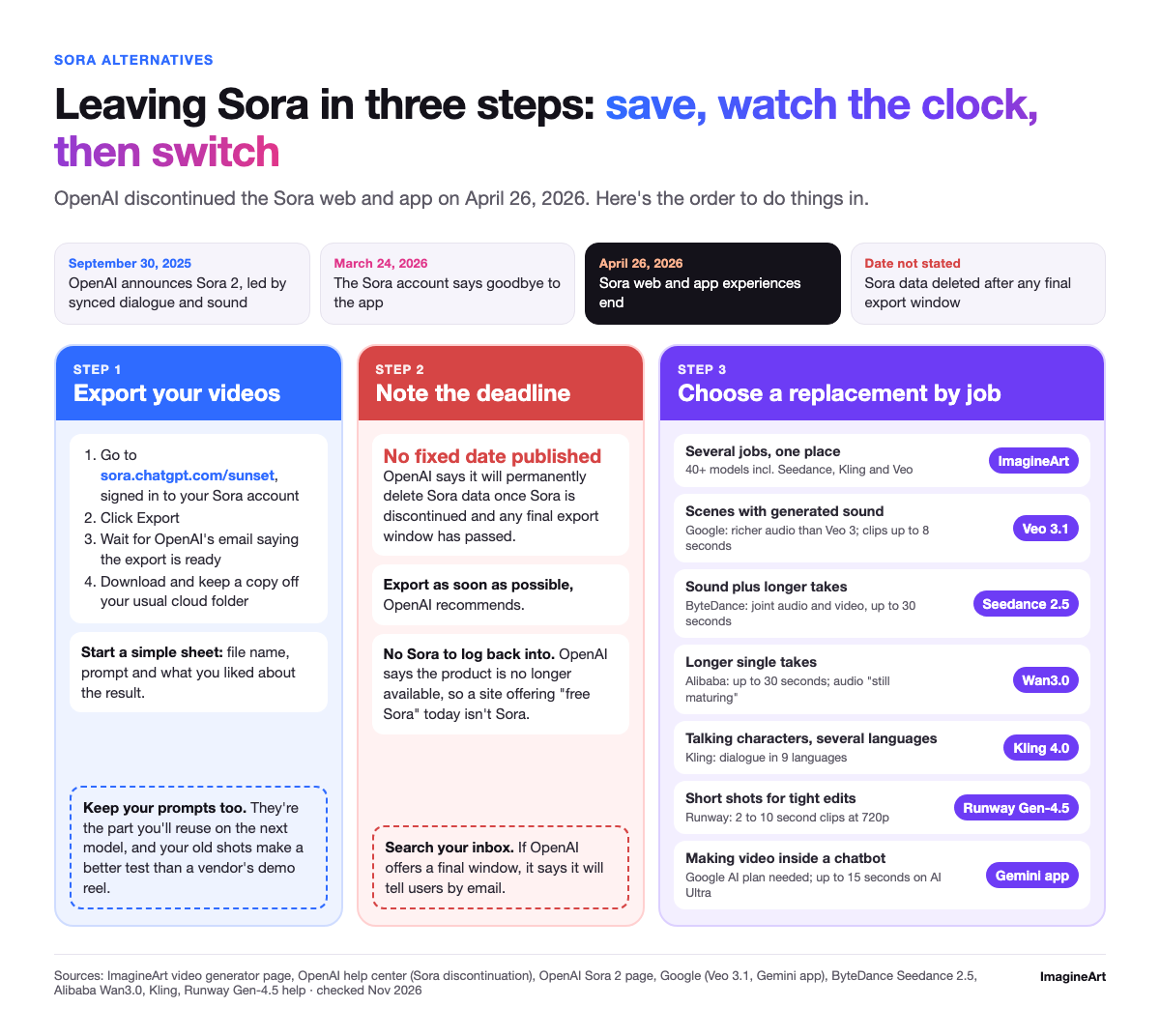 Leaving Sora in three steps: save your videos, watch the clock, then switch
What's the best Sora alternative?
The best Sora alternative is the one that matches the job you gave Sora. If you used it for scenes with sound, pick a model whose maker says it generates audio with the video. If you used it for longer single takes, check clip length first. If you used it inside a chat app, the Gemini app is the closest habit.
| What you used Sora for | Try | What the maker says (checked November 10, 2026) |
|---|---|---|
| Scenes with generated sound | Veo 3.1 | Google: richer audio and more narrative control than Veo 3 |
| Sound plus longer takes | Seedance 2.5 | ByteDance: joint audio and video, up to 30 seconds in one generation |
| Longer single takes | Wan3.0 | Alibaba: up to 30 seconds per generation; audio texture "still maturing" |
| Talking characters in several languages | Kling 4.0 | Kling: dialogue in 9 languages |
| Short shots for tight edits | Runway Gen-4.5 | Runway: 2 to 10 second clips at 720p, audio added in December 2025 |
| Making video inside a chatbot | Gemini app | Google: video with a Google AI plan, up to 15 seconds on AI Ultra |
Notice what's missing: a "better than Sora" column. Nobody can run Sora anymore, so no fresh head-to-head exists.
If you used Sora for several of these jobs, you don't need one replacement. You may end up with two: one model for talking scenes and one for quick visual shots. A multi-model tool keeps that from turning into two subscriptions and two prompt habits.
Re-run Sora's launch prompts on four models
The fairest test of a Sora 2 alternative is the prompt OpenAI chose to show off Sora 2. OpenAI published both of these on OpenAI's Sora 2 page, and we've kept them word for word, spelling included.
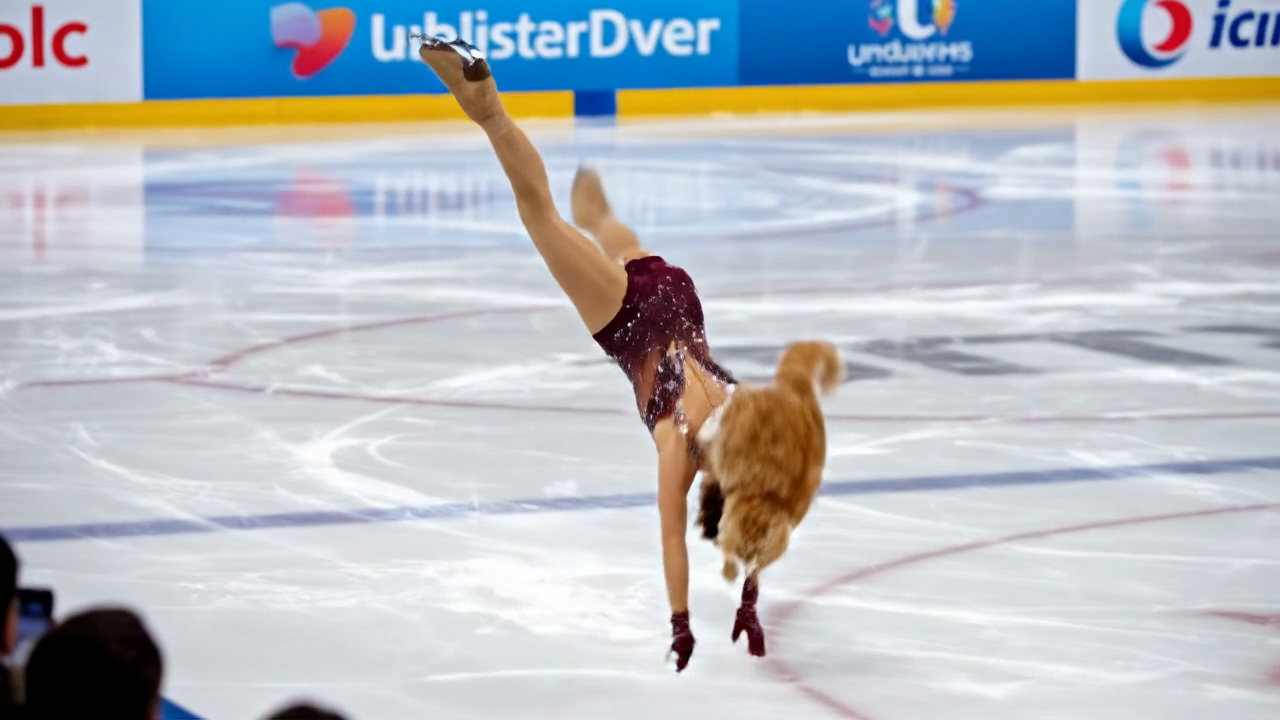
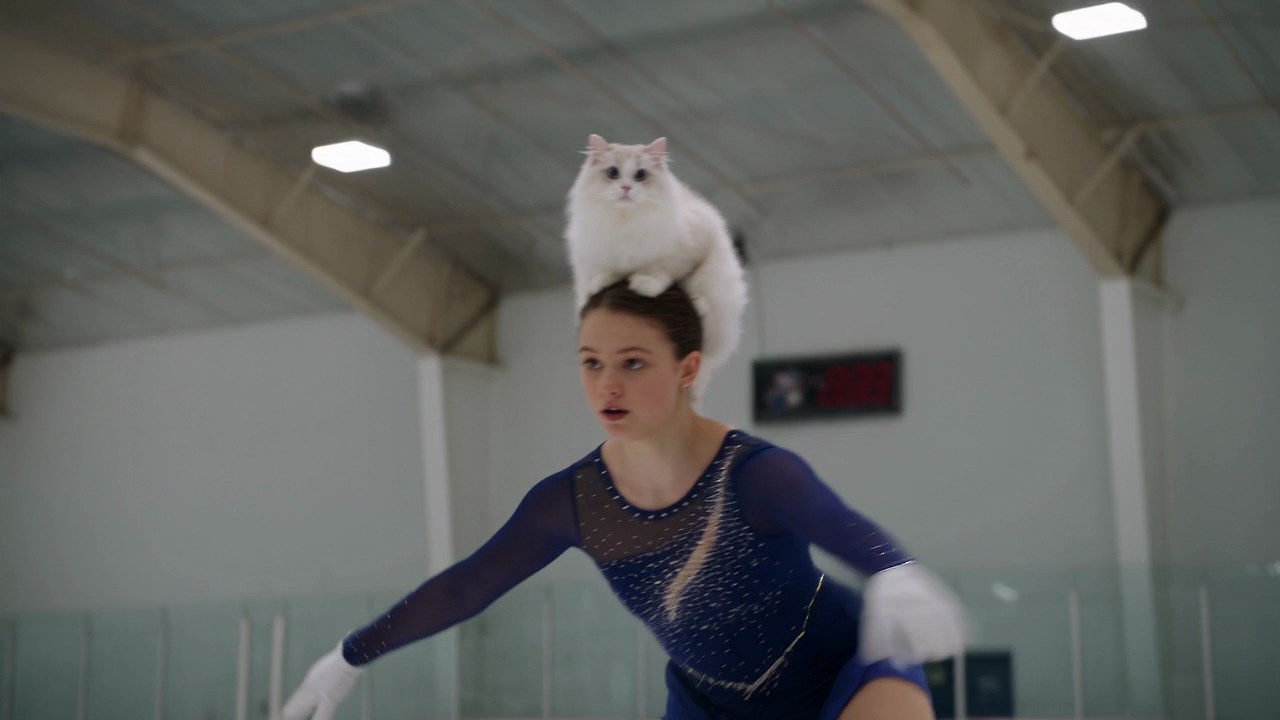
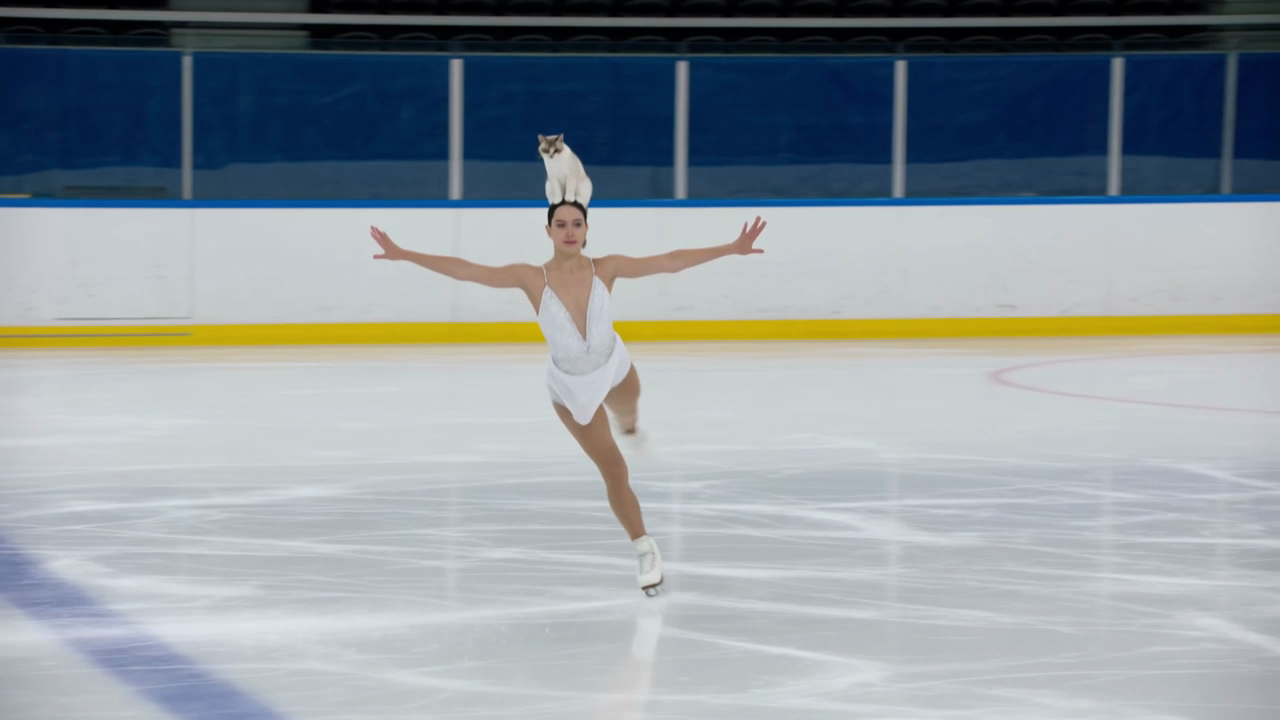
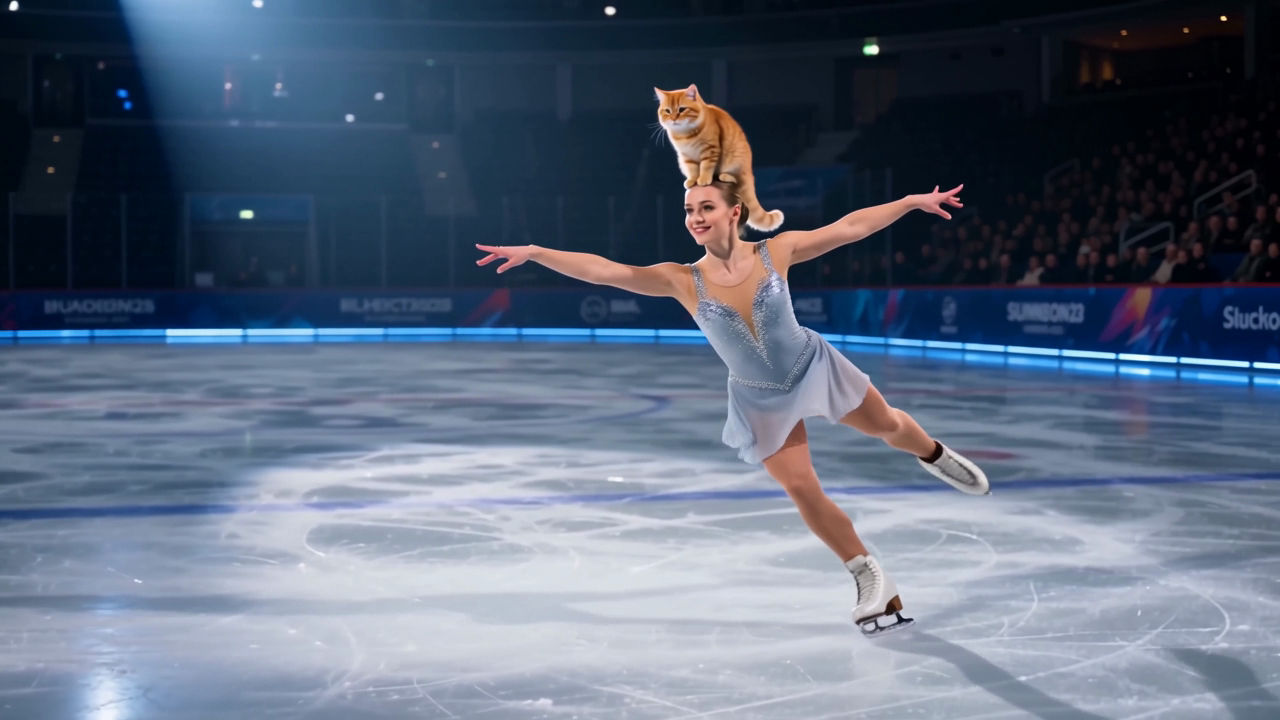
Prompt 1: the figure skater and the cat
Try this prompt unchanged in ImagineArt's video generator with Veo 3.1, Seedance 2.5, Kling 4.0 and Wan3.0, at 16:9, the shortest duration all four offer, with audio on where the model has it: "figure skater performs a triple axle with a cat on her head"
What to look for: does the cat stay on her head through the spin, and do the skates land on the ice rather than through it? A jump with a passenger is a physics test and a continuity test in one clip. The cat, for its part, is not consulted.
 Veo 3.1
 Seedance 2.5
 Kling 4.0
 Wan3.0
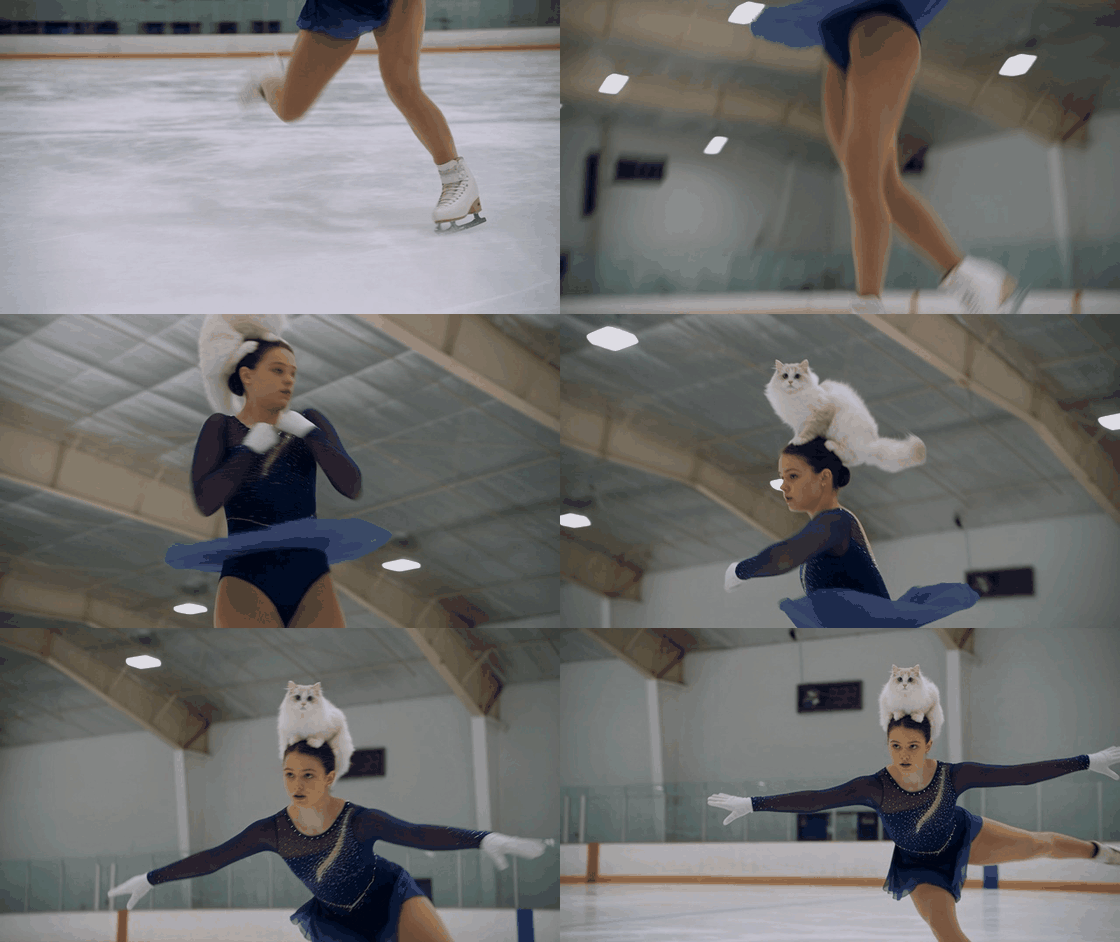 The figure skater prompt in motion on Seedance 2.5
Prompt 2: two explorers shouting in turn
This one tests the feature OpenAI led with: synced dialogue and sound. Run it on the same four models with the same settings:
"Two mountain explorers in bright technical shells, ice crusted faces, eyes narrowed with urgency shout in the snow, one at a time"
What to look for: do the two voices actually take turns, do the mouths match the shouting, and does the wind sit under the voices instead of over them? "One at a time" is the hard part. The failure to watch for is both explorers shouting at once, like a group chat.
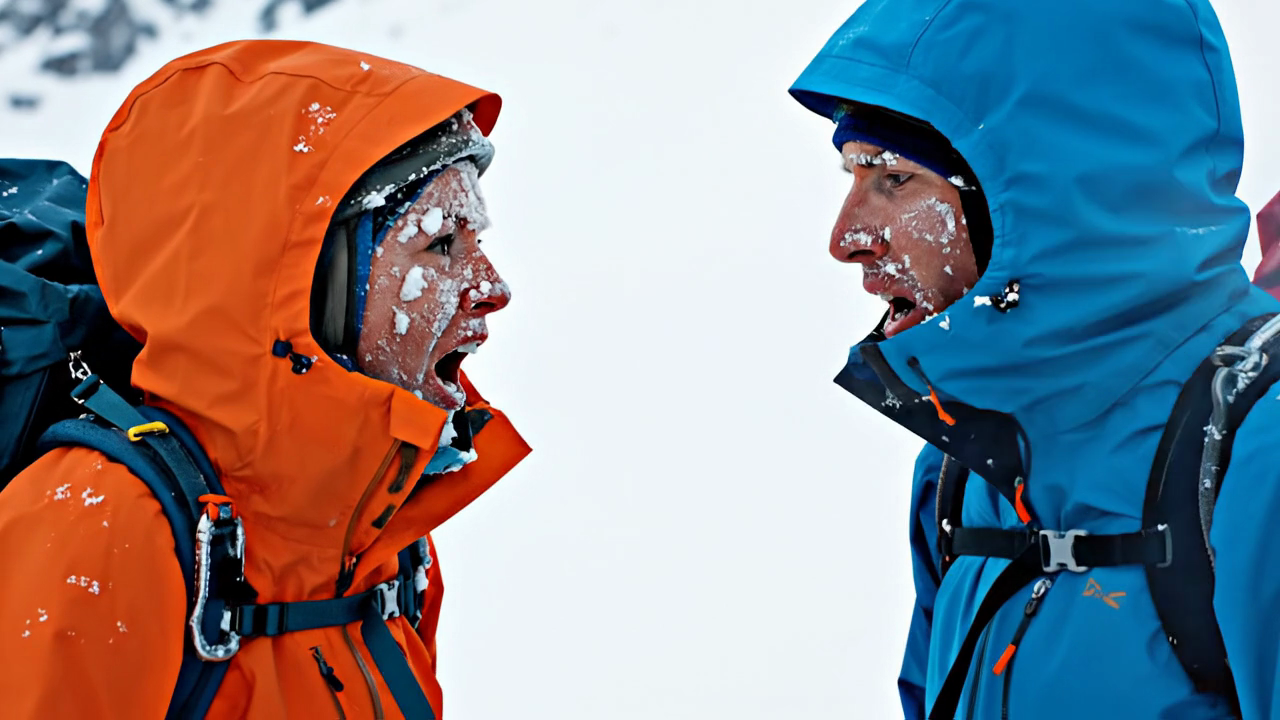 Veo 3.1
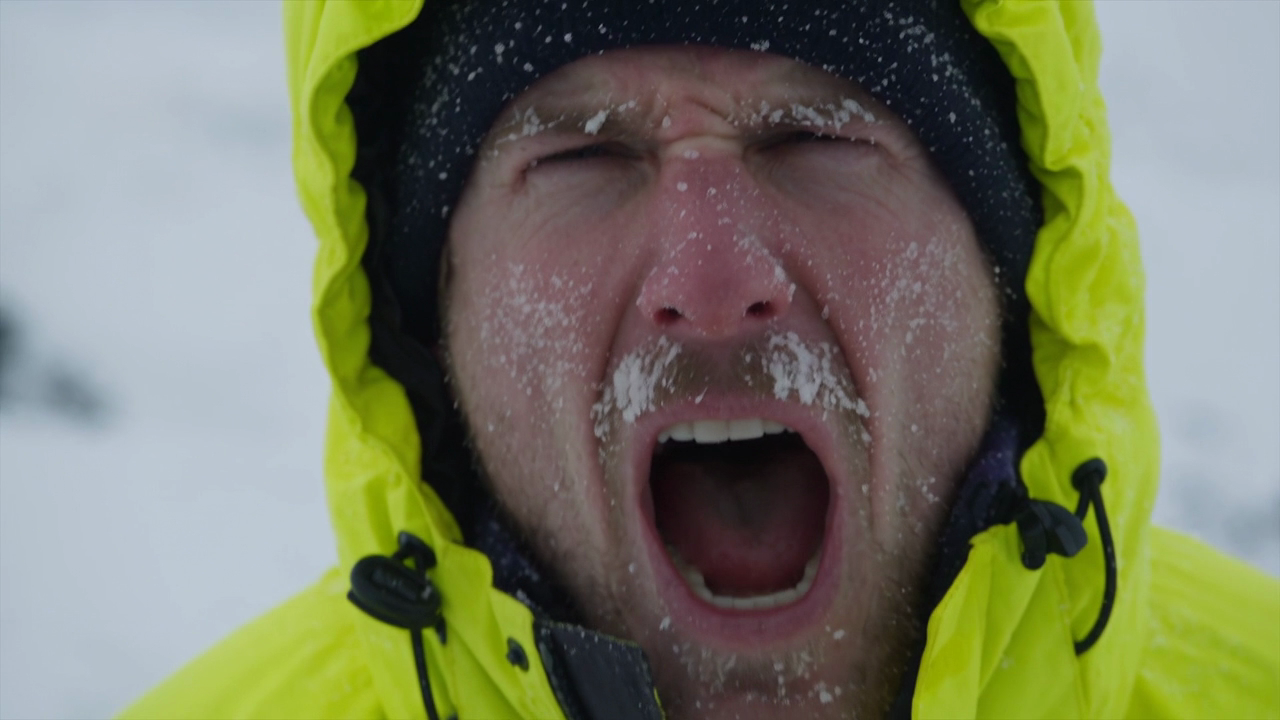 Seedance 2.5
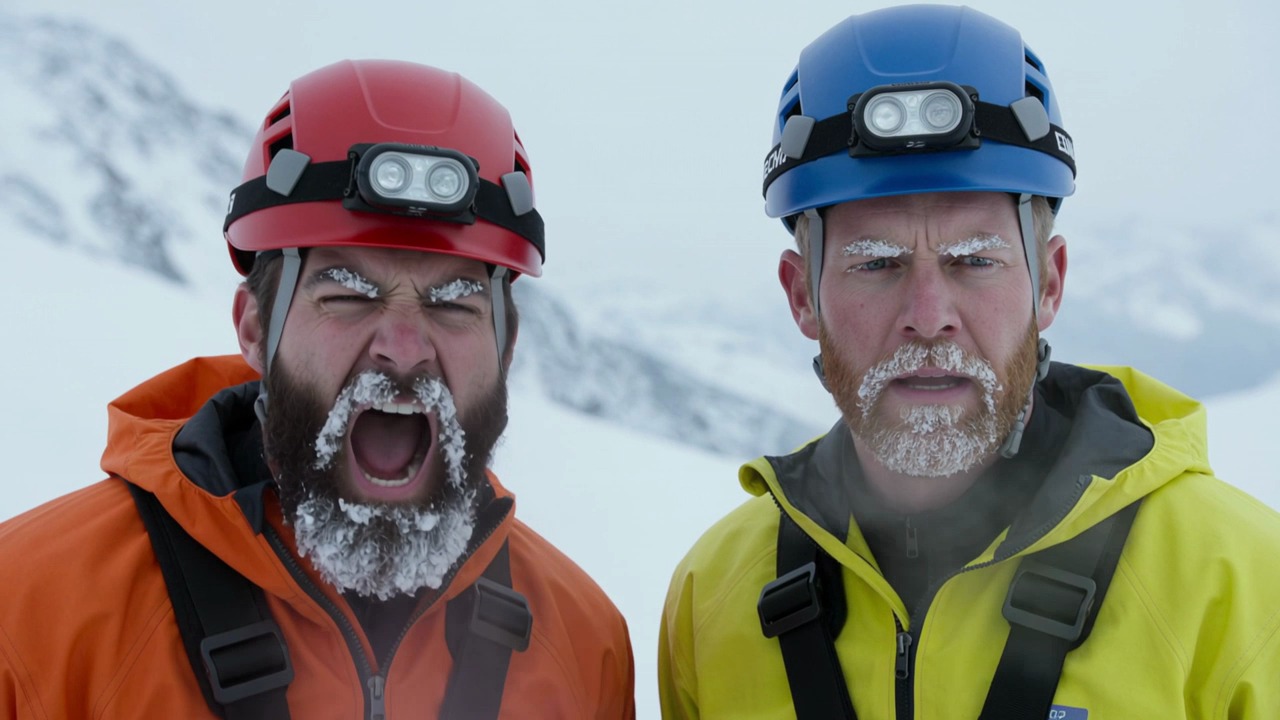 Kling 4.0
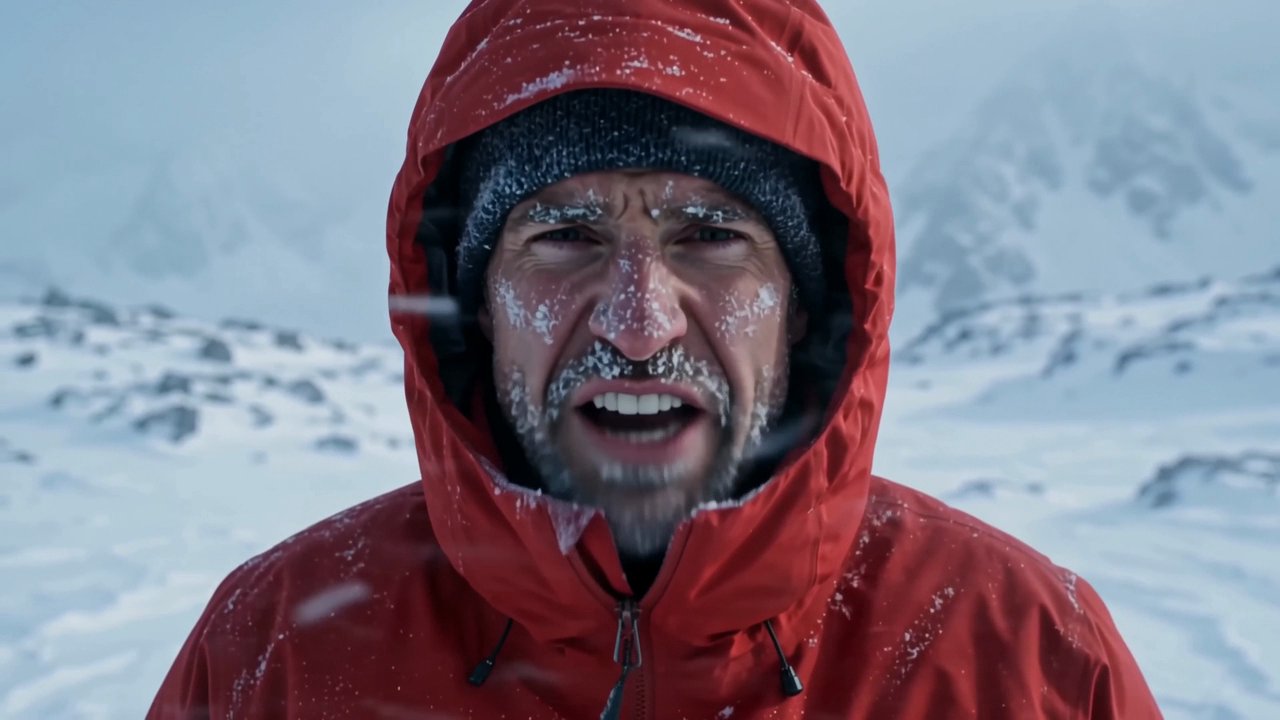 Wan3.0
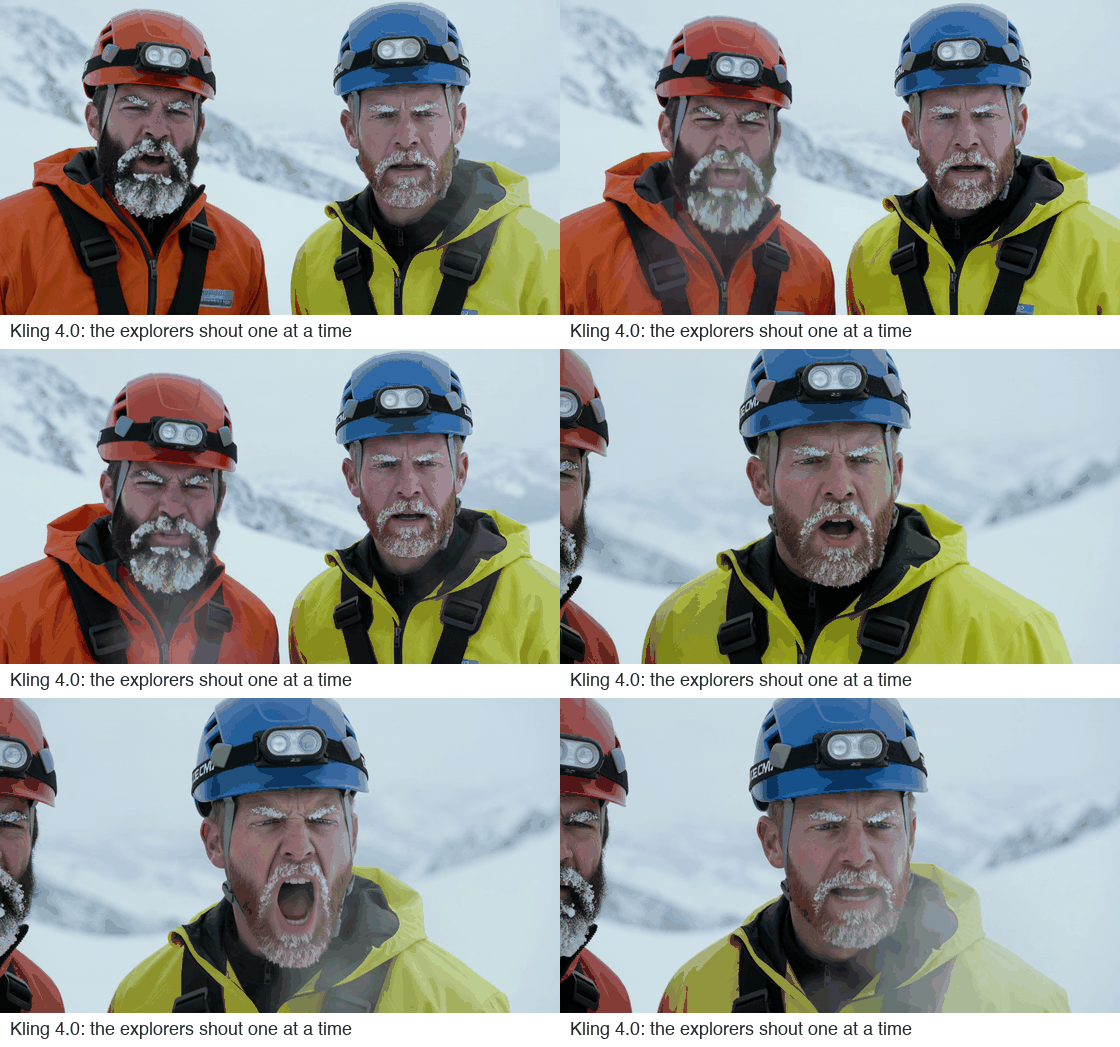 The explorers prompt in motion on Kling 4.0
Once you've seen what each model does with these, move on to your own old prompts. OpenAI's own examples above are one-liners. When you adapt yours, spell out the subject, the action, one camera move, the light and the sound you want. Keep the original wording somewhere, so you can tell whether a new model fixed your shot or just changed it. Our list of AI video prompts has more to borrow.
The Sora alternatives, one by one
If you've never made AI video outside Sora, the routine is the same everywhere, and our guide on how to make AI videos walks through it.
Picking on output quality rather than specs? Our nine-model test ran the same three prompts across models on ImagineArt.
Veo 3.1: best for scenes with sound
Google describes Veo 3.1 as bringing richer audio, more narrative control and better realism than Veo 3, in Google's Veo 3.1 update. If sound was the part of Sora 2 you miss most, it's the first one to try.
Google's own route to Veo runs through Flow, covered in our Google Flow overview. Limit: Google lists Veo 3.1 clips at up to 8 seconds, so a longer scene means stitching shots together. Note too that Google's update compares Veo 3.1 with Veo 3, not with Sora.
Seedance 2.5: best for longer takes with sound
ByteDance says Seedance 2.5 generates audio and video together and runs up to 30 seconds in a single generation, on ByteDance's Seedance 2.5 page. If your Sora habit was stitching short clips into one scene, that length changes the workflow.
Limit: ByteDance's page doesn't say how consistent faces stay across the full 30 seconds, so check the last frames as well as the first.
Kling 4.0: best for multilingual talking characters
Kling says Kling 4.0 supports dialogue in 9 languages, on Kling's AI video generator page. For creators who used Sora for short character skits, it's the first one to try for voices in a language other than English.
For a deeper look, read our Kling 4.0 review. Limit: Kling's page shows both a 15-second preset and up to 30 seconds per generation, so check the duration picker before you plan a long take.
Wan3.0: best for long single takes
Alibaba says Wan3.0 reached general availability on August 24, 2026, with up to 30 seconds per generation, in Alibaba's Wan3.0 release.
Limit: Alibaba says audio texture is still maturing, so test any dialogue before you build a scene on it.
Runway Gen-4.5: best for short shots for tight edits
Runway released Gen-4.5 on December 1, 2025, per Runway's Gen-4.5 release, and announced native audio for it on December 11, 2025. Runway's Gen-4.5 help page lists 2 to 10 second clips at 720p.
Short clips suit editors who cut tight sequences anyway. Limit: 720p and 10 seconds won't cover the long, single-take scenes some Sora users made.
Gemini app: best if you liked making video in a chat
Google says Gemini Omni will replace Veo in the Gemini app, and video generation there needs a Google AI plan, per Google's page on video in the Gemini app. Google's help pages list clips of 3 to 10 seconds, or up to 15 seconds on AI Ultra, and Google says every Gemini app video is embedded with a SynthID watermark.
If Sora's appeal was typing into a familiar app, this is the nearest habit. Limit: clips stop at 10 seconds below AI Ultra.
Is there a free Sora alternative?
Yes, with caps. A free Sora alternative means a free plan with limits or an open model you run yourself. Runway's Free plan gives 125 one-time credits, PixVerse's Basic plan lists 60 starting credits plus 30 a day at 540p, and Adobe Firefly offers free daily generations without stating a number. Those plan details come from each vendor's own pricing or help pages, checked November 10, 2026.
The uncapped route is Alibaba's Wan 2.2 open weights, released under Apache 2.0. The smaller 5B model needs a graphics card with at least 24GB of memory, so free mostly means free if you already own the hardware.
We break down every free tier in our list of the best free AI video generators. ImagineArt's own free plan is described on its current plan limits page; the partner models above need a paid plan there.
Frequently asked questions
There's no fair way to say. No independent benchmark compares Sora 2 with today's models, because Sora can't be run anymore. Pick by job instead: dialogue, length or price.
Not one-for-one. Three makers say their models do Sora 2's main trick, sound generated with the video: Seedance 2.5 generates audio and video together, Kling 4.0 handles dialogue in 9 languages, and Veo 3.1 adds richer audio than Veo 3. Each handles length and languages differently.
No app matches it for free without limits. Runway, PixVerse and Adobe Firefly have free tiers with caps on credits or resolution. Open weights like Wan 2.2 cost nothing but need a strong graphics card.
No. OpenAI says the Sora product is no longer available, and the web and app versions closed on April 26, 2026. Any site offering "free Sora" today isn't Sora.
Possibly. OpenAI's export runs from sora.chatgpt.com/sunset and emails you when files are ready. After any final export window, OpenAI says it will permanently delete Sora data, so try now.
Moving on from Sora
Sora is gone, so start with what you'd lose: export your library and your prompts first, because OpenAI says the data gets deleted. Then match the replacement to the job: Veo 3.1 or Seedance 2.5 for scenes with sound, Kling 4.0 for multilingual dialogue, Seedance 2.5 or Wan3.0 for longer takes, Runway for short shots in tight edits, and the Gemini app if you liked working in a chat.
The quickest way to choose is to run your best old Sora prompt on three of them and keep the one that gets it right. Veo 3.1, Seedance 2.5, Kling 4.0 and Wan3.0 all sit in ImagineArt's video generator on paid plans, so you can switch models without a second account.
Zahida Misher
Exploring how AI transforms marketing, I help businesses unlock growth and future-proof their presence.
View all articlesRecent posts

The Best AI Avatar Generators In 2027: 11 Tools Compared And Ranked

50 Types of Art Styles: Definitions, Examples and AI Prompts
How to Edit Images With Ideogram 4.6: 38 Edits, Prompts and Results