Zahida Misher
November 11, 2026 • Updated November 12, 2026
11 mins Read
Filmmakers say they "shot" a scene because early cameras were cranked by hand, and Wikipedia notes the crank worked a bit like a hand-cranked machine gun. The crank is long gone; the word stayed. Today the types of shots are sorted four ways: by size (how much of the subject fills the frame), by framing (who shares it), by angle (where the camera sits) and by movement (what it does while rolling).
This guide sorts the types of camera shots into four tables you can scan in a minute. Each row has a film example and the plain words to type into an AI video prompt. After the tables: how to choose a shot for a story beat, and how to ask an AI model for any of them.
What is a camera shot?
A camera shot is the continuous run of frames from the moment the camera starts rolling until it stops. In the edit, the meaning narrows to whatever footage sits between two cuts. Every shot has a size, a framing, an angle and a movement, even when the movement is "none".
Size is what most people mean. Wikipedia's entry on what a shot is ties field size to two things: how far the camera is from the subject and the focal length of the lens. ACMI defines shot type the same way, by how close the camera is, and notes it's sometimes called camera size.
Hold on to that pair. When people list camera shots, they're mostly naming a distance, and distance plus lens is also how you'll steer an AI model later on.
Types of shots by size
Most types of shots in film are named by size, from a frame where the person is a speck to one filled by an eye. The table runs widest to tightest. Film examples come from StudioBinder's full shot glossary unless noted.
| Shot | Where the frame cuts | What it does | Example | Words for a prompt |
|---|---|---|---|---|
| Extreme wide (EWS) | Subject small against the location | Scale, isolation | Mad Max: Fury Road | "extreme wide shot, figure small in the frame" |
| Wide or long (WS) | Whole body, lots of space around it | Puts a person in a place | The Martian | "wide shot, head to toe, room around her" |
| Full (FS) | Head to toe, filling the frame | Costume, posture, full action | Guardians of the Galaxy | "full shot, head to toe filling the frame" |
| Medium wide (MWS) | Knees up | Body plus setting | The Usual Suspects | "medium wide shot, knees up" |
| Cowboy | Mid-thigh up | Named for Westerns that kept the holster in frame | Diana crossing the battlefield in Wonder Woman (Adobe) | "cowboy shot, mid-thigh up" |
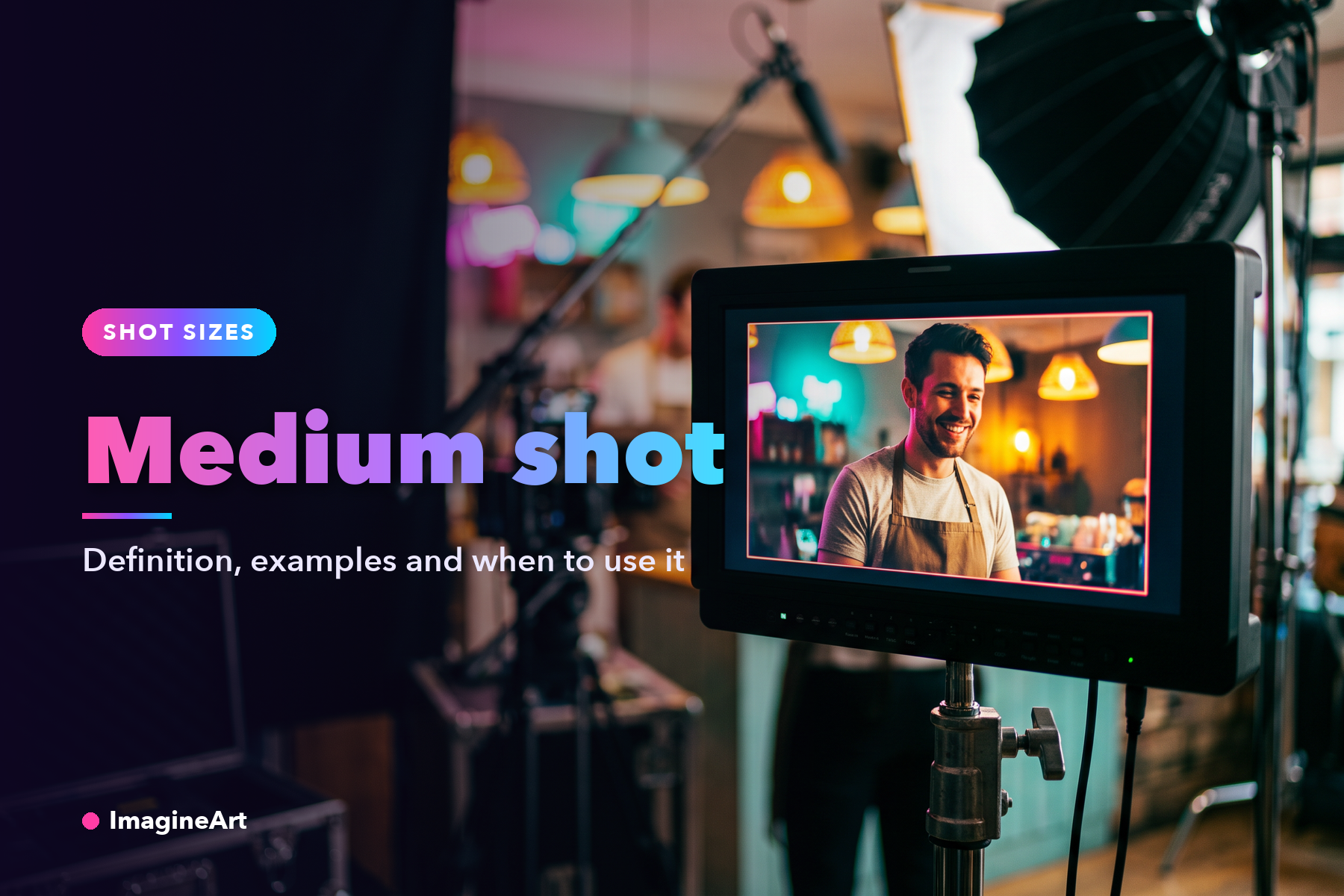
| Medium (MS) | Waist up | Face and gesture together | The Substance | "medium shot, waist up" |
| Medium close-up (MCU) | Chest up | A closer read of the face | No Country for Old Men | "medium close-up, chest up" |
| Close-up (CU) | The face | Registers small emotions | The Usual Suspects | "close-up on her face" |
| Extreme close-up (ECU) | Eyes, mouth or one detail | Intensity, a clue | Black Swan's feathers | "extreme close-up on her eyes" |
| Establishing | Usually wide or extreme wide, at the head of a scene | Sets geography | Hogwarts and its Quidditch stadium in Harry Potter and the Goblet of Fire (ACMI) | "establishing shot of a castle at dusk" |
Lens changes size too, not just distance. Adobe quotes Nick Escobar calling anything on a 35 mm lens or wider a wide shot, and Sirui puts the common medium-shot range at 35 to 50 mm on full frame. Apple's iPhone 17 lens specs list 13 mm, 26 mm and 52 mm, so the 0.5x and 1x settings lean wide and the 2x sits just past that medium range.
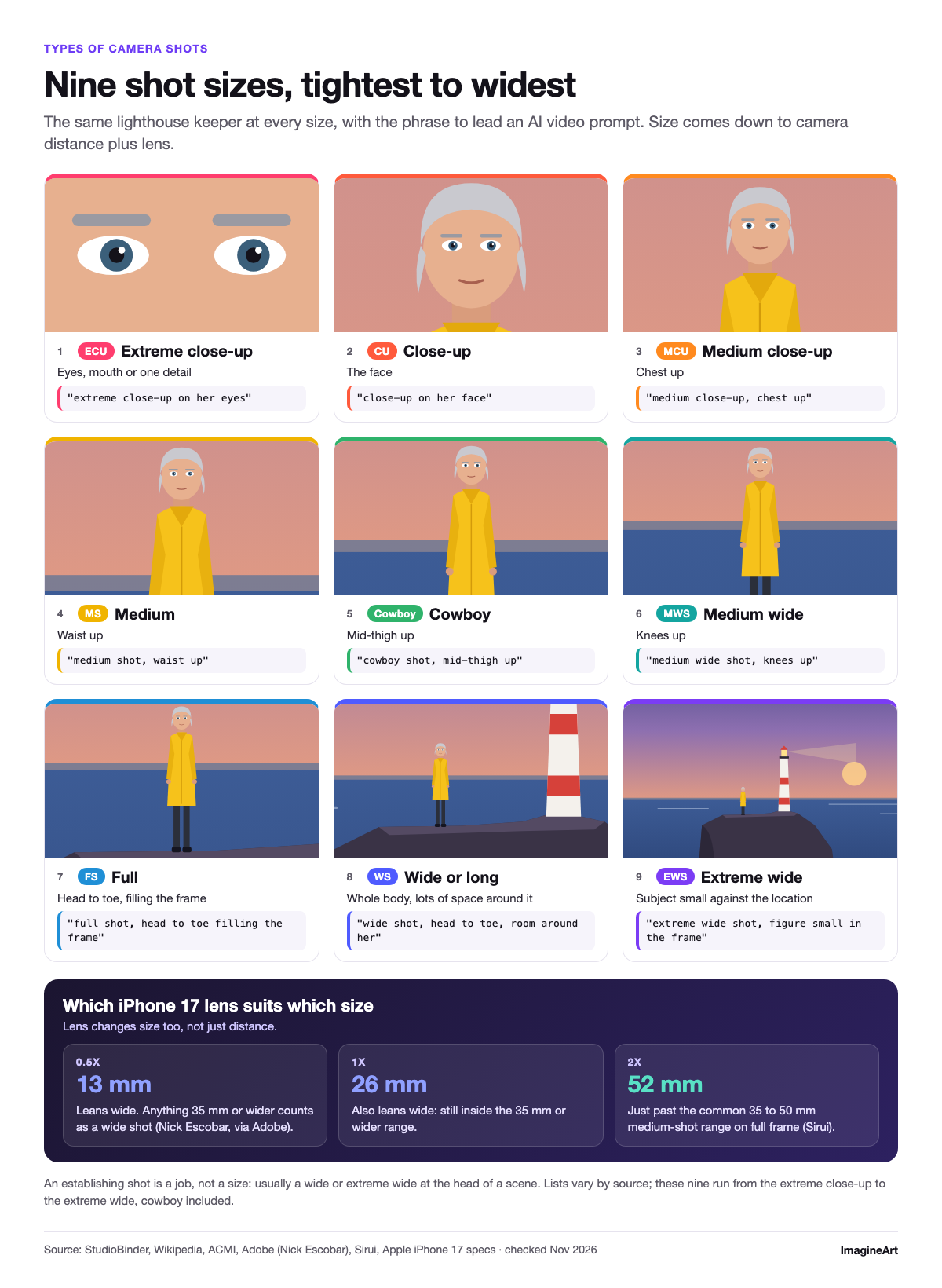 Nine sizes, nine phrases. The footer shows which iPhone lens suits which size.
Try this prompt in ImagineArt's AI Film Studio five times, changing only the opening ("Extreme wide shot of a lighthouse keeper...", "Wide shot, head to toe, of a lighthouse keeper...", "Medium shot, waist up, of a lighthouse keeper...", "Close-up of the face of a lighthouse keeper...", "Extreme close-up of the eyes of a lighthouse keeper..."): "Extreme wide shot of a lighthouse keeper in her sixties in a yellow oilskin coat, standing on the rocks below a white lighthouse at dusk as waves break, looking out to sea. Static camera, overcast blue light, wind in her hair. No text, no watermark." Pin the keeper and the lighthouse with @ references so only the size moves. What to look for: whether each frame cuts where the size name says it should.
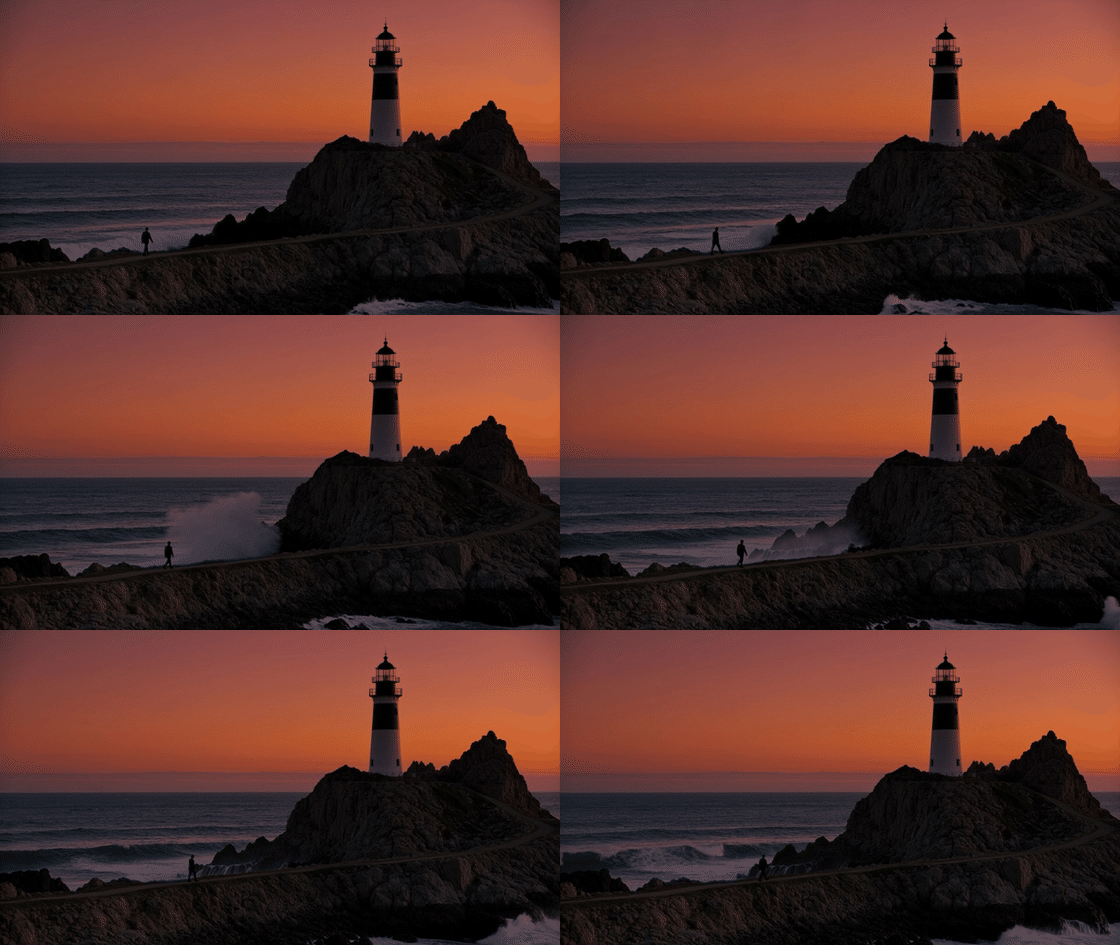 Extreme wide shot
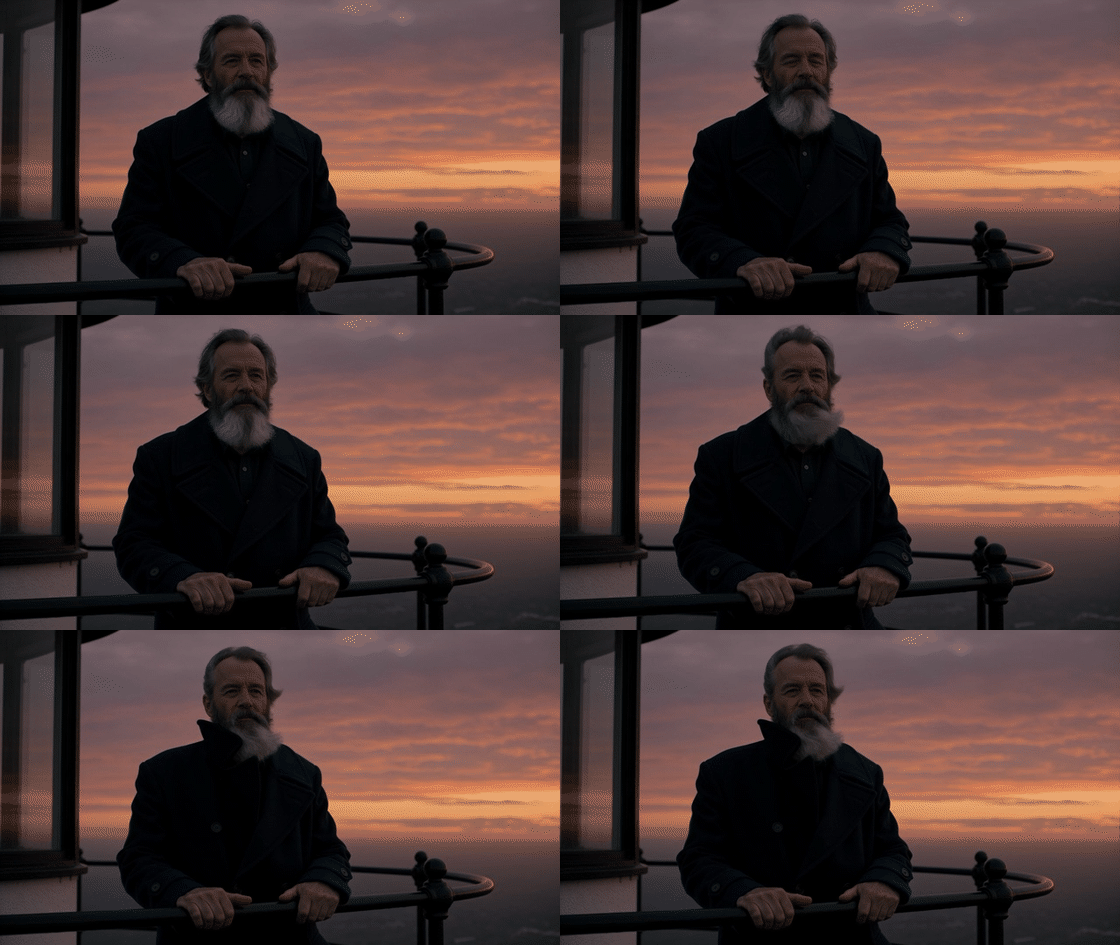 Medium shot
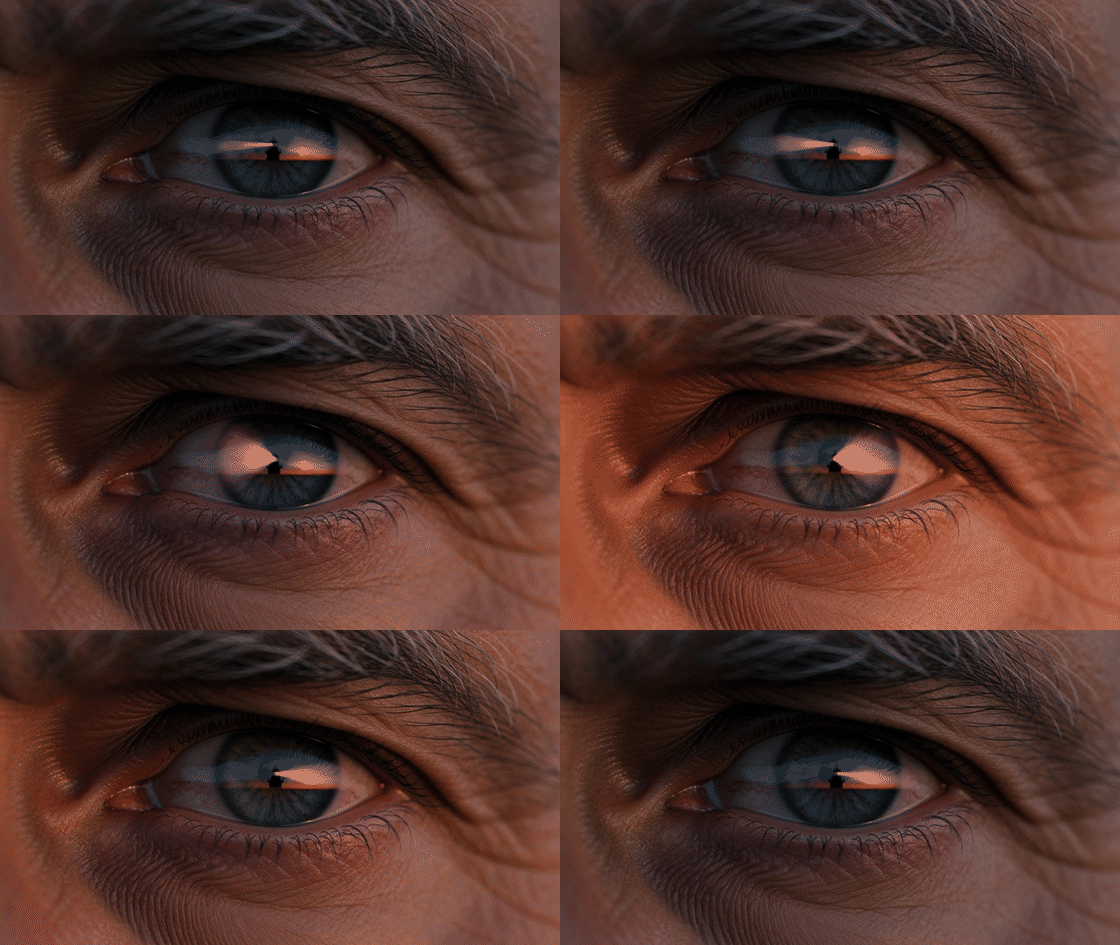 Extreme close-up
Types of shots by framing
Framing is about who's in the shot and whose eyes we borrow. Size still applies on top, so a two-shot can be wide or medium.
| Framing | What's in frame | Why use it | Example or note | Words for a prompt |
|---|---|---|---|---|
| Single | One person | Holds attention on one character | The baseline the other three play against | "single shot of her alone in frame" |
| Two-shot | Two characters share the frame | Links them | A comic moment in The Matrix Reloaded | "two-shot, both in frame, side by side" |
| Over the shoulder | From behind one character's shoulder | Conversations | Spider-Man: Homecoming, where you see little or a lot of the shoulder (ACMI) | "over-the-shoulder shot from behind him, her face in focus" |
| Point of view | What the character sees | Puts us behind their eyes | Being John Malkovich | "point-of-view shot, his hands in the bottom of frame" |
POV shots usually sit inside a shot-reverse-shot: the character looks, we see what they see, we cut back to their face. ACMI's shot types lesson has film stills for seven shot types, including the two-shot and over the shoulder, plus discussion questions for a class.
Camera angles at a glance
Size says how close. Angle says where the camera sits against the subject's eye line, and it changes how powerful that person feels.
| Angle | Camera position | Effect and example | Words for a prompt |
|---|---|---|---|
| Eye level | Level with the subject's eyes | Neutral; StudioBinder uses Alice in Wonderland | "eye-level shot" |
| High angle | Above, looking down | Suggests inferiority; Rose looking at the ocean in Titanic | "high-angle shot looking down on" |
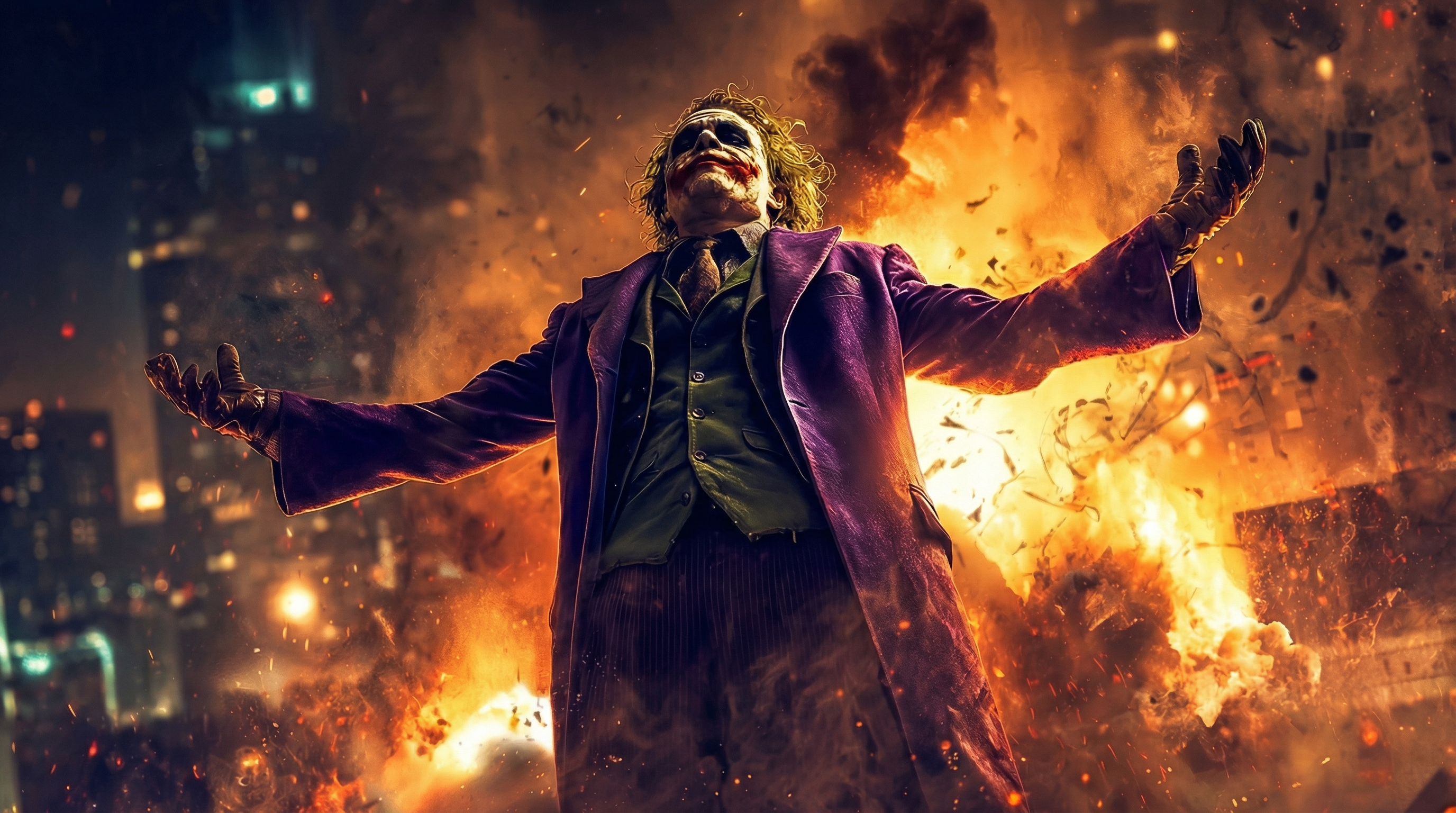
| Low angle | Below, looking up | Stresses power; John Wayne's introduction in Stagecoach | "low-angle shot looking up at" |
| Dutch angle | Rolled sideways, horizon slanted | Disorientation | "Dutch angle, horizon tilted" |
| Bird's eye | Straight down from overhead | Scale and movement | "overhead shot looking straight down" |
| Ground level | Camera at floor height | What happens on the ground the subject stands on | "ground-level shot, camera on the floor" |
The Titanic and Stagecoach readings come from Adobe's angle examples; the rest are StudioBinder's. Angles stack with sizes, so "low-angle medium shot" is a perfectly normal sentence on a shot list.
Camera movements in brief
Movement is what the camera does while it rolls.
| Move | What happens | Example or note | Words for a prompt |
|---|---|---|---|
| Static | The camera stays put | Usually locked off on a tripod | "static camera, locked off" |
| Pan | Pivots left or right from a fixed base | The base move for most camera turns | "slow pan left" |
| Tilt | Pivots up or down from a fixed base | The pan's vertical twin; The Grand Budapest Hotel | "slow tilt up to" |
| Dolly | The whole camera travels | Unlike a zoom, where only the lens changes | "slow dolly in" |
| Tracking | Moves with the subject | Django Unchained tracks toward Django | "tracking shot following her" |
| Crane | Rides a crane arm | Often sweeps up and over a scene | "crane shot rising over" |
| Handheld | Operator carries the camera | Unstabilised and often shaky | "handheld, slight shake" |
| Dolly zoom | Dolly and zoom at once | Nicknamed the Vertigo shot | "dolly zoom on his face" |
The pan has a hot-tempered cousin: the whip pan, a pan so fast the frame smears with motion blur.
How do you choose the right shot?
Start from the story beat, not the gear. Ask how close the viewer should feel to the character at that moment, then cover the beat wide, medium and close so the editor can cut between them and keep continuity. StudioBinder frames shot choice the same way: story beats, pacing and the emotional distance between viewer and subject.
Take a night-market scene: a courier runs through the crowd, hands a package to a noodle cook, and the cook looks inside and freezes. A wide sets up the market and the rush, and a medium holds the handover with both people and the package in frame. The freeze belongs to a close-up on the cook's face. Three different types of shots, one job each.
Write that plan down as a shot list before anyone rolls, and sketch the beats in a film storyboard.
How to prompt any shot type in an AI video generator
Put the shot size first, then the angle, then any movement, then the subject, action, place and light. Leading with the size makes it the easiest thing to find and swap between runs. Everything else in the sentence describes what's inside the frame.
ImagineArt's AI video generator page suggests the same ingredients (subject, action, scene, camera move, lighting, mood), with the example of a barista pouring latte art in a sunny café with a slow push-in. Put a size in front of it and you get:
[shot size], [angle], [movement]: [subject] [action] in [place], [light], [mood]

Medium shot, eye level, slow push-in: a barista pours latte art in a sunny café, warm morning light, calm mood.
Google's own Veo prompting guide lists shot terms with example prompts, from an extreme close-up of a water drop on a leaf to a worm's-eye view of skyscrapers. It also warns that some advanced camera angles aren't officially supported, so results can vary. Treat rare terms as requests and check every take.
For a whole scene, AI Film Studio lets you write the brief like a director, set a virtual camera (body, lens, focal length, aperture) and pick movements such as handheld, dolly or crane. Storyboard mode turns one brief into a connected sequence of shots, and Scene Jump turns one shot into four connected frames that run from setup through escalation to payoff.
Try this brief in Storyboard mode without naming a single shot size: "A courier in her thirties runs through a crowded night market, stops at a noodle stall and hands over a small package; the cook looks inside and freezes." What to look for: which sizes and angles the storyboard picks on its own, how many frames you get, and how they compare with the wide, medium, close plan above.
If a clip is framed too wide for a vertical feed, the video reframe app changes the size, framing, angle and orientation of an uploaded video, including 1:1, 16:9 and 9:16.
For more wording that works beyond framing, our AI video prompts guide has full examples.
Frequently asked questions
There's no official seven. PolarPro works from three basic sizes, Epidemic Sound names nine core shots and StudioBinder lists more than 50 techniques. A practical seven from the size table: extreme wide, wide, full, medium, medium close-up, close-up and extreme close-up.
Twelve is a teaching list too, not a standard. Take the nine sizes in the table (extreme wide down to extreme close-up, cowboy included) and add three framings: two-shot, over the shoulder and point of view.
Wide, medium and close-up. They're the coverage trio: a wide to place the scene, a medium for the action and a close-up for the reaction. PolarPro's three basic sizes are the same three, with "long" standing in for wide.
A shot runs from the moment the camera starts rolling until it stops, or between two cuts in the edit. A scene is made of several shots.
Often, when the shot size comes first and the prompt says where the frame cuts. Google's Veo guide notes that some advanced angles aren't officially supported, so check each take. If you want to practise on ImagineArt first, there's a free plan, and the current plan limits show what it covers today.
The short version
Shots are sorted four ways: size, framing, angle and movement. Size does most of the work, and it comes down to distance plus lens. Choose it by asking how close the viewer should feel, then cover each beat wide, medium and close so the edit has options.
When you prompt a model, lead with the size, describe where the frame cuts and spend the rest of the sentence on subject, place and light.
Next step: write one brief in AI Film Studio, run Storyboard mode and count the shot sizes it hands back.
Zahida Misher
Exploring how AI transforms marketing, I help businesses unlock growth and future-proof their presence.
View all articlesRecent posts
The Best AI Avatar Generators In 2027: 11 Tools Compared And Ranked
50 Types of Art Styles: Definitions, Examples and AI Prompts
How to Edit Images With Ideogram 4.6: 38 Edits, Prompts and Results