PIKA 2.2 AI Video Generator
Pika 2.2 gives you more realistic videos with smoother motion and responds better to your prompts. Turn text into video, bring images to life, or create smooth scene transitions. Generate videos up to 10 seconds in 1080p quality.
Trusted by Professionals and Creators from leading brands
Experience the Innovation of Runway AI
Pick 720p For Speed Or 1080p For Quality
Pika 2.2 gives you two resolution options. Generate in 720p when you need faster results and want to test ideas quickly. Switch to 1080p when you need sharp, professional output for final videos. Both resolutions work with the same features and video lengths. You decide based on your project needs.
Videos Up To 10 Seconds
Most AI video tools limit you to 3 or 5 seconds. Pika Labs allows you to create videos from 5 to 10 seconds long. That extra time makes a real difference when you’re showing a product, telling a story, or creating a scene that needs to breathe. Configure your duration through simple settings.
Pikaframes Keyframe Control
Upload two images, one showing where your video begins and another showing where it ends. Pika 2.2 generates everything in between with natural motion and smooth transitions. Control exactly how long the transition takes, anywhere from 1 to 10 seconds. Perfect for product rotations, artistic transformations, or showing before and after states.
How To Use PIKA 2.2 For Video Generation?
Step 1
Write Your Prompt
Describe what you want to see in your video. Include details about the scene, actions, camera movements, lighting, and style. For Pikaframes, upload your starting image and ending image along with your text description.
Step 2
Configure Settings
Choose 720p or 1080p resolution. Pick your aspect ratio based on where you’ll post the video. Set your video duration between 5 and 10 seconds. Adjust other settings, like camera motion, if needed.
Step 3
Generate And Download
Click generate and wait a few minutes while Pika Labs AI creates your video. Download your MP4 file when it’s ready. If not satisfied, adjust your prompt or settings and generate again.
Combine Multiple Elements Into One Scene
Mix and match different elements (people, objects, backgrounds) into one seamless video. PikaScenes automatically handles lighting, sizing, and angles so everything looks natural together. You can use it for turning concept sketches into video, testing scene ideas, or transforming image collections into flowing content.
Add New Elements to Existing Videos
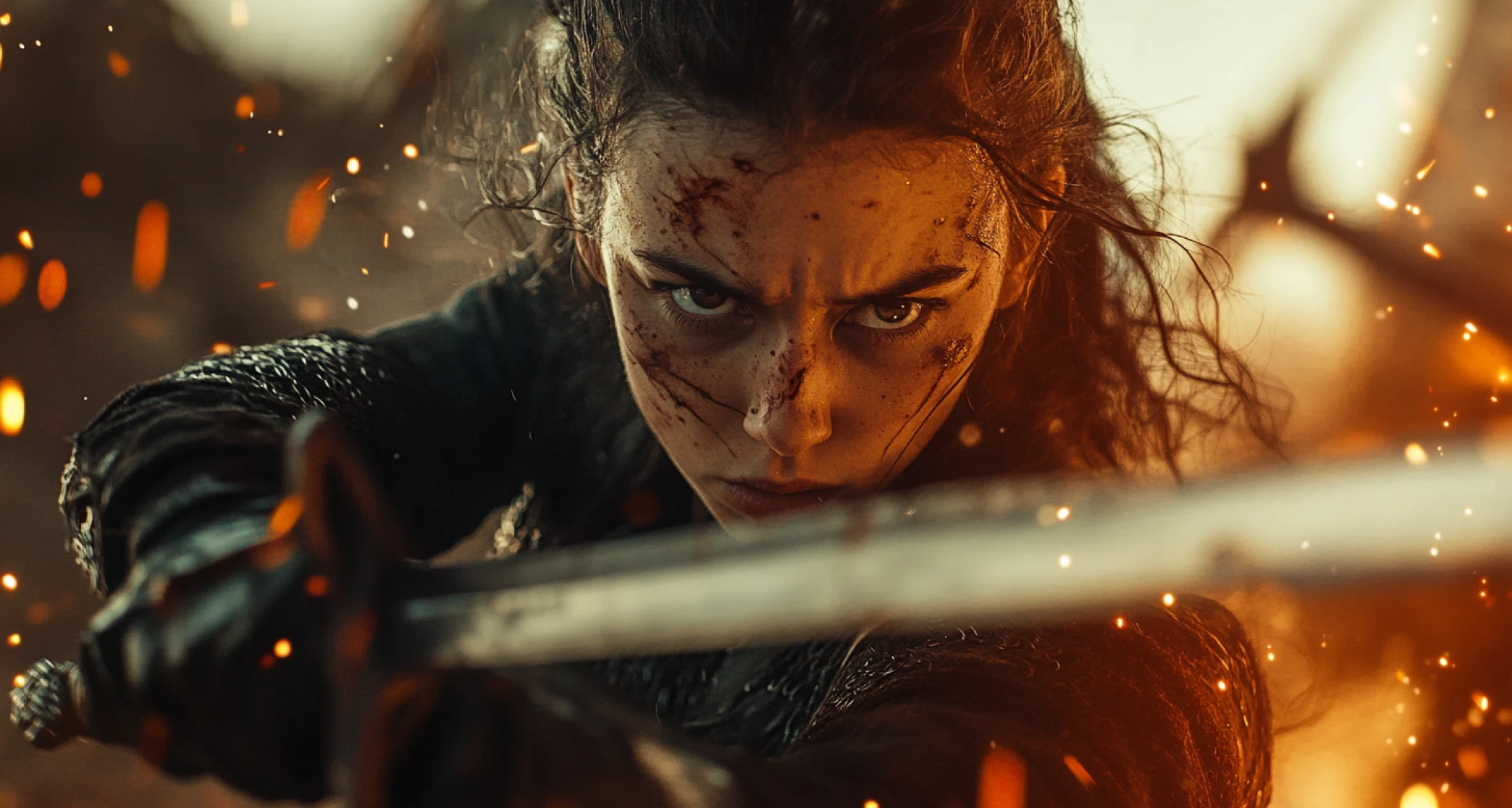
Drop new elements right into your existing footage. You can describe what you want or upload a reference image, and Pikadditions handles motion tracking, lighting, and depth automatically. Great for enhancing stories, creating marketing videos, or experimenting with creative ideas without manual editing.
Replace Objects and Backgrounds in Your Videos
Change objects, backgrounds, or color schemes while keeping everything else intact. Pikaswaps intelligently matches textures, lighting, and movement so replacements look natural. You can update props in short films or refresh promotional videos quickly without starting from scratch.
You might also be interested in
Purchase a Subscription
Upgrade to get access to pro features and generate more and better
Basic
For newcomers taking their first steps
View Plans
Billed monthly
Included in plan
3Kcredits per month
Additional Features
Up to ~600 Image Generations/month
Up to ~97 Video Generations/month
General Commercial Terms
Image Generation Visibility: Public
4 Concurrent Image Generations
Complimentary Access
All GPT Models
All Gemini Models
All Claude Models
Unlimited Generations
10 Image Models
9 Video Models
Standard
For rising creators to level up their game
View Plans
Billed monthly
Included in plan
8Kcredits per month
Additional Features
Up to ~1.6k Image Generations/month
Up to ~265 Video Generations/month
General Commercial Terms
Image Generation Visibility: Private
8 Concurrent Image Generations
Complimentary Access
All GPT Models
All Gemini Models
All Claude Models
Unlimited Generations
Nano Banana
Runway Gen 4 Turbo
Midjourney V7
8 more Image Models
8 more Video Models
Ultimate
Peak performance for pros
View Plans
Billed monthly
Included in plan
16Kcredits per month
Additional Features
Up to ~3.2k Image Generations/month
Up to ~530 Video Generations/month
All styles and models
General Commercial Terms
Image Generation Visibility: Private
Complimentary Access
All GPT Models
All Gemini Models
All Claude Models
Unlimited Generations
All image models in Standard plan
All video models in Standard plan
Kling 2.6 Pro
Seedance 1.5 Pro
ChatGPT 1.5
Creator
A full production engine for powerhouses
View Plans
Billed monthly
Included in plan
100Kcredits per month
Additional Features
Up to ~20k Image Generations/month
Up to ~3.3k Video Generations/month
All styles and models
General Commercial Terms
Image Generation Visibility: Private
Complimentary Access
All GPT Models
All Gemini Models
All Claude Models
Unlimited Generations
All image models in Ultimate plan
All video models in Ultimate plan
Kling 3.0 Pro
Seedance 2 Fast
Nano Banana 2
Customer Testimonials

TechNova
I've used other AI video tools before, but ImagineArt stands out. The intuitive interface and high-quality output make it worth every penny. Highly recommended for creators!

Ben Harris
Product Manager

Shopify
This generator turned hours of editing into minutes! The AI features are spot-on, and the video quality is amazing. Perfect for marketers like me.

Michael Chenn
Product Designer

ApexStudios
The videos generated are great, but the tool could use more customization options. Still, it's an excellent starting point for many projects.

Ravi Patel
Creative Manager

DreamWorks
Runway AI Video Generator made it easy to bring my ideas to life. The multiple style options and seamless processing blew me away. Five stars!

Isabelle Kim
Concept Artist

Pixels
I was skeptical at first, but this tool exceeded my expectations. It's user-friendly and produces professional-grade videos. Fantastic for content creators!

Anya Petrova
Marketing Designer
Have questions?
We have answers!
Pika 2.2 is the latest text-to-video AI model from Pika Labs, released in February 2025. It generates videos from text descriptions in either 720p or 1080p resolution, with video lengths from 5 to 10 seconds. The main new feature is Pikaframes for keyframe transition control.
You can generate videos between 5 and 10 seconds long. Set your preferred duration when configuring your generation. Longer 10-second videos give you more time to develop scenes compared to 5-second clips.
Pika 2.2 generates in either 720p or 1080p. Choose 720p for faster generation and lower cost, or select 1080p when you need full HD quality for professional use. Both resolutions work with all features.
Pikaframes is a keyframe transition feature. You upload a starting image and an ending image, then Pika Labs AI generates the video transition between them. You control how long the transition takes (1 to 10 seconds). The AI creates natural motion connecting your two keyframes.
Yes. You can upload images and animate them with Pika 2.2. Use Pikaframes to control transitions between images, or animate a single image with camera movements and scene motion. Works with the same resolution and duration options as text to video.
Pika 2.2 supports seven aspect ratios: 16:9 horizontal, 9:16 vertical, 1:1 square, 4:5, 5:4, 3:2, and 2:3. This covers YouTube, TikTok, Instagram, and other platform requirements without needing to crop or resize your output.
Write a text prompt describing your desired video. Include scene details, actions, camera work, lighting, and style. Pika AI interprets your prompt and generates matching video footage at your chosen resolution and duration. More detailed prompts typically produce better results.
Yes. Videos you generate with Pika 2.2 have commercial use permissions. You can use them for client work, marketing, advertising, products, social media, or any business purpose.
Pika 2.2 adds 1080p resolution support (2.1 maxed at 720p). Video length extends up to 10 seconds. Pikaframes keyframe control is completely new. Image clarity and visual sharpness improved overall. The architecture prioritizes quality over generation speed.
Generation time varies based on resolution and duration. 720p videos generate faster than 1080p. Shorter videos process quicker than 10-second clips. Typical generation takes a few minutes per video. Fast enough for iterating and testing different prompts.
Marketing videos, social media content, product demonstrations, concept visualization, creative storytelling, animated sequences, before and after transformations, and any situation where you need AI generated video from text descriptions or images.
No. Pika Labs AI video generator works from text descriptions. If you can write what you want to see, you can create videos. No video editing software knowledge required. The AI handles the technical work of generating motion, timing, and visual effects.
Yes. Include camera direction in your text prompt. Describe pans, zooms, tracking shots, orbital movements, or static angles. Pika 2.2 interprets camera instructions and applies them to your generated video.