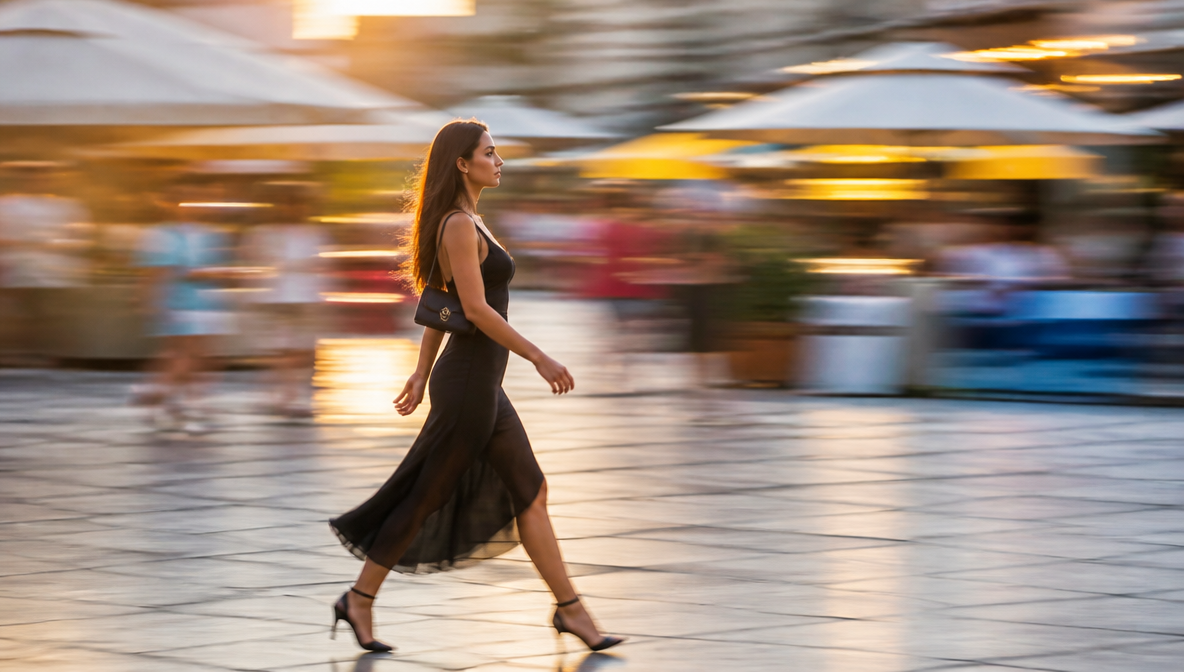

Tooba Siddiqui
August 6, 2026 • Updated August 7, 2026
16 mins Read
Motion photography is the odd one out in this photography ideas series, because it's the only genre where the entire point of the photo is something that, technically, isn't supposed to be sharp.
A still image trying to capture movement, where I play a lot with blur, speed, energy, is a strange contradiction, and it's exactly the kind of contradiction AI photography tools either nail or completely misunderstand.
So, I tested fifteen motion photography ideas across the same four tools I used throughout this series, while paying close attention to whether the blur, the light trails, and the frozen action actually read as motion, or just looked like a sharp image with some smudging added on top.
And, the difference between those two things turned out to matter a lot.
What is Motion Photography?
Motion photography captures camera movement through blur, frozen action, or long exposure, rather than a static subject. It splits into two opposite techniques that both fall under this umbrella:
- freezing a fast-moving subject with a fast shutter so every detail is sharp mid-action,
- or, doing the reverse with a slow shutter to let movement smear into trails and blur.
Done well, motion photography is one of the most energetic genres in photography. Done badly, it just looks like a mistake.
And if we are trusting creative AI with other photography genres, AI tools have to understand which kind of motion a prompt is asking for, and this distinction was difficult.
It is different from stop motion animation, which creates the illusion of movement by photographing a subject in incremental positions across many frames — motion photography captures or implies movement within a single exposure.
6 Motion Photography Use Cases
Before getting into these motion photography ideas themselves, I’ll tell you where we use this kind of imagery.
- Sports and action campaigns are the obvious home for freeze-frame and panning work. Athletic brands need dynamic imagery that communicates speed and effort in a single still frame.
- Automotive content has its own motion vocabulary: light trails for night shots, panning blur for speed, frozen splashes for off-road drama.
- Dance and fashion editorial uses strong overlaps of fabric motion and body movement to show energy.
- Music videos and visualizers use motion-heavy frames as visual backdrops, where abstract blur and light trails create atmosphere rather than narrative. The same stills also feed directly into motion design workflows, where a blur-heavy frame becomes a background element inside a moving sequence rather than a standalone image.
- Reels runs on scroll-stopping visual contrast, and motion photography, something sharp inside something blurred, delivers exactly that.
- Product shots (splashes, drops, pours) tie motion directly to a product's story, turning a still image into an implied demonstration.
15 Motion Photography Ideas and Prompts for AI Tools
1. Long exposure light trails
The streaks of light left by moving cars, sparklers, or LEDs are one of the most recognizable long-exposure effects. What AI needs to get right is the directionality of the streak — trails that curve convincingly as if a car turned, not just horizontal smears across a frame. When the physics hold, the image feels like a real exposure. When they don't, it looks like a glow effect was dragged across the image in post.
The technique: Mount the camera on a tripod and keep the shutter open for 10–30 seconds while traffic moves through frame, so each light source traces its full arc as a continuous colored streak across the image.
Prompt to try: "Long exposure light trails from passing cars on a city street at night, vibrant red and white streaks curving through the frame, wet road reflecting the light, 30-second exposure look, photorealistic"
Best tool: Seedream 5 — consistently produced trails with believable directionality and road geometry.
2. Freeze-frame action shots
A jump, a kick, a sprint — frozen at the sharpest, most dramatic instant. The challenge is that mid-air physics have to look interrupted by a fast shutter, not like a person awkwardly hovering. Gravity needs to be visible in the posture, the clothing, the hair — everything should tell the story of a body in motion that the camera just happened to catch.
The technique: Use a fast shutter (1/500s or faster) to interrupt motion at a single millisecond, capturing every detail at peak movement before the body returns to rest.
Prompt to try: "Freeze-frame action shot of a basketball player at peak jump height, every detail sharp, dramatic stadium lighting, decisive frozen moment, photorealistic sports photography"
Best tool: ImagineArt 2.0 — handled athletic anatomy under strain more convincingly than the others.
3. Panning motion blur
One of the hardest motion techniques to fake convincingly: the subject is sharp while the background streaks past horizontally, implying speed through the relationship between the two. The blur has to follow the correct axis — perfectly horizontal, consistent across the background — and the subject can't pick up any of the blur it shouldn't have. When AI gets this wrong, the subject looks like it was cut out and placed on a blurry background rather than captured mid-movement.
The technique: Track a moving subject by rotating the camera at the same speed as the subject while using a slow shutter (around 1/30s to 1/60s), so the subject stays sharp while the background streaks horizontally behind it.
Prompt to try: "Panning shot of a racing motorcycle, rider and bike sharp and in clear focus, background streaked with clean horizontal motion blur, daytime urban track, wet road surface"
Best tool: Seedream 5 — the most physically convincing panning results of the four tools tested.
4. Dance movement captures
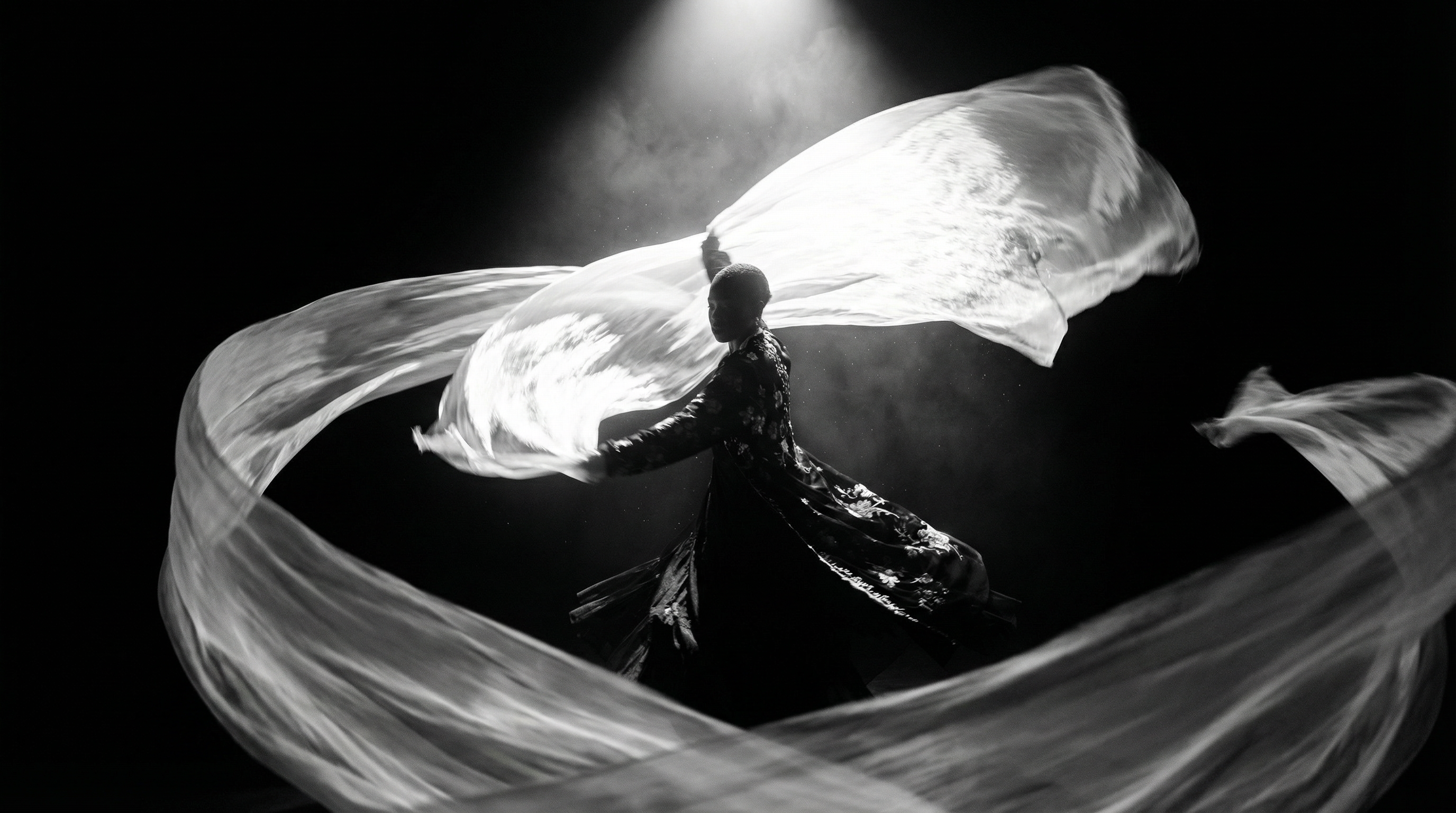 Generated by ImagineArt AI image generator
Fabric and limbs caught mid-motion, full of energy. The appeal is in how clothing moves — a skirt caught in the outward pull of a spin, a scarf mid-flight, a sleeve pulled by the momentum of a gesture. AI needs to understand that fabric doesn't blur randomly in dance movement; it flows with the direction and speed of the movement underneath it. A smear of color where a dress should be is not the same as fabric in motion.
The technique: Shoot at a moderate shutter (1/60s to 1/100s) and let fabric and limbs carry motion blur while the dancer's core stays in relative focus, showing the direction and energy of the movement without losing the subject entirely.
Prompt to try: "Ballet dancer mid-spin, white tutu flowing outward in centrifugal motion blur, dramatic stage lighting, pure dark background, movement frozen at peak extension, photorealistic"
Best tool: Seedream 5 — fabric behavior was consistently the most physically logical across different dance prompts.
5. Splash and liquid motion
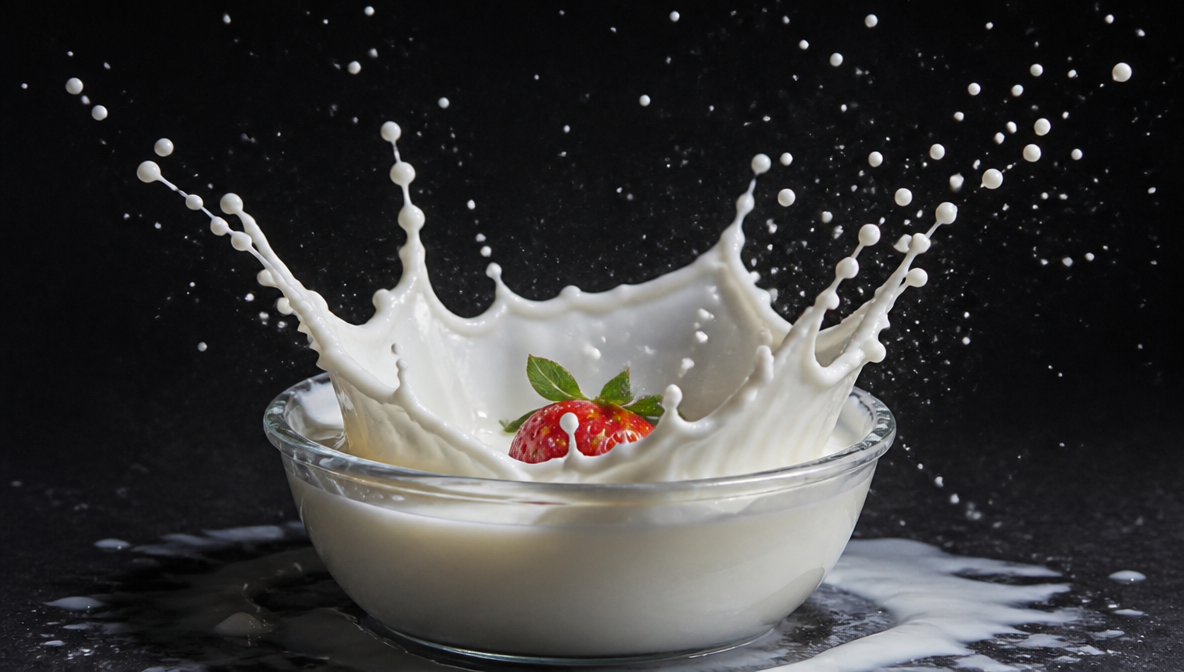 Generated by ImagineArt AI image generator
Water, milk, or paint frozen mid-explosion around a subject — the crown shape of a liquid impact, individual droplets in flight, the chaos of a fluid event interrupted. The physics here are very specific: the crown shape of a milk splash has a precise geometry that forms in the millisecond after impact. AI either understands that structure or produces something that looks like a texture applied to the image rather than an actual fluid event.
The technique: Trigger a flash or use a fast shutter (1/2000s or faster) at the exact millisecond a liquid hits a surface, freezing the crown shape and individual droplets before gravity pulls them back down.
Prompt to try: "Milk splash frozen mid-explosion around a strawberry dropped into a bowl, high-speed photography style, dark background, directional side lighting, precise droplet clarity and crown shape, photorealistic"
Best tool: ImagineArt 2.0 — strongest on product-adjacent liquid motion, where the splash is tied to an identifiable subject.
6. Spinning and rotation blur
 Generated by ImagineArt AI image generator
A circular blur effect around a spinning subject — a vinyl record, a gyroscope, a spinning top. Rotation blur has specific geometry: concentric circles emanating from a fixed center point, with the intensity of the blur increasing toward the outer edges. When it's right, it implies centrifugal force. When it's wrong, it looks like a radial blur filter was applied uniformly without understanding where the center of rotation actually is.
The technique: Use a slow shutter while a subject spins around a fixed axis, so the blur radiates outward from the center in concentric arcs, increasing in intensity toward the outer edges
Prompt to try: "Spinning vinyl record on a turntable, rotation blur emanating outward from the center label, sharp tonearm and needle visible, dark studio background, warm ambient lighting, long exposure look"
Best tool: Qwen — handled multi-element frames with a defined center of rotation better than the others.
7. Wind-blown fabric and hair
 Generated by ImagineArt AI image generator
Wind motion is implied rather than shown — you're capturing what wind does to hair and fabric rather than the wind itself. The critical requirement is directional consistency: every element in the frame that would be affected by wind needs to be moving in the same direction. A scarf blowing left while hair blows forward doesn't read as wind — it reads as a composite that wasn't checked.
The technique: Shoot in a burst at a moderate shutter speed while wind or a fan creates movement, making sure every element carried by the wind moves in the same direction for the shot to read as natural rather than composite.
Prompt to try: "Woman standing outdoors, long hair and light linen dress blown horizontally by strong wind in the same direction, motion frozen, golden hour backlight, coastal cliff setting, every moving element consistent in direction"
Best tool: Seedream 5 — the only tool that consistently kept all wind-affected elements moving in a coherent direction.
8. Sports action freezes
Different from general freeze-frame in that sports action has iconic moments — the peak of a tennis serve, the split second before a tackle, the exact instant a swimmer breaks the surface. The image has to capture that specific instant of maximum visual drama, not just any random point in the motion. Anatomy under athletic strain is also where AI tends to introduce errors: limbs at angles that don't reflect how the human body actually moves under effort.
The technique: Use a fast shutter (1/1000s or faster) at the peak of the athletic movement, typically the split second before a ball leaves a hand or a foot leaves the ground, when the body is under maximum strain and the position is most visually dramatic.
Prompt to try: "Tennis player mid-serve at peak arm extension, ball visible leaving the racket strings, sharp clarity across the full body, outdoor clay court, natural daylight, decisive moment frozen"
Best tool: ImagineArt 2.0 — handled the anatomical accuracy of bodies under athletic strain most reliably.
9. Car light trail photography
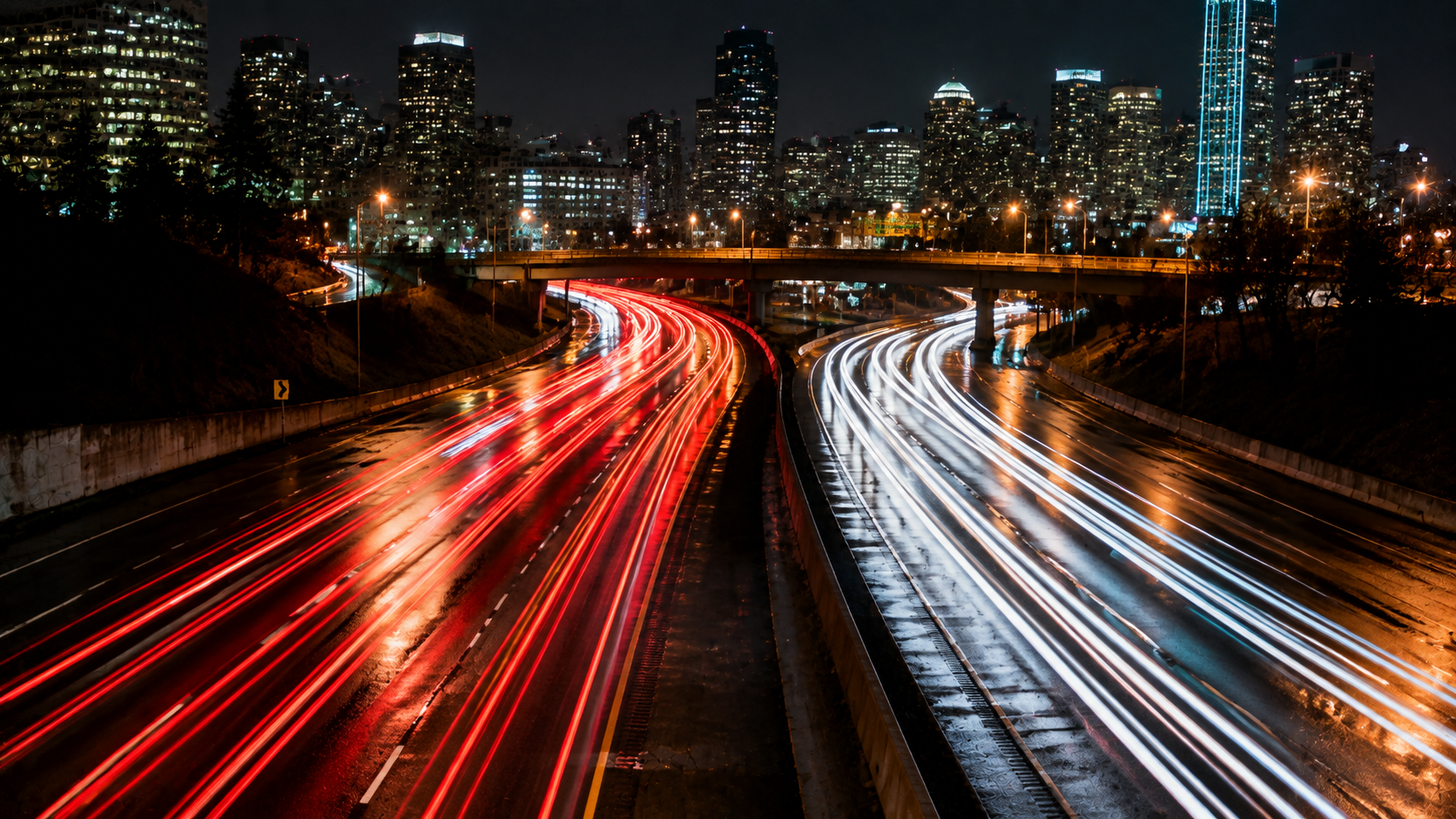 Generated by ImagineArt AI image generator
A specific subset of long exposure with its own visual logic: red taillights stream in one direction, white headlights in the other, both following the curve of the road. The road surface often picks up color from the passing lights. Getting this wrong usually means trails that don't follow road geometry, or headlights and taillights appearing on the wrong sides of the lane — small physics errors that break the image immediately for anyone who's ever driven at night.
The technique: Position the camera on a tripod above or beside a road and keep the shutter open for 20–60 seconds, letting passing traffic draw its own trails in both directions along the road's curve, red on one side and white on the other.
Prompt to try: "City highway at night, long exposure, red taillights and white headlights streaking in opposite directions following the road curve, wet asphalt reflecting the colors, overpass and city lights in background"
Best tool: Seedream 5 — most consistent on road geometry and correct lane positioning of opposing light colors.
10. Crowd motion blur
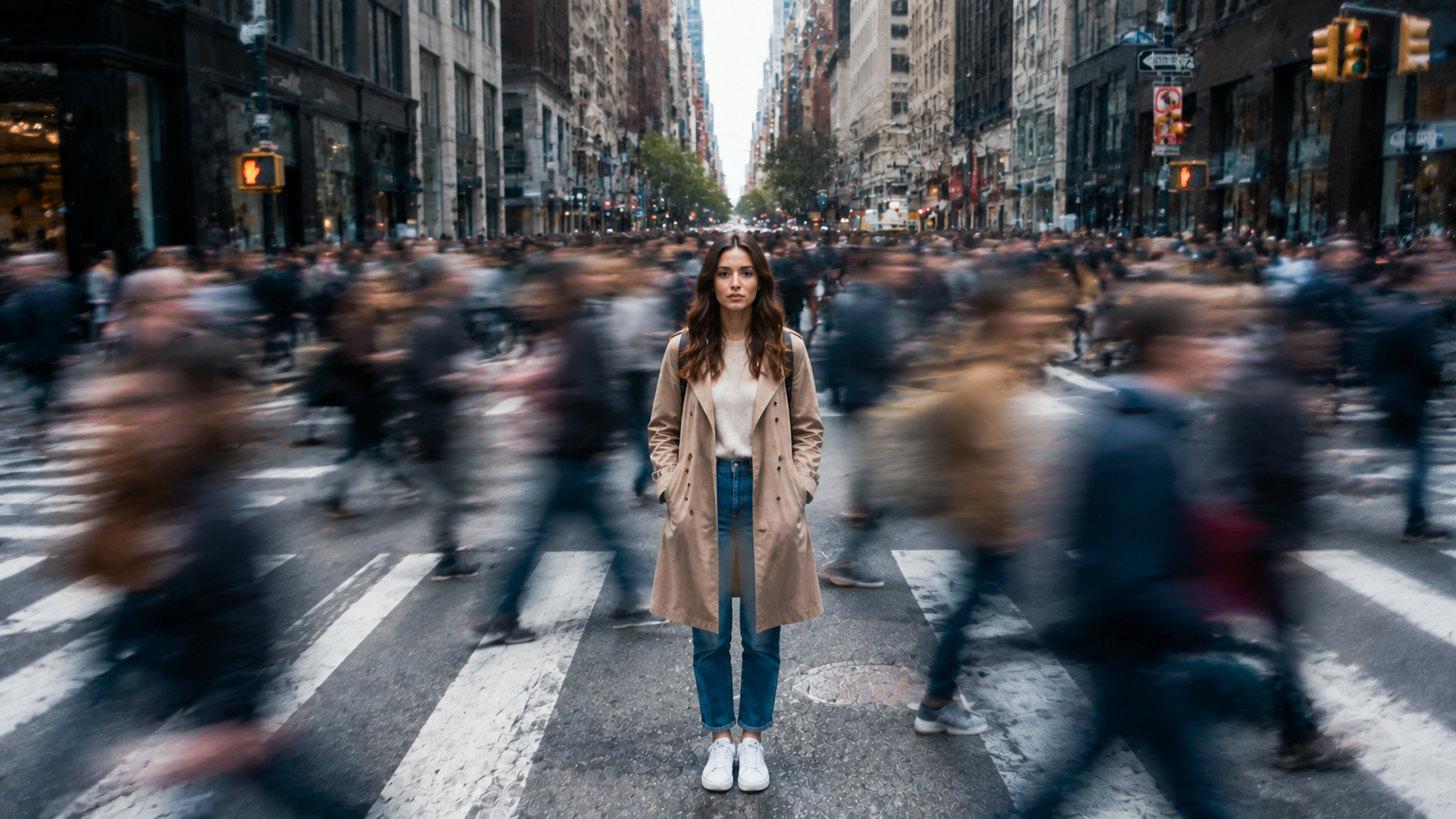 Generated by ImagineArt AI image generator
A busy scene where the crowd blurs into ghostly streaks while one subject holds perfectly still and stays sharp. This technique requires AI to understand selective sharpness — which element is frozen and which elements are in motion — and honor that distinction across a complex, populated frame. The contrast between the sharp subject and the blurred crowd is the entire image. When it collapses, you just have a blurry street photo.
The technique: Mount the camera on a tripod, set a shutter of 1–4 seconds, and let pedestrians blur through the frame while any subject standing completely still for the full duration emerges sharp from the ghostly crowd around them.
Prompt to try: "Busy city street in daytime, long exposure, crowd of pedestrians blurred into ghostly motion streaks, one woman standing completely still at the center sharp and clear in full detail, high contrast between sharp and blurred"
Best tool: Qwen — best at following selective sharpness instructions in complex multi-element frames.
11. Water droplet freeze shots
Individual water droplets frozen mid-fall or mid-splash — macro-scale high-speed photography where the physics of a single droplet need to be convincing. A falling droplet has a specific teardrop shape. A droplet on impact forms a crown. A droplet suspended mid-air has surface tension visible across its sphere. AI tools that treat water as texture rather than physics produce blobs and circles rather than droplets with the correct fluid geometry.
The technique: Use a macro lens and a precise flash (rather than a slow shutter) timed to fire at peak drop height, catching the teardrop shape and surface tension of a single droplet before it hits the surface below.
Prompt to try: "Single water droplet frozen mid-fall above a calm water surface, macro photography, reflection of the droplet visible in the surface below, pure dark background, precision side lighting, photorealistic fluid geometry"
Best tool: ImagineArt 2.0 — strongest on droplet geometry and surface tension details at macro scale.
12. Confetti and particle bursts
Small particles frozen mid-explosion around a celebratory moment. The energy of confetti is in its three-dimensionality: pieces at different distances from the camera, at different orientations, some sharp from proximity and some soft from depth of field. A flat, evenly distributed confetti field looks like a pattern overlaid on an image. A genuine confetti burst looks like a chaotic event interrupted at a specific millisecond.
The technique: Shoot with a fast shutter at the peak of the explosion, when pieces are at maximum spread and still airborne, so the frame captures particles at multiple depths and orientations rather than a flat, evenly distributed field.
Prompt to try: "Confetti explosion frozen mid-burst around a celebrating person, multicolored pieces at varying distances and orientations, pieces sharp in foreground and softly defocused in background, flash photography style, pure black background"
Best tool: Qwen — handled the depth variation and three-dimensional distribution of particles better than the others.
13. Smoke trail motion
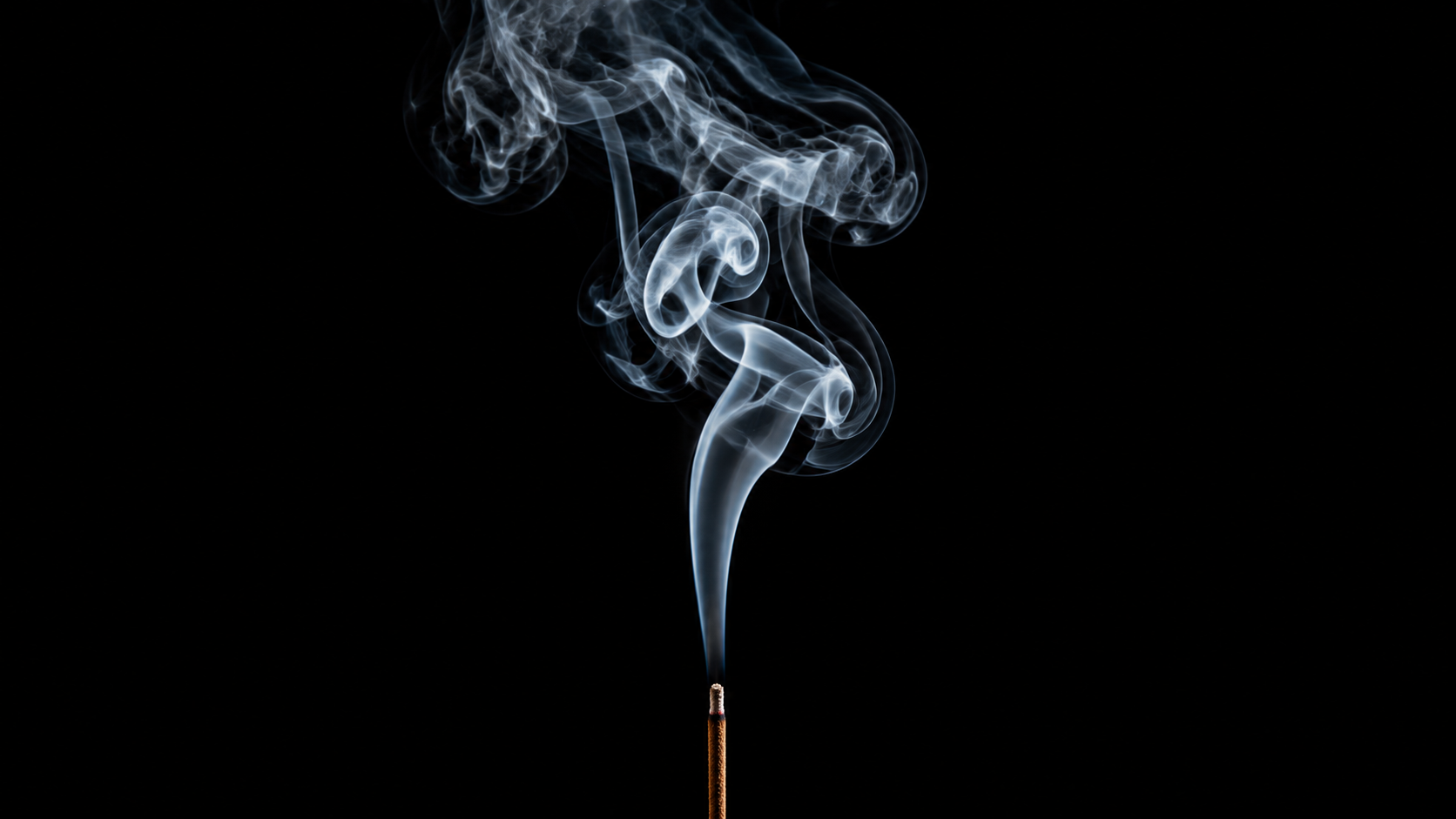 Generated by ImagineArt AI image generator
Smoke caught mid-curl, where the shape of the wisp implies the movement that produced it. Smoke has specific visual behavior: it rises, curls, and dissipates with a translucency that changes as the smoke thickens or thins. The wisp has to look volumetric — something you could pass your hand through — not like a painted stroke or a solid shape. This is one of the prompts where the difference between tools is immediately visible.
The technique: Place the subject on a dark background with a single light source raking the smoke from the side, and use a moderately fast shutter to freeze the curl at its most defined point before it dissipates into the frame.
Prompt to try: "Single stick of incense, white smoke curling elegantly upward against a pure black background, studio lighting isolating the smoke trail, translucent and volumetric smoke quality, fine wisp detail visible throughout"
Best tool: Seedream 5 — produced the most volumetric and physically believable smoke behavior of the four tools.
14. Composite motion sequences
A stroboscopic effect where the same subject appears multiple times across a single frame, each position showing a different point in a continuous movement arc. A gymnast's cartwheel in five overlapping positions. A golf swing captured across its full arc. The challenge for AI is that the multiple versions of the subject need to read as the same person in the same continuous motion — not as different figures placed together in a scene.
The technique: Use a strobe light set to fire multiple times during a single long exposure, or blend multiple frames in post-processing, so the same subject appears at several positions along a movement arc, each position distinct but reading as part of one continuous action.
Prompt to try: "Stroboscopic composite of a gymnast doing a cartwheel, five overlapping positions of the same person shown sequentially across one frame from left to right, white background, studio lighting, each position distinct and readable"
Best tool: Qwen — best at following the multi-instance, sequential positioning logic this technique requires.
15. Slow shutter water and cloud motion
The opposite of freeze-frame: a deliberately extended exposure that turns moving water into silk and moving clouds into painted streaks. The effect depends entirely on the contrast between silky motion and the static elements that anchor the frame — sharp rocks against a flowing waterfall, a hard mountain edge against streaking clouds. When AI applies softness to the static elements too, the image loses the contrast that makes the technique work.
The technique: Mount the camera on a tripod and use a 1–30 second exposure (longer for clouds, shorter for waterfalls) so moving water becomes silk and clouds become painted streaks while hard surfaces like rocks and tree lines stay perfectly sharp.
Prompt to try: "Waterfall in a forest rendered as silky smooth flowing water with long exposure effect, sharp rocks and foliage in the surrounding frame, slow shutter photography look, natural light, soft mist in the air, high contrast between static and moving elements"
Best tool: Seedream 5 — most consistent at maintaining sharpness on static elements while rendering motion as smooth flow.
4 AI Tools for Motion Photography
While you can prompt literally anything and get ‘something’ out of every AI image generator, but if you really want that essence of motion photography in the images, you need to work with intelligent image models that under real-world physics and visual concepts like blur and emphasis. So here are 4:
1. ImagineArt 2.0
Motion is a tricky category for any generator, and ImagineArt 2.0's strongest results came on the ideas where motion is tied to a specific subject — splash and liquid photography, sports action freezes, water droplet macro work.
Wherever the physics of motion needed to interact convincingly with an identifiable object, it led the comparison. Less consistent on pure light-trail abstraction, but the strongest tool when motion serves a product or subject rather than being the subject itself.
2. Seedream 5
Seedream 5 is also an intelligent AI image generator, which means it has real world knowledge about how motion works and renders. It is consistently the strongest for physically convincing motion across the widest range of ideas. Light trails, panning blur, wind-blown fabric, smoke, the common thread across Seedream 5's best results was that the motion felt like it had physics behind it rather than a filter applied on top.
If the realism of the motion itself is the priority, this was the first stop across most of the fifteen ideas tested.
3. Ideogram 4.0
Ideogram 4 is my favorite for so many reasons because of its prompt accuracy. So while I was testing Ideogram for motion photography, I witnessed it handling the more graphic, design-forward motion ideas best.
4. Qwen
Qwen's strongest results came on ideas that required managing multiple elements independently within the same frame. Rotation blur, crowd motion blur, confetti depth distribution, and stroboscopic composite sequences were all Qwen wins, and the common thread across all four is compositional complexity rather than physical realism.
Where Seedream 5 excels at making motion feel physically grounded, Qwen follows spatial logic more accurately when different parts of the frame need to behave differently at once. A sharp subject inside a blurred crowd, particles at varying depths, a rotation blur that stays centered on the correct axis: Qwen honored these multi-element instructions more reliably than the others.
If the technique requires independent sharpness or position logic across two or more elements in the same frame, this is the tool to test first.
If the goal is to take any of these stills further into actual video — where the blur becomes part of a moving sequence — the best AI video models for motion control and animation are the natural next step from still image generation.
Capture these motion photography ideas
Motion photography lives or dies on whether the blur actually reads as movement instead of a mistake, and that's the first thing worth checking on anything you generate in this category.
If a shot looks blurry rather than fast, the prompt probably needs a clearer sense of direction and speed, not just the word "motion" added somewhere.
Every prompt above can be taken further: add a specific subject, a brand color, a product, a location. The technique is the starting point, not the destination.
Start generating with ImagineArt, or try these prompts in any of the three AI tools and see which one reads as motion first.
Tooba Siddiqui
Tooba Siddiqui is a content marketer with a strong focus on AI trends and product innovation. She explores generative AI with a keen eye. At ImagineArt, she develops marketing content that translates cutting-edge innovation into engaging, search-driven narratives for the right audience.