Recolor Image
ImagineArt Recolor Image app lets you change colors instantly with realistic results. Use text prompts to add details about creative color changes.
How To Recolor Image Online
Upload Your Image
Add a high-quality photo in ImagineArt Recolor Image app. Ensure the subject and background are visible for precise HSL adjustments.
Enter a Prompt
Type a short prompt to recolor your image. ImagineArt Recolor Image replaces color in image and ensures realistic color application.
Generate and Download
Click “Generate” to recolor the image with ImagineArt Recolor Image app. Get high-quality export image without watermark for social media, product edits, or creative projects.
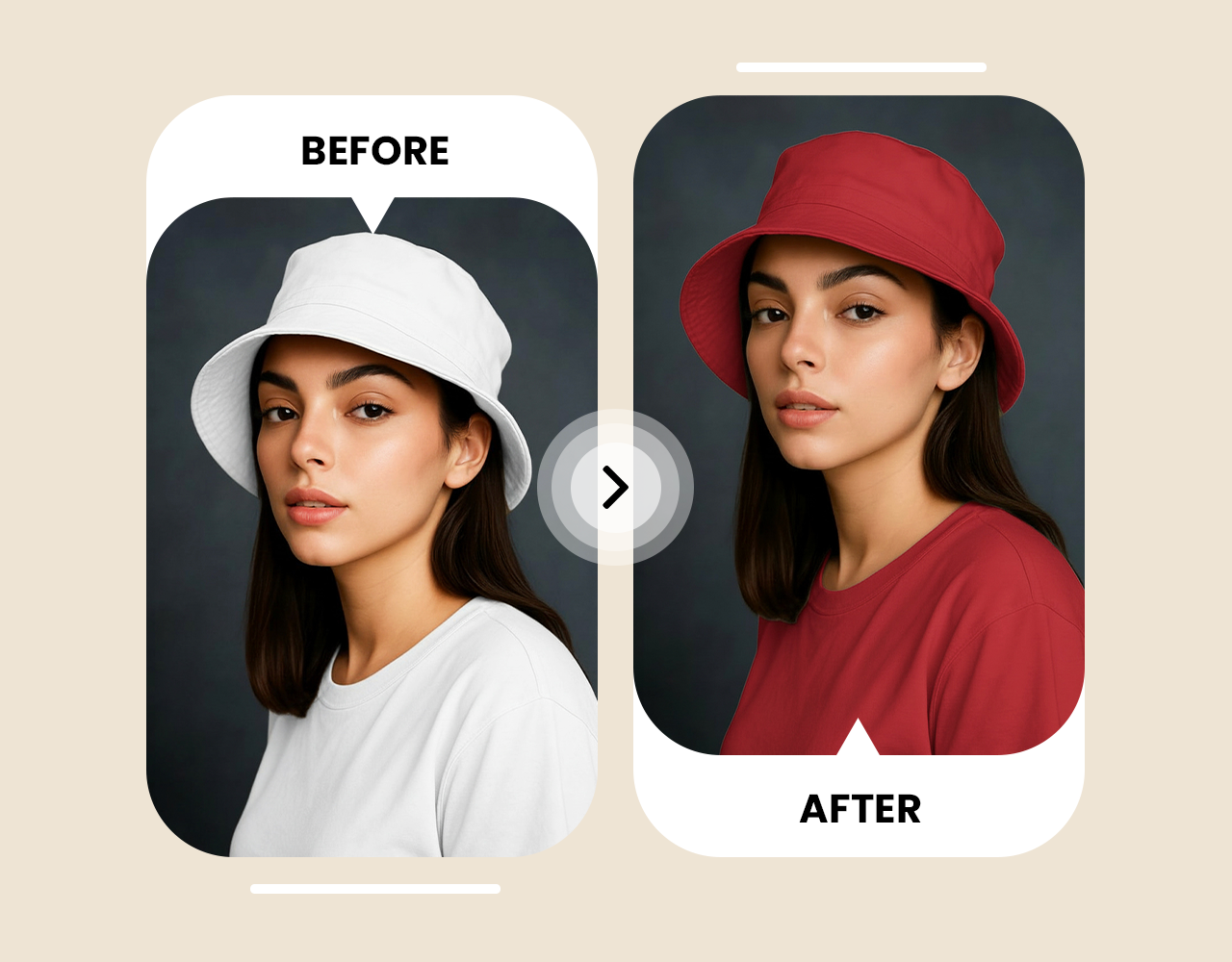
Complete Creative Control To Recolor Image
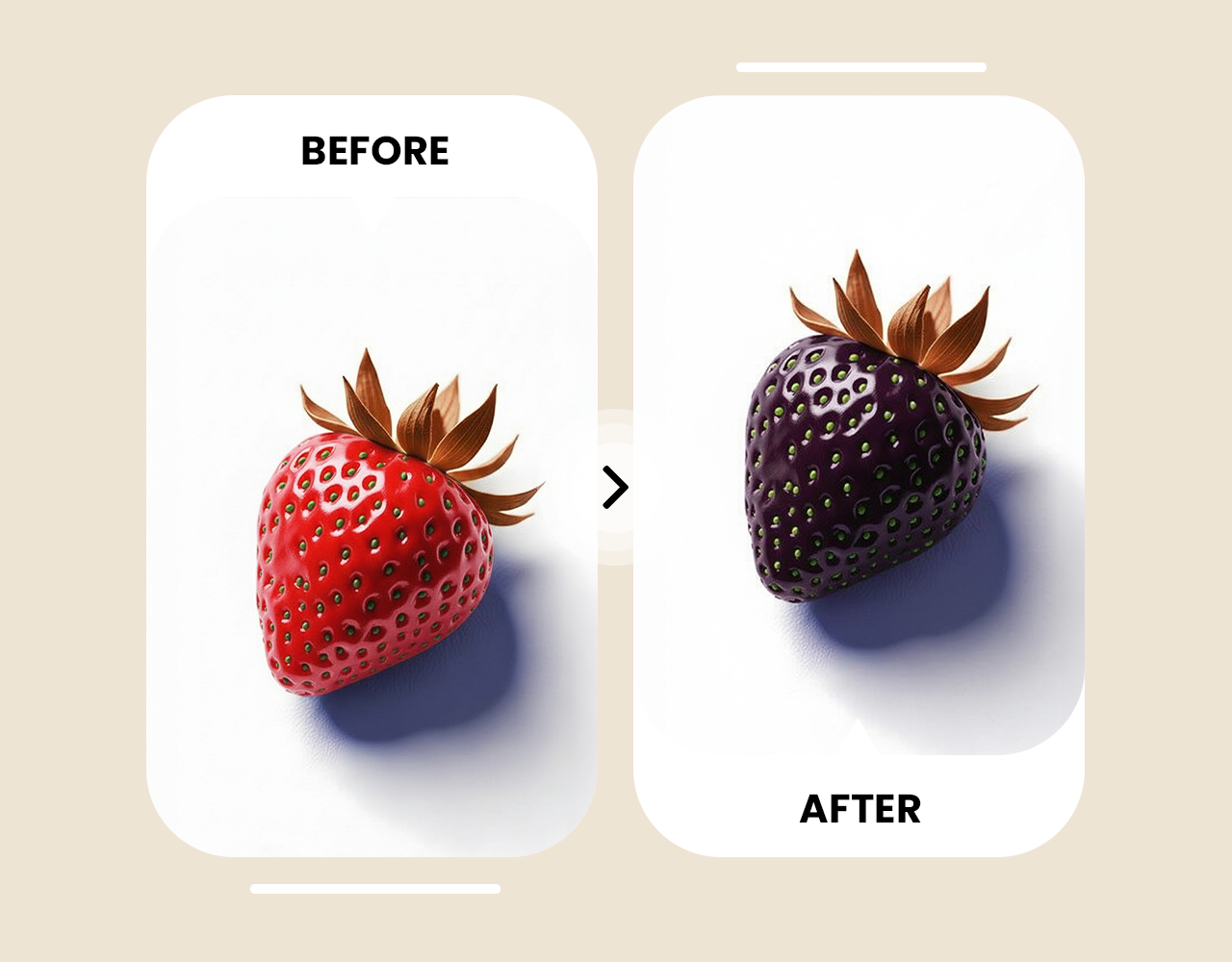
Product & Background Recoloring
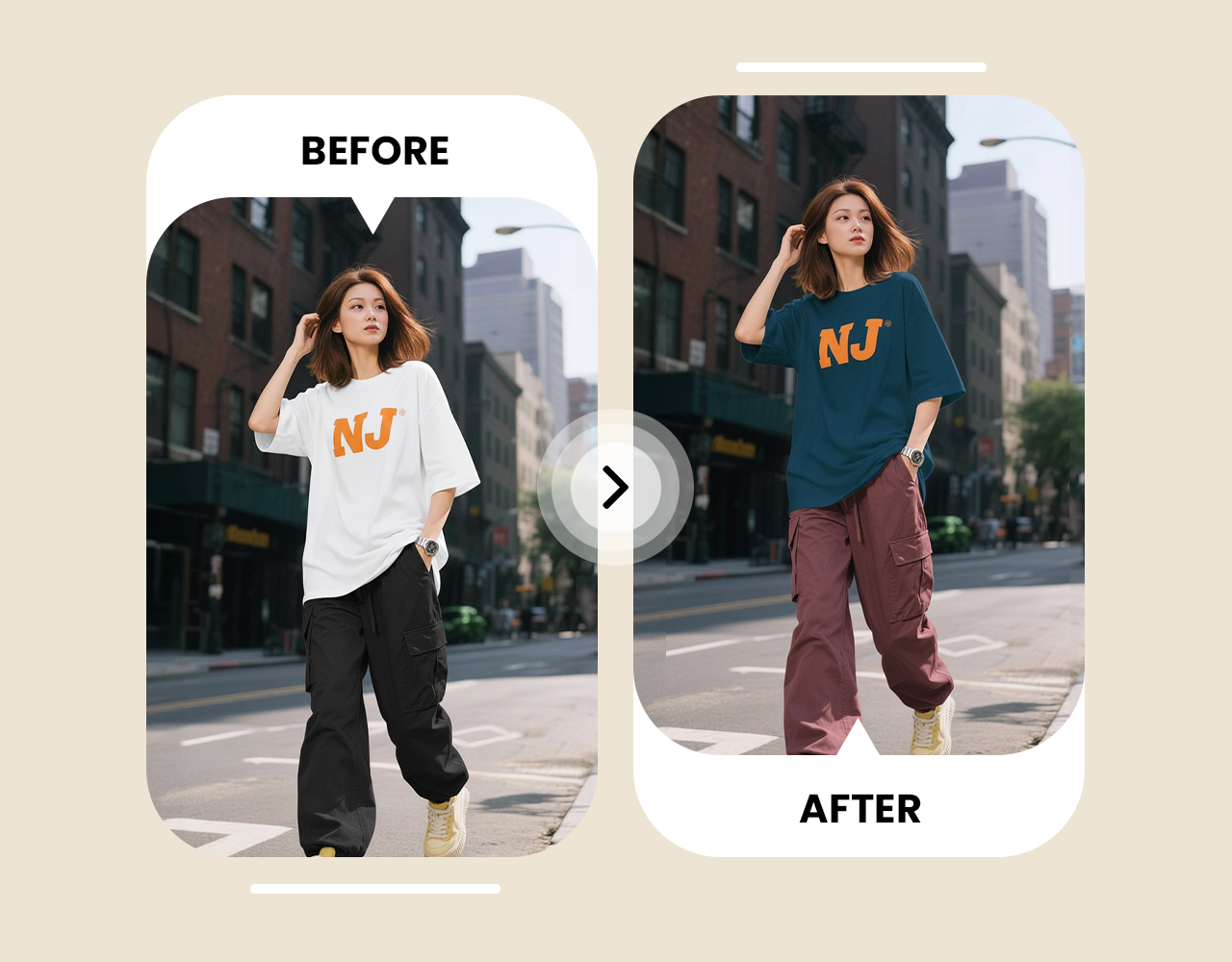
Fashion & Creative Edits








Trusted by Professionals and Creators from top Brands and Companies
Hear From ImagineArt Users
"I wanted to try new hair and eye colors in my photos just for fun. ImagineArt Recolor Image made it super easy, and the pictures look real."

Anya Petrova

"I needed to show my products in different colors for my online store. ImagineArt Recolor Image did it perfectly without needing new photos, and the textures stayed real."

Ben Harris

"Our marketing team needed fast processing product variations for campaigns. ImagineArt Recolor Image made recoloring packaging and objects simple and realistic, saving us a lot of time."

Isabelle Kim

"I wanted to brighten old portraits and aesthetic photos. ImagineArt Recolor Image recolored hair, clothes, and backgrounds naturally, and I got professional-grade results in seconds.

Michael Chenn

Frequently Asked Questions
Recolor an image by uploading it to ImagineArt Recolor Image and typing a short color prompt. The AI applies new colors while keeping textures real. You get clean and natural results in seconds. It works for photos, products, and creative edits.
Upload the image and describe the specific area you want recolored in the prompt. ImagineArt Recolor Image targets that part and keeps everything else untouched. The results stay sharp and realistic. It works well for clothes, objects, and backgrounds.
ImagineArt Recolor Image is widely recommended for realistic and fast recoloring. It uses simple prompts and keeps material details intact. The AI works on portraits, products, and backgrounds easily. Ideal for anyone who wants clean color changes.
Use ImagineArt Recolor Image and type the new product colors in the prompt. It generates accurate variations in seconds. Textures stay clean and detailed. Perfect for sellers who need fast color options.
Yes, type the background color you want in ImagineArt Recolor Image. It updates the background while keeping the subject untouched. The colors stay smooth and natural. Great for portraits and product shots.
Yes, ImagineArt Recolor Image is safe and handles images securely. Your files stay private and protected. It processes everything through secure systems. You can upload photos with confidence.
Upload the photo and describe the colors you want refreshed. ImagineArt Recolor Image adds brighter tones without losing details. It brings life back to faded images. Perfect for old portraits or family photos.
Yes, type the clothing color you want in ImagineArt Recolor Image. It keeps fabric texture and shadows intact. Clothes look naturally recolored and clean. Works great for fashion photos and product shots.
Describe the new hair color in ImagineArt Recolor Image. The AI recolors hair smoothly and keeps it looking natural. You can test bold or soft tones easily. Great for style previews and creative edits.
Yes, enter the eye color you want in ImagineArt Recolor Image. It applies the change with clean detailing. The eyes stay bright and realistic. Perfect for portraits or aesthetic edits.
Add your brand colors in the prompt using ImagineArt Recolor Image. It updates products, clothes, or backgrounds to match your palette. Colors stay even and professional. Great for branding and marketing visuals.
Upload the product and run different prompts for each color in ImagineArt Recolor Image. It generates clean variations quickly. All textures stay accurate. Ideal for e commerce listings.
Yes, ImagineArt Recolor Image can recolor products, clothes, and backgrounds for social media. The results look clean and eye catching. You can match your feed aesthetic easily. Perfect for creators and influencers.
Yes, mention the background color in ImagineArt Recolor Image. It updates the background only and keeps the subject intact. Everything stays natural and sharp. Works well for portraits and product images.
Describe the colors you want refreshed in ImagineArt Recolor Image. It adds vibrance and makes the image look more alive. Details stay clear and realistic. Great for restoring old photos.
Type any color idea you want into ImagineArt Recolor Image. You can test bold, soft, or mixed tones fast. The changes stay smooth and realistic. Good for creative projects and mood boards.
Recolor images with balanced tones using ImagineArt Recolor Image. It gives clean, polished color updates. Textures and depth stay natural. Ideal for marketing and studio visuals.
Write the campaign color theme in ImagineArt Recolor Image. It updates clothes, products, or backgrounds to fit your style. Colors stay cohesive and sharp. Great for ads, branding, and content shoots.