
Tooba Siddiqui
May 11, 2026 • Updated May 21, 2026
13 mins Read
For independent artists, producers, and creators, a professional music video has always been the most expensive item on the release checklist. Director fees, location costs, equipment rentals, post-production — a single music video could consume an entire recording budget before a single frame was shot. AI music video generators change that equation completely.
But not all AI music video makers are built equally. Generating a music video with AI is not just about producing clips from a text prompt. It requires the right visual style for the right genre, motion quality that holds up to a full-length track, and production tools that let you take raw AI output to a finished, releasable video. A hip-hop video needs a completely different aesthetic than a lo-fi electronic track or a cinematic indie ballad. The best AI music video generator is the one that covers all of it.
ImagineArt is that platform. With seven distinct video generation models, dedicated production tools, and a free plan that lets you start creating AI music videos without a subscription, ImagineArt is the most complete AI music video creator available in 2026.
For a full guide on creating the music itself, see how to make AI music.
What Makes a Great AI Music Video Generator?
Not every AI video generator is suited for music video production. The format has specific demands that separate a purpose-built AI music video maker from a general clip generator.
Here is what matters:
- Multiple visual style outputs: A great AI music video generator produces cinematic realism, abstract visuals, anime-style animation, and stylized motion — not just one default aesthetic.
- Model selection flexibility: Different genres need different models. The best platforms give you access to multiple AI video models so you can match the visual language to the music.
- Motion quality for performance content: Dance videos, character animation, and performance-driven music videos require fluid, believable motion. Low-quality motion breaks the immersion of even a strong visual concept.
- Color grading control: Music videos live or die by their color palette. A consistent, intentional color grade is what separates a finished video from a collection of AI clips.
- Scene variety and background control: A full-length music video needs multiple visual environments and scene transitions. Tools that let you change backgrounds and layer scenes are essential.
- Free plan availability: Independent artists need to create music videos with AI for free before committing to a paid plan. The best platforms offer meaningful free access.
- Production workflow: Generating clips is step one. Sequencing, syncing to audio, color grading, and exporting as a finished video requires a proper editing environment inside the same platform.
The core challenge of AI music video creation is that the music sets the emotional tone, and the visuals have to match it. See what is AI music for context on how AI-generated music and AI-generated visuals can work together.
The Best AI Music Video Generator
ImagineArt is the best AI music video generator in 2026 for one reason above all others: it is the only platform that gives you seven distinct video generation models, each suited to a different genre and visual style, plus a complete suite of production tools, all under one roof and accessible on a free plan.
Other AI music video makers force you to work with a single model and a single aesthetic. ImagineArt lets you choose the model that fits your music, generate your scenes, color grade your footage, swap backgrounds, sync to audio, and export a finished video — without leaving the platform.
Whether you are creating a music video with AI for the first time or running a full production pipeline for multiple releases, ImagineArt scales with you.
ImagineArt AI Music Video Toolkit
ImagineArt AI Video Generator

ImagineArt AI Video Generator is the core of any AI music video production workflow. You input a text prompt describing the scene — environment, mood, motion, style — and the model generates video output that matches your concept. Combined with ImagineArt's model selection, the same generator produces output ranging from hyperrealistic cinematic footage to abstract visual art to anime-style animation.
Best for: Generating the raw visual content of your music video — performance environments, abstract scenes, landscape backdrops, narrative moments, and any visual concept your music calls for.
For artists who want to create a music video with AI from a blank slate, the AI Video Generator is where the process begins. Write your scene descriptions track by track, generate your clips, and build the video scene by scene. The quality of your prompt directly determines the quality of your output — specific, evocative descriptions produce stronger visuals than generic ones.
ImagineArt Film Studio
ImagineArt Film Studio is project-based cinematic video creation environment. Unlike single-output generation, Film Studio is built around a structured production workflow — you work in projects, build across scenes, and move through creation stages the way a director actually approaches a music video shoot.
Best for: Narrative music videos, structured multi-scene productions, concept videos, and any project where the visual story needs to hold together across a full three-to-five minute track.
For artists with a clear visual concept — a story that runs through the video, a recurring character, a defined setting — Film Studio gives you the production discipline to execute it. The project-based workflow means you are building a cohesive video, not assembling random clips.
ImagineArt Motion Control
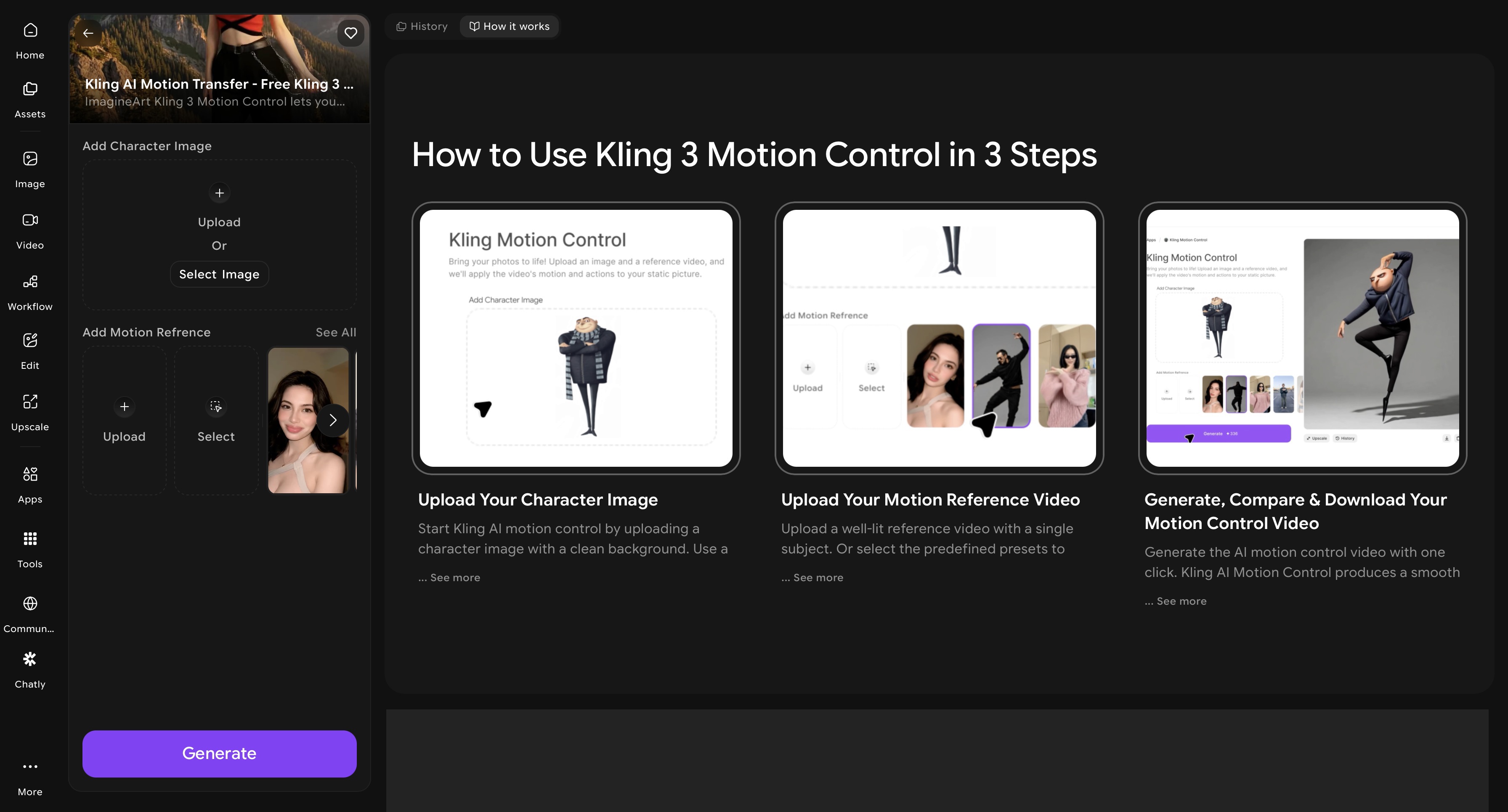
ImagineArt AI Motion Control transfers motion from a reference video onto any static character image. You upload a character — an illustration, a photorealistic figure, an anime-style design, a brand mascot — add a reference video of a movement, and the tool renders that character performing the motion with frame-accurate precision.
Best for: Dance music videos, performance-driven content, animated character videos, and any music video where a moving character is the visual centerpiece.
Dance and performance are at the heart of hip-hop, pop, K-pop, and electronic music videos. Motion Control lets you put any character at the center of that performance without filming anything. The reference video provides the choreography — the AI provides the animation.
For a broader look at motion control video, see best AI video models for motion control and animation.
Production Suite
ImagineArt AI Video Color Correction: Color grade your generated clips and apply a consistent visual palette across every scene. Music videos are defined by their color language — the warm golden tones of an indie folk video, the cold blue steel of a trap video, the oversaturated neon of a hyperpop clip. AI Video Color Correction lets you define that language and apply it consistently across your entire production.
ImagineArt Video Background Changer: Swap the environment of any generated clip without regenerating the scene from scratch. For music videos that move across multiple locations — a performance stage, an outdoor landscape, an abstract void — this tool gives you scene variety without multiplying your generation time.
ImagineArt AI Video Editor: Trim clips, sequence scenes, add text overlays for lyric moments, layer audio, and adjust pacing. The editor is built for short-to-medium-form video timelines, making it practical for music video production without the complexity of a full professional editing suite.
ImagineArt AI Workflows: Automate your production pipeline for artists releasing music videos regularly. Build a sequence of generation, color grading, and export steps once, and run them at scale for every release. For artists on a consistent release schedule, Workflows removes the manual repetition from the production process.
Which ImagineArt Video Model Is Best for Your AI Music Video?
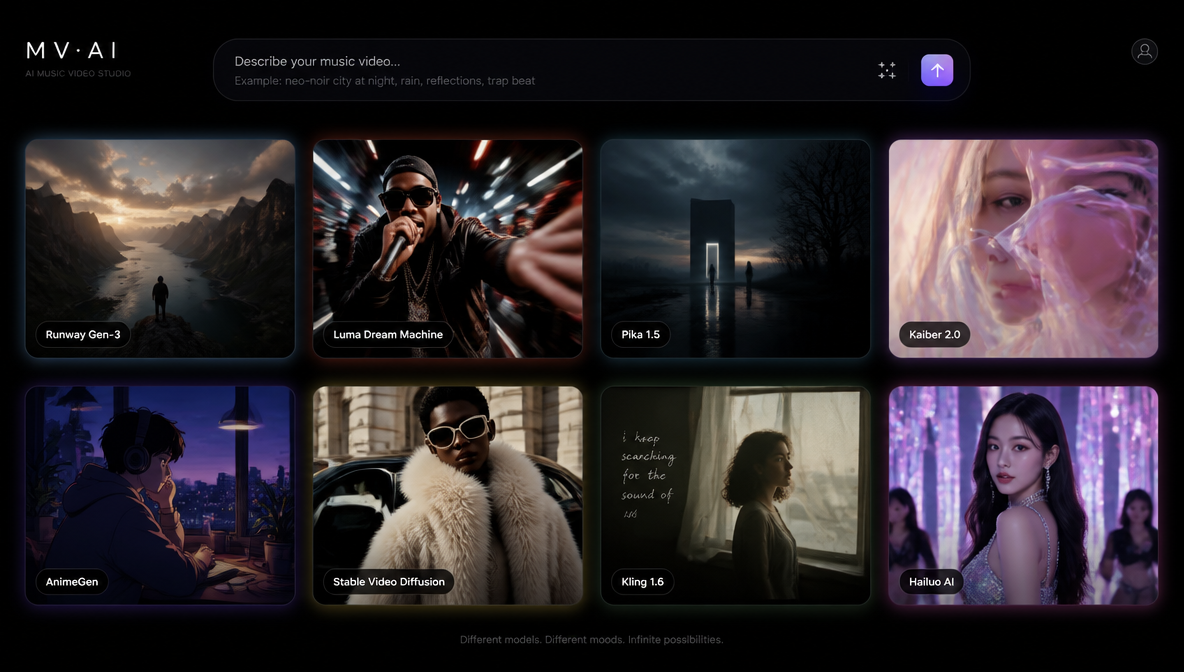 Generated by ImagineArt AI Image Generator
This is the section that makes ImagineArt genuinely unique as an AI music video generator. Most platforms give you one model and one aesthetic. ImagineArt gives you seven; each with a distinct visual language that maps to a different genre.
Choosing the right model is the single most important creative decision in AI music video production. Here is how each model maps to music.
| Model | Best Music Video Style |
|---|---|
| Hailuo AI Video | Narrative, indie, visual poetry, emotional storytelling |
| PixVerse | Hip-hop, trap, high-energy, dynamic performance |
| Kling | Cinematic, atmospheric, film-score, ambient |
| Google Veo | Pop, R&B, high-production realism, commercial |
| Seedance PRO/Lite | Dream-pop, electronic, lo-fi, abstract, experimental |
| LUMA RAY2 | K-pop, luxury aesthetic, fashion-forward, editorial |
| Runway Gen-4.5 | Indie film, art-house, premium visual storytelling |
Hailuo AI specializes in expressive motion and character detail — making it the strongest model for narrative-driven music videos where emotional storytelling is the point. Indie folk, singer-songwriter, and visual poetry formats land best here.
PixVerse AI produces fluid, punchy, high-motion output with dynamic zooms and environmental effects. For hip-hop, trap, drill, and any high-energy performance video where the visuals need to hit as hard as the beat, PixVerse is the model of choice.
Kling AI leans toward cinematic realism with a professional, atmospheric quality. Film scores, ambient music, post-rock, and any genre where the music video feels more like a short film than a performance clip should start with Kling.
Google Veo 3 deliver the most detailed realism and sophisticated visual generation in the ImagineArt model library. For pop and R&B artists who need a commercial-quality music video — the kind that holds up alongside major label releases — the Veo series is the benchmark.
Seedance AI produce artistic transitions, elegant flow, and soft visual dynamics that make them the natural fit for dream-pop, lo-fi, electronic, and experimental music. Abstract sequences and dreamy aesthetics that would be impossible to film conventionally are where Seedance performs best.
LUMA RAY2 delivers hyperrealistic shots with dramatic lighting and precise camera movement. For K-pop, luxury fashion-forward videos, and editorial-style productions where every frame needs to look like a magazine shoot in motion, LUMA RAY2 is the right model.
Runway Gen-4.5 combines cinematic control with premium output quality — giving artists the level of precision over camera movement and scene composition that indie film directors work with. For art-house, experimental, and premium visual storytelling, Runway AI is the model that gives you the most creative authority.
Which ImagineArt Tool Is Right for Your Music Video?
- If you are creating a cinematic narrative music video, use ImagineArt Film Studio. The project-based workflow gives you the structure to build a coherent visual story across a full-length track.
- If you want to animate characters or dancers to your music, use ImagineArt Motion Control. Upload your character, add a reference dance or performance video, and generate a frame-accurate animated performance without filming anything.
- If you are generating scene-by-scene visuals from your lyrics, use ImagineArt AI Video Generator. Write scene descriptions for each section of the track and generate clips that match the emotional arc of the music.
- If you are building a consistent visual aesthetic across multiple music videos, use ImagineArt Video Recolor. Define your color palette once and apply it across every release to build a recognizable visual identity as an artist.
- If you need to move your video across multiple environments and scenes, use ImagineArt Video Background Changer. Swap locations without regenerating your content from scratch.
- If you are releasing music videos on a regular schedule, use ImagineArt Workflows. Automate the production pipeline so each release moves from concept to finished video without manual repetition. For a broader look at the animated video landscape, see best video animation apps.
How to Create AI Music Video with ImagineArt
Creating an AI-generated music video with ImagineArt follows a clear process from concept to export. For complete guidance on creating the music that drives the visual, see [how to make an AI music video].
1. Plan your concept and choose your tool
Decide whether your video is narrative, performance-based, or abstract — then match the tool to that intent. Film Studio for structured multi-scene production, AI Video Generator for scene-by-scene generation, Motion Control for character or dance performance.
2. Generate and style your scenes
Write specific scene prompts — environment, lighting, mood, motion, color tone — and select the video model that fits your genre. Generate your clips, apply consistent color grading with Video Recolor, and swap backgrounds where needed.
3. Edit and sync to audio
Sequence your clips in the Video Editor, sync cuts to the beat, and add any lyric overlays or audio layers to complete the video. For practical guidance on syncing visuals to a track, see how to add music to a video.
Common Mistakes When Using AI to Create Music Videos
- Using a single model for every genre. The most common and most costly mistake. A lo-fi electronic track generated with a high-realism model produces a visual mismatch that undermines the music. Match the model to the genre every time.
- Generating without a concept. AI music video makers are tools, not directors. Random clip generation without a visual concept produces random results. Start with a clear idea of what the video should feel like before generating anything.
- Skipping color grading. Raw AI output without color grading looks unfinished. The color palette is what makes a music video feel intentional and cohesive. Video Recolor is not optional — it is the step that turns generated clips into a finished production.
- Not syncing to the music. AI generates visuals — it does not time them to a beat. Manual sequencing in the editor to align cuts and motion to the music is still a required step. A well-generated but poorly synced music video underperforms a simpler video that is tightly cut to the track.
- Over-generating without editing. More clips do not make a better music video. Generate what the concept requires and edit ruthlessly. A tight three-minute video with strong consistent clips outperforms a bloated six-minute video with inconsistent generation quality.
- Ignoring Motion Control for performance content. Static scenes for a dance or performance track is a missed opportunity. Motion Control exists specifically to put choreography and performance at the center of AI music video production.
Ready to Create AI Music Video with ImagineArt?
Making a music video no longer requires a director, a location, a production crew, or a five-figure budget. The best AI music video generator in 2026 gives independent artists everything they need — the right model for their genre, the tools to produce a finished video, and a free plan to start without financial risk.
ImagineArt is that platform. Seven video models. Dedicated production tools. A complete workflow from first scene to final export — all in one place.
Start creating your AI music video for free on ImagineArt and bring your music the visual identity it deserves.
Looking for a complete roundup of AI video tools for other formats? See our full guide: best AI video generator.
Frequently Asked Questions
ImagineArt offers a free plan with access to AI video generation, Film Studio, Motion Control, and the production suite — the most capable free tier available for AI music video creation. You can create a complete music video with AI for free on ImagineArt without a subscription.
Yes. YouTube and Spotify do not prohibit AI-generated music video content. YouTube requires disclosure labels on AI-generated content that depicts realistic people or events. AI-generated visuals that are clearly artistic or abstract do not require disclosure. Always check each platform's current AI content policy before uploading.
Use ImagineArt AI Video Generator with Seedance PRO or Hailuo AI Video for animated and stylized output. For character animation specifically, use Motion Control to transfer choreography onto any illustrated or designed character. Prompt explicitly for animation style — 2D animated, anime-style, motion graphics aesthetic — to direct the model toward animated output.
Use ImagineArt AI Video Editor to sequence your generated clips and align cuts to the beat. AI video generation does not automatically sync to audio — manual sequencing is required. Cut on the beat, align high-motion moments to drops or peaks in the track, and use lyric overlays to reinforce text-heavy sections.
A basic AI music video — four to six scenes, color graded and edited — takes two to four hours on ImagineArt from first prompt to finished export. A full narrative music video using Film Studio with multiple locations and Motion Control animation takes significantly longer depending on concept complexity. With Workflows set up, repeat productions become significantly fast
Tooba Siddiqui
Tooba Siddiqui is a content marketer with a strong focus on AI trends and product innovation. She explores generative AI with a keen eye. At ImagineArt, she develops marketing content that translates cutting-edge innovation into engaging, search-driven narratives for the right audience.