Zahida Misher
November 24, 2026 • Updated November 24, 2026
15 mins Read
To create an AI influencer, decide who they are and who will follow them, design one face in an AI influencer generator, and save it as a character sheet. Reuse that sheet in every video, post on a steady rhythm, label posts as AI-generated, and disclose paid deals before you pitch brands.
This guide walks through the seven steps in order, from the persona brief to the first brand deal, using ImagineArt's AI Influencer studio for the build. Every rule and earnings figure below links to its source.
Step 1: Pick a niche and a persona people will follow
Decide who your AI influencer is before you design a face. Write a short persona brief: a name, an age, where they live, what they post, how they talk and who follows them. A narrow niche, such as quick pasta dinners for people who cook after work, is easier to grow and easier to pitch to brands than general lifestyle.
 AI-generated example persona: a woman with a dark curly bob in a mustard apron plating fresh pasta in a sunlit kitchen
The weeknight pasta cook. Food: recipes, kitchen fails, ingredient hauls
 AI-generated example persona: a runner in a rust-orange vest catching his breath on a desert trail at golden hour
The desert trail runner. Fitness: route vlogs, gear checks, recovery days
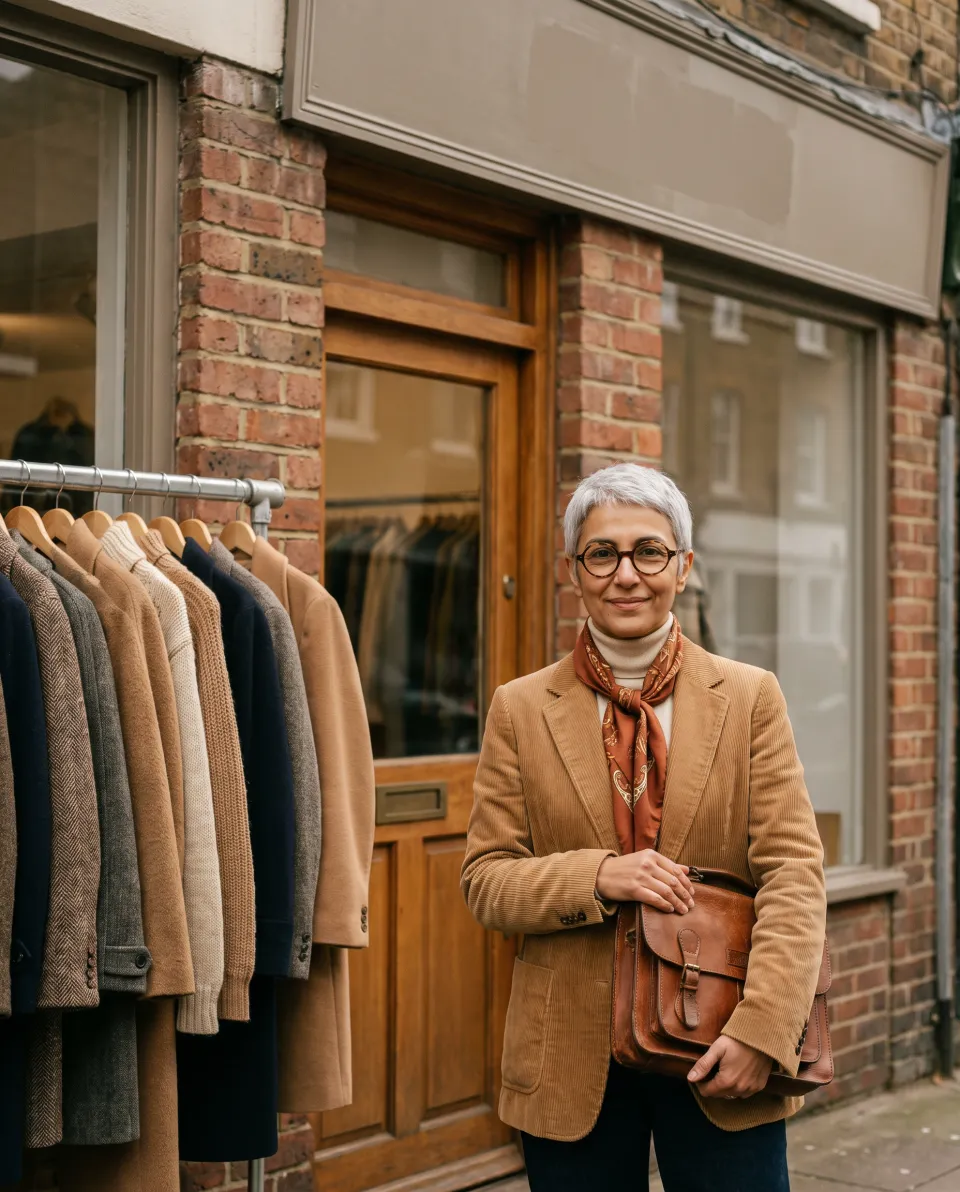 AI-generated example persona: a woman with a silver pixie cut and a camel corduroy blazer outside a vintage clothing shop
The vintage stylist. Fashion: thrift finds, outfit formulas, shop tours
The face earns the first look. The point of view earns the follow. AI influencers that keep an audience read as characters with a life, opinions and routines, not as a run of pretty frames, so the brief comes before any generation.
Fill in a one-page persona brief
- Identity. A name, an age, a city and a one-line bio you could put on the profile.
- Niche and sub-niche. Food, then weeknight pasta. Fitness, then desert trail running. The sub-niche is what makes the account findable.
- Audience. Who follows and why. “People who cook after work and want dinner in 20 minutes” beats “foodies”.
- Three content pillars. Series you can repeat every week, such as recipes, kitchen fails and ingredient hauls.
- Voice and boundaries. How they talk, the topics they avoid, and what they never do, such as giving medical, legal or money advice.
- Look notes. Hair, a signature colour, one wardrobe staple and an age range. You will use these in step 2.
Three example personas
| Persona | What they post | Who follows |
|---|---|---|
| Weeknight pasta cook | 20-minute recipes, kitchen fails, ingredient hauls | People who cook after work |
| Desert trail runner | Route vlogs, gear checks, recovery days | Beginner and weekend trail runners |
| Vintage stylist | Thrift finds, outfit formulas, shop tours | Shoppers who want style on a budget |
Pick a niche where advice can’t hurt anyone. Food, fashion, travel, gaming, everyday fitness and tech reviews suit a fictional host. Skip niches where a made-up person giving advice could cause real harm, such as medicine, law or investing.
Step 2: Design the look in Create Influencer
Open AI Influencer on ImagineArt and stay on the Create Influencer tab. Upload a photo, or build the character by tapping traits such as character type, gender, build, hairstyle, hair colour, style, ethnicity and age. Generate one to four variations, pick the one that matches your brief and keep that 2K character sheet.
Create Influencer in the live studio: Braids, Chestnut and Casual land under Picked Settings.
- Go to https://www.imagine.art/ai-influencer and open the Create Influencer tab.
- Choose a starting point. Upload a photo (JPG, JPEG, PNG or WEBP, up to 50 MB) and the character keeps that person’s face, or skip it and build someone new. Use your own face or the face of someone who has agreed.
- Open each trait and tap the option from your look notes. Your picks collect under Picked Settings, and Reset All clears them.
- Set Variations between one and four, then press Generate. Each result is a 2K character sheet with a close-up and a full-length shot side by side.
- Pick the variation that fits the brief and download it. That sheet is your influencer from now on.
You don’t need to write a prompt for any of this. Every trait is a tap, and the shuffle button beside Generate loads a ready-made look you can edit when you want a starting point.
Turn the persona into details that read on a phone
Followers meet your influencer at thumbnail size. Give them one signature: a hair colour, a pair of glasses, a jacket they always wear. One strong detail is easier to recognise, and easier to keep consistent, than a flawless face.
Original characters only. Build an original person or start from your own photo. Don’t recreate a celebrity, a public figure or anyone who hasn’t given you permission.
Step 3: Keep the face consistent in every post
Consistency is what makes an AI influencer believable. Reuse the same character sheet in every video instead of generating the face again, keep the hair and wardrobe anchors from your brief, and change the scene rather than the person. Followers accept a new city; they notice a new jawline.
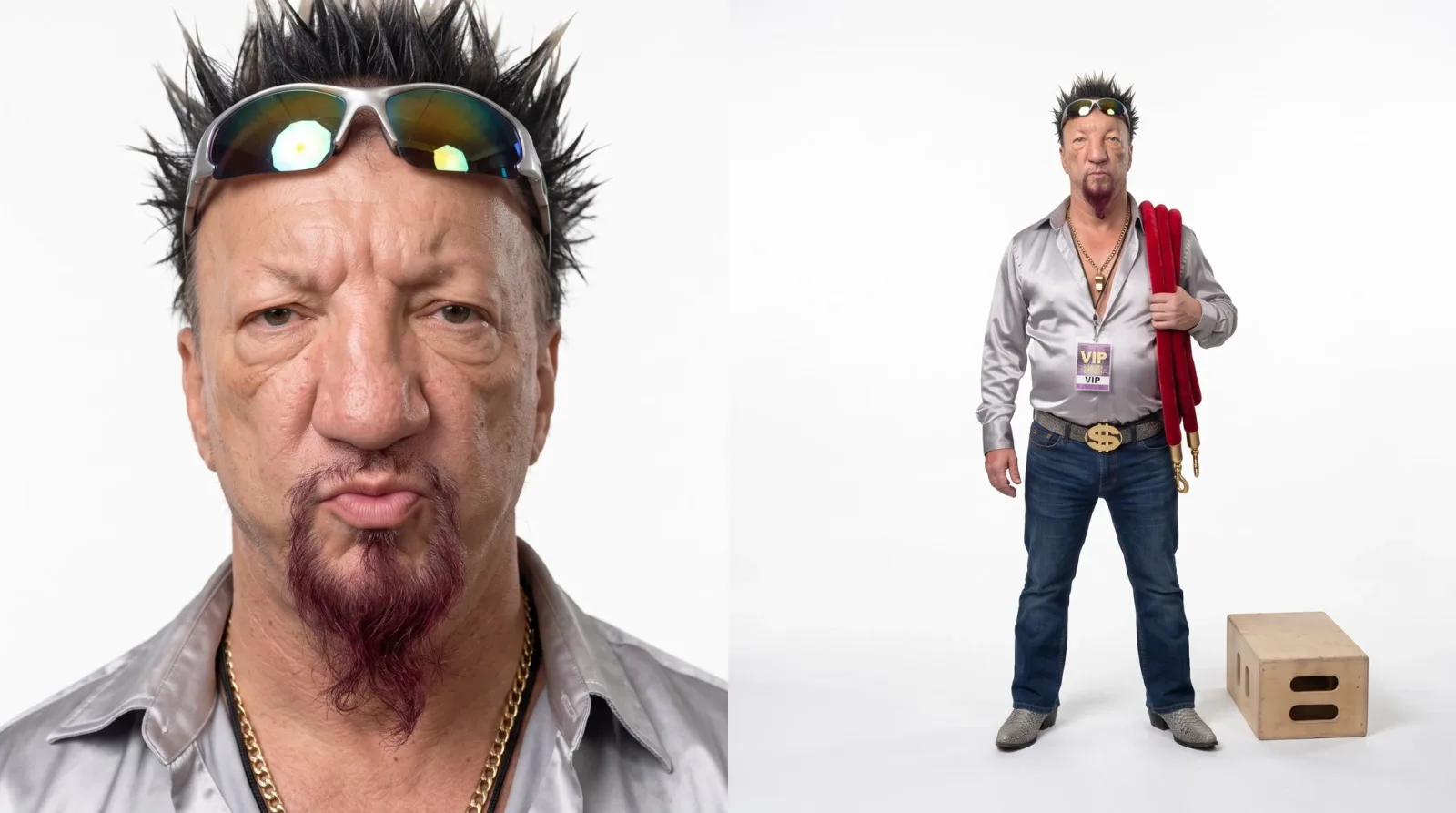 Character sheet of a man with spiky hair, wraparound sunglasses, a silver shirt and a VIP lanyard: a close-up beside a full-length shot
One character sheet
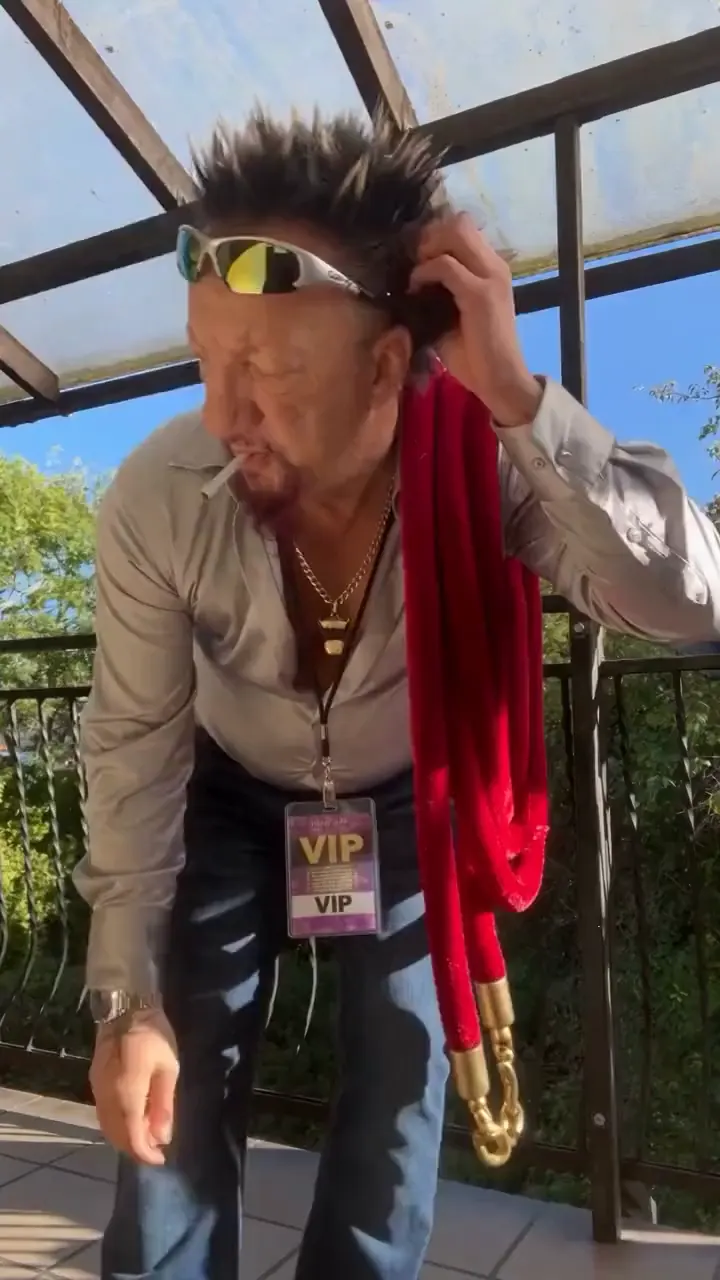 The same character on a glass-roofed terrace, made in Motion with the Glass Terrace Fit preset
The same face in Motion
When you add the sheet in Motion, the character takes the place of the person in the video and keeps the moves, timing and camera. The sheet carries the close-up and the full-length shot together, so the face and the outfit travel into every clip.
Consistency rules that save a feed
- One sheet per character. Name the file after the influencer and keep it next to your content plan.
- Change clothes, not faces. Add a new outfit as an extra image in Motion instead of generating the character again.
- New season, same person. For a fresh look, upload the old sheet’s close-up as the photo in Create Influencer, so the new sheet starts from the same face, then change the hair or style.
- Check before you post. Watch every video at full size: face shape, eye colour, hairline and any distinctive feature. If one drifts, make it again rather than post it.
How to make a realistic AI influencer
Realism comes from ordinary details. Pick everyday traits rather than extremes, give the character a believable age and build, and use references shot on a phone in real places with natural light. A stylised character works too; pick one register and stay in it, so the feed never mixes photoreal and fantasy by accident.
Step 4: Make your first AI influencer videos in Motion
Switch to the Motion Video tab. Pick one of about 150 Imagine presets or upload your own 4 to 30 second reference video, then add your character sheet. Add products or clothes as extra images, up to 30 in all, and use the optional prompt to set a new location. Motion renders with Seedance 2.5 at up to 1080p.
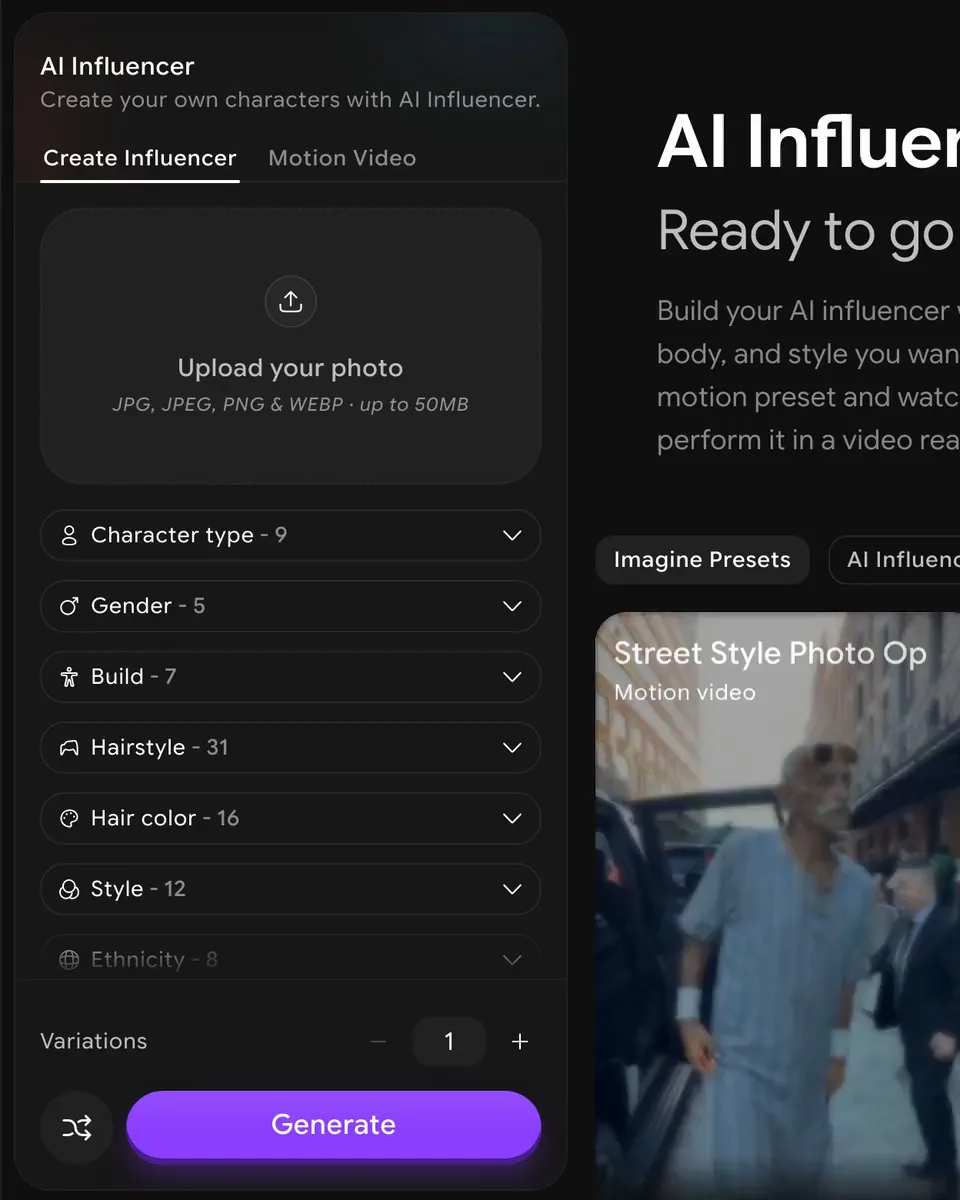 Switching to the Motion Video tab, scrolling past the reference video and image slots, and typing a new location into the prompt
Motion Video in the live studio: the optional prompt moves the same performance to a rooftop in Lisbon.
- Press Select Preset to browse Imagine presets, or Add a reference video of 4 to 30 seconds. Presets come with sound.
- Add your characters, products or clothes, up to 30 images. Type @ in the prompt to mention an attached image.
- Optionally describe a new scene, for example: “Same moves on a rooftop terrace in Lisbon at golden hour.”
- Leave Quality at 1080p and press Generate. Your character takes the place of the person in the video and keeps the moves, timing and camera.
- Download the result, share it, or recreate any preset with your own influencer.
Make a batch before you post
Open the account with six to nine videos ready, so a new visitor lands on a feed rather than a single post. Use the same sheet for all of them and vary the preset, the location in the prompt and the product.
For your own reference clips, film yourself or use footage you have the rights to. Clips with one person in clear view and good light are the easiest to judge when the result comes back.
Step 5: Plan a posting rhythm and formats
Post on a rhythm you can keep for months. Three to five short videos a week on one main platform is a sustainable start, mixed across a few repeatable formats: trends, POV skits, UGC-style product videos, and duets or stitches with other creators. Track which format earns follows, then make more of it.
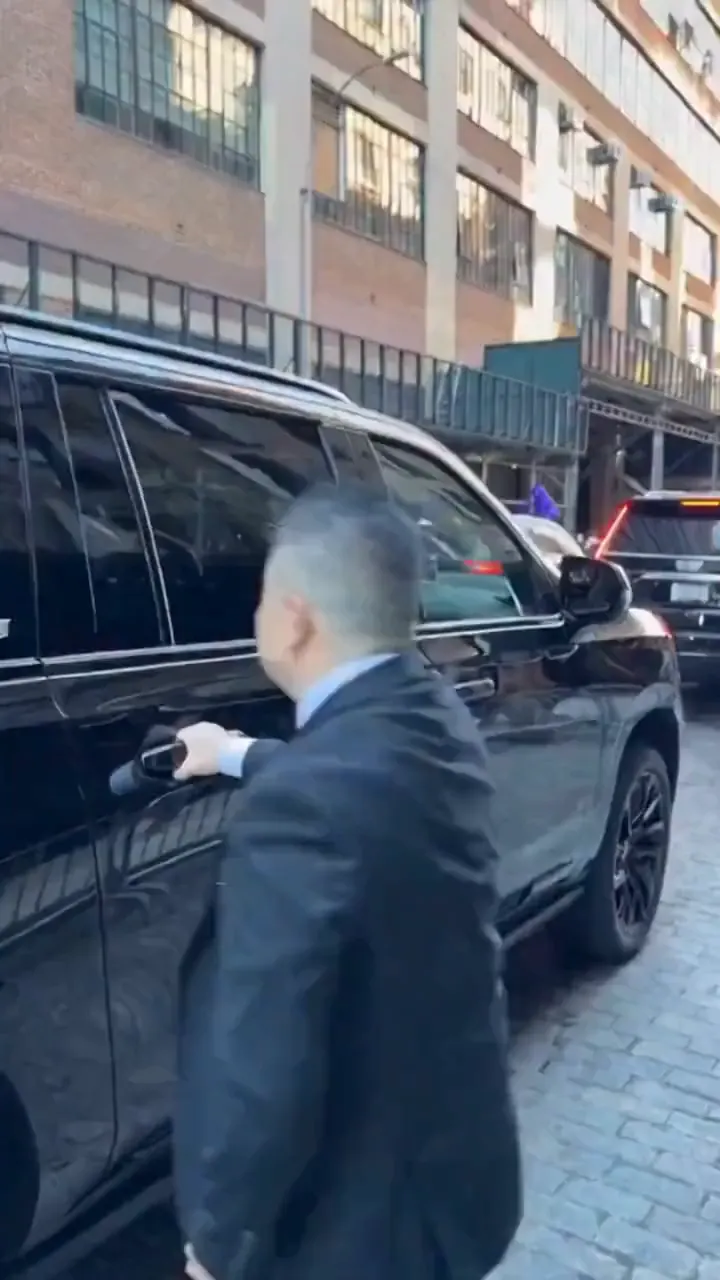 An older man in a striped robe with a cane stepping out of an SUV past a bodyguard, made with the Street Style Photo Op preset
Street-style moment: Street Style Photo Op preset
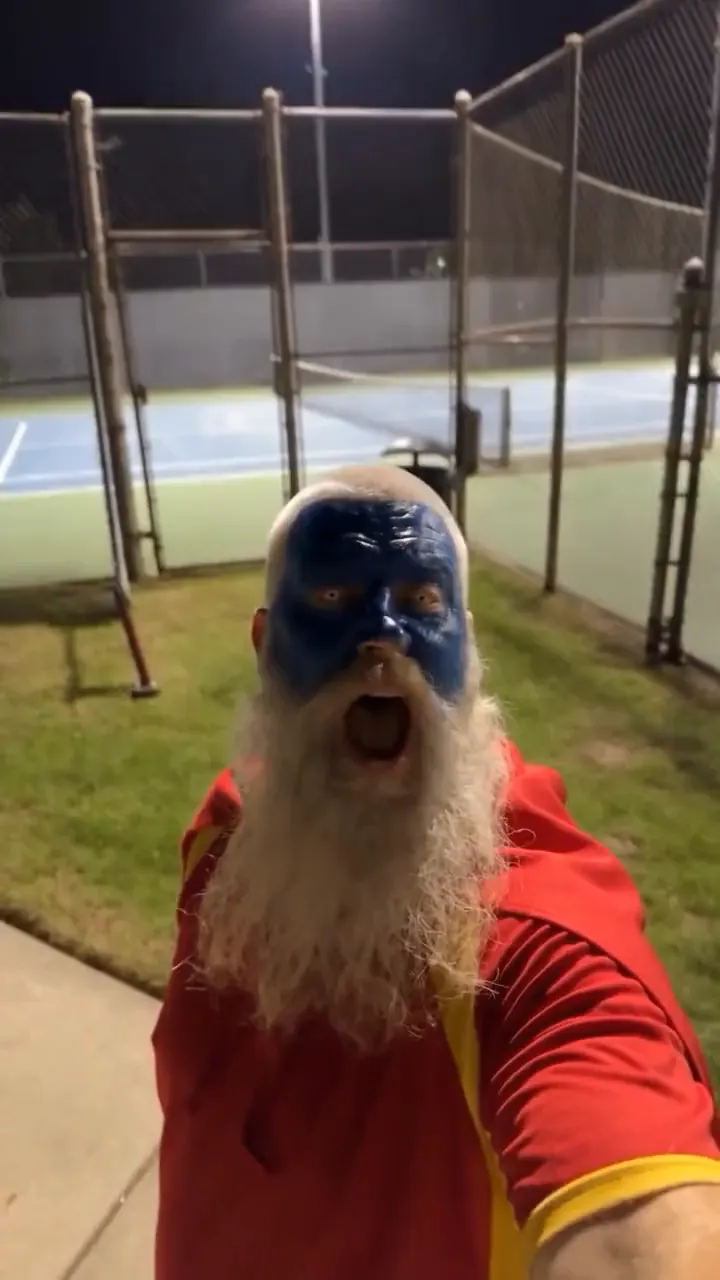 A bearded man with blue face paint filming a selfie beside a tennis court, made with the Night Tennis Court preset
Selfie POV: Night Tennis Court preset
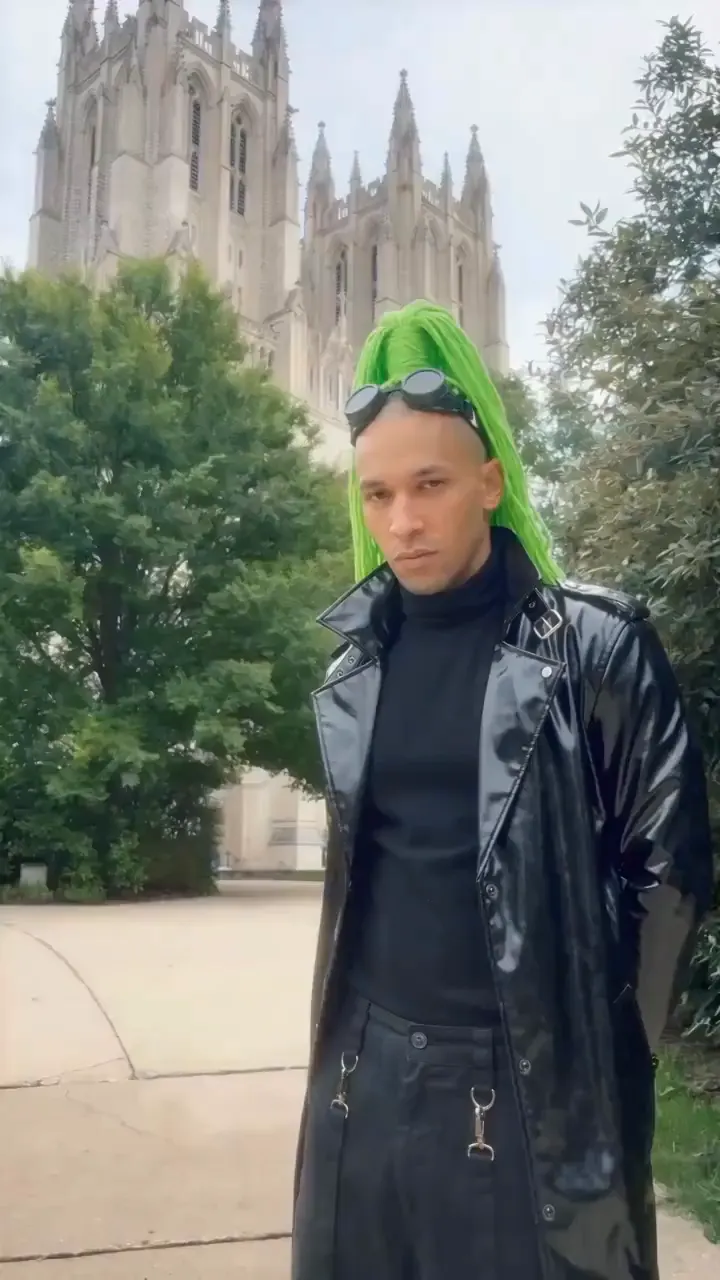 A man with bright green hair and a black leather coat posing outside a cathedral, made with the Cathedral Pose preset
Fit check: Cathedral Pose preset
What each format needs
- Trends. Speed beats polish. Pick a preset or reference that matches the move, then make it yours with the location.
- POV skits. The text on screen does the work; the character only has to react.
- UGC-style product videos. Add the product photo as an extra image so it shows up in the scene, and only feature products the brand has approved.
- Duets and stitches. Use the platform’s own tools, and only duet creators who allow it.
Hook viewers in the first second, caption every video, and keep the same name and handle everywhere.
Reply to comments in the character’s voice, and keep the AI line in the bio so nobody feels tricked when they find out.
A weekly plan you can copy
| Day | Format | Example for the pasta cook |
|---|---|---|
| Monday | Trend | This week’s trending move, performed in her kitchen, with the location set in the prompt |
| Wednesday | POV skit | “POV: you said you’d only have one bite.” On-screen text carries the joke |
| Friday | UGC-style product video | Holding up the pasta maker she actually uses, added as an extra image in Motion |
| Sunday | Duet or stitch | Answering a follower’s question, or another cook’s recipe, with the platform’s duet tool |
Step 6: Label it as AI and disclose sponsorships
Tell people your influencer is AI-generated, every time. Turn on the platform’s AI label when you post realistic AI video, say it in the bio, and mark every paid post as an ad. The FTC treats virtual influencers as endorsers, and Meta, TikTok and YouTube all ask creators to label realistic AI content.
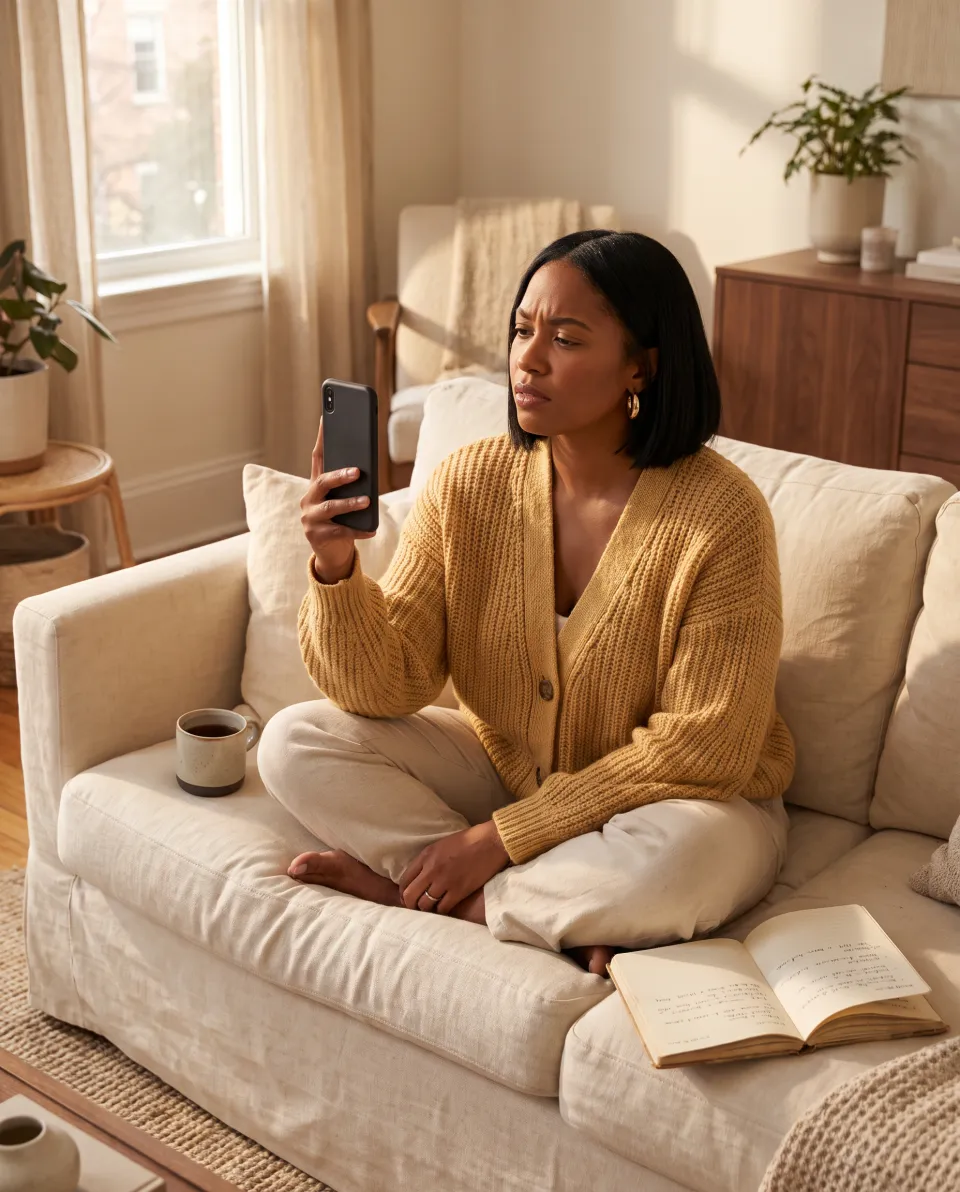 A woman in a honey-yellow cardigan on a sofa, checking a post on her phone before she publishes it
Check the label, the bio line and the ad disclosure before every post.
The rules to know, checked 10 November 2026
| Rule | What to do |
|---|---|
| FTC Endorsement Guides. The 2023 revision clarified that endorsements include virtual influencers. Paid relationships must be disclosed clearly and conspicuously, and a platform’s built-in tool may not be enough on its own. | Start the caption with “Ad” or “#ad”, and say it in the video itself. |
| Meta (Instagram, Facebook, Threads). People must use the AI label when they post photorealistic video or realistic-sounding audio that was digitally created or altered, and Meta may apply penalties if they don’t. | Switch on the AI label when you share each Reel. |
| TikTok Community Guidelines. Creators must label AI-generated or significantly edited content that shows realistic-looking scenes or people. Unlabelled content may be removed, restricted or labelled by TikTok. | Turn on the AI-generated content setting before you post. |
| YouTube. Creators disclose realistic content made or altered with AI through the AI use setting in YouTube Studio. Non-realistic content and minor edits don’t need it. | Tick the AI use setting on every realistic upload. |
| EU AI Act, Article 50. From 2 August 2026, people who publish AI-generated or manipulated image, audio or video that counts as a deep fake must disclose that it is artificially generated. Clearly creative or fictional work can do this in a way that doesn’t spoil it. | For EU audiences, keep the AI label on every realistic video. |
Two more rules protect you and your followers. Never base a character on someone without their consent, and never let the character claim experiences it can’t have. An AI influencer can show a serum, but it can’t say the serum cleared its skin: under the FTC’s Endorsement Guides, endorsers can be liable for falsely claiming they used a product.
A bio line as plain as “AI-generated character, not a real person” does most of the work. The FTC’s answers for influencers also note that viewers are more likely to miss a disclosure at the end of a video, so put it early.
This is general guidance, not legal advice. Have a lawyer read brand contracts before you sign.
Step 7: Grow and make money with your AI influencer
AI influencers earn the way human creators do: sponsored posts, UGC videos that brands run as ads, affiliate links and platform payout programs. None of it works without an engaged audience in one niche, so treat the first months as audience building and keep a record of your views, follows and best posts to show brands.
 A young man in a cream sweater holding a small amber dropper bottle with a blank label up to the camera, in the style of a UGC product video
A UGC-style product shot: the format brands buy to run as ads.
Four ways AI influencers make money
- Brand deals. Pitch brands in your niche with a one-page media kit: who follows, average views, three example videos and your rates. Disclose every deal.
- UGC for brands. Make product videos that a brand posts from its own account or runs as ads. You are selling the video, so a small following matters less.
- Affiliate links. Earn a commission when followers buy through your link, and disclose the link in the post, not only in the bio.
- Platform programs. The YouTube Partner Program shares ad revenue once a channel has 1,000 subscribers plus either 4,000 public watch hours in 12 months or 10 million Shorts views in 90 days. TikTok runs its own Creator Rewards Program, with eligibility shown in the app.
Payout programs reward original work. YouTube’s monetisation policies exclude content that is mass-produced, generic or repetitive, one more reason the persona and the format plan matter more than volume.
What AI influencers really earn
Public numbers are rare and self-reported. The most quoted example is Aitana López, an AI model made by the Barcelona agency The Clueless. Her creators told Euronews she can earn up to €10,000 a month, with about €3,000 in a typical month (article updated 27 December 2024). Treat any earnings screenshot as marketing until you see the contract.
Grow before you sell
- Reply to comments in the first hour after posting, in the character’s voice.
- Collaborate with creators in the same niche through duets and shared trends.
- Post natively on a second platform rather than reposting with another app’s watermark.
- Each month, keep your three best formats, drop the weakest one and test one new idea.
Frequently asked questions
Can I create an AI influencer?
Yes. Anyone can create an AI influencer with an AI influencer generator. On ImagineArt you build the character in Create Influencer from a photo or by picking traits, then make videos in Motion from a preset or your own clip. Use your own face or the face of someone who has agreed, and don't copy a celebrity.
How do I make an AI influencer step by step?
Pick a niche and write a persona brief, design the look in Create Influencer, save the character sheet and reuse it, make videos in Motion, plan a weekly mix of formats, label every post as AI and disclose paid deals, then grow an audience before you pitch brands.
Is it legal to create AI influencers?
Generally yes, as long as the character isn't based on a real person without consent, you follow each platform's AI labelling rules, and you disclose paid relationships under the FTC's Endorsement Guides, which cover virtual influencers. In the EU, Article 50 of the AI Act requires deep fakes to be disclosed from 2 August 2026. This is general guidance, not legal advice.
Can I create an AI influencer for free?
You can sign up for ImagineArt without paying, but generating characters and videos uses credits from a plan. The Generate button shows the cost before you run it, and current plans are listed on the ImagineArt pricing page.
How do I create a realistic AI influencer?
Choose everyday traits rather than extremes, give the character a believable age and build, reuse one character sheet in every video, and pick reference clips filmed on a phone in real places with natural light. Check each video at full size for drift before you post it.
How do I keep my AI influencer's face consistent?
Generate the face once as a character sheet and add that same sheet in Motion for every video. Change outfits by adding clothes as extra images instead of generating a new face, and make a video again if the face drifts.
Can I make the AI influencer look like me?
Yes. Upload your photo in Create Influencer and the character keeps your face while you change the hair, style and other traits. Only upload photos of yourself or of someone who has agreed to it.
What should an AI influencer post?
Repeatable short-video formats that suit the niche: trends, POV skits, UGC-style product videos, and duets or stitches with other creators. Three to five videos a week on one main platform is a sustainable start.
Do I have to say my influencer is AI?
For realistic content on the major platforms, yes. Meta requires an AI label on photorealistic AI video, TikTok requires labels on realistic AI content, and YouTube asks for disclosure with the AI use setting in YouTube Studio. Paid posts also need an ad disclosure under the FTC's rules.
Are AI influencers really making money?
Some are, mostly through brand deals and UGC videos for brands, plus affiliate links and platform programs. Figures are self-reported: the agency The Clueless told Euronews that its AI model Aitana López can earn up to €10,000 a month, with about €3,000 in a typical month (article updated 27 December 2024).
Who is the highest paid AI influencer?
There is no audited ranking of AI influencer income. Most published figures come from the creators themselves, such as The Clueless saying Aitana López can earn up to €10,000 a month, as reported by Euronews. Treat any ranking without contracts or filings behind it as an estimate.
Make your AI influencer next
Start in ImagineArt AI Influencer: build the character, save the sheet, and make the first batch of videos.
Zahida Misher
Exploring how AI transforms marketing, I help businesses unlock growth and future-proof their presence.
View all articlesRecent posts
The Best AI Avatar Generators In 2027: 11 Tools Compared And Ranked
50 Types of Art Styles: Definitions, Examples and AI Prompts

How to Edit Images With Ideogram 4.6: 38 Edits, Prompts and Results