Zahida Misher
November 20, 2026 • Updated November 25, 2026
8 mins Read
Rockstar's official GTA 6 poster costs $0.99. On November 20, 2026, a day after launch, its store still didn't list it.
That's the double-sided print Rockstar promised for its store "shortly after launch". The same art is already a free download. The catch: the free file goes soft if you print it at the size Rockstar labels it.
This guide covers three routes: download the official art, buy a print without getting a knock-off, or build your own GTA-style cover with AI from a pixel-exact template.
By Misher · Updated November 20, 2026 · How we made this: we read Rockstar's Newswire and artwork page, two print shops' file-setup guides and ImagineArt's tool pages. Every computed figure is our own arithmetic. No test generations were run: the prompts are prompts to try.
This is a fan guide. It's GTA-inspired and not affiliated with or endorsed by Rockstar Games or Take-Two.
Three ways to get the poster this week
| You want | Route | Cost | Catch |
|---|---|---|---|
| The official cover art | Free printable from Rockstar | Free | About 146 pixels per inch at its labelled size |
| An official physical print | Rockstar Store double-sided poster | $0.99, or free with any store order | Not listed when we checked |
| Your own GTA-style cover | Make it with AI, then print | Your print costs | You're the art director |
None of the top results explain the third route. It starts with the GTA art style: thick ink outlines, sunburnt colour and characters about to make a bad decision. You'll build most of it in Nano Banana Pro on ImagineArt.
Where can you download the official GTA 6 poster?
You download it free from Rockstar's artwork and wallpapers page. Open "Leonida Map & Cover Art Poster" and pick a variant: the cover art or the map of Leonida, each as a plain file or a "Printable" one. Every variant is 2,805 x 3,840 pixels.
Rockstar's November 3 Newswire post promised both printables for November 19, plus a physical double-sided version at $0.99 on its own, or free with any Rockstar Store purchase.
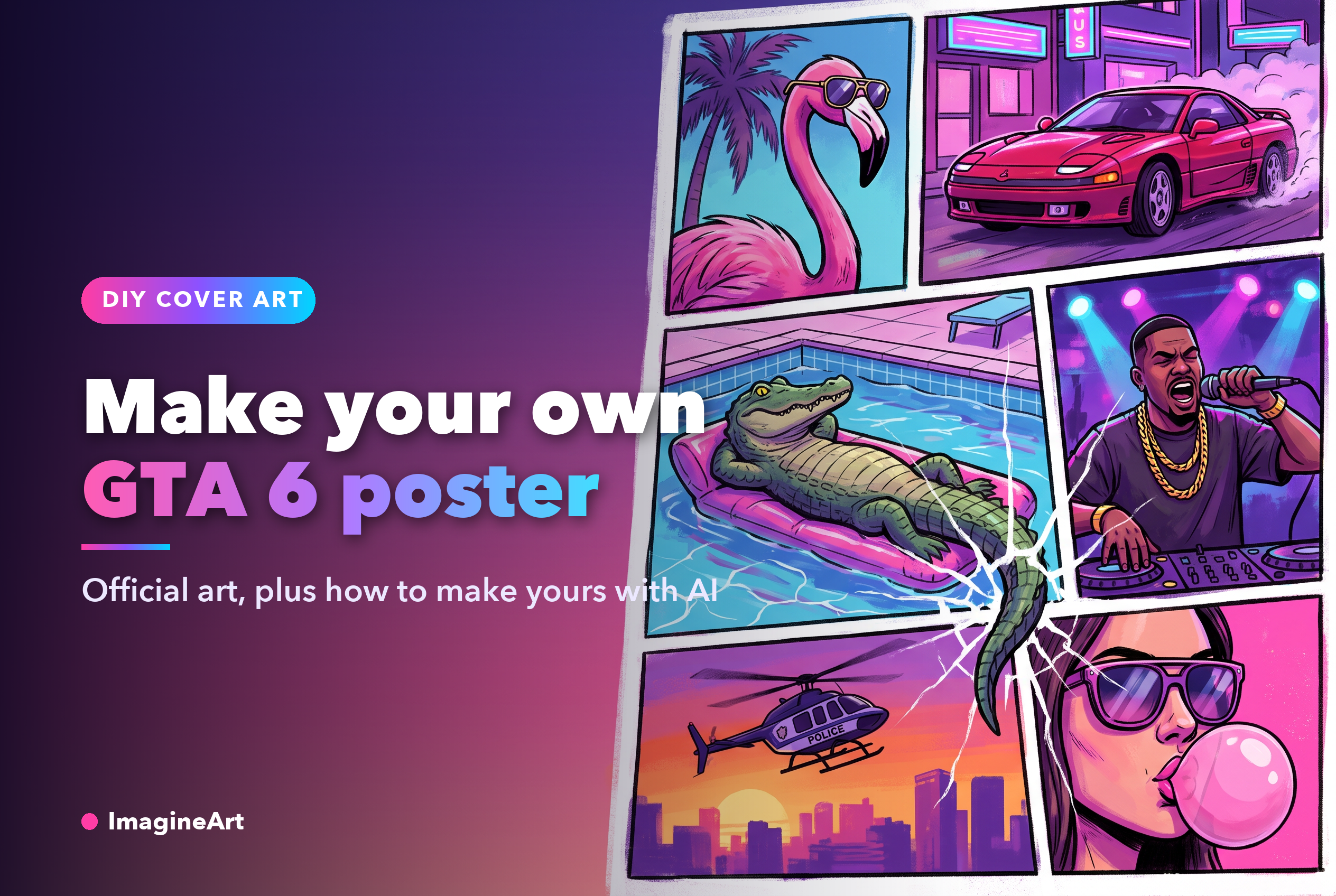
The GTA 6 cover art is a grid of illustrated panels around the logo. Jason and Lucia hold the big panel, surrounded by a helicopter, a speedboat with a flamingo, a sports car, an alligator and a few people you wouldn't lend money to.
None of the top results run this number. The printable is labelled 19.25 x 26.33 inches, and 2,805 pixels over 19.25 inches is about 146 pixels per inch. Fine across a room. Soft up close.
Will GTA 6 come with a poster or a map?
No map is expected in the box, per RockstarINTEL and Notebookcheck, and Rockstar doesn't promise a poster in the box. Its official answer is the free printable cover art poster and Leonida map on its site, plus a $0.99 double-sided print from the Rockstar Store. Some retail cases do hold a poster, the same reports say.
The retail poster surfaced on MediaMarkt's Instagram. RockstarINTEL reported cover art on one side and other artwork with a "Welcome to Vice City" logo on the back. Notebookcheck's November 9 update says unboxings confirmed it inside the retail case, and the poster shown has no map of Vice City or Leonida. Rockstar's launch-day post mentions only the free download and the store print, not a poster in the box.
Buying a printed GTA poster: licensed or not
Buying a printed GTA poster? Read the licence line before the price. On eBay's results page on November 20, 2026, the filter showed 530 "Licensed Reprint" listings, 41 "Original" and 2,082 "Not Specified".
Rockstar Games and R* are Take-Two Interactive marks, per the Rockstar Store footer. Rockstar's own print is the safe bet.
How to make a GTA 6 poster with AI
Use ImagineArt as your GTA cover maker: build the panels one at a time, then assemble them. Each panel then gets the full 4K output instead of a sliver of one image.
- Cast your own characters. Your photo or invented people. Never Jason, Lucia or the real actors, and never "the official GTA 6 cover".
- Lock one look. Write a style line once and reuse it: bold ink outlines, saturated sunset palette, flat comic shading.
- Generate panels at 4K. Nano Banana Pro outputs 2K and 4K and takes up to 14 reference images, keeping up to five people consistent. ImagineArt's own GTA VI-inspired short film ran on Nano Banana Pro stills at 4K.
- Starring yourself? The AI movie poster generator turns one photo plus a genre prompt into a cinematic poster, with title text if you ask.
- Assemble the grid in any layout app using the template below. Add your own title, never the GTA logo or the "VI" mark.
- Upscale, then print.
A panel prompt to try:
Same character as @Image1, a woman in her forties with a silver bob and a mint linen suit, bold crime-comic poster style, thick ink outlines, pink and teal sunset, stepping off a speedboat with a duffel bag, low angle, no logos, no text.
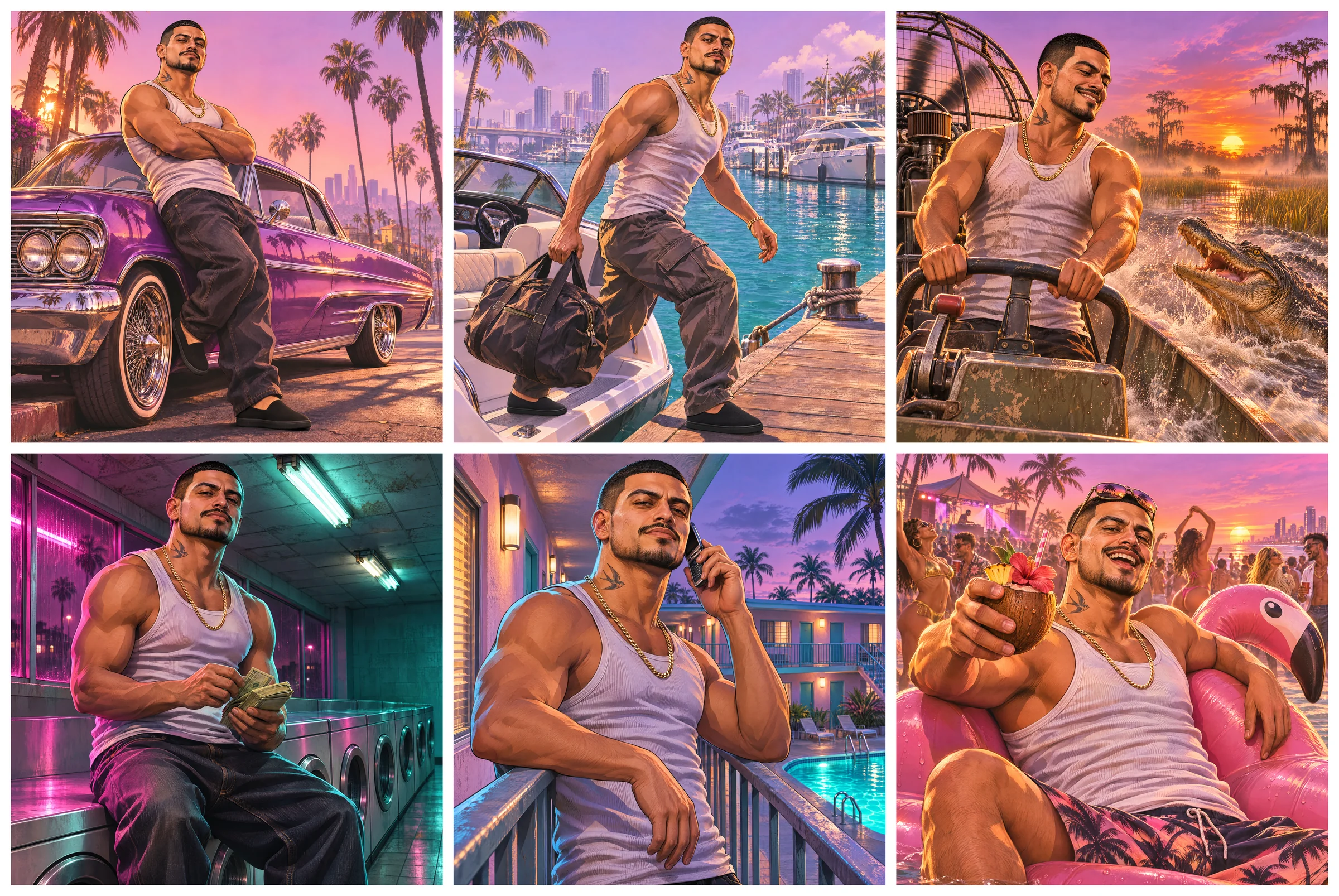 One reference portrait, six scenes, same face in every panel. Made on ImagineArt with GPT Image 2.6.
A GTA cover art template you can copy
This GTA cover art template fits an 18 x 24 inch print at 300 DPI: a 5,400 x 7,200 pixel canvas. Three 1,680 px columns, four 1,695 px rows, 120 px margins, 60 px gutters.
| Panel | Where | Size (px) | Generate at |
|---|---|---|---|
| A, hero | columns 1 to 2, rows 1 to 2 | 3,420 x 3,450 | 1:1 |
| B, tall | column 3, rows 1 to 2 | 1,680 x 3,450 | 9:16, then crop |
| C | column 1, row 3 | 1,680 x 1,695 | 1:1 |
| Title | columns 2 to 3, row 3 | 3,420 x 1,695 | your own type |
| D, E, F | row 4 | 1,680 x 1,695 each | 1:1 |
Main pair in A. Vertical action in B: a jump, a falling bag of cash. Props in C to F.
A cover is a crowd scene. A GTA loading screen is one hero, full bleed. Pick one first.
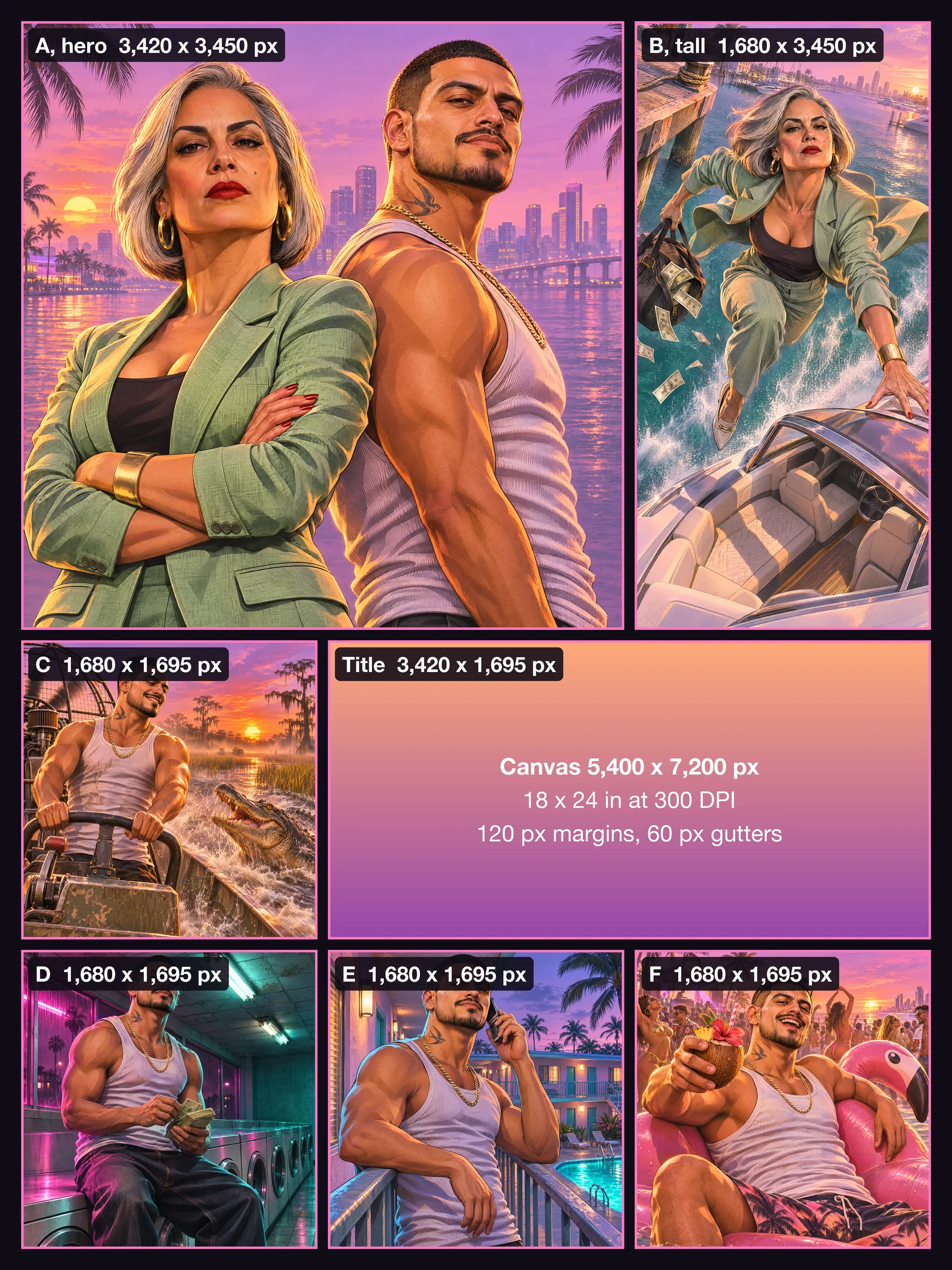 The template above, built to the pixel: 5,400 x 7,200 px, 120 px margins, 60 px gutters. "SUNSET RUN" is our own title, not a GTA wordmark.
What resolution does a GTA 6 poster need for print?
For an 18 x 24 inch GTA 6 poster, aim for 5,400 x 7,200 pixels (300 DPI) if people stand close, or 4,320 x 5,760 (240 DPI) for a wall seen from a few steps back.
Vistaprint's poster prep guide lists 240 DPI for 18 x 24 and calls 300 a standard, not a rule. 4over4 puts posters up to 24 x 36 seen from three feet at 200 DPI.
| Print size | DPI | Pixels needed |
|---|---|---|
| 11 x 17 in | 300 | 3,300 x 5,100 |
| 18 x 24 in | 240 | 4,320 x 5,760 |
| 18 x 24 in | 300 | 5,400 x 7,200 |
| 24 x 36 in | 200 | 4,800 x 7,200 |
The template's biggest slot is 3,450 px, so a 4K panel that size or larger needs no upscale. Upscaling matters for a single-image poster: a 4K output starts at 3,840 px on the long side, per ImagineArt's Nano Banana Pro page, and 7,200 takes 1.875x, so upscale 2x. ImagineArt's image upscaler runs Topaz Gigapixel and goes up to 16x. Then add 0.125 inch of bleed per side (5,475 x 7,275 px), keep text at least 0.25 inch (75 px at 300 DPI) inside the trim and export a CMYK PDF, as Vistaprint advises.
Frequently asked questions
Yes. On letter or A4 paper it's crisp: the 2,805 x 3,840 file holds 300 DPI up to 9.35 x 12.8 inches, bigger than either sheet. For 11.7 x 16 inches at 240 DPI, use a print shop. The full labelled size works too, just softer up close.
Not with Rockstar's names or logos on it: the Rockstar Store footer lists Rockstar Games and R* as Take-Two Interactive marks. Keep fan posters personal, with original characters and your own title.
Yes, as a download. The Leonida map sits beside the cover art in Rockstar's printable set. The double-sided physical version costs $0.99 at the Rockstar Store, or comes free with any store order.
Your wall, your cover
The official GTA 6 poster is free on Rockstar's site, and the $0.99 print is on its way to the Rockstar Store. Print the free file around 11.7 x 16 inches and it stays crisp.
Want one nobody else has? Use the seven-block template, generate each panel at 4K with original characters, add your own title and export at 5,400 x 7,200 for an 18 x 24 inch print. One-image poster? Upscale it 2x first.
Then make it move. ImagineArt's image to video mode can animate the finished poster, and our guide to how to animate a still picture covers the prompts.
The finished poster as an 8-second 3:4 clip, made with Seedance 2.5 on ImagineArt. The title holds.
Zahida Misher
Exploring how AI transforms marketing, I help businesses unlock growth and future-proof their presence.
View all articlesRecent posts
The Best AI Avatar Generators In 2027: 11 Tools Compared And Ranked
50 Types of Art Styles: Definitions, Examples and AI Prompts
How to Edit Images With Ideogram 4.6: 38 Edits, Prompts and Results