
Tooba Siddiqui
October 28, 2025 • Updated July 3, 2026
10 mins Read
Grok is xAI's AI image generator, built into the X platform and available on ImagineArt. It turns text prompts into detailed visuals in 3–5 seconds, supports image-to-video conversion, and pulls on real-time data from X, making it one of the few AI image tools that can generate trend-based and current-events content the moment something goes viral.
Like the literal meaning of the word, Grok truly does understand what your requirements are. The AI technology introduced by Elon Musk is more than just a chatbot, from adding dance moves to a still image to visualizing complex concepts. Where most AI image generators create visuals for social media, Grok AI is well-embedded into one of the most used social media platforms — X (formerly Twitter). So, if you want rapid content creation for your X account, prompt it on Grok.
What is Grok AI?
Elon Musk's xAI built Grok to compete with ChatGPT and Google Gemini — and it carved out its own lane fast. Unlike its rivals, Grok is known for direct, no-filter responses, a sarcastic sense of humor, and a willingness to engage with topics other AI systems sidestep. Where ChatGPT and Gemini play it safe, Grok says what it thinks.
The image and video generation side of Grok lives under Grok Imagine — the creative arm of the platform. Powered by Aurora, an autoregressive mixture-of-experts transformer trained on multimodal datasets, Grok Imagine generates photorealistic and stylized visuals from detailed text prompts across 10+ aspect ratios and a wide range of styles — photorealism, anime, fantasy, editorial, and abstract. For video, Grok Imagine Video 1.5 converts images into cinematic clips with native audio generation, sequential frame rendering for motion coherence, and precise camera behavior.
The most recent major release was Grok 4 in 2025, bringing improved image generation, greater stylistic range, and stronger prompt adherence across complex, multi-element scenes. On ImagineArt, you can access both Grok Imagine and Grok Imagine Video 1.5 as part of a 30+ model library — no X subscription required.
Key Features:
Speed: The model can produce quality visuals in JPEG within 3 to 5 seconds.
Text-to-Image Generation: Grok AI can transform descriptive prompts into well-detailed visuals with incredible consistency and zero visual artefacts.
Image-to-Video: The AI model can convert quality images into short clips that are 6 to 15 seconds long. The generated videos have seamless transitions and smooth narrative flow, without any awkward shifts or unwanted elements.
Image Editing: Grok AI allows you to input any generated image and edit it using text prompts. Mention the required edits in clear detail for accurate editing.
Output Options: Grok AI image generator can create up to 4 generations per prompt, with support of up to 10 aspect ratios and high resolution
Trend-based Results: Since Grok AI is embedded into the X platform, you can generate funny memes or quality visuals based on the trends or current information.
How Does Grok AI Image Generator Work?
Grok AI image generator has a mixture-of-experts network and an Aurora model developed by xAI. The model produces an image, building it pixel by pixel. It is trained on a large, interleaved dataset of images and text from the internet, enabling the AI image generator to interpret text, adhere to the prompt, and generate detailed visuals.
For example, enter a prompt “a sunset over a mountain range with a tranquil lake in the foreground” and watch how accurately Grok handles the visual details. Grok image generator can combine different styles, enhance details, and incorporate intricate elements without any manual editing. The stylistic flexibility is a distinctive feature of Grok 4 AI, allowing you to create images with impressionism, surrealism, and minimalism.
Step-by-Step Guide: How to Use Grok AI Image Generator
Now that you have grokked the basics of Grok AI image generator, let’s explore the process of using Grok AI image generator (in Grok humor):
Step 1: Log into X account
Don’t have an X account? Create one — it’s free. You can log into X account using the web or the X mobile application. Once logged in, tap that slashed circle symbol (it’s a black hole, just like Gargantua from Interstellar) if you are using it on the web. On the mobile app, swipe like you do on shady dating profiles.
Step 2: Enter a Prompt
In the Grok chat box, type in the text-based prompt with clear descriptions of character and scenes (add transitions, if you want to convert it into a video). Ensure textual clarity and avoid using technical jargon — you are human, so prompt likeyou’d understand it too. For instance:
- Simple prompt: “A dog running on a beach.”
- Detailed prompt: “A golden retriever running along a sandy beach during sunset, with waves crashing in the background and a colorful sky.”
Step 3: Customize
Grok AI image generator allows you to refine the generated images:
- Resolution: Set the resolution, including low, medium, or high.
- Size: Pick the right size, from small thumbnails to large banners.
- Style: Define the artistic style, such as photorealistic, oil painting, or cartoonish.
Ensure specificity for tailored outputs — Grok is AI, not your human best friend.
Step 4: Generate
Once you have finalized the prompt and image settings and hit generate. The AI image model will take a few seconds, faster than you can say “add more sparkles.” To edit the image, simply upload the image and ask Grok image generator to make it Oscar-worthy or style it like Van Gogh.
Step 5: Download
Download, share, post, or reiterate like a mad scientist till you have achieved the humanly-possible perfection. Whatever your edits or reiterations are, this xAI image generator will help you create outputs that match your vision.
How to Use Grok AI Image Generator on ImagineArt
Don't have an X account or just want more control over your output? ImagineArt gives you access to xAI's Grok AI image generator, with same generation quality and a full editing suite built in.
Step 1: Log Into ImagineArt
Head to ImagineArt and sign in. If you don't have an account yet, creating one is free and takes under a minute — no credit card required. Free daily credits refresh every day, so you can start generating with Grok straight away without committing to a plan.
Step 2: Open the Image Generator and Select Grok
Navigate to the AI Image Generator. Click the model selector at the top of the generation panel, and you'll see ImagineArt's full model library. Scroll to find Grok Imagine AI image generator or type it in the search bar. Select it and you're ready. Grok will now handle every generation until you switch models.
Step 3: Write Your Prompt
Type your prompt in the input field. Grok responds well to structured descriptions — the more context you give it, the more intentional the result. A strong prompt covers five things:
- Subject — who or what is in the image ("a street photographer in Tokyo")
- Setting — where and when ("on a rain-soaked street at night")
- Lighting — how it's lit ("neon signs reflecting off wet pavement")
- Style — the aesthetic ("cinematic, high contrast, 35mm film grain")
- Mood — the feeling ("moody, atmospheric, solitary")
Not sure where to start? Use ImagineArt's built-in Prompt Enhancer to rewrite and sharpen your input automatically before generating.
Step 4: Customize Your Settings
Before hitting generate, refine your output settings in the side panel:
- Aspect ratio: Grok supports up to 10 ratios. Pick 1:1 for social posts, 16:9 for banners, 9:16 for Reels and Stories, or 4:3 for general use
- Style and effects: Layer on artistic styles or cinematic effects directly by clicking on 'Add references' and without rewriting your prompt
- Number of outputs: Generate up to 4 variations per prompt and compare before downloading
Step 5: Generate, Edit, and Download
Hit Generate. Grok typically returns results in 3–5 seconds. If the output needs refining, you have two options: tweak the prompt and regenerate, or take it straight into ImagineArt AI image editor. You can upscale to 4K, remove or swap the background, use Inpaint to replace specific areas, add Magic Text, or adjust lighting with Relight, all without leaving the platform.
Once you're happy, download in high resolution or keep iterating. Unlike using Grok directly on X, everything you create here is saved to your ImagineArt asset library.
Tips to Create Images with Grok AI Image Generator
Creating realistic or artistic AI images with Grok AI image generator requires a bit of craft. Here’s how you can create stunning images:
- Descriptive Prompts: The more details you add, the more accurate the result. For instance, try “a fluffy Persian cat sitting in a garden surrounded by vibrant flowers” instead of “a cat in a garden.” Describe the action, mood, tone, main character, and action sequence clearly.
- Stylistic Experimentation: Don’t restrict yourself to a few styles or visual effects, try different artistic approaches and effects — from abstraction to photorealism. Highlight the key details of the scene and environment before mentioning the style preference, and add effects for improved composition.
- Reiterate: There’s a chance that the generated image doesn’t align with your vision. Tweak your prompt, add more details, or readjust the settings. Sometimes, a few quick changes can result in impressive outputs.
- Leverage Advanced Features: In case you are using Grok 4 AI, try out the advanced AI image generation and AI image editing features to modify, enhance, and transform images based on prompts.
Use Cases for Grok AI Image Generator
Grok AI image generator offers versatility, making it ideal for different use cases, such as:
Creative
Artists, illustrators, and designers can use Grok AI image generator to produce detailed concept art, digital illustrations, artworks, and other inspirational work in different styles. With its chat feature, Grok AI is ideal for brainstorming ideas or discussing styles and experiments before creating something from scratch.
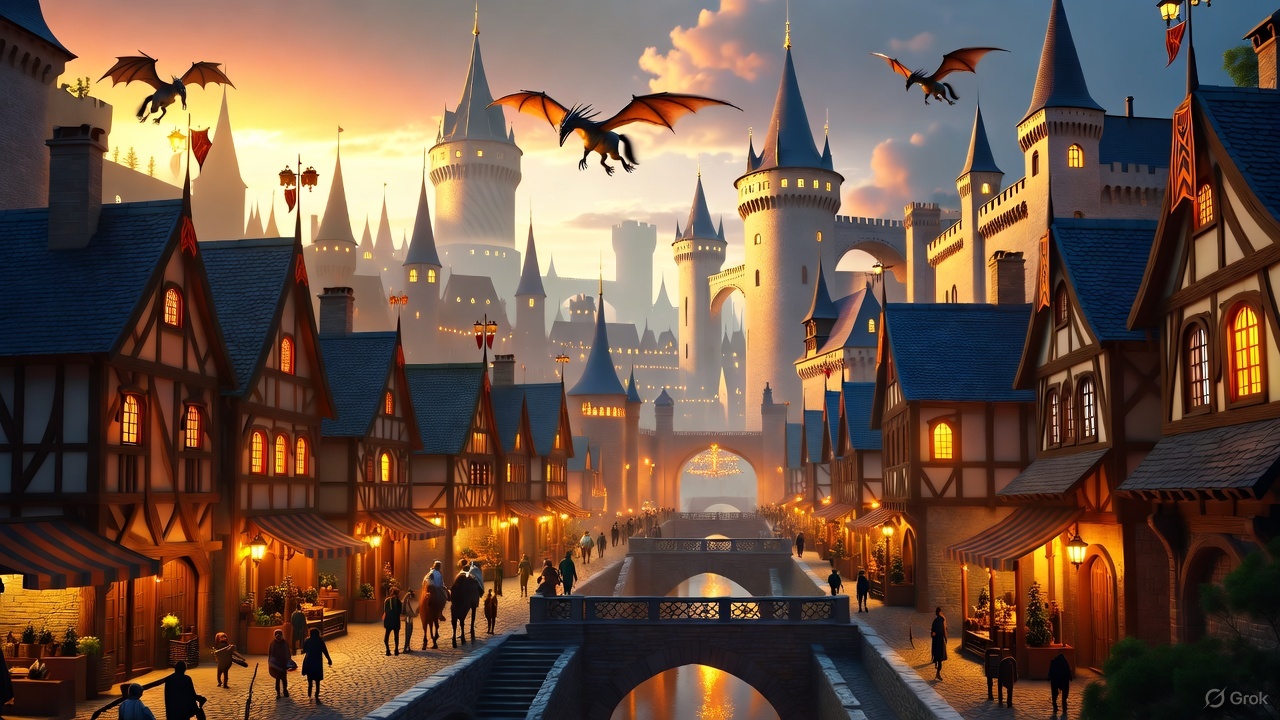 Generated by Grok AI image generator
Marketing and Branding
Marketing and branding professionals can use Grok AI image generator to create social media visuals, marketing campaigns, digital ads, blog posts, website designs, product photography, and more. It helps improve efficiency and speed up the creative process, making it perfect for time-sensitive projects and strict deadlines.
 Generated by Grok AI image generator
Content Creators
From bloggers and social media influencers to vloggers and YouTubers, Grok AI image generator can produce high-quality thumbnail images, banners, and social media visuals of all sizes for different platforms and channels. Social media creators can even work on different meme ideas to go viral.
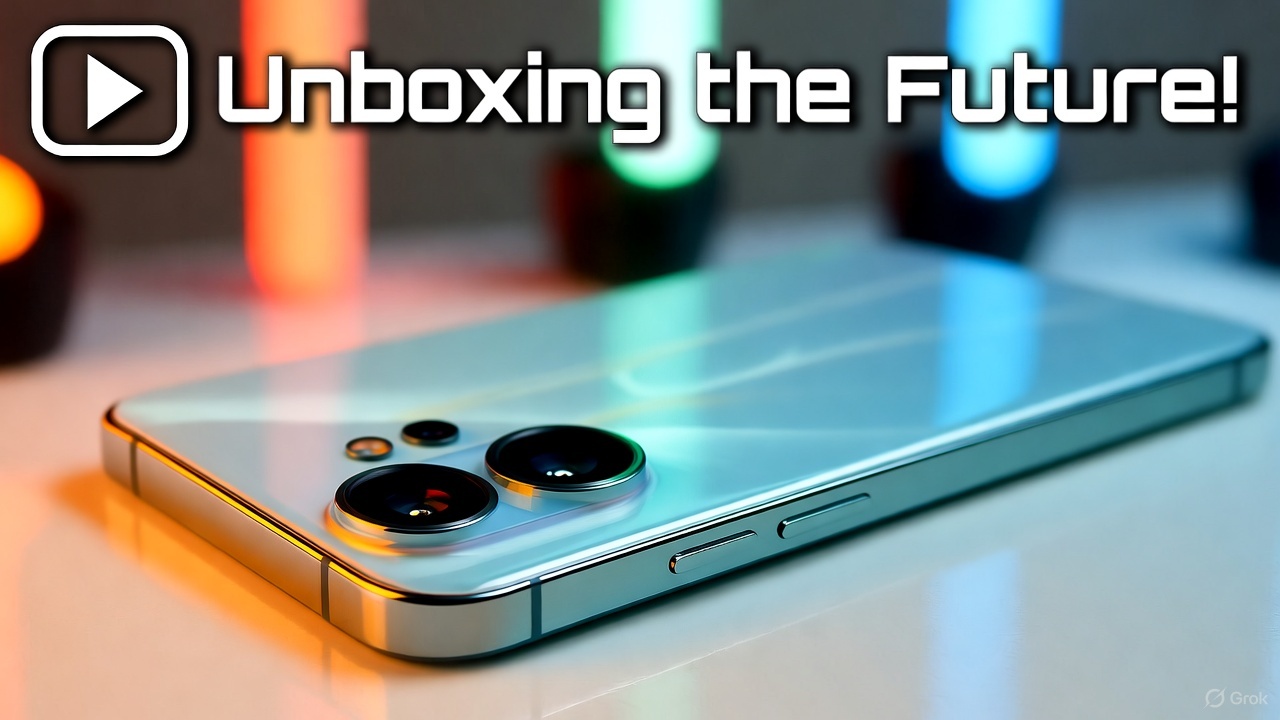 Generated by Grok AI image generator
Education
Online educators and teachers can create explanatory visuals, textbook illustrations, and visual aid materials for improved engagement. Grok AI can break down complex concepts into creative diagrams and visuals, making the learning process more interactive. For a broader look at what AI can do in the classroom, see our guide to the best AI tools for education.
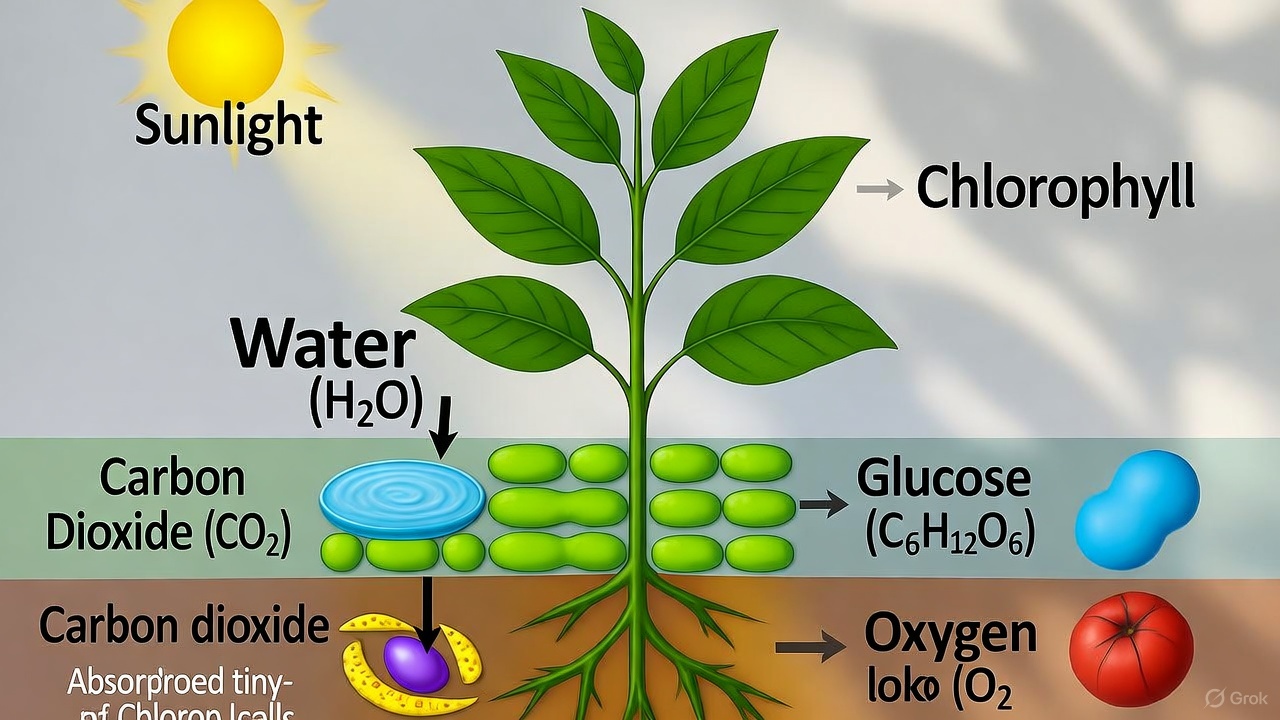 Generated by Grok AI image generator
Ready to use Grok AI Image Generator on ImagineArt?
Grok's biggest edge is it's context. Because it lives inside X and pulls on real-time data, it can generate visuals the moment a trend breaks, a meme format surfaces, or a news story takes off. That's a use case no other image model has natively. If you create content for X or want to stay ahead of fast-moving visual trends, Grok is worth keeping in your toolkit. Try it alongside ImagineArt's other 30+ models to find the right tool for each job.
If Grok doesn't fully meet your needs — whether it's the paywall, output style, or feature limits — here are the best Grok alternatives for AI image generation worth trying.
Frequently Asked Questions About Grok AI Image Generator
What is the Grok AI image generator?
Grok AI image generator is xAI's text-to-image tool, integrated into the X platform and available on ImagineArt. It generates detailed visuals from text prompts in 3–5 seconds, supports image-to-video conversion, and uses real-time data from X to produce trend-aware, current-events content.
Is Grok AI image generator free?
Grok is available on X with free tier access and on ImagineArt with free daily credits — no credit card required. Advanced features and higher generation limits require a paid plan on either platform.
How is Grok different from other AI image generators?
Grok's main differentiator is its X integration — it can generate visuals based on trending topics, live events, and current information that most AI image models can't access. It also supports image-to-video conversion and outputs up to 4 images per prompt across 10 aspect ratios.
What kind of prompts work best with Grok AI?
Detailed prompts work significantly better than short ones. Include the subject, setting, lighting, mood, and style. For example: "A golden retriever running along a sandy beach at sunset, waves crashing in the background, cinematic color grade, warm tones" outperforms "a dog on a beach" by a wide margin.
Can I use Grok AI image generator on ImagineArt?
Yes. Grok is available as one of 30+ models on ImagineArt. You can generate images with Grok, switch to another model in one click, and edit your outputs in ImagineArt's full editing suite — all without leaving the platform.
What aspect ratios does Grok support?
Grok AI image generator supports up to 10 aspect ratios, covering portrait, landscape, square, and other formats suited for different platforms and use cases.
Can Grok convert images to video?
Yes. Grok can convert a generated or uploaded image into a short video clip ranging from 6 to 15 seconds, with seamless transitions and smooth motion.
What is Grok 4?
Grok 4 is the latest major version of xAI's Grok model, released in 2025. It introduced improved image generation, stylistic flexibility across impressionism, surrealism, and minimalism, and advanced image editing via text prompts.
Tooba Siddiqui
Tooba Siddiqui is a content marketer with a strong focus on AI trends and product innovation. She explores generative AI with a keen eye. At ImagineArt, she develops marketing content that translates cutting-edge innovation into engaging, search-driven narratives for the right audience.