
Arooj Ishtiaq
June 3, 2026 • Updated September 1, 2026
17 mins Read
Grok Imagine 1.0 launched in February 2026 with impressive image quality but real limitations. Generation is locked behind paid SuperGrok subscriptions, daily limits tightened through mid-2026, and the platform lacks the professional editing tools and model variety that serious creators need. This guide covers the eight strongest alternatives for professional AI image generation in 2026.
Grok Imagine vs. Grok — Which Alternative Are You Actually Looking For?
"Grok" refers to two different products, and it matters which one you're replacing. Grok (the chatbot) is xAI's conversational assistant, the tool you'd swap for ChatGPT, Claude, or Gemini. Grok Imagine is xAI's separate image and video generation feature, locked behind SuperGrok subscriptions. This guide covers Grok Imagine alternatives only: tools that generate images. If you're looking for a conversational AI replacement instead, the two aren't interchangeable, and a chatbot alternative won't solve an image generation need.
Grok Imagine launched in February 2026 with strong image quality but real constraints: free generation is unavailable, daily limits have tightened through mid-2026, and Elon Musk's public promotion of the feature through July 2026 hasn't changed its single-model, no-editing-suite architecture. That gap is exactly what the tools below fill.
Important Notice: This article focuses exclusively on Safe-For-Work (SFW) AI image generation for professional, commercial, and artistic purposes. We recommend platforms suited for marketing assets, product mockups, character designs, concept art, professional illustrations, social media content, branding, and business presentations. We do not discuss, recommend, or refer to nudity, adult content, NSFW material, or any abusive or illegal content.
What does "Professional Creative Freedom" Mean in 2026?
Before evaluating alternatives, it helps to understand what separates a genuinely useful professional image tool from one that over-censors legitimate creative work.
| Platform Type | What It Means | Examples |
|---|---|---|
| Professional creative freedom | No blocking of legitimate artistic prompts: fantasy art, sci-fi characters, stylized portraits, concept art, and editorial illustrations | ImagineArt, ZenCreator, GetImg AI |
| Open-source flexibility | Full creative control with no platform-level restrictions, customizable through community models and fine-tunes | Stable Diffusion, Perchance AI |
| Standard policies | Permits most professional use cases but may flag edge cases in concept art or editorial content | Midjourney, Ideogram 3.0 |
| Over-restricted | Blocks legitimate artistic, historical, or educational prompts due to overly aggressive content classifiers | Some free tools with strict automated filtering |
The practical difference matters for professional work. A platform with well-calibrated policies allows marketing teams to generate campaign imagery, game studios to create character concept art, and agencies to produce editorial illustrations without prompt rejections slowing down production. Every platform in this guide supports legitimate business use and complies with applicable laws.
Top 8 Grok Alternatives for Professional AI Image Generation
Each platform has been evaluated against the same criteria:
- Output quality
- Model availability
- Pricing transparency
- Commercial licensing
- Suitability for professional workflows
The list covers both free and paid options across all-in-one suites, specialized tools, and beginner-friendly platforms.
| Platform | Cost | Creative Freedom | Best For |
|---|---|---|---|
| ImagineArt | Free tier + $13/month | High | All-in-one suite with Seedream v4.5, Nano Banana Pro, FLUX 2 |
| ZenCreator | $19.99/month | Full | Professional creative freedom, no prompt blocking |
| Perchance AI | Free forever | High | Free unlimited testing, no sign-up required |
| Raphael AI | 100% free | High | High-volume free use across multiple models |
| Stable Diffusion | Free (open-source) | High | Flexible open-source generation, broad style range, no content ceiling |
| Ideogram 3.0 | Free + paid | High | Best-in-class text rendering and typography |
| GetImg AI | $12–29/month | High | Professional toolkit with 20+ models |
| Venice AI | Free + $8/month | High | Privacy-focused professional projects |
1. ImagineArt — Best All-in-One AI Creative Suite
For most professional creators, ImagineArt is the most complete Grok alternative because it combines the strongest available image generation models with a full editing suite under one platform.
Where Grok Imagine sits behind a paid-only gate with a single proprietary model at 1K or 2K, ImagineArt gives you Seedream v4.5, Nano Banana Pro, and FLUX 2 with a free tier to start. Over 30 million users and 100 million downloads reflect its proven scale across product photography, marketing assets, character design, and editorial illustration.
Seedream v4.5: ByteDance's Professional Image Model
Seedream v4.5 is ByteDance's production-grade image model, generating at 4K resolution with substantially improved text rendering for logos, menus, and data tables. It runs 30 to 40% faster than v4 in 8 to 14 seconds and supports up to 14 reference images simultaneously for multi-image composition and character consistency workflows. Each generation costs 24 credits on ImagineArt.
- 4K resolution output with native support for up to 8192×8192 for print and billboard formats
- 14-reference multi-image editing with accurate subject identification
- Sharp text rendering for branded content, product packaging, and marketing layouts
- Strong character consistency across generation variations
- 30 to 40 percent faster than Seedream v4
Best professional use cases: Product mockups, marketing campaign assets, brand visual systems, poster layouts, and client deliverables requiring sharp typography.
Nano Banana Pro: Google DeepMind's Gemini 3 Pro Image Model
Nano Banana Pro is built on Gemini 3 Pro and goes beyond pattern-based generation into reasoning-driven creation. It produces 4K images at 3840×2160 or higher with advanced controls for focus, lighting, camera angles, and color grading at production scale. It maintains character consistency across multi-image sequences, preserving facial features, clothing, and posture for brand mascots, storytelling series, and marketing campaigns across multiple markets.
- 4K output at 3840×2160 or higher
- Advanced controls for focus, lighting, camera angles, and color grading
- Character consistency across multi-image sequences for brand and storytelling use
- Real-world knowledge grounding for factually accurate charts, diagrams, and informational visuals
- Google's copyright indemnification is included at general availability
Best professional use cases: Brand mascot consistency, multi-market campaign content, studio-quality product visuals, and presentations requiring factual accuracy in illustrated diagrams.
FLUX 2 and Qwen Image
FLUX 2 delivers best-in-class photorealism for product photography, professional headshots, and high-quality editorial images. Qwen Image handles stylized and anime-style content with fast generation, making it the right choice for social media graphics, gaming assets, and creative branding where a distinctive visual style matters.
Key features:
- Seedream v4.5: 4K output, 14-reference editing, sharp text rendering for branded content
- Nano Banana Pro: Gemini 3 Pro Image, character consistency, real-world knowledge grounding
- FLUX 2 photorealism for product photography and professional portraits
- AI Image generator with inpainting, outpainting, canvas editing, and AI model training
- Background remover, image upscaling, style remix, and face swap tools
- AI headshot generator for professional LinkedIn and corporate portrait generation
- Free tier available, commercial rights on paid plans
- Web and mobile platforms with team collaboration support
Best for: Marketing teams producing product imagery and brand assets, character designers needing consistency across a series, agencies producing client deliverables, and professional creators who want editing tools alongside generation in one platform.
2. ZenCreator — Best for Professional Creative Freedom
ZenCreator is built for professional creators whose legitimate artistic prompts get blocked on more conservative platforms. The emphasis is on creative freedom for genuine business use:
- Fantasy art
- Sci-fi character design
- Concept art for films and games
- Stylized portrait illustration
- Editorial imagery that requires a wider creative range than mainstream tools allow.
Plans start at $19.99 per month for 200 credits that never expire, with commercial rights included across all tiers and end-to-end encryption for client work confidentiality. Over 100,000 creators use the platform, with 10 million images generated to date.
Key features:
- No blocking of legitimate artistic prompts for concept art, fantasy, sci-fi, and editorial work
- 4K resolution output up to 4096×4096
- Generation in 5 to 15 seconds per image
- Credits never expire, and commercial rights are included on all plans
- End-to-end encryption for confidential client projects
- Full editing suite: inpainting, style transfer, upscaling, retouching
Best for: Game studios producing concept art, creative agencies producing editorial and campaign imagery, professional illustrators whose work pushes beyond what conservative platforms allow, and any creator who needs commercial rights with reliable prompt acceptance.
Limitation: The credits are non-expiring but the monthly allocation is low for high-volume use. Agencies or studios generating dozens of variations per project will need to track credit consumption carefully or subscribe to a more expensive or a higher tier.
3. Perchance AI — Best Free Option for Beginners
Perchance AI is the strongest choice for creators who need to explore AI image generation without any cost or account requirement. The platform runs on Stable Diffusion with over 60 style presets covering anime, photorealistic, concept art, Studio Ghibli, and more, all accessible without a subscription or sign-up.
Generation takes 15 to 30 seconds per image, with batch generation available for creating multiple variations from a single prompt.
Key features:
- Completely free, no account or sign-up required
- 60+ style presets across anime, photorealistic, concept art, and more
- Stable Diffusion foundation with broad style coverage
- Batch generation for creating multiple variations
- Random prompt generator for creative exploration
- Portrait, square, and landscape aspect ratios
Best for: Beginners and hobbyists exploring AI image generation, bloggers needing quick illustrated content, students working on creative projects, and anyone who wants to test AI image generation before committing to a paid platform.
Limitation: It is built on an older Stable Diffusion base, which makes the output quality suitable for blog illustrations and social media filler content but falls short of client deliverable standards.
4. Raphael AI — Best Free Multi-Model Platform
Raphael AI is genuinely free with no credit system, no sign-up, and no generation limits, making it an outlier in a category where free tiers are almost universally restricted. It uses intelligent model routing, selecting the appropriate model based on prompt context rather than running every request through a single model.
The routing covers:
- FLUX 2 for high-quality photorealism and product photography
- Nano Banana Pro for studio-quality precision and character consistency
- Z-Image for fast photorealistic output
- Qwen Image for anime-style and stylized creative content
For small businesses and freelancers who need quality output without platform costs, Raphael AI covers a substantial range of professional use cases at no cost.
Key features:
- 100 percent free, unlimited generations, no sign-up required
- Intelligent model routing across four specialized models
- Output quality that rivals paid platforms for product mockups, character designs, and landscape concepts
- No credit system, no hidden limits, no daily caps
Best for: Small businesses generating marketing assets, freelancers producing concept work for client review, creators evaluating multiple models before committing to a paid plan, and anyone whose budget is genuinely zero.
Limitation: Accessing it via guest mode means no saved history and the images live temporarily in browser and are deleted upon a refresh.
5. Stable Diffusion — Best for Beginners and Natural Language Prompting
Stable Diffusion is one of the most widely used open-source image generation models, making it an accessible and flexible entry point for creators new to AI image generation. Unlike DALL-E 3, it operates without OpenAI's strict content guardrails, which means it handles a broader range of creative prompts including stylized, mature, and artistic content that mainstream tools routinely block.
Its open-source nature means it runs locally or through browser-based platforms like Perchance AI, giving creators full control over their workflow without subscription dependency.
Key features:
- Natural language prompting with strong prompt adherence across styles
- No strict content guardrails, suitable for a wider creative range than DALL-E 3
- Wide style coverage: photorealistic, illustrated, editorial, anime, concept art
- Available free through multiple platforms including Perchance AI and Hugging Face
- Commercial use rights vary by model version and hosting platform
- Highly customizable through fine-tunes, LoRAs, and community model variants
Best for: Creators who need flexibility beyond mainstream platform restrictions, designers exploring stylized and artistic output, and anyone who wants a free, open-source alternative with broad community support and no hard content ceiling.
Limitation: Browser-based access limits controls compared to local installation. Local installation requires technical setup that isn't easy to understand or implement for non-developers. The open-source strength comes with an onboarding cost.
6. Ideogram 3.0 — Best for Text Rendering and Typography
Ideogram 3.0 is the strongest AI image model available, specifically for generating images where text needs to be legible, accurate, and professionally rendered. Most AI image models struggle with text inside images, producing garbled or distorted letters.
Ideogram was built to solve this problem, and version 3.0 delivers typography accuracy that makes it the best tool in this list for posters, infographics, social media graphics with text, branded visuals, and any design where readable text is part of the composition.
Beyond text rendering, Ideogram 3.0 covers a strong range of artistic styles and produces high-quality photorealistic and illustrated content across professional use cases.
Key features:
- Industry-leading text rendering accuracy for readable text inside generated images
- Multi-language text support for global marketing and content
- Strong performance on posters, infographics, social media graphics, and branded visuals
- A wide artistic style range from photorealistic to illustrated
- Free tier with paid plans for higher volume and commercial use
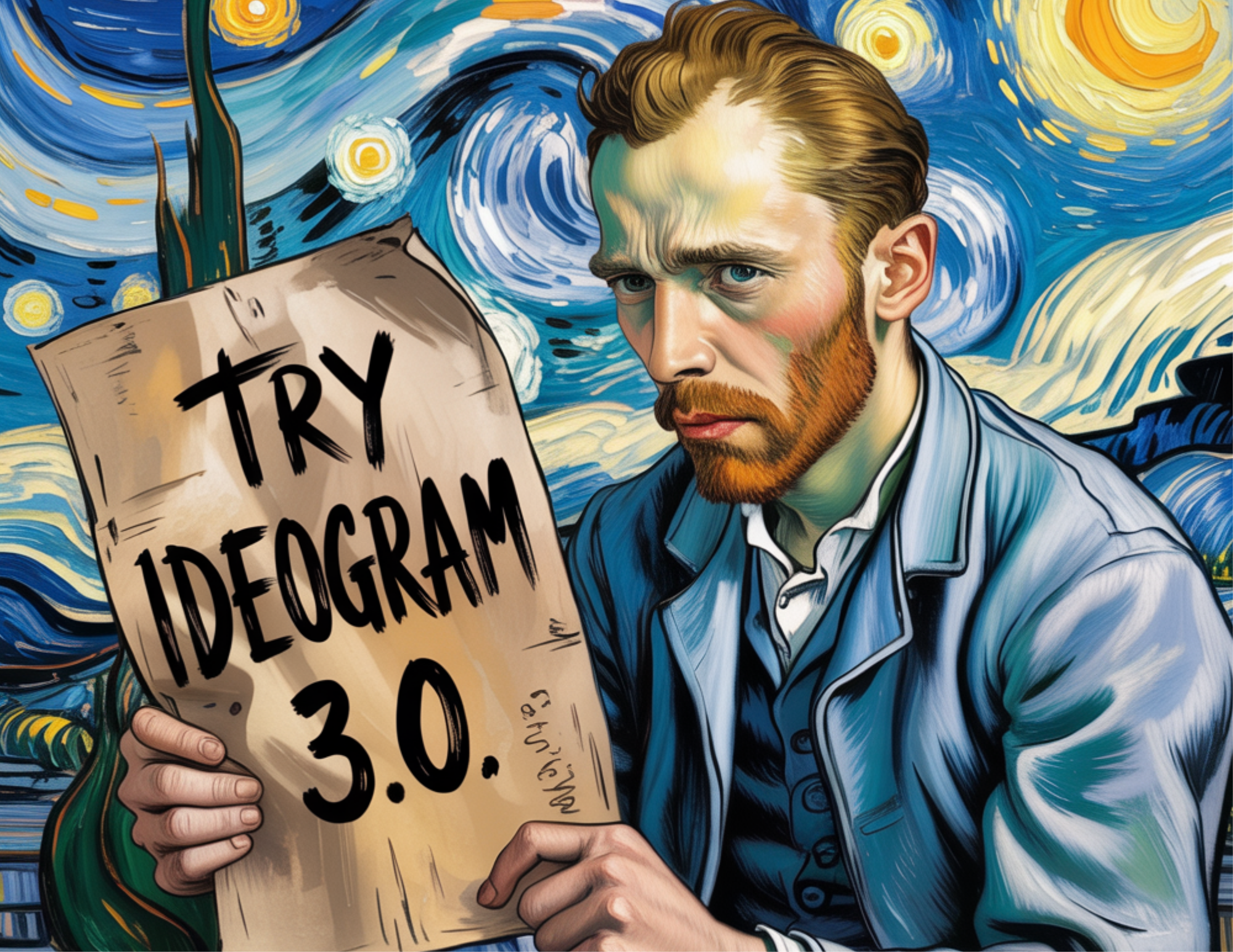
A detailed look at what Ideogram 3.0 covers is available in the Ideogram AI features overview on Imagine Art.
Best for: Designers creating posters and infographics, marketers producing social media graphics with branded text, content creators needing accurate text inside images, and global teams producing multilingual visual content.
Limitation: Ideogram 3.0 trail most AI image generators when it comes to hyper-realistic human faces, skin textures, and candid lifestyle photography. It scores lower on raw photorealism.
7. GetImg AI — Best Professional Toolkit
GetImg AI offers the widest model selection in this list, with over 20 models including multiple FLUX variants, SDXL, and community fine-tunes. The platform's content policies are well-calibrated for professional use, permitting the full range of legitimate artistic and commercial work without overly aggressive filtering. The editing toolkit is more comprehensive than most alternatives, with inpainting, outpainting, and AI canvas tools.
Key features:
- 20+ models, including FLUX, SDXL, and community fine-tunes
- Inpainting, outpainting, and AI canvas editing tools
- Well-calibrated content policies for professional creative work
- Professional-grade generation controls, including CFG scale and negative prompting
- API access for developer integration
- Plans from $12 per month
Best for: Power users who need to switch between models for different output styles, agencies and developers integrating image generation into production workflows, and professional creators who want a comprehensive editing toolkit alongside generation.
Limitation: Twenty-plus models and professional-grade generation controls (CFG scale, negative prompting, API access) make GetImg AI powerful but harder to use for anyone without a technical background. Steeper learning curve and requires familiarity with prompt engineering and model parameters.
8. Venice AI — Best for Privacy-First Professional Projects
Venice AI differentiates itself on architecture rather than model quality alone. Zero-logging and end-to-end encryption mean that the images you generate are not stored, analyzed, or used for model training, which matters significantly for confidential client work, proprietary product development, and any project where data security is a contractual or competitive concern.
Key features:
- Zero-logging architecture with end-to-end encryption
- FLUX Pro and Stable Diffusion 3.5 for professional output
- No data storage or model training on user inputs
- Suitable for confidential client projects and proprietary product work
- Free tier available; paid plan at $8 per month
Best for: Agencies handling confidential client creative work, product teams developing unreleased products, journalists working on sensitive editorial projects, and any creator or business where data ownership and confidentiality are contractual requirements.
Limitation: Lower intelligence ceiling for complex reasoning tasks.
Side-by-Side AI Image Model Comparison
The platforms above use different underlying models, and the model you choose matters as much as the platform. This table maps each model to its maximum resolution, cost, and primary professional strength.
| Model | Max Resolution | Cost | Best Professional Use |
|---|---|---|---|
| Seedream v4.5 | Up to 4K native (8192×8192 max) | 24 credits on ImagineArt | Product mockups, branded content, marketing assets |
| Nano Banana Pro | 4K (3840×2160+) | Available on ImagineArt paid plans | Brand mascots, character series, factual diagrams |
| FLUX 2 | 4K | Free (Raphael AI) | Product photography, professional headshots, editorial |
| FLUX Pro | 4K | From $8/month (Venice AI) | High-fidelity product and editorial photography |
| Ideogram 3.0 | High-resolution | Free + paid | Posters, infographics, social graphics with text |
| DALL-E 3 | 1024×1024 to 1792×1024 | ChatGPT Plus $20/month | Blog illustrations, presentations, marketing visuals |
| Qwen Image | Variable | Free | Social media stylized content, gaming assets, branding |
How To Choose Grok Alternative?
If the comparison table leaves you uncertain, the most common decision factors come down to budget, professional use case, and whether you need editing tools alongside generation. Use the scenarios below to identify your starting point.
- If you are a business owner needing free marketing assets: Use Raphael AI or Perchance AI. Both are genuinely free with no account required, and output quality is sufficient for social media, blog images, and basic marketing content.
- If you need professional quality for client deliverables: Use ImagineArt or ZenCreator. ImagineArt covers the widest range of professional use cases with Seedream v4.5, Nano Banana Pro, and a full editing suite. ZenCreator is the better choice when your creative brief involves concept art or editorial content that more conservative platforms block unnecessarily.
- If you are a beginner blogger or content creator: Use Perchance AI or DALL-E 3. Perchance requires no sign-up and no cost. DALL-E 3 via ChatGPT Plus provides natural language prompting with consistent quality for blog illustrations and presentation graphics.
- If text inside images is critical to your work: Use Ideogram 3.0. No other model in this list matches its typography accuracy for posters, infographics, social media graphics, and branded content with readable text.
- If privacy matters for confidential projects: Use Venice AI. Zero-logging and end-to-end encryption provide the data protection that confidential client work and proprietary product development require.
- If you need the best all-in-one professional suite: Use ImagineArt to access Seedream v4.5, Nano Banana Pro, FLUX 2, and a complete editing suite in one platform, with 30 million users and a free tier to start.
Conclusion
Grok Imagine's paywalls, tighter generation limits, and single-model architecture make it a poor fit for professional creators in 2026. The platforms in this guide cover every gap it leaves. For most teams, the AI image generator is the strongest starting point, with Seedream v4.5, Nano Banana Pro, and FLUX 2 available on the free tier before any paid commitment.
Frequently Asked Questions
What is the best free Grok alternative for professional image generation?
Raphael AI is the strongest free option, with intelligent routing across FLUX 2, Nano Banana Pro, Z-Image, and Qwen Image at no cost and no account requirement. For beginners who want a simpler experience, Perchance AI provides 60+ style presets with no sign-up.
Which Grok alternative produces the best image quality for professional use?
Seedream v4.5 on ImagineArt delivers 4K images with industry-leading text rendering and 14-reference multi-image editing for marketing and brand work. For photorealism in product photography and professional portraiture, FLUX 2 and FLUX Pro are the strongest options.
What does Grok Imagine actually limit for professional creators?
Free users cannot generate images on Grok at all, as generation is locked behind paid SuperGrok subscriptions. Following mid-2026 quota reductions, even paid users face tighter daily limits. The platform also has no professional editing suite, no multi-model access, and limited resolution compared to alternatives like ImagineArt.
Which Grok alternative is best for marketing teams?
ImagineArt covers the full marketing workflow:
- Seedream v4.5 for product mockups and brand assets
- Nano Banana Pro for character and mascot consistency across campaigns
- FLUX 2 for product photography, and a built-in editing suite for finishing and export.
The Teams plan adds collaborative access for agency and in-house teams.
Which platform offers the best commercial licensing for professional work?
ImagineArt, ZenCreator, and GetImg AI all include commercial rights on paid plans. Nano Banana Pro via ImagineArt includes Google copyright indemnification at general availability, which provides an additional layer of legal protection for commercial deliverables.
Is this about Grok the chatbot or Grok Imagine?
This guide covers Grok Imagine, xAI's image generation feature, not the Grok chatbot. If you're looking for a conversational AI replacement instead of an image generator, a chatbot alternative like ChatGPT or Claude solves a different need.
Arooj Ishtiaq
Arooj is a SaaS content writer specializing in AI models and applied technology. At ImagineArt, she creates sharp, product-focused content that helps creators and businesses understand, adopt, and get real value from AI tools.