
Tooba Siddiqui
April 21, 2026 • Updated April 21, 2026
19 mins Read
Design used to be a gatekept skill. You either spent years mastering the tools, or you waited on someone who had. That dynamic is changing fast — and vibe design is what the change looks like in practice.
The term is new. The shift it describes is not. Designers, developers, product managers, and founders are all moving toward the same thing: describing what they want and letting AI handle the execution. Less time wrestling with software. More time thinking about what actually matters.
What Is Vibe Design?
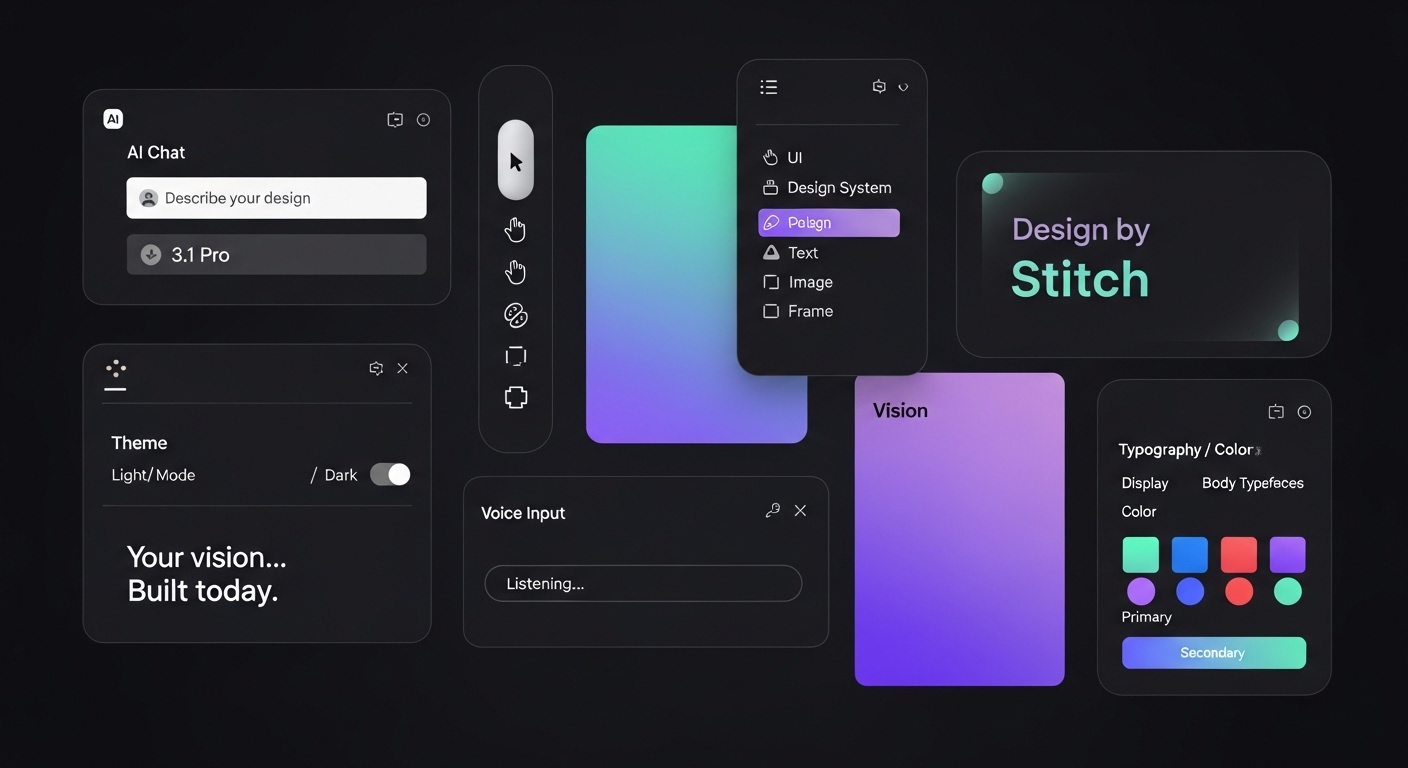
Vibe design is an AI-powered design approach where you describe what you want in natural language and AI generates the design output. It is a generative design workflow where creative intent — not manual tool manipulation — is the primary input.
Instead of placing components by hand, adjusting spacing, or hunting through color pickers, you focus on the feeling, the tone, and the layout direction. The AI handles the execution.
A working definition that holds up across tools: vibe design is a creative workflow where the primary input is intent, described through natural language or visual references, rather than manual manipulation of design tools.
The name says a lot. You are not specifying pixels. You are steering toward a vibe. Think of it like moving from being a craftsperson who hand-builds everything, to being a creative director who guides an AI assistant. The important creative decisions still belong to you. The mechanical execution happens exponentially faster.
Where Did the Term Come From?
The term descends directly from vibe coding, coined by Andrej Karpathy, co-founder of OpenAI, in February 2025 — the idea of describing what you want to an AI and letting it write the code, focusing on intent rather than implementation. Vibe design applies the same principle to the visual layer.
It entered mainstream conversation in early 2026 when Google introduced Stitch, an AI-native design tool built on Gemini. But the practice had been building for well over a year before the label arrived, through Figma's AI features and a growing wave of tools letting people create from a prompt instead of a toolbox.
Benefits of Vibe Designing
Vibe design changes who can participate in the design process and what the role of a designer actually looks like.
- Faster time to concept — go from a written description to a reviewable design in minutes, not hours
- Lower barrier to entry — product managers, developers, and founders can produce professional-quality mockups without design tool training
- More directions explored — because AI handles production, teams can test five layout approaches instead of committing to one before seeing it
- Tighter feedback loops — iterate through conversation rather than formal revision cycles, which compresses review time significantly
- Cleaner handoffs — prompt-based design tools generate structured outputs that connect directly to development workflows
- Scalable visual production — the same workflow that generates one design can be automated to produce dozens of variations
- Creative direction over craft — the skill shifts from tool mastery to taste, judgment, and the ability to articulate intent clearly
How Vibe Design Actually Works
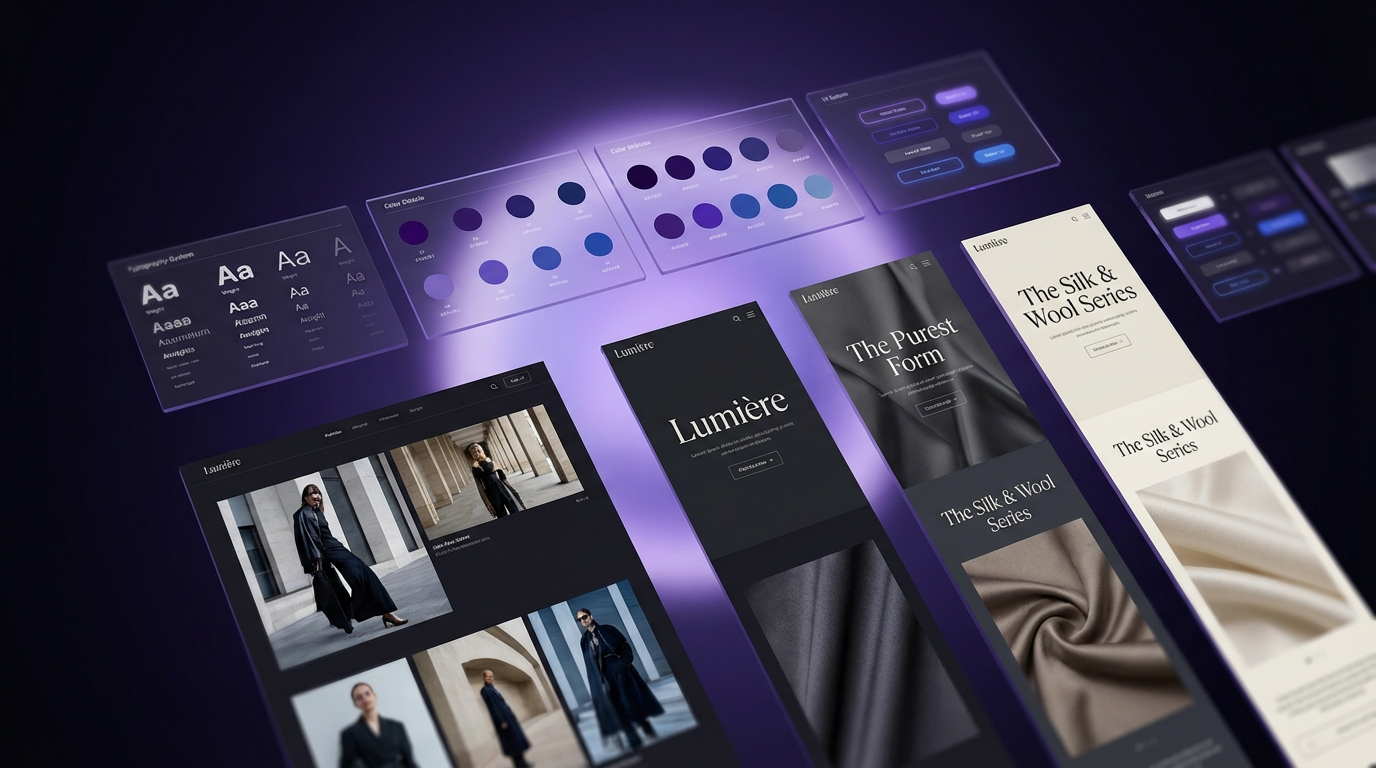
Vibe designing is a fast, flexible approach to product design and ideation. It lets teams generate and modify UI wireframes or prototypes using multiple inputs, including text prompts, images, URLs, or diagrams. Multimodal AI powers the generation, and intuitive canvas-based editing handles the refinement.
One defining principle that separates good vibe design tools from clunky ones is something called Action-Modality Match.
For example, describing a layout direction in a prompt is a natural use of AI. Dragging a button three pixels to the left is not. A well-designed vibe design tool lets you switch between modes fluidly, without friction.
A Typical Vibe Design Workflow
Here is how a standard vibe designing session unfolds in practice:
- Gather inspiration. Start with screenshots of products you admire, competitor URLs, rough sketches, or even a brand kit. These become your reference material.
- Describe your vibe. Write a prompt that captures the feel you are after. For example, "A clean mobile onboarding screen for a fintech app, minimal white space, soft blues, trustworthy tone." You are communicating intent, not specifications.
- Generate and review. The AI produces a wireframe, prototype, or full design layout based on your input — and if you need visual assets to populate it, an AI image generator can produce on-brand imagery in the same session. Review the output and decide what to keep.
- Refine through conversation. Iterate by talking to the tool. "Make the headline larger. Try a warmer background color. Move the CTA above the fold." The design evolves through dialogue.
- Polish manually. For precise adjustments, use direct editing on the canvas. Final-mile refinements are often faster done by hand.
- Share and test. Invite collaborators to review, collect feedback, and repeat.
This workflow is fundamentally iterative. Because AI handles the heavy production work, teams can afford to explore far more directions before committing to one.
Why Vibe Design Is Exploding Right Now
Three forces converged in 2025 to make this possible at once. Multimodal AI models can now understand visual context, not just text — interpreting screenshots, reasoning about layout needs, and generating coherent UI components. AI code generation improved to the point where a generated design can quickly become a functioning prototype, making the speed of the design step matter more than ever. And no-code platforms created a massive audience of people who need to produce functional interfaces but have no design training to draw on.
The result is a genuine shift in who can participate in the design process. A founder can generate polished mockups in minutes. A product manager can prototype multiple concepts in an afternoon. A developer can sketch UI flows without blocking on a design resource. Need motion content to go with a design? An AI video generator can produce it in the same pipeline.
- According to CNBC, Google Stitch update was so significant that Figm’a stock experienced a 12% drop in two days.
- According to Sleek design report, by early 2026, 67% of design teams at mid-to-large companies had integrated AI generation tools into their regular workflow.
What Tools are Used in Vibe Design?
The vibe design ecosystem is growing fast, but a few names stand out as worth understanding.
Google Stitch
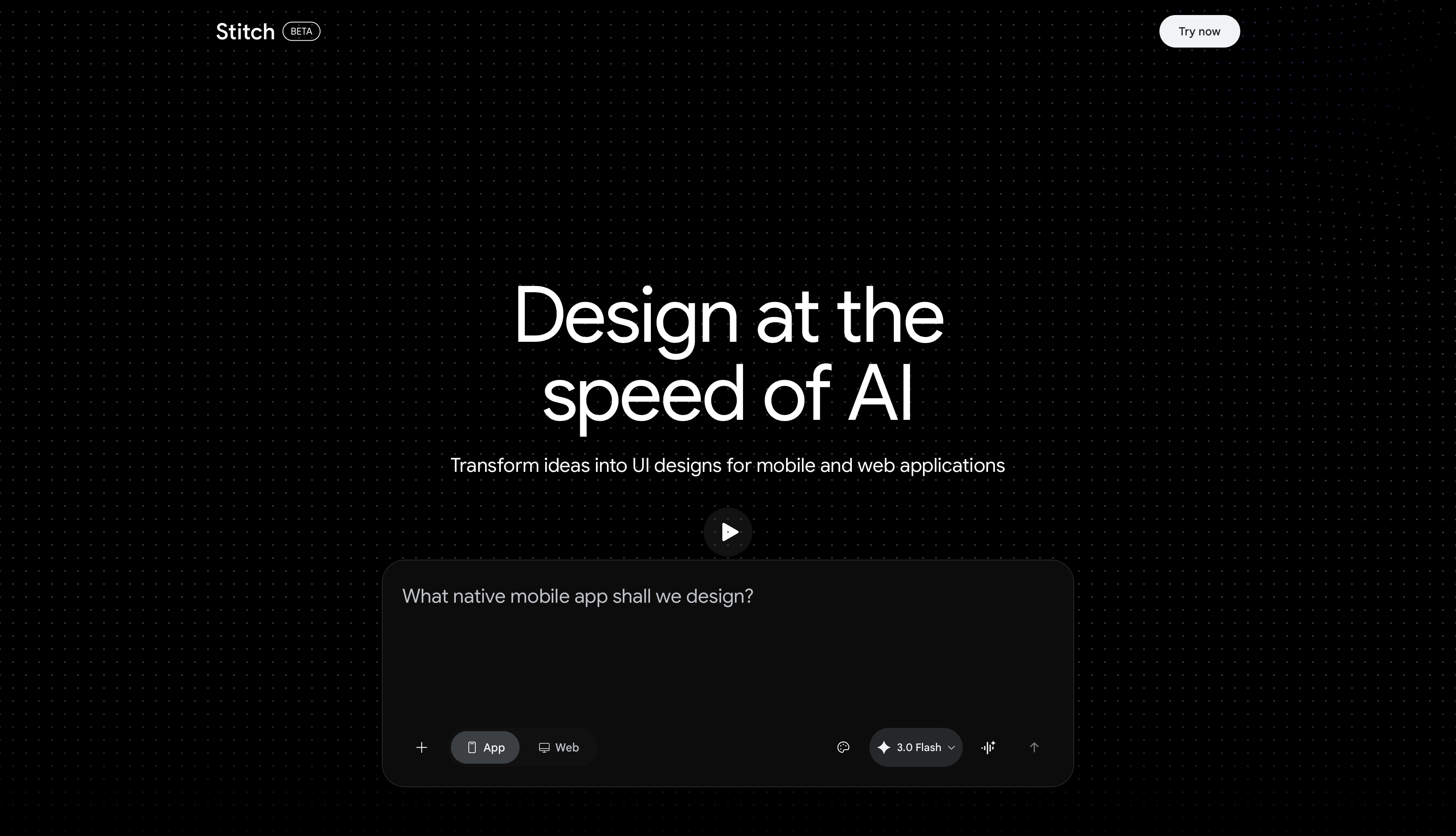
Introduced at Google I/O 2025, Google Stitch is the tool that put vibe design on the mainstream map. Built on Gemini, it generates UI layouts from text prompts on a visual canvas and exports a Design.md file that developers and AI coding tools can act on directly. It is built for early-stage exploration rather than production-ready polish.
What makes it stand out:
- Vibe Design mode — describe a product goal in plain language and Stitch generates multiple complete UI directions simultaneously, each with a different visual treatment
- Gemini-powered multimodal input — accepts text, images, and URLs as starting points, letting you feed visual references directly into the generation process.
- Free generation. Google Stitch provides 350 standard generations per month powered by Gemini 2.5 Flash, along with 50 experimental generations on Gemini 2.5 Pro.
- Design.md export — generates a structured handoff file that AI coding tools and developers can act on directly, bridging the design-to-development gap without manual spec work
- Canvas-first layout — puts the generated interface front and center in an environment built for iteration rather than static output review
- Google ecosystem integration — connects naturally with Workspace tools for teams already working within that stack
Where it falls short:
- Built for early-stage exploration, not production polish — outputs typically need significant refinement before they are client-ready
- Limited direct canvas editing compared to Figma or Visily; most changes require re-prompting rather than direct manipulation
- Collaboration features are early-stage and do not match the real-time multiplayer experience of mature design tools
- Currently in limited access; availability is not consistent across all regions or accounts
- No native component library or design system management
Best for: Product teams and founders who need to move fast in the earliest stages of a project. Stitch is the right tool when the goal is generating multiple design directions quickly to find the right one — not when the goal is producing a polished, final artifact.
Also read: Google Stitch Alternatives
Visily
It takes a more team-focused approach, supporting multiple input modes including images, text, and URLs, and balancing AI generation with direct canvas editing. It is well suited for product managers and designers who need to move from rough idea to reviewable prototype without a steep learning curve.
What makes it stand out:
- Multi-modal input support — accepts text prompts, uploaded images, website URLs, and rough sketches as starting points, making it easy to translate any kind of reference into a wireframe
- Balanced generation and editing — direct canvas editing sits alongside AI generation, so you are not forced to re-prompt for every change
- Template library — a broad set of pre-built UI patterns accelerates starting points for common product types
- Real-time collaboration — multiple team members can work on the same canvas simultaneously, making it more practical for team workflows than most generation-first tools
- Component management — supports design component organization for maintaining visual consistency across screens
Where it falls short:
- Output quality is reliable but not as visually sophisticated as production-level Figma work — best suited for wireframing and early concepts
- AI generation is less conversational than Stitch; refinement often requires direct editing rather than iterative prompting
- Export options are more limited than fully professional design tools
- Design system depth does not match Figma's component and token management
Best for: Product managers, non-designers, and cross-functional teams who need a tool that balances AI generation with accessible manual editing. Visily is the right choice when the team needs to go from rough idea to reviewable prototype collaboratively, without requiring everyone to have design tool expertise.
Figma
Figma remains the professional standard for production UI and has steadily added AI assistance for layout suggestions and content generation. Most serious vibe design workflows still land in Figma for final refinement, even when generation starts elsewhere.
What makes it stand out:
- AI layout and content generation — built-in AI assists with component placement, auto layout, content fill, and design suggestions within the environment most teams already use
- Component and design system management — the most mature system for managing reusable components, tokens, and governance at scale
- Full canvas precision — pixel-level control, layer management, and interaction design that generation-first tools cannot match
- Developer handoff — inspect mode, code snippets, and development workflow integration remain the industry standard
- Plugin ecosystem — hundreds of third-party plugins extend capabilities, including AI generation tools that feed directly into the Figma environment
Where it falls short:
- Not a generation-first tool — AI features assist an existing design process rather than replacing the manual work of starting from scratch
- Steeper learning curve than purpose-built vibe design tools for non-designers
- AI generation quality lags behind dedicated prompt-to-UI tools for initial concept exploration
- Seat-based pricing can be prohibitive for small teams or solo creators
Best for: Professional designers and design teams who need production-grade output, design system governance, and developer handoff. Figma is the destination for final refinement in most vibe design workflows — where AI-generated concepts land for polish and engineering preparation.
For teams whose vibe design work lives inside a generative content pipeline, ImagineArt AI workflow builder takes things a step further. Workflows 2.0 introduced a node-based canvas where you chain AI tools for image generation, video, audio, and editing into a single automated pipeline.
How ImagineArt Powers the Full Vibe Design Pipeline
Vibe design moves fast. The prototype is ready in minutes, the feedback loop is tight, and the whole point is that nothing slows you down. But the visuals that actually fill those designs still have to come from somewhere — and most vibe design tools leave that gap wide open. ImagineArt Workflows closes it.
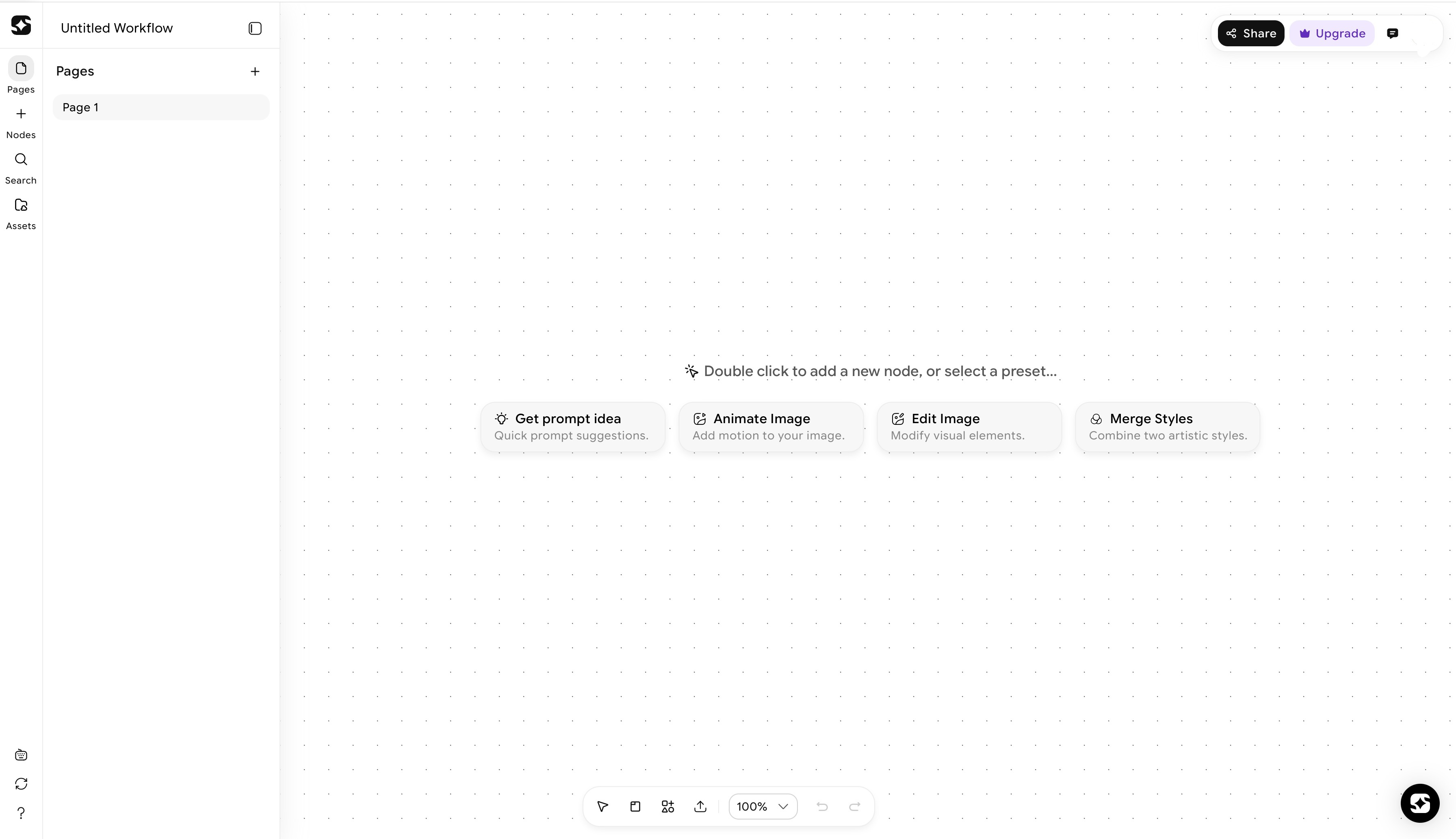 ImagineArt Workflows dashboard
Generating the Visuals That Fill Your Designs
When a prototype is ready and needs real visual content, the AI image generator removes the gap between a design concept and a finished visual reference. Instead of pulling placeholder stock images or waiting on a photo shoot, a team can generate on-brand visuals that match the design direction within the same session.
The same applies to motion. An AI video generator tool brings movement into design presentations, prototypes, and campaign mockups without a production handoff. A vibe-designed landing page concept can go from static wireframe to animated preview in the same workflow.
Refining Assets Without Breaking the Creative Flow
Vibe design is defined by iteration that happens in the moment, not through formal revision cycles. Visual content needs to work the same way.
An AI image editor lets teams adjust generated visuals on the fly: change the lighting, swap a background, adapt an image to a different layout dimension, or shift the tone to match the design direction. With the Relight AI node available in ImagineArt Workflows 2.0, you can modify the lighting of a visual post-generation, adjusting the position, color, and intensity of the light source without regenerating the entire image. That is the kind of control that keeps the content layer moving at vibe speed.
An AI video editor brings the same flexibility to motion assets, allowing refinements to pacing, color grading, and composition without starting from scratch.
A Workflow Builder That Connects Every Step
The most powerful version of vibe design is not a single AI tool. It is a connected pipeline where every step feeds naturally into the next. ImagineArt's AI workflow builder enables exactly that.
Workflows 2.0 is a node-based canvas where you chain AI tools across image generation, video, audio, and editing into a single automated pipeline. Workflow Variables let you define a reusable asset or brand prompt once, and it flows automatically across every node that references it. Change the variable once, and the update propagates through the entire workflow.
The new Iterators extend this logic to volume. The Image Iterator processes a batch of images through the same transformation pipeline automatically. The Video Iterator does the same for motion content. The Text Iterator runs multiple prompt variations through the same workflow logic at once. For teams running high-volume content production, these features turn a one-at-a-time process into something that scales.
On the audio side, the Generate Music node (powered by ElevenLabs) produces original background music from a text prompt inside the workflow. The Sound Effects node generates custom SFX to match visual scenes. For anyone building branded video content or social campaigns, this means the audio layer comes out of the same pipeline as the visuals, not a separate platform.
From Workflow to Shipped Product: The App Builder
Most creative pipelines stop at the asset. ImagineArt's App Builder pushes further — and for vibe designers specifically, it answers a question the workflow alone cannot: what do you hand off?
Once a workflow is built, you convert it into a fully interactive app without writing a single line of code. Define the inputs — text fields, image uploads, dropdowns — and the App Builder wraps the workflow in a usable interface that anyone can run without seeing the underlying node structure. The result is something you can hand to a client, share with a collaborator, or publish publicly in the App Marketplace.
The monetization layer is worth noting. When publishing to the Community, you set an earning tier — None, Low, Medium, or High — and every time someone runs your app, the tier amount transfers to your account. In the context of vibe design, this closes a loop that most tools leave open. You go from describing a creative intent, to generating and refining assets, to deploying the entire process as something others can run. That is a complete creative pipeline, not just a tool.
Vibe Design vs. Traditional Design: What Actually Changes
It is easy to misread vibe design as a replacement for design skill. It is not. Understanding what actually changes is important.
- Traditional design process: a designer opens Figma, places components by hand, adjusts spacing tokens, iterates after multiple stakeholder review cycles, produces a spec document, and hands it off to a developer. This process has real craft in it — built on principles of design that govern hierarchy, balance, contrast, and visual flow. It also has significant production overhead.
- Vibe designing: a team member describes intent, AI generates a reviewable artifact in minutes, iteration happens through conversation and quick edits, and the deliverable moves faster through the pipeline.
- What vibe design compresses is the production layer: the mechanical work of generating, resizing, and adapting visual assets. What it does not replace is design thinking, user research, information architecture, accessibility, or design system governance. Those still require human expertise and judgment.
The most effective vibe designers tend to be people with taste. They may or may not have traditional design training, but they know what good looks like, can articulate why, and can guide AI toward it with clarity. The skill shifts from tool mastery to creative direction.
Limitations and Honest Trade-offs of Vibe Design
Vibe design is not magic. It comes with real trade-offs worth understanding before you commit to a workflow.
- Output quality is highly prompt-dependent. Vague inputs produce vague outputs. The better you can articulate what you want, the better your results. This is an underrated skill that takes practice to develop.
- AI-generated designs often lack consistency. Without careful curation and a defined design system, a vibe-designed product can feel scattered. Multiple rounds of AI generation, without a unifying visual language, produces work that looks impressive in isolation but fragmented as a whole.
- Human judgment cannot be fully automated. As one analysis of the movement notes, today AI generates and humans curate. Knowing which AI output to keep, modify, or discard still requires the creative eye of a skilled person.
- Accessibility does not come automatically. AI-generated UI can produce visually appealing layouts that fail basic accessibility standards. Someone still needs to check contrast ratios, screen reader compatibility, and interaction patterns.
The most effective use of vibe design is as a speed layer on top of solid design thinking, not a replacement for it.
Best Practices for Vibe Design
Knowing the pitfalls is half the battle. The other half is developing the habits that separate scattered AI output from a coherent, professional result.
- Lead with a clear creative brief. Before touching any tool, define what the design needs to do, who it is for, and what feeling it should convey. Vibe design rewards specificity. "A dashboard for a B2B SaaS tool, clean and data-dense, muted blues and grays, professional but not cold" will get you further than "a nice-looking dashboard." The AI can only interpret the intent you give it.
- Use reference material as your anchor. Screenshots of designs you admire, competitor interfaces, brand kits, or mood boards all help the AI understand the direction without you having to describe every detail in words. Most vibe design tools support image inputs for exactly this reason. Start with a visual reference and build from there.
- Define your variables and reusable assets early. If you are working inside a workflow-based pipeline, identify your recurring elements — brand colors, product images, tone-of-voice prompts — and lock them in as variables before you start building. Changing them later across a complex workflow is far more painful than setting them up at the start.
- Iterate in small steps, not big jumps. The temptation with AI tools is to regenerate everything when something feels off. Resist it. Identify the specific element that is not working — the layout, the color, the typography hierarchy — and address that one thing. Smaller, targeted prompts produce more predictable and refinable results than starting from scratch.
- Keep a human eye on consistency. AI can generate individual screens that each look strong in isolation. It will not automatically ensure that button styles, spacing logic, and visual tone hold across the full product. Periodic manual review against a simple style reference — even an informal one — prevents the fragmentation that makes vibe-designed products feel unfinished.
- Treat the output as a starting point, not a final answer. The best vibe designers use AI generation to get to a reviewable concept fast, then apply judgment and manual refinement to close the gap between "good enough to show" and "good enough to ship." The speed is in the generation. The quality is in the curation.
Use Cases of Vibe Design
Vibe design is not limited to UI wireframes. The intent-first, AI-assisted approach applies across every stage of visual creation — and the range of people using it reflects that.
Product prototyping
The most obvious use case. Founders, product managers, and developers use vibe design to generate reviewable mockups in minutes rather than days. Instead of blocking on a design resource, they describe the interface they need and iterate from a working visual immediately. Early-stage teams use it to test multiple product directions before committing to one.
Marketing and campaign visuals
Brand and marketing teams use vibe design to generate on-brand campaign imagery, social creatives, and ad variations at speed. What used to require a photo shoot or a designer's full day can now be generated, refined, and adapted across formats inside a single workflow session.
Landing page design
Solo founders and small teams use vibe design to go from a product idea to a polished landing page concept in a single afternoon. The workflow handles layout generation, image creation, and copy placement — all from a prompt describing the product and the audience.
Content production pipelines
For teams producing high volumes of visual content — YouTube thumbnails, social posts, product imagery, short-form video — vibe design tools chain image generation, video creation, and audio production into a single automated pipeline. The same creative brief flows through every step without manual duplication.
UX research and concept testing
Before investing in high-fidelity design, teams use vibe-generated concepts to test layout assumptions and get early user feedback. Low-cost, fast-to-produce mockups make it practical to test five layout directions instead of one.
Brand identity exploration
Early-stage brand work — logo directions, color palette options, typography pairings, visual tone — can be explored rapidly through vibe design before any production work begins. It gives founders and brand teams a way to evaluate creative directions without committing budget to a full branding engagement.
E-commerce and product visualization
Product teams use AI-generated imagery to visualize products in different settings, lighting conditions, and styled contexts — without a full photo shoot. Combined with tools like ImagineArt's Relight AI node, a single product image can be adapted across dozens of visual contexts.
Ready to Start Vibe Designing with ImagineArt?
Vibe design is not a distant trend — it is how creative work is being done right now. The tools are here, the workflows are proven, and the barrier to getting started is lower than it has ever been.
ImagineArt brings the full creative pipeline into one place: generate images and video, edit and refine assets, chain it all together with Workflows 2.0, and publish it as a deployable app with the App Builder. Whether you are a solo creator prototyping an idea or a team scaling content production, the vibe design workflow fits.
Describe your direction. Let the AI handle the execution. Ship something worth showing.
Frequently Asked Questions About Vibe Design
Tooba Siddiqui
Tooba Siddiqui is a content marketer with a strong focus on AI trends and product innovation. She explores generative AI with a keen eye. At ImagineArt, she develops marketing content that translates cutting-edge innovation into engaging, search-driven narratives for the right audience.