
Syed Anas Hussain
April 5, 2026 • Updated April 27, 2026
12 mins Read
Video isn't optional anymore. It's the format every platform prioritizes, every algorithm rewards, and every audience expects. I've spent months testing what actually works — and the brands winning at video right now aren't spending more. They're using smarter video marketing tools.
This guide covers the full landscape. What the different categories of video marketing tools do, which ones matter most, and how to build a creation workflow that produces brand-quality video at a pace traditional production never could.
Let's get into it.
What Are Video Marketing Tools?
Video marketing tools are platforms that help you create, edit, distribute, and measure video content. A finished brand video touches every one of those steps. And each step has its own category of tools that does it well.
Here's how the landscape breaks down.
Creation tools are where the video is actually produced. This includes AI video generators, animation platforms, screen recorders, and text-to-video tools. This is where most brands underinvest — and where the biggest gains are.
Editing tools handle post-production. Cutting, color grading, captions, sound design. Traditional video editors and AI-powered video editors that automate the time-heavy parts are included in this.
Hosting and distribution tools get your video in front of an audience. YouTube, Vimeo, and Wistia live here. Wistia is especially strong for brands — it gives you heat-map analytics showing exactly where viewers drop off and what drives conversions.
Analytics tools tell you what's working. View duration, click-through rate, engagement depth, and conversion attribution. These can be built into your hosting platform or pulled into a broader marketing dashboard.
Understanding all four categories is important. But for most brands, the biggest gap — and the biggest opportunity — is in creation. That's where we'll spend most of this guide.
Why AI Has Changed Video Marketing Tools Forever
Traditional video production is expensive and slow. A single professionally produced brand video can cost anywhere from $2,000 to $15,000. A mid-sized brand producing four campaign videos per quarter can easily spend $40,000 to $60,000 a year — just on production.
AI video marketing tools have collapsed that math entirely.
Instead of booking a shoot, you write a prompt. Instead of hiring a colorist, you apply a preset. Instead of sourcing b-roll for hours, you generate it in minutes. The speed is the competitive advantage.
Brands using AI video tools can test five different creative directions in one afternoon. Brands using traditional production take weeks to test one. In a market where creative agility is everything, that gap compounds fast.
The other shift is volume. Every social platform demands more video, more frequently. Without scalable video marketing tools, teams either burn out trying to keep up or publish infrequently and lose algorithmic reach. AI solves both.
Recommended read: Video Marketing Trends for 2026
The Four Types of Video Content Brands Need
Before choosing tools, know what you're creating. Different video formats require different approaches — and different video marketing tools shine in different contexts.
Brand and campaign videos are cinematic, polished, and emotionally driven. These go on your website, in paid ads, and on YouTube. They need photorealistic quality and strong visual storytelling.
Product videos show your product in use or on display. They work on product pages, social feeds, and email campaigns. Image-to-video generation is a game-changer here — turning existing product photos into motion video without a reshooting.
Social video is short-form, fast-moving, and platform-native. Reels, TikTok clips, and YouTube Shorts all fall here. Speed of production matters more than cinematic polish. Vertical format (9:16) is essential.
Educational and authority content lives on YouTube. Longer format, structured, search-driven. This is where you build brand trust over time with consistent publishing.
Each type needs specific video marketing tools in your stack. Knowing which you're producing determines which tools to prioritize.
Recommended read: Small Business Video Marketing Guide
Building Your Video Creation Workflow With an AI Video Generator
For brands serious about video output, an AI video generator is the most important tool in the stack. Here's how to build a production workflow around it.
Text to Video: Turn Briefs Into Brand Visuals
Start with a clear scene description. Think of this as writing a shot brief — not just a caption.
For a skincare brand campaign, a strong prompt looks like this:
"Close-up of a woman with glowing skin applying serum. Golden hour light through a window. Warm cream and gold tones. Soft depth of field. Luxury brand aesthetic. 35mm film look."
The more specific the description, the better the output. Include lighting, camera distance, color palette, and emotional tone in every prompt.
Different campaigns need different visual styles. A product launch needs photorealism. An explainer needs fluid motion. An atmospheric brand film needs cinematic depth. Choose your AI model to match — photorealistic models for commercial content, expressive models for stylized animation.
Generate and review multiple variations. Pick the strongest one. Move it into your AI video editor for post-generation polish.
Also read: Best Free Text to Video AI Tools
Image to Video: Animate Your Product Photos
Every brand has product photos. Most brands spend real budget capturing them. But photos only go so far in a world where video dominates every feed.
Image-to-video generation turns those existing product shots into motion video. Upload the photo, write a motion description, and let the AI animate it.
For a watch brand, the motion prompt might be: "Slow clockwise rotation of the watch face. Soft studio lighting. Subtle reflections on the metal strap. Cinematic shallow depth of field."
The output is a realistic product video ready for Instagram, your website, or paid ads. No reshoot. No production team. No studio booking.
This workflow scales beautifully across large catalogs. Multiple product videos from existing photos — all generated through the same AI video generator.
Recommended Read: Best Free Image to Video Tools
Video Enhancement: Upgrade Old Footage
Every brand eventually faces this problem. Older footage that's decent but doesn't match the current visual identity. The color is flat. The resolution is low. The aesthetic is off.
Reshooting is expensive. Video enhancement is not.
Upload the existing footage and describe the new look you want. A prompt like "Enhance to cinematic quality. Warm golden tones. Increased depth of field. Luxury brand aesthetic. Film grain texture." transforms the visual identity of old footage without a single day on set.
This is one of the most underrated capabilities in modern video marketing tools. The content already exists — you're just giving it a new life.
Recommended Read: Video Editing Tips
Post-Production: The AI Video Editor in Your Stack
Once you've generated your video content, post-production is where you finalize it for deployment. An AI video editor handles the tasks that used to require a full editing suite.
Color grading and contrast adjustments sit at the core. Beyond that, you can upscale resolution for large-format placements, add and adjust background audio, and extend clip duration for longer ad formats.
Video extension is particularly useful. A five-second product reveal becomes a ten-second brand video. The AI continues the motion and environment naturally — no jump cuts, no obvious extension.
For brands without a post-production team, an AI video editor closes the gap between raw AI-generated content and campaign-ready creative. That gap used to require a professional editor and several days. Now it takes minutes.
Choosing the Right Video Marketing Tools by Use Case
Not all video marketing tools do the same thing. Here's how to match the right tool to your specific need.
For volume social content — You need speed over perfection. An AI video generator with fast generation and multiple aspect ratio outputs (including 9:16 vertical) is the priority. Generate, review, download, post. The whole cycle should take under 30 minutes per video.
For campaign hero videos — Quality takes priority. Use a photorealistic AI model and then run the output through an AI video editor for color grading and audio polish. This is your highest-production content, and it should reflect that.
For product catalog videos — Image-to-video generation is the workflow. Upload existing product photography, write motion prompts, and generate videos in batches. Consistency in lighting and framing matters here.
For YouTube educational content — AI-generated B-roll is your best friend. Generate all your visual illustrations, examples, and establishing shots with an AI video generator. Cut them in between talking-head footage for a polished, visually rich format.
For paid ads and A/B testing — Generate multiple variations of the same scene with different creative approaches. Test them quickly and cheaply. Double down on what performs. AI makes iteration fast enough to actually run creative tests before committing to a production run.
Hosting and Distribution: Where Your Video Lives After Creation
Creation is only half the job. Where your video lives and how you distribute it determines whether it actually reaches anyone.
YouTube is still the dominant platform for video reach and long-term SEO. Videos indexed on YouTube compound over time — a well-optimized video from two years ago still drives consistent views. For brands investing in educational content, YouTube is non-negotiable.
Wistia is the gold standard for website video hosting. It gives you detailed viewer analytics — heat maps, engagement rates, conversion tracking — plus a clean, branded player with no competing suggested content. If you have a product demo or brand film living on your homepage, Wistia is the right tool for hosting it.
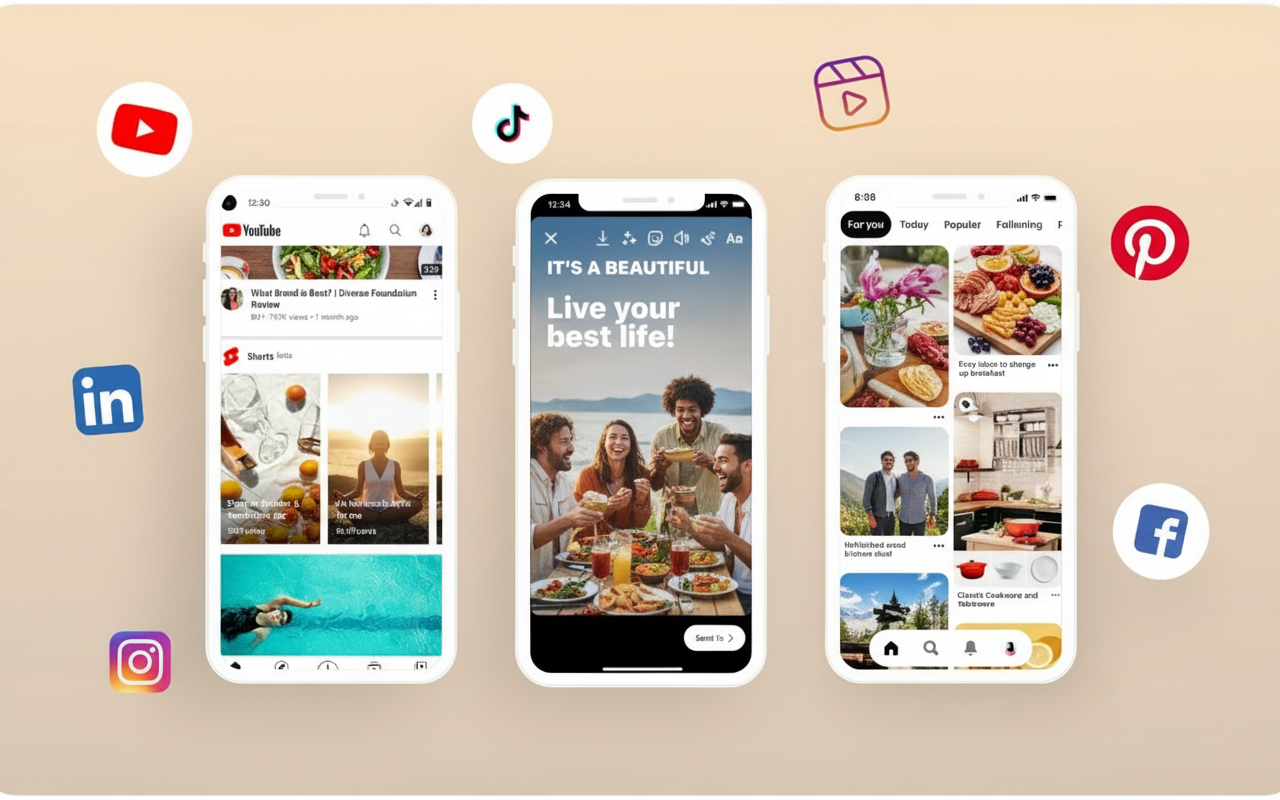
Instagram Reels, TikTok, and YouTube Shorts are where short-form social video lives. These platforms heavily favor native uploaders over reposts. Produce content in 9:16 vertical from the start — don't just crop horizontal footage.
LinkedIn is increasingly relevant for B2B brands. Short, insight-driven video content performs well here. Keep it under 90 seconds and lead with a strong text hook since most LinkedIn video plays without sound.
How to Plan Your Video Marketing Strategy in Three Steps
Strategy beats tools every time. Here's the framework I use before touching any video marketing tools.
Step 1: Define your video content pillars. Pick three to four consistent themes your brand will produce video content around. For a skincare brand, those might be: ingredient education, routine tutorials, product launches, and brand story. Every video sits inside one pillar.
Step 2: Set a production rhythm you can actually maintain. Consistency beats quality in the short term. One great video per week beats ten videos in January and none in February. Decide on your sustainable pace — one, two, or three videos per week — and commit to it.
Step 3: Match your pillar to your platform. Educational content goes to YouTube. Product content goes to Instagram and TikTok. Brand films go to your website and paid channels. This prevents you from producing the same video in the wrong format for the wrong audience.
Once the strategy is defined, you go to your tools. Generate the content using an AI video generator. Edit and polish with an AI video editor. Distribute across your chosen platforms. Track performance and iterate monthly.
The Complete Brand Video Stack for 2026
Here's the video marketing tools stack I'd recommend for a brand serious about video in 2025.
For creation: An AI video generator for text-to-video, image-to-video, and video enhancement. This is your production engine.
For supporting visuals: An AI image generator for thumbnails, stills, and supporting campaign imagery that accompanies your video content.
For post-production: An AI video editor for color grading, audio, duration adjustment, and resolution upscaling.
For image refinement: An AI image editor for retouching product photos before running them through image-to-video generation.
For hosting: Wistia for website video, YouTube for long-form organic reach.
For analytics: Platform-native analytics to start. Layer in a marketing dashboard once your volume justifies it.
That stack covers the entire journey — from a text prompt to a published, tracked, performing video asset.
The Real Cost of Skipping the Right Video Marketing Tools
Let's talk numbers for a moment. This context changes everything.
A professionally produced brand video costs between $2,000 and $15,000 depending on scope. A mid-sized brand producing four campaign videos per quarter spends $40,000 to $60,000 annually on production alone.
Brands using AI video marketing tools are producing the same volume — often at higher creative variety — for a fraction of that. The difference doesn't go back into savings. It goes into more content, more testing, and more reach.
The velocity advantage is just as significant. Traditional production takes weeks to turn a concept into a finished video. AI production takes hours. In a social media environment where creative trends move in days, that speed gap is the difference between being first and being irrelevant.
Volume pressure is real too. Every platform now demands fresh video constantly. Without scalable video marketing tools, teams either burn out or publish infrequently and lose algorithmic momentum. Both outcomes kill channel growth.
AI doesn't just reduce cost. It changes what's possible at a given budget. And that's the real competitive edge.
How to A/B Test Creative Directions With AI Video Tools
One of the most underused advantages of AI video marketing tools is creative testing. Traditional production makes A/B testing expensive — you have to produce multiple full versions before you know which performs. AI changes that completely.
Here's how to run a proper creative test using an AI video generator.
Pick one campaign concept. Write three different prompt variations. Each variation changes one significant creative variable — lighting style, color palette, voiceover tone, or scene setting. Generate all three. Then run them as separate ad sets targeting the same audience.
In a week, you have real performance data. Click-through rate, view duration, conversion rate. You now know which visual direction your audience actually responds to — before you invest in a full production run of that direction.
This is the kind of creative intelligence that used to require a full creative agency and a significant test budget. With AI video marketing tools, it's a Tuesday afternoon workflow.
After identifying the winning direction, invest in a higher-quality production of that specific concept. You go into it knowing it works. That confidence is priceless.
Supporting Your Video With Strong Thumbnails and Stills
A video is only as effective as the creative surrounding it. On YouTube, the thumbnail drives 60% of click-through decisions. On social, the first static frame is often what stops someone from scrolling.
An AI image generator handles this part of the video marketing stack. Generate custom thumbnails that match the visual style of each video. Create promotional stills for social posts announcing the video. Build supporting imagery for the email or blog post that features the video.
Consistency between the thumbnail, the promotional image, and the video itself creates a stronger brand impression. It signals that the whole content experience was designed intentionally — not assembled from mismatched stock.
An AI image editor then handles the refinements. Adjust lighting to match the video's color grade. Clean up backgrounds. Emphasize the key visual element that drives the click.
The full loop — generate video, generate supporting imagery, edit for consistency — runs entirely within the same AI-powered video marketing tools stack.
Final Verdict
Most advice about video marketing tools starts with hosting and analytics. I understand why — those things are measurable and comfortable. But here's the truth. If you don't have a fast, efficient, scalable way to create great video content, the best hosting and analytics in the world won't help you.
Start with creation. Build a workflow around an AI video generator that produces brand-quality content at a pace traditional production can't touch. Then layer in your hosting, distribution, and analytics stack as your volume grows.
The brands growing fastest with video right now aren't outspending anyone. They're out-creating everyone. And that starts with the right video marketing tools.
Looking for video ideas to fill your content calendar? Check out our guide on 50+ AI video content ideas for every creator — from YouTube to ASMR to funny AI concepts.
Syed Anas Hussain
Syed Anas Hussain is a computer scientist blending technical knowledge with marketing expertise and a growing passion for AI innovation. Curious by nature, he dives into new AI sciences and emerging trends to produce thoughtful, research-led content. At ImagineArt, he helps audiences make sense of AI and unlock its value through clear, practical storytelling.