
Umaima Shah
April 9, 2026 • Updated April 17, 2026
17 mins Read
If you’ve been thinking, “I should probably start a YouTube channel for my business… but where do I even begin?” you’re in the right place. I’ve got you. YouTube has over 2.7 billion logged-in monthly users, and yeah… that number can feel a bit intimidating at first. I get it.
But here’s the part most people miss: the majority of business channels on YouTube are still doing it wrong.
- They post randomly
- They use generic, forgettable visuals
- They never actually connect with their audience
And that right there? That’s your opening.
Because you don’t need to outspend them. You just need to out-execute them.
In this guide, we’re breaking it all down. How to set up your channel the right way, what kind of content actually ranks, how to create videos without blowing your budget, and how to use AI tools to make the whole process faster (and way less overwhelming).
Let’s get into it.
 A single well-placed video can generate leads for years—without spending on ads.
Why Every Business Needs a YouTube Channel in 2026
YouTube is the second-largest search engine in the world. It is also where your potential customers go to research, compare, and decide before they ever contact you.
- Business channels with engaged audiences earn $4 to $22 CPM from AdSense depending on niche
- A single tutorial or explainer video ranking in search can generate inbound leads for two to three years after publishing
- Businesses that publish consistent video content close sales faster because prospects arrive already informed and trusting
A YouTube channel for your business is not a marketing expense. It is a long-term asset that appreciates with every upload.
Before we get into the tools, the workflow, and the AI stack that makes all of this possible, let us start with the most important decision you will make for your entire YouTube channel for your business: what type of business content you are going to create.
 Most business fail because of inconsistent execution
12 YouTube Channel Ideas for Your Business Worth Building in 2026
The niche you pick decides your CPM rates, your inbound lead quality, and how fast you build authority in search. Too broad, and you compete against channels with full production teams and years of published content. Too obscure and there is no audience searching for what you make.
You are also not just picking a topic. You are picking a content format, a publishing cadence, and a set of tools that serve that specific business identity. Here are 12 YouTube channel ideas for your business worth building in 2026, with the ImagineArt tools that make each one faster to produce:
1. SaaS and Tech Product Channels
Customers buy software they understand. Tutorial videos that walk through features, use cases, and integrations convert trial users into paying subscribers faster than any onboarding email sequence.
- Feature walkthroughs, integration guides, update announcements, and comparison videos
- Use the ImagineArt Product Demo Video Maker to produce polished SaaS demo clips from a screenshot or product photo without manual editing
2. E-commerce and Retail Brand Channels
Buyers who watch product videos before purchasing convert at significantly higher rates. A YouTube channel gives your ecommerce brand a search presence that product listing pages cannot achieve.
- Product showcases, unboxing videos, how-to-use guides, and seasonal campaign content
- The ImagineArt ecommerce solutions platform supports ecommerce brand channels with AI-generated product visuals, promotional video content, and campaign assets at scale
3. Local Service Business Channels
Plumbers, lawyers, accountants, dentists, and contractors all share the same opportunity: potential clients search YouTube before calling. A channel with clear helpful content builds trust before the first conversation.
- FAQ videos, behind-the-scenes process content, client result stories, and local area guides
- The ImagineArt real estate industry platform supports local service businesses in property, construction, and home services with visual content production at volume
4. Marketing Agency Channels
Agencies that teach publicly attract clients who already believe in their approach before the sales call. YouTube positions you as the expert before anyone signs a contract.
- Campaign breakdowns, strategy explainers, client result videos, and industry trend commentary
- The ImagineArt marketing teams platform supports agencies producing visual content at volume for both clients and their own brand simultaneously
5. B2B Consulting and Professional Services
Consultants, HR firms, financial advisors, and legal professionals who publish educational content on YouTube consistently generate warmer inbound leads than those relying on referrals alone.
- Process explainers, case study breakdowns, compliance walkthroughs, and industry insight content
- Use the ImagineArt AI Explainer Video Generator to produce clear, professional explainer content using Luma and PixVerse models without an animation team
6. Restaurant and Food Business Channels
Recipe content, behind-the-scenes kitchen videos, and seasonal menu reveals all drive foot traffic and delivery orders from audiences who have never visited before.
- Recipe tutorials, kitchen tours, chef content, new menu announcements, and food story videos
- The ImagineArt food and beverage industry platform supports restaurant and food brand channels with AI-generated recipe visuals and promotional video content
7. Interior Design and Architecture Channels
Project reveal videos, before and after transformations, and room styling content attract high-value residential and commercial clients who need to see your work before reaching out.
- Project reveals, design process walkthroughs, client transformation stories, and trend breakdowns
- The ImagineArt interior design platform supports design business channels with AI-generated room visualisations and campaign content at scale
8. Fitness and Wellness Business Channels
Personal trainers, gyms, nutritionists, and wellness coaches build client relationships through YouTube before a single session is booked. Tutorial content and transformation stories generate inbound enquiries consistently.
- Workout tutorials, nutrition guides, client transformation content, and equipment reviews
- Use ImagineArt Adrenaline Rush to generate high-energy visual content for fitness business intros, Shorts teasers, and promotional clips
9. Fashion and Apparel Brand Channels
Collections, styling guides, brand story content, and seasonal lookbooks on YouTube create brand loyalty that Instagram alone cannot build.
- Styling tutorials, new collection reveals, brand story videos, and trend commentary
- ImagineArt Studio Tryon and AI Clothes Swap make virtual try-on content and product visualisation possible without arranging a full wardrobe shoot
10. Financial Advisory and Fintech Channels
Finance product and advisory channels earn the highest CPM on all of YouTube at $8 to $22 per thousand views. Educational content about money management, investment strategies, and financial tools generates a highly commercial audience.
- Financial planning guides, product comparisons, market commentary, and client FAQ content
- Use the ImagineArt AI Sales Video Generator to produce conversion-focused video content that supports your sales funnel directly
11. Education and Online Course Creator Channels
Coaches, trainers, and course creators who publish free tutorial content on YouTube consistently convert viewers into paying students. The channel becomes the top of the funnel for every course sale.
- Free tutorial content, course preview clips, student result stories, and subject deep dives
- Use the ImagineArt AI Business Video Maker to produce polished educational and training video content without a production team
12. Healthcare and Wellness Service Channels
Clinics, therapists, nutritionists, and wellness brands that publish educational content on YouTube build patient and client trust before the first appointment. Searchable health content generates consistent organic enquiries.
- Educational guides, myth-busting content, service explainers, and patient FAQ videos
- Use the ImagineArt AI Image Generator with Nano Banana Pro and Imagen 4 to generate clean, professional thumbnail visuals and branded channel graphics.
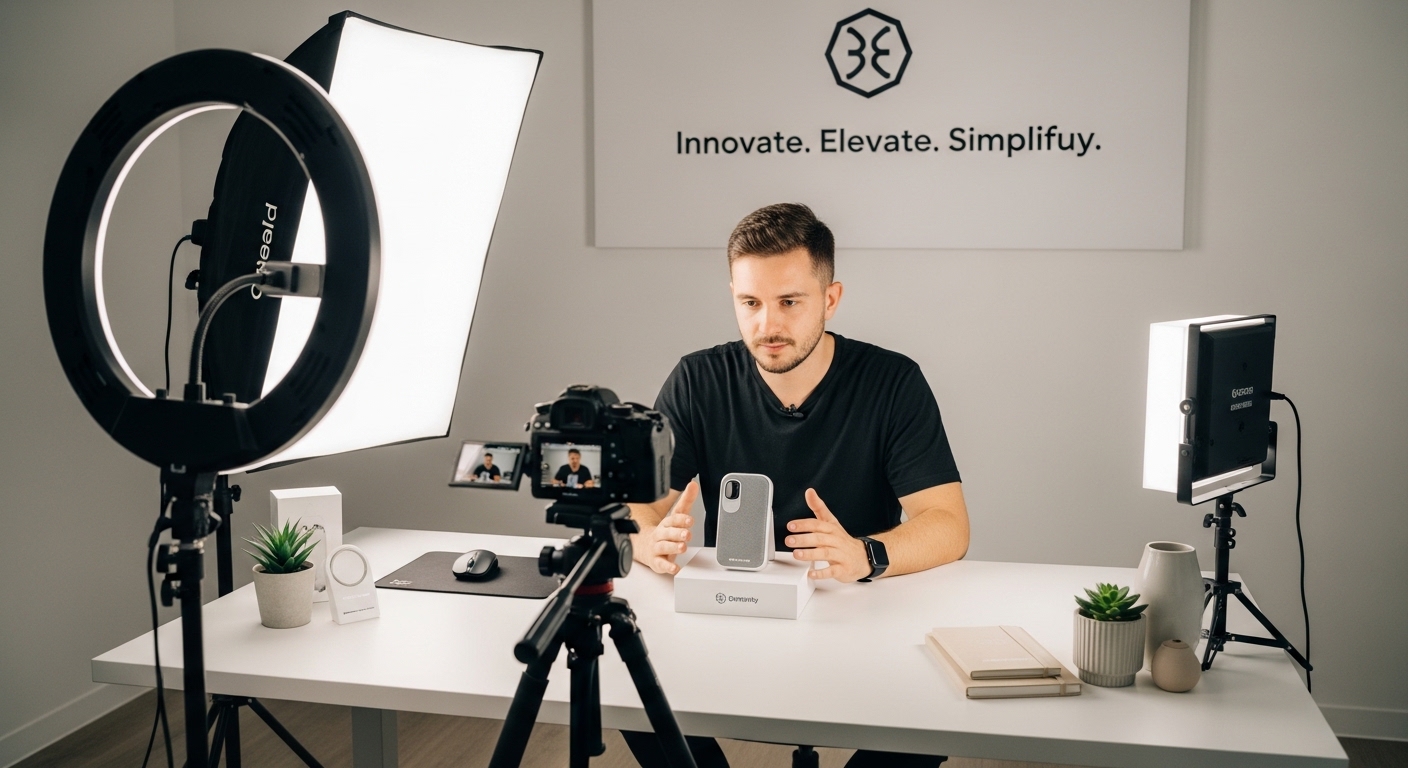 If your product needs explaining, your content should be doing it for you 24:7.
Build Your Business YouTube Channel Before You Hit Record
Most business owners rush straight to filming and realise three months in that their channel looks like a side project rather than a professional brand. The prep stage takes less than a day and changes how every video lands from the first upload.
- Channel name: Use your business name or a keyword-rich variation that tells a new visitor exactly what the channel covers. "FlowDesk Tutorials" communicates more in two words than "John's Business Channel" communicates in a full description.
- Logo and branding: Use the ImagineArt AI Logo Generator to create a scalable, professional channel icon in seconds, powered by Nano Banana Pro and Seedream V4. Download in high resolution with a transparent background, ready for YouTube, social media, and all channel art immediately.
- Thumbnail template: Set your visual format before you publish video one. The ImagineArt YouTube Thumbnail Maker generates high-resolution thumbnail options from a text description with real-time previews built specifically for YouTube. One consistent layout, one colour treatment, one font style across every video.
With your channel set up and your first video topics mapped, here is the exact three-step process for how to start a YouTube channel for your business and build it into a consistent lead generation machine.
Steps to Start a YouTube Channel for Your Business in 2026
Step 1: Map Your Content to What Your Customer Is Already Searching For
Before you set up a camera or write a script, spend 20 minutes on YouTube and Google Trends doing this:
- Search your exact target service or product keyword, not the broad industry category
- Check Google Trends for seasonal search spikes in your niche and plan content around peak periods
- Use VidIQ or TubeBuddy to confirm search volume and competition before committing to a topic
- Look for at least two to three videos from channels under 100,000 subscribers already ranking for your target keyword
What makes a business video topic worth producing:
- A keyword that your potential customer searches before making a buying decision
- Video content where the top-ranking results are less than 18 months old
- A topic where your expertise gives you a credible and unique angle on the answer
That combination tells you the topic has real demand, is still winnable when you start a YouTube channel for your business from scratch, and will generate leads long after you publish it.
Recommended read: YouTube Automation: How to Start, Scale and Monetize with AI — covers niche selection, content planning, and how to build a repeatable topic research system that works for any business channel.
Step 2: Lock In Your Business Video Production Workflow
Your production workflow determines whether you publish consistently or abandon the channel after month two. Decide before you hit record:
- Which AI tool generates your thumbnails and branded visual assets so every video looks consistent
- Whether your videos will be tutorials, talking-head content, product demos, or a mix of all three
- How you will batch-produce content weekly rather than treating every upload as a one-off production project
Recommended read: 74 AI Video Prompts Every Content Creator Should Try — gives you a full prompt library for product demos, explainer videos, brand content, and social clips so your production workflow starts with strong creative direction from the first generation.
Step 3: Publish Your First Video and Keep Going
Your first business video does not need to be perfect. It needs to exist. Here is what publishing actually looks like:
- Film your first video on your smartphone, no studio setup required
- Generate your thumbnail using ImagineArt before you upload anything
- Write a 200-word description with your primary keyword in the first two sentences
- Add chapter timestamps so YouTube indexes each section of your video separately
- Publish and move immediately to the next video
The business YouTube channels that generate leads in year one are the ones that publish one optimised video every week without stopping. Not the ones that planned for three months and posted twice.
Recommended read: How to Make YouTube Shorts with AI — once your first long-form video is live, this shows you how to immediately repurpose it into Shorts that drive early discovery traffic and channel growth before your main videos build search ranking.
Create Business YouTube Content at Scale Using ImagineArt
Here is the truth most people learn after they start a YouTube channel for your business: the filming is the easy part. The part that kills consistency is everything that comes after:
- Thumbnails
- Product demos and explainer visuals
- Branded graphics and channel art
- Promotional clips and Shorts
- Client-facing video assets for every new service or product
That is where most business owners lose hours every week and eventually abandon their publishing schedule entirely.
ImagineArt handles roughly 80% of that production work for you. What is left is the customisation layer, and that takes minutes, not hours.
Here is how each tool fits directly into a business YouTube channel workflow:
1- Your Product Demos Convert Before the Sales Call
Businesses that demonstrate their product or service clearly on camera close leads faster. Upload a screenshot, product image, or reference photo to the ImagineArt Product Demo Video Maker and get a polished demo video with branding, camera angles, and key feature highlights automatically, no manual editing required.
For businesses that need to explain complex processes simply, the AI Explainer Video Generator produces animated explainer content using Luma and PixVerse models without an animation team or a production budget.
- SaaS demos, service walkthroughs, and feature announcement videos in minutes
- No editor, no voiceover artist, no production timeline
2- Your Brand Looks Consistent Across Every Upload
Viewers recognise your channel before they read your title. The ImagineArt AI Image Generator, powered by Nano Banana Pro, Imagen 4, and Seedream 4.5, generates custom thumbnail backgrounds, branded graphic assets, and channel series covers from a text description.
The AI Image Editor handles all image editing through text prompts: background removal, lighting correction, and visual enhancement in seconds. No Photoshop skills required.
- Consistent visual identity across thumbnails, channel art, and end screens
- Every asset on-brand from the first upload
3- Your Videos Look Cinematic.
Business channels need more than talking-head footage. Branded intros, product reveal sequences, and promotional content all strengthen the professional signal your channel sends to first-time viewers.
Veo 3.1 generates hyper-realistic cinematic video up to 60 seconds with native audio and 4K output. For multi-shot product storytelling with synchronised audio in one pass, Kling 3.0 handles up to six camera cuts with physics-accurate motion. For fast promotional clips and Shorts teasers at speed, Hailuo 2.3 delivers at 2.5 times the generation speed. For multi-input cinematic sequences combining text, images, video, and audio, Seedance 2.0 produces the full narrative without manual stitching.
- Cinematic branded content from a single text prompt
- No production crew, no studio, no timeline
4- Your Sales Content Works While You Sleep
A business YouTube channel that generates leads needs content that moves viewers toward a buying decision. The ImagineArt AI Sales Video Generator turns product benefits, pitch highlights, and campaign offers into conversion-focused video clips in minutes. For ecommerce businesses, the AI Business Video Maker produces promotional and brand videos tailored to your audience without complex editing.
- Sales content and promotional clips ready in 3 to 5 minutes
- Both run alongside your main channel without extra production time
5- Clean Footage, Zero Hours in an Edit Suite
Unwanted elements end up in business footage on every filming day. Competitor branding in frame, stray cables, cluttered office backgrounds. Video Object Removal removes any element from footage using a text prompt and reconstructs the background automatically.
- Wrong background on a product still: Background Changer
- Flat or inconsistently lit footage: AI Video Color Correction
- Any image needing 4K resolution: Image Upscaler
6- Batch a Full Week of Business Content in One Session
ImagineArt Workflow connects image generation, video generation, and editing into one reusable automated pipeline.
- Set it up once with your brand's visual parameters and run it every week
- Thumbnails, product demos, Shorts, and promotional clips for the full week in under 30 minutes.
 You don’t need a studio to start, your workspace is your content just tweak them with ImagineArt
How a Business YouTube Channel Generates Leads and Revenue
When you start a YouTube channel for your business, it earns across multiple revenue and lead generation streams simultaneously, and several of them activate long before you hit 1,000 subscribers.
1- Inbound Leads From Search
A tutorial or explainer video that ranks for a keyword your potential customer searches generates qualified enquiries with zero ad spend, indefinitely. One well-optimised video explaining a service your business offers can drive consistent inbound leads for two to three years after you publish it. This is the primary return on investment for any business YouTube channel.
2- Shortened Sales Cycles and Higher Close Rates
A prospect who has watched three of your videos before getting on a call already trusts your expertise, understands your approach, and has partially made their decision. Your close rate on leads who come through YouTube is consistently higher than leads from cold outreach or paid ads because the channel does the trust-building before you ever speak.
3- Brand Sponsorships and Industry Partnerships
Business channels with engaged audiences in specific niches regularly attract inbound sponsorship offers from tool providers, industry platforms, and complementary service brands. Channels with 500 to 2,000 subscribers in a commercially engaged niche attract partnership enquiries earlier than most business owners expect. Rates for small business channels run $150 to $500 per sponsored segment and scale as the audience grows.
Recommended read: 40+ AI Influencer Marketing Ideas That You Should Steal — shows exactly how brands structure influencer and channel partnerships in 2026 so you know how to position your channel when the sponsorship conversations start.
4- Digital Products and Consulting Upsells
Business owners with engaged YouTube audiences sell templates, guides, frameworks, and online courses to the viewers who watch their free content consistently. A PDF guide or mini-course priced at $19 to $97 converts well once a business YouTube channel has built genuine niche authority. Many business creators earn more from digital products than from AdSense on the same view count.
Recommended read: How to Make Money with AI — breaks down exactly which digital product formats perform best for business creators, from template packs and explainer video services to branded content packages and AI-generated course assets.
5- Long-Term Client Retainers and Agency Partnerships
A business that has published 50 well-produced videos in its category owns the consideration stage for its niche. Long-term client relationships, agency partnerships, and enterprise enquiries all flow toward the business that has demonstrated expertise publicly and consistently over time. The channel becomes the most effective business development tool the company owns.
Recommended read: Best AI Design Agents for Businesses in 2026 — covers how agencies and business teams use ImagineArt Workflow to scale visual content production across multiple client channels.
Analytics, Lead Tracking, and Scaling Your Business Channel
Once you have 10 to 15 published videos, four numbers tell you whether your business YouTube channel is actually working:
- CTR above 4% means your thumbnails and titles are pulling the right audience. Below 2% means fix the thumbnail before anything else
- An average view duration above 50% means your content is holding the viewer through to your CTA. Below 40% means your hook or pacing needs attention
- Description link clicks per video tell you which videos are converting viewers into leads and which ones are generating views without business value
- Impressions growth shows whether YouTube is distributing your content to new audiences beyond your existing subscribers
Replicate their topic structure, title format, and thumbnail approach on every new upload.
For brand sponsorships and partnerships, start pitching directly at 1,000 subscribers. Build a media kit showing your niche, average views per video, and a portfolio of your most polished content.
Start Your Business Channel Today.
Every lead your competitors are getting from YouTube right now is a lead that found them before it found you. A business YouTube channel is not a vanity project. It is a compounding search asset that generates qualified inbound enquiries, shortens your sales cycle, and builds the kind of brand trust that no ad budget can manufacture.
You bring the expertise and the camera. ImagineArt handles everything that comes after. New users get 100 free daily credits and 7 days of premium model access to Veo 3.1, Kling 3.0, and Seedance 2.0 from the moment they sign up. No credit card required.
Pick your niche. Build your thumbnail. Publish your first video.
 The moment your content starts working for you — not the other way around.
Frequently Asked Questions About Starting a YouTube Channel for Your Business
Starting a YouTube channel is completely free. Your costs come from equipment, editing software, and production tools. ImagineArt gives you 100 free credits refreshed every 24 hours, plus 7 days of free access to premium models including Veo 3.1, Sora 2, and Seedance when you sign up. Paid plans start from around $10 per month for the Basic tier, scaling through Standard, Ultimate, Creator, and Enterprise depending on your credit volume and team size.
Most business channels begin seeing consistent organic growth after 6 to 12 months of regular publishing. Channels that post one optimized video per week and promote consistently tend to reach their first 1,000 subscribers within 6 to 9 months. Growth compounds after 50 to 100 published videos because your back catalog generates ongoing search traffic.
Tutorial and how to videos consistently outperform promotional content. Videos that solve a specific searchable problem get discovered through YouTube search and attract viewers already interested in your category. Case studies, product walkthroughs, and Q and A videos also perform strongly because they address real purchase stage questions.
No. Smartphones in 2026 record broadcast quality 4K footage. Audio clarity and lighting matter far more than camera quality. A ring light and an external microphone under $100 will dramatically improve your production. You can supplement your own footage with AI generated B roll using the ImagineArt AI Video Generator, which gives you access to Veo 3.1, Kling 3.0, Seedance 2.0, and more from a single subscription.
High contrast, bold readable text, and a clear visual subject are the three foundations of a strong thumbnail. The ImagineArt YouTube Thumbnail Maker generates multiple high resolution options from a text description. Pair it with the AI Image Editor to customize colors, swap backgrounds, and fine tune details to match your brand identity.
Umaima Shah
Umaima Shah is a creative content strategist specializing in AI tools, image generation, and emerging technologies. She focuses on translating complex platforms into clear, practical insights for creators, designers, and product teams