
Tooba Siddiqui
April 28, 2026 • Updated June 8, 2026
15 mins Read
AI film production has moved from experimental to professional in under two years. By 2025, AI-generated footage had appeared in Netflix title sequences, Cannes-screened short films, and major commercial campaigns — a shift from novelty to standard practice that compressed what used to take months into days. Studios, independent directors, and content agencies are now shipping AI filmmaking software at scale. The budgets are smaller. The timelines are shorter. The output is cinematic.
The problem is not finding the best AI tools for film production. The problem is knowing which one handles which stage — and which combination gets you from script to final cut without six separate subscriptions running simultaneously.
This guide covers the nine best AI tools for filmmakers in 2026, what each does best, what it costs, and exactly where it fits in a professional production pipeline.
What Are AI Tools for Film Production?
AI tools for film production are software platforms that use generative AI to handle one or more stages of the filmmaking process — from script development and storyboarding to video generation, editing, and export. The best platforms in 2026 cover multiple production stages under a single workflow rather than generating isolated clips. A tool that generates a single scene is a video generator. A tool that takes you from concept to finished sequence is an AI film production platform.
Why Use AI Tools for Film Production?
- Compressed timelines — scene generation in seconds replaces days of pre-production coordination
- Reduced costs — eliminates expensive concept art commissions, location scouting, and reshoots
- Unlimited iteration — re-generate a scene in seconds instead of re-shooting
- Solo creator access — cinematic output that previously required full production crews is now accessible to individual filmmakers
- Multi-format output — generate for theatrical, social, and short-form formats from the same prompt
- AI movie production tools remove the technical barrier to entry for visual storytelling without removing the need for creative direction
What to Look for in an AI Film Production Tool
Before picking a platform, evaluate it against the criteria that actually matter in a production environment:
- Model quality — output resolution, photorealism ceiling, and motion accuracy at full length
- Workflow depth — does it cover script, storyboard, generate, edit, and export in one place?
- Character and scene consistency — can the same character appear across multiple shots without drifting?
- Camera control — angle presets, movement, panning, and cinematic framing options
- Export format support — file formats and resolutions for professional delivery
- Pricing at scale — cost per minute of finished video, not just the monthly sticker price
- Commercial licensing — essential for any professional or client-facing work
- Model variety — locked to one model, or can you switch based on the scene's needs?
For more details about which movie generators give the best results, read: Best AI Movie Generators
A Quick Comparison
| Tool | Best For | Models | Pipeline Depth | Free Tier | Starting Price |
|---|---|---|---|---|---|
| ImagineArt | Multi-model filmmaking | Best model auto-selected — you control Genre, Movement, Camera | Full — storyboard, generate, edit, automate | Yes — recurring | $9/month |
| Runway ML | Professional output quality | Gen-4 Turbo | Generation + native editor | Yes — 125 one-time credits | $12/month |
| LTX Studio | Script-to-screen pipeline | LTX-2, Veo 3.1, Kling 2.6 Pro | Full — script, storyboard, generate, edit, export | Yes — 800 one-time credits | $15/month |
| Google Flow | Fast free entry point | Veo 3.1 + Nano Banana Pro | Generation + Scenebuilder | Yes — 50 daily credits | $19.99/month |
| Kling AI | Motion realism | Kling 2.6 / 3.0 | Generation only | Yes — limited | ~$8/month |
| Sora 2 | Long-form cinematic quality | Sora 2 | Generation only | No | $20/month |
| Pika Labs | Short-form / social content | Pika 2.5 | Generation only | Yes — 80 credits/month | $8/month |
| Seedance AI | Audio-visual generation | Seedance 2.0 | Generation + native audio | Yes — via Dreamina | $9.60/month |
| Luma AI | Camera movement + lighting | Ray3.14, Kling 2.6, Veo 3.1 | Generation only | No | $30/month |
The 9 Best AI Tools for Film Production in 2026
1. ImagineArt — Best Overall AI Film Production Platform
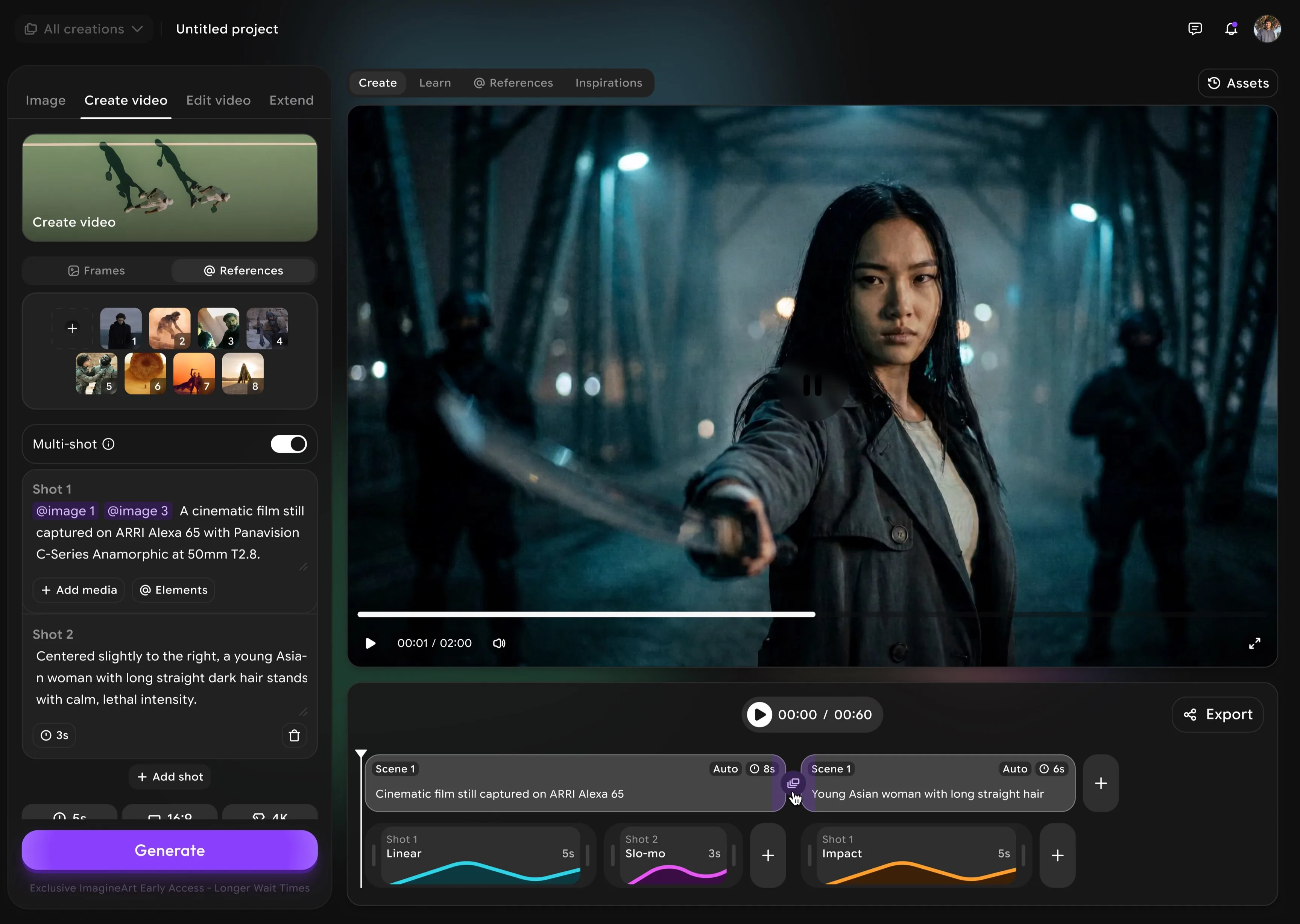 ImagineArt Best AI Film Studio.
ImagineArt AI Film Studio is the only platform where every stage of production lives under one login. Pre-production storyboarding, scene generation across multiple video models, frame-level editing, and full pipeline automation are all native to the platform, all running on a single credit system, and all accessible from $9/month with commercial use included. The practical difference this makes is not theoretical: Film Studio removes model selection entirely — you set Genre, Movement, Speedramp, and Camera controls, and the platform automatically routes to the best model for what you're creating. No other AI filmmaking software in 2026 removes that decision from the creator's plate. For independent creators and production teams alike, ImagineArt functions as the production hub — and every specialist tool on this list functions as a module inside it.
Pre-production Use the AI Image Generator to build your storyboard. Generate character references, location visuals, concept art, and production stills before a single frame of video is rendered. Most platforms skip this stage entirely. ImagineArt treats it as part of the core workflow.
Production Film Studio's generation interface puts creative controls front and center: Genre dropdown, Movement dropdown, Speedramp, Start Frame, End Frame, and Camera settings (Select Camera, Select Lens, Focal Length, Aperture). You describe what you want cinematically. The platform handles model selection automatically — routing each generation to the best model for the output without ever asking you to choose.
Post-production The AI Video Editor handles frame-level refinements — color adjustments, compositing, and visual corrections without jumping to a separate editing platform.
Full Pipeline Automation
AI Workflows chains every step into one automated production sequence: prompt → image → video → edit.
Pricing
- Free tier — recurring credits, commercial-friendly
- Paid from $9/month — commercial use included
- One credit system across all models
- Mobile and desktop access at every tier
2. Runway ML — Best for Professional Output Quality
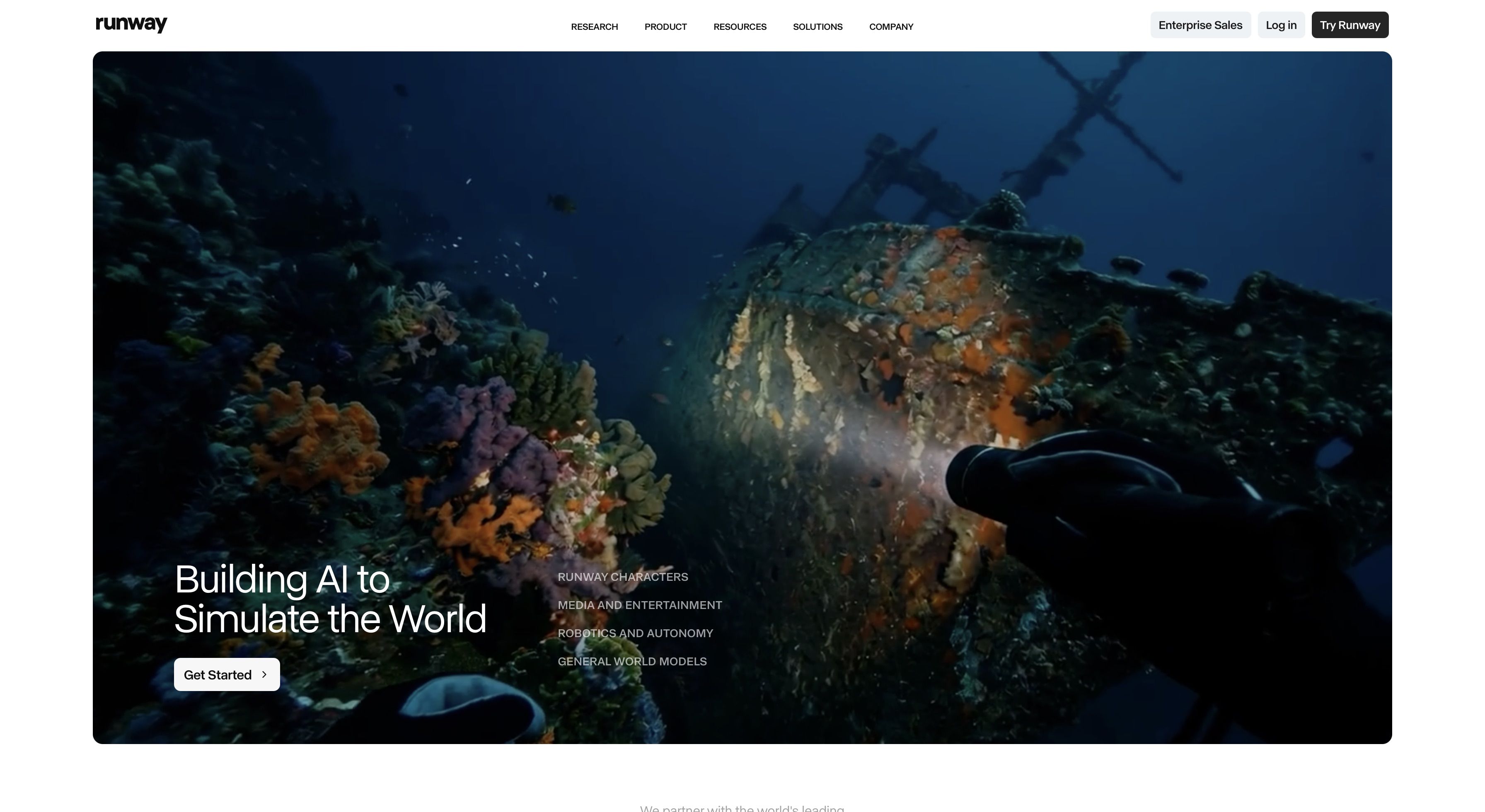
Runway ML is the platform that professional production companies and commercial studios reach for when the quality standard is not "good for AI" but "good enough to publish." Runway Gen-4.5, Runway's flagship model, produces multi-scene consistency, precise motion control, and photorealistic output at a fidelity level that holds up at full theatrical resolution. What distinguishes Runway from pure generation tools is the production infrastructure built around the model. It has a native video editor, custom voice generation, multi-scene consistency tools for maintaining characters and environments across takes, team workspaces for collaborative review, and commercial licensing included at every paid tier. For filmmakers whose work demands the highest single-model quality ceiling and who do not need cross-model flexibility, Runway AI is the strongest choice on this list.
Best for: Professional filmmakers and agencies where output quality is the primary constraint and model flexibility is not required.
Pricing
- Free: $0 — 125 one-time credits
- Standard: $12/user/month — 625 credits/month
- Pro: $28/user/month — 2,250 credits/month
- Unlimited: $76/user/month — unlimited Explore Mode
Limitations
- No script or storyboard tools
- Locked to Runway models — no cross-model switching
- Credit costs burn fast on long high-resolution generations
Also read: Runway ML Alternatives
3. LTX Studio — Best for Full Script-to-Screen Pipeline
LTX Studio is built for directors and production teams who need to start from a screenplay and finish with a deliverable sequence — without stitching together five separate tools to get there. LTX Studio prioritizes workflow depth: native script-to-video conversion, AI storyboard generation, character consistency tools that maintain identity across multiple shots, pitch deck creation for pre-production client presentations, timeline editing, and sound design are all built into the platform as first-class features rather than integrations. The primary model is LTX-2, an open-source architecture with publicly available weights, which means teams with their own infrastructure can self-host without API dependency.
Best for: Directors and production teams working from a screenplay who need a full script-to-screen pipeline with team collaboration.
Pricing
- Free: $0 — 800 one-time credits, personal use only
- Standard: $35/month — 28,000 credits, commercial use
- Pro: $100/month — 110,000 credits, Veo 3.1 + Kling 3.0 Pro
Limitations
- Desktop-only — no mobile access at any tier
- Top models paywalled at $100/month
- Commercial licence requires $35/month minimum
4. Google Flow — Best Free Entry Point for Cinematic Filmmaking
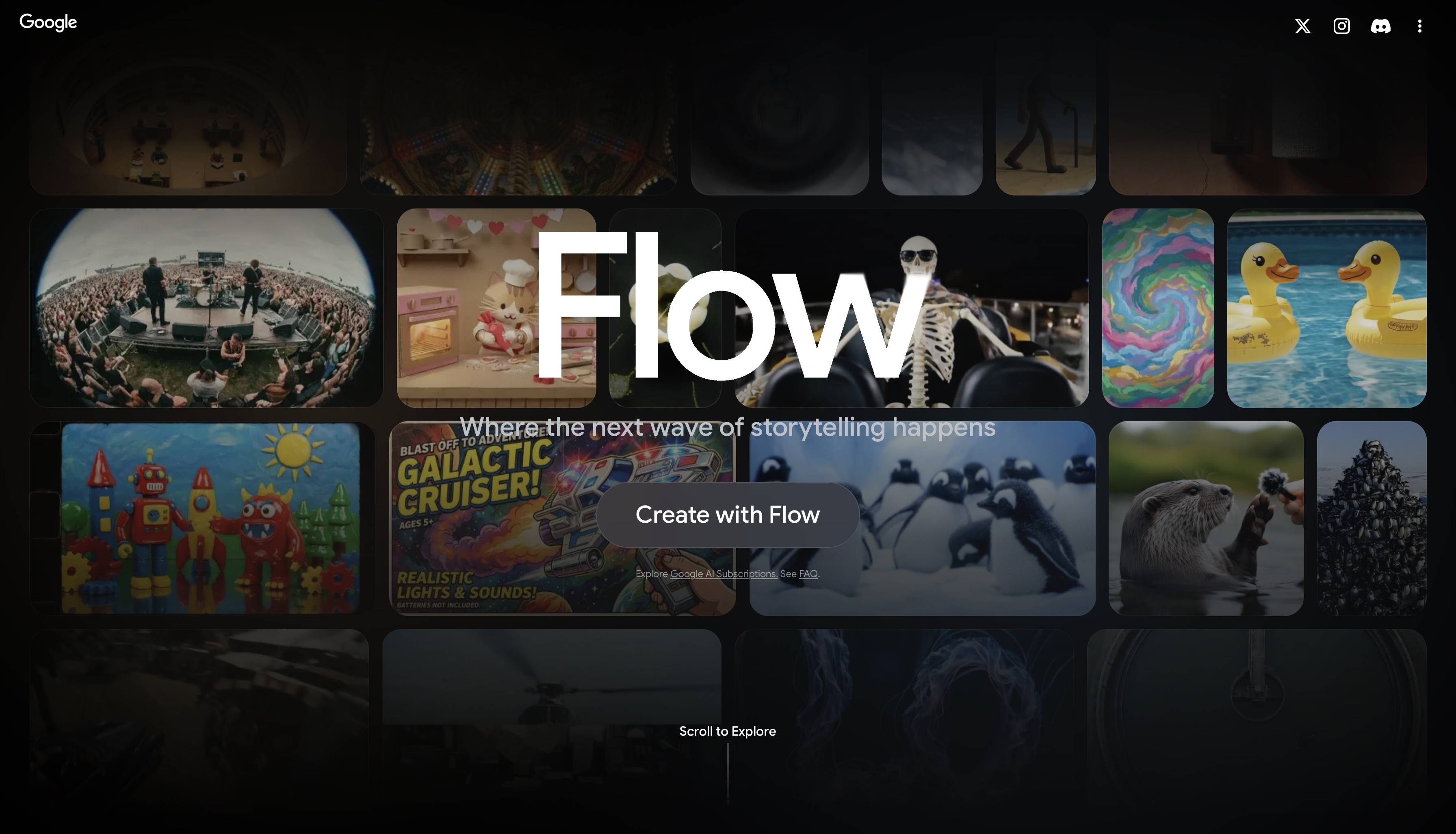
Google Flow is the most powerful free AI film production tool available in 2026. At $0, it delivers Veo 3.1, Nano Banana Pro, Scenebuilder for cinematic composition planning, camera angle control with named cinematographic presets, object insertion and removal within existing scenes, video extension for lengthening generated clips, and 2K/4K upscaling. The platform benefits directly from Google's infrastructure investment: generation speeds, model reliability, and output consistency reflect the same engineering behind Google's commercial cloud products rather than a startup's API wrapper. For independent filmmakers, students, and creators exploring AI filmmaking for the first time, Google Flow removes the financial barrier to entry entirely without removing access to professional-grade output quality.
Best for: Filmmakers who want high-quality cinematic generation at zero cost with no upfront commitment.
Pricing
- Free: $0 — 100 credits + 50 daily credits
- Google AI Pro: $19.99/month — 1,000 credits/month
- Google AI Ultra: $124.99/month — 25,000 credits/month
Limitations
- No script-to-storyboard pipeline
- No team collaboration workspace
- Daily credit model (50 credits/day) constrains high-volume production.
5. Kling AI — Best for Motion Realism
Kling AI does one thing better than every other platform on this list: physically accurate motion. Character movement in Kling-generated footage follows real biomechanical patterns: weight distribution shifts correctly when a character sits down, fabric responds to movement with accurate drag and inertia, water and environmental elements behave according to actual physics rather than learned visual approximations. Kling 2.6 specifically handles fast movement, impact sequences, and high-action scenes without the stuttering and unnatural deceleration that appear in lower-parameter models under the same conditions. Kling 3.0 release extended this with cinematic camera presets and longer clip durations, making multi-scene narrative production viable rather than just individual scene generation.
The right approach is to run it inside ImagineArt's Workflow, where Kling motion control precision becomes one module in a complete pipeline rather than a standalone output.
Best for: Narrative filmmakers where character motion accuracy and scene consistency across shots are the primary constraints.
Pricing
- Free tier available (limited generations)
- Standard: ~$8/month
- Pro: ~$28/month
Limitations
- Not a production suite
- No timeline editor and post-production capability
Also read: Kling AI Alternatives
6. Sora 2 — Best for Long-Form Cinematic Quality
Sora 2 by OpenAI offers combination of extended clip length, photorealistic generation at full resolution, and OpenAI's prompt reasoning layer. The AI video generator can interpret the spatial logic, causal relationships, and implicit intent behind a scene description before rendering. Sora 2 maintains scene coherence, lighting continuity, and physical plausibility across extended durations. For filmmakers who have iterated through every other tool on this list and found that the quality ceiling is the constraint — not the pipeline, not the model variety, not the workflow — Sora 2 is the answer. It produces exceptional footage and hands it back to you. Accessing it through ImagineArt is the practical solution. Sora 2's quality sits inside a full production pipeline without requiring a separate ChatGPT Pro subscription for every team member who needs to generate.
Best for: Filmmakers making long-form cinematic work where maximum output quality is the only variable.
Pricing
- ChatGPT Plus: $20/month — Sora 2 included
- ChatGPT Pro: $200/month — priority access and higher limits
Limitations
- No API for automated production pipelines
- No built-in editing, storyboarding, or script tools
- Expensive at scale for high-volume production
Also read: Sora 2 Alternatives
7. Pika Labs — Best for Short-Form and Social Filmmaking
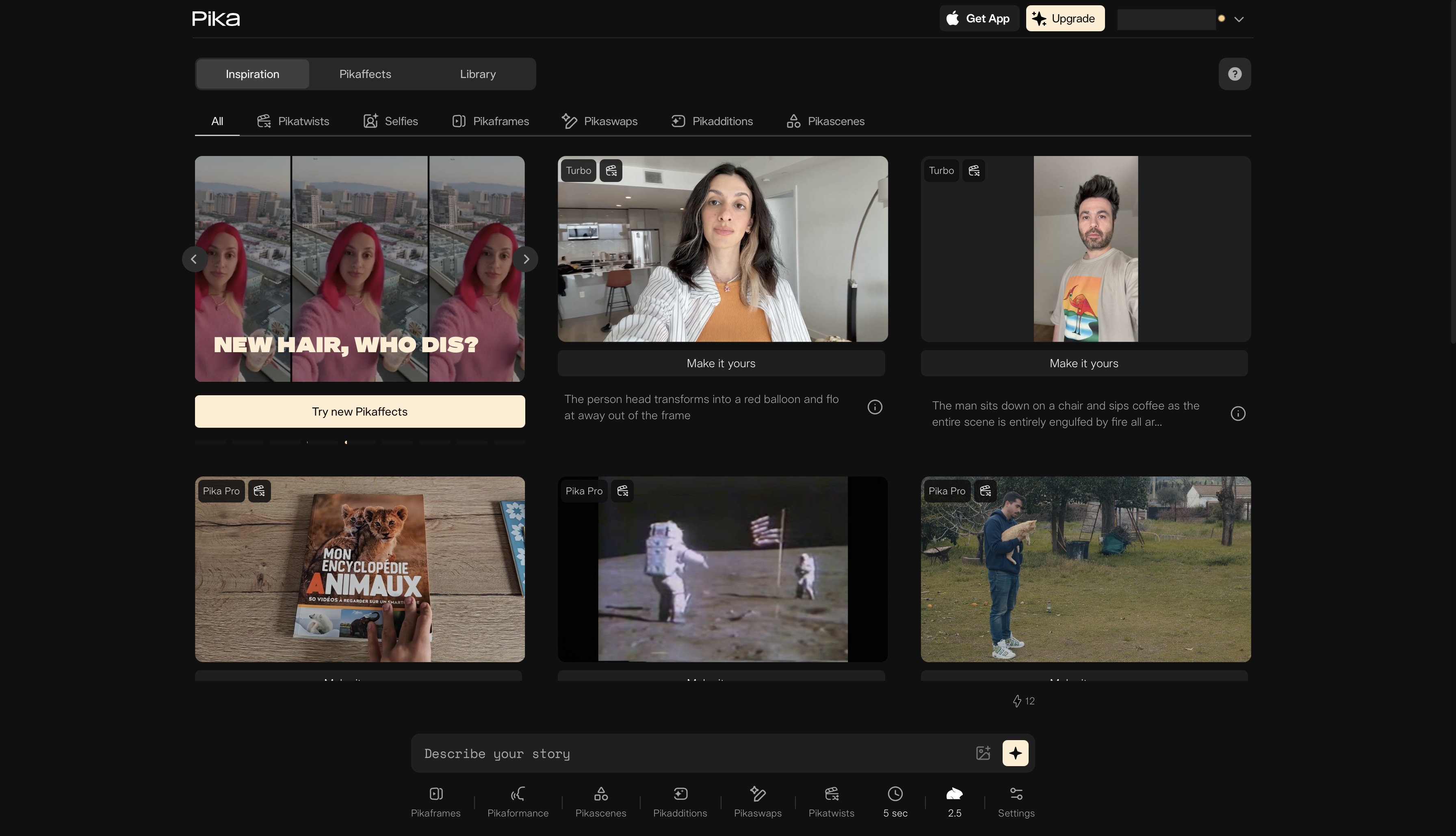
Pika Labs leads on something no other platform in this list offers: stylized transformation effects at speed, priced for commercial use at $8/month. The Pikaffects system — melt, morph, explode, inflate, among others — produces visual transformations that function as signature creative devices. The effect is the artistic statement rather than a distraction from narrative realism. Pika 2.2 and 2.5 generates these effects faster than any competing model and at a quality level that holds up at the resolutions social platforms actually display. Pika Labs solves the specific problem that Runway, Kling, and Sora 2 are not designed to solve — high-concept visual creativity at volume, on a timeline that supports same-day content production rather than multi-day generation cycles. Pika is a specialist tool for a specific output type, and within that type, it is the strongest option available.
Best for: Short-form content creators making social videos, music videos, and advertising creative under 10 seconds.
Pricing
- Free: $0 — 80 monthly credits (480p only)
- Standard: $8/month — 700 credits, all resolutions
- Pro: $28/month — 2,300 credits
- Fancy: $76/month — 6,000 credits
Limitations
- Output duration typically under 10 seconds
- Lower photorealism ceiling than Runway or Kling
- Effects-first design limits use for narrative filmmaking
8. Luma AI — Best for Camera Movement and Lighting
Luma AI leads the category on the two capabilities: camera movement and lighting physics. Ray3.14, Luma's flagship model, generates footage where camera movement follows the fluid, weighted motion of real cinematography — dolly moves that decelerate naturally, handheld shots with organic micro-movement, crane lifts that hold spatial orientation correctly throughout the arc. Light in Ray3.14 outputs behaves according to physical principles rather than learned approximations: directional sources cast shadows at geometrically correct angles, reflective surfaces interact with light sources consistently across a scene, and the transition between illuminated and shadowed areas follows the soft gradients that real-world cinematography produces.
Best for: Filmmakers where precise camera movement and cinematic lighting fidelity are the primary creative requirements.
Pricing
- Plus: $30/month
- Pro: $90/month
- Ultra: $300/month
- Per-second credit pricing available for Ray3.14, Kling 2.6, Veo 3.1
Limitations
- No free tier
- Subject consistency across long productions still developing
- No built-in audio or sound design tools
9. Seedance AI — Best for Audio-Visual Generation and Director-Level Control
Seedance 2.0 by ByteDance solves a problem that every other tool on this list works around: audio and video are treated as separate outputs, generated independently and synchronized in post. Seedance 2.0 eliminates that step entirely. Its unified multimodal audio-video joint generation architecture produces motion, lighting, ambient sound, lip-sync, and multi-language voiceover in a single generation pass — not as a video clip with audio added afterward, but as a single integrated output where the sound and image are generated together from the same prompt. The director-level control system compounds this: Seedance 2.0 accepts image, audio, and video references simultaneously, letting you specify camera movement, lighting setup, shadow behavior, and performance characteristics in a single generation pass.
Best for: Filmmakers who need synchronized audio-visual generation, director-level scene control, and multimodal reference input — particularly for narrative work where sound design is integral to the scene.
Pricing
- Free tier available via Dreamina (Jimeng platform)
- Premium plans from $9.60–$18/month (Dreamina)
- API: $0.14/second of generated video (Volcengine) — enterprise access only, public API not yet available
- Available on ImagineArt platform
Limitations
- Audio-video joint generation most valuable for narrative work — less relevant for purely visual production pipelines
How to Build an AI Film Production Pipeline in 2026
The best AI tools for film production rarely work in isolation. Here is how professional filmmakers are combining them into a full pipeline:
- Write your concept and script using any LLM
- Generate storyboard frames and character references in ImagineArt AI Image Generator
- Generate character-heavy scenes using Kling AI
- Generate wide cinematic shots using Veo 3.1
- Generate hero scenes requiring maximum quality using Sora 2
- Refine videos in ImagineArt AI Video Editor
- Refine frames in ImagineArt AI Image Editor
- Assemble the full sequence using ImagineArt Workflow
The pattern is consistent: ImagineArt as the hub, specialist models as the tools. This is why multi-model access inside one platform matters more than any single model's capabilities.
Common Mistakes When Choosing AI Film Production Tools
- Choosing a platform based on image quality benchmarks when video motion consistency is the actual production bottleneck
- Underestimating credit consumption — what costs $8/month for casual use scales fast on a 10-scene short film
- Signing up for multiple single-model platforms instead of a multi-model platform like ImagineArt
- Choosing a tool with no commercial licence and discovering the limitation after the project is complete
- Skipping the storyboard stage — generating video without reference frames multiplies re-generation rounds and extends timelines
- Evaluating tools on demo reels instead of running your actual production prompt through each platform
Which AI Film Production Tool Is Right for You?
- You need a full script-to-screen suite with storyboards and team collaboration → LTX Studio
- You are a professional filmmaker where output quality is the only constraint → Runway ML
- You need high-quality cinematic generation without a monthly subscription → Google Flow
- You need the most physically accurate character motion across scenes → Kling AI
- You are making short-form social content fast at low cost → Pika Labs
- You need cinematic camera movement and lighting fidelity → Luma AI
- You need the highest output quality ceiling for long-form cinematic work → Sora 2
- You need synchronized audio and video generated in a single pass for narrative or dialogue-driven scenes → Seedance AI
- You want all of the above under one login → ImagineArt
Ready to Produce AI Films with ImagineArt?
The best AI tools for film production in 2026 are not interchangeable — each leads at a specific stage or constraint. Runway for professional output, LTX Studio for full pipeline workflow, Kling AI for motion realism, Sora 2 for long-form cinematic quality.
But if you want to access all of them without managing five subscriptions, five credit systems, and five learning curves, ImagineArt puts every major AI filmmaking model under one login.
Want to go deeper? Learn more on ImagineArt blogs:
How to Make Short Film with AI
Frequently Asked Questions
ImagineArt leads as the best AI tool for film production for multi-model access — Kling 3.0 Pro, Seedance 2.0, Runway 4.5, and Google Veo 3.1 — full pipeline from storyboard to export, from $9/month with commercial use included. Runway ML leads on professional output quality. LTX Studio leads on script-to-screen workflow depth. The best choice depends on your production stage, team size, and budget.
Not entirely — not yet. The best AI tools for film production handle generation, visual development, and editing assistance, but creative direction, narrative judgment, and final quality control still require human input. AI compresses timelines and budgets significantly without replacing the director.
Google Flow offers the strongest single free tier — 100 credits plus 50 daily credits with Veo 3.1 and Scenebuilder at $0. ImagineArt's free tier offers recurring credits across multiple models, making it the stronger option for filmmakers who need model variety from day one.
It varies by platform. ImagineArt includes commercial use on all paid plans from $9/month. LTX Studio requires a $35/month minimum for commercial use. Runway includes commercial licensing on paid plans. Always verify your specific plan terms before using AI-generated content in client or commercial work.
An AI video generator produces individual clips from text or image prompts. An AI film production tool covers multiple stages of the production process — storyboarding, scene generation, editing, and export — in a connected workflow. ImagineArt, LTX Studio, and Runway ML are film production tools. Single-output generators are starting points, not production platforms.
Tooba Siddiqui
Tooba Siddiqui is a content marketer with a strong focus on AI trends and product innovation. She explores generative AI with a keen eye. At ImagineArt, she develops marketing content that translates cutting-edge innovation into engaging, search-driven narratives for the right audience.