AI Furniture Visualizer Generator
Furniture shoppers hesitate over one question: will it actually fit and look right in my room. ImagineArt's AI furniture visualizer places real product photos into a customer's own room in under a minute, replacing guesswork with an actual image before checkout.



Community Creations
Why furniture shoppers stop scrolling and start buying
Furniture carries one of the highest online return rates of any retail category, often cited near 20% to 30% by retail analysts, and most of that traces back to shoppers guessing whether a piece fits their space. An AI furniture visualizer removes the guess. Shoppers upload one photo of their living room or bedroom and see the exact sofa, bed, or table sitting in it, scaled to the room, before checkout. Fewer guesses at checkout mean fewer boxes going back.

A faster way to sell without a studio shoot
Traditional room scenes cost retailers a studio day, a stylist, and a rented space for every collection. ImagineArt works like an ai interior design app built for catalogs: drop in a product shot and a room photo, and the tool composites the piece into the scene in seconds. A 40-piece catalog that once needed three shoot days can go live in an afternoon, with every SKU shown in a dozen room styles instead of one.

Virtual staging for furniture, not just empty rooms
Most ai virtual staging tools are built for real estate agents filling an empty listing photo with generic decor. ImagineArt's furniture visualizer flips the use case: it takes a shopper's own, already-furnished room and swaps in a specific product, keeping their existing layout, wall color, and lighting intact. A homeowner replacing one armchair does not need their whole room restaged, just that one piece rendered in place, true to scale and light direction.

Built for the moment a shopper hesitates
Furniture carts get abandoned more than almost any other category because the buyer cannot picture the piece at home. Placing a visualize button next to the add-to-cart button gives that shopper a second decision point: upload a room photo, see the item in it, then buy or move on with confidence either way. Retailers report shoppers spend longer per product page once a visual preview replaces a mental guess, exactly what an ai interior design app is supposed to do.
How To Generate AI Furniture Visualizer Content
Step 1
Upload a room photo
Start with any photo of the room, taken on a phone, no professional lighting or tripod needed. ImagineArt reads the room's dimensions, light source, floor plane, and existing furniture layout in seconds. This becomes the canvas every piece gets placed into, so the walls, windows, and flooring in the final image are the shopper's actual room, not a stock backdrop.
Step 2
Place or choose furniture pieces
Pick a piece from the retailer's own catalog, or upload a photo of any product with its listed dimensions. ImagineArt scales the item to the room's real proportions and drops it into the spot that matches the photo's perspective, whether that's a sectional against a back wall or a dining table centered under a light fixture. Swap colorways or SKUs without re-uploading the room.
Step 3
download the visualization
Export the finished image in a few seconds, ready for a product page, an email to the shopper, or a sales floor tablet. Files come through as standard JPG or PNG, sized for web or print, with no watermark on paid plans. Retailers can batch this step across a full catalog instead of exporting one image at a time.
Product accuracy retailers can rely on
- SKU-exact placement:Feed in a product ID from the catalog and the render shows that specific model, correct proportions included, not a stand-in.
- Finish and colorway swaps:Generate the same armchair in eight upholstery options or a dresser in four wood stains from one room photo, no reshoot needed.
- Dimensional accuracy:Height, width, and depth from the product spec sheet set the scale, so a 7-foot sofa reads as a 7-foot sofa next to a real doorway.
- Batch catalog runs:Process 500 or more SKUs against a shared room template overnight instead of rendering one item per request.
- Brand-locked output:Set resolution, file naming, and watermark rules once so every export matches brand and e-commerce specs automatically.
Room conditions the tool actually handles
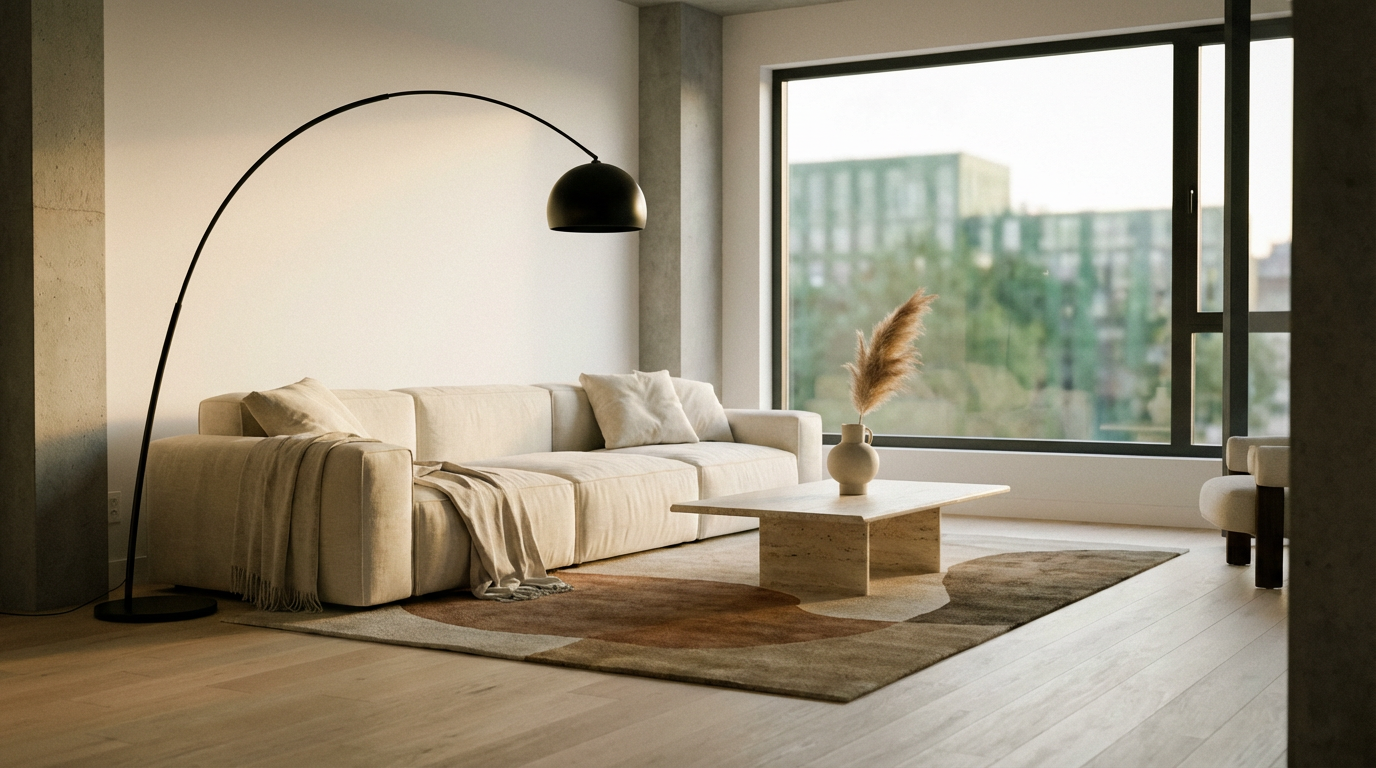
- Room types supported: Living rooms, bedrooms, dining rooms, home offices, and covered patios all render correctly from a single uploaded photo.
- Everyday lighting:Everyday lighting: Photos taken under mixed lamp and window light process the same as a bright midday shot, since the tool reads the existing light source instead of requiring studio conditions.
- Phone camera quality: Any photo from a modern phone camera, roughly 12 megapixels or higher, is enough resolution for a clean placement.
- Multiple angles per room: Upload two or three photos of the same room from different angles and get a matching item placed in each.
- Automatic plane detection:Floors, walls, and existing furniture edges are detected automatically, so new pieces sit at the correct depth instead of floating over the scene.
Ways to put it into an existing storefront
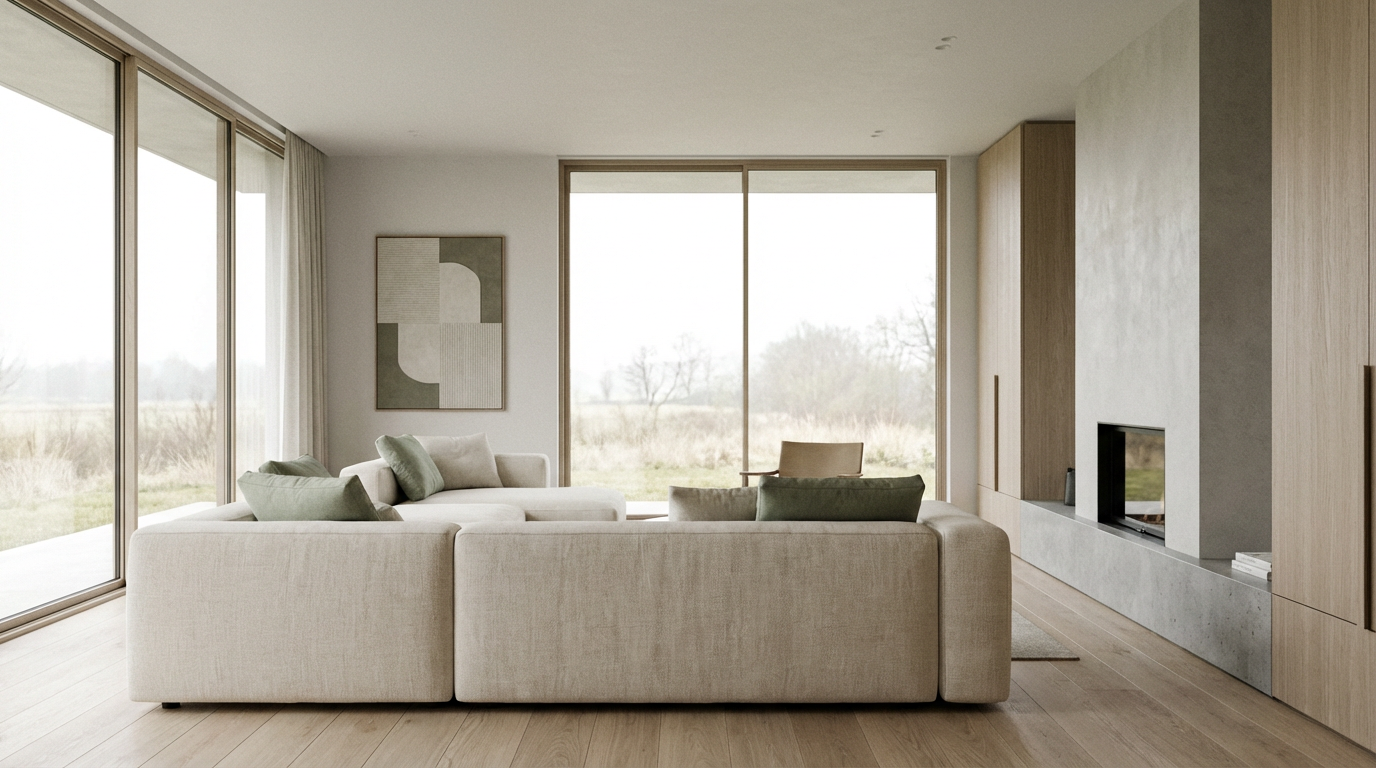
- Embeddable widget:Add a "see it in your room" button to any product page through an iframe, live in an afternoon with no storefront rebuild.
- API access:Pull the same rendering engine into a mobile app or custom product page through the Interior Design Generation API instead of the hosted widget.
- Showroom and sales tool: Sales associates can visualize a floor model in a customer's actual living room on a tablet, mid-conversation, instead of describing it.
- Email and social use:Attach a rendered image to a cart-abandonment email or a retargeting ad, showing the exact item in a room instead of a plain product shot.
- Catalog-wide rollout:Turn it on for one collection first, measure return rate and time on page, then expand to the rest of the catalog.

Review For AI Furniture Visualizer Content
Learn what users say about AI Furniture Visualizer content Generator

“I love this platform very easy to navigate through whatever you need to create. Excellent image generation and video generation. The pricing is very reasonable also. Thank you Imagineart for an amazing experience.”
“Imagine art is one of the best platforms for new AI creators offering the best prices, the market leader like Higgsfield are great but their prices are too high. Thank you imagine art for making AI Video models affordable. ”
“ImagineArt is a powerful creative suite, but if you want to leverage its flagship photorealistic and cinematic models, you’ll need to invest in a top‑tier account. For casual creators, the free/basic tier is sufficient, but professionals aiming for commercial‑grade visuals will find the upgrade essential. ”
“ImagineArt is an amazing AI art platform with an intuitive interface, fast image generation, and impressive results. It offers a great variety of styles and tools, making it easy to bring creative ideas to life. Whether you're a beginner or a professional, it's a reliable and enjoyable tool for creating high-quality artwork. Highly recommended! ”
“ImagineArt has a really amazing interface, well layered and clean. The workflow feature really makes working easy with all tools available in one place. One other thing, when I tested models like for instance Nano Banana 2 on ImagineArtAi and other Ai brands I got better results and higher quality on ImagineArtAi. It goes to show how much they have invested in making it the best of the best ”
“Great platform, lots of useful features. All the models you would want under one roof. Multi variation parallel generation of images and videos. workflows. awesome stuff THOUGH lots and I mean lots of popups. ”
Purchase a Subscription
Upgrade to get access to pro features and generate more and better
Basic
For newcomers taking their first steps
View Plans
Billed monthly
Included in plan
3Kcredits per month
Additional Features
Up to ~600 Image Generations/month
Up to ~97 Video Generations/month
General Commercial Terms
Image Generation Visibility: Public
4 Concurrent Image Generations
Complimentary Access
All GPT Models
All Gemini Models
All Claude Models
Unlimited Generations
10 Image Models
9 Video Models
Standard
For rising creators to level up their game
View Plans
Billed monthly
Included in plan
8Kcredits per month
Additional Features
Up to ~1.6k Image Generations/month
Up to ~265 Video Generations/month
General Commercial Terms
Image Generation Visibility: Private
8 Concurrent Image Generations
Complimentary Access
All GPT Models
All Gemini Models
All Claude Models
Unlimited Generations
Nano Banana
Runway Gen 4 Turbo
Midjourney V7
8 more Image Models
8 more Video Models
Ultimate
Peak performance for pros
View Plans
Billed monthly
Included in plan
16Kcredits per month
Additional Features
Up to ~3.2k Image Generations/month
Up to ~530 Video Generations/month
All styles and models
General Commercial Terms
Image Generation Visibility: Private
Complimentary Access
All GPT Models
All Gemini Models
All Claude Models
Unlimited Generations
All image models in Standard plan
All video models in Standard plan
Kling 2.6 Pro
Seedance 1.5 Pro
ChatGPT 1.5
Creator
A full production engine for powerhouses
View Plans
Billed monthly
Included in plan
100Kcredits per month
Additional Features
Up to ~20k Image Generations/month
Up to ~3.3k Video Generations/month
All styles and models
General Commercial Terms
Image Generation Visibility: Private
Complimentary Access
All GPT Models
All Gemini Models
All Claude Models
Unlimited Generations
All image models in Ultimate plan
All video models in Ultimate plan
Kling 3.0 Pro
Seedance 2 Fast
Nano Banana 2
Have questions?
We have answers!
Any photo taken on a phone works, ideally with the whole wall and floor visible so the tool can read the room's depth and light source. Avoid heavy filters or extreme wide-angle distortion, since those change how furniture scales once placed. A well-lit daytime shot of a living room, bedroom, or dining space is enough to generate an accurate placement in under a minute.
Scale comes from the product's listed dimensions, not a guess. When a SKU's height, width, and depth are in the catalog feed, ImagineArt uses those numbers against the room's detected floor plane, so a 34-inch-tall armchair renders at 34 inches relative to the doorway and other furniture already in the photo, not an estimate based on the image alone.
Yes. Connect a product ID from the catalog feed, or upload a single reference photo of the item with its dimensions, and the visualizer places that exact model, not a generic lookalike. This matters for retailers because the shopper needs to see the sofa they're about to buy, in their fabric choice, sitting in their room, before checkout, which is where most furniture purchase decisions actually stall.
Yes. Generate the same product across every finish or colorway listed in the catalog from one uploaded room photo, without reshooting anything. A dresser available in oak, walnut, and white oak can be rendered in all three in the same session, so shoppers compare finishes side by side in their own room instead of on a plain white background, cutting the need for a separate studio shot per colorway.
Yes. The visualizer runs as an embeddable widget through an iframe or a direct API call, so a "see it in your room" button can sit next to the add-to-cart button on any existing product page. Setup for a single collection typically takes an afternoon, and the Interior Design Generation API is available for retailers who want the rendering built into their own app or product page template.
Not entirely, and it isn't trying to. A visualizer places real product images into real room photos for the specific job of answering "will this fit and look right here." Hero shots, brand campaigns, and lifestyle catalog covers still benefit from a planned photoshoot. Most retailers run both: a shoot for the homepage, the visualizer for every product page underneath it.
Try the visualizer on your next room photo
Upload one room photo and one product shot, place the piece, and download the render in under a minute. No studio, no measuring tape, no return guesswork. Start free and see your first furniture visualization today.