Flux 2 Max - Now on ImagineArt
Flux 2 Max generates high-quality, 4MP images with precise control and consistency. Now available on ImagineArt for fast, professional-grade results.

You might also be interested in
Created By ImagineArt Users
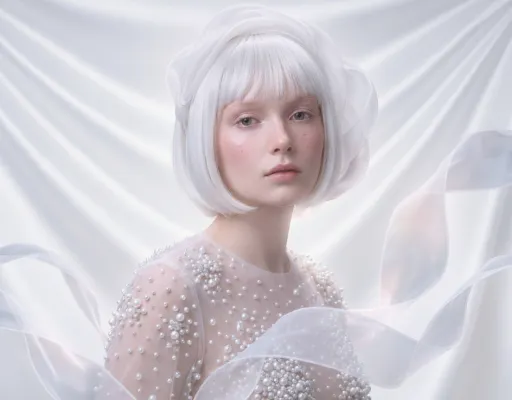
Create High-Resolution Output for Print & Digital Media
Flux 2 Max generates images up to 4MP, providing clean, detailed visuals ready for professional use. Large banners, posters, and digital campaigns keep every edge and texture sharp. High-resolution output also allows cropping, resizing, or adapting images for different platforms without losing quality.
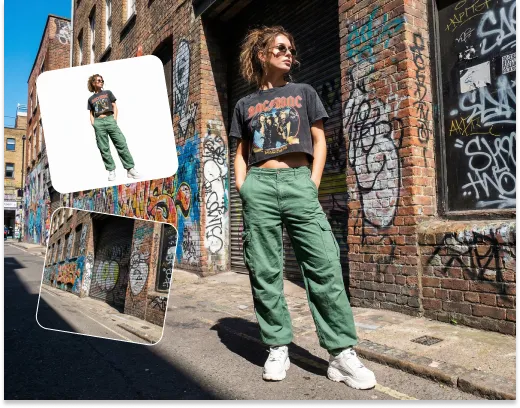
Maintain Consistency with Reference Images for Branding
With Flux 2 Max, up to 5 reference images can be used in a single generation. This ensures characters, products, or brand elements stay consistent across all visuals. Teams can create multiple campaign assets quickly while keeping a unified style and maintaining brand identity.
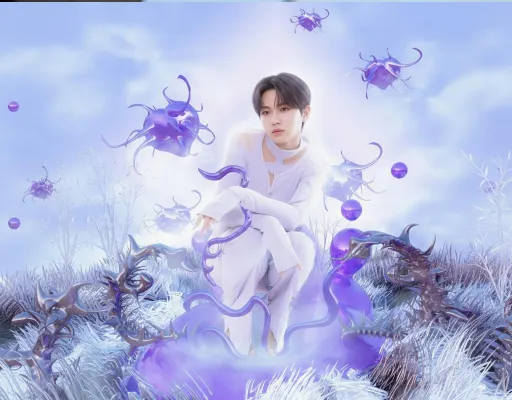
Build Detailed Concept Art with Complex Prompts
Flux 2 Max supports long, detailed prompts of up to 32K tokens. Designers can create intricate scenes, layered illustrations, and storytelling visuals in one step. This reduces repeated trial-and-error and delivers precise, repeatable results every time.
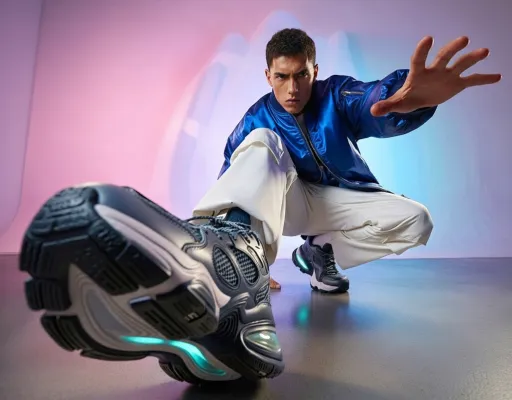
Control Layouts and Poses for Design Systems
Flux 2 Max provides JSON-based controls and pose guidance to adjust composition, framing, and layout precisely. This is useful for UI mockups, automated ad variations, and iterative design workflows, helping teams produce consistent outputs efficiently.
How to Use Flux 2 Max on ImagineArt
Step 1
Enter Prompt or Reference Images
Provide a detailed prompt and optionally add up to 10 reference images to guide the style and composition of your output.
Step 2
Adjust Settings and Options
Select aspect ratio (16:9, 4:3, 1:1, etc), number of image outputs, and whether you want 1 or 4. You can also enable prompt enhancer for better result.
Step 3
Generate and Download
Click generate and wait for Flux 2 Max to create a high-resolution image. Download the final result for print, digital, or campaign use.
Customer Testimonials

ApexStudios
"Flux 2 Max on ImagineArt has been a lifesaver for our marketing campaigns. The images come out crisp and consistent, and being able to use reference images makes it easy to keep everything on brand. It saves so much time compared to doing it manually."

Anya Petrova
Marketing Designer

DreamWorks
"I’m a freelance illustrator, and using Flux 2 Max on ImagineArt has totally changed my workflow. I can throw in a really detailed prompt, and it nails the scene almost exactly how I imagined it. It’s like having an assistant that never sleeps."

Ben Harris
Product Manager

Pixels
"I’ve been messing around with Flux 2 Max on ImagineArt just for fun, and it’s surprisingly powerful. Even for personal projects, the images look professional. I’ve been making scenes and characters that I wouldn’t have been able to create otherwise."

Isabelle Kim
Concept Artist

Shopify
"Flux 2 Max on ImagineArt makes social media content way easier. I can generate multiple ad versions quickly and keep the style consistent. It’s saved me hours of editing and keeps our feed looking polished."

Michael Chenn
Product Designer

TechNova
"For product mockups and UI concepts, Flux 2 Max on ImagineArt is perfect. The images are high-resolution, and I can tweak layouts until they look right. It’s made client presentations so much smoother and faster than anything I used before."

Ravi Patel
Creative Manager
Trusted by Professionals and Creators from leading brands
Sign up for freePurchase a Subscription
Upgrade to get access to pro features and generate more and better
Basic
For newcomers taking their first steps
View Plans
Billed monthly
Included in plan
3Kcredits per month
Additional Features
Up to ~600 Image Generations/month
Up to ~97 Video Generations/month
General Commercial Terms
Image Generation Visibility: Public
4 Concurrent Image Generations
Complimentary Access
All GPT Models
All Gemini Models
All Claude Models
Unlimited Generations
10 Image Models
9 Video Models
Standard
For rising creators to level up their game
View Plans
Billed monthly
Included in plan
8Kcredits per month
Additional Features
Up to ~1.6k Image Generations/month
Up to ~265 Video Generations/month
General Commercial Terms
Image Generation Visibility: Private
8 Concurrent Image Generations
Complimentary Access
All GPT Models
All Gemini Models
All Claude Models
Unlimited Generations
Nano Banana
Runway Gen 4 Turbo
Midjourney V7
8 more Image Models
8 more Video Models
Ultimate
Peak performance for pros
View Plans
Billed monthly
Included in plan
16Kcredits per month
Additional Features
Up to ~3.2k Image Generations/month
Up to ~530 Video Generations/month
All styles and models
General Commercial Terms
Image Generation Visibility: Private
Complimentary Access
All GPT Models
All Gemini Models
All Claude Models
Unlimited Generations
All image models in Standard plan
All video models in Standard plan
Kling 2.6 Pro
Seedance 1.5 Pro
ChatGPT 1.5
Creator
A full production engine for powerhouses
View Plans
Billed monthly
Included in plan
100Kcredits per month
Additional Features
Up to ~20k Image Generations/month
Up to ~3.3k Video Generations/month
All styles and models
General Commercial Terms
Image Generation Visibility: Private
Complimentary Access
All GPT Models
All Gemini Models
All Claude Models
Unlimited Generations
All image models in Ultimate plan
All video models in Ultimate plan
Kling 3.0 Pro
Seedance 2 Fast
Nano Banana 2
Have questions?
We have answers!
Flux 2 Max creates images up to 4MP with sharp details. Large banners, posters, or digital visuals stay clear and professional without needing extra upscaling.
Flux 2 Max gives consistent, ready-to-use images. Teams can use reference images to keep all visuals uniform across campaigns, saving time and keeping brand style.
Yes, it can use up to 10 reference images in one generation. This keeps characters, products, or brand elements the same across different visuals.
Flux 2 Max lets users adjust poses, layouts, and framing easily. This helps make UI mockups, product designs, or campaign visuals look exactly as needed.
Try Flux 2 Max Now!
Use Flux 2 Max on ImagineArt now and generate high-quality images in no time!