Flux Kontext Free – Controlled AI Photo Editing With Context Awareness
Flux Kontext lets you edit photos by typing what you want to change. Keep characters looking the same across multiple images. You can change colors, swap backgrounds, or edit text inside photos. Built by Black Forest Labs for creators who need precision.


You might also be interested in
Community Creations
Edit Specific Parts Without Ruining the Rest
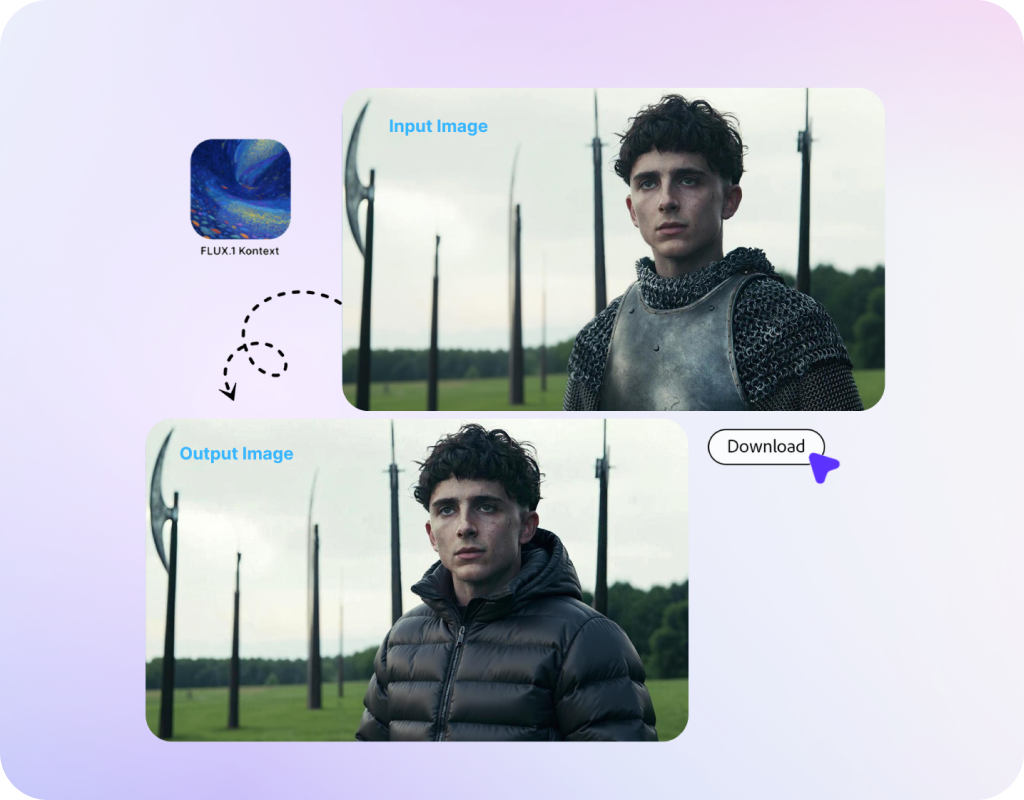
Flux Kontext edits specific image areas. Do you want to change just the car color, or do you need different clothing for a person? Only the changes will be made, and the rest of your photo stays exactly the same. Most AI tools regenerate the entire image when you ask for changes. Flux Kontext only edits what you tell it to change. It’s perfect for product photos, character designs, and brand assets.
Keep Your Characters Consistent
Create multiple images with the same character. Flux Kontext remembers faces, clothing, and style across different scenes. Great for comics where your hero appears in every panel. Useful for marketing when you need the same person in different settings. Also works for storyboards and visual scripts. You just need to describe the new scene, and Flux Kontext puts your character in it.
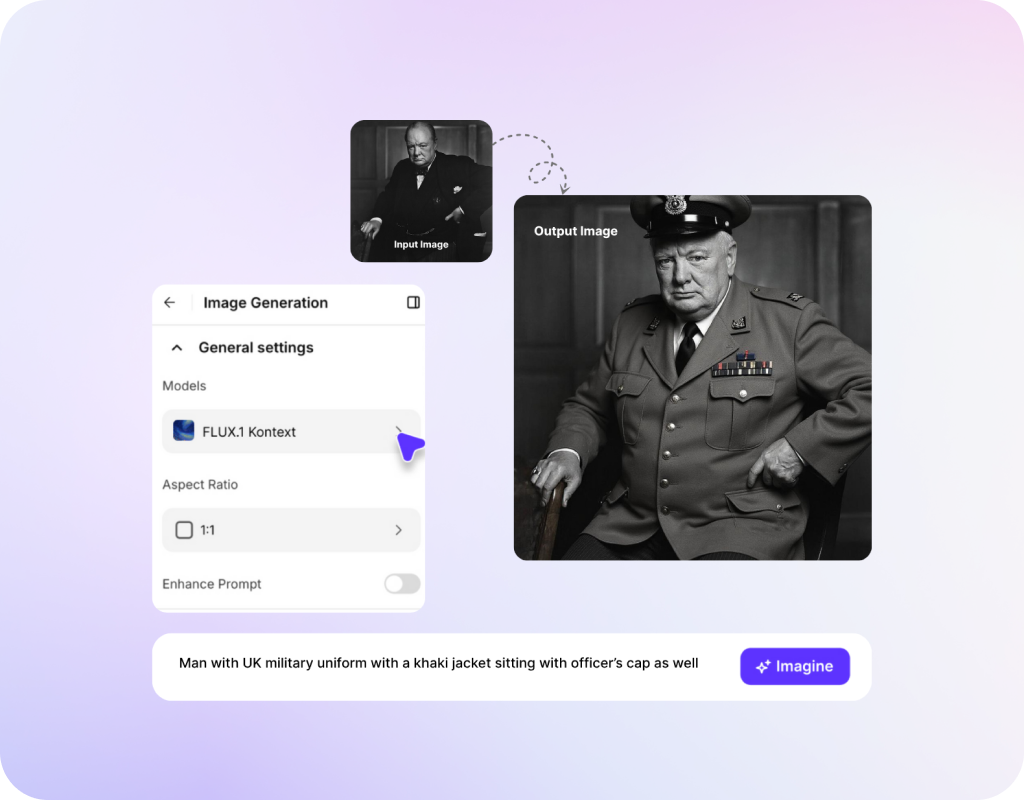
Edit Fast, No Waiting
You can type your change and see results in seconds. Flux Kontext shows you the edit immediately. If you don't like it, you can type another command and adjust it. Build your perfect image through conversation. You don't need to download software or learn complex tools. Just type what you want in plain English.
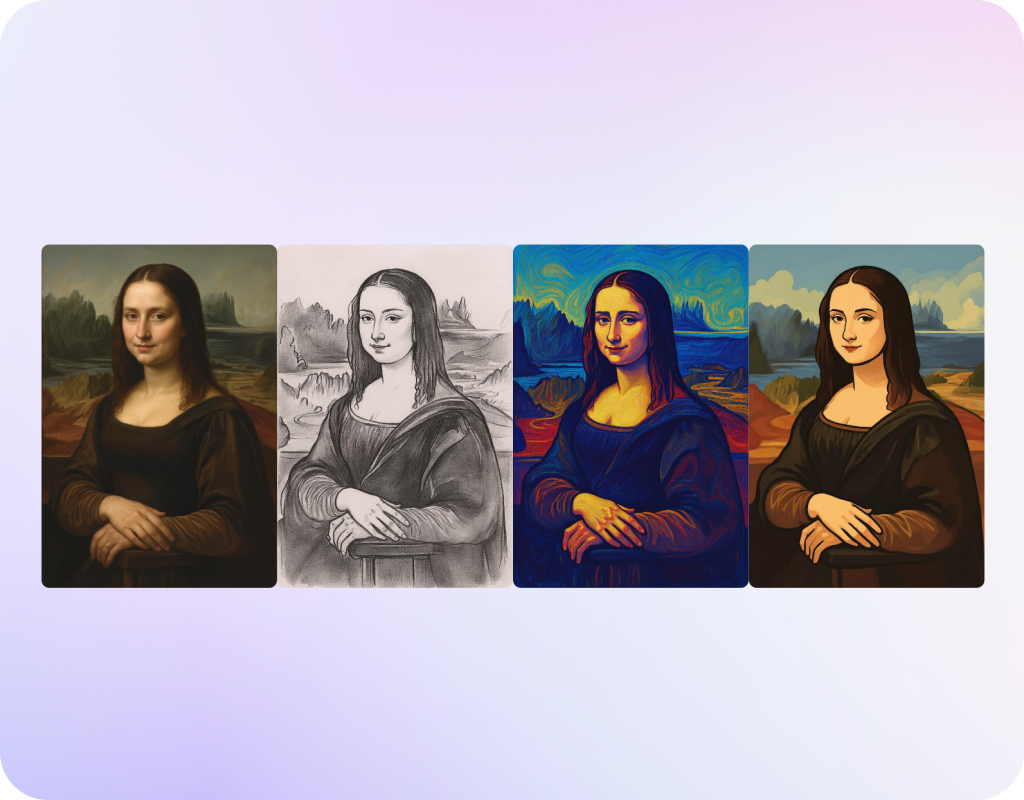
Change Art Styles, Keep Your Subject
Turn a photo into a painting, make it look like a cartoon, or add a vintage filter. Flux Kontext changes the artistic style, but your subject stays recognizable. The AI understands what matters in your image and protects it during style changes. Works for concept art, social posts, and creative experiments.
How to Use Flux Kontext for Precise Image Editing?
Step 1
Start with Text or Upload Your Image
Start with a photo or upload a reference image. You can also just type a description if you want to create something new.
Step 2
Type What You Want to Change
You need to use normal language. "Change the car to red," or "put this person in a forest," or "make it look like a watercolor painting." Be specific for better results.
Step 3
Get Your Edit in Seconds
Flux Kontext makes the change and shows you the result. Want to adjust it? Just type another command. Keep refining until it looks right.
Customer Testimonials

ApexStudios
“FLUX.1 Kontext lets me create and edit stunning images without losing creative control.”

Anya Petrova
Marketing Designer

DreamWorks
“Finally, an AI tool that understands context — and keeps it consistent across edits.”

Ben Harris
Product Manager

Pixels
“I generated polished campaign visuals in minutes, not hours.”

Isabelle Kim
Concept Artist

Shopify
“It’s like having a creative assistant who speaks my language — literally.”

Michael Chenn
Product Designer

TechNova
“Dual input is a game changer — I can match style and story with ease.”

Ravi Patel
Creative Manager
Trusted by Professionals and Creators from leading brands
Sign up for freePurchase a Subscription
Upgrade to get access to pro features and generate more and better
Basic
For newcomers taking their first steps
View Plans
Billed monthly
Included in plan
3Kcredits per month
Additional Features
Up to ~600 Image Generations/month
Up to ~97 Video Generations/month
General Commercial Terms
Image Generation Visibility: Public
4 Concurrent Image Generations
Complimentary Access
All GPT Models
All Gemini Models
All Claude Models
Unlimited Generations
10 Image Models
9 Video Models
Standard
For rising creators to level up their game
View Plans
Billed monthly
Included in plan
8Kcredits per month
Additional Features
Up to ~1.6k Image Generations/month
Up to ~265 Video Generations/month
General Commercial Terms
Image Generation Visibility: Private
8 Concurrent Image Generations
Complimentary Access
All GPT Models
All Gemini Models
All Claude Models
Unlimited Generations
Nano Banana
Runway Gen 4 Turbo
Midjourney V7
8 more Image Models
8 more Video Models
Ultimate
Peak performance for pros
View Plans
Billed monthly
Included in plan
16Kcredits per month
Additional Features
Up to ~3.2k Image Generations/month
Up to ~530 Video Generations/month
All styles and models
General Commercial Terms
Image Generation Visibility: Private
Complimentary Access
All GPT Models
All Gemini Models
All Claude Models
Unlimited Generations
All image models in Standard plan
All video models in Standard plan
Kling 2.6 Pro
Seedance 1.5 Pro
ChatGPT 1.5
Creator
A full production engine for powerhouses
View Plans
Billed monthly
Included in plan
100Kcredits per month
Additional Features
Up to ~20k Image Generations/month
Up to ~3.3k Video Generations/month
All styles and models
General Commercial Terms
Image Generation Visibility: Private
Complimentary Access
All GPT Models
All Gemini Models
All Claude Models
Unlimited Generations
All image models in Ultimate plan
All video models in Ultimate plan
Kling 3.0 Pro
Seedance 2 Fast
Nano Banana 2
Have questions?
We have answers!
Flux Kontext is an image editor from Black Forest Labs. You upload a photo and type what you want to change. The AI edits that specific part while keeping everything else the same. Works for changing colors, swapping backgrounds, editing text in images, and keeping characters consistent across multiple photos.
Upload an image. Type a simple command like "change the shirt to blue" or "put this person on a beach." Flux Kontext understands your request and makes that specific change. The rest of the image stays exactly as it was. You can keep making changes until you get what you want.
Yes. Flux Kontext remembers your character's face, clothing, and look. You can put them in different backgrounds or situations, and they will look consistent. This works great for comics, storyboards, and any project where you need the same person appearing multiple times.
No. You just type what you want in normal English. "Make the car red" or "change the background to a forest." Flux Kontext figures out what you mean and does it. No Photoshop knowledge needed.
Context image means Flux Kontext looks at your whole photo to understand what's in it. When you ask to change something, the AI knows what you're talking about because it understands the context. This helps it make changes that look natural and fit with the rest of the image.
Yes. FLUX.1 Kontext is the official technical name. Most people call it Flux Kontext. Same tool, made by Black Forest Labs.
Yes. Flux Kontext can change text on signs, posters, or labels in your photos. Just tell it what new text you want, and it replaces the old text while keeping the same font style and position.
Most AI generators make a whole new image from scratch. Flux Kontext edits existing images by changing only what you ask for. It also keeps characters looking consistent when you make multiple images, which other tools struggle with.
Yes, you can use it for client projects, marketing materials, product photos, or anything you're getting paid for. The images are yours to use commercially.
Photos, drawings, digital art, product shots, character designs. Flux Kontext works with most image types. The best results come from clear images with good lighting.
Yes. Make one change, see it, then make another. Flux Kontext builds on each edit you make. This lets you refine your image step by step until it looks exactly how you want.
Yes. ImagineArt offers Flux Kontext free with basic features. You get credits to test it out. Do you need more? You can upgrade to a paid plan for unlimited access.
Create Amazing AI Images with FLUX.1 Kontext Today!
Get started with all features included. Upgrade later for even more.