
Faisal Saeed
August 17, 2026 • Updated August 17, 2026
24 mins Read
Ask five people what an AI agent is, and you'll get five answers, each one placing a new product inside the definition.
That's the real reason you're still confused after reading four explainers. It’s not that the definitions are wrong; they're just useless for making a decision.
This guide gives you the definition and then lets you in on secrets nobody else publishes:
- What do these tools actually cost?
- Where do they break?
- Why do most of them forget everything you told them?
- How do you tell the difference between an agent that does work and a chat window with better marketing?
Read on to find answers to all of these questions and learn the true capabilities of modern AI Agents.
What is an AI Agent?
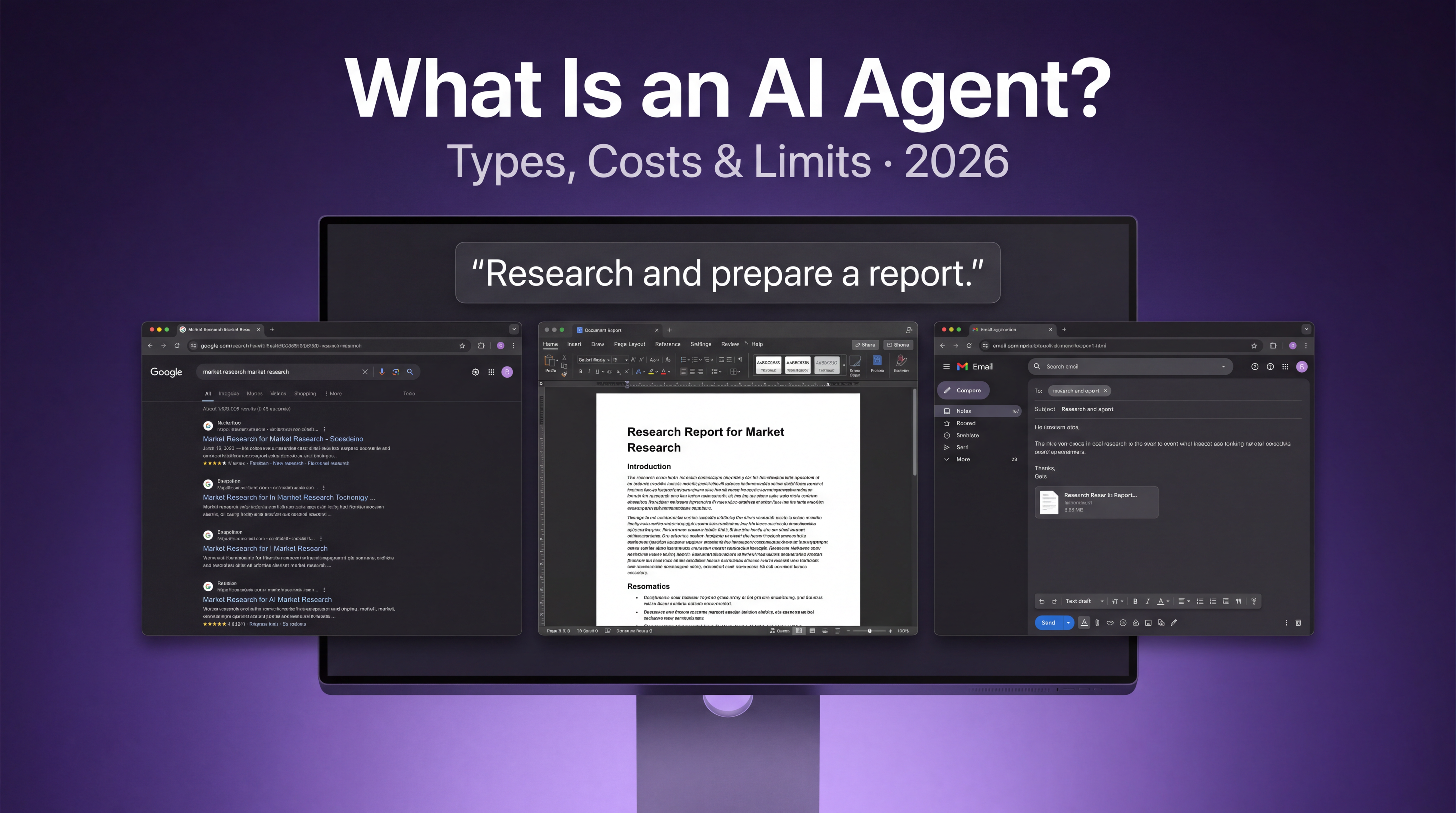
An AI agent is a system that takes a goal in plain language, decides on its own what steps are needed, uses tools to carry those steps out, and returns a result without asking you what to do next.
That's it. Three properties separate an agent from every other kind of AI product:
- It decomposes the goal. You say "put together a competitor teardown for these four companies." You don't say "first search, then read, then summarise, then format."
- It uses tools. It searches, reads files, calls APIs, writes documents, sends messages. It doesn't just generate text about doing those things.
- It keeps going. Between step three and step four, nobody asks your permission. That autonomy is the whole point, and it's also the reason agents are riskier than chatbots.
The reason agents became possible in 2024 and unavoidable by 2026 is that models got good enough at planning. At first users were too afraid of the AI hallucination that the thought of an AI agent carrying out all the work on itself was scary. But as models became better and more efficient, generation stopped being the bottleneck.
Execution became the problem everyone was obsessed with.
So far, so textbook. Now here's why that definition won't help you buy anything.
Why Every Definition You've Read Left You More Confused
You've probably read three or four of these explainers already, and you still can't look at a product page and tell whether the thing is an agent. That's not a comprehension problem on your end.
The industry doesn't agree, and the disagreement is financial.
There are at least four working definitions of "agent" circulating right now, and each one belongs to a company whose product happens to fit it.
- Cloud vendors define agents by architecture, because they sell the architecture.
- Automation platforms define agents by tool access, because they sell integrations.
- Model labs define agents by reasoning depth.
Everyone's definition is the shape of their own product.
One founder put the incentive plainly on Hacker News:
"It's honestly a bit gauche to start a company in 2024/25 and not call it an agent."
The most useful thing I've read on this came from a developer pushing back on the whole category: "Most of what people are calling 'agents' today are basically deterministic workflows with one or two LLM calls glued together. That is not an agent. That is at best an API pipeline."
They’re describing a large share of what's on the market. A fixed sequence of steps with a language model dropped into two of them is automation wearing a costume.
Automation is fine. Automation is often better, cheaper, and more reliable than an agent. The problem is being sold one and charged for the other.
Forget the marketing. Put any product through these and you'll know what you're looking at.
- Does it decide the steps, or do I? If you're building the sequence, it's a workflow tool. Useful, but not an agent.
- Does it act outside the chat window? Can it produce a file you can send, or change something in a system you use? Or does everything it makes stay trapped in a conversation?
- Does it recover when a step fails? A real agent notices a bad result and tries something else. A pipeline just carries the error forward.
- Does it carry anything between sessions? If you're re-explaining your business every Monday, there's no agent there, just a very articulate stranger.
A product that fails all four is a chat interface with a good landing page.
Running these questions is what shows you the real value of tools like Imagine Computer. Where the tool plans and executes, catches mistakes and fixes them, and retains context across sessions and features.
And with features like Echo on the way, you don’t even need to type your commands or open the app. Just press the hotkey, say what you want Imagine Computer to do, and it delivers results, generates documents, creates websites, and much more.
Now that is what we call an AI Agent.
How AI Agents Actually Work
Every explainer describes the same loop, usually in the same four words, and then stops right before the part that matters.
The Loop
Strip away the vocabulary and every agent runs some version of five stages.
Understand. It parses what you asked for, and specifically what outcome you want rather than what steps you named.
Plan. It breaks the outcome into a sequence. This is the stage where quality is decided, and it's the stage nobody shows you.
Execute. It works the steps, calling whatever tools each one needs.
Gather context. As it goes, it pulls in what it needs: your files, connected apps, live web results, whatever it remembers about you.
Deliver. It hands back a result.
In practice that's the sequence Imagine Computer runs when you give it a task, and it's roughly the sequence every serious product in this space runs. The differences between products aren't in the loop; they're in what happens when the loop hits trouble.
Here's what a good agent does that a scripted pipeline can't.
Step three returns something unexpected, maybe an empty search result or a malformed file. A pipeline passes that mess to step four and produces garbage confidently.
An agent notices, revises the plan, and tries a different route.
That's the difference, and it's why "does it recover" was question three above. Recovery is expensive to build and impossible to fake in a demo, which is exactly why demos never show it.
The Model Is Not The Agent
This trips up almost everyone, including people who've been paying for these tools for a year.
GPT, Claude, and Gemini are models. They reason. They don't remember anything, don't hold state, and can't call a tool on their own initiative.
The agent is the scaffolding wrapped around the model. The thing that keeps track of where you are in a plan, decides which tool to call, feeds results back in, and knows when the job is done. Swap the model underneath and you have a different agent quality; remove the scaffolding and you just have a chatbot.
When someone asks whether ChatGPT is an AI agent, this is the honest answer: the model isn't, and the product built on top of it might be, depending on which mode you're using.
The Only Taxonomy that Helps You Decide
Almost every guide will now hand you a list of agent types. Most of those lists are older than you'd guess.
The Taxonomy You'll See Everywhere
The most common types of AI agents you will read about are:
- simple reflex agents
- model-based reflex agents
- goal-based agents
- utility-based agents
- learning agents
It's a real classification. It comes from Russell and Norvig's Artificial Intelligence: A Modern Approach, first published in 1995, and it's still the framework IBM and most of the search results will give you in 2026.
It describes architecture accurately and helps you buy nothing.
Knowing an agent is "utility-based" tells you exactly nothing about whether it can produce a client-ready deck, whether it can update your CRM, or what it'll cost you in a busy month. It's an engineering distinction being sold as a buying guide.
So here's a different axis, and it's the one I'd use if I were spending money this week.
Sort Agents by What They Hand Back
Three tiers. The question is not how the agent thinks, it's what lands on your desk when it's finished.
Answer Agents
You ask, it replies in text, you do the work.
This is most of what people call AI today. ChatGPT in default mode, Claude in a chat window, Perplexity, and roughly every product marketed as an "AI assistant."
Good for: thinking through a problem, research you'll act on yourself, drafting language you'll place somewhere else.
What it can't do: nothing it produces leaves the conversation. It can describe a beautiful deck structure. You're still the one opening Keynote at 11 pm.
The risk: you mistake the advice for the work and feel productive without producing anything.
Artifact Agents
You ask, it hands you a file.
A finished document, a deck you can present, a spreadsheet with real formulas, a video, a website that's live. Gamma does this for presentations. Lovable and Bolt do it for web apps. Imagine Computer does it across a wider set of formats, which I'll come back to.
Good for: the work that has a deliverable at the end of it, which is most professional work.
What it can't do: it produces, it doesn't act. It'll write you a flawless follow-up email and it won't send it.
The risk: the last twenty percent. More on this later, because it's the single biggest complaint in the category.
Action Agents
You ask, and something changes in the system you use.
An email goes out. A Jira ticket moves. A row appears in your CRM. Zapier Agents live here, so do Lindy and n8n, and so does Imagine Computer when you connect it to Gmail, Slack, Notion, or Drive.
Good for: the recurring operational work that eats your Mondays.
What it can't do: nothing, which is precisely the problem.
The risk: this is the tier where mistakes have consequences outside your screen. Permissions, rollback, and spend limits stop being nice-to-haves the moment an agent can send mail as you.
Where The Field Actually Sits
Rough placement as of August 2026. Several products straddle, which is the interesting part.
| Product | Answer | Artifact | Action |
|---|---|---|---|
| ChatGPT Work | ✓ | ✓ | Partial |
| Claude Cowork | ✓ | ✓ | Partial |
| Gemini Spark | ✓ | — | ✓ |
| Perplexity Comet | ✓ | — | — |
| Manus | ✓ | ✓ | Partial |
| Genspark | ✓ | ✓ | — |
| Skywork | ✓ | ✓ | — |
| Gamma | — | ✓ | — |
| Lovable | — | ✓ | — |
| Notion AI | ✓ | ✓ | Partial |
| Lindy | — | — | ✓ |
| Zapier Agents | — | — | ✓ |
| n8n | — | — | ✓ |
| Imagine Computer | ✓ | ✓ | ✓ |
What AI Agents Cost
Here's a thing I find genuinely strange. I read fourteen of the highest-ranking pages on AI agents while researching this, including pages from AWS, Google Cloud, Salesforce, Microsoft, and IBM. Total pricing information across all fourteen: one sentence.
Companies that meter agent usage by the token will explain agent architecture for four thousand words and never mention what it costs. So let's fix that.
The Four Pricing Models
Almost every agent product uses one of these. Knowing which one you're on predicts your invoice better than any feature comparison.
Per seat. Flat fee per user per month. Predictable, easy to budget, and you pay the same whether you run two tasks or two hundred. Best if your usage is heavy and steady. Worst if you're occasional, because you're subsidising the power users.
Per token. You pay for compute consumed. Honest in principle, unpredictable in practice, because you cannot look at a task and know what it'll cost. A long document costs more than a short one, and a task that needs six retries costs six times what you expected.
Per task or per run. A fixed price per completed job. Much easier to reason about. The catch is the definition of a "task," which is usually generous to the vendor.
Per outcome. You pay when the thing succeeds. Rare, mostly in support and sales tooling, and the most aligned model on paper. Watch the definition of success.
Credits Consumption by AI Agents
Most consumer and prosumer agent products, including Imagine Computer, run on credits. Almost nobody explains what that actually means for you, so here it is.
A credit is a unit of internal accounting that maps loosely to compute. The same request can cost different amounts on different days, because it depends on which model ran, how long the output was, and how many steps the agent needed.
That last variable is the one that hurts. You're not paying for your task, you're paying for the agent's route through your task, and you don't control the route.
Two things to check before you subscribe to anything credit-based:
- Do credits roll over? Usually not. If you underuse in July, that money is gone. Imagine Computer's credits don't roll over, and you should know that before you pick a plan rather than after.
- Can you set a hard ceiling? An agent that can spend without a cap is a liability, particularly if it runs unattended.
Cost Problem Not Discussed
There's a specific failure mode that makes users angrier than price ever does: paying for the tool's own mistakes.
If the agent misunderstands your request, burns credits on a wrong approach, and you have to run it again, you've now paid twice for one outcome. Review after review of competing platforms mentions this. It's the complaint that turns a mild grumble into a cancellation.
And it produces a second-order effect that quietly destroys the value of the product. One practitioner reviewing Lindy described it exactly: "I found myself avoiding experimenting or having casual conversations with my AI agents because each interaction costs credits."
Call it credit anxiety. You bought a tool to think with, and now you're rationing your thinking. The subscription is still active, and the value has already leaked out.
Ask What a "Unit" Even Is
Because "agent" has no agreed definition, per-agent pricing is frequently meaningless. A buyer on Hacker News asked a vendor the obvious question: "What is an agent? Specifically, how are these counted?"
The vendor's answer was that an agent meant one database connection with a semantic model. Nothing to do with any public definition of the word.
If a vendor prices per agent, make them define the unit in writing before you sign anything.
Where AI Agents Break
These are the failures people actually report after paying for these tools for a year.
The 80% Problem
This is the complaint I saw more than any other.
An engineer wrote it up on Hacker News after months of daily use: the agent "can easily do 80% of the work correctly, but it always makes some wrong assumptions that make the other 20% very hard to fix."
Read that carefully, because it isn't a complaint about quality. Eighty percent correct sounds excellent. The problem is that the remaining fifth is entangled with the rest, and untangling it can take longer than doing the whole job yourself would have.
The same writer described the emotional shape of it, which is worth quoting because it's the thing that makes people quit: "It's like Penelope's shroud: it looks like it fixed the current problem, but an old fix just went undone. No real progress was made."
Recurring Cost of Review
Here's the economics that nobody prices in.
Work you didn't produce is work you have to check. And as one developer put it: "review is a recurring cost which you pay on every new PR, whereas writing code is a cost you pay once."
That applies well beyond code. An agent that writes your weekly client report has moved your labour from writing to verifying, and verifying happens every single week, forever.
Sometimes that trade is clearly worth it. Sometimes you've swapped a task you were good at for a task you find tedious. Decide which one you're buying.
Silent Failure is Worse than Errors
An agent that crashes is annoying. An agent that confidently returns something plausible and wrong is dangerous, and it's the more common outcome.
The second version of this is the spending loop, where an agent gets stuck retrying the same approach and burns credits without progressing. IBM's own documentation acknowledges agents "might find themselves repeatedly calling the same tools."
Whats the First Error
I found a thread where practitioners were comparing notes on unsupervised agents. The answers were unusually consistent.
"Permissions, rollback, and cost caps break first," one wrote. Another added state management and drift, noting that "autonomy without boundaries becomes expensive noise."
My favourite line from that thread, because it's true of every tool in this category: "you don't know what gate you need until you've been burned by its absence."
Shortcoming of Agents
Being specific here matters more than being reassuring.
- Exceptions: MIT Sloan's research put it well. Agents "can struggle with tasks that humans typically do easily, such as handling exceptions." The routine case is solved. The weird one isn't.
- Deciding whether: Agents are good at how and poor at should. They'll execute a bad brief faithfully.
- Anything where 90% right is worse than not trying: Legal language, financial figures, anything a client signs.
- Long horizons: Quality degrades as tasks get longer and context fills up.
Agents Execept for Coding Ones
Coding agents work. That's demonstrable, and the market has voted with money.
Outside coding, the evidence is thinner than the marketing suggests. Where agents are clearly delivering outside code right now: research and synthesis, first drafts of structured documents, repetitive formatting and reformatting, and scheduled monitoring. Where the claims outrun reality: anything requiring taste, negotiation, or accountability.
Memory: the thing that decides whether an agent is useful
Memory is the difference between a tool that compounds and a tool that resets.
Context Window Is Not Memory
These get conflated constantly, and the confusion causes real money to be wasted.
A context window is how much the model can hold in mind during one conversation. Big windows are useful, and they end when the session ends.
Memory is what survives after you close the tab. Different mechanisms, different engineering problems, and the one that determines whether the thing is actually useful next month.
A product can advertise a million-token context window and still forget your company name overnight.
Preference Memory Vs Operational Memory
Here's the distinction you won’t see anywhere.
- Preference memory is style: your tone, your formatting, that you prefer bullets to prose. Nice. Shallow.
- Operational memory is context: the decisions already made, the constraints you're working under, what "finished" means on this specific project, and the approaches that already failed.
The second kind is what people are actually asking for, and it's much harder to build.
Buying Criteria
Without persistence, you pay the re-explanation tax on every session, forever. Nobody who's used these tools seriously thinks this is a minor issue.
Imagine Computer treats this as a product pillar rather than a feature: it carries your brand, your projects, and your past work forward across tasks, so the second thing you ask starts from what it learned during the first. You can even upload documents and guidelines in “Knowledge” for the tool to constantly pull from.
That's the intended behaviour of the category, and it's still rarer than it should be.
Agents That Run Autonmously
Most people picture an agent as something they talk to. The more valuable pattern is the one that runs while you're asleep.
Three Ways an Agent Starts
On a schedule. Every weekday at 8am. Every Monday. First of the month.
On an event. A form gets submitted, a payment lands, someone mentions your brand.
On a condition. A number crosses a threshold, a competitor changes their pricing page.
Whats Good About It
The work that's too small to hire for and too tedious to keep doing yourself.
Monday morning client reports. A daily digest of what moved in your inbox. Weekly competitor monitoring. A research pull that lands before your Tuesday call so you're not skimming in the parking lot.
None of it is glamorous. All of it is the reason people stay subscribed after month three.
Imagine Computer lets you set this in plain language rather than a cron expression, at any cadence down to once a minute. The plain-language part matters more than it sounds, because the people who most need scheduled work are the least likely to enjoy writing 0 8 * * 1-5.
Risks Worth Knowing
Unattended agents fail unattended.
An agent running at 3am with no cost ceiling and no alerting can spend real money on a loop nobody sees until the invoice. This is exactly where the cost caps from earlier and the observability questions from earlier stop being theoretical.
Before you schedule anything: set a spend limit, turn on failure alerts, and run it manually a few times first.
Do You Need An AI Agent
Worth asking before you spend anything, because for a lot of tasks the answer is no.
When An Agent is the Wrong Tool
If the task is identical every time, you don't want an agent. You want automation.
A Zap or an n8n workflow will do a fixed sequence more cheaply and far more reliably than an agent, because it doesn't reason about anything. Reasoning is a cost you pay for flexibility you may not need.
Agents earn their price when the work varies. Different inputs, different formats, judgement calls small enough to delegate but real enough that a fixed script breaks.
Company Size Changes The Answer Completely
Nearly every guide on this topic is written for enterprises. Thirteen of the fourteen pages I reviewed assume you have a team, a budget, and someone whose job is governance.
If you're two people, that advice is actively misleading.
An enterprise buys agents to standardise work across hundreds of people. A solo founder buys agents to be four people. Those are different products with different criteria, and the enterprise-shaped advice will push you toward platforms you'll spend a month configuring and then abandon.
The "no-code" Trap
Read the reviews of any agent platform and one complaint recurs from small teams above all others.
A G2 reviewer put it flatly, describing how "steep the learning curve was for something marketed as 'no-code'." That pattern repeats across Lindy, Gumloop, and n8n reviews. No-code frequently means no syntax, not no complexity.
Here's the practical filter. Reviewers who liked these tools consistently asked for one thing: worked examples, not tutorials. Not documentation about features, but a finished job that looks like theirs.
So judge a product by whether it shows you completed work resembling yours. If a vendor can only show you the interface, they're asking you to imagine the outcome, and you'll be doing the imagining at your own expense.
How to Choose An AI Agent
If you've read this far, you have everything you need for the decision. Here's how I'd sequence it.
Start With The Tier
Go back to Answer, Artifact, and Action, and work out which one your actual work needs.
Most people over-buy. They purchase Action-tier platforms with forty connectors, authorise three, and spend their time in what is functionally an Artifact tool. You pay for the tier whether you use it or not.
Be honest about it. If what you need is finished documents and decks, an Action platform is expensive overhead.
Check Failure Models
Features are what vendors advertise. Failure modes are what actually cost you. Ask about these six:
- Permissions. What can it touch, and can you scope that down?
- Rollback. When it does something wrong in a connected app, how do you undo it?
- Cost ceilings. Can you cap spend, and what happens at the cap?
- Memory. What persists, and can you inspect it?
- Observability. How do you find out a run failed?
- Failure behaviour. Does it stop, retry, or carry the error forward?
Any vendor who can't answer all six quickly hasn't built them.
Do Stack Arithmetic
This is where most people find their real answer, and it has nothing to do with agents specifically.
Count what you're currently paying for. A chat tool. A deck tool. A design tool. A research tool. Something for notes. Then count how many of them know anything about your business.
The cost isn't only the invoices, it's the re-explaining. You brief the chat tool, then brief the slides generator on the same thing, then brief the design tool again, because none of them share context. One person on Hacker News described it better than any vendor has: "Too many tabs, too many plans, and too much time wasted rebuilding content across tools."
Be fair about the trade, though. Gamma will out-design a general-purpose agent on presentations, and a dedicated video tool will beat a generalist on video. Specialists win on depth. Generalists win when the work spans formats and the context needs to travel with it.
Name The Problem
One thing surprised me in the research, and it should change how you shop.
The complaint isn't that these tools are expensive. Several practitioners said outright that they prefer a flat subscription because metered pricing frightens them more, even when metered would be cheaper. One wrote that paying per token "would make me go broke," while happily paying $200 a month for a fixed plan.
The pain is unpredictability and fragmentation, not price. So don't optimize for the cheapest option. Optimise for the one whose bill you can predict and whose context lives in one place.
If your work looks like finished deliverables across several formats, plus the ability to act inside the tools you already use, with context carried between all of it, then you're describing one workspace rather than five subscriptions. That's the case for Imagine Computer, and it's also the case for being skeptical of it until you've run the four questions from earlier against it.
Let’s Wrap
You came here for a definition and hopefully you're leaving with a better question: what will this thing actually hand me?
- Answer agents give you text
- Artifact agents give you files
- Action agents change something inside the tools you already use.
Imagine Computer works in the last two, which is where the work actually lands. You describe the outcome and get back the finished document, deck, spreadsheet, video, or live site, and once Gmail, Slack, Notion, or Drive are connected it stops producing and starts acting.
Two things there matter more than the format list. It carries your brand and your projects between tasks, so the fourth thing you ask starts from what it learned during the first, and you can schedule any of it in plain language so the Monday report is done before you're awake.
If your work is one format, buy the specialist instead. If your week spans five and you're currently briefing five subscriptions on the same business, run those four questions against us on the free tier and see what comes back.
Frequently Asked Questions
Will an AI agent give me the same result twice?
No. AI agents are non-deterministic, so the same prompt produces different output and sometimes different quality. Run anything important twice before you trust it. It's also why AI agent pricing based on tokens is so hard to forecast: the same task can take a different route on a different day.
Do AI agents use my data to train their models?
That depends on the vendor and often on your plan, since free and paid tiers frequently carry different terms. Check whether inputs are retained, whether they're used for training, and whether you can opt out. Get it in writing before you connect a work inbox to any AI agent platform.
Should I build my own AI agent or buy one?
Build if the workflow is core to what you sell and you have engineering time to maintain it. Buy for everything else, because the model was never the hard part. Memory, permissions, retries, and connectors are, and every AI agent tool worth paying for spent months on them.
What's the difference between an AI agent and a copilot?
A copilot sits inside a tool you're already using and helps while you work. An AI agent takes the task away and comes back when it's done. Copilots make you faster at your work. Agents remove the work from your day.
Do I need multiple AI agents working together?
Multi-agent setups are real, but they're mostly a developer concern right now and they multiply the ways things break. For solo and small-team work, one capable AI agent with good memory and connectors beats several coordinating badly. Imagine Computer runs as a single agent across every format for that reason.
Do AI agents work in languages other than English?
Most handle major languages well for text, with quality dropping on smaller ones. The bigger gap is output: an AI agent can understand your Urdu brief perfectly and still format the deck for an English-speaking audience. Imagine Computer works across languages, though test yours before you commit.
How long does an AI agent take to finish a task?
Anywhere from thirty seconds for a short document to fifteen minutes or more for research-heavy work with several steps. Longer usually means more steps ran, not worse quality. What matters is whether the agent can run unattended, or whether you have to sit and watch it.
What happens to my work if I cancel my AI agent subscription?
Ask before you subscribe, because policies vary sharply and some AI agent software locks your files behind the paywall on downgrade. Anything Imagine Computer produces is a normal downloadable file, so work you've already saved stays with you regardless of what happens to the plan.
Do I need to be good at prompting to use an AI agent?
Less than you did two years ago. Describing the outcome and who it's for gets you most of the way there. What still helps is stating your constraints up front, because agentic AI follows a bad brief faithfully rather than questioning it.
Faisal Saeed
Faisal Saeed specializes in content writing and marketing for SaaS and GenAI businesses, driving conversion through comprehensive content that people love to engage with.