
Saba Sohail
January 2, 2026 • Updated January 2, 2026
7 mins Read
Sora 2 Pro is OpenAI’s most advanced AI video generator that creates cinematic and realistic videos with text and image prompts. And now available on ImagineArt, Sora 2 Pro has won against Google Veo 3.1, Seedance 1.5 Pro, Kling 2.6 with Native Audio and its own predecessor, Sora 2.
What is Sora 2 Pro?
Sora 2 Pro is a high-end AI video generator from OpenAI that creates realistic videos with natural dialogue. It features strong photo-realism, prompt accuracy and real-world physics in high-fidelity videos. It takes text and image input to deliver video outputs that feel intentional, polished, and production-ready.
Sora 2 Pro Features: A Quick Rundown
- Text to video with strong prompt adherence
- Image to video with creative control
- cinema-grade video quality with native audio and sound effects
- highly realistic AI videos for film-making, content creation, social media, and marketing creative production
Breaking Down Sora 2 Pro’s Realism Qualities
The main elements of a realistic video are visual and temporal realism, motion physics, human anatomy, camera movements, and synchronized audio. And here’s how Sora 2 Pro nails all of these:
 Sora 2 Pro at Realism
1. Visual realism: lighting, textures, motion physics
Visually, Sora 2 Pro is one of the first AI video models where scenes don’t immediately feel “AI-generated.” They don’t feel fake or jittery.
Lighting behaves the way you’d expect in real environments. In my prompts, shadows fell naturally, highlights aren’t blown out, and surfaces respond correctly to light changes. Textures also hold up well, especially on skin, fabrics, and reflective materials.
Motion physics feel grounded: walking doesn’t look floaty, objects have weight, and small movements follow believable momentum rather than snapping between frames.
Recommended Read: How to make realistic AI videos
2. Camera behavior: lens choices, framing, cinematic movement
Camera logic is another strong point. When you specify lens types or camera movement, Sora 2 Pro actually respects those choices. Wide lenses create proper depth distortion, tighter lenses compress space realistically, and framing remains consistent throughout the shot.
Cinematic movements like slow push-ins, gentle pans, or locked-off tripod shots feel intentional instead of erratic. This makes clips feel like they were planned rather than randomly animated.
3. Audio realism: natural dialogue timing, environmental sound design
Sora 2 Pro pulls ahead of most competitors with audio — audio that sounds native to the scenes. Dialogue timing feels natural, with pauses and cadence that resemble real speech.
Environmental sounds, room tone, distant traffic, subtle background noise, all blend well naturally into the scene instead of sounding layered on top. It’s one of the few models, like Google Veo 3.1 and Kling 2.6 with Native Audio, where the video and audio feel designed together, rather than generated separately.
Input & Output Capabilities of Sora 2 Pro
Sora 2 Pro gives you two traditional input options:
- text for text-to-video workflow
- image for image-to-video workflow
With Sora 2 Pro, both of these workflow are more mature rather than experimental.
Sora 2 Pro does a great job of turning basic to detailed text prompts into coherent shots without needing constant reprompting.
Its I2V is just as impressive: it preserves the structure, framing, and subject identity from the reference image while adding natural motion and depth.
Now Sora 2 Pro actually distinguishes itself on the output part: it does create videos that look good - but it creates videos that look REAL.
Dialogues sync properly, speech feels natural, background music blends in without overpowering the scene, and ambient sound effects, like environmental noise, add realism instead of distraction. It feels closer to a finished cinematic clip than a raw AI output. If you’re working with Sora 2 Pro, you’ll have to make only short post-production effort.
I can vouch for its character consistency in the output. Faces, clothing, and proportions stay stable, and scenes don’t randomly “reset” midway. As long as you keep shots concise, continuity feels intentional rather than lucky.
Use Cases of Sora 2 Pro
1. AI Films with Natural Emotion and Built-In Dialogue
Sora 2 Pro shines when you want cinematic storytelling without stitching audio later. The dialogue feels timed to emotion, pauses land naturally, and scenes carry real weight. It’s ideal for short AI films where facial expressions, voice, and atmosphere need to feel human—not generated.
2. Marketing Videos
For marketing videos, Sora 2 Pro helps you move fast without sacrificing polish. You can generate visually rich clips with narration, ambient sound, and clean pacing in one pass. It works especially well for brand storytelling, product intros, and campaign visuals that need to look premium out of the box.
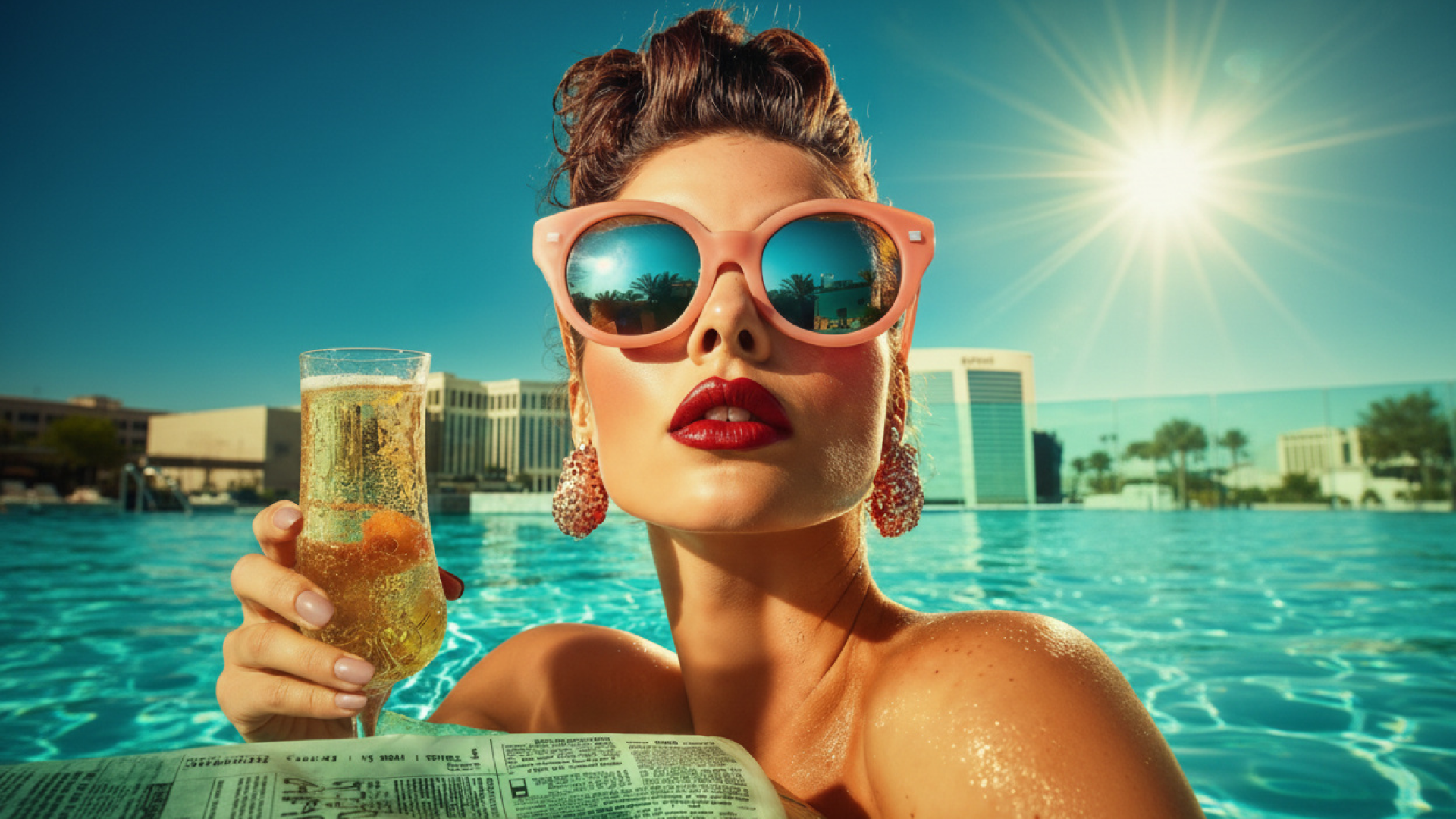 Video ads with Sora 2 Pro
3. Product Advertisements
Sora 2 Pro works best for high-end product ads where realism matters. Lighting, reflections, camera movement, and voiceovers feel intentional rather than synthetic. You can describe the product, mood, and audio cues together, making it easier to create ad-ready clips without heavy post-production work.
4. Social Media Content Creation
For social content, Sora 2 Pro excels at short, high-impact clips. It follows prompts well in concise shots, making it great for Reels, Shorts, and TikToks. You get cinematic visuals plus synced audio, which helps your content stand out instantly while still feeling platform-native.
5. Training Videos with Start Frames
Sora 2 Pro is useful for training and instructional videos when you want consistency. Start frames help lock scenes in place, while dialogue and pacing stay controlled. This makes it easier to create clear, repeatable explainer clips without re-recording or manually syncing voice and visuals.
Prompting Guide for Best Results
When prompting Sora 2 Pro, structure matters more than length. I got the best results by thinking in shots before scenes. Start with what the viewer should notice first, then build outward. If you jump straight into stylistic details without anchoring the subject and action, the model can still generate something impressive, but it may not be the clip you had in mind.
Take these examples of Sora 2 Pro prompts I tried:
- “Wide shot of a middle-schooler flying a red kite in a on a rooftop, golden hour sunlight, camera slowly pans upward.”
- “Close-up of a chilled berry mocktail on a white tabletop, evening light, soft depth of field.”
Always begin with the core of the shot:
- subject: who or what is on screen,
- action: what they’re doing,
- spot: and where the viewer’s attention should land.
Once that’s clear, Sora 2 Pro handles nuance extremely well.
From there, layering in advanced details:
- Describing the camera movement
- lens (handheld vs tripod, wide-angle vs telephoto)
- Lighting direction: practical lights, studio, soft-side lighting
- color palette and aesthetics like muted tones, glossy surfaces, film grain
This description noticeably affects framing and motion.
Audio cues matter too in the prompts. Add words for specifying diegetic sound—footsteps, room tone, distant traffic.
Finally, mention shot timing and pacing. Sora 2 Pro responds better when you guide how fast the moment unfolds rather than leaving it open-ended.
Sora 2 Pricing & Cost Per Second of Video
Sora 2 Pro is one of the most expensive AI video generators out there, think $0.30 per second.
It isn’t cheap, and that’s because you’re paying for premium video quality and cinematic realism. Pricing does vary based on video length and resolution.
Here’s a simple breakdown of how much Sora 2 Pro costs:
- 720×1280 (Portrait) / 1280×720 (Landscape): $0.30 per second
- 1024×1792 (Portrait) / 1792×1024 (Landscape): $0.50 per second
For short clips, the cost is manageable, but for longer, high-resolution outputs, it can add up.
How to get Sora 2 Pro
There are two ways to access Sora 2 Pro:
- from OpenAI’s native platform but it’s still invite only
- from ImagineArt AI video generator because it’s a complete creative suite and you get so much more in addition to Sora 2 Pro: AI image generator with multiple models, top-tier AI video generation models like Veo 3.1, Kling Motion Control, Seedance 1.5 Pro, ImagineArt apps like Nano Banana Pro and GPT 1.5 and team workflows.
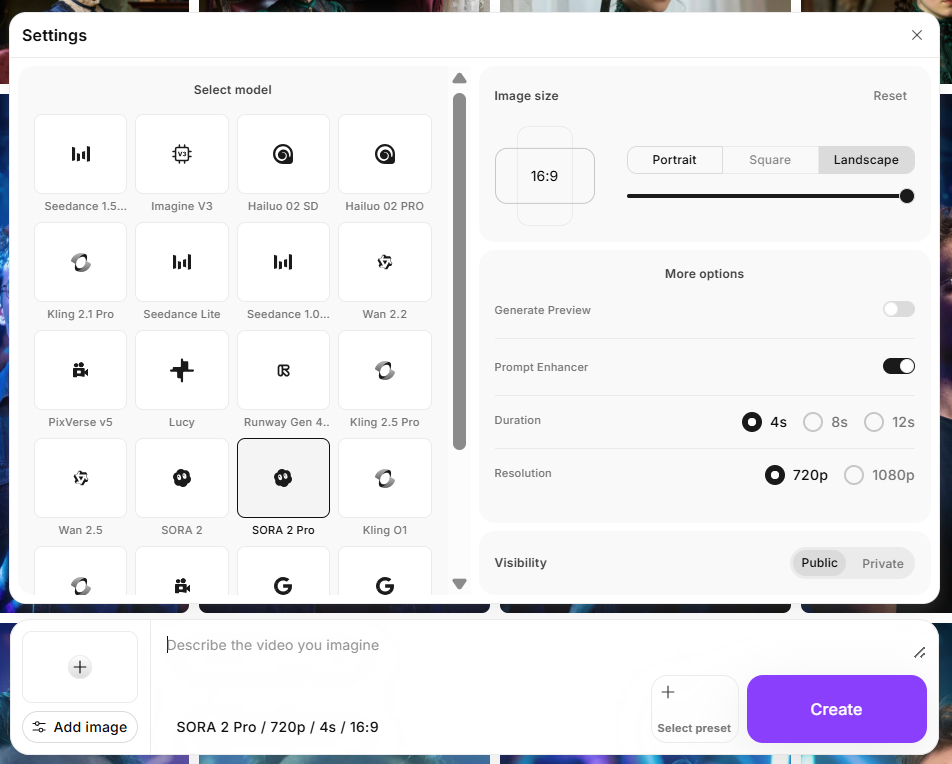 Sora 2 Pro on ImagineArt AI Video Generator
Testing Sora 2 Pro: A Quick Commentary
Sora 2 Pro clearly prioritizes quality over speed. The initial generations take longer than lighter models like Kling or Hailuo, but the extra wait makes sense once you see the output.
For the realism part: lighting behaves realistically, and motion doesn’t have that rushed, synthetic look you sometimes get with faster generators.
In terms of prompt responsiveness, Sora 2 Pro is surprisingly reliable. When you give shorter prompts, the AI is more creative. In more detailed prompts, AI becomes restricted and follows your instructions to the dot.
Consistency is another area where Sora 2 Pro performs well. Running similar prompts multiple times produced variations in motion and framing, but the overall look, character identity, and scene logic stayed intact. It feels stable, especially for short clips, though rendering is noticeably slower. That slower generation speed is clearly the trade-off for its high-end realism.
Use Sora 2 Pro on ImagineArt
Need simple animations from images? There are plenty of fish in the sea. Want a production-ready AI video generation tool? Pick Sora 2: with unrestricted and uninterrupted access on ImagineArt AI video generator.
Saba Sohail
Saba Sohail is a Generative Engine Optimization and SaaS marketing specialist working in automation, product research and user acquisition. She strongly focuses on AI-powered speed, scale and structure for B2C and B2B teams. At ImagineArt, she develops use cases of AI Creative Suite for creative agencies and product marketing teams.