
Arooj Ishtiaq
February 12, 2026 • Updated March 6, 2026
16 mins Read
Do you want to create stunning, professional-looking videos just by describing your imagination? Runway gen 4.5 makes it possible. This AI video generation tool transforms simple text descriptions into cinematic video content, but faster than a professional production studio.
This guide covers:
- How to write prompts for Runway Gen-4.5
- 45 ready-to-use prompts for cinematic and realistic AI videos
How to Write Image-to-Video Prompts for Runway Gen-4.5 ?
Runway Gen-4.5 treats your image as the first frame of the video. The image already defines composition, lighting, style, and subjects. Your prompt’s main job is to describe motion. Think less about how things look and more about what happens next.
Step 1: Focus on Motion
In Runway Gen-4.5, effective prompts describe movement.
Avoid repeating what’s already visible in the image. Instead, explain how the scene should come alive.
Motion you can describe:
- What the subject does
- How the environment moves
- How the camera moves
- The pace and style of motion
- Direction and speed
Use clear, general language when referring to objects and characters so each element moves as intended.
Step 2: Keep Prompts Simple
You need to keep your prompts simple because they help you to:
- Understand how Gen-4.5 interprets motion
- Avoid over-constraining the scene
- Get cleaner, more natural movement
Step 3: When to Describe Visual Changes
While motion is the priority, visual descriptions help in specific cases:
- Adding an element not present in the image
- Making a major transformation
- Defining how an object changes over time
- Describing the interaction between multiple elements
Use visuals only when they actively affect motion or behavior.
Step 4: Choose the Right Input Image
Your input image becomes the first frame of the video.
For best results:
- Use high-quality images
- Avoid blurry faces, distorted hands, or artifacts
- Ensure lighting and composition are clean
Any visual flaws may become more noticeable once animated.
Step 5: Structure Your Prompt Simply
Runway Gen-4.5 does not require strict formatting. Clarity matters more than structure.
A helpful starter format:
The camera [motion] as the subject [action].
[Optional extra details]
Recommended read: Runway Gen 4.5 Overview
Advanced Control Techniques For Prompts
Sequential Prompting
Sequential prompting provides an order of events for temporal control. This can be done through natural language, or by providing rough timestamps for an action to occur:
Natural language:
X occurs, then Y occurs. Finally, Z occurs.
Timestamps:
[00:01] Action (X) occurs. [00:03] Reaction (Y) occurs. [00:04] Response (Z) occurs.
For best results, consider if the requested sequences make sense with the selected duration. You may opt for higher durations for more complex sequences.
Runway Gen-4.5 Prompts for Creating Longer Sequences
Create longer sequences by extracting the last frame of a completed generation and using that as the image input for a new video.
To extract the last frame:
- Move the playback scrubber to the very end of the completed video
- Select "Use" from beneath the video
- Select "Use current frame."
This will load in the selected frame into the current model. Once the generation completes, you can combine both clips in a video editor to adjust timing and remove the shared frame.
Recommended read: Prompt Guide for Runway Act Two | ImagineArt
Runway Gen-4.5 Prompts For Shot Sizes and Framing
Understanding shot sizes helps you control how viewers perceive your subject and their relationship to the environment. From intimate macro details to expansive landscapes, the right framing choice sets the visual tone for your entire video.
1. Macro Shot - Butterfly Wing Detail
"A macro close-up explores the iridescent facets of a black butterfly wing. Wings gently move."
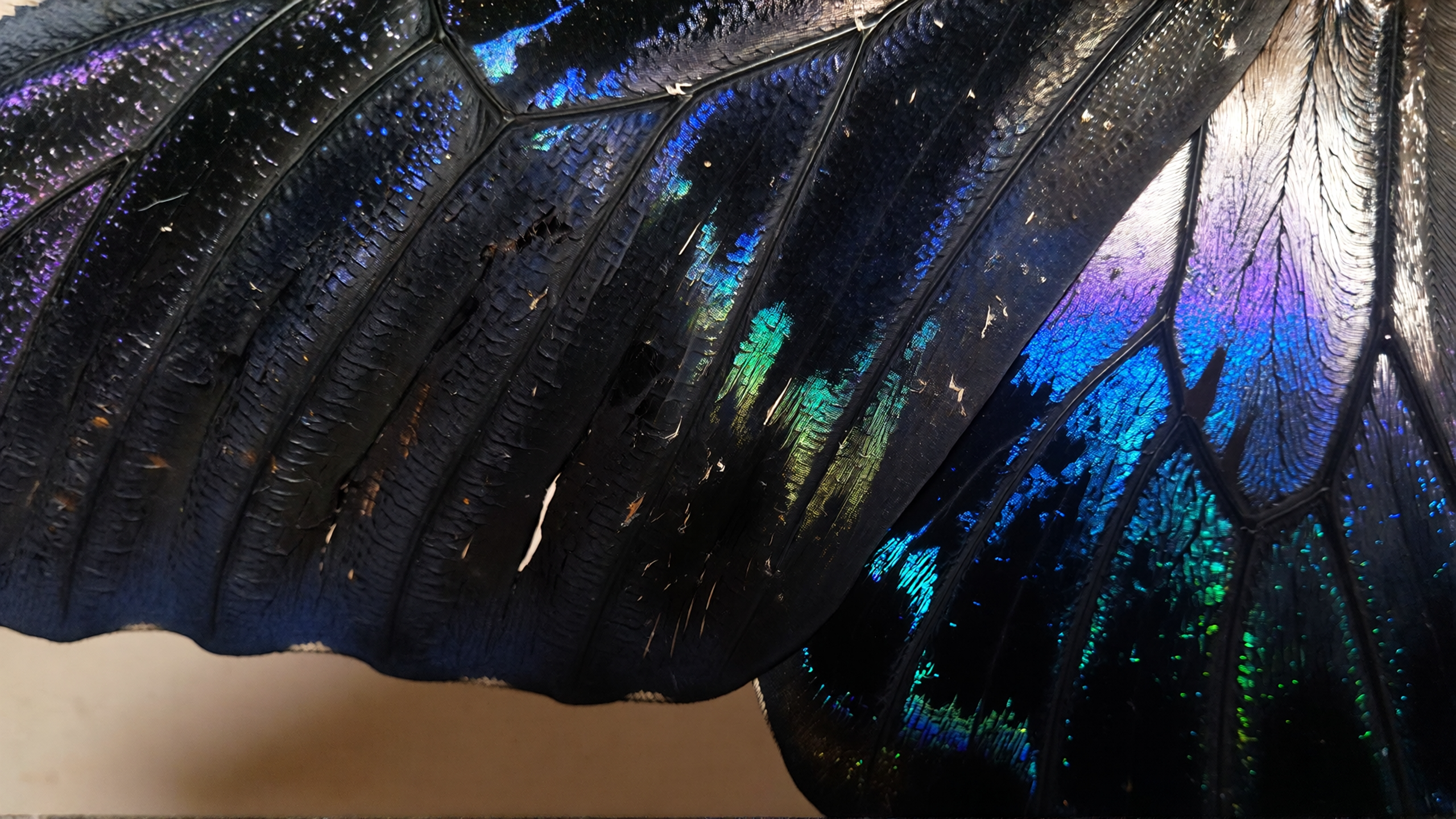 Macro Shot - Butterfly Wing Detail by Runway Gen 4.5
2. Extreme Close Up - Surreal Portrait
"A smooth, porcelain-white face fills the frame with emphasis on the closed, featureless eyes and the abstract, multi-colored light pattern projected across the upper face. The projected light pulses and shifts subtly, causing the blue and purple bands to slowly expand and contract, as the camera holds in a static, tight frame. Against a softly blurred coral-red background. Avant-garde portraiture, surreal"
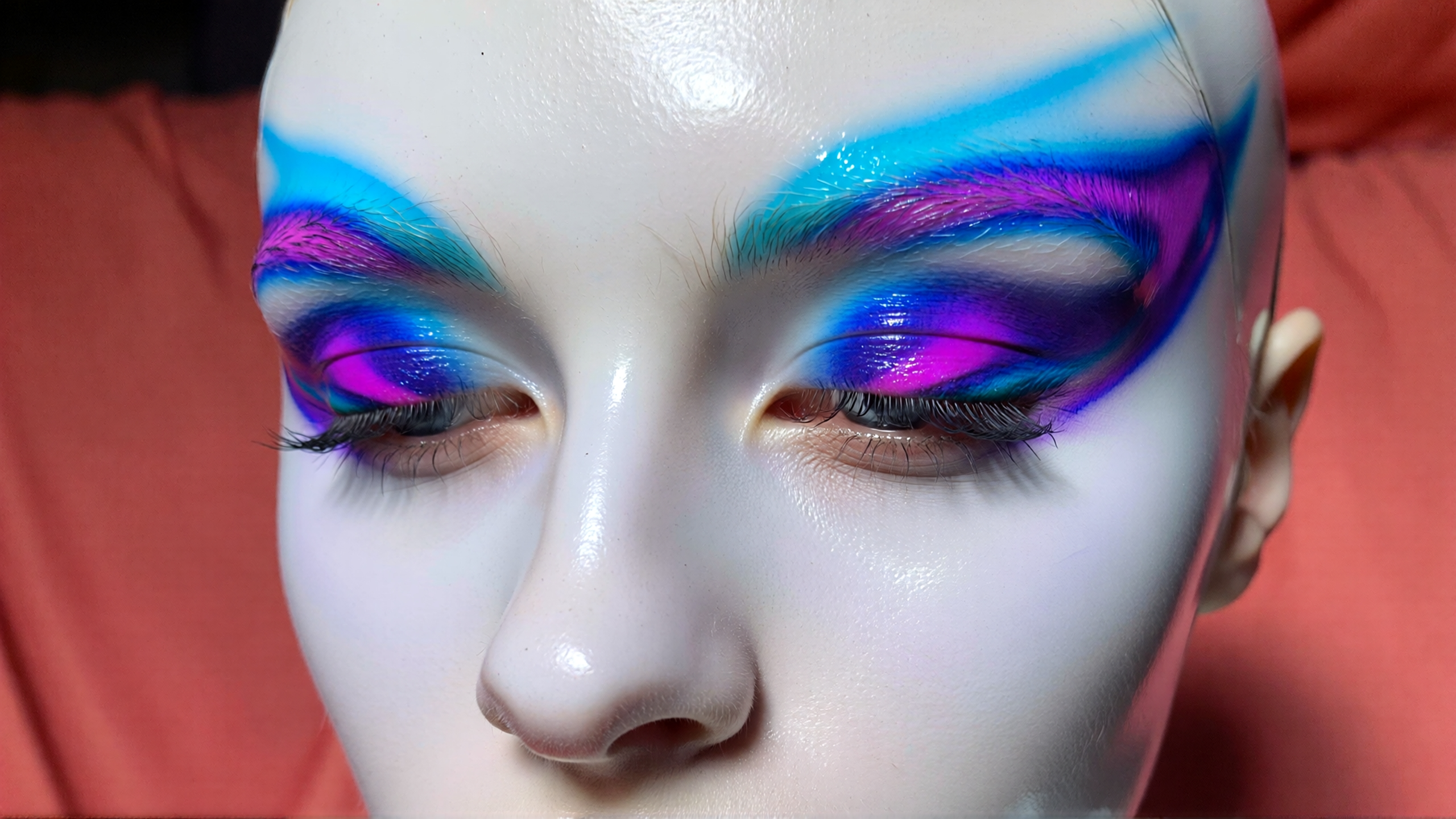 Extreme Close Up - Surreal Portrait by Runway Gen 4.5
3. Close Up - Elephant Face
"A close-up isolates an elder elephant's face, where white paint patterns resembling ancient script are painted across its leathery surface under a pallid light"
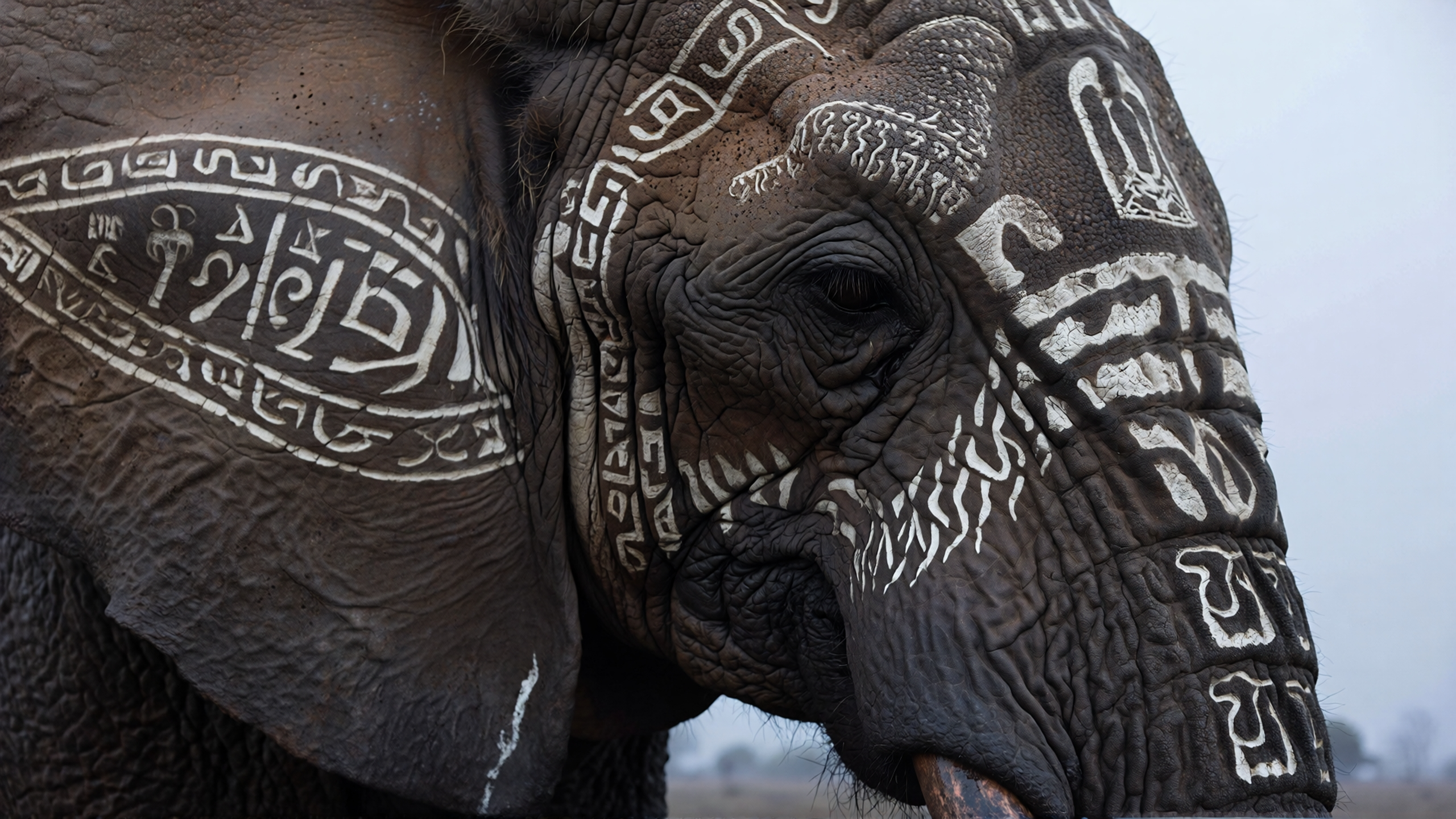 Close Up - Elephant Face by Runway Gen 4.5
4. Medium Shot - Cowboy on Horse
"Medium shot of a cowboy perched on a horse in a dusty environment. The horse rears violently, its body twisting, causing the cowboy to lose his seat and begin to fall off to the left. Backlit, western epic, cinematic, high contrast, golden hour, dusty, warm amber, deep orange, rich brown, atmospheric, dramatic backlighting, rim light, silhouette, soft glow, high contrast shadows."
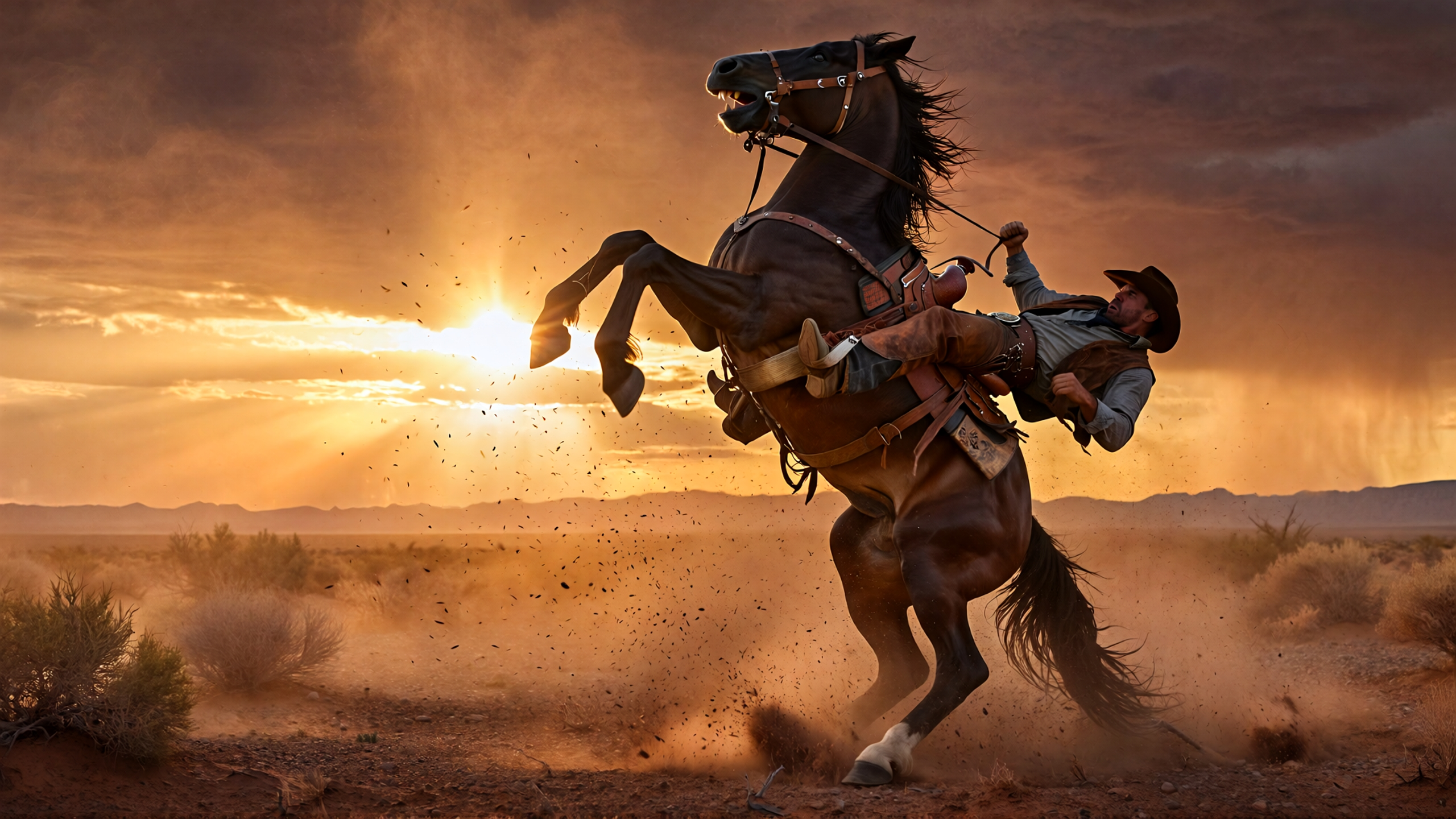 Medium Shot - Cowboy on Horse by Runway Gen 4.5
5. Full Shot - Victorian Woman in Maze
"A full shot observes a Victorian woman as she slowly navigates the hedgemaze, beside a small, curious fox. The fox approaches the camera"
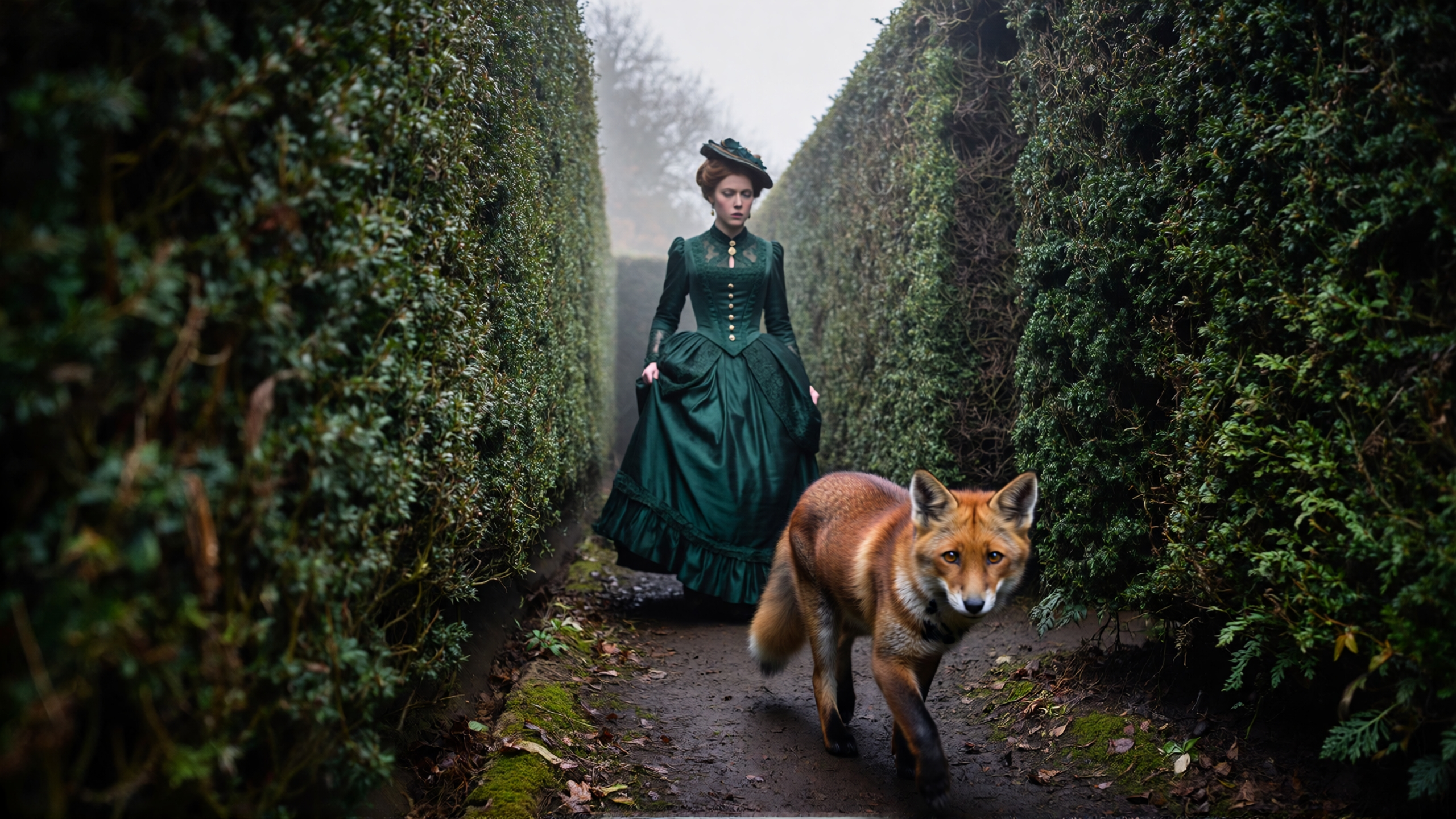 Full Shot - Victorian Woman in Maze by Runway Gen 4.5
6. Wide Shot - Lone Figure on Mesa
"A wide shot captures a lone figure standing atop a vast, windswept mesa, their silhouette sharply defined against a dramatic sunset, emphasizing their smallness within the expansive landscape"
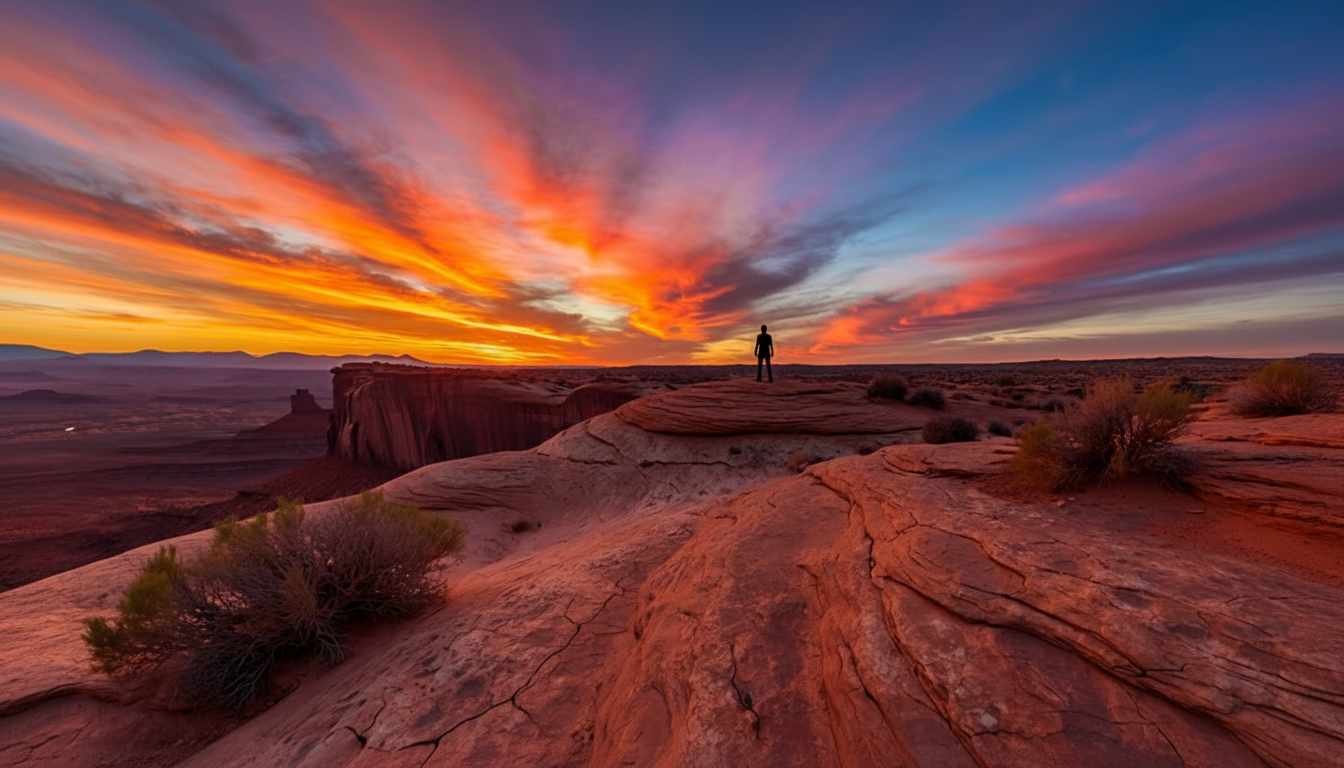 Wide Shot - Lone Figure on Mesa by Runway Gen 4.5
7. Extreme Wide Shot - Underwater Canyon
"An extreme wide shot, in black and white, reveals a vast, silent underwater canyon, its ancient rock formations dwarfing a small, barely visible submarine navigating the abyssal plain"
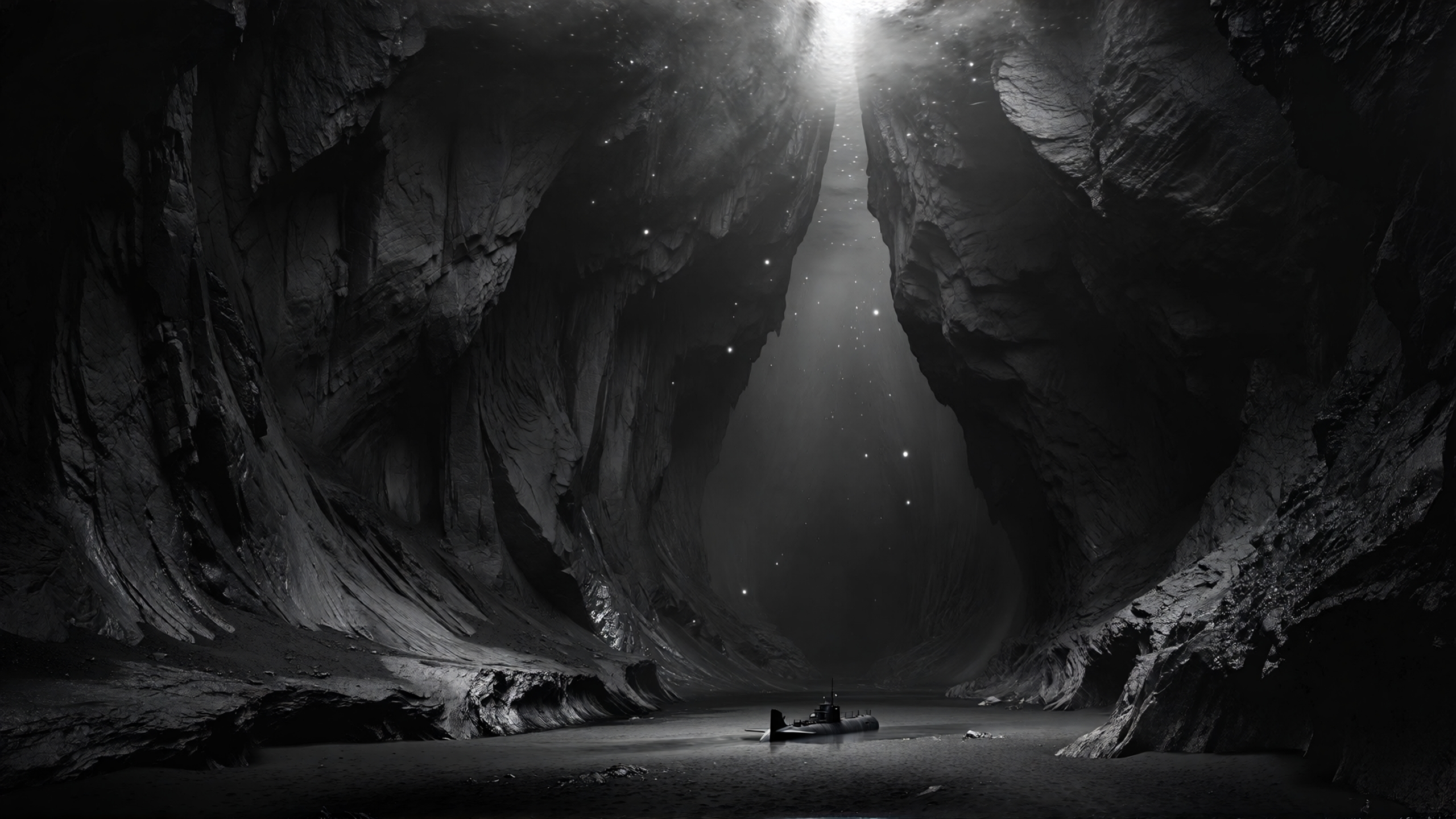 Extreme Wide Shot - Underwater Canyon by Runway Gen 4.5
8. Establishing Shot - School Gymnasium
"A symmetrical establishing shot frames a 1990s school gymnasium bleachers. Faded championship banners hanging motionless from exposed steel rafters. A lone student enters from the left to sit on the bleachers"
Runway Gen-4.5 Prompts For Camera Angles
Camera angles dramatically alter the mood and power dynamics within a scene. High angles can make subjects appear vulnerable, while low angles create dominance and grandeur. The perspective you choose fundamentally shapes how audiences emotionally respond to your subject.
9. Aerial Shot - Fishing Boat in Storm
"An aerial shot looks directly down onto a small, weathered fishing boat, its deck visible and pitching violently as it navigates through towering, frothing waves during a fierce storm, the boat appearing precariously small against the immense power of the ocean"
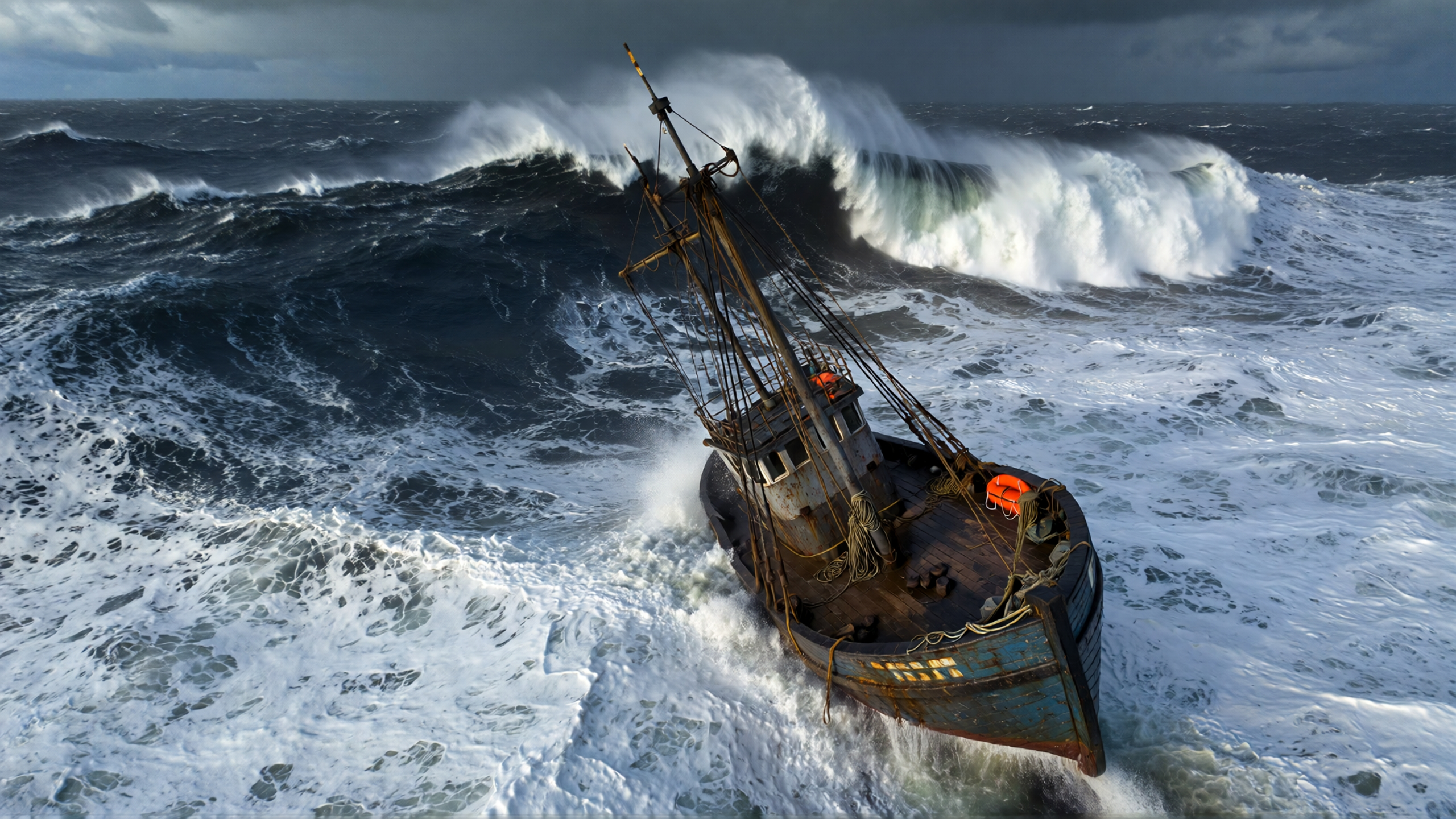 Aerial Shot - Fishing Boat in Storm by Runway Gen 4.5
10. High Angle - Robed Figures Dancing
"A group of figures wearing heavy, hooded robes, predominantly deep red with a few in grey, hold hands and dance in a circle within a misty valley. The high-angle shot captures the entire formation amidst a field of blooming red wildflowers and jagged grey rocks, with dense fog obscuring the background. Soft, diffused moonlight filters through the haze, casting long, faint shadows across the dirt clearing in the center. The color palette features a stark contrast between the blood-red robes and flowers against the cool, desaturated blue-greys of the mist and stone"
11. Low Angle - Alien Creature
"Viewed from a low angle, an ethereal, alien-like opalescent creature with pearlescent intricate skeletal armor appears majestic as it gracefully shifts its posture, causing long, thin tendrils to sway gently. The camera rises steadily, following the upward trajectory of the dynamic natural growth of pink flower blossoms along the figure's shoulders and neck. The palette features shimmering opals, pale pinks, and deep purples nestled in the crevices of the armor"
12. Bird's Eye View - White Egret
"The central body and primary feathers of a majestic white egret, viewed from a bird's eye view directly from above, are meticulously framed, showcasing the pristine texture and layered structure of its plumage. The egret's body shivers slightly, causing a minute ripple through its feathers, suggesting preening or adjusting, while the camera performs a very slow, controlled push-in, focusing on the feather details"
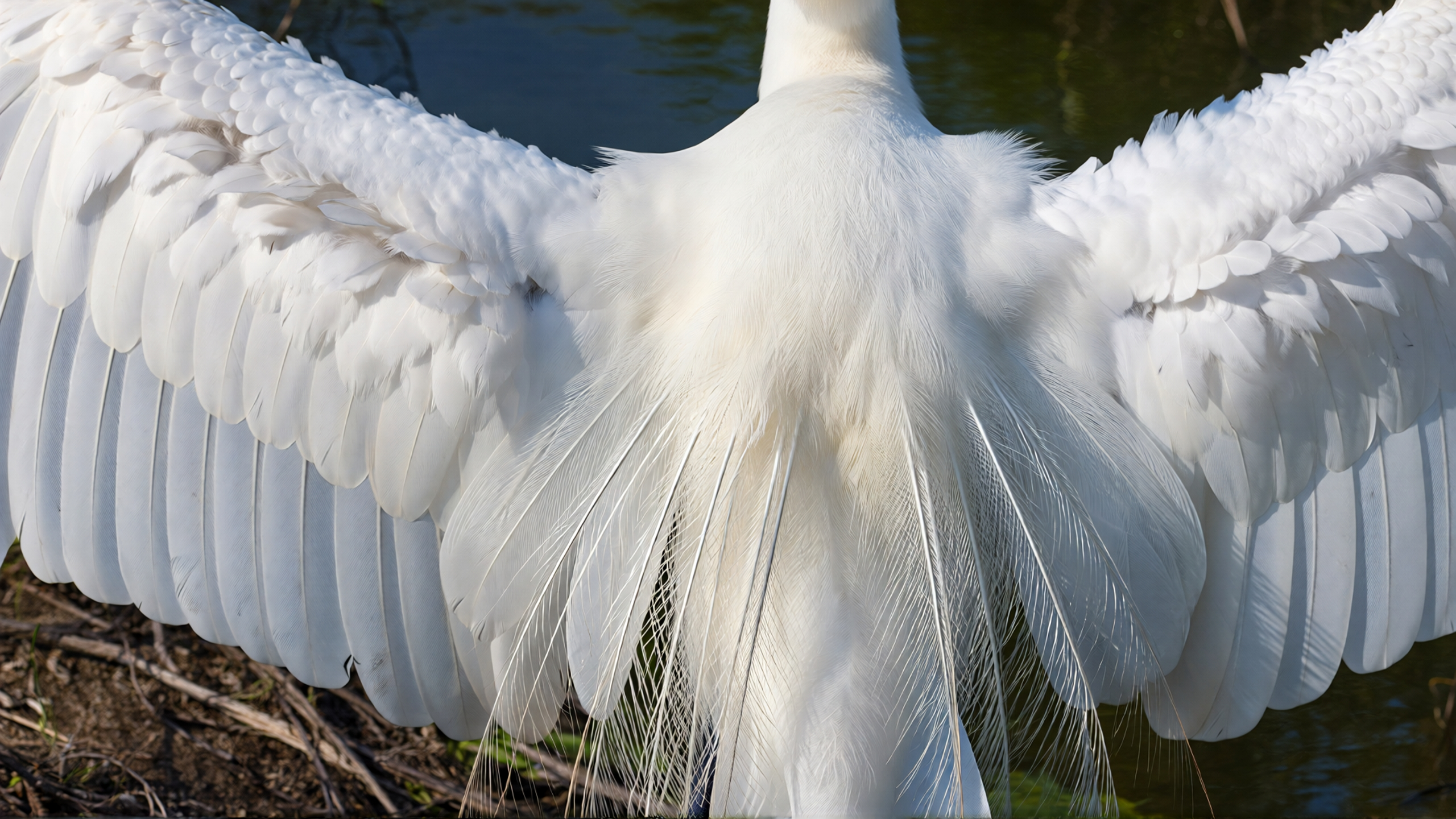 Bird's Eye View - White Egret by Runway Gen 4.5
13. Worm's Eye View - Pit Looking Up
"A rectangular, hand-dug earthen pit extends downwards, its dark brown soil walls leading to a square opening of bright sky above. The worm's eye view camera is at the bottom of the pit, looking directly upwards, capturing the subtle ambient movement cloud wisps against the bright blue sky. Suddenly, the silhouettes of backlit men peer down into the hole. The composition emphasizes the deep, confining nature of the pit, with its walls converging towards the distant, starkly contrasting sky"
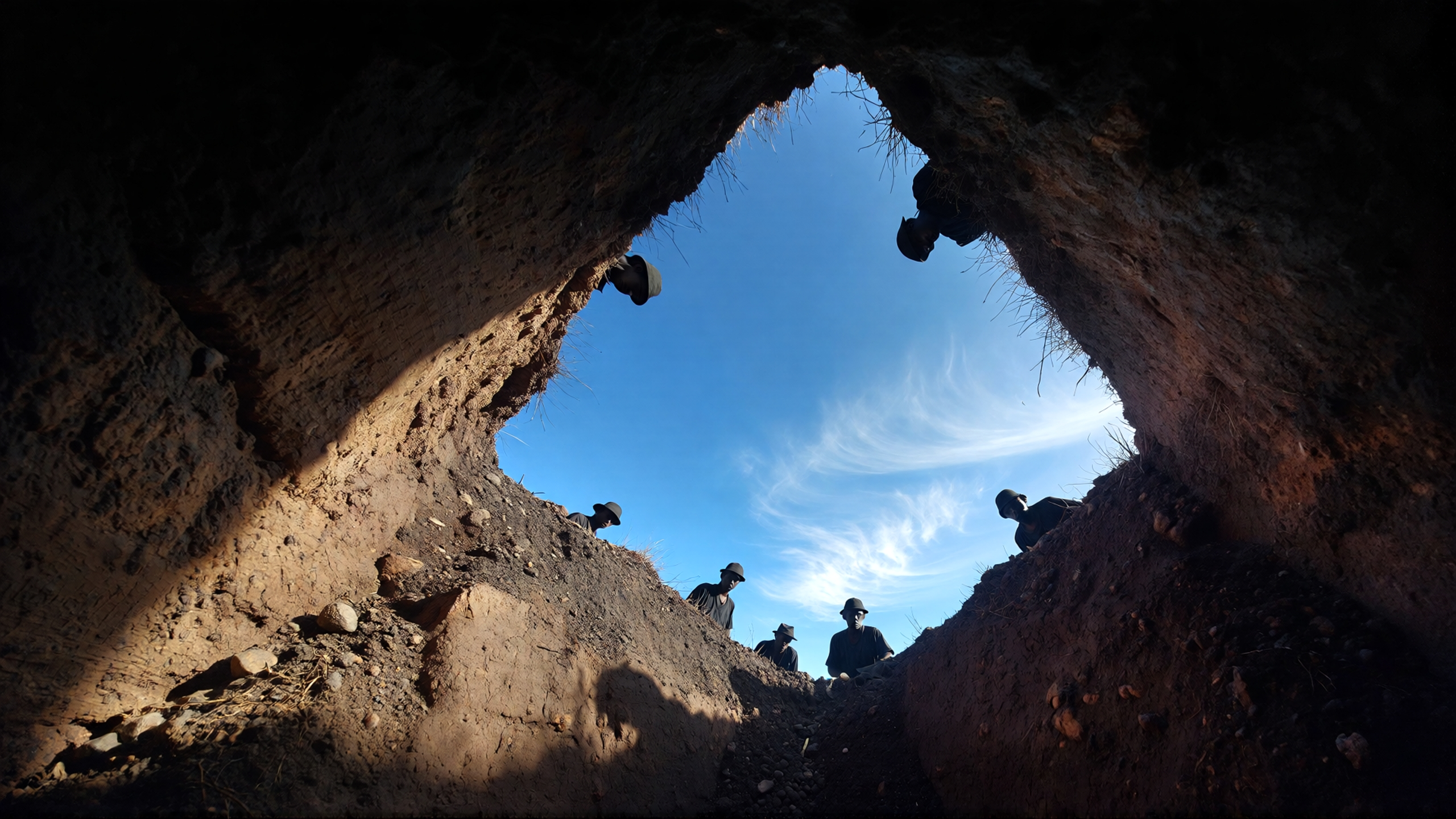 Worm's Eye View - Pit Looking Up by Runway Gen 4.5
14. Over the Shoulder - Cliffside Ocean View
"Over the shoulder of a woman looking out at stormy waves from a cliffside. The camera pulls back and up to emphasize the height of the cliffs"
15. POV Shot - Bear Getting Honey
"POV from the perspective of a bear approaching a hollowed out tree filled with honeycomb. The bear paws reach out from the bottom of the frame and grab a handful of honey. Handheld documentary film style. Natural camera shake. Raw indie film aesthetic. Natural lighting. Unpolished, authentic look. Low budget realism. Observational feel"
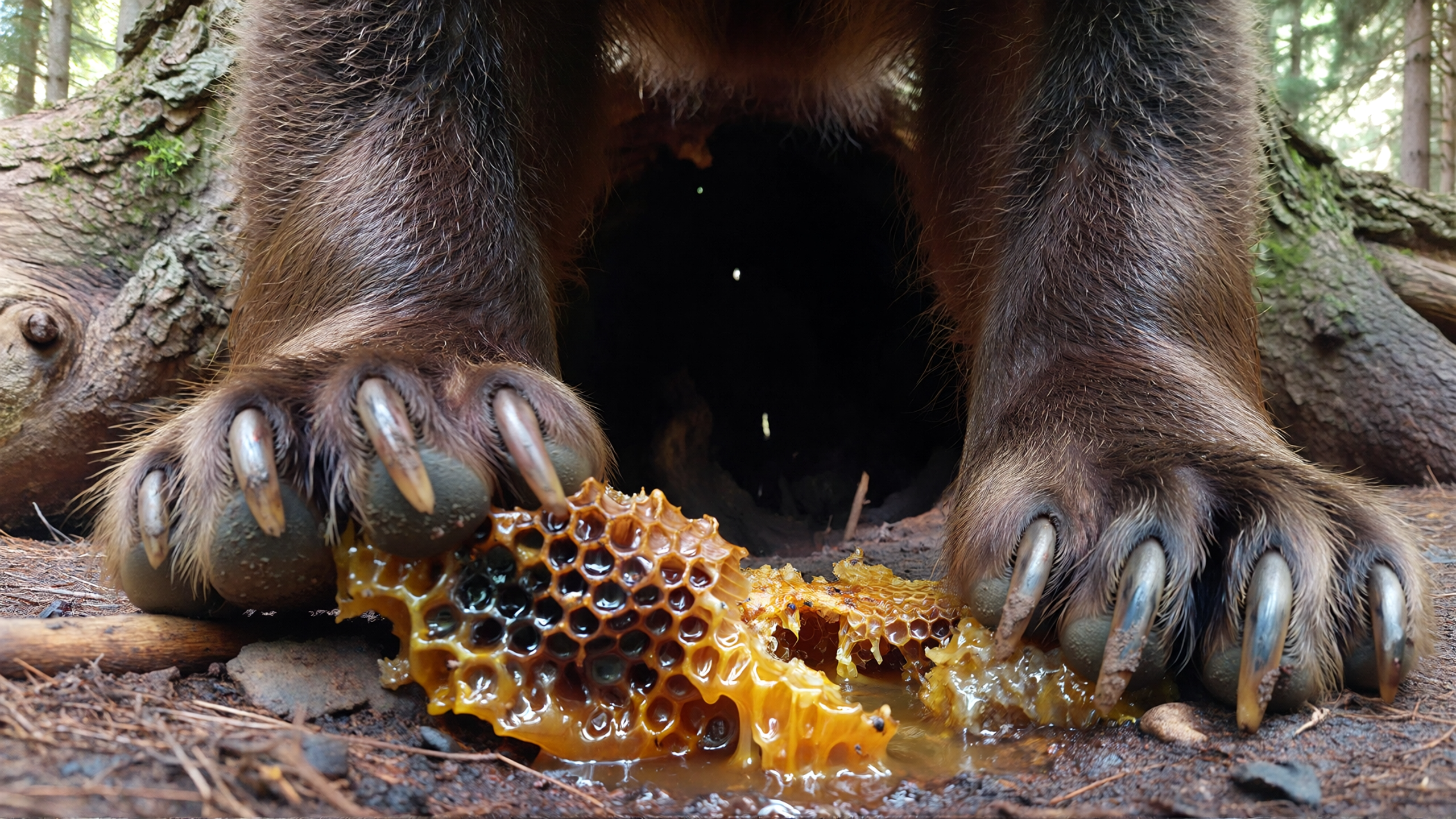 POV Shot - Bear Getting Honey by Runway Gen 4.5
Recommended read: Runway Overview: Your Guide to Every Runway Model
Runway Gen-4.5 Prompts for Composition Techniques
Composition guides the viewer's eye and creates visual harmony. These fundamental principles help you craft more compelling and intentional frames that feel balanced, dynamic, or deliberately off-kilter depending on your creative goals.
16. Leading Lines - Coastal Bus
"Leading line composition of a classic white and orange municipal bus with tinted windows navigating a curve on a coastal road. The bus slowly approaches from the background, smoothly turning the bend and heading towards the foreground. The bright white and orange of the bus pop against the deep purples, oranges, and blues of the sky and distant landscape, imbued with the golden hour light. Anime art style, hand-drawn aesthetic, serene atmosphere"
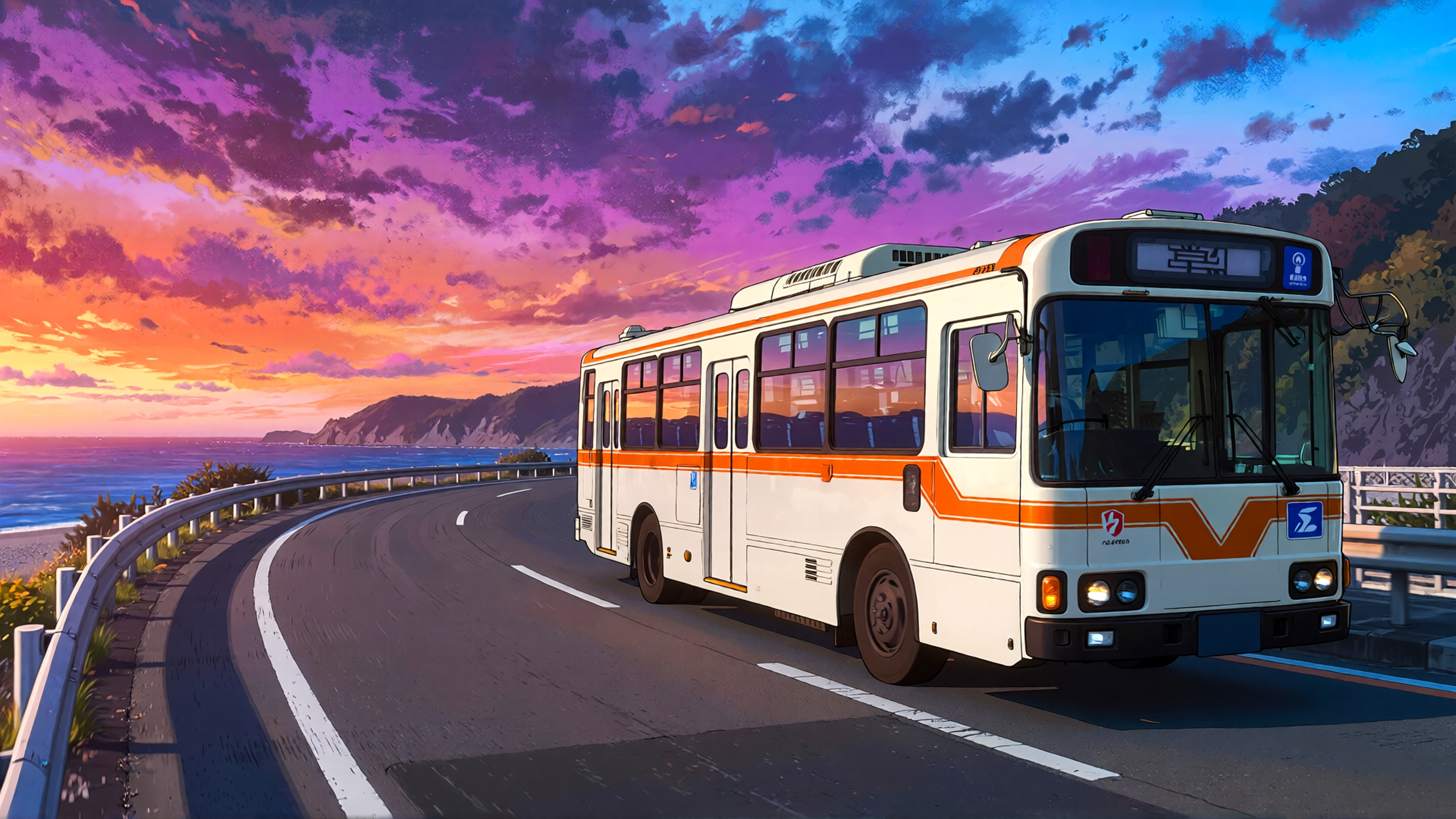 Leading Lines - Coastal Bus by Runway Gen 4.5
17. Frame Within Frame - Silhouette in Corridor
"Frame within frame composition of a lone female figure with a distinct bob haircut, wearing a flowing, semi-sheer dress with full sleeves, is silhouetted from behind as she walks away from the viewer. The composition is centered and framing the figure with a vertical light source at the far end of a seemingly endless, watery corridor. Ethereal, dreamscape, surreal, cinematic, low contrast, cool blue-gray"
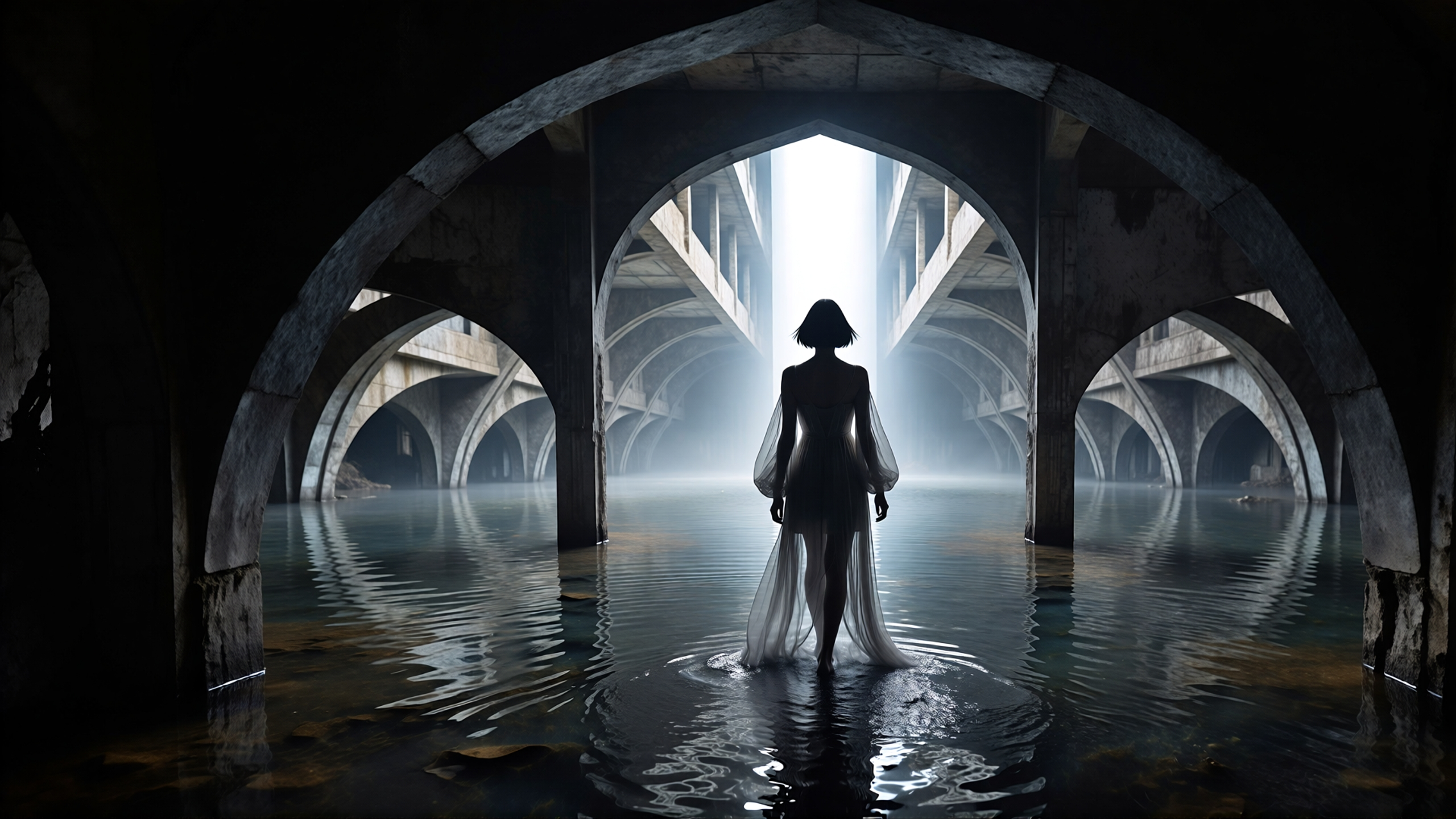 Frame Within Frame - Silhouette in Corridor by Runway Gen 4.5
18. Symmetrical - Woman on Staircase
"Symmetrical scene of a staircase in the center with grand luxurious decor on each side. A woman in a long red dress is walking up the staircase slowly, facing away from the camera. Exact symmetry horizontal symmetry. Raw indie film aesthetic. Heavy grain. Unpolished, authentic, low-budget realism with a surreal, observational feel"
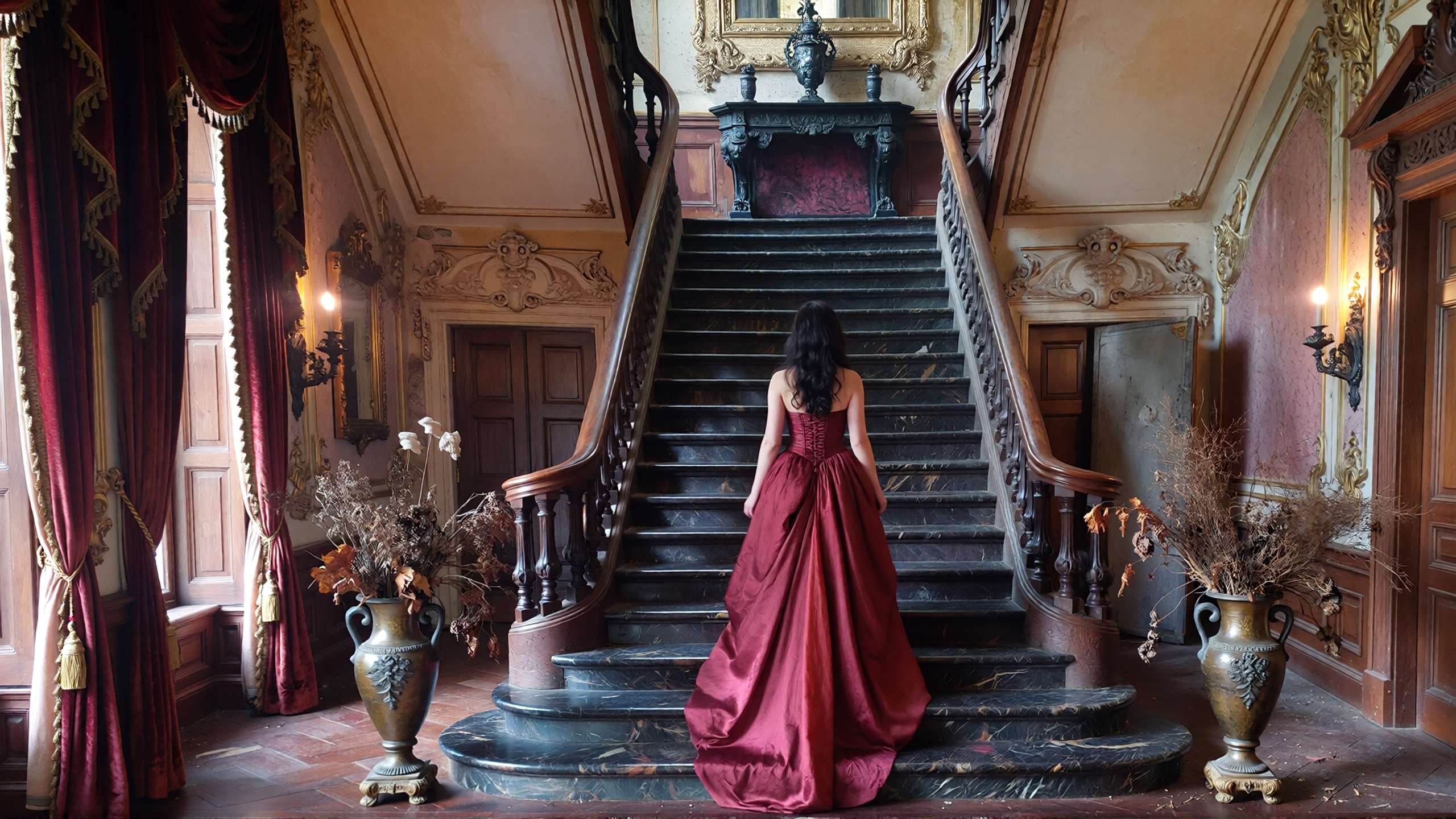 Symmetrical - Woman on Staircase by Runway Gen 4.5
19. Negative Space - Jeep on Salt Lake
"Negative space scene, shot from above of a vast dried salt lake with a dark red jeep driving slowly. The composition frames the jeep extremely small against the environment of the salt lake, emphasizing the negative space. Raw indie film aesthetic. Heavy grain. Unpolished, authentic, low-budget realism with a surreal, observational feel"
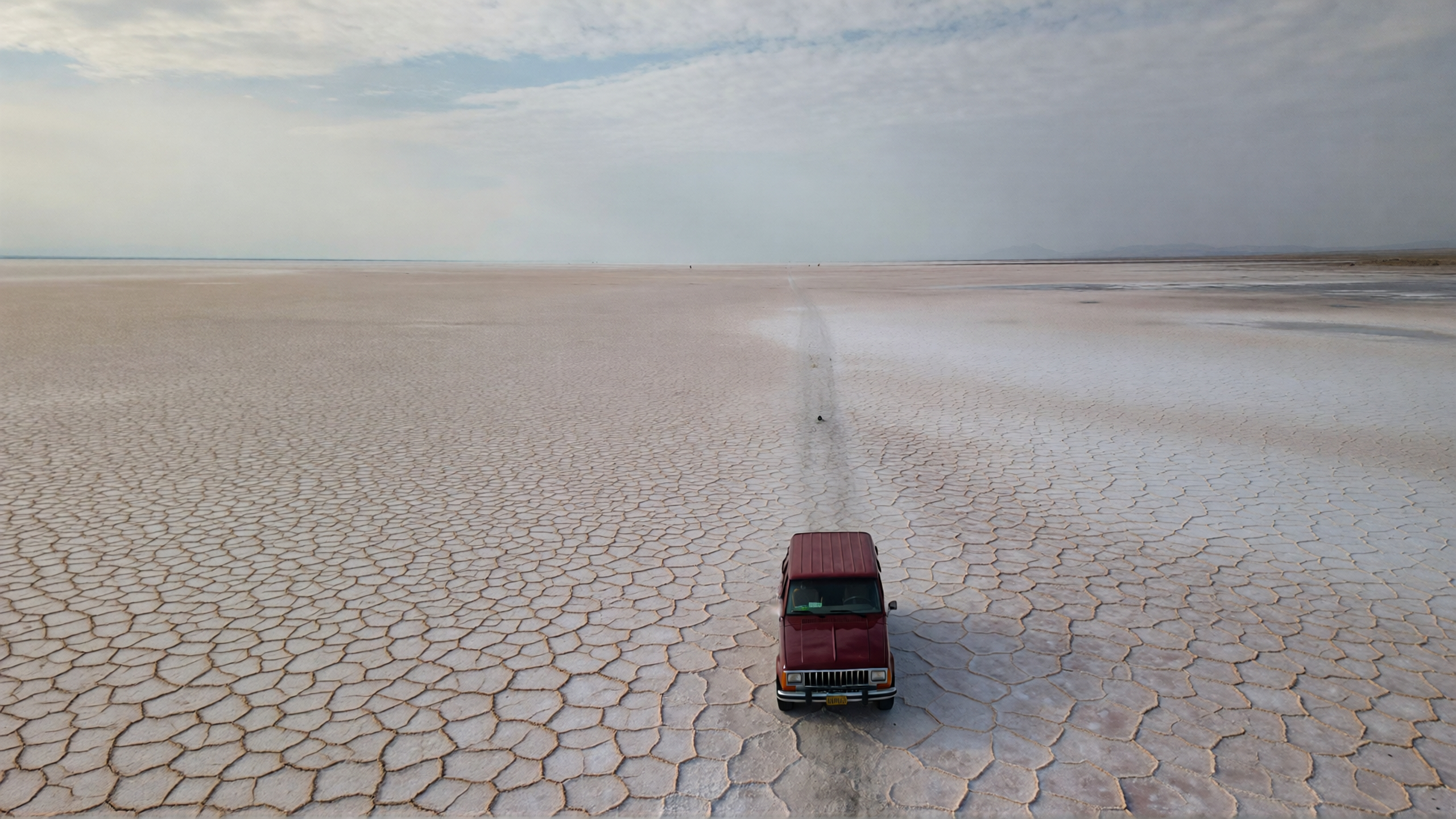 Negative Space - Jeep on Salt Lake by Runway Gen 4.5
Camera Movement - Basic Techniques Prompts
Camera movement adds energy and guides viewer attention through your scene. Basic movements form the foundation of dynamic cinematography and help establish rhythm and pacing in your videos.
20. Pan - Lake and Rowboat
"A horizontal pan, from a fixed point, sweeps left to right across pine trees and over a lake to end on a single rowboat docked nearby"
21. Tilt Up - Cobblestone to Sky
"A tilt up shot begins on the weathered cobblestones of an ancient city street, slowly rising to showcase the intricate architectural details of centuries-old buildings, then continues upward to reveal a vast, clear blue sky with a single, wispy cloud"
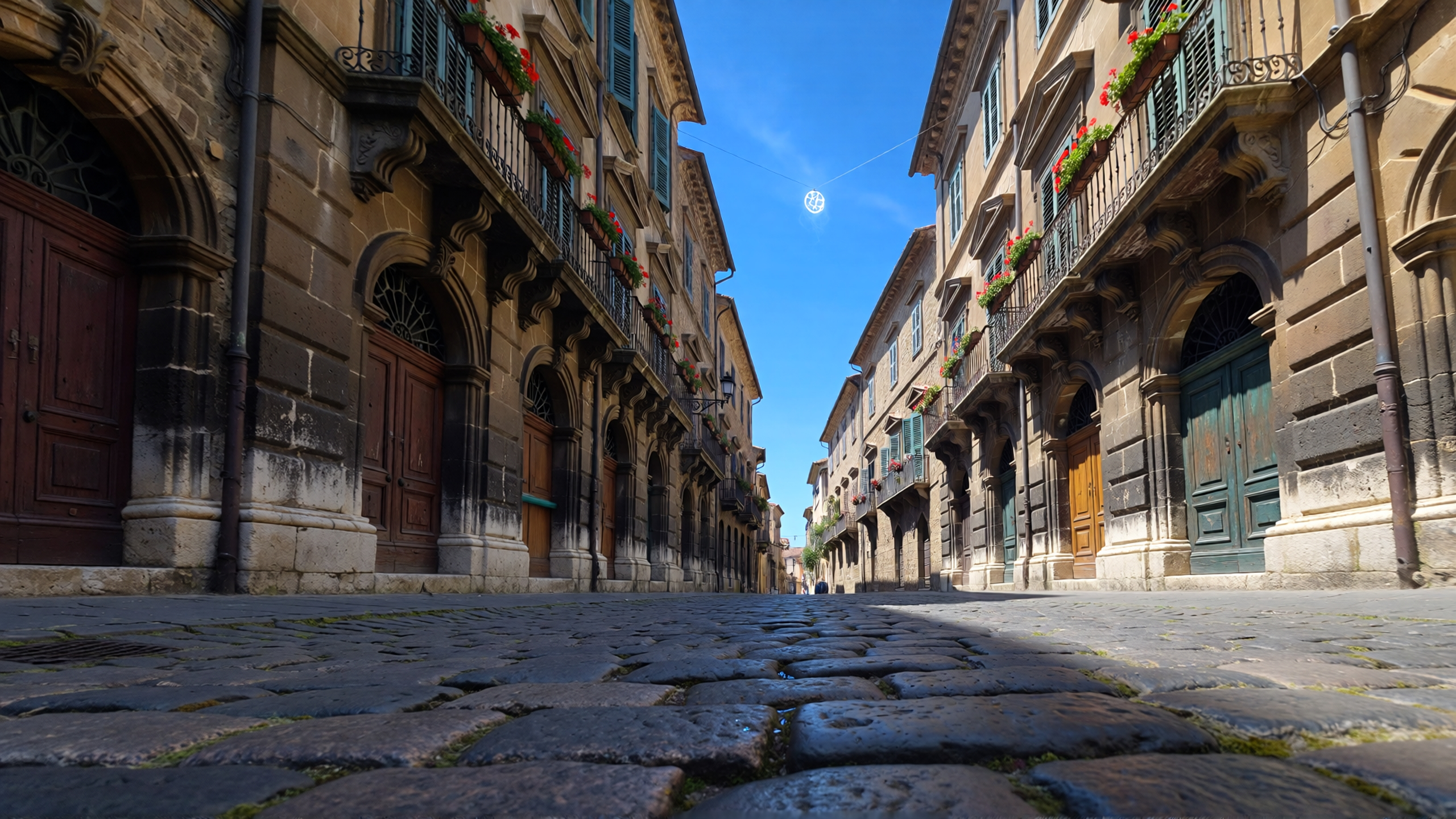 Tilt Up - Cobblestone to Sky by Runway Gen 4.5
22. Dolly - Alleyway Figure
"A dolly backward shot smoothly follows a lone figure walking purposefully down a dimly lit, narrow alleyway, their silhouette sharply defined against the distant glow of city lights"
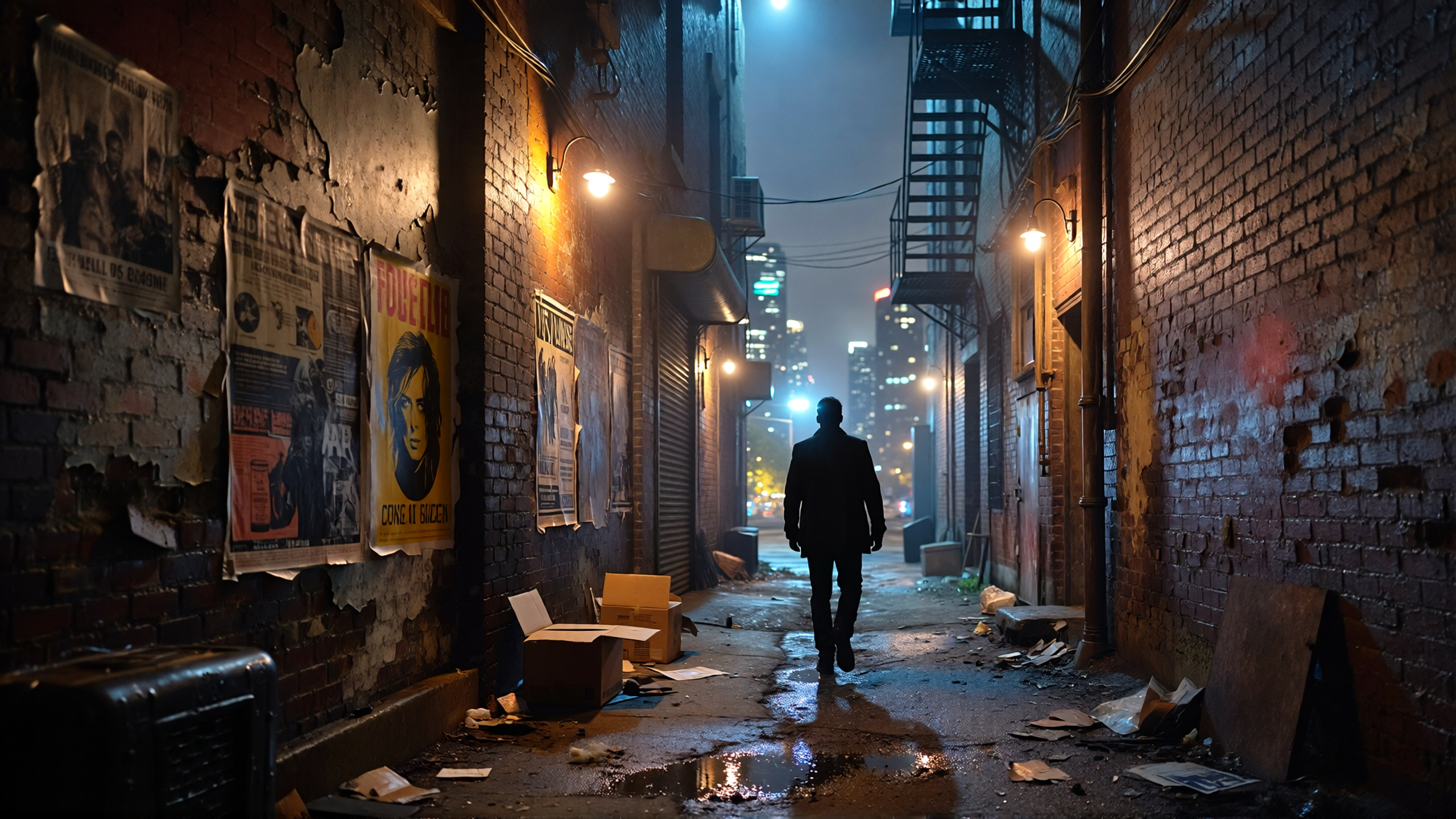 Dolly - Alleyway Figure by Runway Gen 4.5
23. Static - Transforming Building
"Static, completely still establishing shot remains motionless, focused on a single apartment building. The apartment building begins to stretch and curve with an elastic-like quality, bending into circular shapes and impossibly stretching and bending into an organic abstract shape. The camera is entirely motionless for the duration of the scene, with movement only occurring from the building moving within the locked perspective"
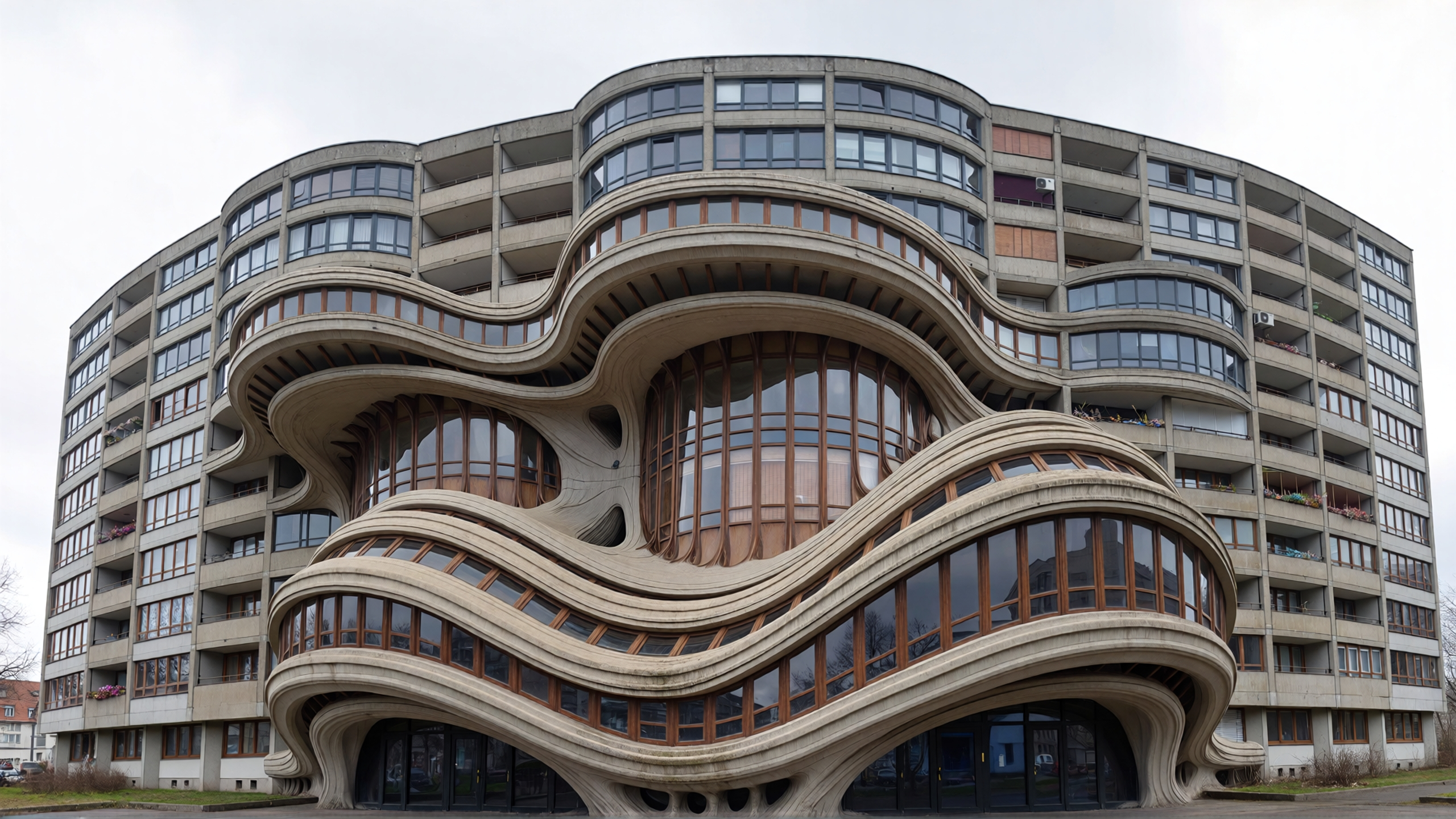 Static - Transforming Building by Runway Gen 4.5
Recommended read: ImagineArt vs Runway
Runway Gen-4.5 Prompts for Camera Movement - Push and Pull Prompts
Push and pull movements create intimacy or reveal context by changing the viewer's proximity to the subject. These movements control emotional distance and can dramatically shift the relationship between audience and subject.
24. Push In - Alien at Console
"A medium shot of a fish-like alien creature in sleek, black protective gear, observing a console with a single three-fingered hand. The camera slowly pushes in, framing the alien's intricate facial scales and large, bioluminescent eyes, illuminated by natural, ambient light filtering through a porthole, highlighting its focused expression"
 Push In - Alien at Console by Runway Gen 4.5
25. Pull Back - Artist Studio Reveal
"A handheld camera begins on a close shot, tightly framing a single, weathered hand carefully painting intricate details onto a miniature canvas, then slowly pulls backwards to reveal a wider shot of the artist's studio, filled with brushes, paints, and half-finished masterpieces, all from an observational view as if a quiet observer"
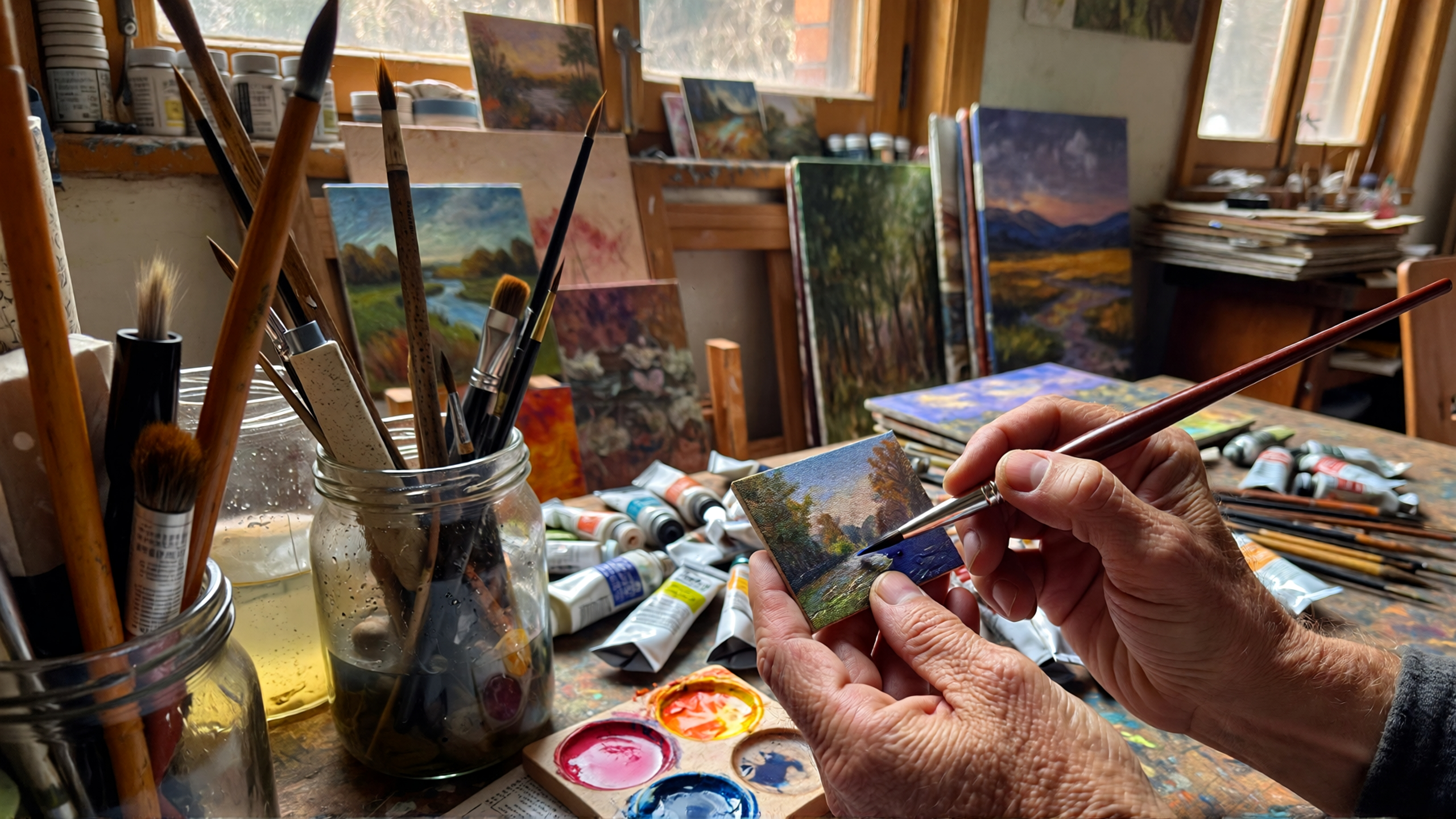 Pull Back - Artist Studio Reveal by Runway Gen 4.5
26. Tuck - Woman in Transforming Field
"The camera tucks right, tracking a woman walking right along a in a field; as she progresses, the flat environment organically transforms and unfolds with a stop motion effect from a flower field to a mountaintop setting, each transformation seamless and continuous. low contrast. art film, muted warm color palette"
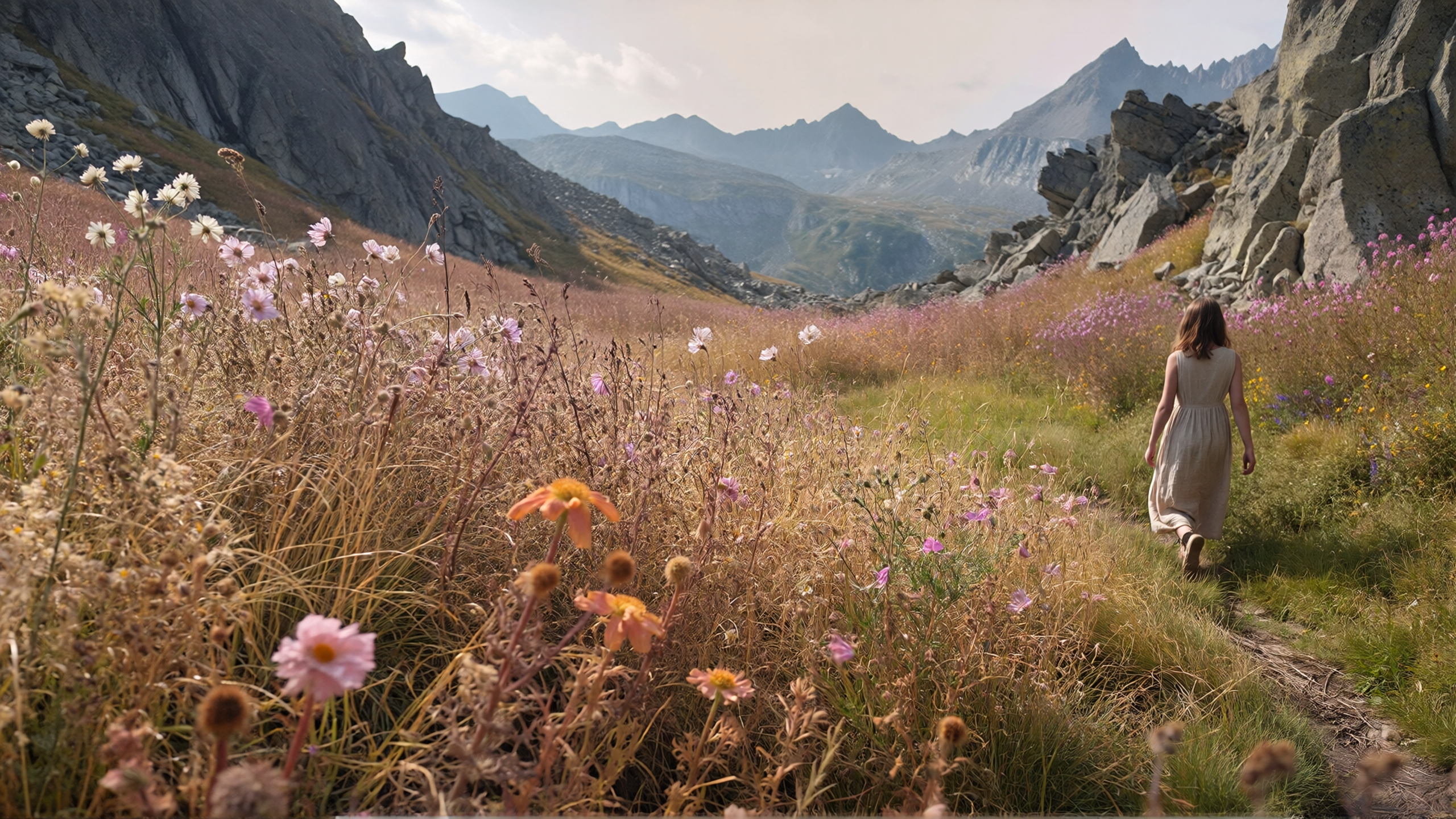 Tuck - Woman in Transforming Field by Runway Gen 4.5
27. Pedestal - Perfume Bottle Lift
"A woman's slender fingers with delicate, polished nails gently grasp the faceted cap of a clear glass perfume bottle, illuminated by soft, prismatic light. The hand lifts the bottle, revealing the faint tattoo on her wrist while the camera executes a gentle pedestal up, following the bottle's ascent. The color palette combines natural skin tones with the opalescent hues of the perfume bottle and the soft cool blue and warm pink background. Commercial beauty photography, ethereal, soft focus, product shot, iridescent, soft pastels"
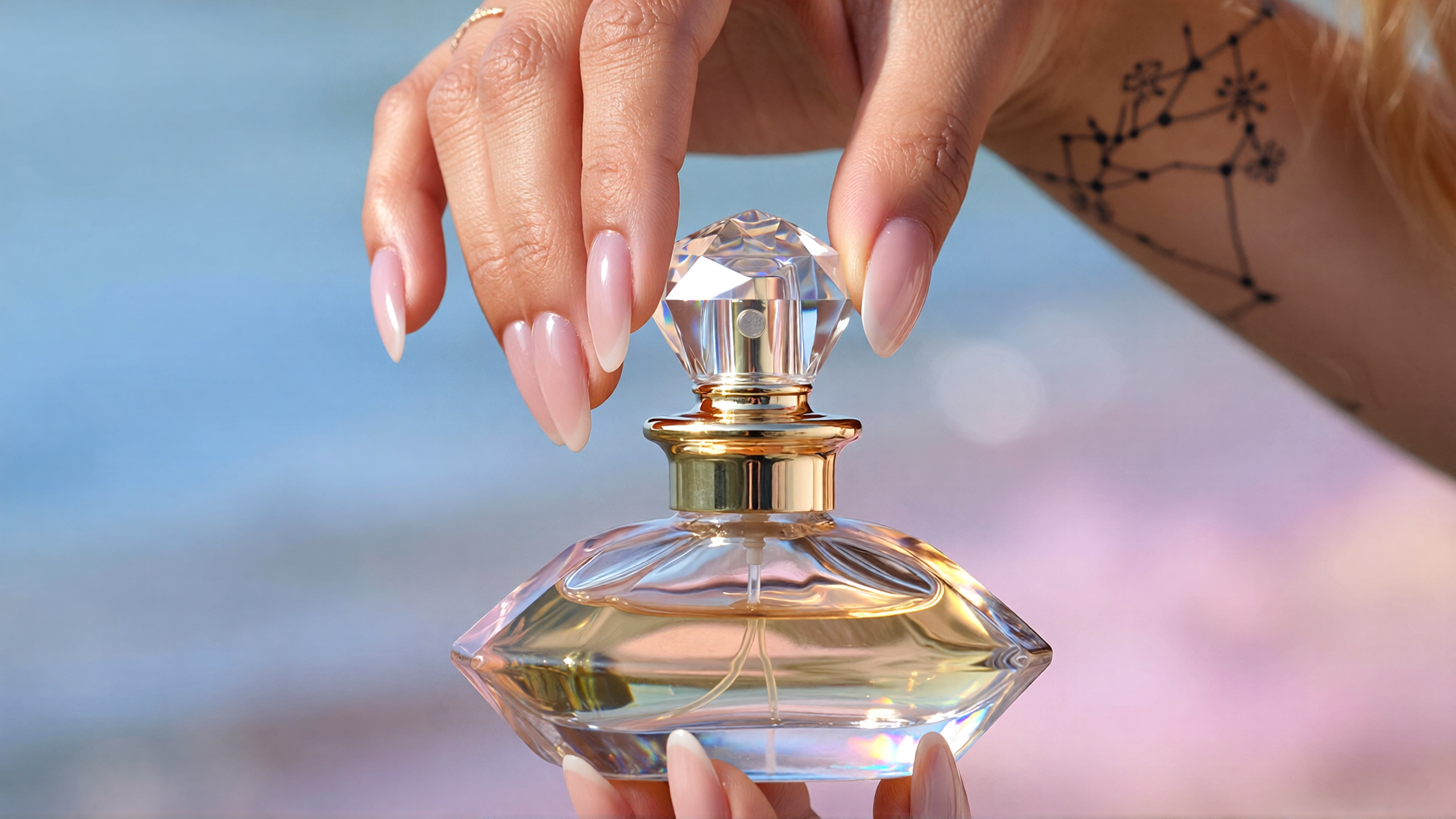 Pedestal - Perfume Bottle Lift by runway gen 4.5
Runway Gen-4.5 Prompts For Camera Movement - Tracking and Following Prompts
Tracking shots follow action and create dynamic visual flow. These movements keep viewers engaged with moving subjects and create a sense of journey or pursuit that pulls audiences through the narrative.
28. Tracking - Astronaut Skateboarder
"A handheld low angle tracking shot, with low contrast and fast-paced motion, follows a skilled astronaut skateboarder on a moon landscape. their movements blur against the soft glow of the dark lunar environment. Film grain, low contrast, black and white"
29. Orbit - Surreal Still Life
"Camera orbits a meticulously arranged, surreal still life featuring an iridescent albino snake coiled among vibrant yellow lemons, soft pink flowers, and shimmering, glitter-dusted flora against a gentle pastel backdrop. The camera executes a slow, deliberate orbit"
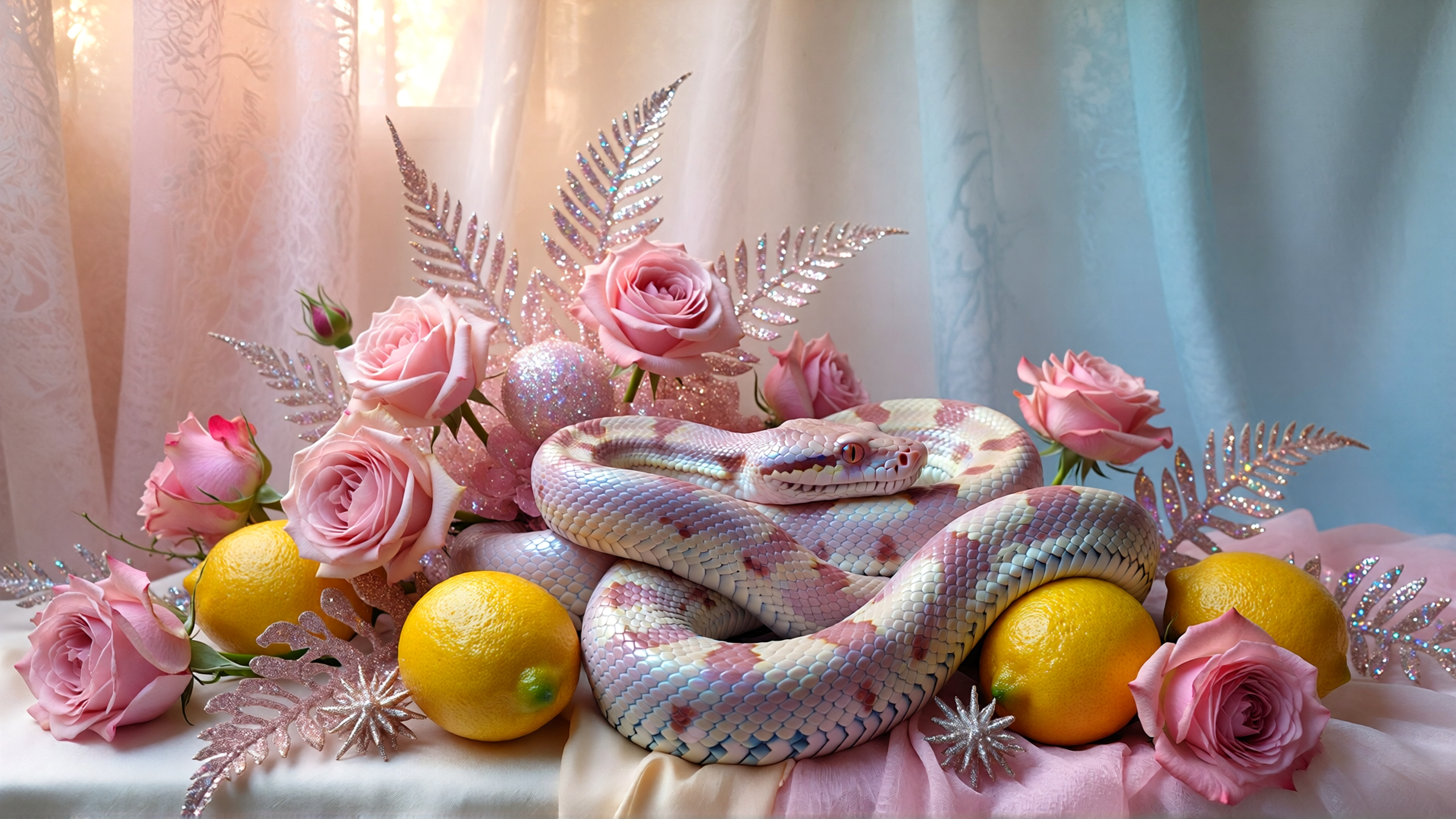 Orbit - Surreal Still Life
30. Arc - Figure on Cliff
"A figure stands on a precarious cliff edge, overlooking a chasm filled with slow-moving clouds. The camera executes an aggressive, sweeping arc around the subject. Earthy browns, warm ochres, and muted grays"
31. Crash Zoom
"The camera executes an aggressive, sweeping horizontal arc around the subject, followed by an extremely rapid, aggressive crash zoom that concludes with a sharp focus on the subject's eyes."
Recommended read: 8 Best Runway ML Alternatives for AI Videos
Zoom and Speed Effects Prompts
Zoom and speed create emphasis and dramatic transitions. These techniques add energy and draw attention to key moments, punctuating your narrative with visual exclamation points.
32. Zoom - Explorer Leap
"The camera performs a smooth pull back from a lone explorer, initially focused tightly on their determined face, as they take a deep breath before sprinting to dynamically leap across a chasm. The shot gradually widens to reveal the perilous drop below the ledges they've jumped from and the precarious ledge they landed on, emphasizing their athletic, deliberate movements against the vast, rugged landscape"
33. Crash Zoom - Chameleon
"A medium shot shows a chameleon slowly traversing a moss-covered branch, its body perfectly camouflaged, then a sudden crash zoom closely frames its face, and the independent movement of its pupils as it scans its surroundings"
34. Whip Pan - Claymation Characters
"A rapid whip pan dramatically connects two distinct claymation characters, starting from a bewildered detective's exaggerated expression, then snapping to a mischievous antagonist's sly grin, capturing their dynamic, expressive claymation movements in a cinematic style"
Runway Gen-4.5 Prompts For Stabilization Styles
Stabilization choices affect the feel and authenticity of your footage. From shaky handheld to smooth gimbal work, each style serves different creative purposes and emotional tones that shape how viewers experience your content.
35. Handheld - Earthquake Destruction
"A handheld camera, with extreme shakiness and jitter, rapidly tracks a crumbling urban landscape during an earthquake, the ground visibly fracturing, as the camera struggles to keep the chaotic destruction of buildings in frame"
36. Steadicam - Marathon Runner
"A steadicam follows closely behind a determined athlete, capturing their dynamic character motion as they sprint through a crowded urban marathon, weaving seamlessly between other runners, their focused expression and rhythmic strides filling the cinematic frame"
37. Gimbal - Botanical Garden
"A gimbal, executing complex and precise camera movement, begins tracking a gardener's path through a lush, overgrown botanical garden, weaving between towering ferns and blooming flowers, before ascending into an overhead angle, showcasing the entire sprawling, verdant labyrinth beneath a canopy of sun-dappled leaves, illuminated by natural daylight"
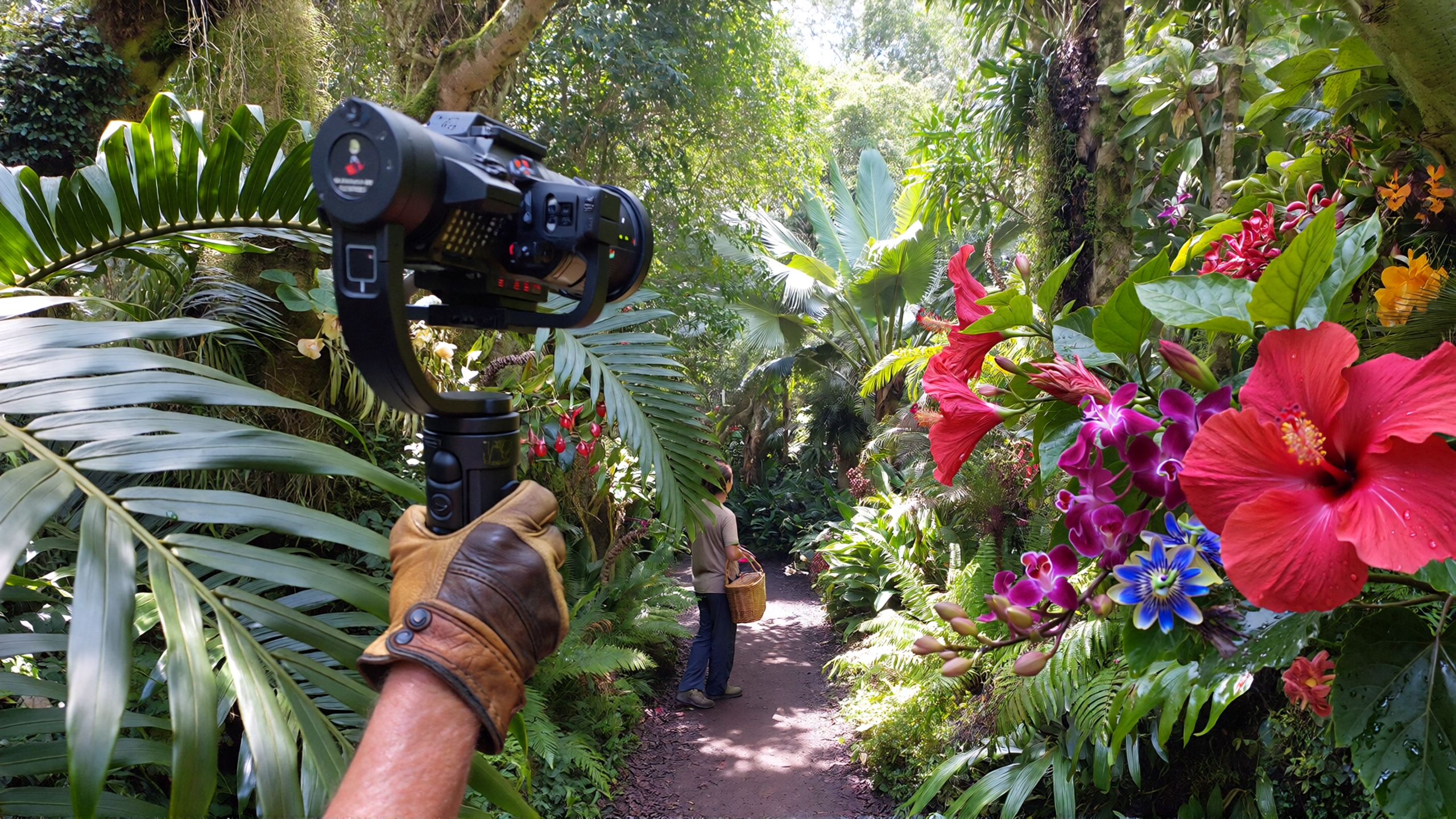 Botanical Garden by Runway Gen 4.5
Runway Gen-4.5 Prompts For Focus Techniques
Focus techniques control what viewers see clearly and what fades into blur. These choices direct attention and create depth, atmosphere, and artistic interpretation in your visual storytelling.
38. Deep Focus - Antique Shop
"A deep focus shot showcases a bustling antique shop, with every trinket on overflowing shelves in the foreground, the worn wooden floor in the mid-ground, and the distant, dust-mote-filled sunlight streaming through a back window all held in crisp, unwavering clarity"
39. Soft Focus - Figure by Water
"A solitary figure, their form indistinct and shimmering, stands at the edge of an impossibly still, reflective body of water. The entire scene is enveloped in a thick, luminous fog that diffuses all light into a soft, glowing halo around the figure and the water's surface. The aggressive camera movement circles the figure, further blurring the already indistinct surroundings into a painterly haze. Soft, all-encompassing ambient light from the luminous fog, creating a halo effect and dissolving harsh lines, enhancing the ethereal quality"
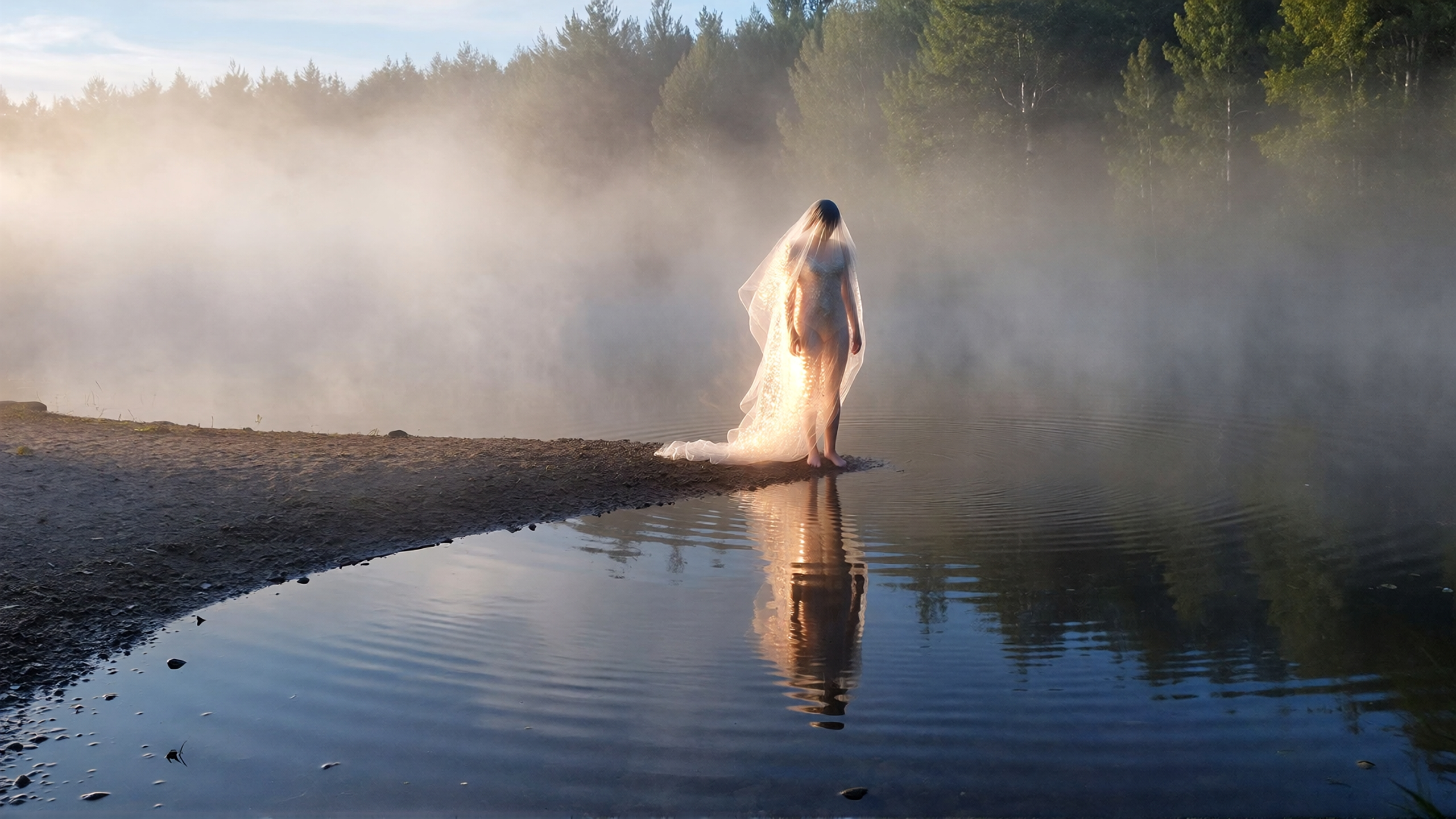 Soft Focus - Figure by Water by Runway Gen 4.5
40. Rack Focus - Chef to Diner
"A rack focus shot transitions from a close-up on a chef's hand meticulously garnishing a plate of haute cuisine, with individual herbs sharply defined, to the delighted expression of a diner across the table, their smile becoming crystal clear as the chef's hand gently blurs into the background"
41. Shallow Focus - Chrome Bubble
"A shallow focus shot isolates a single, chrome bubble floating impossibly slowly through a dimly lit, silent room, its warping surface reflecting a distorted, blurred reality, while the surrounding furniture and walls dissolve into an impressionistic dreamscape, rendered in a low-contrast, observational style that evokes a sense of surreal tranquility"
Ready To Create Videos With Runway Gen 4.5?
The prompts in this guide cover the essential categories for creating compelling video content with Runway Gen-4.5. From cinematic camera movements to atmospheric effects, from urban scenes to human moments, you now have the foundation to generate professional-quality videos.
Use these examples as your starting point and apply the techniques to your own creative projects. The key to exceptional results is clear, specific prompting that communicates your vision effectively.
Arooj Ishtiaq
Arooj is a SaaS content writer specializing in AI models and applied technology. At ImagineArt, she creates sharp, product-focused content that helps creators and businesses understand, adopt, and get real value from AI tools.