

Arooj Ishtiaq
March 11, 2026 • Updated June 30, 2026
6 mins Read
Compare Luma Ray 2 pricing on Luma's official platform and ImagineArt. Learn credit costs, plans, and which platform offers the best value for AI text-to-video generation.
Luma AI's Ray 2 is one of the most capable text-to-video models available today. Its defining strength is physically accurate motion. Objects move, interact, and respond in ways that feel natural rather than artificially generated. For creators exploring Luma Ray 2 pricing, understanding the cost on both the official Luma platform and on ImagineArt helps determine which option makes the most sense.
Pricing in this article was checked against official sources as of June 30, 2026. AI subscription pricing changes frequently — confirm current rates on each platform before purchasing.
What Is Luma Ray 2?
Luma Ray 2 is part of Luma's video model lineup and was designed around a single goal: realistic motion. Instead of prioritizing generation speed, the model focuses on the physics of movement, including weight, inertia, and consistent action sequences. This approach produces a video that remains convincing even under close inspection, something many faster models struggle to achieve.
The key capabilities include clips ranging from 5 to 10 seconds, resolutions up to 1080p with optional 4K upscaling, six aspect ratio options, start and end keyframe support, and seamless loop generation.
Luma Ray 2 Pricing on the Official Luma Platform
On Luma's official platform, Ray 2 pricing operates on a credit-based system. Each generation consumes credits depending on resolution and duration, and editing actions draw from the same pool.
Luma now sells subscriptions under three tiers: Plus, Pro, and Ultra.
Luma Plans
| Plan | Monthly Price | Annual Price | Monthly Credits |
|---|---|---|---|
| Free | $0 | — | Limited |
| Plus | $30/mo | Lower effective rate billed annually | 10,000 |
| Pro | $90/mo | Lower effective rate billed annually | 40,000 |
| Ultra | $300/mo | Lower effective rate billed annually | 150,000 |
On the Plus plan ($30/month), the 10,000 credit allowance supports a substantially higher volume of Ray 2 generations per month than the older Lite tier did, since both the price and credit pool scaled up together when Luma restructured its plans. The exact number of usable clips still depends on resolution and length, since 1080p and longer durations consume more credits per generation than 540p or 720p short clips.
Free plan content is watermarked and restricted to non-commercial use. Paid tiers starting at Plus produce watermark-free output and support commercial use, though it's worth double-checking the licensing language on Luma's pricing page directly, since these terms have shifted as the plan structure changed.
Modifying or extending a video on Luma's platform also consumes credits separately from initial generation, with longer extensions and higher resolutions costing more. This iterative cost adds up quickly for workflows that need several revisions before a clip is finished, and it's the detail most pricing comparisons gloss over.
The Ultra plan is built for high-volume professional or agency use, with a credit pool roughly fifteen times the Plus tier, placing it firmly at the top end of the consumer pricing ladder.
Luma Ray 2 Pricing on ImagineArt
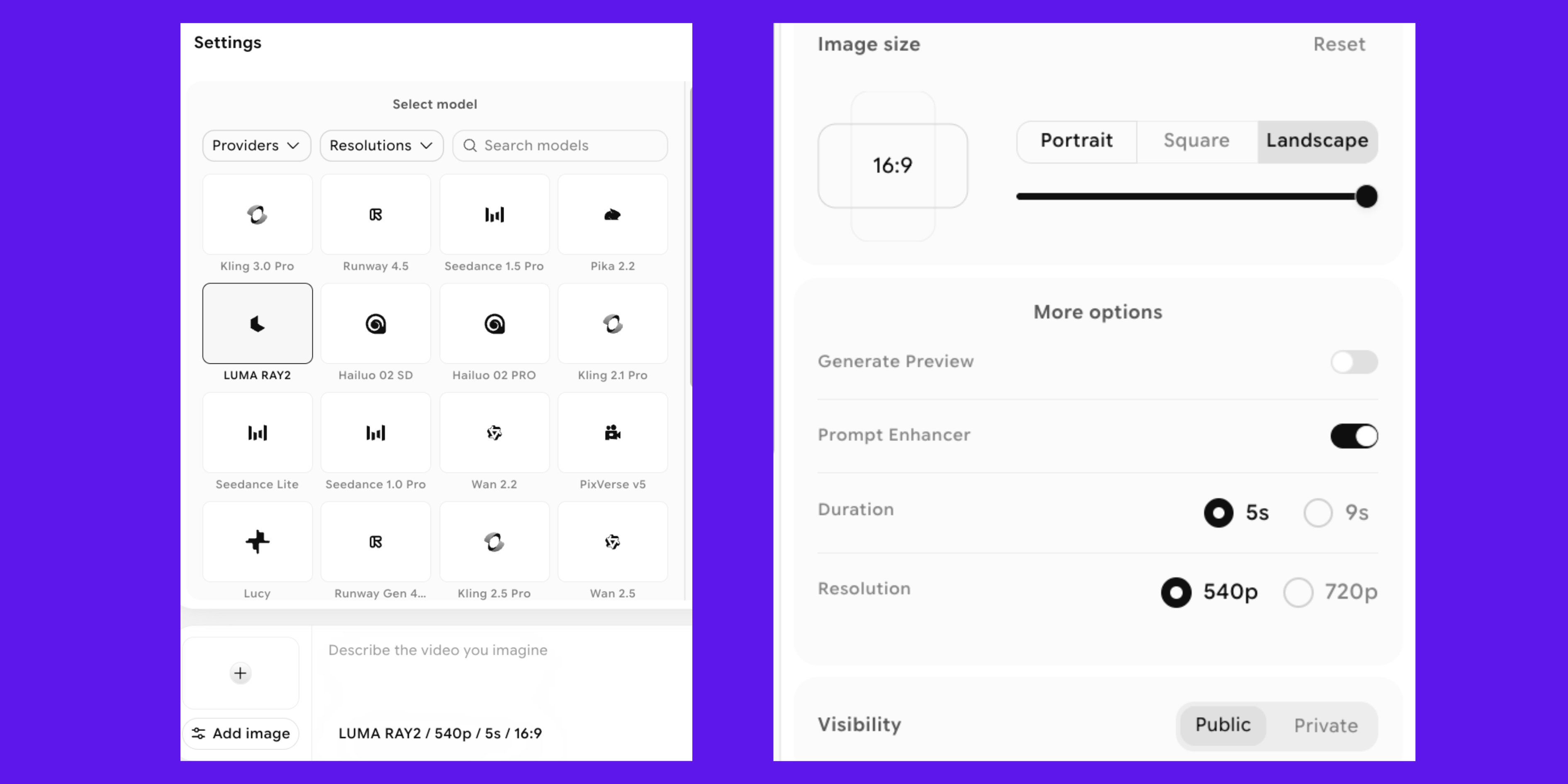
For many creators, ImagineArt provides a simpler and more affordable way to use Ray 2. On ImagineArt, Ray 2 access is bundled into a fixed monthly subscription rather than charged per variable, which removes the need to calculate resolution and duration multipliers before every generation.
 Luma Ray 2 Pricing: ImagineArt
The Basic Plan ($13/month) includes:
- 3,000 credits per month
- Ray 2 video generation
- Standard resolution options (540p, 720p)
- Aspect ratios: 16:9, 9:16, 3:4, 4:3
- Start frame control
- Monthly credit refresh, no rollover
This allocation works well for testing the model or incorporating regular AI video into a content workflow, without the variable per-clip cost calculations that Luma's credit system requires.
Recommended read: AI video generators cost
Luma Ray 2 Pricing: ImagineArt Vs Luma
| Feature | Luma (Plus) | ImagineArt (Basic) |
|---|---|---|
| Monthly Price | $30 | $13 |
| Monthly Credits | 10,000 | 3,000 |
| Max Resolution | 1080p (+ 4K upscale) | 540p, 720p |
| Commercial Use | ✓ (Plus tier) | ✓ |
| Watermarks | No (Plus tier) | No |
| Editing Cost | Consumes credits | Included, no extra credits |
| Other AI Tools Included | Video-focused | Multi-tool platform |
Which Platform Makes More Sense?
The better choice of platform for Luma Ray 2 pricing depends on the specific requirements of the project and what kind of AI video generator you need.
Luma's official platform suits creators who need 1080p output, longer clips, or early access to new models as Luma releases them. The trade-off is a higher monthly price and a credit system where editing actions, not just generation, draw down your balance.
In contrast, ImagineArt includes a free built-in AI video editor that lets creators edit videos without spending extra credits, a meaningful difference for anyone who iterates on prompts before landing on a final clip.
ImagineArt is often the more practical option for everyday creators. At $13 per month, the platform provides watermark-free AI video generation with commercial rights, along with access to a broader set of AI creative tools beyond Luma Ray 2. For creators experimenting with AI video or integrating Ray 2 into a regular content workflow, ImagineArt offers a straightforward and cost-effective starting point.
Try Luma Ray 2 on ImagineArt
If realistic motion and cinematic AI video matter to your workflow, Luma Ray 2 is a model worth experimenting with. Instead of navigating complex credit systems or higher-tier subscriptions, platforms like ImagineArt make it easier to access Ray 2 and start generating videos immediately. Explore the model, test different prompts, and see how AI video can fit into your creative process.
FAQ
Is Luma Ray 2 still the best Luma model for pricing-conscious creators?
Ray 2 remains a strong mid-tier option for realistic motion. Pricing and plan structures change periodically, so always check current rates before subscribing.
Does ImagineArt's Basic plan include commercial usage rights?
Yes, ImagineArt's paid plans support commercial use and produce watermark-free output.
Do unused credits roll over on either platform?
No. Both ImagineArt and Luma's standard plans refresh credits monthly without rollover.
Does editing a video cost extra credits?
On Luma's platform, modifying, extending, or reframing a video draws from the same credit pool as generation. ImagineArt's built-in video editor does not consume additional credits for basic edits.
Arooj Ishtiaq
Arooj is a SaaS content writer specializing in AI models and applied technology. At ImagineArt, she creates sharp, product-focused content that helps creators and businesses understand, adopt, and get real value from AI tools.