
Tooba Siddiqui
March 27, 2026 • Updated July 17, 2026
15 mins Read
Explainer videos used to be expensive. You needed a scriptwriter, a voiceover artist, an animator, and a video editor — and weeks of back-and-forth before anything was ready to publish.
That has changed completely.
Today, an AI explainer video generator can take your script, your idea, or even just a rough prompt and turn it into a polished, professional explainer video in minutes. No studio. No production team. No timeline that stretches into next month.
Here’s a quick rundown of seven best AI video generators for explainer video:
- ImagineArt AI video generator
- Google Veo 3
- Kling AI
- Hailuo AI
- PixVerse AI
- Seedance AI
- Wan AI
What Makes a Great AI Explainer Video Generator?
Not every AI video tool is built for explainer content. Explainer videos have specific demands: they need to communicate clearly, hold attention, and guide the viewer toward understanding something — a product, a process, a concept, or a service.
Here is what separates a strong AI explainer video generator from a generic video tool:
- Script-to-scene accuracy. The AI needs to interpret your script or prompt and produce visuals that match your message — not just look good in isolation.
- Narration and voiceover support. Most explainer videos need a voice. Whether that is an AI avatar, a synced voiceover, or automated audio, the tool should handle this without requiring external software.
- Animation and style flexibility. Explainer videos come in many formats — animated, cinematic, illustrated, presenter-style. The best tools give you style options rather than locking you into one aesthetic.
- Character or scene consistency. If your explainer features a recurring character or spokesperson, the AI needs to keep their appearance consistent from one scene to the next.
- Editing and refinement capability. Generating a video is step one. Being able to refine pacing, add transitions, and adjust details without starting over is what takes an explainer from rough to ready.
Learn how to make an explainer video on ImagineArt blogs.
Quick Comparison: AI Explainer Video Generators at a Glance
Here’s a breakdown of 10 best AI explainer video generators:
| Tool | Best For | Script Input | Voiceover / Narration | Animation Style | Starting Price |
|---|---|---|---|---|---|
| ImagineArt | All-in-one AI explainer platform | ✅ Text prompt | ✅ AI avatar + lip-sync | Generation + avatar | Free / $9/mo |
| Synthesia | Corporate training, product demos | ✅ Script-to-video | ✅ 300+ AI voices | Talking head avatar | $29/mo |
| InVideo | Script-to-social video | ✅ Prompt or script | ✅ AI voiceover | Template + avatar | Free / $28/mo |
| Vyond | Animated corporate explainers | ✅ Script + scenes | ✅ Text-to-speech | Character animation | $49/mo |
| Google Veo 3 | Cinematic brand explainers | ✅ Text prompt | ❌ Video only | Photorealistic | Via ImagineArt |
| Kling AI | Character-led tutorial videos | ✅ Text prompt | ❌ Video only | Cinematic/character | Via ImagineArt |
| Hailuo AI | Smooth animated motion | ✅ Text prompt | ❌ Video only | Fluid animation | Via ImagineArt |
| Pictory | Blog or article to video | ✅ Paste URL or script | ✅ AI voiceover | Stock footage | Free / $19/mo |
| PixVerse AI | Stylized visual explainers | ✅ Text prompt | ❌ Video only | Illustrated/stylized | Via ImagineArt |
| Seedance AI | First explainer video, no experience | ✅ Conversational prompt | ❌ Video only | Auto-quality | Via ImagineArt |
10 Best AI Explainer Video Generators
The challenge now is not access — it is knowing which tool to use for which type of explainer video. A talking-head corporate explainer needs something different from an animated product walkthrough or a cinematic brand story. The right AI video explainer generator tool depends entirely on your format, your audience, and what you are trying to communicate.
1. ImagineArt AI Video Generator — Best All-in-One Explainer Video Maker
 ImagineArt AI Video Generator
If you only want one recommendation, this is it.
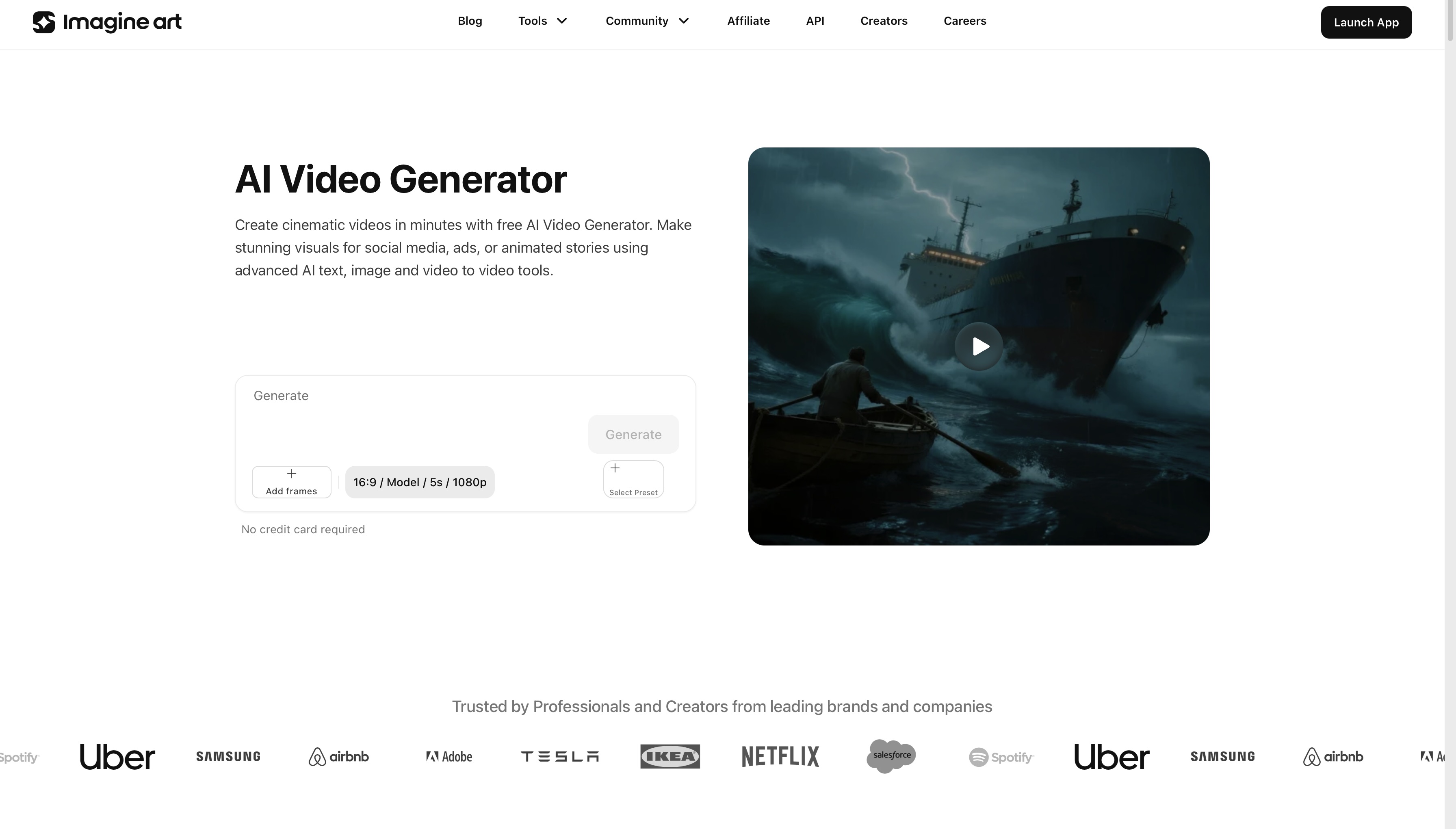
ImagineArt AI video generator is a full production platform that brings together text-to-video, image-to-video, and video-to-video generation across every top AI model, all accessible from one dashboard. For explainer video creation specifically, that flexibility matters more than almost any other factor.
Here is why it stands apart from every other tool on this list: it is the only option that handles the entire explainer video workflow without requiring you to leave the platform. You can write a script, enhance your prompt automatically, generate scenes using the best model for your style, add a narrating AI avatar, sync audio to the visuals, maintain character consistency across scenes, and export a finished video — all in one place.
The built-in AI Prompt Enhancer is particularly useful for explainer content. If your script descriptions are rough or too brief, the AI refines them into detailed, production-ready scene prompts that produce significantly better output. For teams producing explainer videos at volume, the bulk video generation feature means you can create multiple variations of the same explainer — different styles, different pacing, different visual treatments — and pick the version that performs best.
Best for: All explainer video formats — animated, cinematic, presenter-led, product demo, educational tutorials, SaaS onboarding videos
Strengths: Multi-mode input (text, image, video), AI Prompt Enhancer, AI Audio Sync, Character Consistency, Bulk Video Generation, access to all top models from one dashboard
Limitation: Choosing the right underlying model for your specific explainer style has a small learning curve for first-time users.
2. Google VEO 3 — Best for Cinematic, Script-Driven Explainers
When your explainer video needs to look expensive, Google VEO 3 is the model to reach for.
Available versions on ImagineArt:
- VEO 3 Fast
- VEO 3
This model excels at translating detailed script descriptions into cinematic scenes with realistic camera movement, natural depth, and accurate lighting. If your explainer video is for a brand pitch, an investor presentation, or a high-production product launch, VEO 3 produces the kind of visual quality that makes viewers take the content seriously.
What makes it particularly strong for AI explainer video content is how well it handles complex scene instructions. Descriptions like "wide establishing shot of a modern office, camera slowly pushing in toward a laptop screen showing a dashboard" are executed with cinematic precision rather than generic approximation. The motion feels intentional, not random.
Best for: Brand explainers, product demo videos, investor pitch videos, high-production corporate explainer content
Strengths: Cinematic realism, accurate camera movement, natural lighting physics, strong prompt comprehension
Limitation: Less suited for stylized or animated explainer formats — this is a photorealism-first model
3. Kling AI — Best for Character-Led Explainer Videos
 Kling 3.0 on ImagineArt AI Video Generator
Many of the most effective explainer videos are built around a character: a mascot, a spokesperson, a recurring presenter who guides the viewer through a concept or process. Kling AI is the strongest model on ImagineArt for this format.
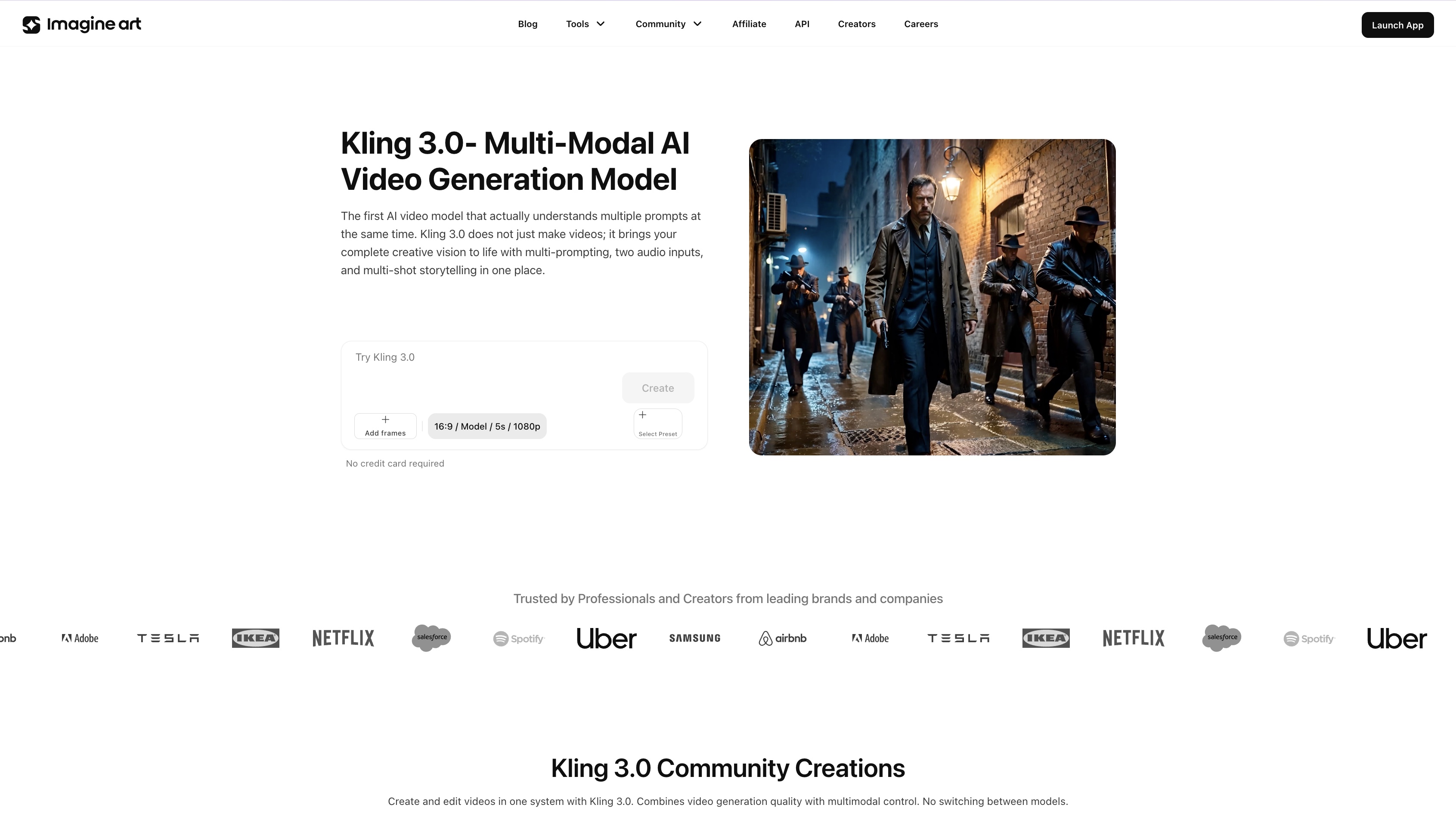
Available in Kling 3.0, Kling 1.6, 2.1, 2.5 Turbo, Kling 2.6, and the flagship O1 (Omni One) version, Kling maintains character appearance, clothing, and mannerisms consistently across scenes. That consistency is what makes character-led explainer content feel cohesive rather than disjointed — the viewer stays focused on the message rather than noticing that the character looks slightly different in every cut.
The Kling O1 model adds expressive emotional direction, which matters for explainer content specifically. A character that reacts — that looks curious, satisfied, or enthusiastic at the right moment — keeps viewer attention far better than a static or neutral presentation.
Best for: Tutorial videos, SaaS product walkthroughs, educational explainer series, brand character-driven content
Strengths: Character consistency across scenes, expressive emotional range via O1, cinematic visual quality
Limitation: Higher processing intensity for longer multi-scene sequences
4. Hailuo AI — Best for Fluid Motion Animated Explainers
Animated explainer videos work because motion naturally directs attention. When an element slides in, a diagram builds, or a character gestures toward something on screen, the viewer's eye follows. Hailuo AI produces the kind of fluid, expressive motion that makes this format work.
Available on ImagineArt as Hailuo 02 and Hailuo 2.3, this model generates smooth transitions and natural movement that feel deliberate rather than mechanical. For tech explainers, app feature walkthroughs, and social media explainer clips where motion is doing most of the communicative work, Hailuo delivers high-quality animated output fast enough to support iterative creative development.
The Fast variant is worth noting for teams on a deadline — generation speed is significantly quicker while maintaining strong visual quality, which means you can produce and test multiple explainer video versions in a single session.
Best for: Tech product explainers, app demo animations, social media explainer content, motion-driven educational videos
Strengths: Fluid natural motion, expressive animated visuals, fast generation for iteration, strong performance for animated style explainers
Limitation: Not well suited for photorealistic presenter-style explainer videos
5. PixVerse AI — Best for Stylized and Visual Explainer Videos
Some explainer videos are not trying to look real — they are trying to look clear. Illustrated diagrams, stylized characters, flat design animations, semi-realistic visual metaphors. PixVerse AI is ImagineArt's strongest model for this category of explainer content.
Available in PixVerse V5 and PixVerse V5.5 on ImagineArt. It is the top recommendation for animation work, this model produces expressive, stylized frames with fluid motion. It features a visual range that covers everything from illustrated explainer graphics to semi-realistic animated scenes.
For startup pitch explainers, educational content, and concept explanation videos where visual clarity matters more than photorealism, PixVerse gives you precise control over aesthetic style. The output looks handcrafted rather than algorithmically generated, which is exactly what branded explainer content needs.
After generating, you can refine timing, add transitions, and adjust cuts using ImagineArt AI video editor without leaving the platform.
Best for: Startup pitch explainers, educational content, concept videos, product explainers with illustrated or designed aesthetics
Strengths: Strong stylization range, fluid animation quality, expressive character motion, precise aesthetic control
Limitation: Less competitive for photorealistic cinematic explainer content
6. Seedance AI — Best for Beginners Making Their First Explainer Video
Not everyone coming to AI explainer video creation has a production background. Seedance AI is built for exactly that situation.
Available on ImagineArt as Seedance 1.0 and Seedance Pro Fast, with Seedance 2.0. It is suitable for beginners and produces high-quality output from simple, conversational prompts. You do not need to master prompt engineering or understand camera direction terminology to get a professional-looking result. The model handles interpretation automatically.
For small businesses creating their first explainer video, solo creators who need to produce content quickly, or teams that want to generate a rough explainer draft before refining it with a more advanced model, Seedance removes the technical barriers without sacrificing output quality.
Best for: Small business explainer videos, solo content creators, first-time AI video users, rapid draft generation
Strengths: High-quality output from minimal prompt detail, fast generation, no technical configuration required, genuinely accessible for non-designers
Limitation: Less precise control over camera direction and scene composition compared.
7. WAN AI — Best for Hyperrealistic Product Explainer Videos
 Wan 2.6 App on ImagineArt Apps
When your explainer video is showing how a physical product works, accuracy matters. The way light falls on a surface, the way a mechanism moves, the way a material behaves under specific conditions — these details determine whether a product explainer builds trust or breaks it. WAN AI handles this category better than any other model on ImagineArt.
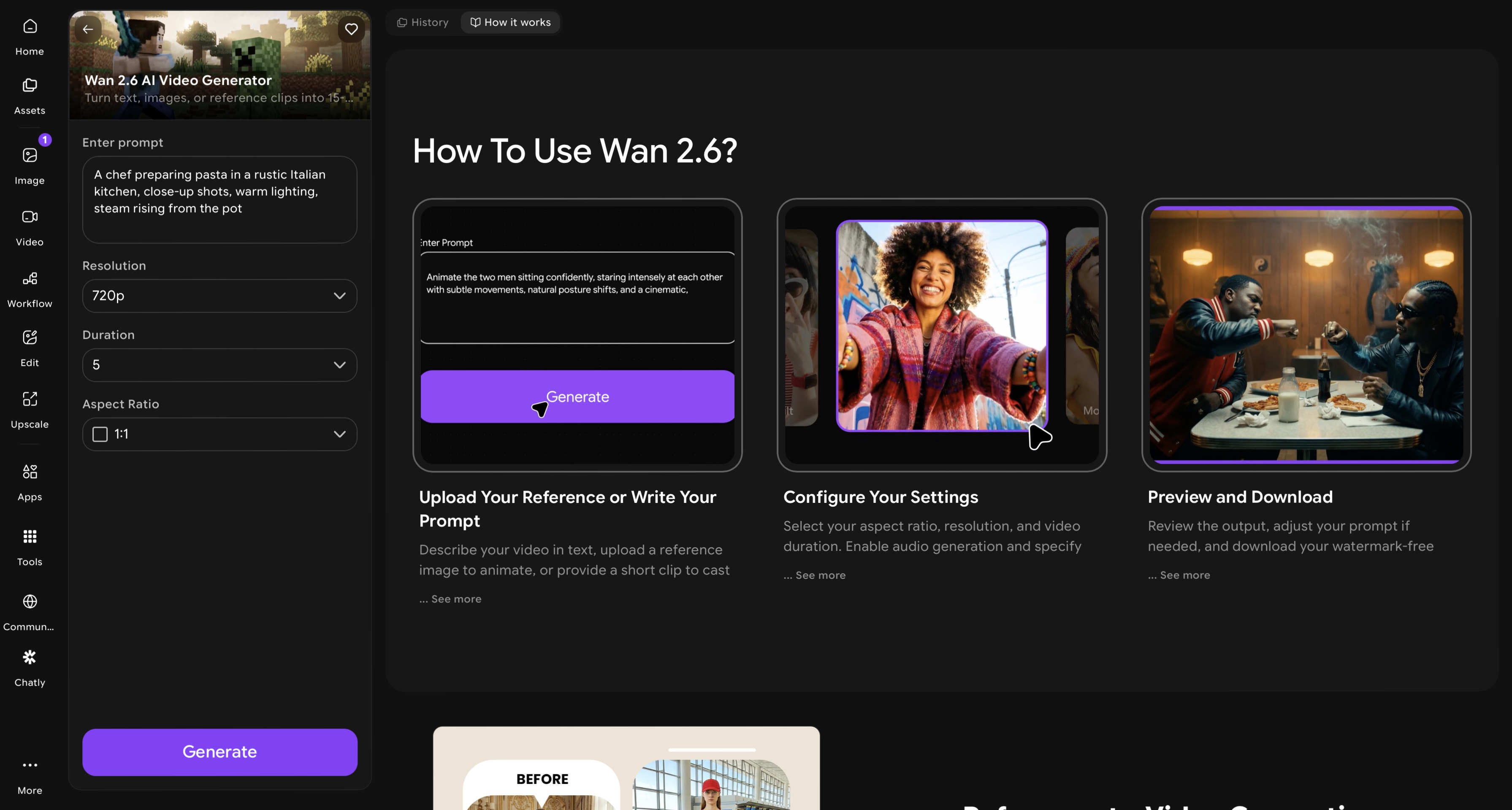
Available as WAN 2.2, WAN 2.2 Animate, WAN 2.5, and WAN 2.6, this model delivers hyperrealistic video scenes with precise motion control and photorealistic rendering that holds up to close inspection. For enterprise product teams, hardware companies, and anyone producing how-it-works explainer content for a technical audience, WAN AI produces the visual standard that the format demands.
For teams building multi-step explainer video production workflows — generating scenes, editing, compositing, and publishing — ImagineArt AI workflow builder lets you chain these steps together into a repeatable, scalable process.
Best for: Product demo explainers, how-it-works videos for physical products, technical explainer content, enterprise-level video production
Strengths: Hyperrealistic rendering, precise motion control, photorealistic material and lighting accuracy
Limitation: Higher processing intensity — best used as a quality-first tool for hero assets rather than rapid bulk output
8. Synthesia — Best for Script-to-Presenter Video With AI Avatars
Synthesia is built specifically for the explainer video use case that most users searching this query have in mind: paste a script, choose an AI presenter, get a finished video with synchronized narration and optional captions. No filming required. No voiceover recording. No video editing.
It's the most commonly recommended tool in the r/advertising and r/DigitalMarketing communities for corporate explainers and product demos, which is why the Reddit thread on this topic specifically mentions it. For teams producing training content, onboarding videos, or recurring product explainers in multiple languages, Synthesia's 29-language translation with lip-sync is the specific feature no other tool in this list matches.
Best for: Corporate training, SaaS product demos, HR onboarding videos, investor explainers
Standout feature: 100+ customizable AI presenters; 175-language translation with preserved lip-sync
Limitation: Output style is presenter-forward — not suited for highly visual or motion-graphic-heavy explainers
Pricing: Free (3 minutes/month); Starter $29/month; Creator $89/month
Also read: Synthesia Alternatives
9. Vyond — Best for Character Animation and Whiteboard Explainers
Vyond is the explainer video tool most enterprise and education teams use when they specifically want animated characters — not a talking-head presenter, not a raw video generation model, but a proper character-based animated explainer in the style of an explainer video agency. It supports custom character rigs, scene transitions, whiteboard animation style, and text-to-speech in multiple voices.
For teams creating software walkthroughs, process explanation videos, or compliance training, Vyond's library of pre-built character animations and scene templates covers most explainer video formats without requiring animation skills.
Best for: Whiteboard-style explainers, corporate character animation, compliance and training content
Standout feature: Custom character creation; pre-built scene library; whiteboard and infographic animation styles
Limitation: Less suited for photorealistic or AI-generated visual content
Pricing: Essential $49/month; Professional $89/month; Enterprise custom
10. Pictory — Best for Turning a Script or Article Into a Video in Minutes
Pictory converts written content directly into video. Paste a script, a blog post URL, or a long article, and Pictory selects relevant stock footage, adds captions, and synthesizes a voiceover — producing a finished explainer in minutes. For content marketing teams that already produce written explainers (how-it-works pages, technical guides, blog posts), this converts existing assets into video without an additional production step.
Best for: Content teams repurposing written explainers; text-to-video without animation or recording
Standout feature: URL-to-video from any article; auto-highlight reel generation from long video
Limitation: Stock footage matching is not always precise — review before client-facing output
Pricing: Free (limited); Starter $19/month; Professional $39/month
Also read: Pictory Alternatives
How to Choose the Right AI Explainer Video Generator
The right tool depends on your format, your audience, and what you need the explainer to do.
- Need everything handled in one place? Start with ImagineArt AI Video Generator. It gives you access to every model below, plus narration, audio sync, and character consistency tools, without requiring you to manage multiple platforms.
- Producing a cinematic brand or investor explainer? Google VEO 3 is your model.
- Building a character-led tutorial or product walkthrough series? Kling AI's character consistency makes it the right choice.
- Need fluid animated motion for a tech or app explainer? Hailuo AI generates smooth, expressive animation fast.
- Creating a stylized or illustrated explainer? PixVerse V5 gives you the strongest aesthetic range.
- Making your first explainer video and want it to be simple? Seedance Lite removes the technical friction entirely.
- Showing how a physical product works in precise detail? WAN AI is built for exactly that.
Tips for Creating Better AI Explainer Videos
The model you choose matters — but how you use it matters just as much. These five practices will improve your output regardless of which tool you are working with.
- Write your script before you prompt. Even a rough outline of what each scene needs to communicate gives the AI significantly more to work with than a vague description. Script first, then convert each section into a scene prompt.
- Use the AI Prompt Enhancer. ImagineArt's built-in prompt enhancer automatically rewrites and sharpens your scene descriptions for better composition, motion, and storytelling flow. It takes ten seconds and consistently improves output quality.
- Match the model to your style. Using a photorealistic model for an illustrated explainer, or an animation-focused model for a cinematic brand video, will always produce suboptimal results. The comparison table above makes this matching straightforward.
- Use AI-generated images as starting frames. For image-to-video explainer sequences, generate your key visual frames first using ImagineArt AI image generator, then animate them. This gives you precise control over how each scene looks before motion is added.
- Edit after generating. Raw AI video output is a starting point, not a finished product. Use ImagineArt AI video editor to tighten pacing, cut dead frames, add transitions, and make the explainer feel edited rather than auto-generated.
Ready to Make Your First AI Explainer Video?
The tools exist. The platform is accessible. The only thing standing between you and a professional explainer video is a script and a prompt.
Whether you need a cinematic brand explainer, an animated product walkthrough, a character-led tutorial series, or a simple talking-head video for your website, ImagineArt has the model and the workflow to get it done — without a production team, without a studio, and without weeks of back-and-forth.
For teams working at scale, the ImagineArt AI Enterprise plan gives your organization access to priority generation, advanced workflow tools, and the full model suite for producing explainer content at volume.
One platform. Every format. No production overhead.
Frequently Asked Questions
ImagineArt AI video generator is the most accessible starting point. It produces high-quality output from simple prompts with no technical setup required — ideal if you are making your first AI explainer video and want results without a steep learning curve.
Yes. A good AI explainer video generator handles everything without a camera or microphone. ImagineArt AI video generator lets you generate visuals from a text script, add an AI avatar narrator with realistic lip sync, sync audio automatically, and export a finished explainer video with nothing recorded.
PixVerse V5 on ImagineArt AI video generator is top recommendation for animated content. It produces expressive, stylized animation with fluid motion and a visual range that covers illustrated, semi-realistic, and fully animated explainer formats.
ImagineArt AI video generator offers a free plan with monthly credits that you can use to generate explainer videos without a paid subscription. The free plan gives you access to core AI video models, making it a legitimate starting point for testing the platform before committing to a paid tier.
Recommended read: Best AI Video Generators for Commercial use | Best AI Video Generators for Commercials | Best AI Video Generators for Professionals
Tooba Siddiqui
Tooba Siddiqui is a content marketer with a strong focus on AI trends and product innovation. She explores generative AI with a keen eye. At ImagineArt, she develops marketing content that translates cutting-edge innovation into engaging, search-driven narratives for the right audience.